

Description
Most WebP plugins keep your original JPEG/PNG files and serve WebP conditionally, which leaves you maintaining two copies of every image. Tanupom In-Place Converter for WebP takes the opposite, minimal approach: it replaces the originals with WebP in place, so your whole library ends up as a single set of WebP files. No rewrite rules, no .htaccess tricks, no duplicate storage.
It uses your server’s Imagick (ImageMagick) build to do the conversion, so heavy lifting stays on the server and the plugin itself stays small.
What it does
- Automatic conversion on upload. New uploads of JPEG, PNG, BMP, HEIC, and HEIF are converted to WebP at upload time via the
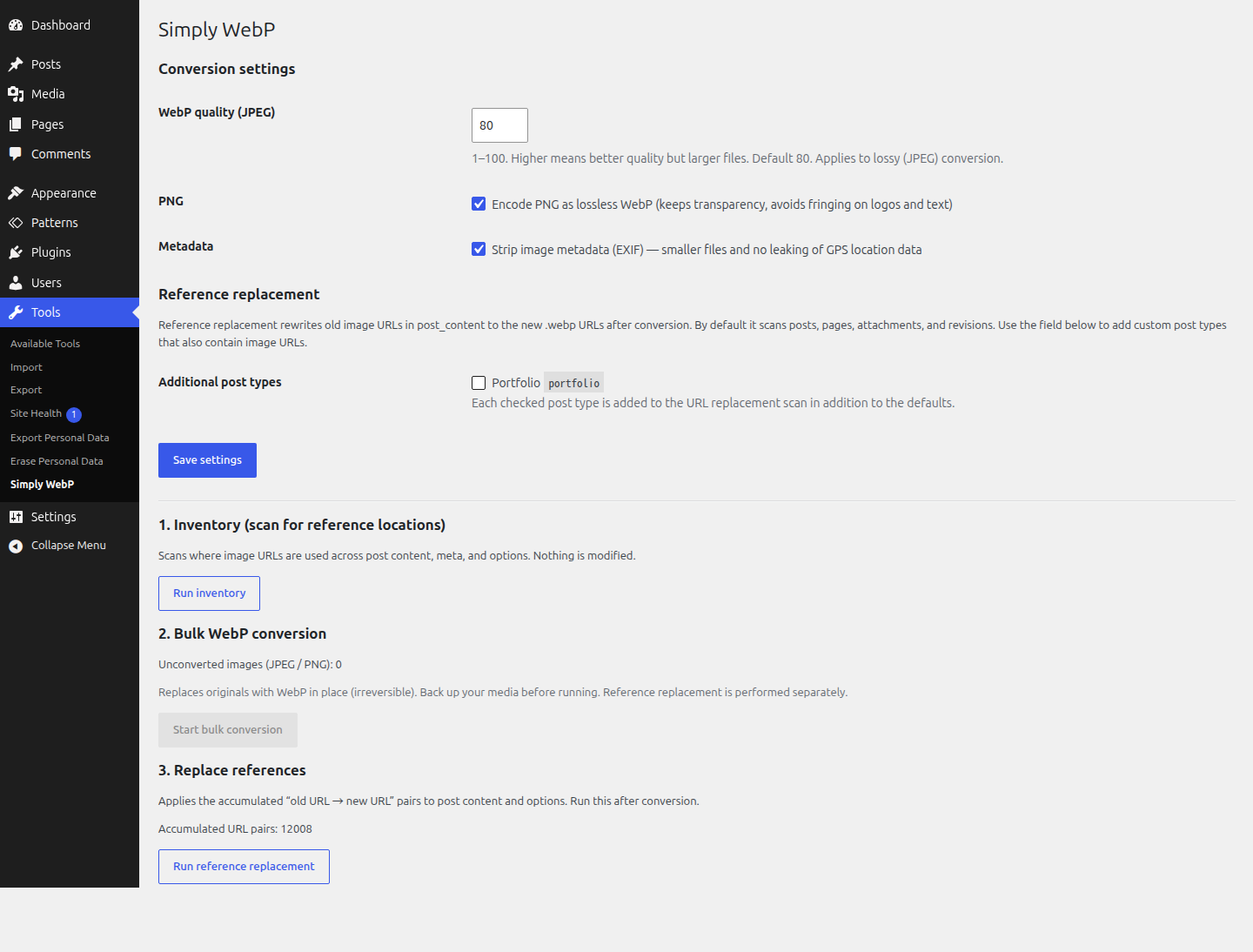
wp_handle_uploadfilter, replacing the original in place. If your server cannot output WebP (or HEIC/HEIF delegates are missing), the upload is passed through unchanged. - Inventory scan (non-destructive). Before touching anything, it reports where image URLs are used across post content, post meta, and options — so you know what a conversion will affect.
- Bulk WebP conversion. Converts every existing JPEG and PNG attachment — the original plus all of its generated sub-sizes — to WebP, then deletes the old files. Runs in small batches via AJAX so it survives shared-hosting execution-time limits, and shows live progress.
- Reference replacement. After conversion, it rewrites the old image URLs to the new
.webpURLs in your post content and options. Serialized options (widgets, theme mods) are handled with a serialize-safe replacement so the data does not break.
Conversion settings
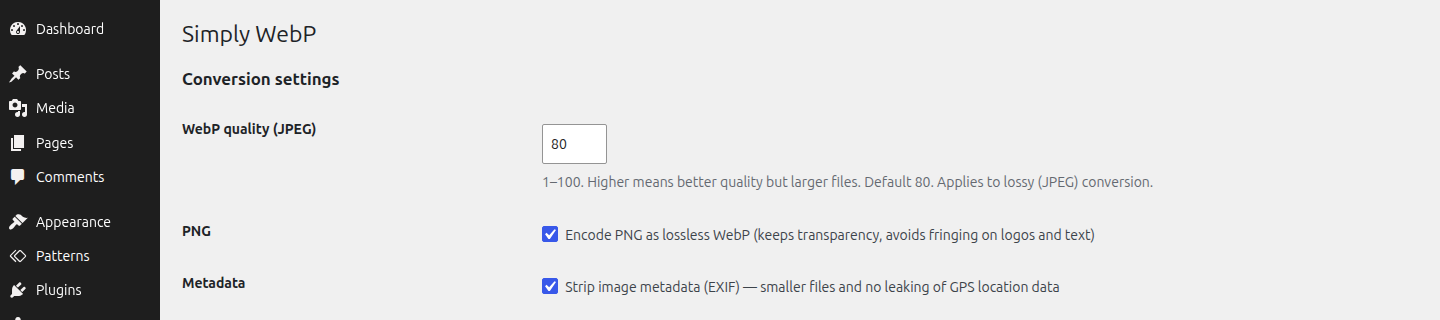
- JPEG is encoded as lossy WebP at a configurable quality (default 80).
- PNG is encoded as lossless WebP with alpha (transparency) preserved, to avoid fringing on logos and text.
- EXIF orientation is baked into the pixels before conversion (no more sideways phone photos).
- EXIF metadata is stripped (smaller files, and no leaking GPS location data).
All three of these are adjustable from the plugin’s settings.
Important: this is in-place and irreversible
This plugin replaces and deletes your original images, both at upload time and during bulk conversion. There is no automatic rollback. Back up your media library (and database) before running the bulk conversion.
Requirements
- The Imagick PHP extension, built with WebP support. The plugin detects this and disables conversion (with a notice) if your server can’t output WebP.
Screenshots
Installation
- Upload the
tanupom-in-place-converter-for-webpfolder to/wp-content/plugins/, or install it from the Plugins screen. - Activate the plugin through the Plugins screen in WordPress.
- Go to Tools In-Place WebP.
- Back up your media library and database first.
- (Optional) Run Inventory to see where image URLs are referenced.
- Click Start bulk conversion and let it run to completion.
- Click Run reference replacement to update your content to the new WebP URLs.
FAQ
-
Does it keep my original JPEG/PNG files?
-
No. This plugin is deliberately “in place”: it converts the originals to WebP and deletes the old files. This keeps your library to a single set of files. Make a backup before running it.
-
Can I undo the conversion?
-
Not from within the plugin. Restore from your backup if you need the originals back. This is why a backup is required before conversion.
-
Your Imagick build can’t output WebP. Ask your host to enable WebP support in ImageMagick/Imagick, or use a server that provides it.
-
Does it convert images automatically when I upload them?
-
Yes, since 0.2.0. New uploads of JPEG, PNG, BMP, HEIC, and HEIF go through the
wp_handle_uploadfilter and are written to disk as WebP, replacing the original. The same conversion settings (quality, lossless PNG, strip metadata) are used.If your server’s Imagick build cannot output WebP, or HEIC/HEIF delegates are missing, the upload is passed through unchanged so nothing breaks.
-
Will it break image URLs in my posts?
-
After conversion, run Run reference replacement. It rewrites old image URLs to the new
.webpURLs in post content and options, including serialized options, using a serialize-safe replacement. -
What about HEIC, GIF, BMP or already-WebP files?
-
The two conversion paths cover different formats:
- Automatic conversion on upload accepts JPEG, PNG, BMP, HEIC, and HEIF. BMP/HEIC/HEIF actually convert only when your server’s Imagick has the corresponding delegate; otherwise the upload is passed through unchanged.
- Bulk conversion of the existing library is limited to JPEG and PNG.
GIF (typically animated) and existing WebP files are always left untouched. Other MIME types are ignored.
Reviews
There are no reviews for this plugin.
Contributors & Developers
“Tanupom In-Place Converter for WebP” is open source software. The following people have contributed to this plugin.
Contributors
Translate “Tanupom In-Place Converter for WebP” into your language.
Interested in development?
Browse the code, check out the SVN repository, or subscribe to the development log by RSS.
Changelog
0.3.0
- Renamed the plugin to “Tanupom In-Place Converter for WebP”. Internal prefixes, option names, and the
tanupom_ipc_replace_post_typesfilter were renamed to match. - Translations now load automatically; the explicit
load_plugin_textdomain()call was removed.
0.2.0
- Added automatic WebP conversion of new uploads (JPEG, PNG, BMP, HEIC, HEIF) via the
wp_handle_uploadfilter, with graceful fallback when the server cannot output WebP. - Added a “Reference replacement” settings section: select additional public custom post types whose
post_contentshould be scanned during URL replacement. - Added the
tanupom_ipc_replace_post_typesfilter so developers can override the scanned post types programmatically. - Added Japanese translation (.po / .mo).
- Internal cleanup: improved code documentation and consistency.
0.1.0
- Initial release.
- Inventory scan of image URL usage across content, meta, and options.
- Bulk in-place WebP conversion of existing JPEG/PNG attachments and their sub-sizes.
- Serialize-safe reference replacement for post content and options.
- Adjustable conversion settings (WebP quality, lossless PNG, strip metadata).