

Description
Tahhan JMAP Mailer replaces WordPress’s built-in mailer with the modern JMAP protocol (RFC 8620 / RFC 8621). JMAP is the successor to IMAP and SMTP, designed from scratch for the modern web. It communicates over standard HTTPS, works through firewalls and NAT without any special port configuration, and is natively supported by leading mail servers such as Stalwart Mail Server, Fastmail, and Cyrus IMAP.
Unlike SMTP plugins that require relay credentials, third-party services, or open ports, Tahhan JMAP Mailer connects directly to your own JMAP-capable mail server using HTTP Basic authentication over an encrypted HTTPS connection. The JMAP session is auto-discovered from /.well-known/jmap — no manual API URL configuration needed.
Tahhan JMAP Mailer is built as a proper WordPress plugin: it uses wp_remote_get/post, WP_Error, WordPress nonces, and the standard sanitization and escaping APIs throughout. There are zero external PHP dependencies. It hooks into pre_wp_mail to intercept every wp_mail() call site-wide and deliver the email through a two-step JMAP pipeline: Email/set to create the email object, followed by EmailSubmission/set to submit it for delivery.
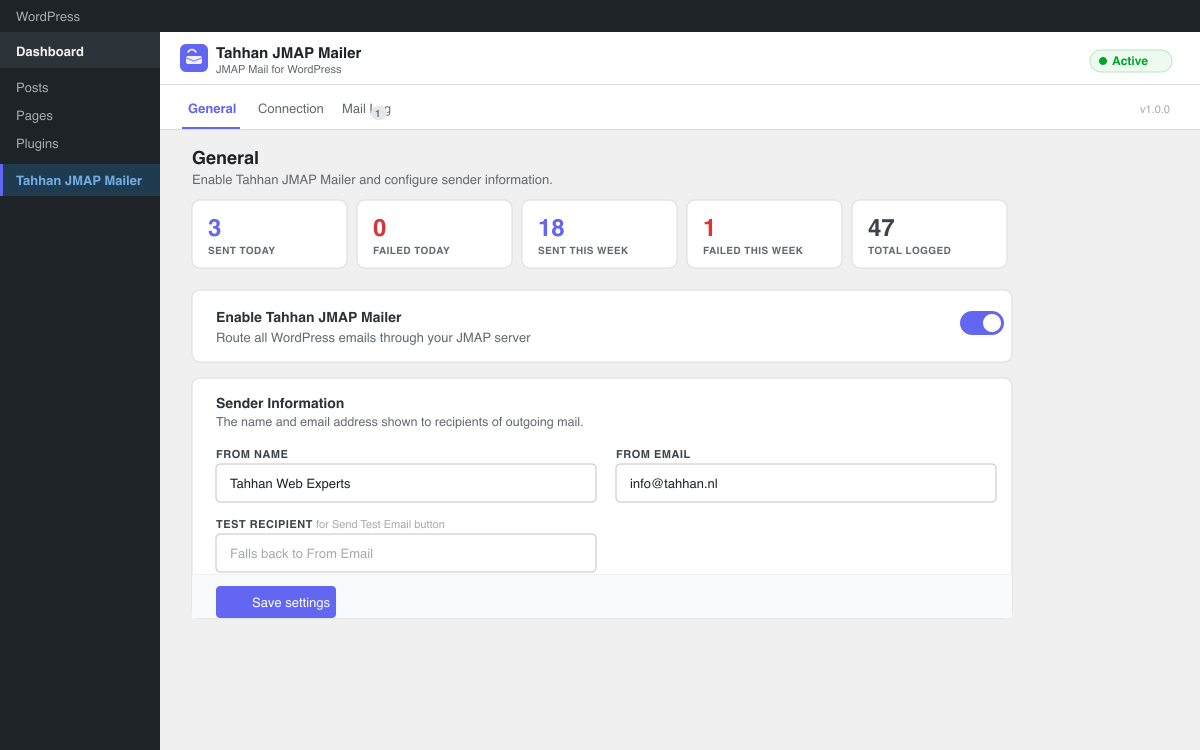
Every send attempt is logged (recipient, subject, status, JMAP IDs) in a capped mail log — message bodies are never stored. The plugin ships with a full admin UI including a setup wizard, live connection testing, multi-account management, conditional routing rules, a retry queue with exponential backoff, open tracking, CSV log export, and WooCommerce email type detection.
Features
- JMAP Protocol — Full RFC 8620 / RFC 8621 implementation, two-step Email/set + EmailSubmission/set delivery
- Auto-discovery — JMAP session discovered automatically from
/.well-known/jmap - Multi-account — Configure multiple JMAP accounts (Primary, Transactional, etc.)
- Routing rules — Route emails to specific accounts based on recipient domain, subject, plugin type, and more
- Retry queue — Failed sends automatically retried via WP-Cron with exponential backoff
- Open tracking — Optional 1×1 pixel tracking for HTML emails, entirely self-hosted
- WooCommerce integration — Detect and route WooCommerce order, customer, and admin emails
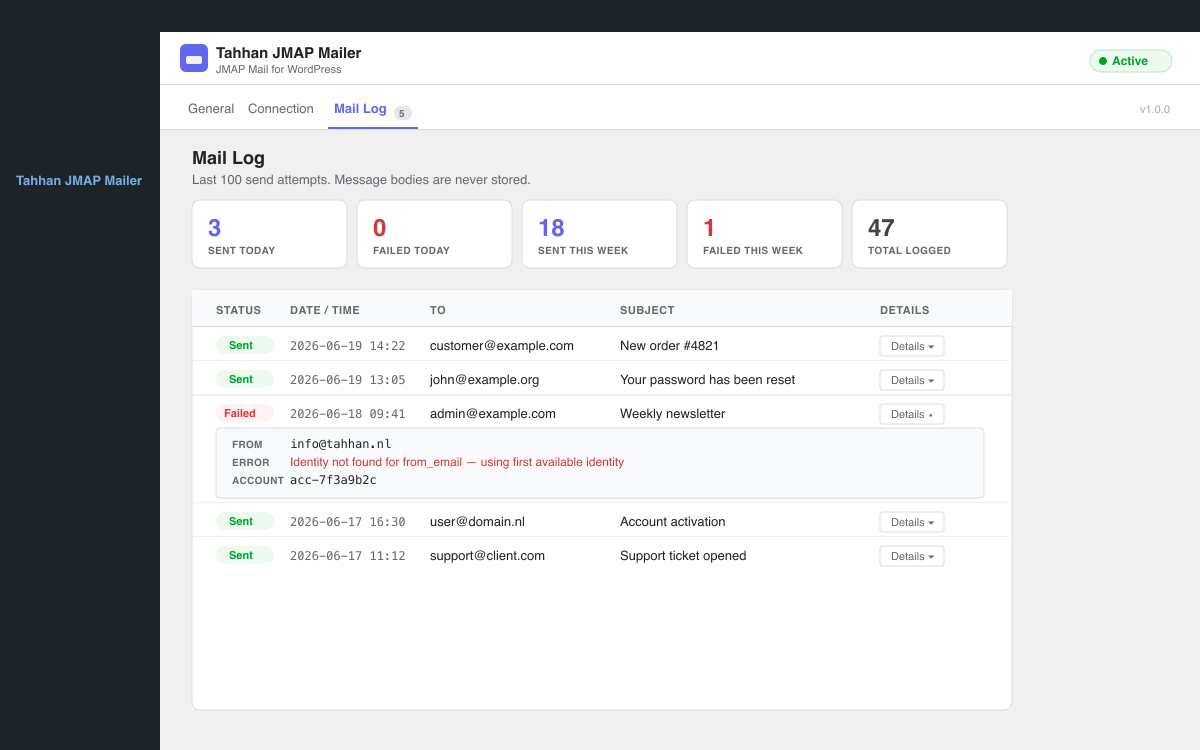
- Mail log — Last 100 send attempts with recipient, subject, status, JMAP IDs, error details
- CSV export — Download the full mail log as a CSV file
- Multiple identities — Per-account JMAP sending identities with auto-resolve support
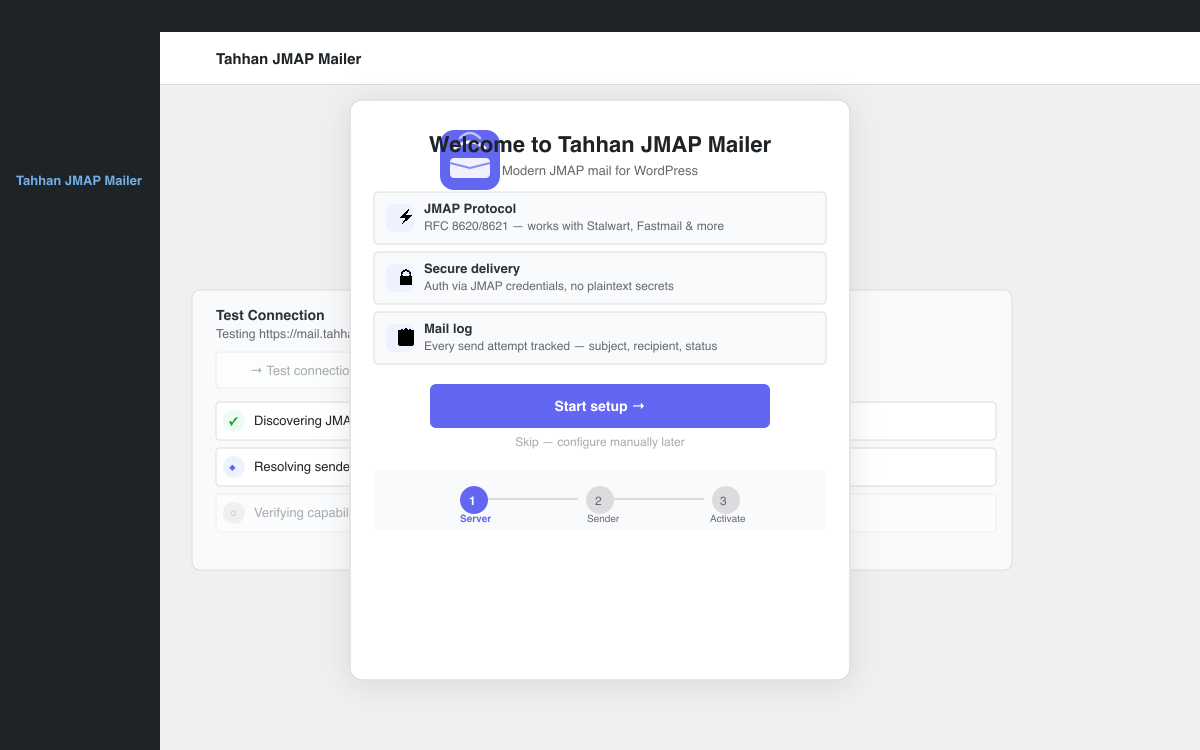
- Setup wizard — Guided first-time configuration with step-by-step instructions
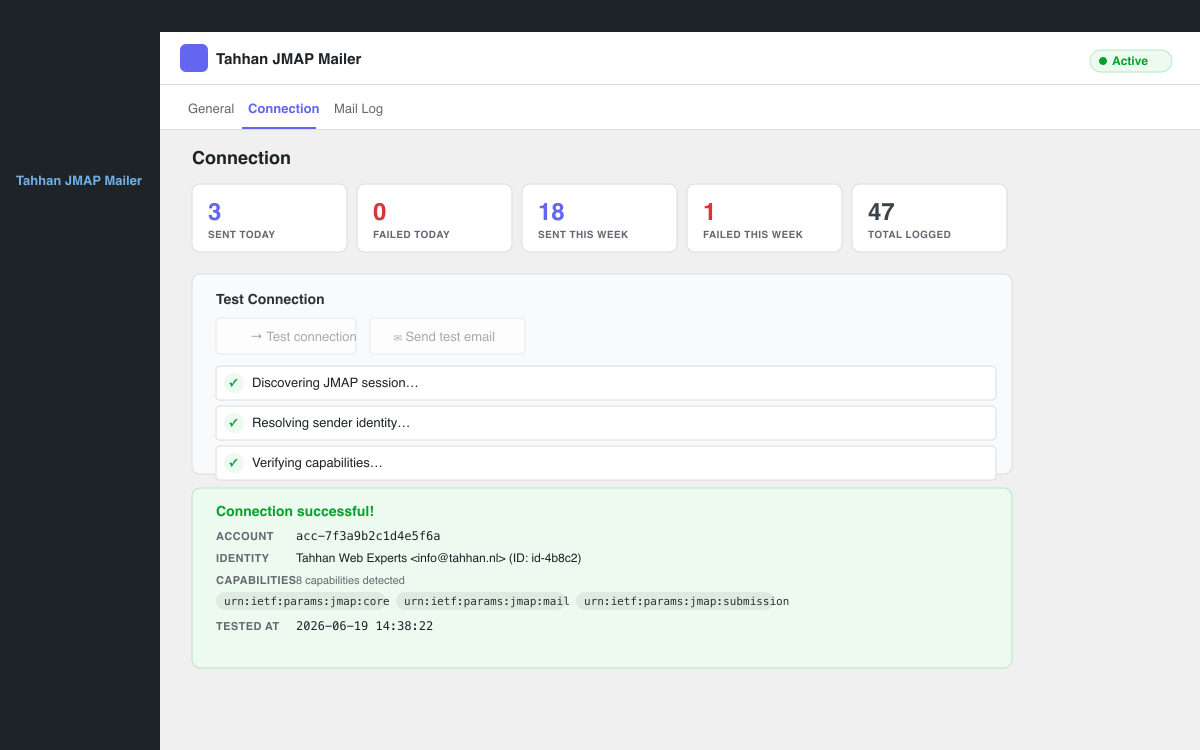
- Live connection testing — AJAX-based JMAP session test with step-by-step feedback
- No external dependencies — Zero third-party PHP libraries required
Compatible Servers
Tahhan JMAP Mailer works with any mail server that implements RFC 8621 (JMAP for Mail):
- Stalwart Mail Server — Full JMAP support, recommended for self-hosted setups
- Fastmail — Full JMAP support, commercial hosted service
- Cyrus IMAP — Full JMAP support, enterprise self-hosted
- Apache James — Full JMAP support, open source Java-based server
- Any RFC 8621-compliant server — The plugin uses only standard JMAP capabilities
Screenshots
Installation
- Download the plugin ZIP from the WordPress.org plugin directory or the GitHub releases page.
- In your WordPress admin, go to Plugins -> Add New -> Upload Plugin.
- Upload the ZIP file and click Install Now.
- Click Activate Plugin.
- Go to Tahhan JMAP Mailer in the left menu and follow the setup wizard to configure your JMAP server.
FAQ
-
What is JMAP?
-
JMAP (JSON Meta Application Protocol) is a modern, open-standard protocol (RFC 8620 / RFC 8621) designed as the successor to IMAP and SMTP. It communicates over HTTPS using JSON, works through firewalls without special port configuration, and is significantly more efficient than legacy email protocols.
-
How is JMAP different from SMTP?
-
SMTP was designed in 1982 and requires specific TCP ports (25, 465, 587) that are often blocked by firewalls and hosting providers. JMAP works over standard HTTPS (port 443), requires no relay configuration, has no port restrictions, and uses a modern JSON-based API that is far easier to work with programmatically.
-
Which mail servers support JMAP?
-
Stalwart Mail Server, Fastmail, Cyrus IMAP, and Apache James all support JMAP fully. Any server implementing RFC 8621 will work with Tahhan JMAP Mailer.
-
Does Tahhan JMAP Mailer work with WooCommerce?
-
Yes. Tahhan JMAP Mailer includes WooCommerce email type detection. You can create routing rules that detect WooCommerce emails (order confirmations, customer invoices, admin notifications) and route them to a dedicated transactional email account for better deliverability.
-
Can I use multiple JMAP accounts?
-
Yes. The Accounts tab lets you configure multiple JMAP accounts. You can set one as the Primary account (used by default) and configure additional accounts such as a dedicated transactional account for WooCommerce or a support-specific account.
-
How do routing rules work?
-
Routing rules are evaluated in order from top to bottom. The first matching rule wins. Each rule can match on recipient email, recipient domain, sender email, subject content, or plugin/email type. You can match ANY condition (OR logic) or ALL conditions (AND logic). Non-matching emails fall back to the Primary account.
-
What is the retry queue?
-
When an email fails to send, Tahhan JMAP Mailer can automatically retry it via WP-Cron. You configure the maximum number of retry attempts (1-5) and an initial delay (5 minutes to 1 hour). Each subsequent retry doubles the delay (exponential backoff). Permanently failed emails are marked as “exhausted” in the mail log.
-
What is open tracking?
-
Open tracking embeds a 1×1 transparent pixel in outgoing HTML emails. When a recipient opens the email, the pixel loads from your WordPress site, recording the open event. Plain-text emails are never tracked. All tracking data stays on your own server — nothing is sent to external services. You should disclose tracking in your privacy policy.
-
What is the mail log?
-
The mail log records every send attempt: timestamp, recipient address, subject line, send status (sent/failed), JMAP account and identity IDs, email object ID, and any error message. Message bodies, CC/BCC addresses, and attachment contents are never stored. The log is capped at 100 entries.
-
Can I export the mail log?
-
Yes. On the Mail Log tab, click “Export CSV” to download all log entries as a CSV file. The export includes timestamp, recipient, subject, status, account ID, identity ID, email ID, and error message.
-
What PHP version is required?
-
PHP 7.4 or higher. The plugin is tested with PHP 7.4, 8.0, 8.1, 8.2, and 8.3.
-
What WordPress version is required?
-
WordPress 5.8 or higher. The plugin is tested up to WordPress 6.7.
-
What is the Primary account?
-
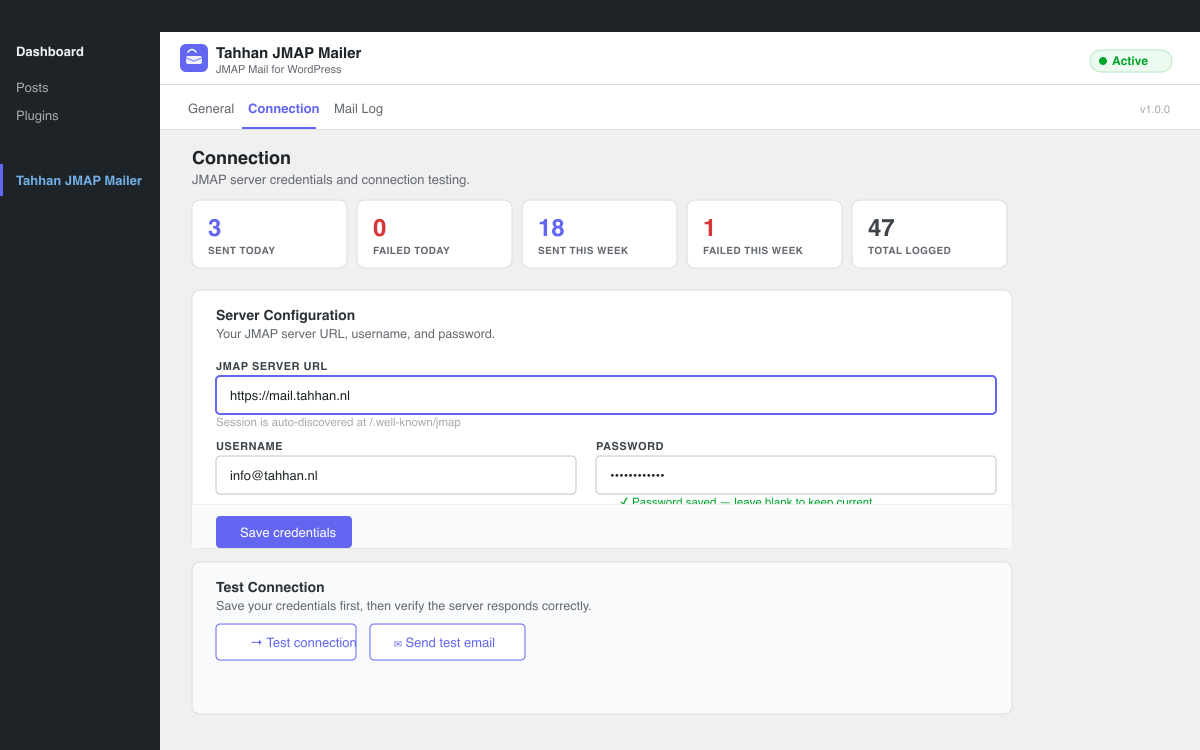
The Primary account is the fallback account used for all emails that do not match a routing rule. It is created automatically during setup from your initial JMAP credentials. You can edit the Primary account’s credentials on the Connection tab or in the Accounts tab.
-
How do sender identities work?
-
A JMAP identity defines the “From” name and email address used when sending. Tahhan JMAP Mailer can auto-resolve the correct identity by matching your configured From Email to an identity on the JMAP server. You can also manually select a specific identity from the Connection tab by clicking “Load identities” after saving your credentials.
-
How do I test the connection?
-
Go to Tahhan JMAP Mailer -> Connection and click “Test connection”. The plugin will discover the JMAP session, resolve your sender identity, and verify server capabilities. You can also click “Send test email” to fire a real email through the full send pipeline to your configured test recipient.
Reviews
There are no reviews for this plugin.
Contributors & Developers
“Tahhan JMAP Mailer” is open source software. The following people have contributed to this plugin.
Contributors
Translate “Tahhan JMAP Mailer” into your language.
Interested in development?
Browse the code, check out the SVN repository, or subscribe to the development log by RSS.
Changelog
1.3.5
- Fixed: Text domain changed to ‘postwave-jmap’ to match plugin slug for WordPress.org compliance
- Fixed: Output escaping issues in admin template
- Fixed: Input sanitization now uses wp_unslash() before processing POST data
- Improved: Tested up to WordPress 7.0
1.3.4
- Fixed: Stats block appeared twice on the General tab
1.3.3
- Fixed: “Message has to belong to at least one mailbox” — the plugin now resolves a fallback mailbox when the server has no Sent folder with role “sent”. It tries sent archive inbox first available mailbox before giving up.
1.3.2
- Fixed: “No JMAP mailbox found with role sent” — the Sent mailbox is now optional; emails send successfully even when the server has no Sent folder with that role
- Fixed: Mail log Details panel now pops up as an overlay instead of wrapping inside the narrow table column
- Improved: Error and email addresses in the Details panel wrap cleanly without character-by-character breaks
1.3.1
- Fixed: Fatal syntax error in admin template (unexpected endif) preventing plugin from loading
- Improved: Mail log now shows a dedicated “Opened” column with date/time instead of a small badge
- Improved: Open tracking status is now clearly visible per email in the log table
1.3.0
- Added: Setup wizard overlay for first-time configuration
- Added: Status bar on General tab showing sent today, sent this week, failed today, and total logged counts
- Added: Empty state screens for Accounts, Routing, and Mail Log tabs
- Added: Toast notifications for save actions
- Added: uninstall.php for clean plugin removal (deletes all plugin options and scheduled hooks)
- Improved: Admin UI polish and accessibility
- Improved: Screenshot and documentation updates
1.2.0
- Added: Multi-account support — configure multiple JMAP accounts
- Added: Routing rules — route emails to specific accounts based on conditions
- Added: WooCommerce email type detection for routing rules
- Added: Account management UI with add, edit, delete, and connection test
- Added: Routing rule editor with condition builder and priority ordering
1.1.0
- Added: Retry queue — failed sends automatically retried via WP-Cron with exponential backoff
- Added: Open/read tracking pixel with privacy controls
- Added: CSV log export
- Added: Multiple JMAP sending identities with auto-resolve and manual selection
- Added: Identity loader — fetch identities from JMAP server directly in the admin UI
1.0.0
- Initial release
- Full JMAP RFC 8620 / RFC 8621 implementation
- Auto-discovery via
/.well-known/jmap - Email/set + EmailSubmission/set two-step delivery
- HTML + plain-text multipart support
- File attachment support via blob upload
- CC, BCC, Reply-To header parsing
- Reverse-proxy URL normalisation
- Mail log (last 100 entries, no message bodies stored)
- Professional admin UI with setup wizard
- Live connection testing (AJAX)