

Description
SwiftSearch for Typesense is a search engine replacement for WordPress and WooCommerce. By replacing the default, resource-heavy WordPress database query search with a fast, typo-tolerant engine powered by Typesense, SwiftSearch delivers an autocomplete experience that loads quickly.
Built by Loopstates, SwiftSearch is architected for privacy and direct connectivity. Unlike other search plugins that route queries through a heavy middle-layer proxy, SwiftSearch connects directly from your visitors’ browser to your Typesense cluster. No heavy PHP processes are loaded, no database queries are executed on your server, and your customer data remains secure and GDPR-compliant.
Why SwiftSearch & Typesense?
Native WordPress search lacks typo tolerance and can affect database performance under high traffic. SwiftSearch connects your site to Typesense—an open-source, developer-friendly alternative to Algolia.
Whether you run a blog, a directory site, or a WooCommerce store, SwiftSearch ensures your visitors find exactly what they are looking for in real-time.
Official Documentation: https://docs.loopstates.com/swift-search-typesense/
Key Features
Millisecond Search Results
Deliver search results in milliseconds. Because SwiftSearch connects visitors’ browsers directly to your Typesense nodes, search queries bypass WordPress entirely—yielding lightning-fast results and saving server resources.
Autocomplete and Search-As-You-Type
Deliver results as users type. The client-side search UI updates dynamically in real-time, fetching data directly from your nearest Typesense node.
Built-in WooCommerce Merchandising and Product Pinning
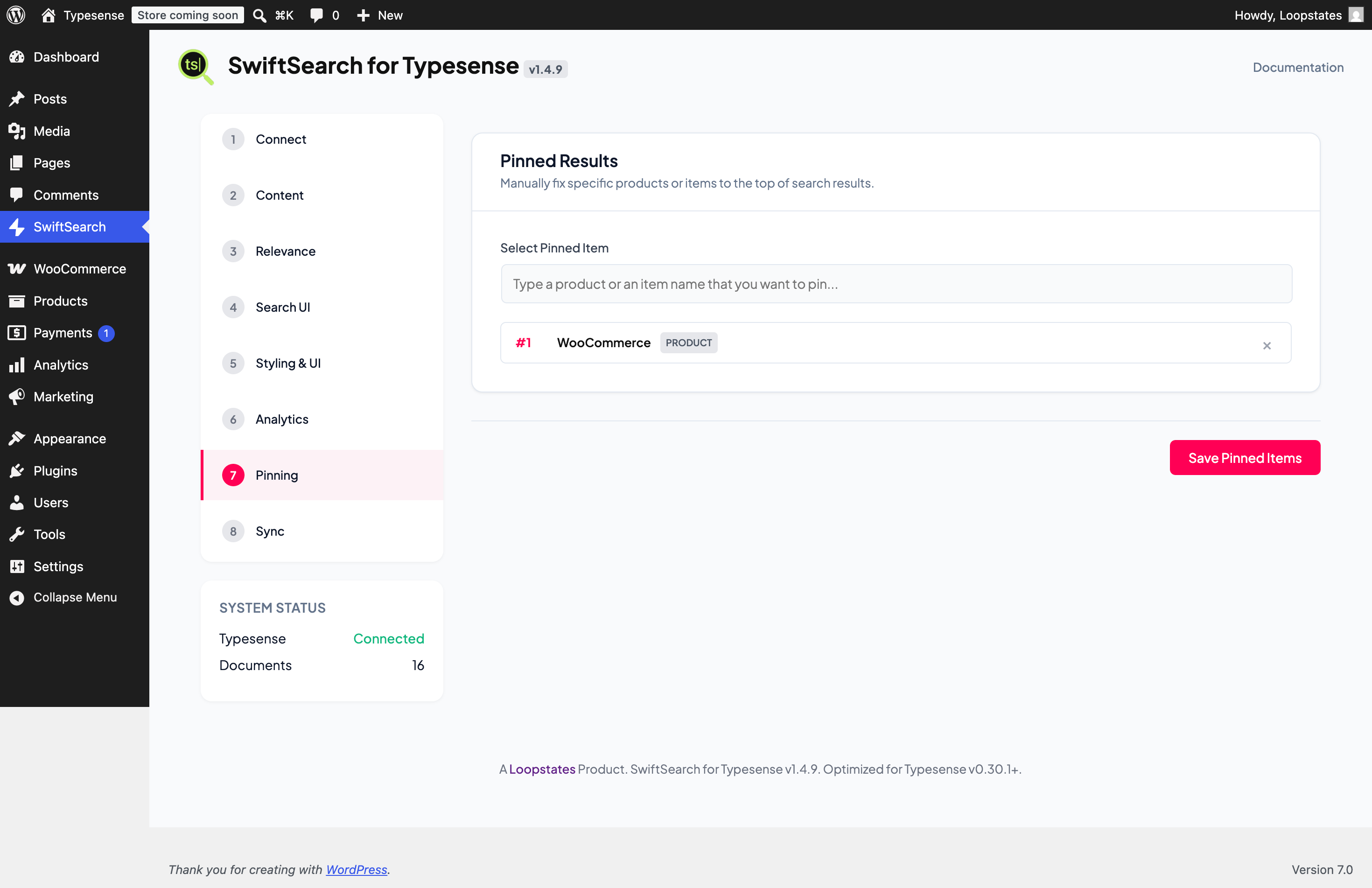
Take control of your search results to drive sales. The Merchandising dashboard allows you to manually “pin” specific products, posts, or pages to the very top of search results for specific keywords—suited for promotional campaigns and seasonal clearance.
Smart Typo Tolerance and Synonym Sets
Never show a “No Results Found” page due to a simple spelling mistake. Typesense’s typo tolerance handles spelling errors automatically. Additionally, define global multi-way Synonym Sets (compatible with Typesense v0.30+) to link terms like “laptop”, “notebook”, and “macbook”.
Real-Time Search Analytics and Zero-Result Insights
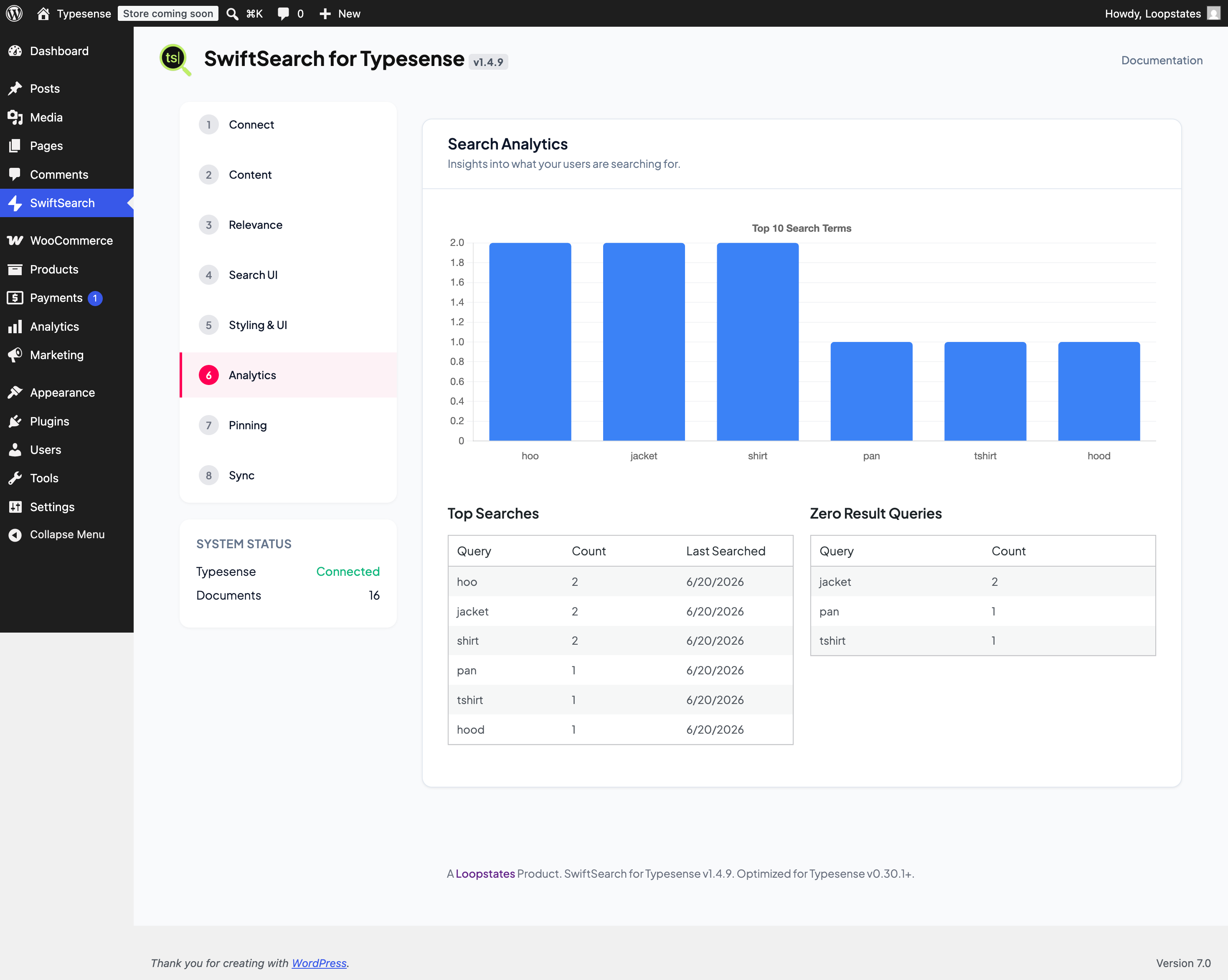
Track exactly what your users are looking for. Our admin dashboard provides a complete overview of search volumes and trends. Most importantly, it flags “Zero Result Queries” so you can spot inventory gaps or set up synonyms for missing terms.
Custom Fields and Faceted Sidebar Navigation
Give users the power to filter results instantly. Map any custom meta fields (such as Price, Brand, SKU, or custom ACF fields) and build multi-select facet filters using our visual drag-and-drop layout builder.
Background Sync and Real-Time Updates
When you first connect, our background sync engine processes your content in self-scheduling batches to prevent script timeouts. Once indexed, any new, updated, or deleted posts/products are synchronized.
Dedicated Shop & Catalog Page Mode
Easily replace your default WooCommerce Shop page with a high-performance, dedicated search and filter catalog page. Features horizontal sort filters, instant category sidebar counts, pagination, and a clean flat card layout.
Page Builder Friendly
Customize the search UI without writing code. Control colors, typography, card layouts, and toggles (show/hide prices, thumbnails, and excerpts) directly from the settings. It works with Elementor, Divi, Gutenberg, or any page builder via a lightweight shortcode [swift_search].
Features & Technical Capabilities
- Instant Autocomplete: Displays matching products and posts the moment visitors start typing.
- Faceted Navigation & Filters: Create and manage multi-select sidebar filters for taxonomies and metadata.
- Merchandising & Pinning: Fix specific items to the top of results for a curated user experience.
- Result Weighting & Tuning: Tune field importance (e.g., prioritize SKU hits over Content).
- Global Synonym Sets: Integrated synonym architecture (compatible with Typesense v0.30+).
- Advanced Custom Fields Mappings: Search and filter by custom fields (Price, SKU, Brand, etc.).
- Search Analytics: Dashboard for tracking popular searches and identifying “Zero Result” gaps.
- Background Indexing: Sync engine handles items in self-scheduling batches without timing out.
- Automated Sync: Real-time indexing when you Save, Update, or Delete content.
- CPT Support: Index Posts, Pages, Products, and Custom Post Types.
- Easy Setup (No Coding Required): Configure search layouts, color schemes, and settings visually without writing code.
- Global UI Toggles: Show or hide Thumbnails, Prices, and Excerpts globally.
- WooCommerce Search: Optimized for product titles, prices, and product imagery.
- Translation Ready: Works perfectly with multilingual websites and translation plugins.
- Mobile Ready: Fits perfectly on all screens, including phones, tablets, and desktops.
- SEO Optimized: Keeps your website light and fast, which helps improve your Google search rankings.
- Fast & Secure: Loads search results instantly while keeping your customer data fully secure.
- Automatic Updates: Receive new features and security fixes automatically right inside your dashboard.
- Full Search Replacement: Replace the default, slow WordPress search sitewide with a single click.
- Easy Placement: Put custom search bars anywhere on your site using simple shortcodes.
- Page Builder Ready: Integrates with Elementor, Divi, and Gutenberg blocks using shortcodes or automatic form replacement.
- Developer Customizable: Built with clean standards and standard hooks/filters for advanced customization.
Developer Customization
SwiftSearch is built with custom DOM event dispatching to allow advanced integrations with third-party themes and plugins (e.g. Wishlists, Ajax Add-to-Cart, or Quick View).
JavaScript Event Hooks
You can listen to these custom events on the document or the wrapper element:
-
swift-search:hit-rendered– Dispatched for every individual hit/card element that is rendered.event.detail.hit: The raw search hit data from Typesense.event.detail.card: The DOM element node of the rendered card.event.detail.collection: The collection name (e.g.posts,terms,users).
-
swift-search:results-rendered– Dispatched after the entire search grid and all sections have completed rendering.event.detail.data: The raw search results payload returned from Typesense.event.detail.totalFound: Total organic hits count.
Code Example
document.addEventListener('swift-search:hit-rendered', function(e) {
    if (e.detail.collection === 'posts') {
        const card = e.detail.card;
        const hitData = e.detail.hit;
        // Inject rating badges or custom hooks
    }
});
WordPress PHP Filters
Backend developers can customize data synchronization and query configurations using WordPress filters:
-
swift_search_post_document– Filters the structured document data before it is sent/synced to Typesense. Use this to add custom meta fields, dynamic stock rules, or text content modifications.- Arguments:
$document(array),$post_id(int),$post(WP_Post object).
- Arguments:
-
swift_search_should_index_post– Filter returning a boolean. Returnfalseto completely exclude specific posts, drafts, or out-of-stock products from the search index.- Arguments:
$should_index(bool),$post_id(int),$post(WP_Post object).
- Arguments:
-
swift_search_vars– Filters the configuration variables passed from PHP to the frontend JavaScript (such as API keys, weights, and enabled facets).- Arguments:
$vars(array),$settings(array).
- Arguments:
-
swift_search_shortcode_args– Filters default shortcode attributes and display settings.- Arguments:
$args(array),$atts(array).
- Arguments:
Privacy & Compliance
SwiftSearch is designed with a “Privacy First” architecture:
– Zero Middleware: We do NOT use any proxy or Loopstates-hosted servers. Search queries go directly from the user’s browser to your Typesense cluster.
– Self-Contained: All configuration, analytics data, and result pinning rules are stored locally in your WordPress database.
– GDPR Ready: Since you control the Typesense node, you maintain full ownership of the search logs and user data flow.
– 100% Free & Open Source: No telemetry, no third-party data disclosure, and no licensing hooks.
Known Limitations
- Search-Only Keys: For public-facing sites, we recommend using a “Search Only” API key from Typesense for frontend queries. Using your Admin key on the frontend is a security risk.
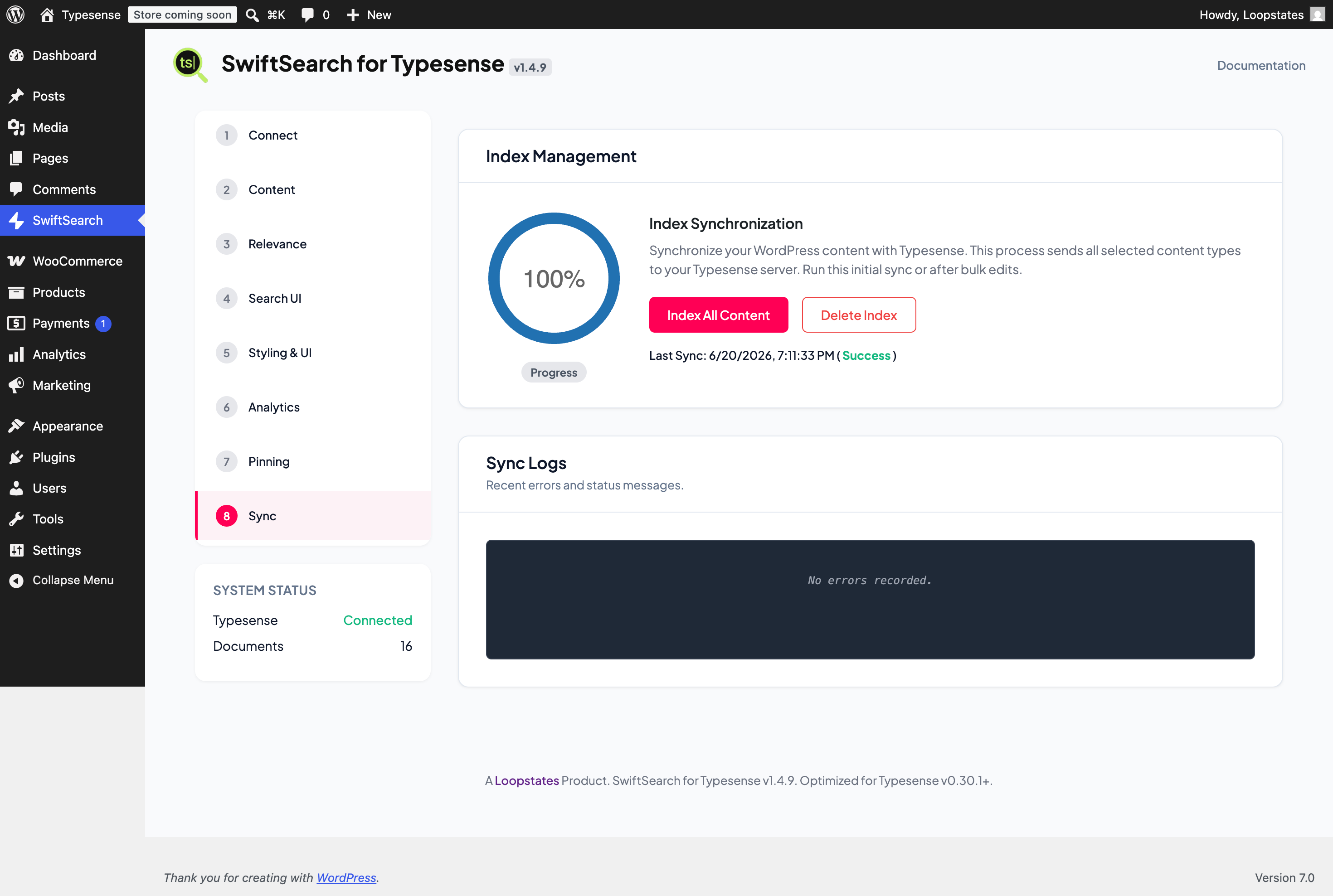
- Schema Sensitivity: Changing core settings (like adding a new Facet or Custom Field) modifies the underlying Typesense schema. A full Re-Index (Step 8) is required after such changes.
- Background Sync: Initial indexing of large catalogs (10k+ items) can take a few minutes via the sync engine.
Screenshots
Installation
- Standard installation: Upload
swift-search-typesenseto your/wp-content/plugins/directory or install via the WordPress ‘Plugins’ screen. - Activate the plugin and navigate to SwiftSearch in your admin menu.
- Follow our 8-Step Setup Wizard in the sidebar:
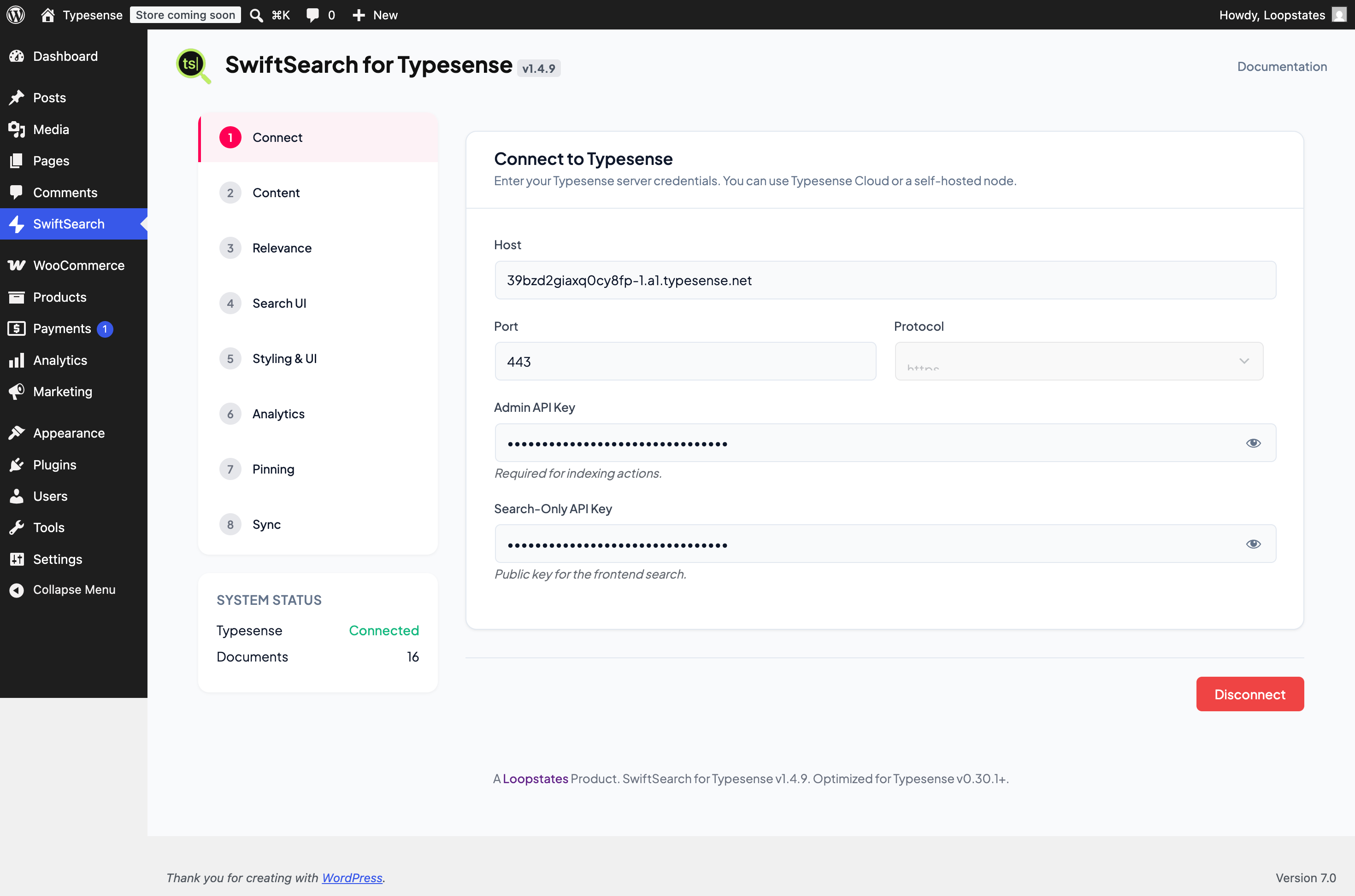
- Step 1: Connect – Enter your Typesense host, port, and API keys.
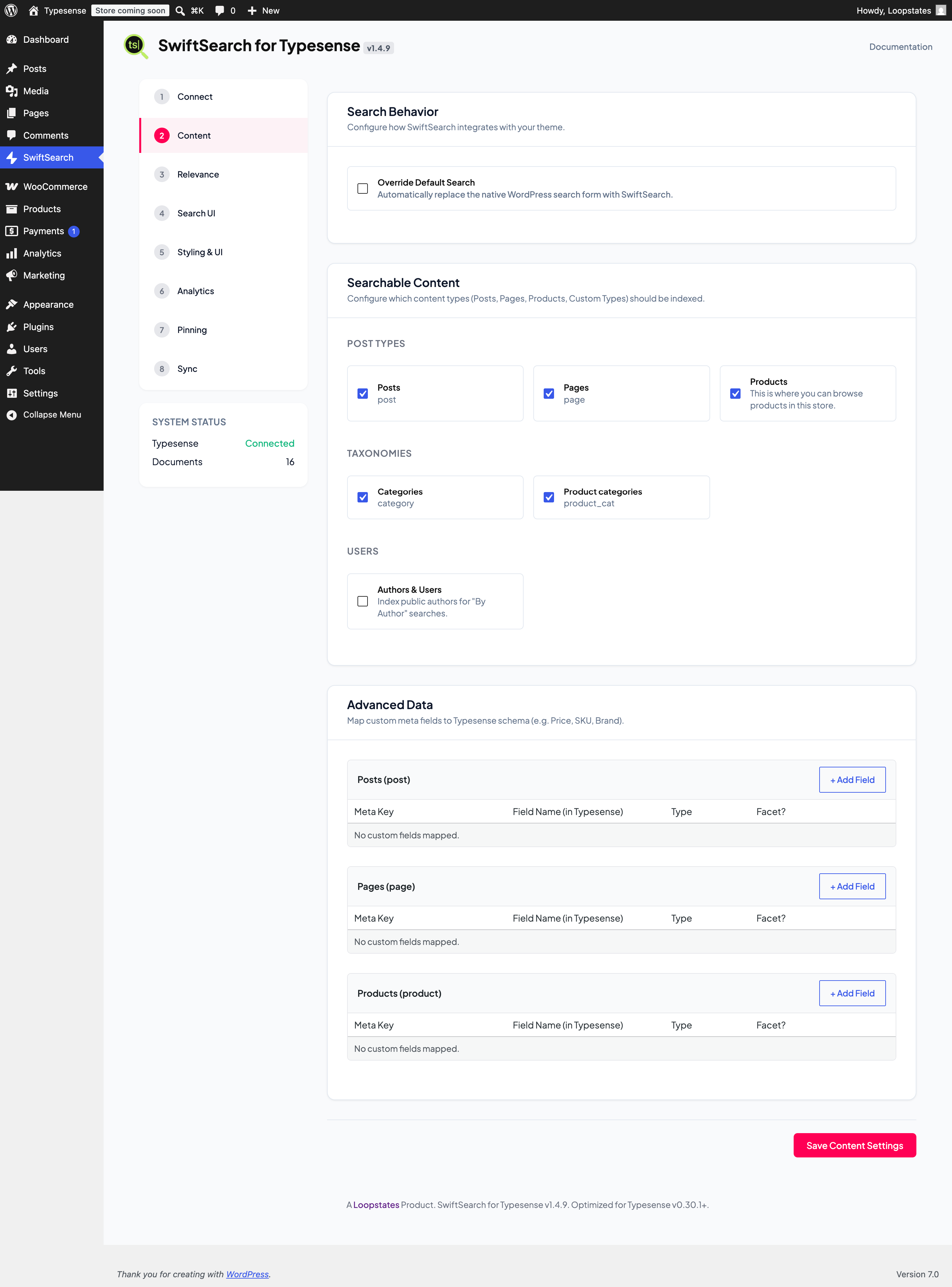
- Step 2: Content – select your Post Types (Posts, Products, etc.) and enable the global search override.
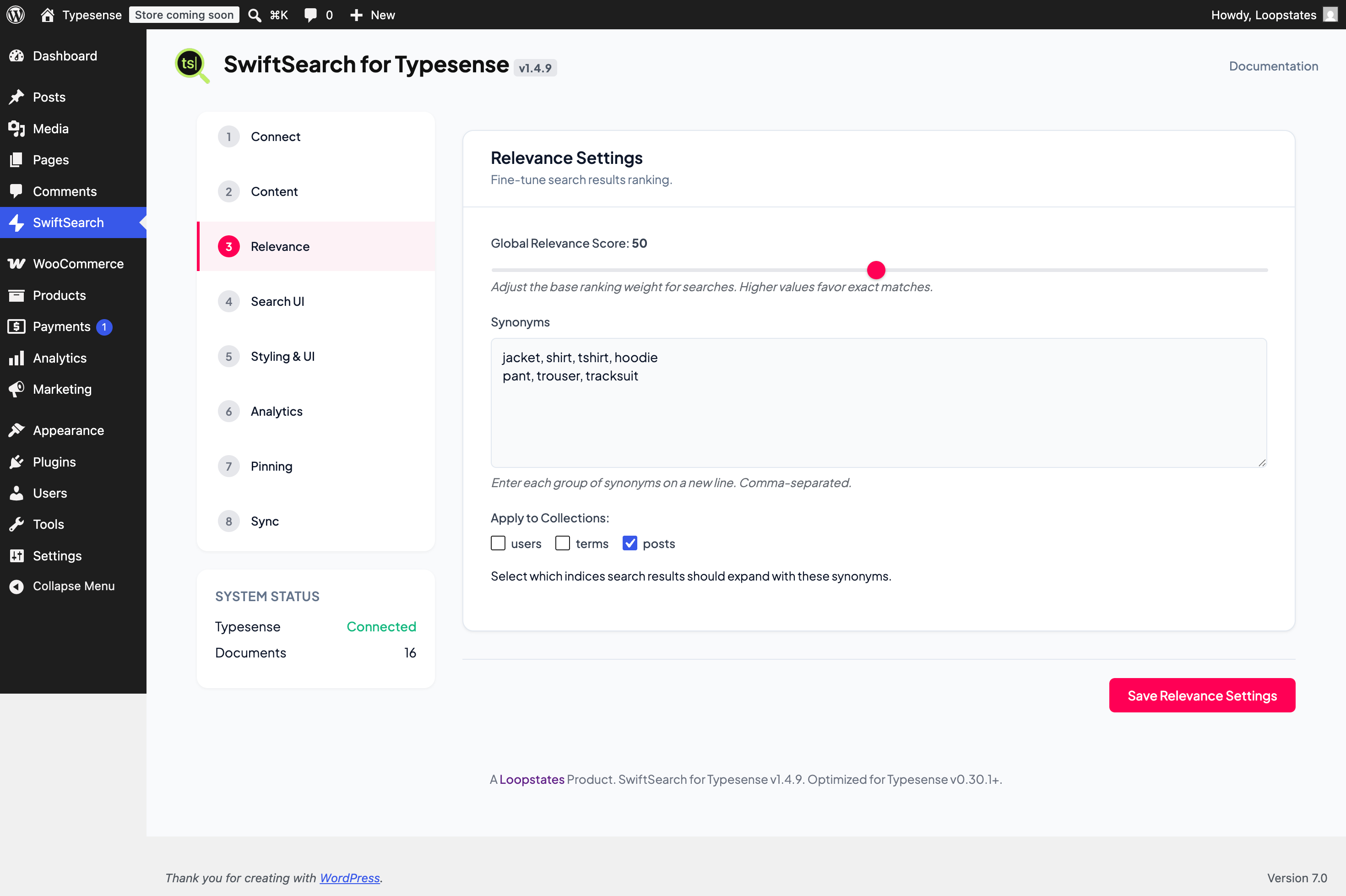
- Step 3: Relevance – Manage synonyms and global ranking scores.
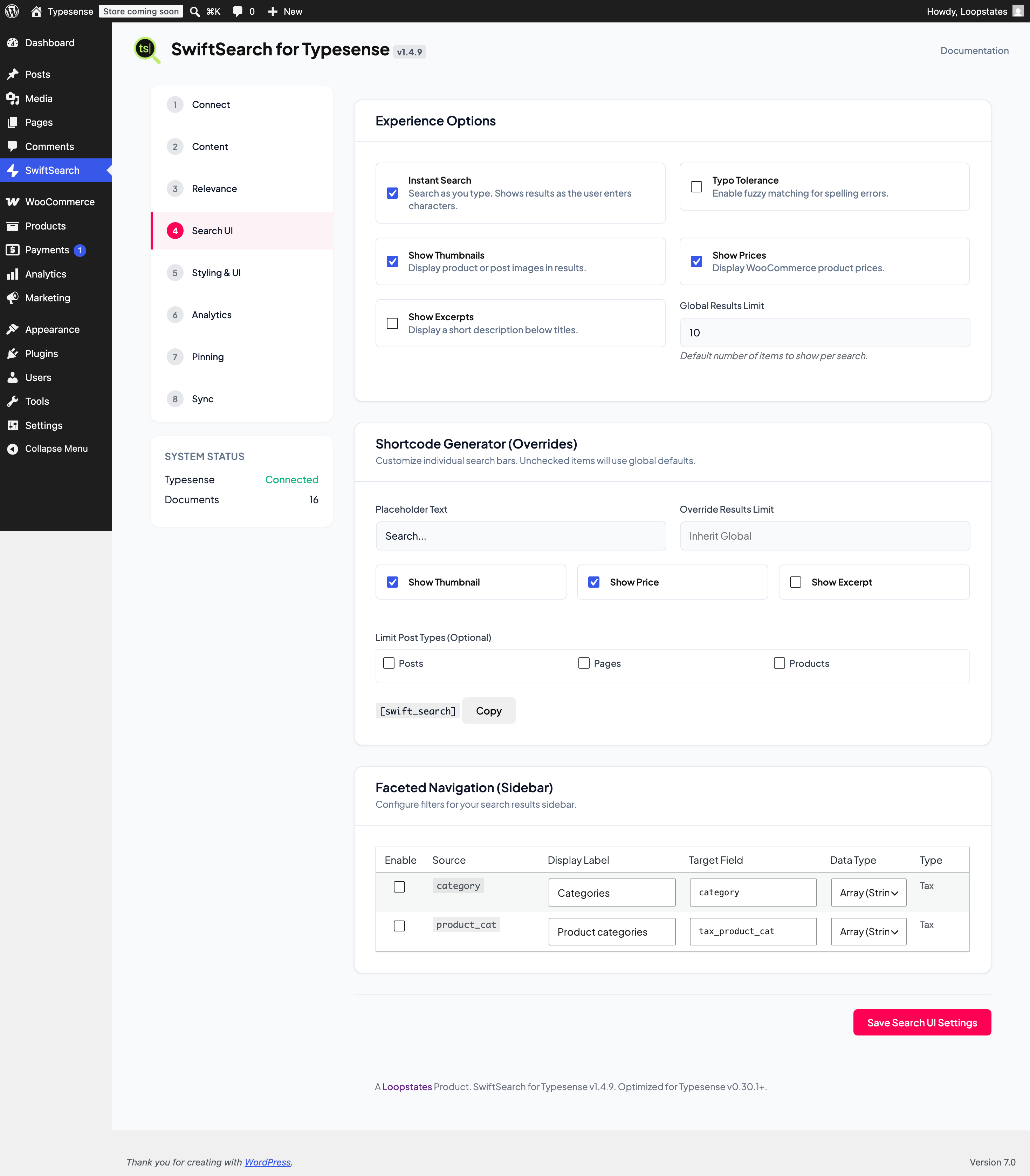
- Step 4: Search UI – Configure your instant search behavior and visual result toggles.
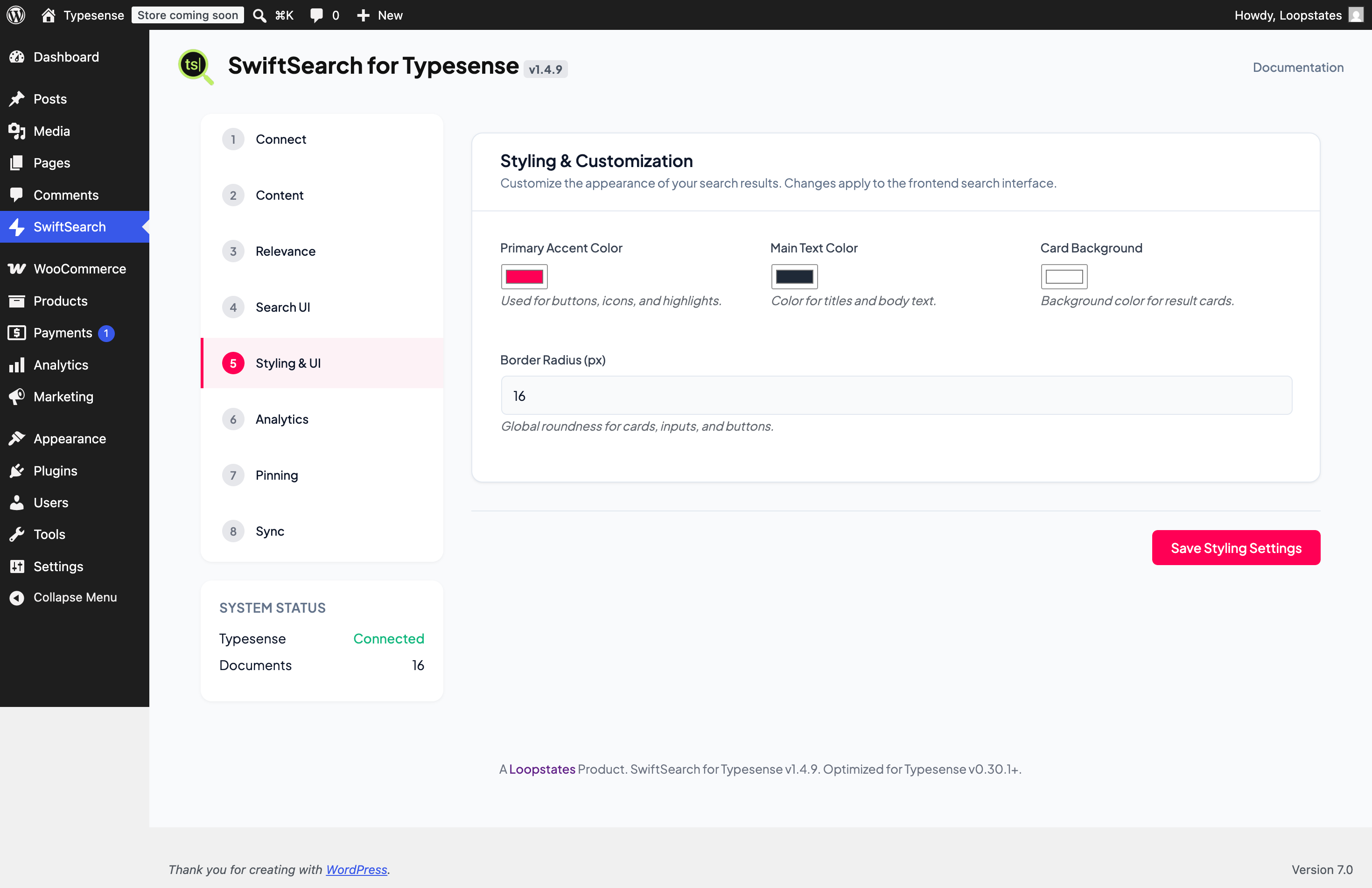
- Step 5: Styling – Pick your accent colors and border radius.
- Step 6: Analytics – Review your search trend dashboard.
- Step 7: Pinning – Merchandise specific results to the top.
- Step 8: Sync – Perform your initial bulk index to build the Typesense collection.
FAQ
-
Do I need a Typesense server?
-
Yes. You need a running Typesense instance. This can be Typesense Cloud or a self-hosted node on your own VPS.
-
Is Typesense free?
-
Typesense is open-source and free to self-host. If you prefer a managed solution, Typesense Cloud offers a paid tier.
-
Does this work with WooCommerce?
-
Absolutely. SwiftSearch is WooCommerce-native, indexing product titles, prices, SKUs, and thumbnails automatically.
-
How fast is the search?
-
Because of our “Zero-Middleware” architecture, search results are typically returned directly from the browser to your nearest Typesense node.
-
What is Result Pinning?
-
Result Pinning (Merchandising) allows you to manually force specific items to the top of results for a given keyword—ideal for boosting sales of specific products or featured content.
-
How do Synonym Sets improve search?
-
They allow you to link similar terms together (e.g., “watch”, “clock”, “timepiece”). If a user searches for one, results for all are returned, improving discovery.
-
Is the Background Indexing free?
-
Yes! Our background sync engine is included to ensure every user has a stable search experience.
-
What is the Facet Configurator?
-
It’s a visual builder found in Step 4 that allows you to easily create and manage multi-select sidebar filters for categories, tags, and custom meta.
-
Does it work with Elementor or Divi?
-
Yes. You can use the
[swift_search]shortcode in any page builder module, or enable the “Override Default” toggle to automatically replace your theme’s search form. -
Is my user’s data secure?
-
Yes. We do NOT use a proxy server. All search interactions happen locally between your visitor and your Typesense cluster. No search data is sent to Loopstates.
-
Does it handle variable products?
-
Yes, you can map custom metadata (like variation SKUs and prices) to ensure users can find exact product variations in one click.
-
What insights does Search Analytics provide?
-
Track your Most Searched Keywords. Our dashboard provides an overview of user trends, keyword volume, and search behavior. It also identifies “Zero Result” queries, giving you a roadmap to optimize your product catalog and content strategy.
Reviews

Contributors & Developers
“SwiftSearch for Typesense” is open source software. The following people have contributed to this plugin.
Contributors
Translate “SwiftSearch for Typesense” into your language.
Interested in development?
Browse the code, check out the SVN repository, or subscribe to the development log by RSS.
Changelog
1.5.0
- Feature: Dedicated Shop & Catalog Page Mode replacing WooCommerce default shop page with horizontal sorting, sticky pagination, and flat card aesthetics.
- Developer: Added custom JavaScript DOM events (
swift-search:hit-renderedandswift-search:results-rendered) to support custom integrations (wishlists, ratings, ajax cart). - Fix: Resolved price sorting returning zero results by indexing price as a float and utilizing Typesense
missing_valuesparameter support.
1.4.9
- Library: Upgraded Chart.js to v4.5.1.
- Security: Resolved REST API permission callback warning for the /log endpoint.
1.4.8
- Library: Upgraded Chart.js to v4.4.4.
- UI: Removed inactive Coming Soon settings placeholders from styling card.
- Documentation: Consolidated key features and capabilities in the readme file.
1.4.7
- Design: Introduced Plus Jakarta Sans font family.
- Design: Modernized overall admin UI dashboard variables, card borders, radii, and shadows.
- Fix: Unified text/number inputs and select elements heights to prevent alignment mismatch in connection settings card.
1.4.6
- Fix: Resolved a bug where browser-driven indexing fallback ran recursively in an infinite loop upon completion.
- Fix: Set active flag to false in the database when completing index types that are disabled (e.g. user indexing).
1.4.5
- Feature: Added automatic browser-driven AJAX fallback for servers with local loopback or cURL block restrictions (e.g. OpenResty WAF 403 Forbidden blocks).
- Improvement: Added real-time loopback diagnostics printed to the browser developer tools console.
- Maintenance: Force-bust CSS/JS browser cache by appending dynamic version timestamps in admin.
1.4.4
- Security: Implemented universal sanitization for all background processes and REST API inputs.
- Compliance: Refined admin asset enqueuing logic to use official WordPress Screen IDs instead of URL parameters.
- Compliance: Added proper PHPCS logic annotations for all direct database queries on custom tables.
- Compliance: Finalized template variable prefixing ($swift_search_pt) across the entire admin dashboard.
1.4.3
- Security: Complete SQL hardening by removing all variable interpolation from $wpdb->prepare statements.
- Security: Implemented mandatory nonce verification and strict input sanitization for all processes.
- Compliance: Prefixed all internal hooks and variables to ensures zero collisions.
- Compliance: Replaced legacy strip_tags() with wp_strip_all_tags() and fixed deprecated parameters.
- Maintenance: Truncated short description to <150 characters as per repository requirements.
1.4.2
- Fix: Resolved a “ReferenceError: resolve is not defined” in the frontend search script that caused search clusters to fail during user input.
- Improved: Hardened frontend fetch logic to gracefully handle network timeouts and server errors.
1.4.1
- Fix: Resolved a critical JavaScript syntax error in the admin dashboard that caused the “Connect” button to fail silently.
- Improved: Enhanced REST API error reporting for Typesense connection handshakes to provide localized, actionable feedback.
- Stability: Properly scoped variables and added robust XHR error parsing to prevent UI lockups.
1.4.0
- Security: Hardened all database interactions with $wpdb->prepare() for SQL injection prevention.
- Security: Implemented wp_unslash() and safe input handling for background indexing processes.
- Compliance: Replaced legacy strip_tags() with wp_strip_all_tags().
- Compliance: Removed redundant textdomain loading to follow WP.org central translation policy.
- Maintenance: Updated wp_count_terms() and date functions for WordPress 6.7 compatibility.
1.3.20
- Security: Hardened server-side validation for Synonyms, Weights, and Facet parameters.
- Security: Implemented frontend data masking to prevent configuration leakage.
- Security: Optimized Indexer protection to block unauthorized metadata extraction.
- Performance: Optimized connection checking with static caching in Gatekeeper.
1.3.19
- Fix: Corrected accidental “faded” disabled style from the “Show Excerpts” setting.
1.3.18
- Fix: Resolved critical “undefined” JavaScript error when loading the admin dashboard.
- Maintenance: Removed orphaned references to legacy shortcode overrides.
1.3.17
- UX: Reordered Search UI tab to place Experience Options at the top.
- Feature: Fully implemented Frontend visibility toggles for Thumbnails, Prices, and Excerpts.
- Roadmap: Added “Coming Soon” placeholders for Sort Results and Floating Mobile Button.
- Fix: Cleaned up redundant Instant Search override from Shortcode Generator.
1.3.16
- Refactor: Reorganized Experience settings to prioritize Global defaults over overrides.
- Feature: Moved Thumbnail, Price, and Excerpt toggles to Global Experience Options.
- Fix: Consolidate Shortcode Generator to only output attributes for explicit overrides.
- Fix: Resolved a structural JavaScript error in
admin.jsthat was breaking state restoration.
1.3.15
- UI Optimization: Consolidated redundant “Instant Search” setting in the admin dashboard.
- Roadmap: Labeled Sort and Mobile experience options as “Coming Soon” to accurately reflect current implementation status.
- Improved UX: Corrected feature descriptions and added visual states for disabled roadmap settings.
1.3.14
- Fix: Resolved a critical JavaScript ReferenceError in search results processing.
- Improved: Stabilized organic match counting for analytics.
1.3.12
- Fix: Improved search analytics accuracy by excluding pinned items from organic match counts.
- Improvement: Added CSS hooks for identifying pinned items in search results.
1.3.11
- Fix: Search tracking for zero-result queries (previously skipped, now correctly populates analytics dashboard).
- UI: Removed redundant synonym path debug buttons to clean up settings dashboard.
1.3.10
- Fix: Modernized Typesense v0.30+ Global Synonym linking via collection schema patching.
- Improvement: Dynamic admin UI for collection management (cached for performance).
- UI: Fixed layout breakage in Relevance settings tab.
1.3.0
- New: Full support for Typesense v0.30.1+ Global Synonym Sets.
- Fix: Resolved 404 errors during synonym synchronization on modern Cloud clusters.
- Improvement: Enhanced error reporting in Admin UI.
- Improvement: Multi-way synonym support for better search expansion.
1.2.7
- Fix: Resolved synonym saving and Typesense synchronization logic mismatch.
- Fix: Prevented ‘undefined’ string rendering in the admin synonyms list.
1.2.4
- Fix: ‘Advanced Data’ custom fields now correctly persist deletions in the database.
- New: Dynamic Search Results heading based on active post types (e.g. ‘Products’ vs ‘Products & Posts’).
- New: Strict Post-Type filtering in search queries to prevent old content from appearing.
- UX: Added ‘Re-index Required’ warning when searchable content types are changed.
1.2.3
- Fix: Critical configuration bottleneck in ConfigLoader.php resolved.
- Improvement: Enhanced Typesense Response logging for diagnostic transparency.
- Version: Synced core logic with Universal Facet Registration Bridge.
1.2.1
- Fix: Resolved an issue where some enabled facets were hidden in the frontend sidebar due to redundant validation logic.
1.2.0
- New: Universal Facet Registration Bridge.
- New: Advanced Facet Settings (Target Mapping & Data Types).
- Fix: Zero-results for numeric/boolean facets by implementing type-safe filtering.
- Improvement: Unified schema and indexing logic for all WordPress plugins.
1.0.22
- Fix: Facet configuration freezing on load due to data type mismatch.
- Fix: Security warning persistence after saving settings.
- Fix: Improved error handling for PHP-to-JS data serialization.
1.0.21
- Fix: Saved Custom Fields button visibility.
- Improvement: Connection workflow.
1.0.0
- Initial release.