

Description
Summe Site Digest keeps your whole team informed by automatically emailing a beautifully formatted digest of site activity on a schedule you control.
No third-party accounts. No API keys. No monthly fees. It works right out of the box using your existing WordPress email.
What’s in each digest?
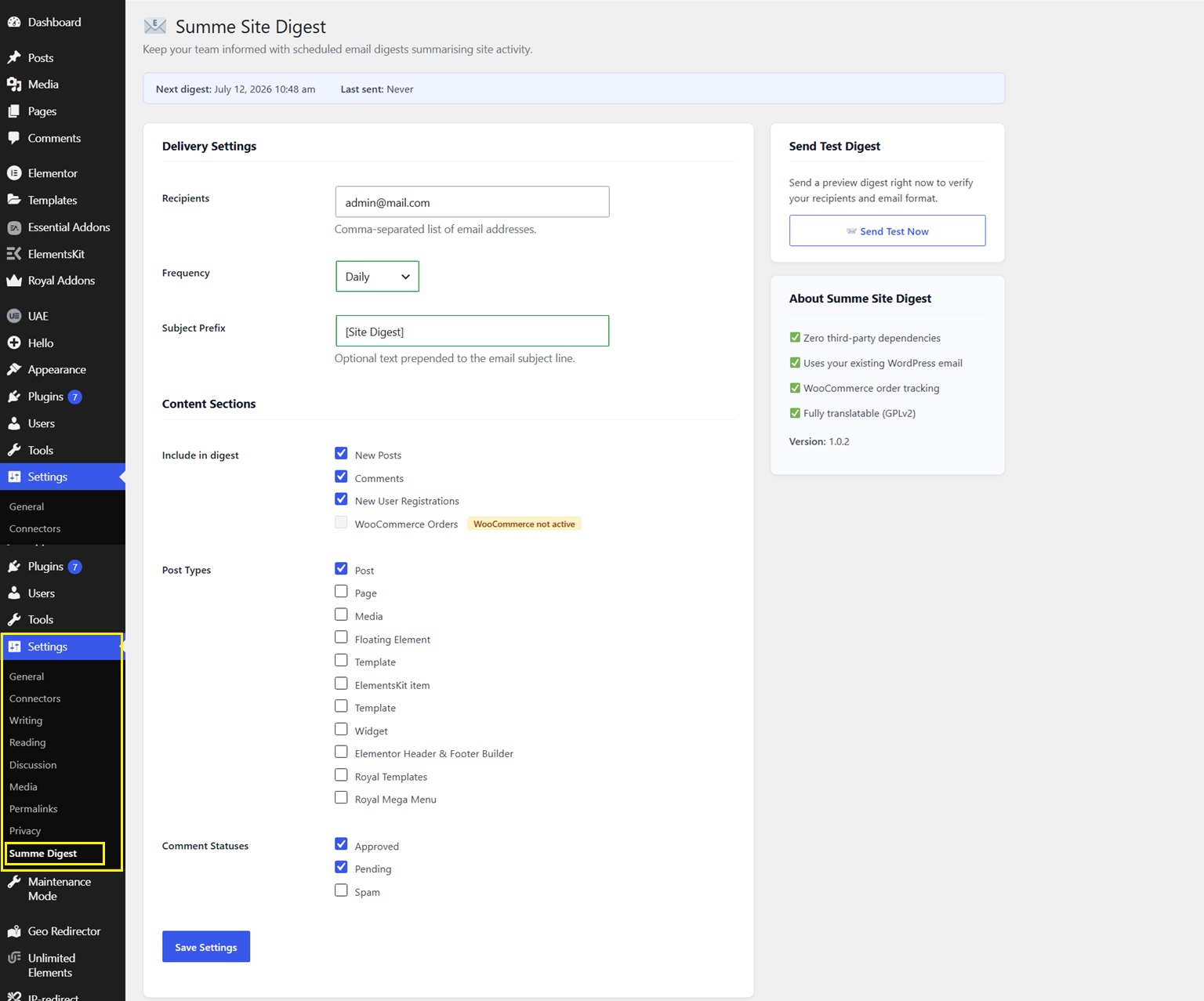
- 📝 New Posts — any post types you choose, published since the last digest
- 💬 Comments — approved, pending, or spam (your choice)
- 👤 New User Registrations — with role and email
- 🛒 WooCommerce Orders — order number, customer, total, and status (when WooCommerce is active)
Key Features
- Zero setup — install, activate, done. The first digest goes out the next morning.
- Flexible scheduling — hourly, twice daily, daily, weekly, or monthly
- Multiple recipients — paste in a comma-separated list of email addresses
- Selective content — turn each section on or off individually
- Post-type filter — choose which post types appear in the digest
- Comment-status filter — approved, pending, and/or spam
- WooCommerce aware — order section appears automatically when WooCommerce is installed
- Send-test button — preview the digest in your inbox instantly
- Clean HTML email — readable on desktop and mobile
- Fully translatable — uses WordPress i18n with a proper text domain
- GPL v2 licensed — 100 % open source
Who is it for?
- Small business owners who want a daily summary without logging in every day
- Editorial teams that need a weekly roundup of new content
- WooCommerce store managers who want order summaries emailed to them
- Agencies managing client sites who need a scheduled activity report
Privacy
Summe Site Digest does not collect, transmit, or share any data with external services. All email is sent via your site’s existing wp_mail() function.
Screenshots
Installation
- Upload the
summe-smart-digestfolder to/wp-content/plugins/. - Activate the plugin through Plugins Installed Plugins in WordPress admin.
- Go to Settings Smart Digest to configure recipients, frequency, and content sections.
- Click Send Test Now to verify everything works.
That’s it — the plugin schedules itself automatically on activation.
FAQ
-
Does it require a paid account or API key?
-
No. Summe Site Digest uses WordPress’s built-in
wp_mail()function. If your site can already send emails (password resets, order confirmations etc.), this plugin will work without any additional setup. -
How do I change the send frequency?
-
Go to Settings Smart Digest, change the Frequency dropdown, and click Save Settings. The cron schedule is automatically updated.
-
Can I send to multiple email addresses?
-
Yes. Enter a comma-separated list in the Recipients field, e.g.
alice@example.com, bob@example.com. -
Does it work with WooCommerce?
-
Yes. When WooCommerce is active, a WooCommerce Orders section appears automatically in both the settings and the digest email. No extra configuration is needed.
-
What happens if nothing happened since the last digest?
-
If there are no new posts, comments, users, or orders in the period, the email is skipped entirely — your inbox stays clean.
-
Will this slow down my site?
-
No. All data collection and email sending happens via WP-Cron, which runs in the background and is not triggered by front-end visitors.
-
Where are the plugin settings stored?
-
All settings are stored in the standard WordPress
wp_optionstable. Uninstalling the plugin via Plugins Delete removes all stored options cleanly.
Reviews
There are no reviews for this plugin.
Contributors & Developers
“Summe Site Digest — Scheduled Email Reports” is open source software. The following people have contributed to this plugin.
Contributors
Translate “Summe Site Digest — Scheduled Email Reports” into your language.
Interested in development?
Browse the code, check out the SVN repository, or subscribe to the development log by RSS.
Changelog
1.0.2
- Fixed: Plugin name updated to approved “Summe Site Digest — Scheduled Email Reports”.
- Fixed: All i18n text domain strings updated to match plugin slug (summe-smart-digest).
- Fixed: Email template CSS extracted to dedicated method with docblock clarifying embedded email CSS is intentional and cannot use wp_enqueue_style().
- Fixed: Plugin slug references updated throughout codebase.
1.0.1
- Updated plugin name to be more descriptive and distinctive per WordPress.org guidelines.
- Fixed: Plugin URI and Author URI now point to different URLs.
- Fixed: Corrected Contributors field to match the WordPress.org account username.
- Fixed: Removed unnecessary
load_plugin_textdomain()call (auto-loaded by WordPress since 4.6). - Updated: Requires PHP lowered to 7.0 for broader compatibility.
1.0.0
- Initial release.