

Description
Storzen AI Recommends for WooCommerce is an AI-powered product recommendation engine that helps WooCommerce stores increase average order value (AOV), boost conversions, and deliver a personalized shopping experience — all without a single external API call, cloud subscription, or third-party dependency.
The built-in AI runs entirely on your WordPress server using your own WooCommerce order history. Smarter recommendations. Zero privacy risk. No monthly fees.
🚀 Boost AOV with Frequently Bought Together, Cart Cross-Sells, Post-Purchase Upsells, and AI-Ranked Related Products — all in one plugin.
📖 Documentation
Why Storzen AI Recommends?
Most recommendation plugins depend on expensive cloud AI services or are limited to simple category-based suggestions. Storzen AI Recommends is different:
- ✅ True on-site AI — co-purchase frequency matrix built from your real order data
- ✅ No API key required — works out of the box, zero configuration to get started
- ✅ No external data sharing — 100% GDPR-friendly, all data stays in your database
- ✅ Works on day one — taxonomy-based fallback for new stores with no order history
- ✅ Performance-first — transient caching, sessionStorage tracking, page-specific asset loading
- ✅ Works with any theme — uses WooCommerce hooks and filters, no template overrides
Core Features
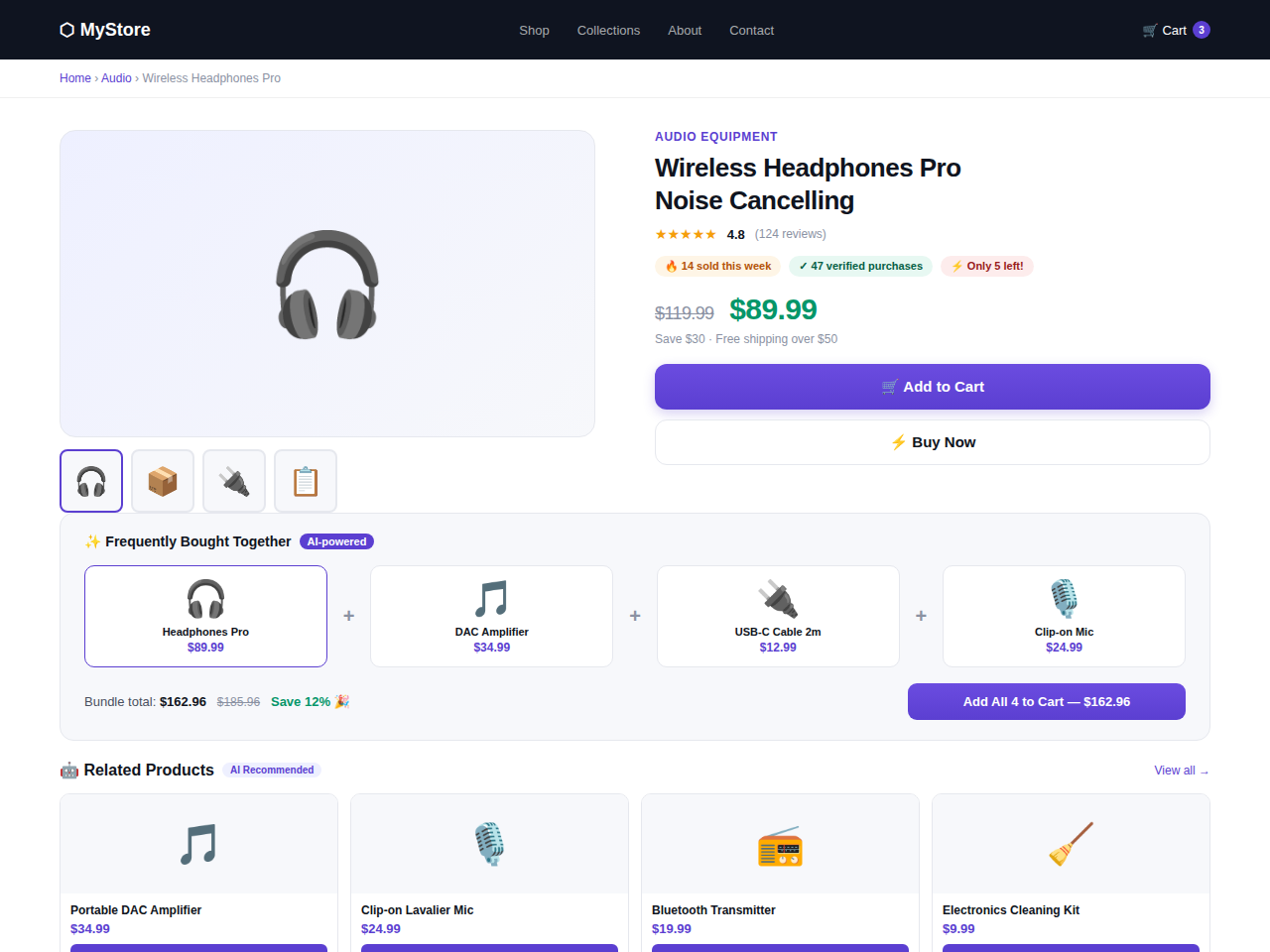
🛍️ Frequently Bought Together
Show Amazon-style “Customers who bought this also bought” bundles on single product pages. Powered by a real co-purchase frequency matrix built from your WooCommerce order history. Supports configurable bundle discounts — percentage or fixed — to incentivize multi-product purchases and increase cart value instantly.
🤖 Related Products AI
Replace WooCommerce’s generic default related products with AI-ranked, intent-driven suggestions. Choose from three scoring modes:
- Co-purchase mode — products frequently bought together rank highest
- Taxonomy mode — scoring based on shared categories and tags
- Hybrid mode (default) — blends both signals (70% co-purchase / 30% taxonomy) for the best results at any store maturity level
Overrides WooCommerce output via the official woocommerce_related_products filter — no template files modified, zero theme conflict risk.
🛒 Cart Recommendations & Mini-Cart Cross-Sells
Display smart product suggestions on the cart page and inside the mini-cart sidebar — exactly when purchase intent is highest. Products are scored in real time based on current cart contents and automatically exclude items already in the cart.
🎉 Post-Purchase Recommendations
Show a “Complete your purchase” widget on the WooCommerce order-received (thank-you) page. Seeds recommendations from the highest-value item in the completed order and automatically excludes already-purchased products. Catches customers at peak satisfaction — their most likely moment to buy again.
👁️ Recently Viewed Products
Session-based browsing history widget — fully GDPR-compliant with zero database queries. Uses browser sessionStorage (not cookies), data is never sent to the server, and clears automatically when the tab closes. Appears on product pages, the cart page, and anywhere via the [sprwoo_recently_viewed] shortcode.
⭐ Social Proof Badges
Automatically display trust signals on all recommendation cards — no manual setup needed:
- Sales velocity — “12 sold this month”
- Rating summary — “★ 4.8 · 240 reviews”
- Total purchase count — “1,240 people bought this”
All data sourced directly from WooCommerce. Fully configurable minimum thresholds so new stores never show misleading social proof.
🔥 Low Stock Urgency Badges
Trigger purchase urgency with automatic “Only 3 left!” stock badges on recommendation cards. Works with simple and variable products. Two display styles: quantity count (“Only X left!”) or simplified (“Low stock”). Configurable stock threshold. Appears across all recommendation surfaces — FBT, related products, cart, post-purchase, recently viewed, Gutenberg block, and Elementor widget.
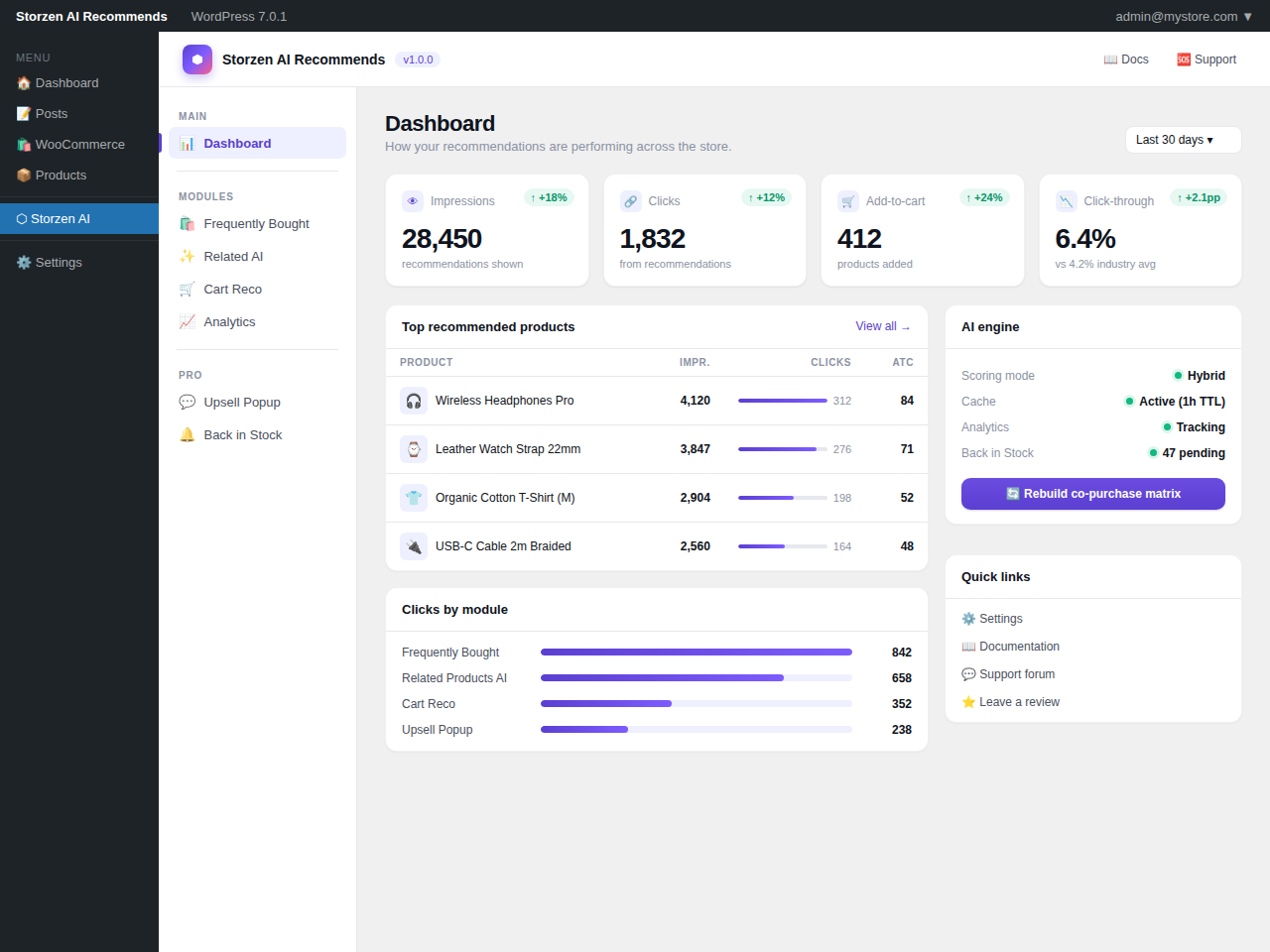
📊 Built-in Analytics Dashboard
Track recommendation performance directly inside WP Admin. Monitor impressions, clicks, and add-to-cart events for every recommendation widget. Filter by 7, 30, or 90-day windows. See exactly which products your AI is driving to cart — no third-party analytics tool required.
🧱 Gutenberg Block
Native WordPress block with server-side rendering. Place the recommendations widget on any page or post from the block editor. Configure recommendation type, column count, max products, title text, and toggle price, rating, and add-to-cart button visibility — all from the block sidebar.
⚡ Elementor Widget
Drop the Smart Recommendations widget into any Elementor layout with live canvas preview. Built-in style controls for title color and spacing. No shortcodes needed.
How the AI Engine Works
- Every time a WooCommerce order is completed, the co-purchase frequency matrix updates automatically.
- Products purchased together more often receive higher recommendation scores.
- On new stores with no order history, a taxonomy-based fallback uses shared categories and tags to generate relevant suggestions immediately — no cold-start dead zone.
- The default hybrid mode blends co-purchase data and taxonomy signals (70/30 weighting) for optimal accuracy at every stage of store growth.
- All scores are cached as WordPress transients (1-hour TTL) — the scoring query runs at most once per hour per product.
Privacy & GDPR Compliance
- No data is ever sent to external servers
- Recently viewed tracking uses browser
sessionStorage— no cookies, no personal data stored server-side - All AI scoring, analytics, and recommendation data stays entirely within your WordPress database
- Full uninstall cleanup — both custom DB tables and all plugin options are removed when you delete the plugin
Shortcode Reference
[sprwoo_recently_viewed] — Display recently viewed products anywhere.
Optional attributes:
* max — Number of products to show (default: 6)
* columns — Grid columns (default: 4)
* title — Widget heading text (default: “Recently viewed”)
Example: [sprwoo_recently_viewed max="4" columns="2" title="Your browsing history"]
Developer Notes
- All elements use prefixed
.sprwoo-class names — no CSS conflicts - Override styles via
public/css/sprwoo-public.cssfrom your theme - Compatible with all properly coded WooCommerce themes and page builders
- HPOS (High-Performance Order Storage) compatible
- Full translation support — text domain:
storzen-ai-recommends
Compatible With
- All standard WooCommerce themes (Storefront, Astra, Flatsome, OceanWP, Divi, GeneratePress, and more)
- Block themes and FSE (Full Site Editing)
- Elementor, WPBakery, Divi Builder
- WooCommerce HPOS (High-Performance Order Storage)
- Simple products, variable products, grouped products
Screenshots
Blocks
This plugin provides 1 block.
- Smart Recommendations Display AI-powered product recommendations anywhere on your site.
Installation
- Upload the plugin folder to
/wp-content/plugins/storzen-ai-recommends, or install directly from the WordPress plugin screen. - Activate the plugin through Plugins Installed Plugins.
- Ensure WooCommerce is installed and activated.
- Navigate to Storzen Reco in your WordPress admin sidebar to configure modules and settings.
- For best results on existing stores: click “Rebuild co-purchase matrix” after activation to index your full order history immediately.
FAQ
-
Does this plugin require an API key or external service?
-
No. Storzen AI Recommends works entirely within your WordPress installation using your own WooCommerce order data. No external API, no cloud service, no subscription, and no account required — ever.
-
How accurate are the AI recommendations?
-
Accuracy improves directly with order volume. On stores with hundreds of orders, the co-purchase matrix produces highly relevant recommendations. On brand-new stores, the built-in taxonomy fallback uses category and tag overlap to generate useful suggestions from day one. The default hybrid mode blends both signals for the best output at every stage of store growth.
-
Does it work with variable products?
-
Yes. The recommendation engine works with all WooCommerce product types — simple, variable, grouped, and external. Variable products in recommendation widgets link to the product page so customers can choose their variation. The low stock urgency badge checks all available variations and shows the lowest remaining stock count.
-
How does the recently viewed feature stay GDPR compliant?
-
Recently viewed products are stored exclusively in the browser’s
sessionStorage— a temporary, client-side mechanism that is never transmitted to the server and is automatically cleared when the browser tab closes. No personal data is written to the database. No cookies are used. -
Will it slow down my store?
-
No. Recommendation scores are cached as WordPress transients with a 1-hour TTL — the AI scoring query runs at most once per hour per product, not on every page load. Social proof sales velocity data is cached for 6 hours. Frontend assets (CSS/JS) are loaded only on pages where recommendation widgets are active. The recently viewed feature triggers zero server-side queries.
-
Does it conflict with my theme or other plugins?
-
Storzen AI Recommends uses only standard WooCommerce hooks and filters. Related products are replaced via the official
woocommerce_related_productsfilter — no template files are modified. This makes it fully compatible with any properly built WooCommerce theme. -
How do I place recommendations on a custom page?
-
Use the native Gutenberg block or Elementor widget to drop recommendations anywhere without writing code. For recently viewed products specifically, use the
[sprwoo_recently_viewed]shortcode. -
Can I customize the look of the recommendation widgets?
-
Yes. All widget elements use prefixed
.sprwoo-CSS class names to avoid conflicts. Override any style via your theme’sstyle.cssor a custom CSS plugin by targeting the.sprwoo-namespace. -
What database tables does the plugin create?
-
Two custom tables are created on activation:
*{prefix}sprwoo_copurchase— stores the co-purchase frequency matrix
*{prefix}sprwoo_analytics— stores impression, click, and add-to-cart eventsBoth tables are fully removed on plugin deletion. The analytics table auto-purges rows older than your configured data retention window.
-
What happens to my data if I uninstall the plugin?
-
When you delete the plugin from the WordPress admin, the uninstall routine automatically drops both custom database tables, deletes all plugin options, and clears all transient cache entries. No manual database cleanup is required.
-
Each badge type has a configurable minimum threshold in the admin settings. For example, if the sales velocity threshold is set to 5, the “sold this month” badge only appears on products with at least 5 sales. This prevents new or low-volume products from showing misleading social proof.
-
How does the low stock badge decide what to show?
-
The badge appears when WooCommerce stock management is enabled for a product and the remaining stock is at or below your configured threshold (default: 5). For variable products, it checks all available variations and displays the lowest stock count. Products without stock management enabled are never shown a low stock badge.
Reviews
There are no reviews for this plugin.
Contributors & Developers
“Storzen AI Recommends for WooCommerce” is open source software. The following people have contributed to this plugin.
Contributors
Translate “Storzen AI Recommends for WooCommerce” into your language.
Interested in development?
Browse the code, check out the SVN repository, or subscribe to the development log by RSS.
Changelog
1.0.0
- Initial release.
- Frequently Bought Together widget with configurable bundle discount (percentage and fixed amount).
- Related Products AI — co-purchase, taxonomy, and hybrid scoring modes (70/30 default blend).
- Cart Recommendations widget for cart page and mini-cart sidebar.
- Basic analytics dashboard — impressions, clicks, and add-to-cart tracking with date filters.
- Recently Viewed Products — sessionStorage-based, GDPR-safe, zero server-side DB queries.
- Post-Purchase Recommendations on the WooCommerce order-received page.
- Social Proof Badges — sales velocity, rating summary, and total purchase count.
- Low Stock Urgency Badges — configurable threshold, quantity and simple display modes.
- Native Gutenberg block with server-side rendering and full sidebar controls.
- Elementor widget with live canvas preview and built-in style controls.
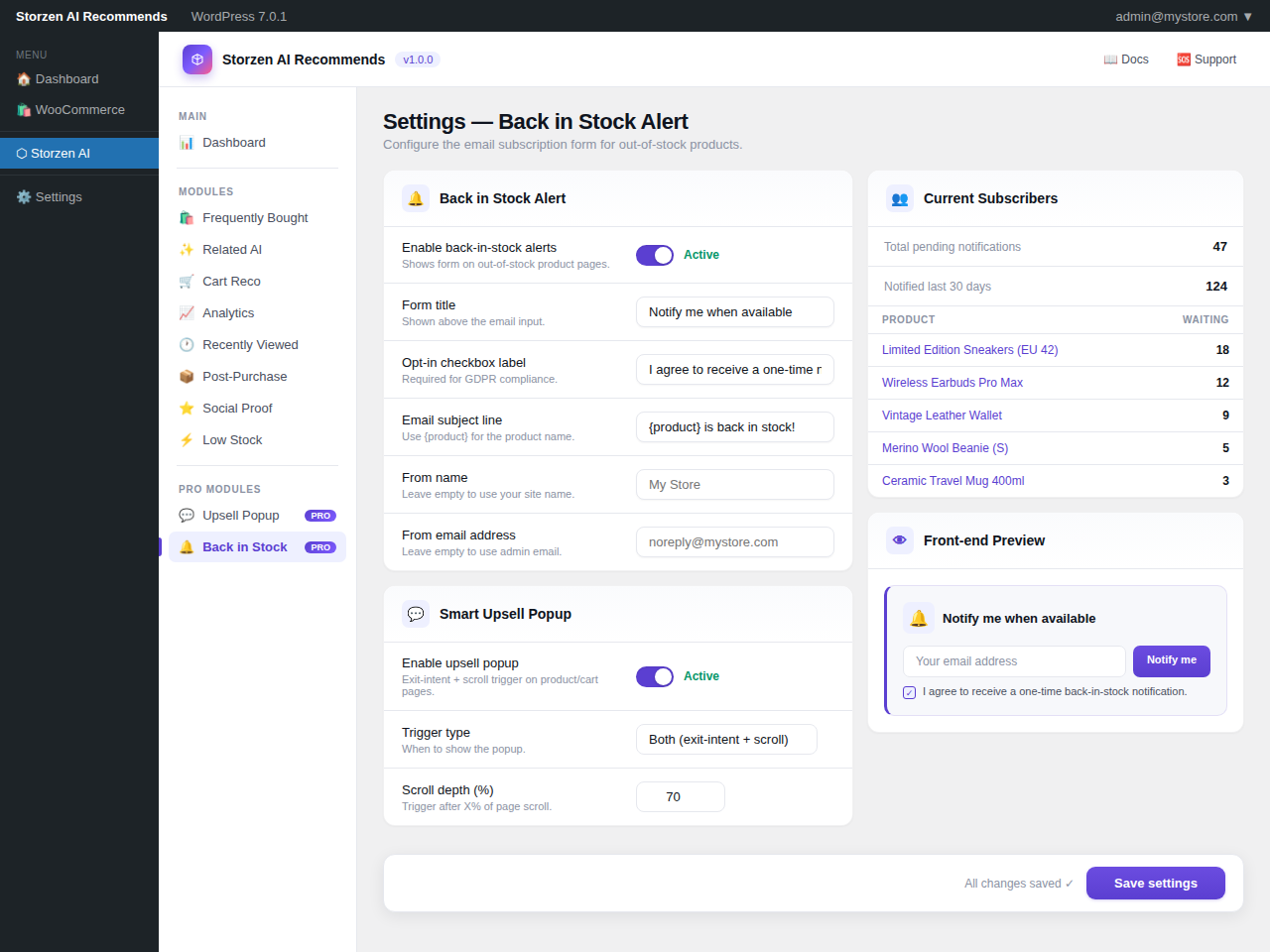
- Modern admin UI — left sidebar navigation, metric cards, toggle settings, module management.
- Full translation support — text domain
storzen-ai-recommends, all strings wrapped and ready.