

Description
StoreStack Attribute Swatches for WooCommerce replaces default, plain WooCommerce variation dropdowns with visual, interactive swatches. Easily display product colors, pattern images, text badges, and radio options to improve user experience and boost conversions on your online store.
Features
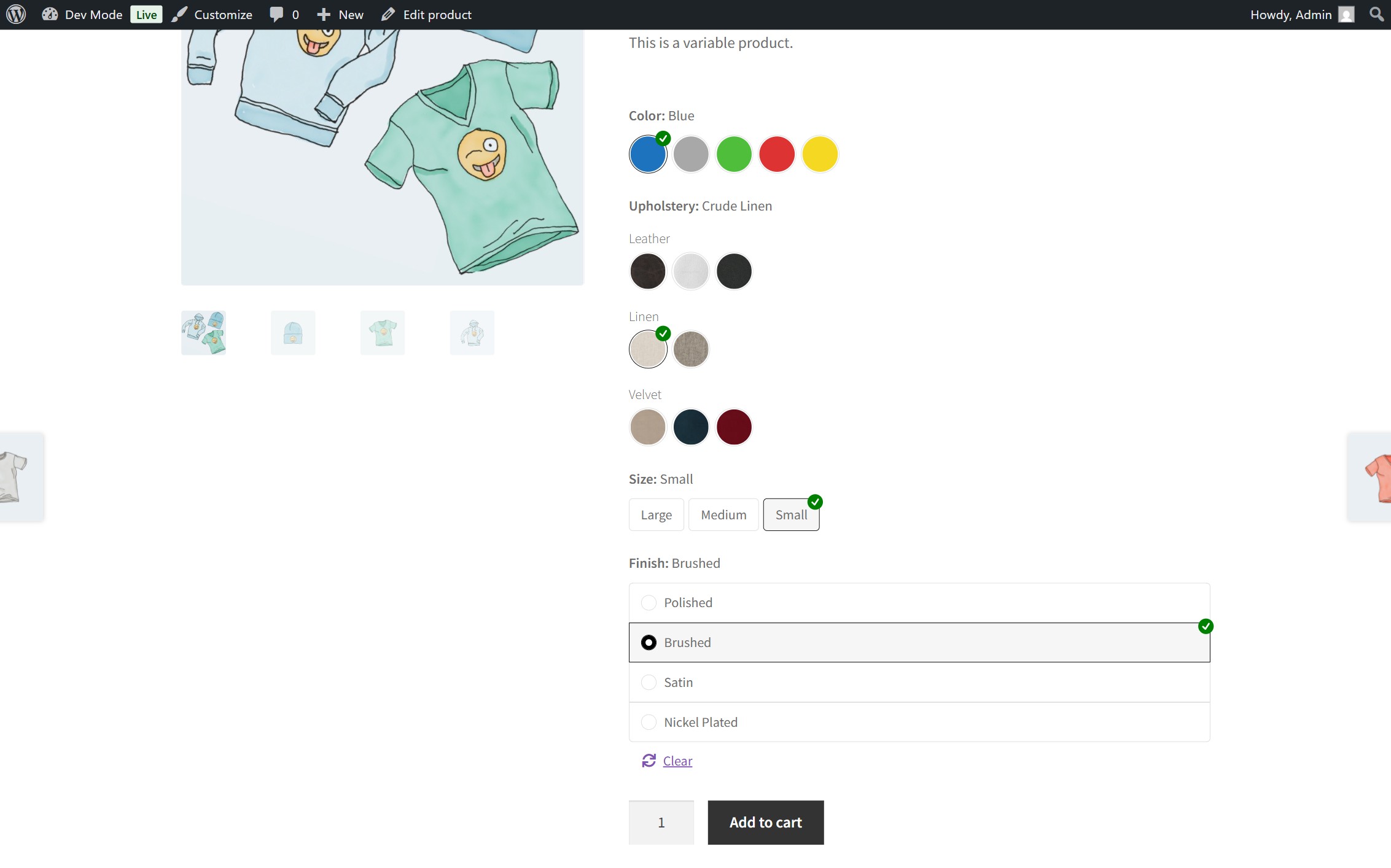
- Multiple Swatch Types: Convert default attribute dropdowns into Color, Image, Text, or Radio swatches.
- Color Swatches: Integrated HEX Color Picker allows precise color assignments for each attribute option.
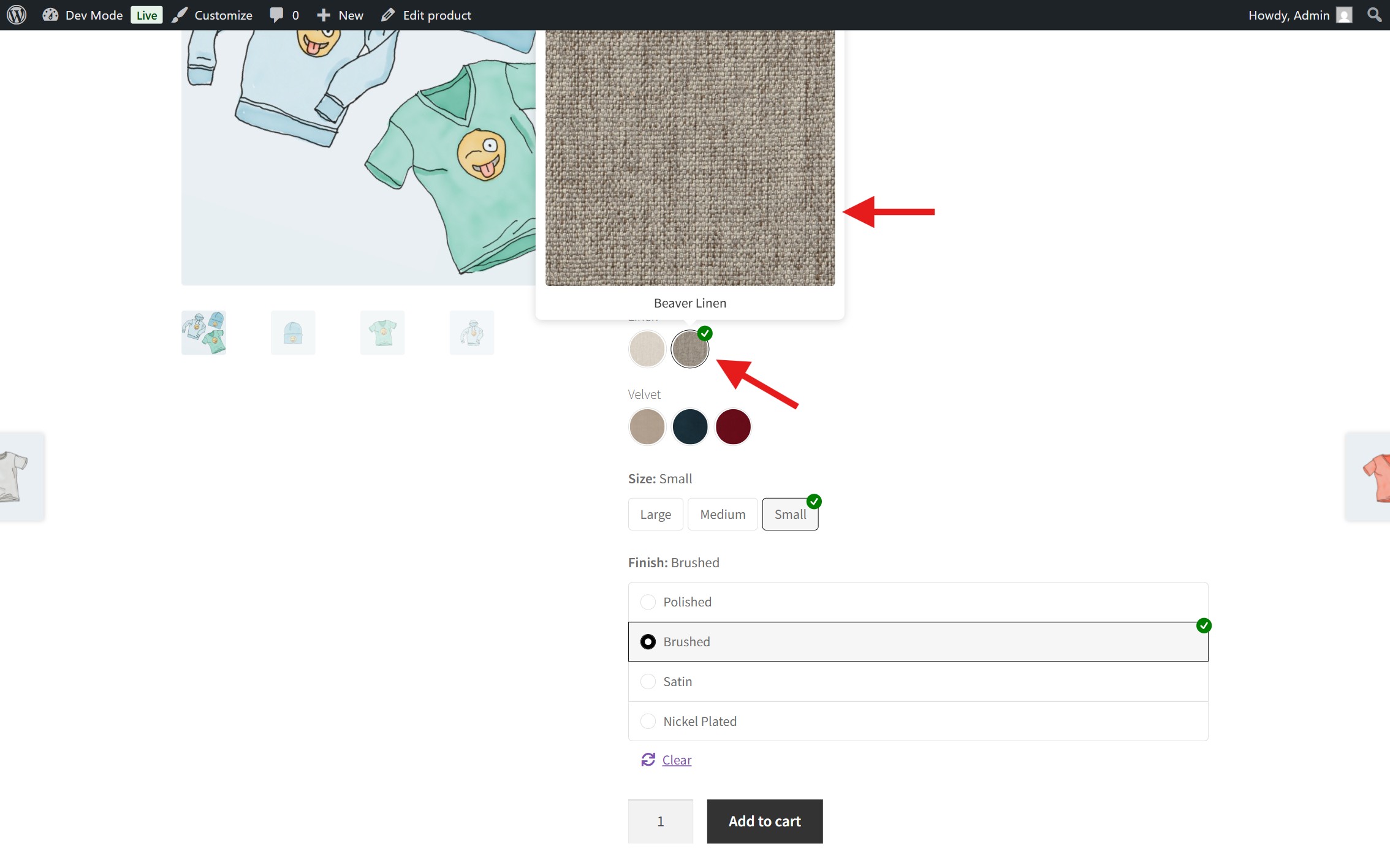
- Image Swatches: Assign custom images or texture swatches directly from the WordPress Admin.
- Interactive Tooltips: Hovering over image swatches triggers a dynamic thumbnail preview.
- Text / Label Swatches: Pill-style buttons ideal for sizes (S, M, L, XL), dimensions, and specifications.
- Radio Swatches: Classic radio list options for clean, structured variation choices.
- Swatch Grouping: Group related terms into custom categories (e.g. “Primary Colors”, “Metallic Finishes”, “Standard Sizes”) with visual section headers.
- Fully Responsive & Lightweight: Pure CSS styling and minimal JavaScript overhead ensure fast load times and seamless mobile browsing.
- Developer Friendly: Built-in filter hooks and CSS selectors for seamless theme integration and customization.
Integrations
Works seamlessly with the following plugins:
Need Help or Have Feedback?
Before leaving a negative review, please consider reaching out to us first! If you encounter any bugs, unexpected behavior, or have ideas for new features and improvements, please open a support request or report an issue on our GitHub repository. We will gladly work with you to resolve any problems.
Contributing & GitHub Repository
We welcome and appreciate contributions from the community! Whether you want to fix a bug, improve documentation, or propose a new feature, feel free to fork our repository, submit pull requests, or open issues on GitHub:
Your feedback and code contributions help make this plugin better for everyone.
Screenshots
Installation
Getting Started
Install and Activate:
- Download the
.zipfile from WordPress.org and install via WordPress Admin > Plugins > Add New > Upload Plugin. - Click Activate to enable the plugin.
- Download the
Configure Attribute Types:
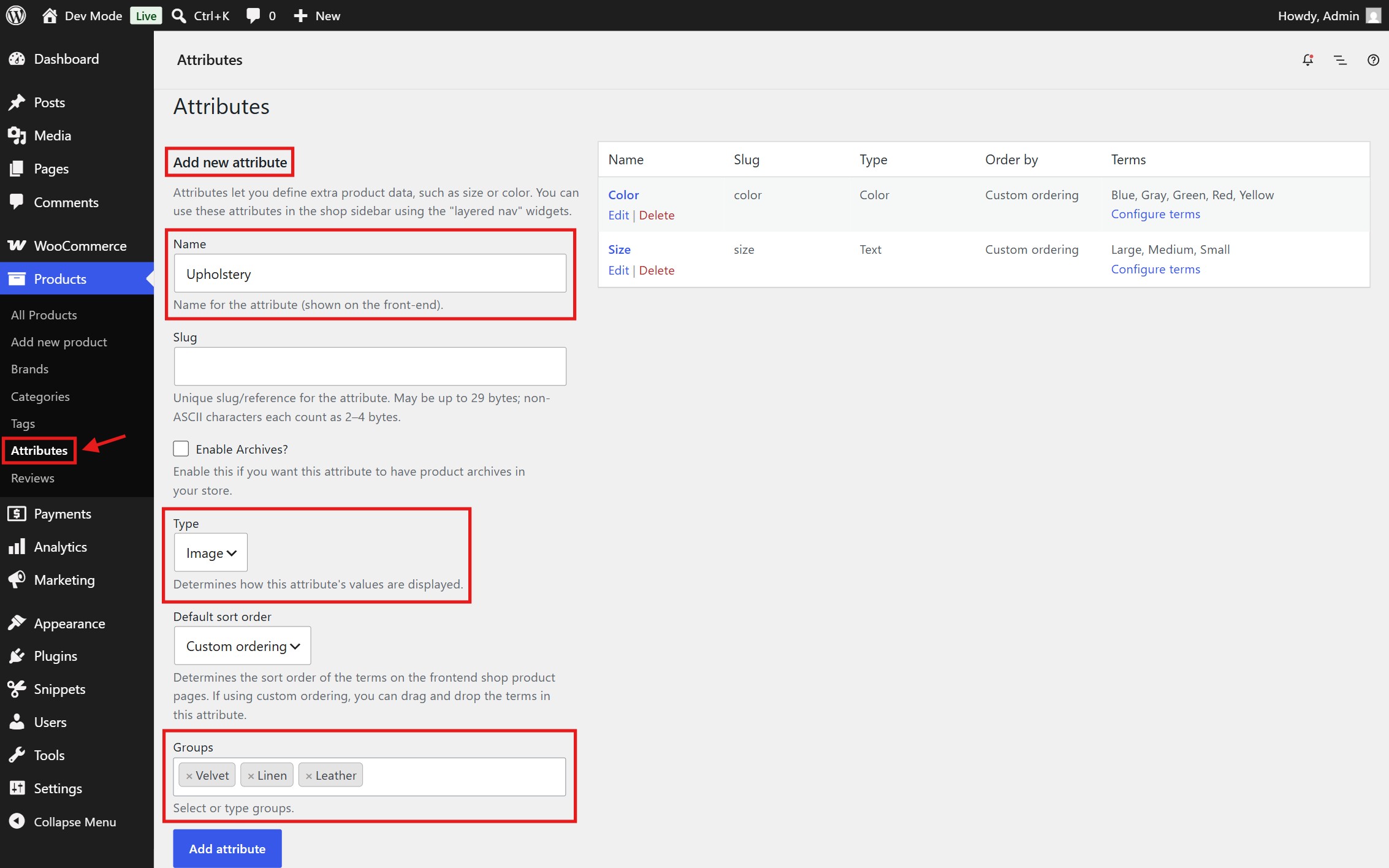
- Go to Products > Attributes in your WordPress Admin.
- Edit an existing attribute or create a new one, then set the Type to Color, Image, Text, or Radio.
- Create Groups if you want to separate options into subgroups.
Assign Swatches & Groups:
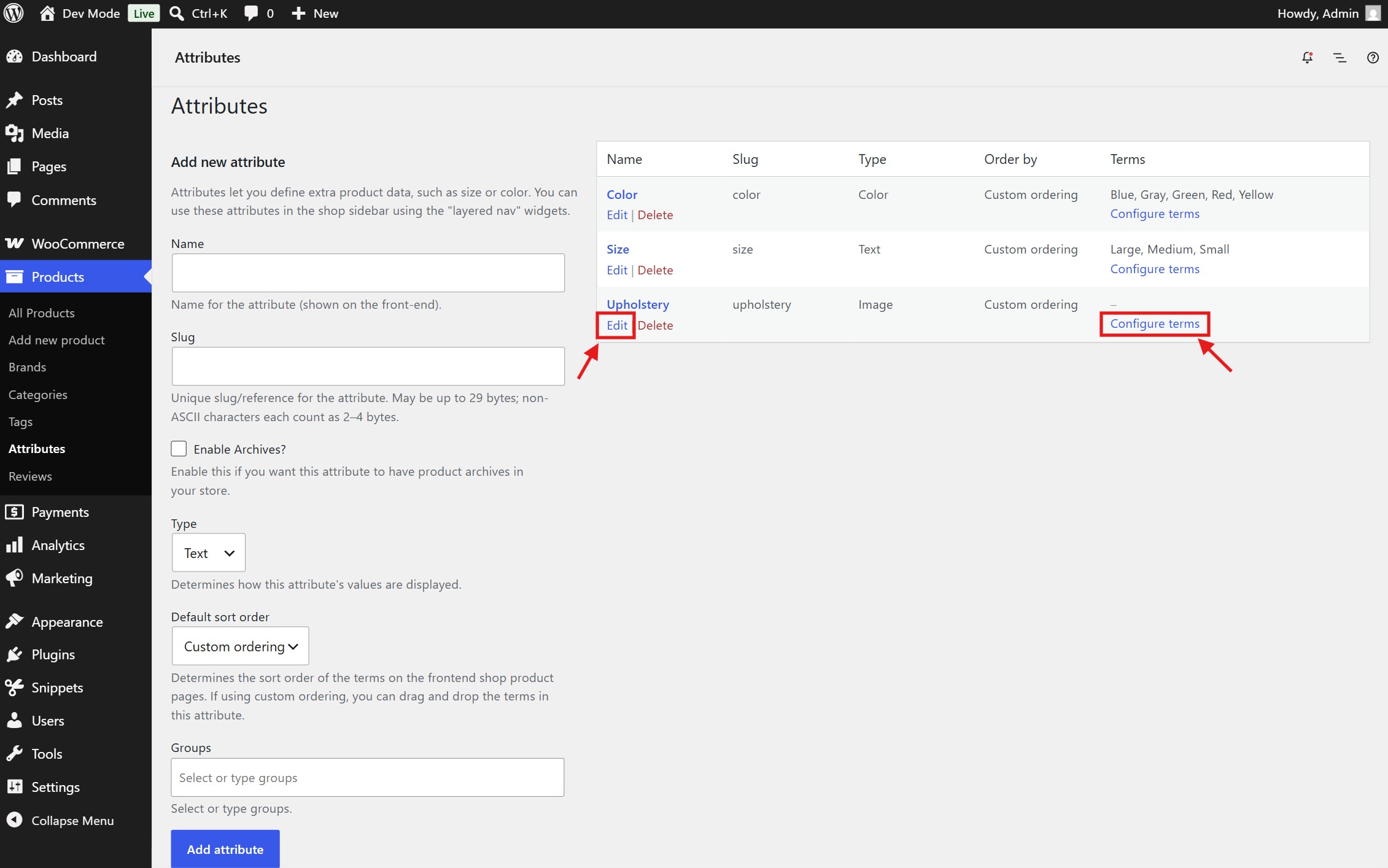
- Click Configure terms for your attribute.
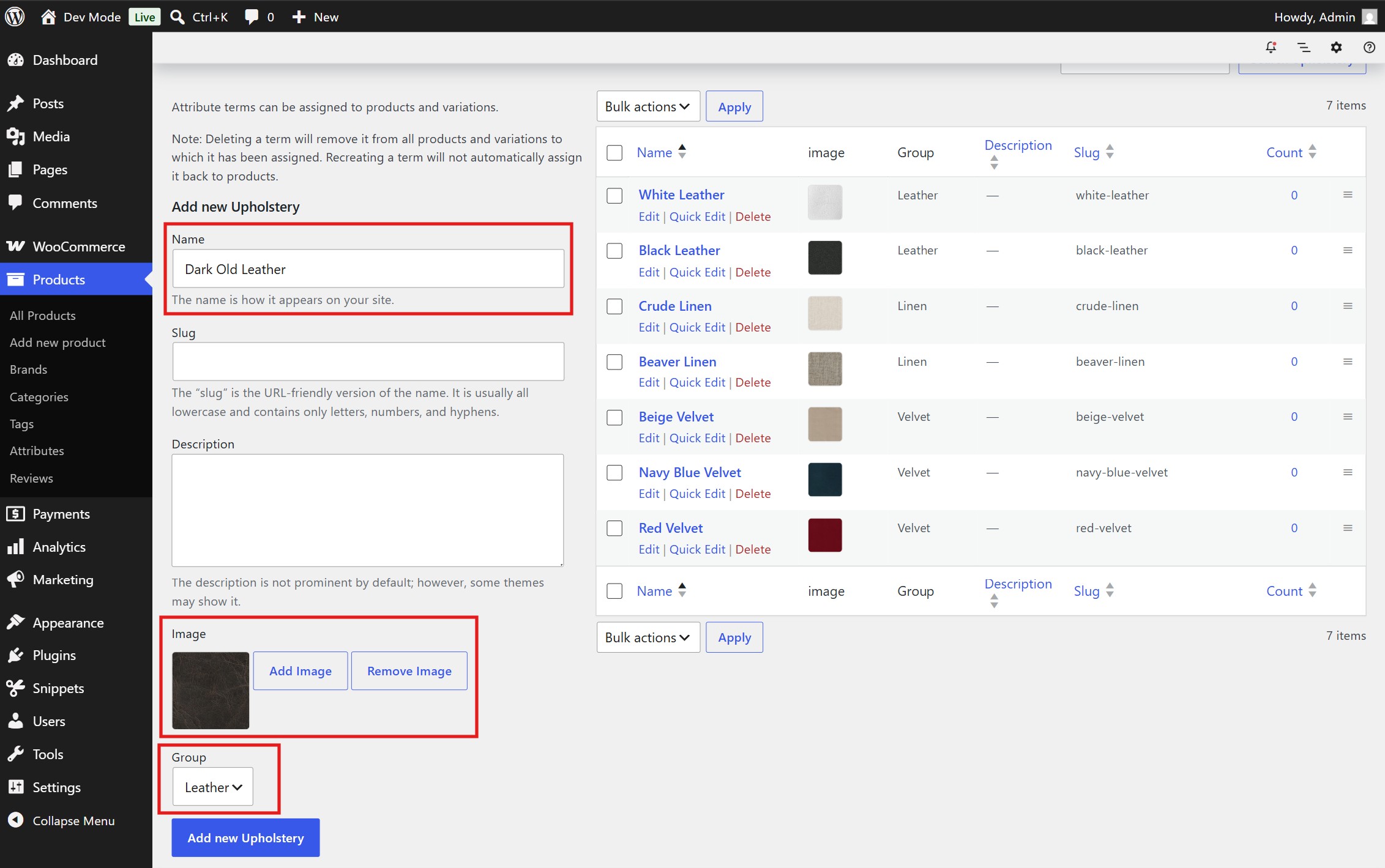
- Add or edit terms to select colors using the color picker or to upload images via the Media Library.
- Assign the desired Group to the option if you have created one in the previous step.
View on Product Pages:
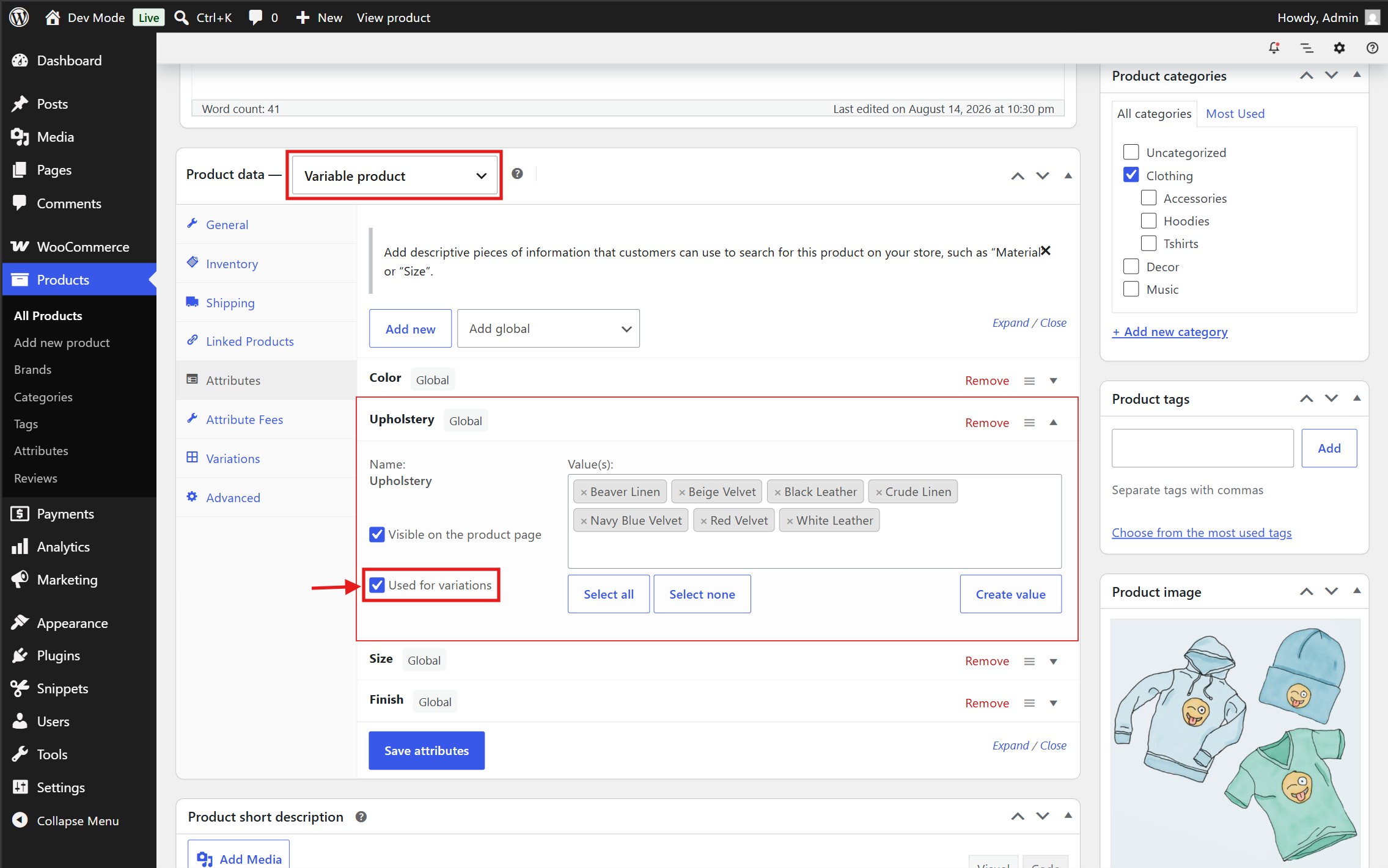
- Create or edit a Variable Product, assign the configured attribute under the Attributes tab, and enable Used for variations.
- Your custom swatches will automatically replace standard dropdowns on the single product page.
- On some hosting providers, it may be needed to clear the server-level cache in order for the changes to be reflected on the frontend.
FAQ
-
What swatch types are supported?
-
The plugin currently supports four swatch types: Color, Image, Text (custom text badges), and Radio.
-
How do Swatch Groups work?
-
When editing an attribute under Products > Attributes, you can define custom group names. When editing individual terms (e.g. Blue, Red, Metallic Silver), assign them to a group. On the frontend, swatches will be organized under titled section headers for better visual hierarchy.
-
I’ve configured the swatches as instructed, but I can’t see the changes
-
After setting or updating the swatches, it may be needed to clear the server-level cache in order for the changes to be reflected on the frontend.
-
Is it possible to change the appearance of the swatches?
-
Yes! The swatches use clean, standard HTML markup and CSS selectors. You can easily override styles in your theme’s
style.cssor via the WordPress Customizer. -
Can developers customize the swatch HTML or tooltip markup?
-
Yes! The plugin provides custom filter hooks to allow developers to modify or wrap the output as needed.
-
Does this plugin support WooCommerce High-Performance Order Storage (HPOS)?
-
Yes! The plugin declares full compatibility with WooCommerce HPOS (Custom Order Tables).
Reviews
There are no reviews for this plugin.
Contributors & Developers
“StoreStack Attribute Swatches for WooCommerce” is open source software. The following people have contributed to this plugin.
Contributors

Translate “StoreStack Attribute Swatches for WooCommerce” into your language.
Interested in development?
Browse the code, check out the SVN repository, or subscribe to the development log by RSS.
Changelog
1.0.0 – 2026/08/15
- Initial release.