

Description
SkooliPress – School Management System is a WordPress plugin that brings school management into your existing website. Instead of juggling spreadsheets and separate software, you get a structured admin workspace for school setup, people records, admissions, academics, fees, exams, attendance, assignments, timetables, and notices — all scoped to your school profile and active academic session.
Why Choose SkooliPress?
🏫 One workspace for school operations — A dedicated ERP-style admin panel inside WordPress with grouped navigation for school setup, people, and day-to-day operations.
📋 Real admission workflow — Accept applications from your website, review them in admin, and admit students with parent/guardian links when approved.
👨👩👧 Complete people management — Maintain students, parents, teachers, and staff with class placement and relationship tracking.
📚 Structured academics — Configure academic sessions, classes, sections, subjects, class teachers, and subject assignments for the selected session.
💰 Fees and receipts — Define fee categories, record payments, track due amounts, and print fee slips from submitted payments.
📊 Operations in one place — Attendance with calendar view, exams and results, assignments with submissions, timetables, and school notices.
🌐 Public forms via shortcodes — Embed an online admission application form on any WordPress page using a simple shortcode.
🎨 Professional admin experience — Light/dark theme options, accent styling, DataTables lists with export, and responsive layouts built for daily school work.
🛡️ WordPress-native — Capability checks, nonces, sanitization, activity logging, and optional JSON backup before deactivation.
Perfect For
✔ Schools and coaching institutes running on WordPress
✔ Administrators who want one dashboard for admissions, academics, and fees
✔ Schools starting with a single school and multiple academic sessions
—
Features
Setup & context
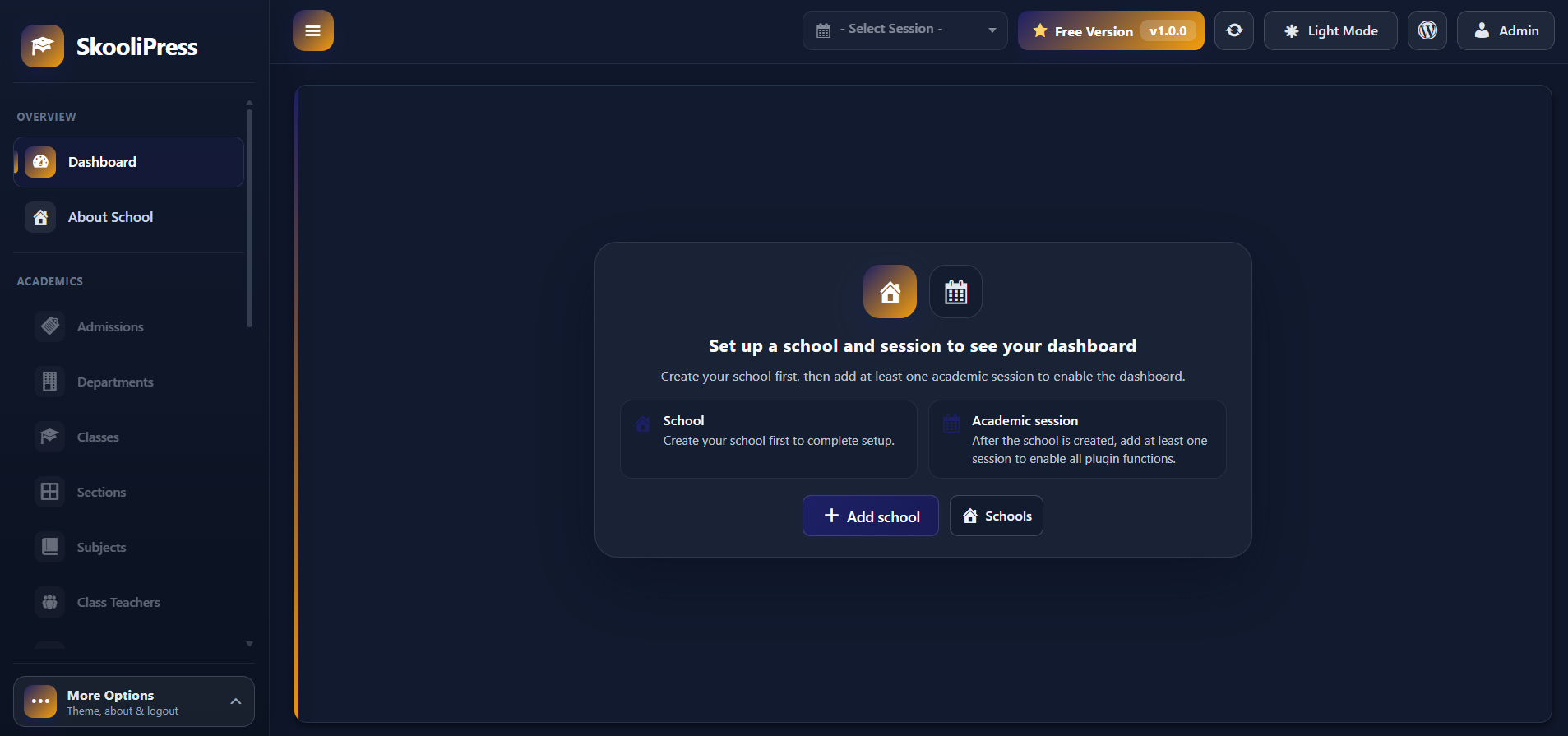
* ERP dashboard with quick links to enabled modules after setup is complete
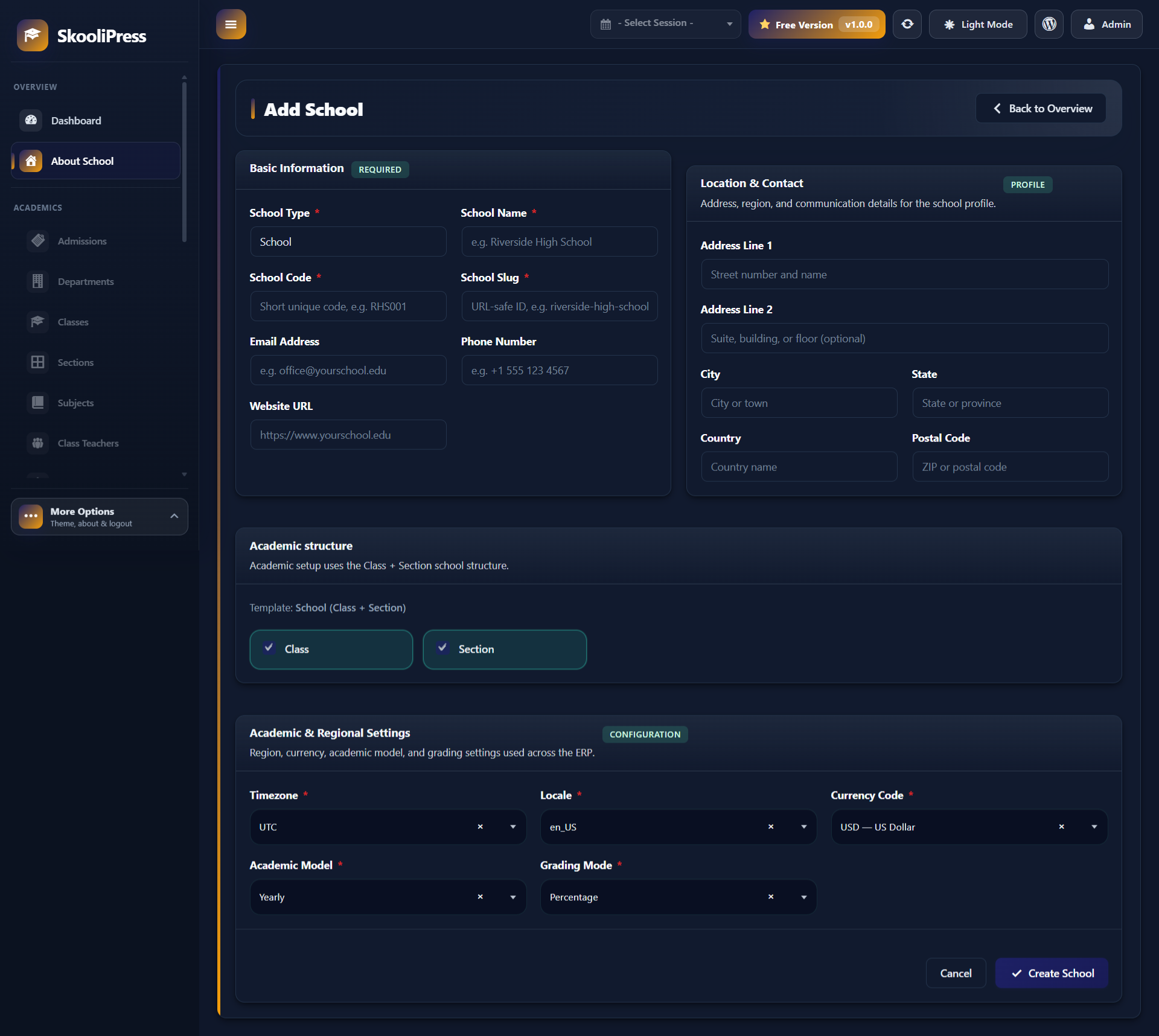
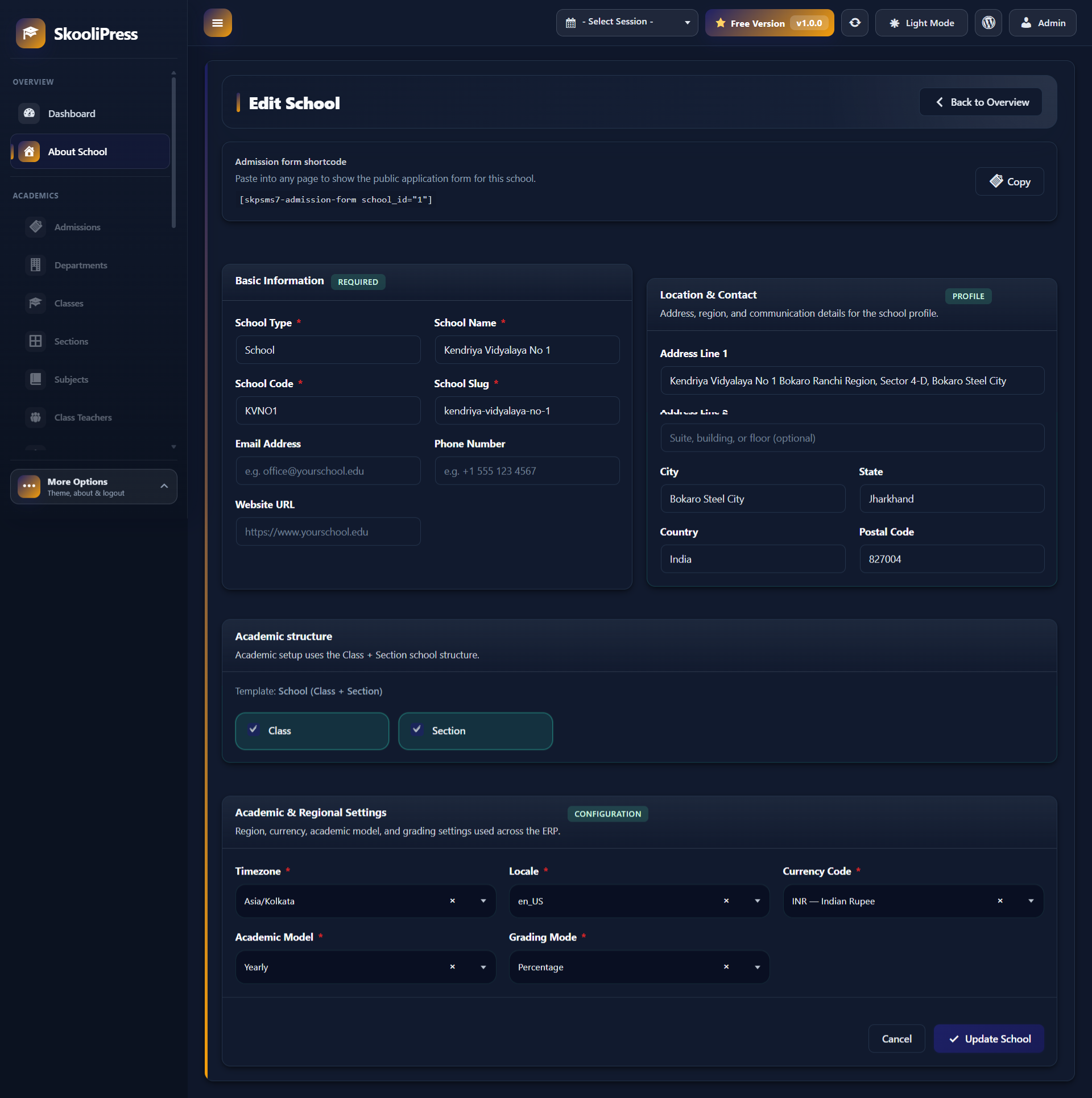
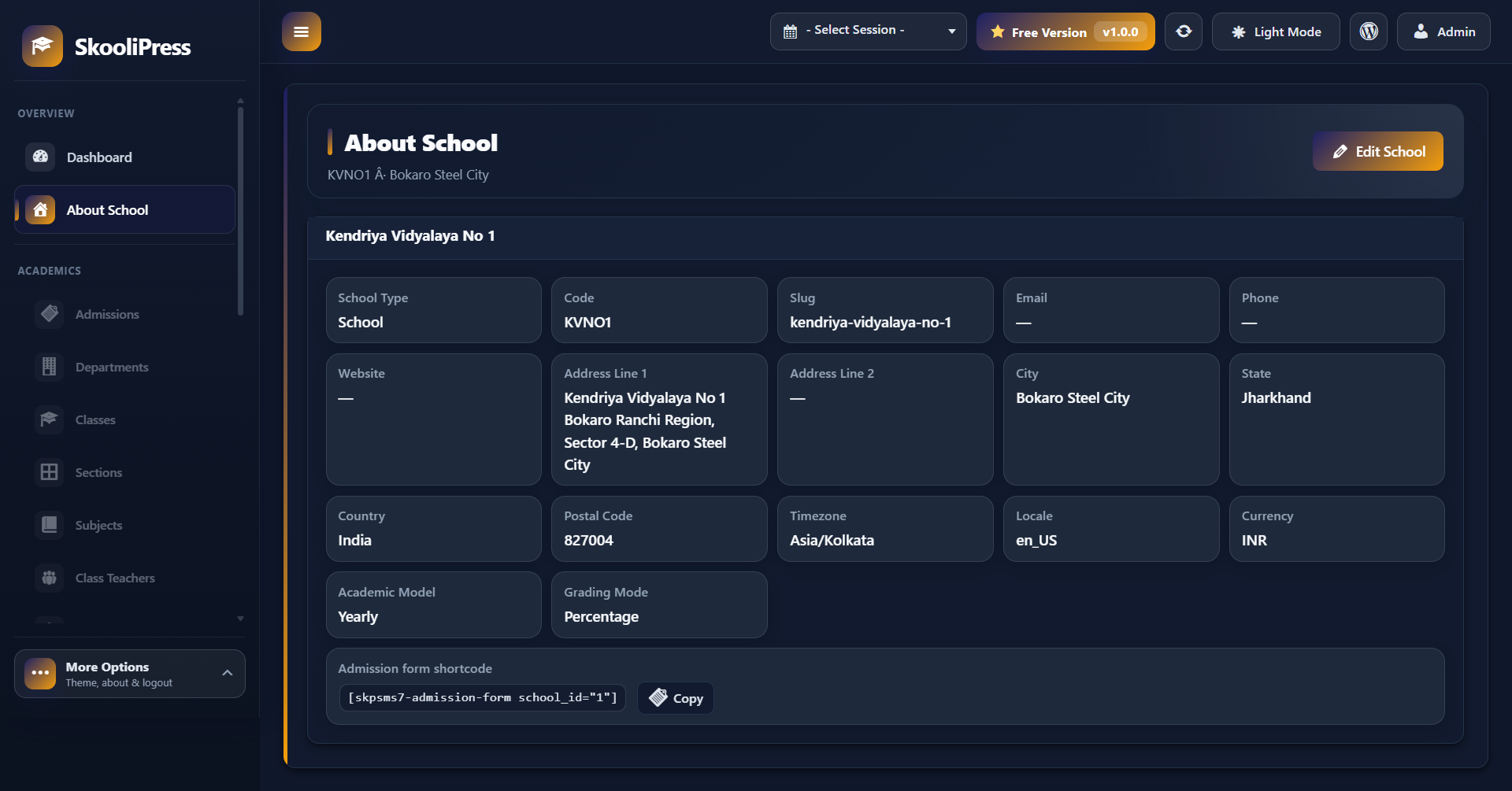
* One school profile with contact details, timezone, locale, currency, and academic settings
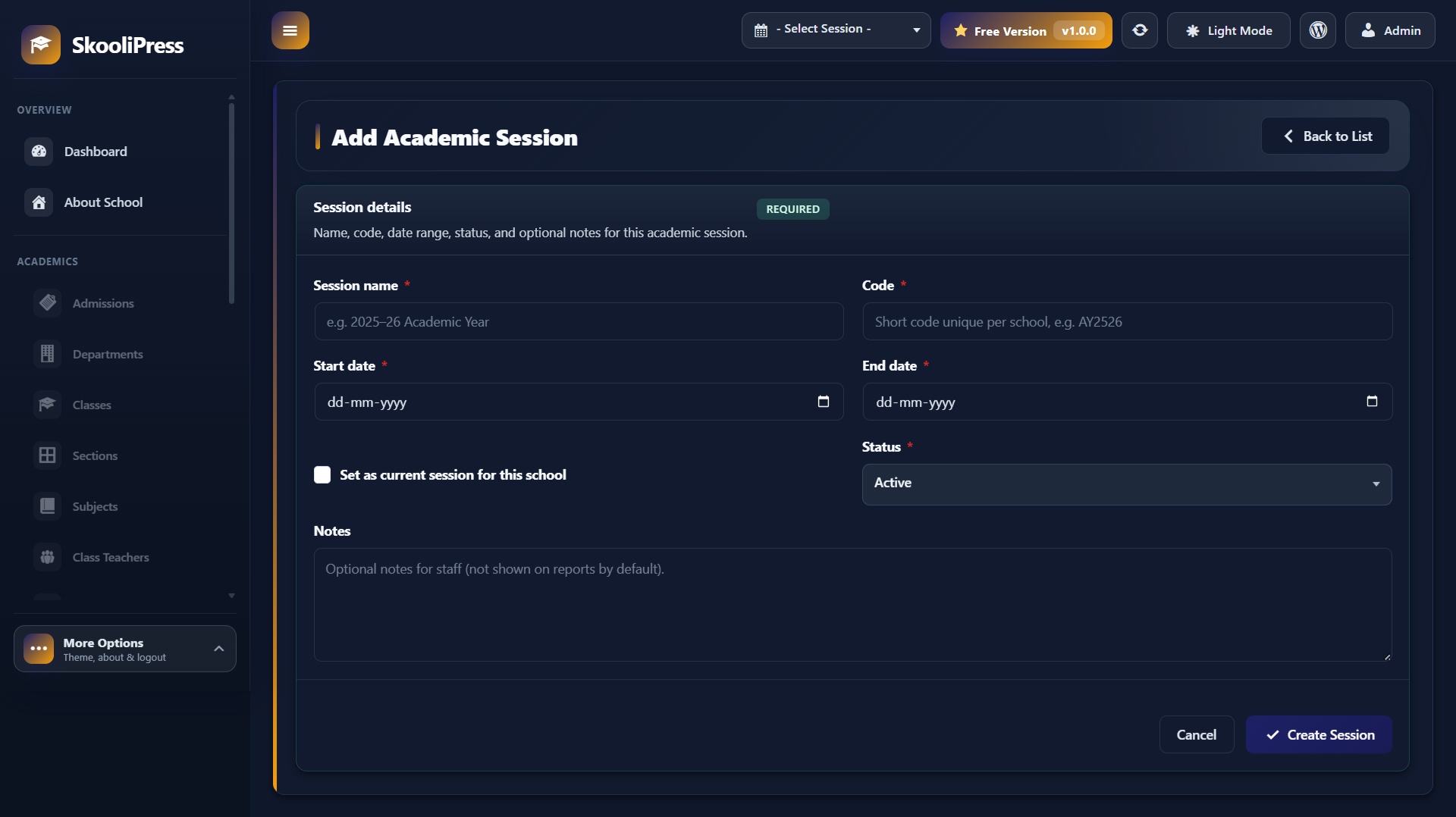
* Multiple academic sessions per school with active session switching from the admin header
* Active session context so module records stay scoped to the correct academic year
Academic structure
* Classes, sections, and subjects for the active session
* Class teachers and subject-teacher assignments
* Department module support within the Class + Section school template
People & admissions
* Student profiles with class/section placement and status management
* Parent/guardian records linked to students
* Admission applications with pending, admitted, rejected, and withdrawn statuses
* Admin review, approval workflow, and printable admission form preview
* Public admission form shortcode with optional print layout
Daily operations
* Student attendance records with list and calendar views
* Exams, exam schedules, and result management
* Fee categories, fee submissions, due tracking, and printable fee receipts
* Assignments with submission tracking
* Class timetables and schedule review
* School notices and announcements
Tools & frontend
* [skpsms7-admission-form] shortcode for public admission applications
* Shortcode reference screen under Tools with copy-to-clipboard examples
* DataTables export to PDF, Excel, and CSV on supported admin lists
* JSON backup export when deactivating the plugin (optional)
Admin experience
* Sidebar grouped into Overview, Core, People & access, Operations, and Tools
* Per-user theme appearance settings (light/dark and accent color)
* My Profile screen for the signed-in administrator account
—
Additional Notes
SkooliPress is developed by Online Web Tutor as a practical school-management layer for WordPress.
For enquiries or support, email onlinewebtutorhub@gmail.com.
Screenshots
Installation
From your WordPress dashboard 1. Go to Plugins Add New. 2. Search for SkooliPress or School Management System. 3. Click Install Now, then Activate.
Manual upload 1. Download the plugin zip and go to Plugins Add New Upload Plugin. 2. Upload the zip file and activate SkooliPress – School Management System.
First-time setup after activation 1. After activation, open SkooliPress Dashboard in the WordPress admin. 2. Go to Schools Add School and create your school profile. 3. Open Sessions and add at least one academic session for that school. 4. Select an academic session from the header dropdown to enable students, admissions, fees, exams, and the rest of the modules. 5. Visit Tools Shortcodes to copy the admission shortcode for your public pages.
FAQ
-
Why is my dashboard empty after activation?
-
The dashboard stays in setup mode until you create one school and at least one academic session. After that, select an academic session from the header dropdown to load module links and operational screens.
-
Can I manage more than one school?
-
No. SkooliPress is designed for a single school profile. You can create and switch between multiple academic sessions for that school.
-
Does SkooliPress work with my WordPress theme?
-
Yes. The admin ERP runs inside the WordPress dashboard. The public admission form shortcode inherits your theme’s page layout and can be placed on any page.
-
Do I need coding skills to use SkooliPress?
-
No. School setup, people records, admissions, fees, exams, and other modules are managed from the admin UI. Shortcodes are documented on the Tools Shortcodes screen and can be copied into any page.
-
Which shortcodes are available?
-
[skpsms7-admission-form school_id="1"]— Public admission application for one school
-
How does the admission process work?
-
Applicants submit the public admission form. Applications appear in Admissions with a reference number and status. Administrators review each application and can admit, reject, or mark it withdrawn. Approved applications can create linked student and parent records.
-
Can I export list data from admin screens?
-
Yes. Supported list screens use DataTables with export buttons for PDF, Excel, and CSV where available.
-
What happens to my data if I deactivate the plugin?
-
When deactivating, you can optionally download a JSON backup containing ERP database tables, plugin options, and related user meta before the plugin is turned off. Deactivation does not delete data from your site.
-
Who can access the SkooliPress admin?
-
WordPress administrators can access the SkooliPress admin.
-
Do you provide support?
-
For product questions or help, contact Online Web Tutor at onlinewebtutorhub@gmail.com.
Reviews
There are no reviews for this plugin.
Contributors & Developers
“SkooliPress – School Management System” is open source software. The following people have contributed to this plugin.
Contributors
Translate “SkooliPress – School Management System” into your language.
Interested in development?
Browse the code, check out the SVN repository, or subscribe to the development log by RSS.
Changelog
1.0.0
- Initial public release of SkooliPress – School Management System
- School and academic session setup with header context switching
- Modules for students, parents, teachers, staff, admissions, academics, attendance, fees, exams, assignments, timetables, and notices
- Public shortcode for online admission applications
- DataTables list views with PDF, Excel, and CSV export on supported screens
- Fee receipt printing, admission form preview/print, and optional JSON backup on deactivation
- Admin theme appearance settings and structured ERP sidebar navigation