

Description
Sieve lets shoppers narrow down products instantly with checkboxes, ranges, search and sort, without a page reload. It is built to be pleasant to use and fast: accessible widgets, a mobile filter drawer, and a rendering approach designed for Core Web Vitals (no layout shift when results update).
- AJAX filtering with no page reload, with shareable, bookmarkable URLs
- Facet types: checkboxes, radio, searchable dropdown, range slider, search, sort, pagination, reset, active-filter chips
- WooCommerce: categories, tags, attributes, price, stock status, on sale
- A pre-built index for fast filtered queries on large catalogs
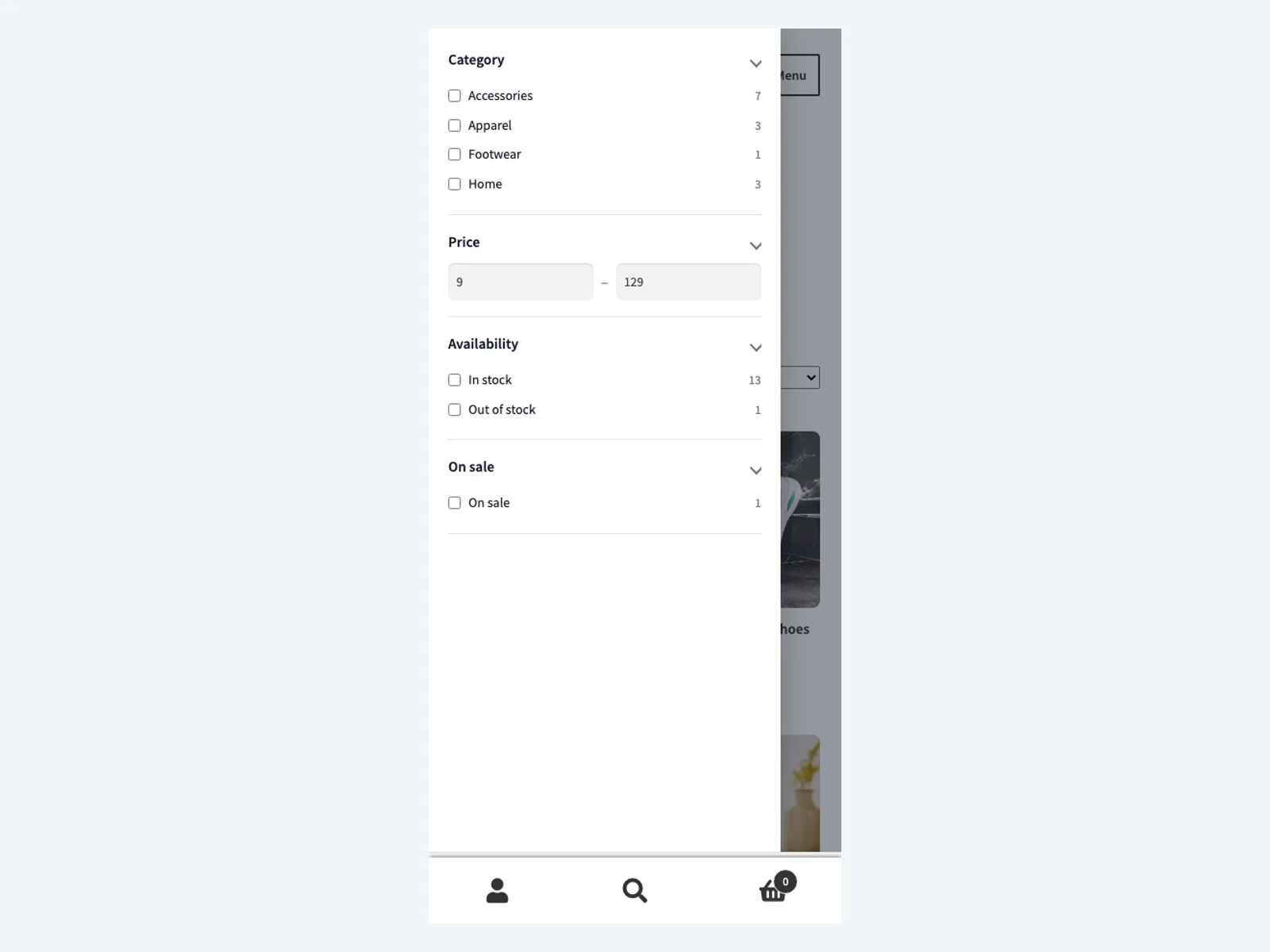
- Mobile filter drawer with a sticky Apply bar
- Accessible widgets (keyboard and screen-reader friendly)
- Gutenberg block and shortcode for placement
This is an early release (MVP). Documentation: https://plogins.com/sieve/docs/
Development
The full, human-readable source for the compiled assets is included in this plugin under resources/, alongside the build tooling (package.json, scripts/build-wp.mjs). The compiled files under build/ are generated from those sources. To rebuild them:
npm installnpm run build
This uses Vite (admin and front-end scripts) and @wordpress/scripts (blocks). There is no obfuscation; every shipped asset can be regenerated from the included sources. The public source repository is also available at https://github.com/wppoland/sieve.
Screenshots


Blocks
This plugin provides 1 block.
- Sieve Filter Fast, accessible faceted product filtering with a results grid.
Installation
- Install and activate WooCommerce.
- Install Sieve and activate it.
- Open the Sieve menu, rebuild the index, and adjust the facet set if needed.
- Place the filter on any page with the
[sieve]shortcode or the “Sieve Filter” block.
FAQ
-
Does it require WooCommerce?
-
Yes, this early version targets WooCommerce product archives.
-
Does filtering reload the page?
-
No. Filtering happens via AJAX with the URL kept in sync so results are shareable.
-
How do I add the filter to a page?
-
Use the
[sieve]shortcode or the “Sieve Filter” block. Both render the facets, the results grid, sorting, active-filter chips and pagination together.
Reviews
There are no reviews for this plugin.
Contributors & Developers
“Sieve – Faceted Filter for WooCommerce” is open source software. The following people have contributed to this plugin.
Contributors
Translate “Sieve – Faceted Filter for WooCommerce” into your language.
Interested in development?
Browse the code, check out the SVN repository, or subscribe to the development log by RSS.
Changelog
0.1.2
- Admin: cleaner facet builder rows (aligned controls, grouped reorder/remove buttons with first/last disabled states, field source shown as a caption).
0.1.1
- Compliance: added the plugin owner to the Contributors list and included the human-readable sources and build steps for the compiled assets (WordPress.org plugin guidelines).
0.1.0
- Initial MVP release: pre-built index, AJAX filtering with URL state, dependent facet counts, checkboxes / radio / dropdown / range / search facets, sorting, active-filter chips, pagination, mobile filter drawer, React facet builder,
[sieve]shortcode and “Sieve Filter” block.