

Description
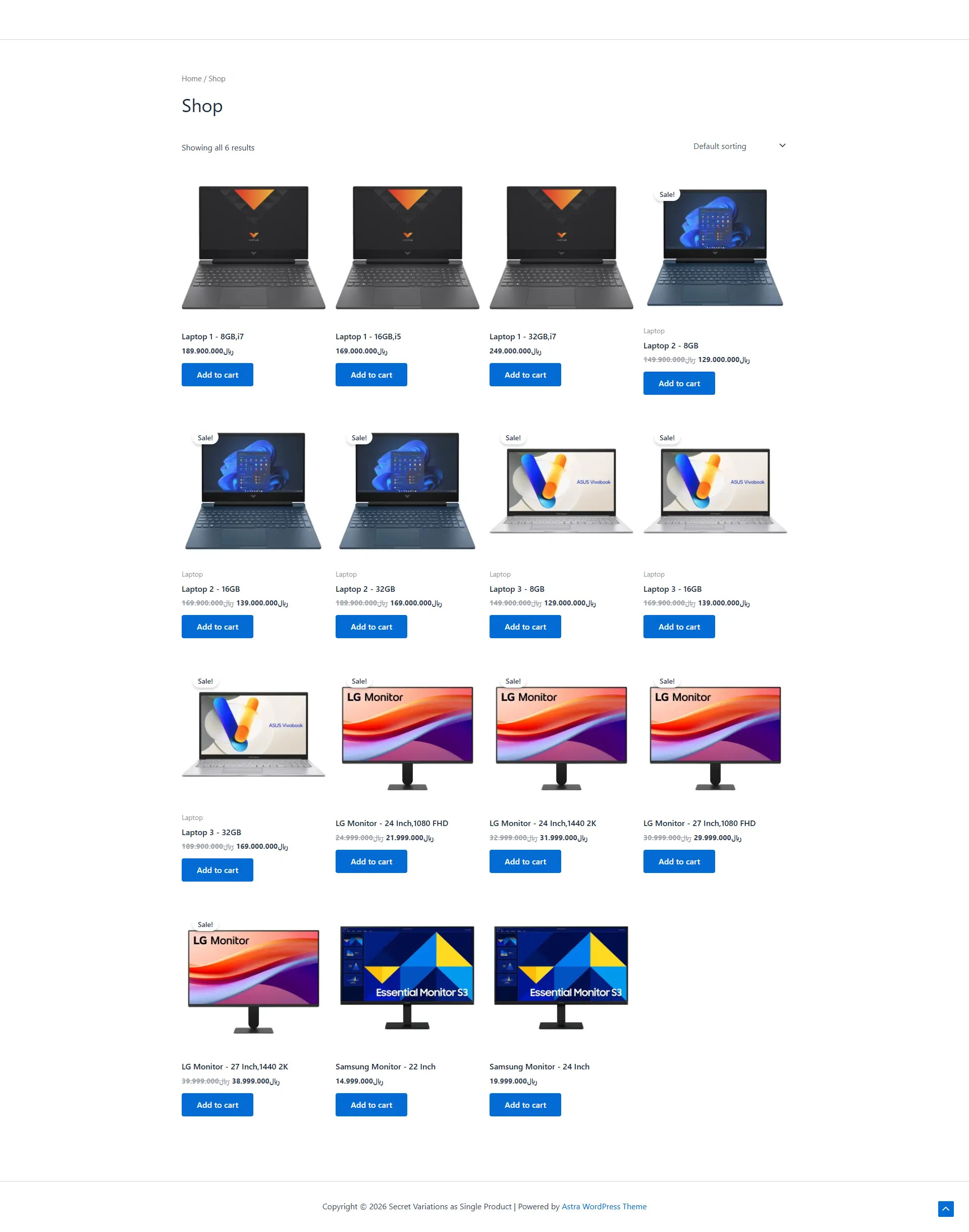
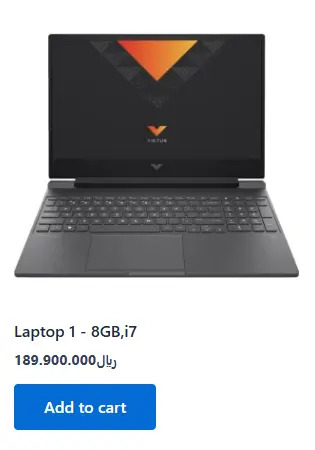
SecDev Variation Listings for WooCommerce transforms WooCommerce variable products into individual variation listings on shop and archive pages. Instead of displaying only the parent variable product, each variation is displayed as its own product with its own title, image, permalink and attributes. Customers can browse individual variations directly without first opening the parent product. The plugin works entirely on the front end and does not duplicate products or modify your database.
Features
Display each variation as an individual product
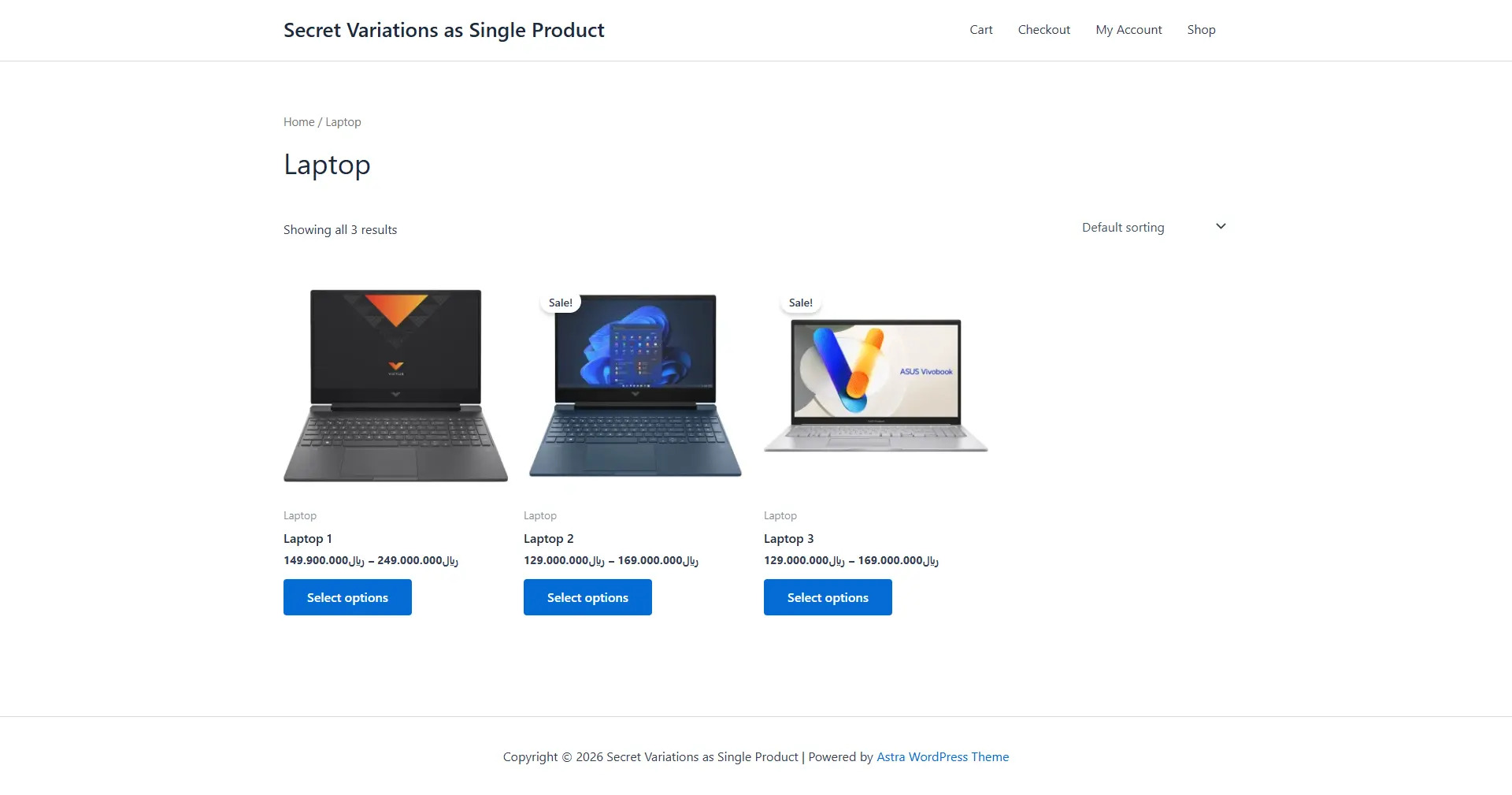
Keep WooCommerce variable products intact
Optional hiding of parent variable products
Custom variation title structure
Custom attribute separator
Hide out-of-stock variations
Move out-of-stock variations to the end of product listings
Exclude Shop page
Exclude Product Category archives
Exclude Product Tag archives
Exclude Search results
Exclude selected product categories
Exclude selected product tags
Exclude specific products
Include only selected products
Settings
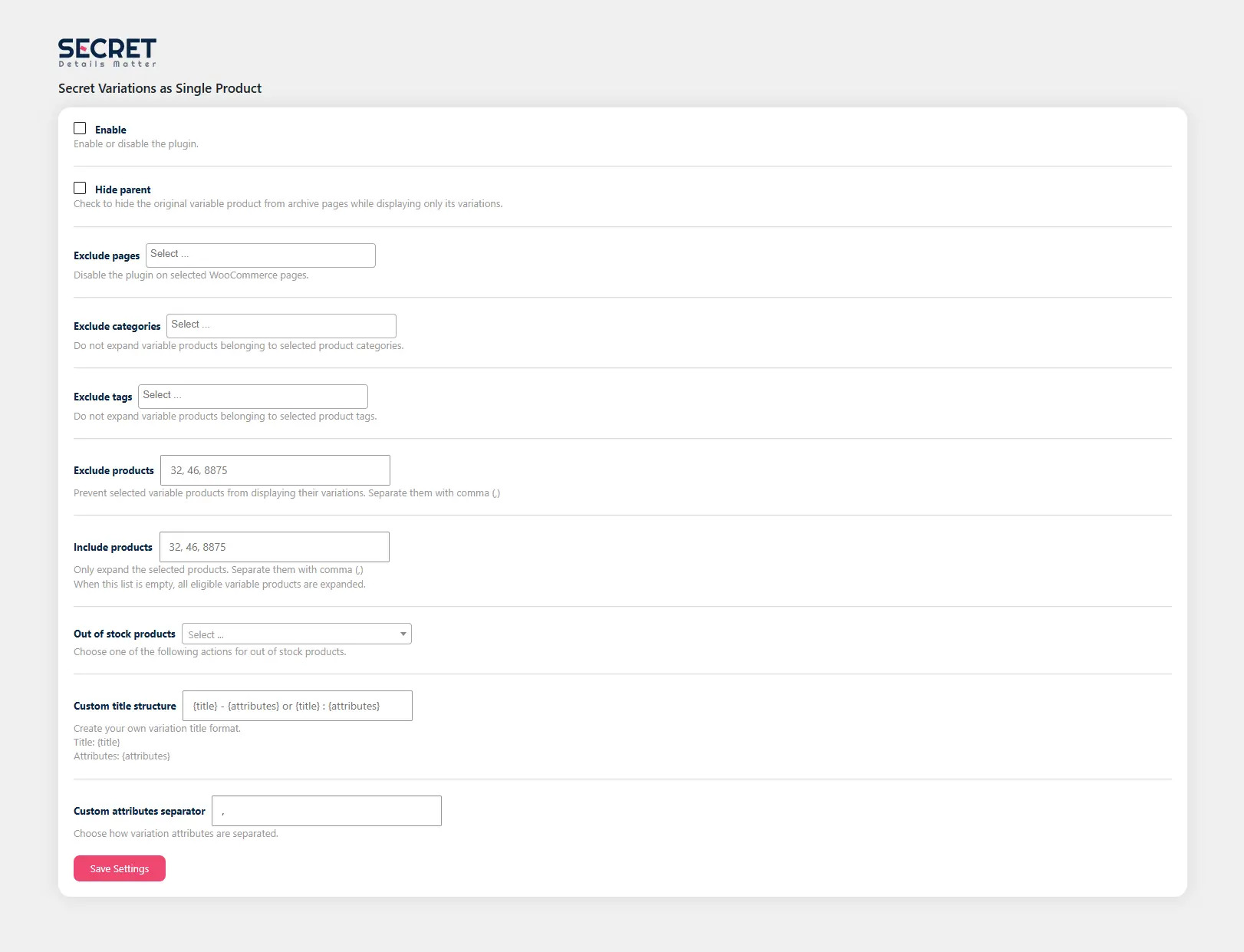
Enable
Enable or disable the plugin.
Hide Parent
Hides the original variable product from archive pages while displaying only its variations.
Excluded Pages
Disable the plugin on selected WooCommerce pages.
Available pages:
Shop
Product Categories
Product Tags
Search Results
Excluded Categories
Do not expand variable products belonging to selected product categories.
Excluded Tags
Do not expand variable products belonging to selected product tags.
Excluded Products
Prevent selected variable products from displaying their variations.
Included Products
Only expand the selected products. When this list is empty, all eligible variable products are expanded.
Out of Stock Products
Choose one of the following actions:
Hide out-of-stock variations
Move out-of-stock variations to the end of the product list
Custom Title Structure
Create your own variation title format. Available placeholders:
{title}
{attributes}
Example:
{title} – {attributes}
Output:
Running Shoes – Black, Size 42
Custom Attribute Separator
Choose how variation attributes are separated. Examples:
,
|
/
•
Screenshots
Installation
Upload the plugin to the /wp-content/plugins/ directory. Activate the plugin through the Plugins screen. Go to: WordPress admin dashboard Secret Variations
Enable the plugin. Configure the desired options. Save your settings.
FAQ
-
Does the plugin duplicate products? = No. The plugin only modifies the front-end product query. No products are duplicated or stored in the database.
-
Will my variable products continue working normally? = Yes. Variable products remain unchanged and continue working exactly as WooCommerce intends.
-
Does this affect SEO? = No. The plugin uses the original WooCommerce variation URLs and does not create duplicate products.
-
Does it support thousands of products? = Yes. The plugin was designed with performance in mind and only modifies WooCommerce archive queries when necessary.
Reviews
There are no reviews for this plugin.
Contributors & Developers
“SecDev Variation Listings for WooCommerce” is open source software. The following people have contributed to this plugin.
Contributors
Translate “SecDev Variation Listings for WooCommerce” into your language.
Interested in development?
Browse the code, check out the SVN repository, or subscribe to the development log by RSS.
Changelog
1.0.0
Initial release.
Display variations as individual products.
Hide parent products.
Exclude pages.
Exclude categories.
Exclude tags.
Exclude products.
Include products.
Out-of-stock handling.
Custom variation title structure.
Custom attribute separator.