

Description
SanBar EXPress Tables for WooCommerce turns your store catalog into elegant, functional product tables with full visual management in the WordPress dashboard.
Features
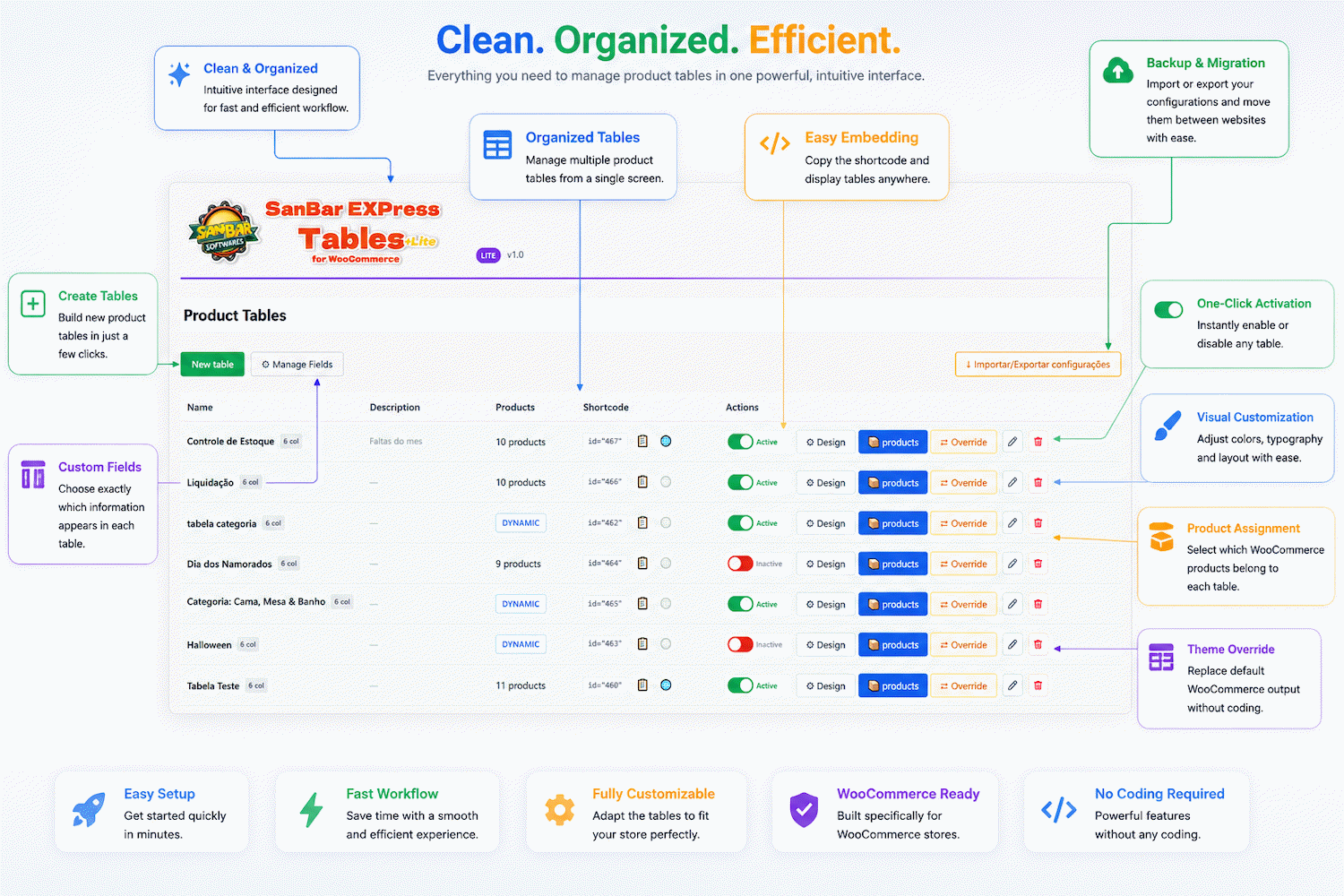
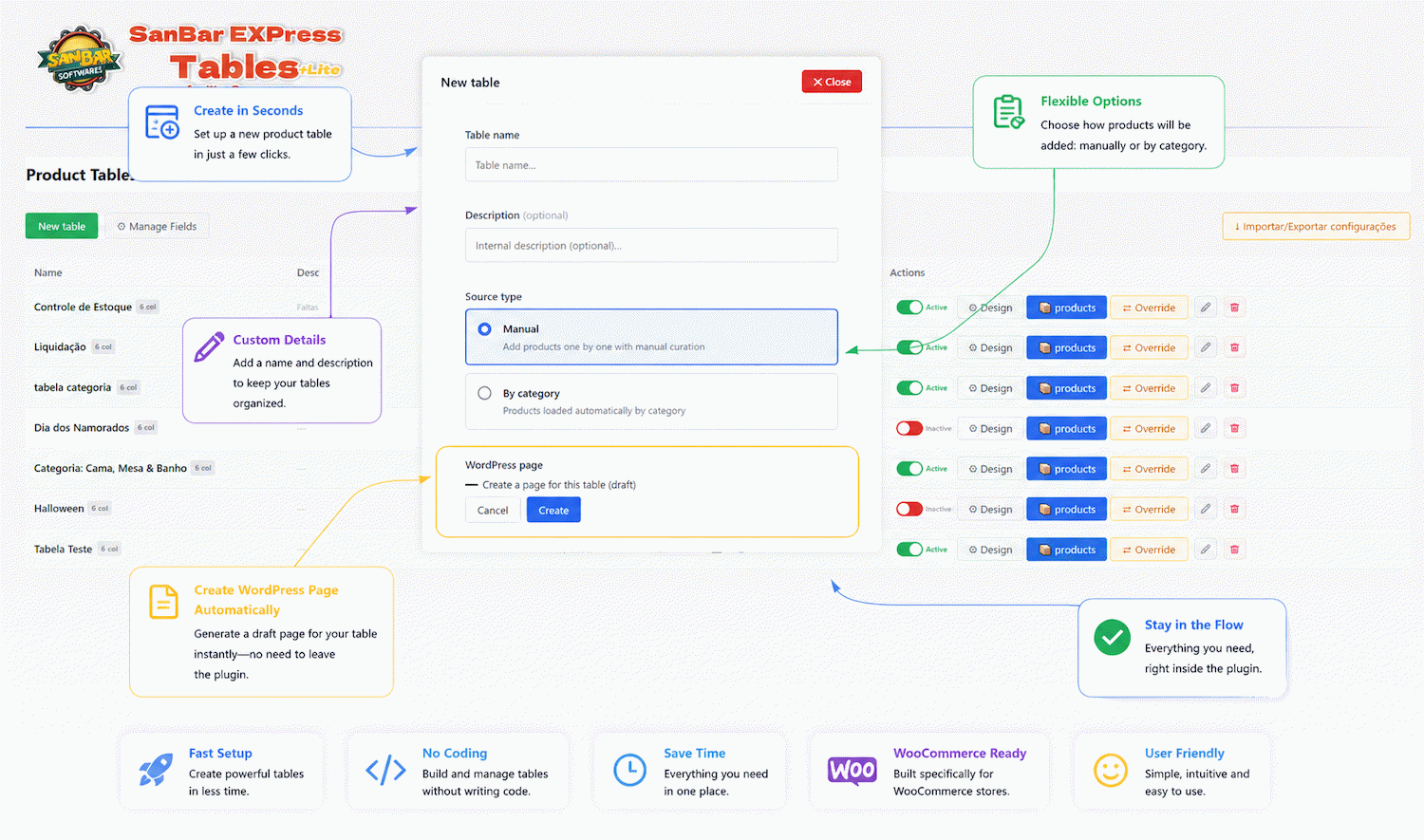
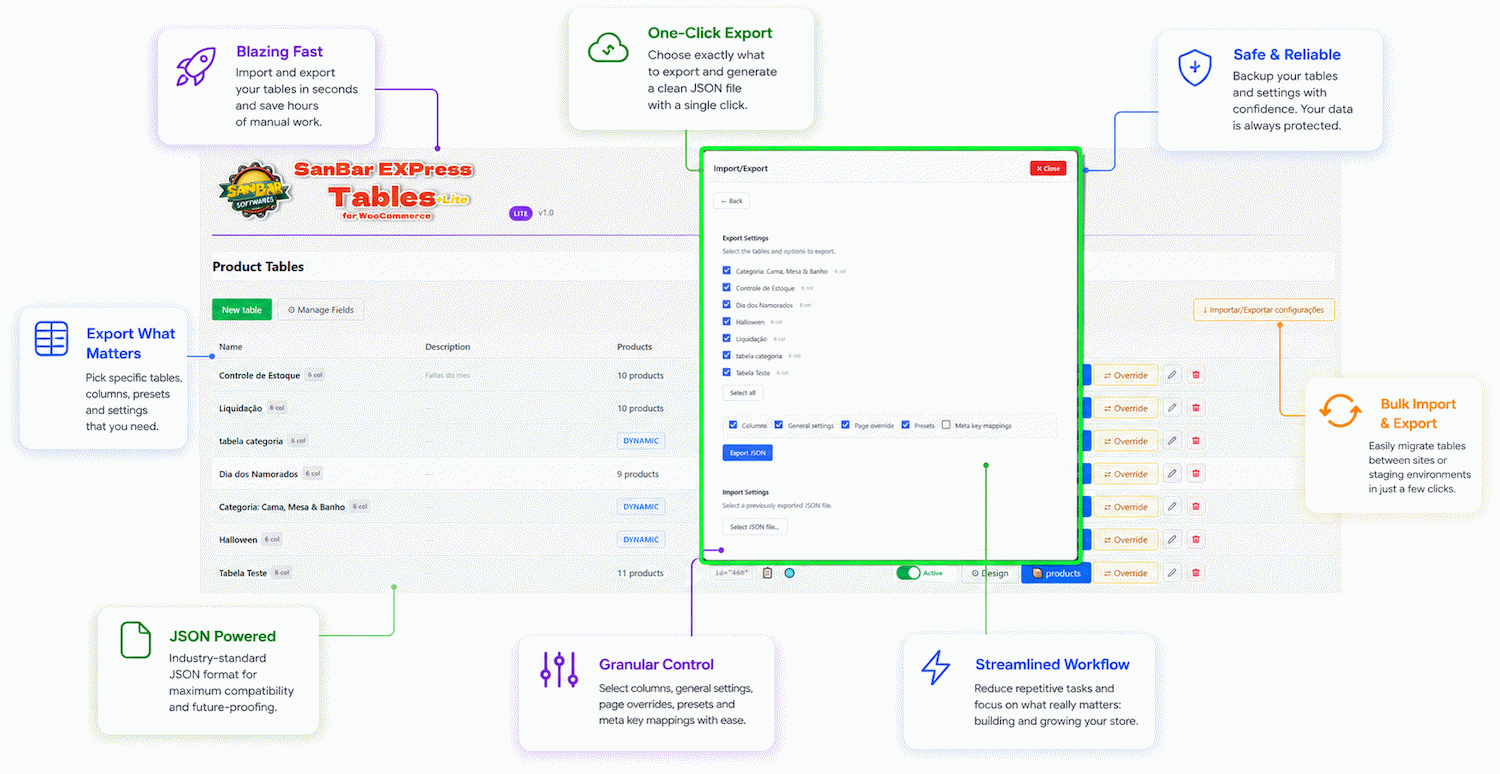
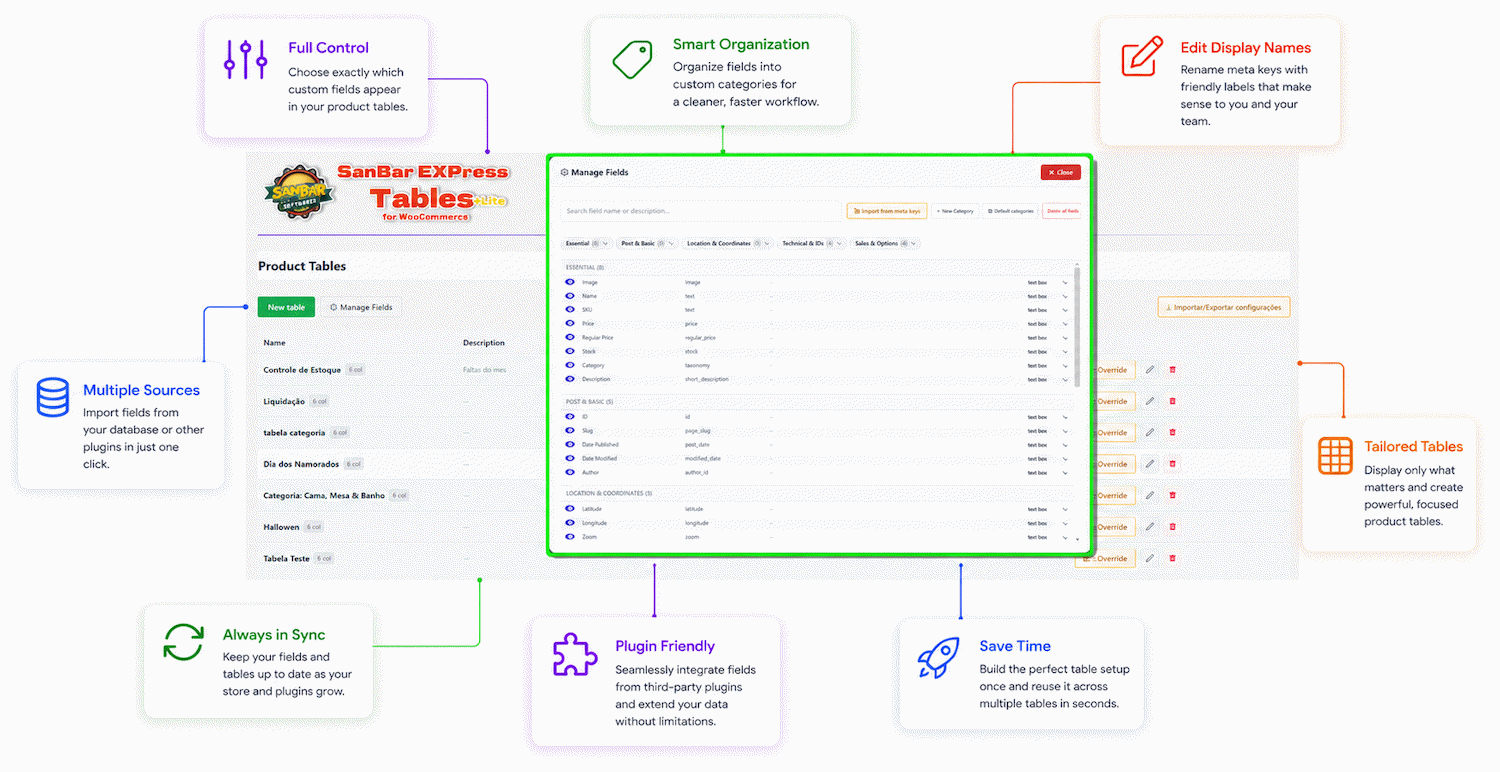
- Create product tables with a visual interface — no complex shortcodes
- Manual mode: hand-pick products one by one
- Dynamic mode: auto-load products by category
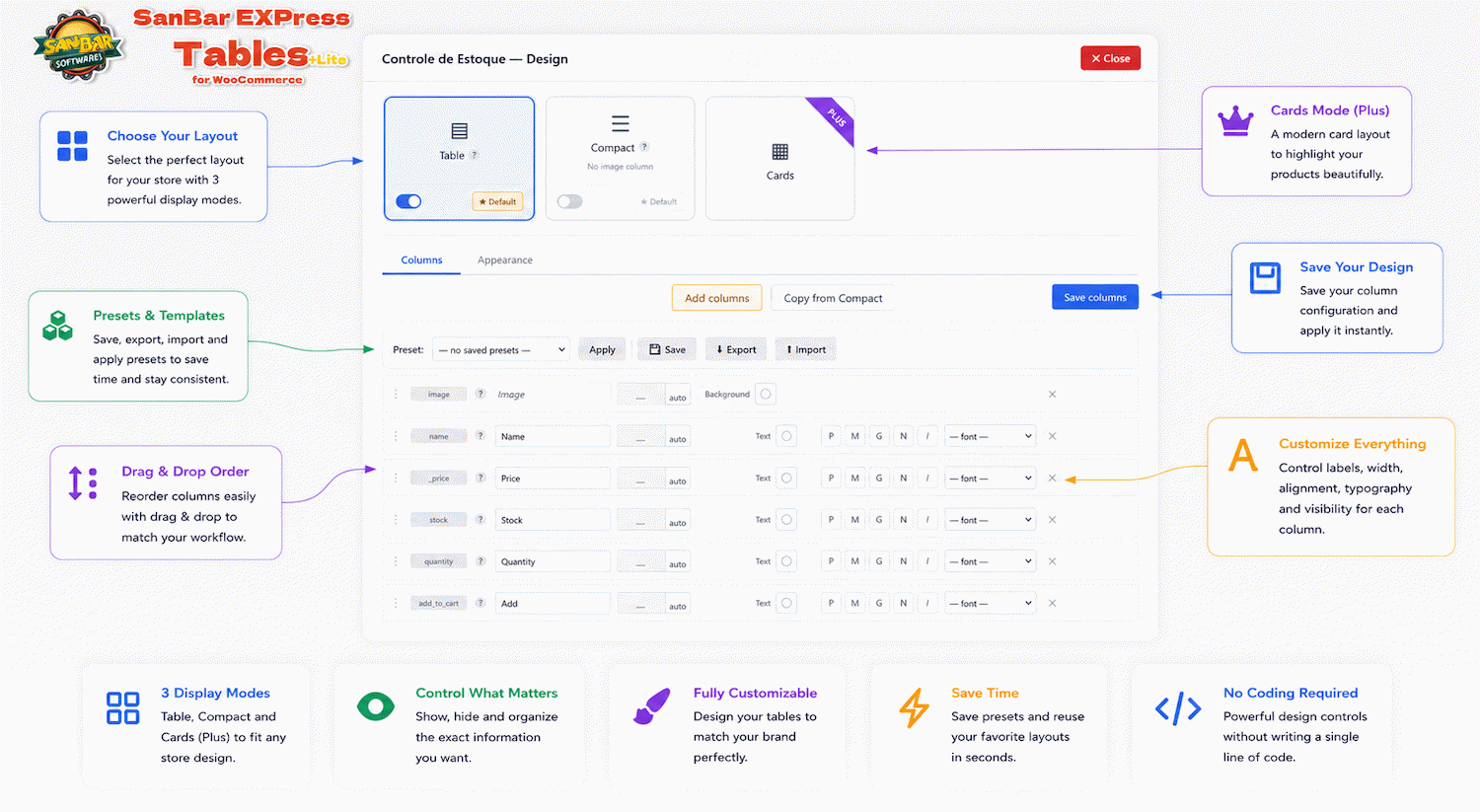
- Table and Compact display layouts, each with independent column and appearance settings
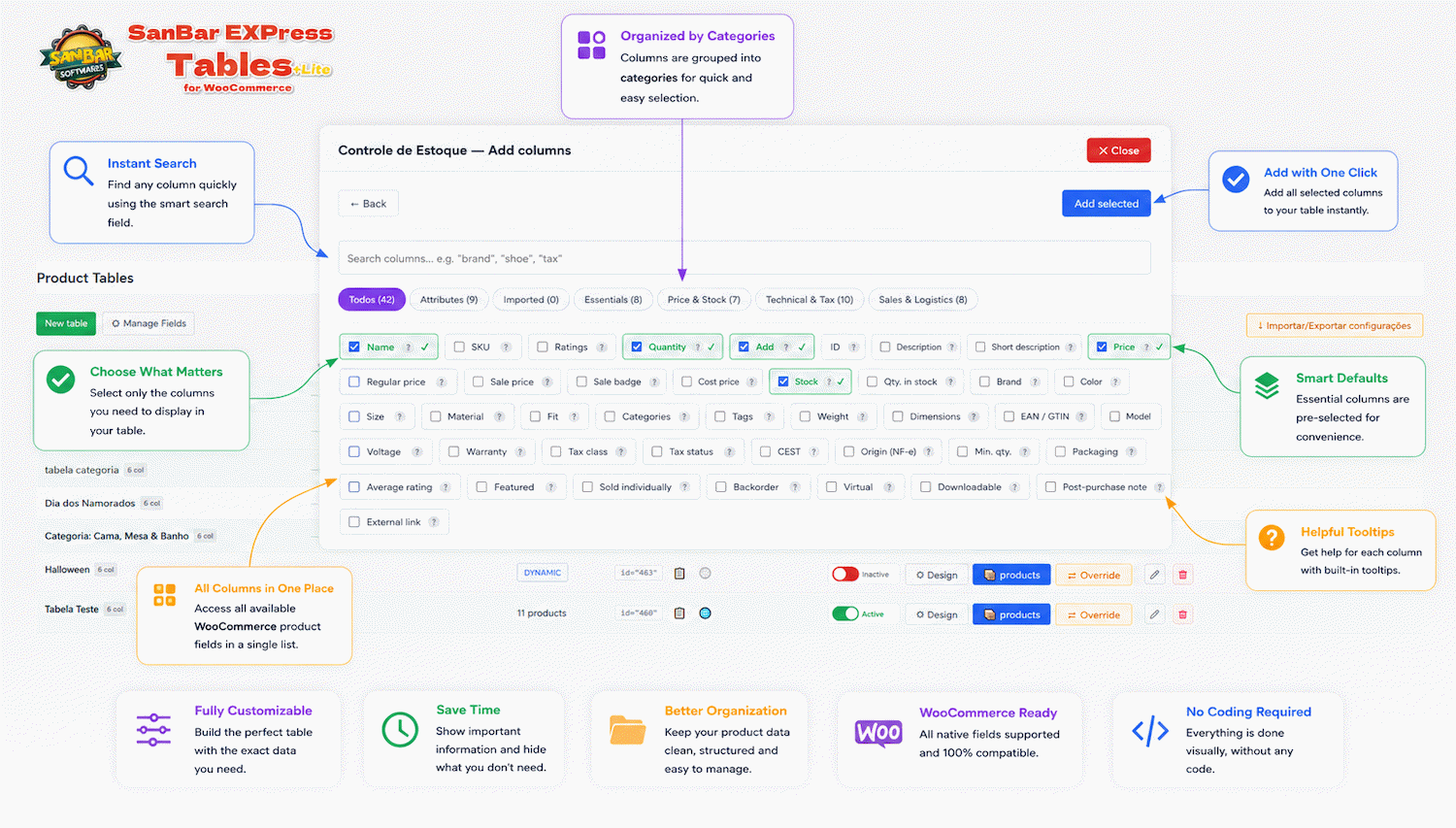
- Configurable columns: choose, reorder and rename each column
- Custom width, color and font per column
- 30+ column types available
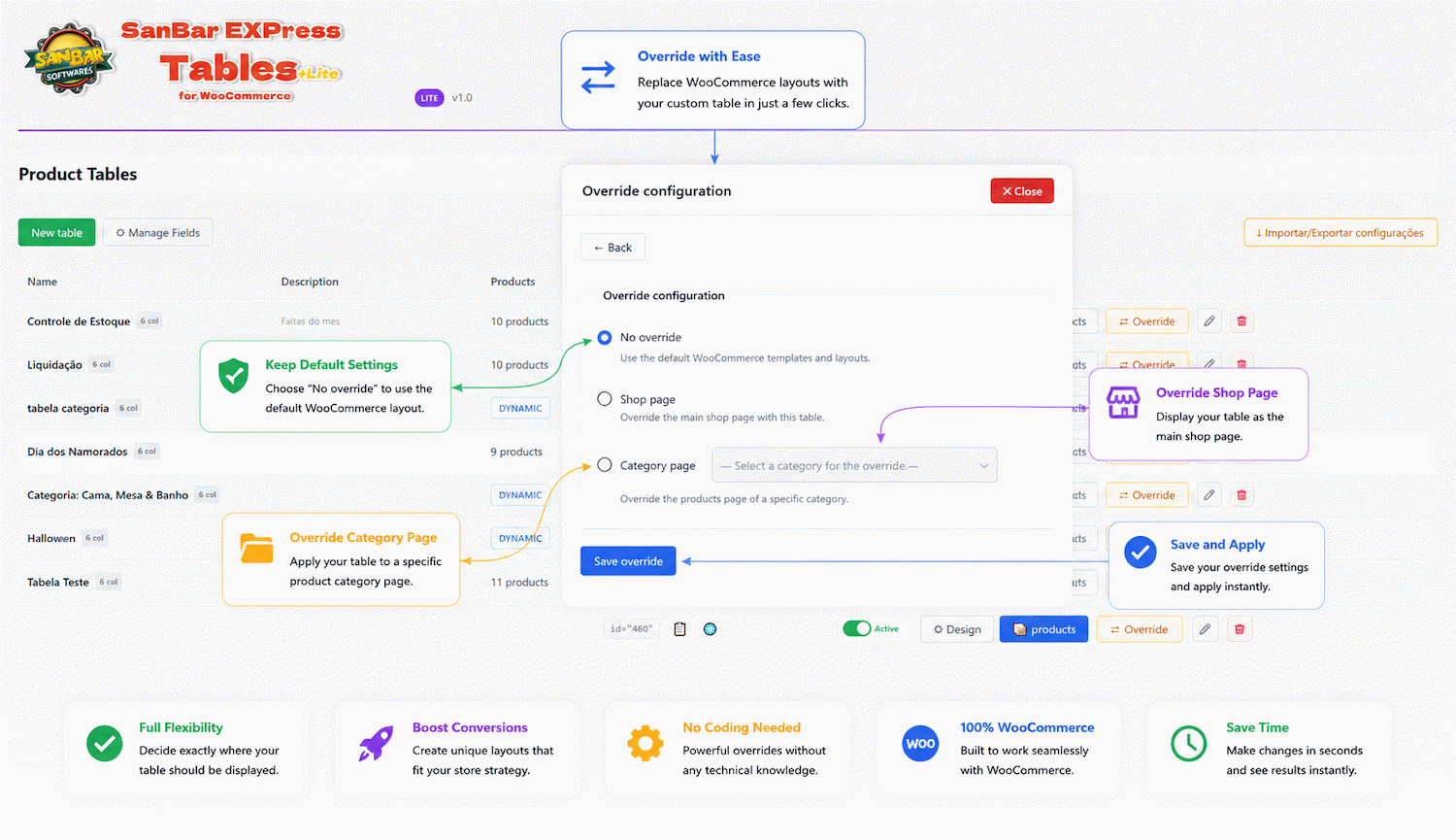
- Replace your shop or category page with a table view — no Pro upgrade required
- Progressive filters: price, stock, attributes
- Real-time search within the table
- Sorting by name, price and stock
- Inline variation selector
- Add-to-cart and bulk purchase directly from the table, with range selection and live totals
- Configurable pagination
- Image lightbox
- Optional integration with SanBar EXPress Sheet
SanBar EXPress Sheet Integration
When EXPress Sheet is installed, this plugin automatically adds:
- “Tables” button in the Sheet toolbar
- “Add to table” button when selecting products
Screenshots

Installation
- Upload the plugin via Plugins > Add New > Upload Plugin
- Activate the plugin
- Go to Products > SanBar EXP Tables to create your first table
- Insert the shortcode
[sanbar_table id="X"]in any page or post
FAQ
-
Does the plugin work without SanBar EXPress Sheet?
-
Yes. The plugin is fully independent. The Sheet is an optional integration.
-
Can I customize the table columns?
-
Yes. Each table has its own column configuration with 30+ available types. You can rename headers, set widths and apply background colors.
-
How does dynamic mode work?
-
Select one or more categories and the table automatically loads all products from those categories.
-
Is the plugin compatible with block themes (FSE)?
-
Yes. The shortcode works in any context, including the block editor via the Shortcode block.
Reviews
There are no reviews for this plugin.
Contributors & Developers
“SanBar EXPress Tables for WooCommerce” is open source software. The following people have contributed to this plugin.
Contributors
Translate “SanBar EXPress Tables for WooCommerce” into your language.
Interested in development?
Browse the code, check out the SVN repository, or subscribe to the development log by RSS.
Changelog
1.0
- Initial release.
- Visual table manager: create, edit and organize product tables from the dashboard.
- Manual and dynamic (category-based) product sources.
- Table and Compact display layouts, fully independent from each other (columns, colors, fonts and appearance settings don’t sync between them).
- Configurable columns with custom width, color, font and 30+ column types.
- Shop/category page override — display a table instead of the default WooCommerce archive.
- Progressive filters (price, stock, attributes), real-time search and sorting.
- Inline variation selector with add-to-cart and bulk purchase.
- Bulk selection tools: range selection with Shift+click, live count/total summary, copy selected items as text or HTML table.
- Configurable pagination and image lightbox.
- Optional integration with SanBar EXPress Sheet.