

Description
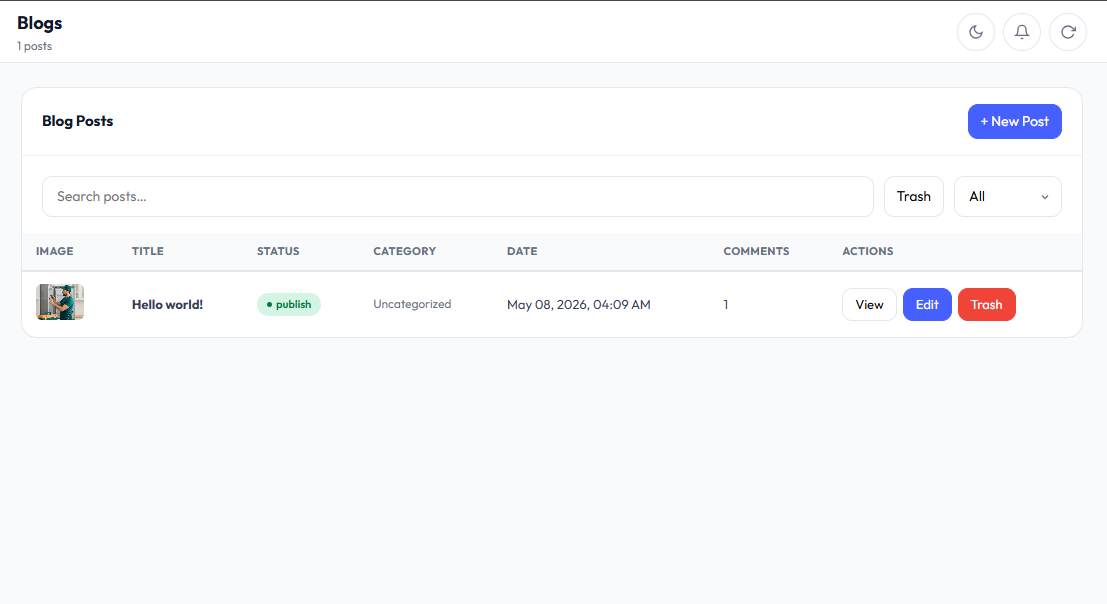
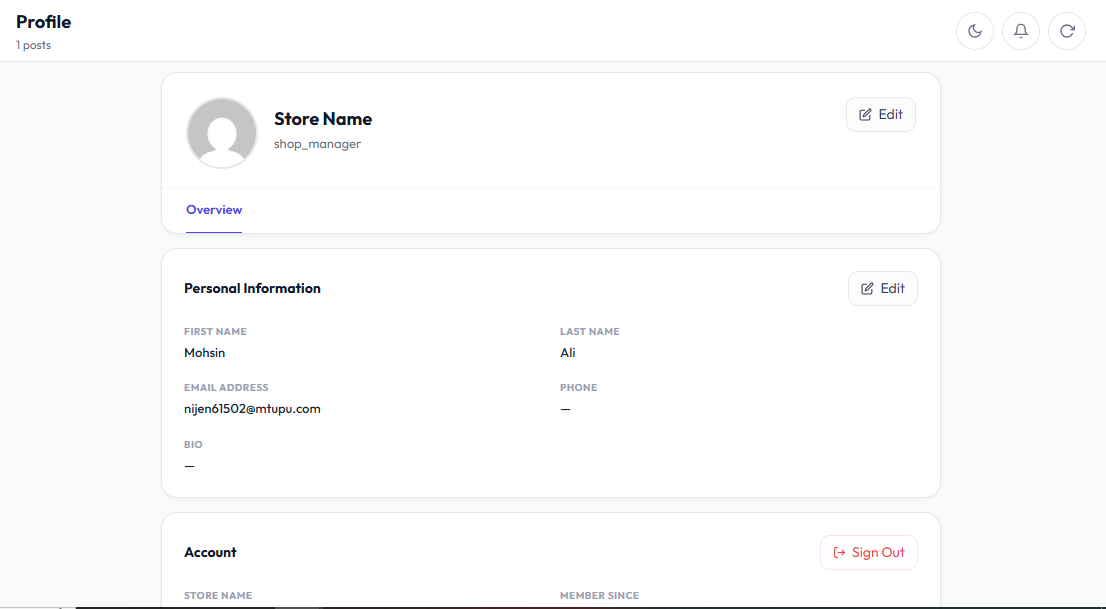
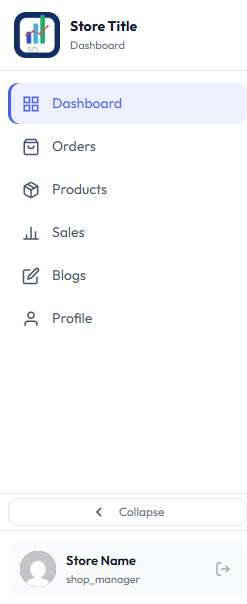
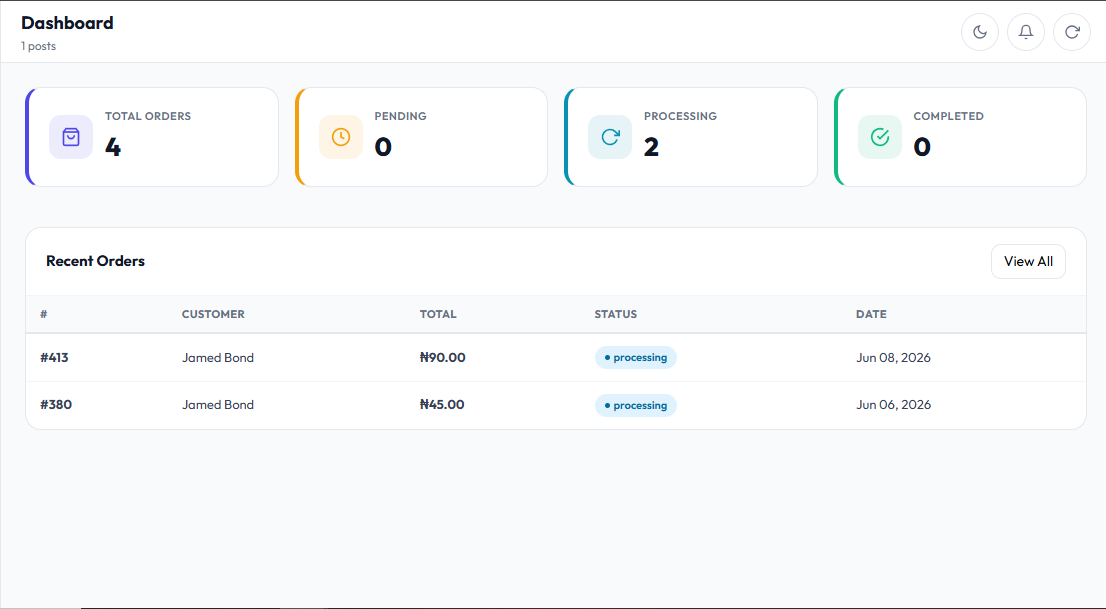
SaleNook for WooCommerce is built for store owners, clients, agencies, and developers who need a separate clean dashboard to manage WooCommerce store tasks more easily. It includes a branded login screen, WooCommerce order views, product views, sales reports, blog post tools, profile management, notifications, and activity logs. This helps clients manage important store activity without needing to work inside the full WordPress admin area.
This public version bundles the Outfit font locally and applies it across the plugin settings UI, logs UI, dashboard, login screen, modals, tables, forms, and tabs. It does not load Google Fonts or any external font CDN, keeping the plugin interface self-contained and independent from third-party font requests. The dashboard is designed to keep store management simple, focused, and easier for non-technical clients.
Use SaleNook for WooCommerce > Delete Settings to decide whether plugin data should be removed when the plugin is deleted. If the cleanup option is enabled, deletion resets only SaleNook settings, sessions, notifications, and logs. WordPress/WooCommerce content such as products, orders, posts, customers, and store data is never deleted.
Main features:
- Dashboard overview for WooCommerce stores
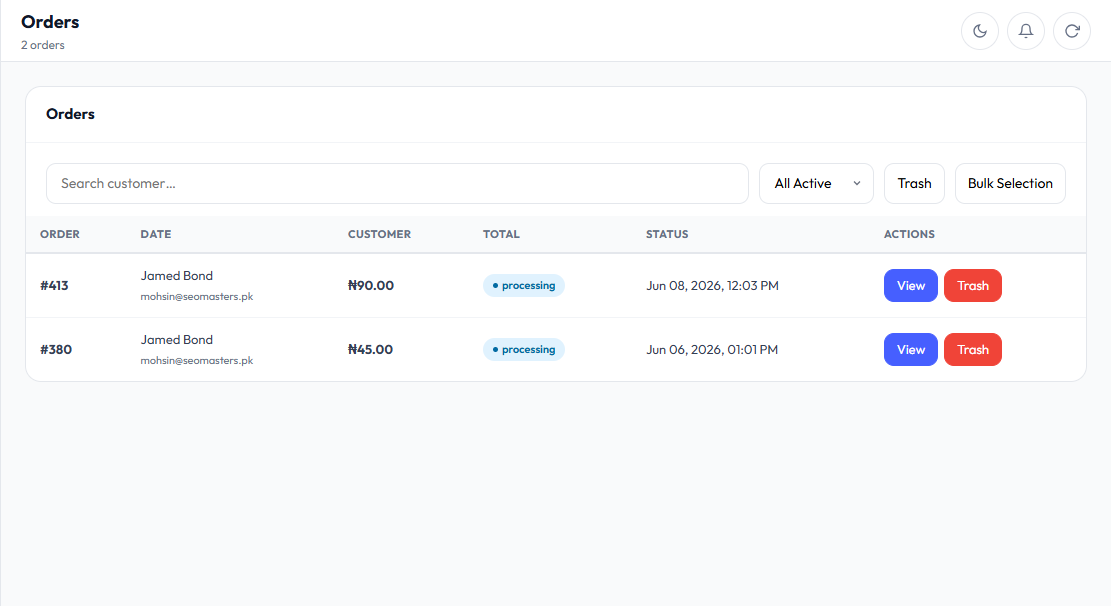
- Orders list, order details, CSV/PDF invoice export, and controlled order actions
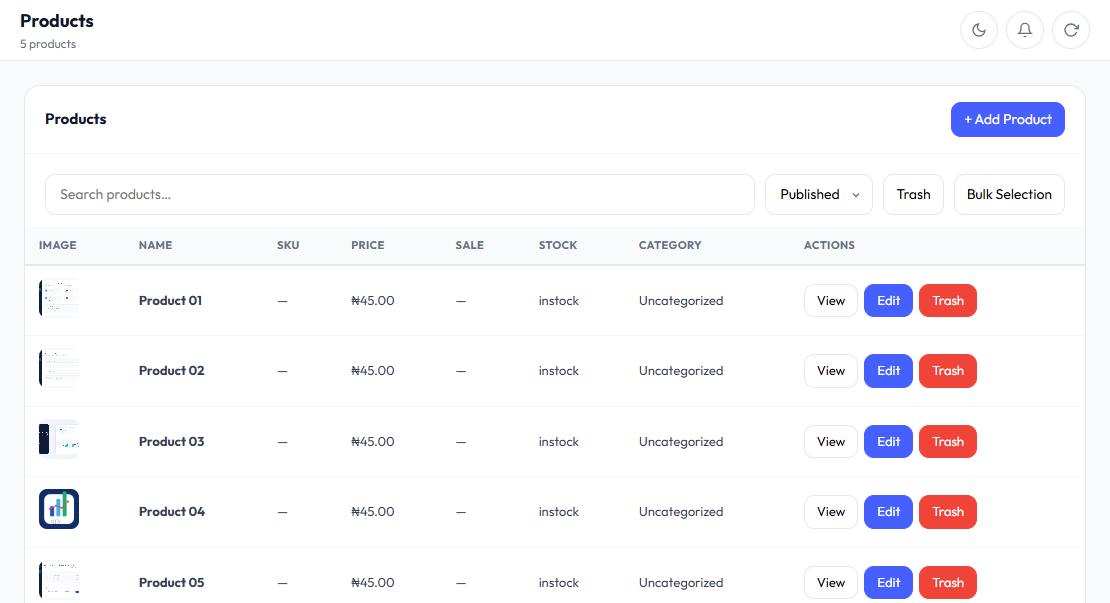
- Products list, product details, categories, and controlled product actions
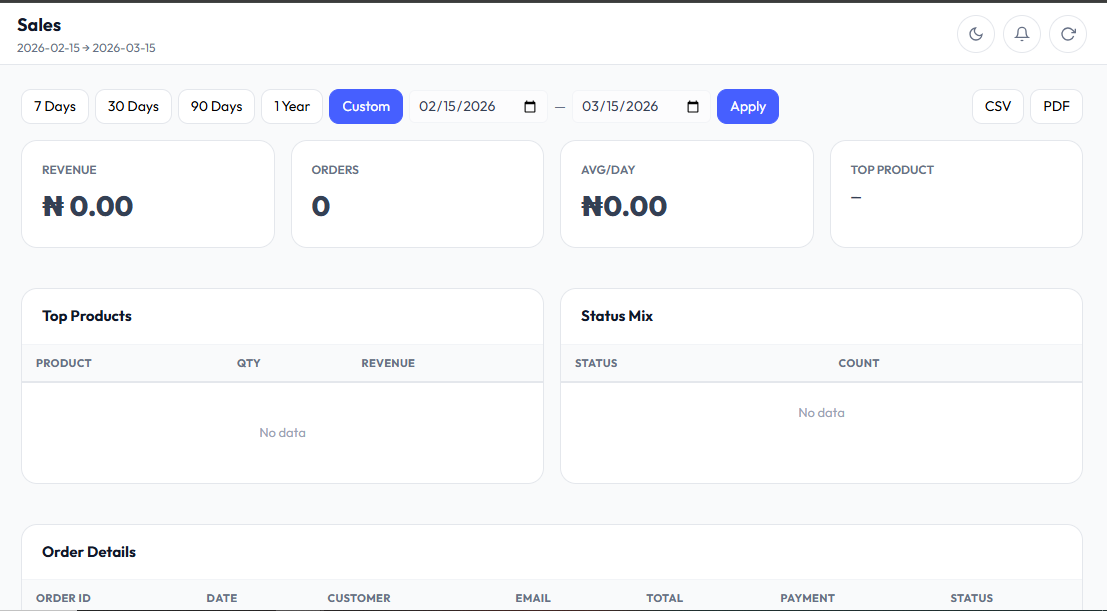
- Sales reports with CSV, XLSX, and PDF export
- Blog post listing and controlled post actions
- Profile and avatar management
- Notification center with read, read-all, and clear controls
- Activity logs for dashboard actions
- Custom dashboard URL slug
- Cache-bypass headers for dashboard and REST requests
- 8-hour session handling with slug/reactivation session invalidation
This public version does not include features for installing, activating, deactivating, or deleting other plugins.
Privacy
SaleNook for WooCommerce stores plugin settings, dashboard session metadata, profile metadata, notification read/dismissed state, and activity logs. Activity logs may include user display name, action name, action details, timestamp, and IP address. The plugin does not send this data to an external service.
Bundled Assets
Bundled font: Outfit, licensed under the SIL Open Font License 1.1. See assets/fonts/OFL.txt.
Bundled scripts are lightweight local helper files included with this plugin under GPLv2 or later. This public version does not load Chart.js, jsPDF, XLSX, Google Fonts, or other assets from an external CDN.
Screenshots
Installation
- Upload the
salenook-for-woocommercefolder to/wp-content/plugins/. - Make sure WooCommerce is installed and active.
- Activate the plugin through the WordPress Plugins screen.
- Open SaleNook for WooCommerce in the WordPress admin menu.
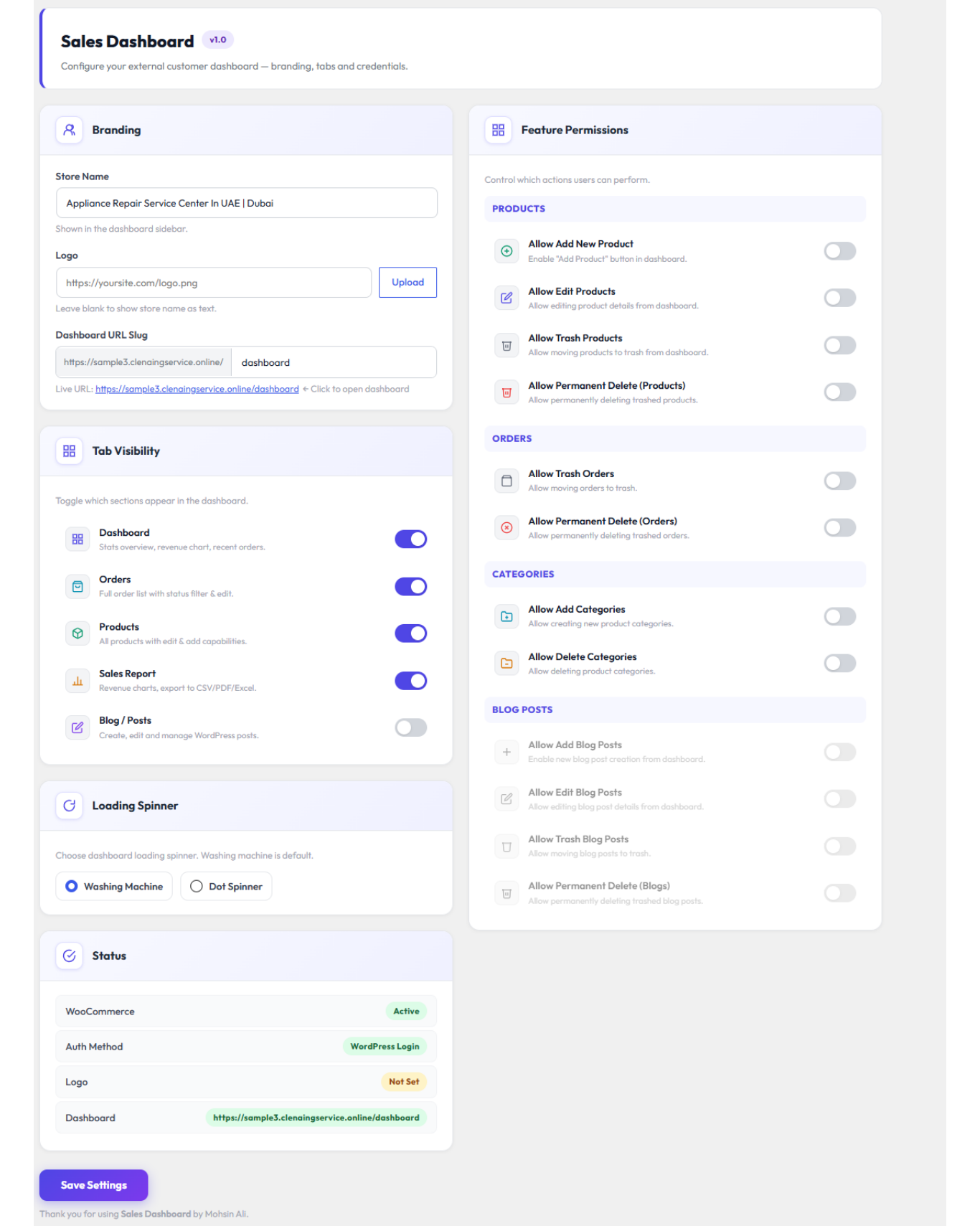
- Configure the admin form label, login logo, dashboard slug, tabs, and permissions. The dashboard sidebar title/logo can be managed from the Profile screen.
- Open the generated dashboard URL.
FAQ
-
How do I keep data when deleting this plugin?
-
Open SaleNook for WooCommerce > Delete Settings, leave the cleanup checkbox unchecked, save, then deactivate and delete the plugin from the WordPress Plugins screen.
-
How do I delete plugin data during uninstall?
-
Open SaleNook for WooCommerce > Delete Settings, check the cleanup option, save, then deactivate and delete the plugin from the WordPress Plugins screen.
-
What does the cleanup option remove?
-
It resets only SaleNook settings, sessions, notifications and activity logs, then clears plugin cache. WooCommerce orders, products, sales data, WordPress users, posts, pages and media are not deleted.
-
Does this plugin require WooCommerce?
-
Yes. WooCommerce is required because the dashboard uses WooCommerce orders, products, and sales data.
-
Can this plugin manage other plugins?
-
No. The public WordPress.org-ready version does not include plugin activation, deactivation, upload, install, or delete features.
-
Does the plugin store logs?
-
Yes. It stores dashboard activity logs such as login, logout, profile updates, and dashboard actions.
-
Does the plugin store IP addresses?
-
Yes. Activity logs may include IP addresses for security and audit purposes.
Reviews
There are no reviews for this plugin.
Contributors & Developers
“SaleNook for WooCommerce – Client Dashboard” is open source software. The following people have contributed to this plugin.
Contributors
Translate “SaleNook for WooCommerce – Client Dashboard” into your language.
Interested in development?
Browse the code, check out the SVN repository, or subscribe to the development log by RSS.
Changelog
1.0
- Initial stable release with dashboard, orders, products, sales reports, blog posts, profile management, notifications, logs, cache bypass, and session handling.