

Description
Invoice Builder hands you a canvas instead of a fixed template and a colour picker.
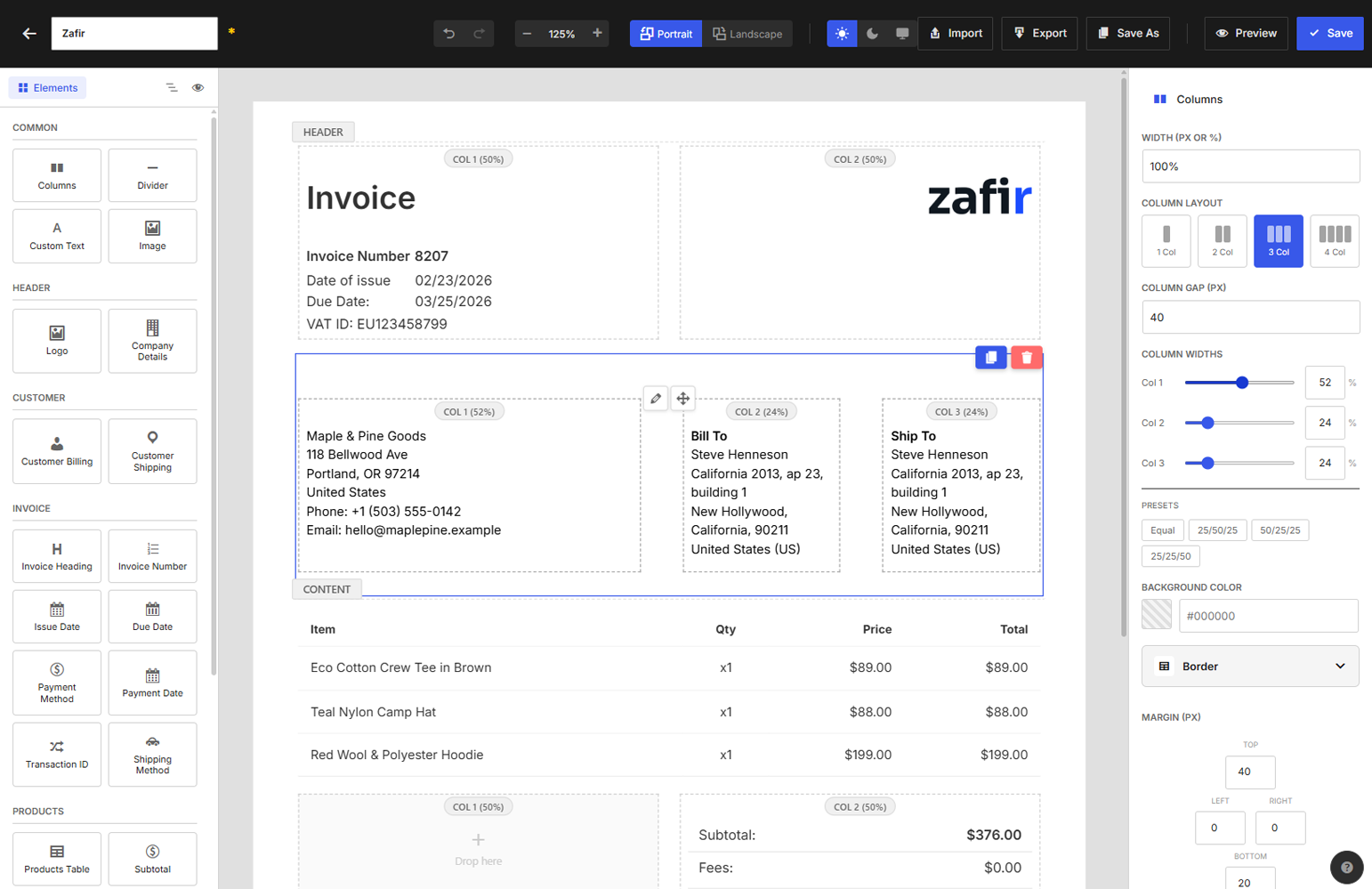
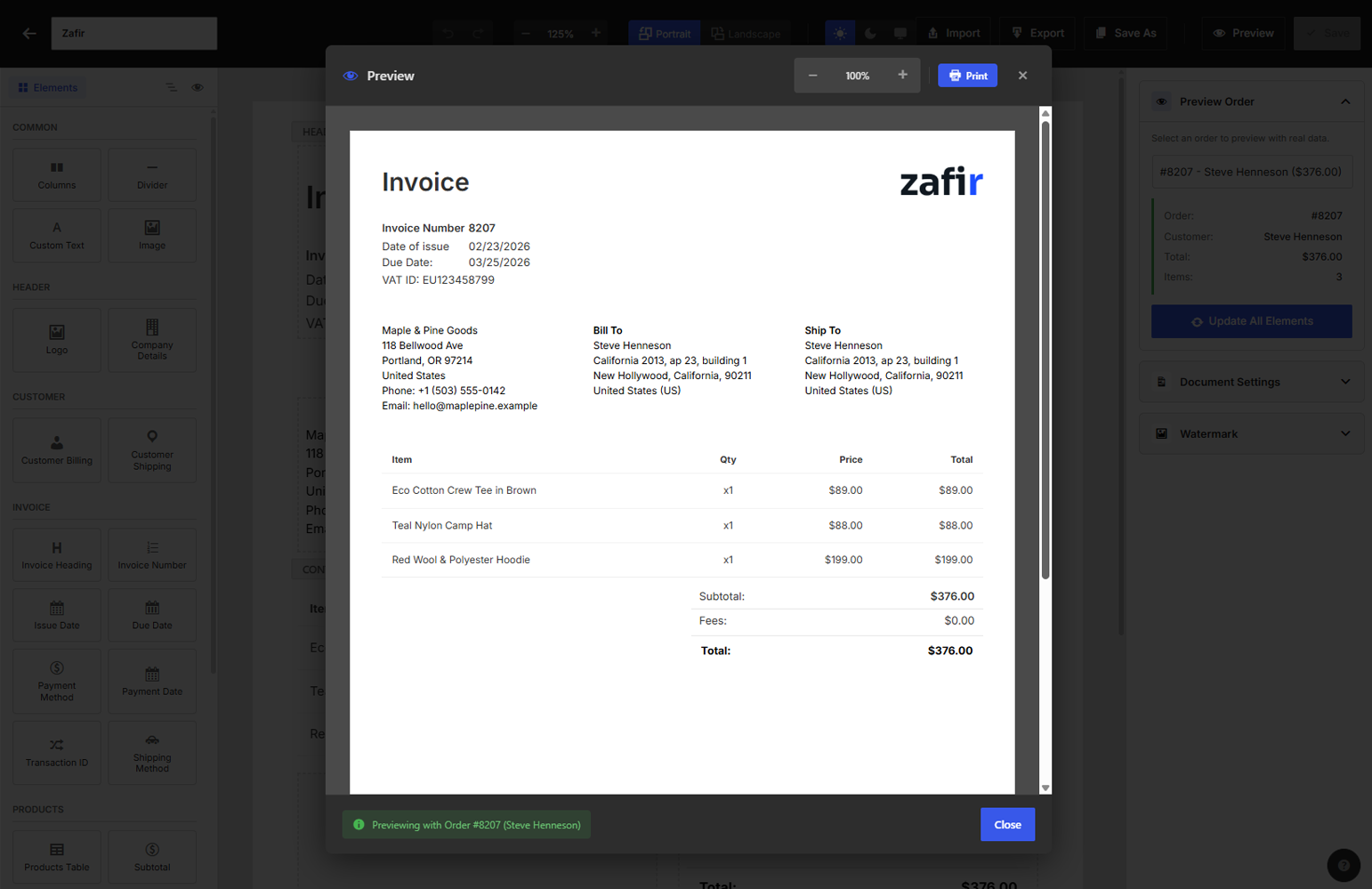
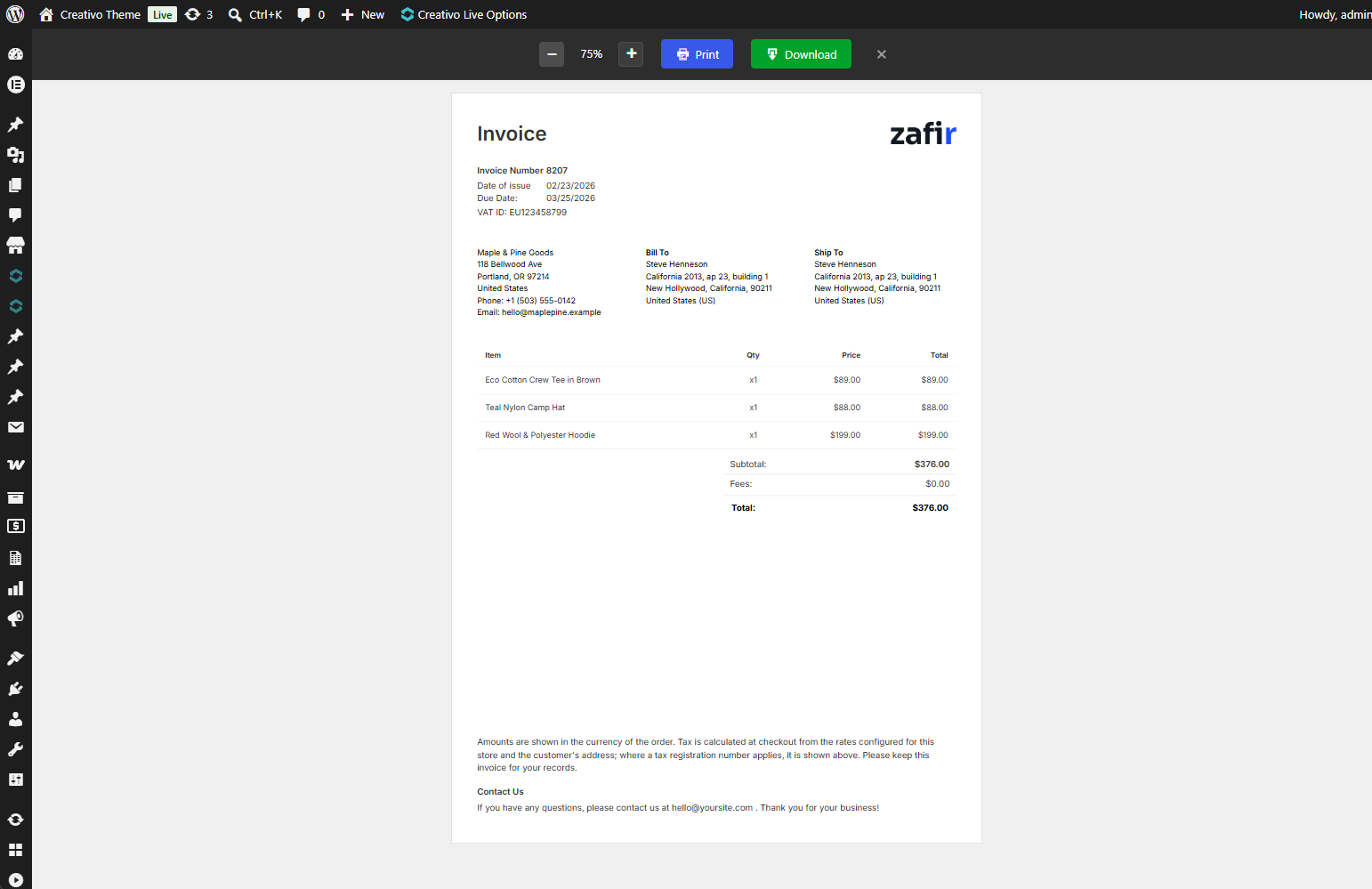
Drag elements onto the page, move them where you want them, set the type and colours, and watch the invoice update as you work. What you see in the editor is what lands in the PDF.
Everything described below is in this plugin, free. Nothing is time-limited and nothing is locked behind an upgrade. There is a commercial version, WPInvoice Pro, and what it adds is listed at the end of this page.
Design it yourself
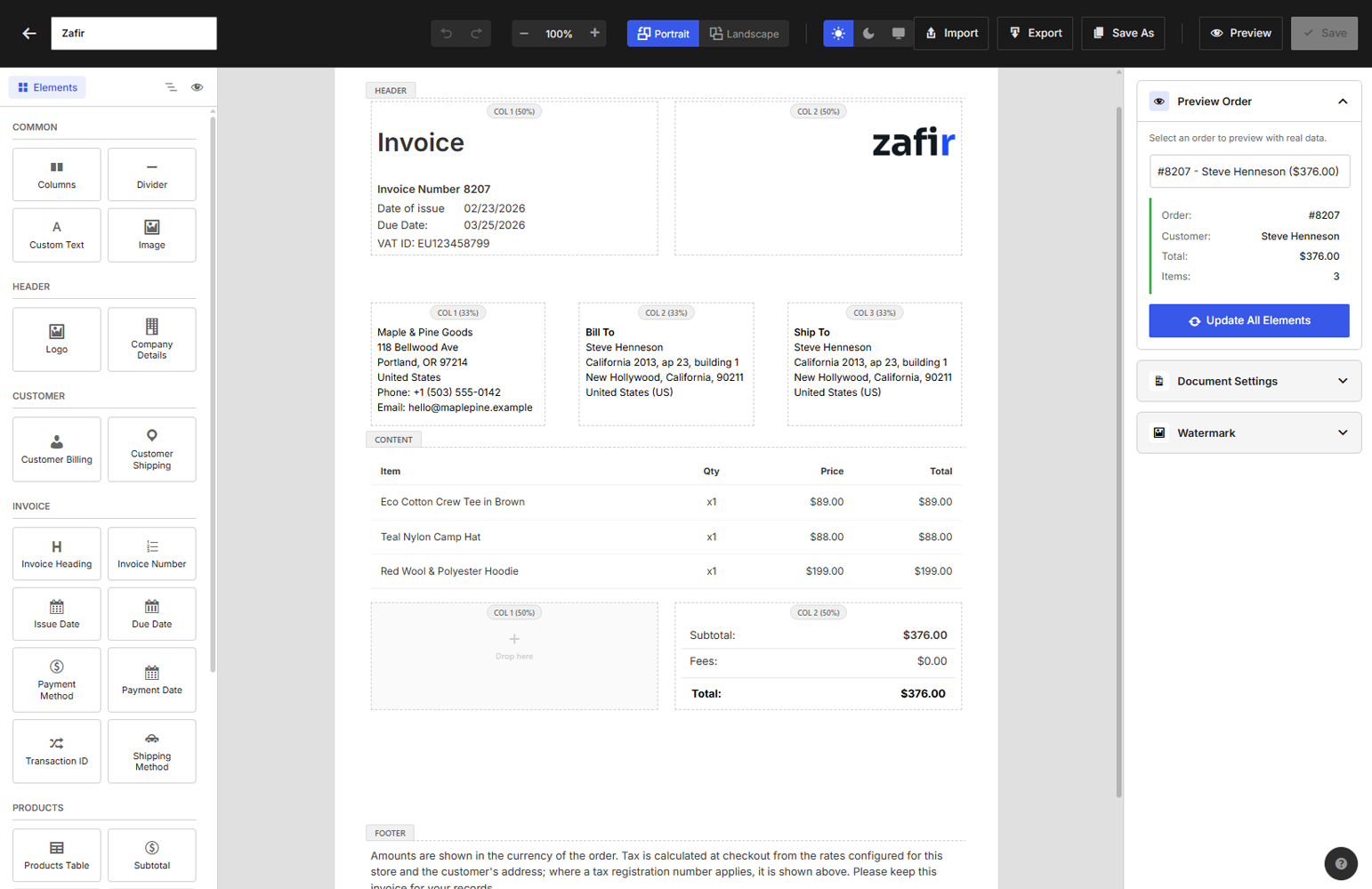
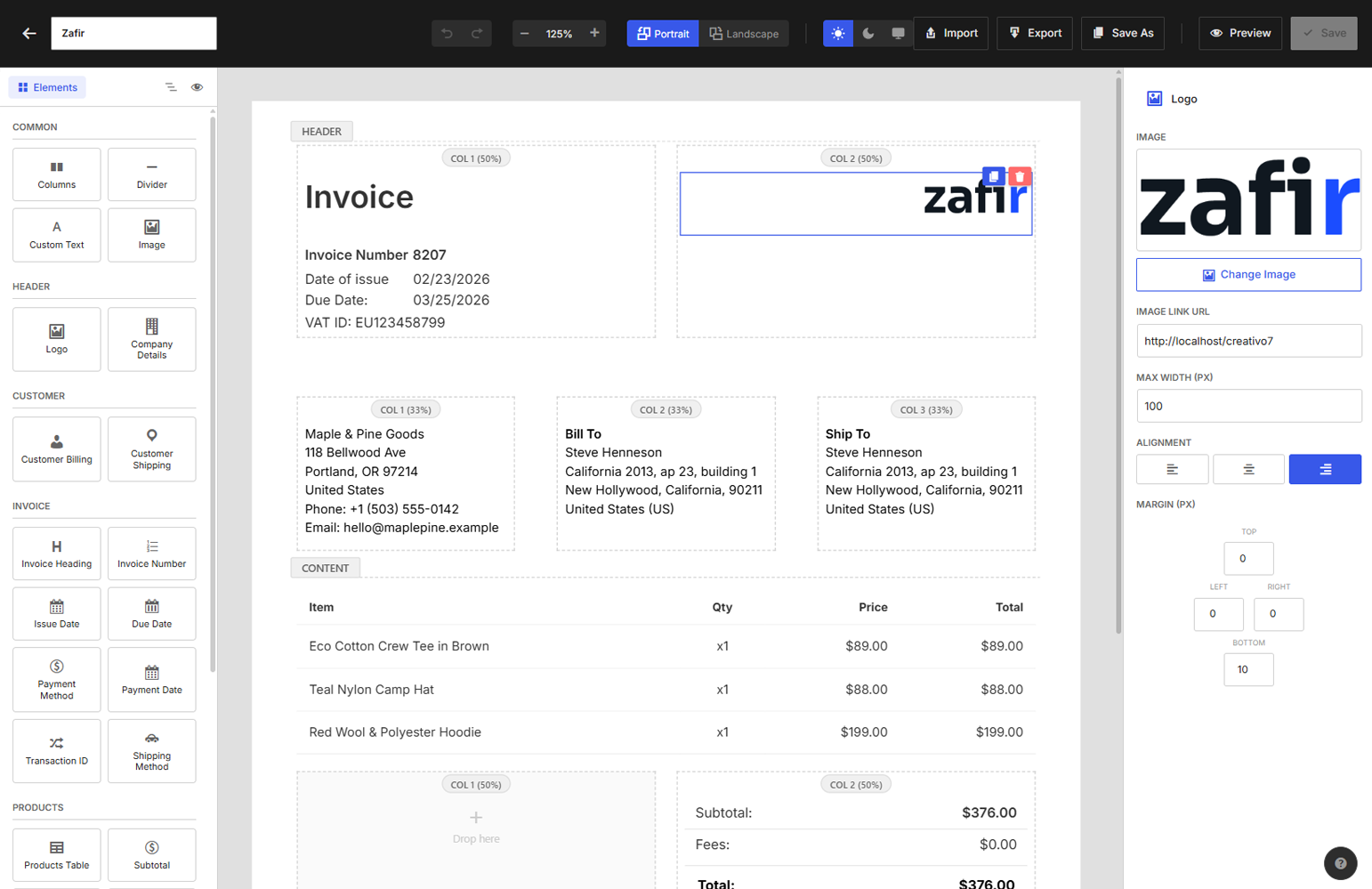
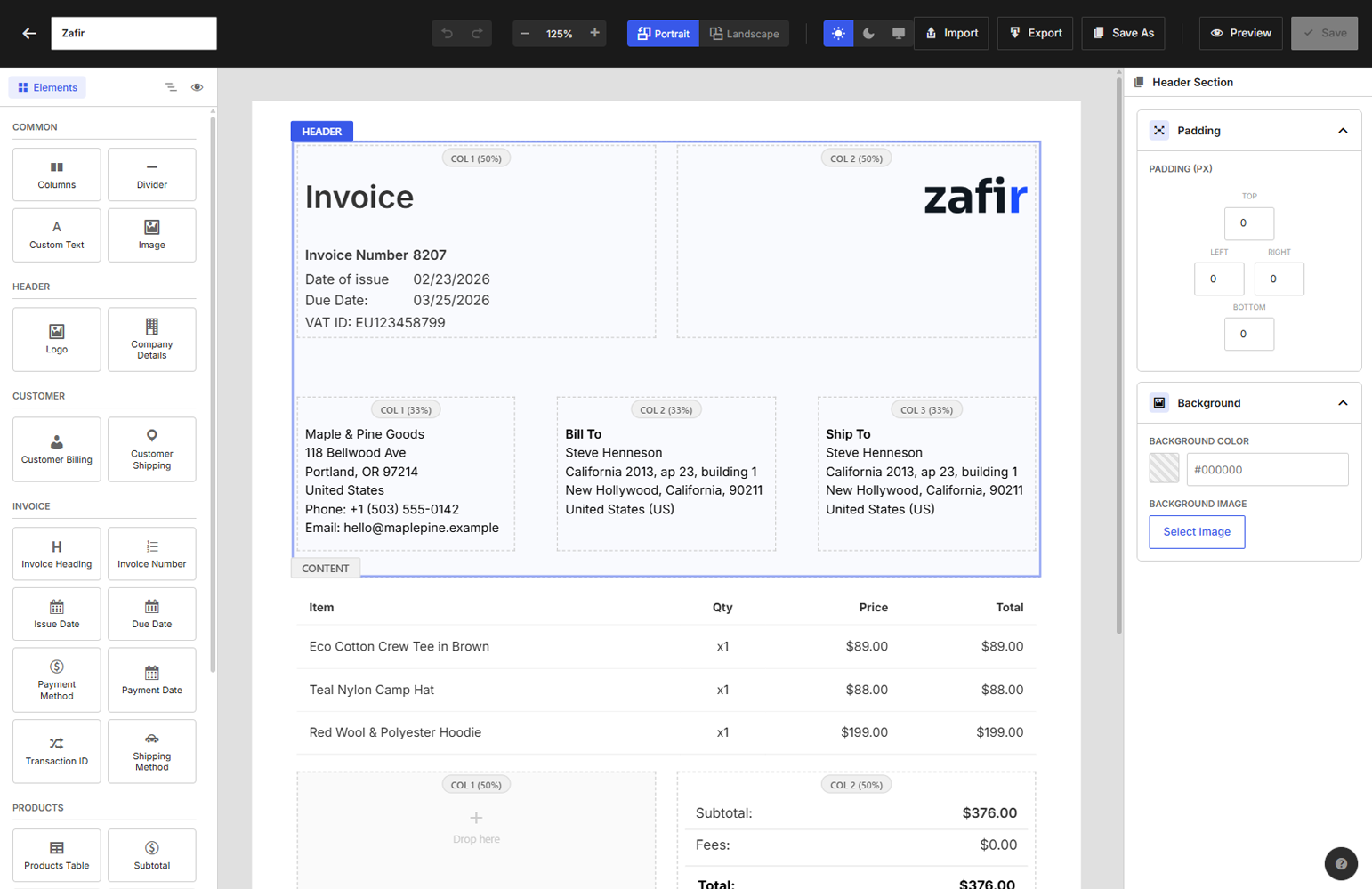
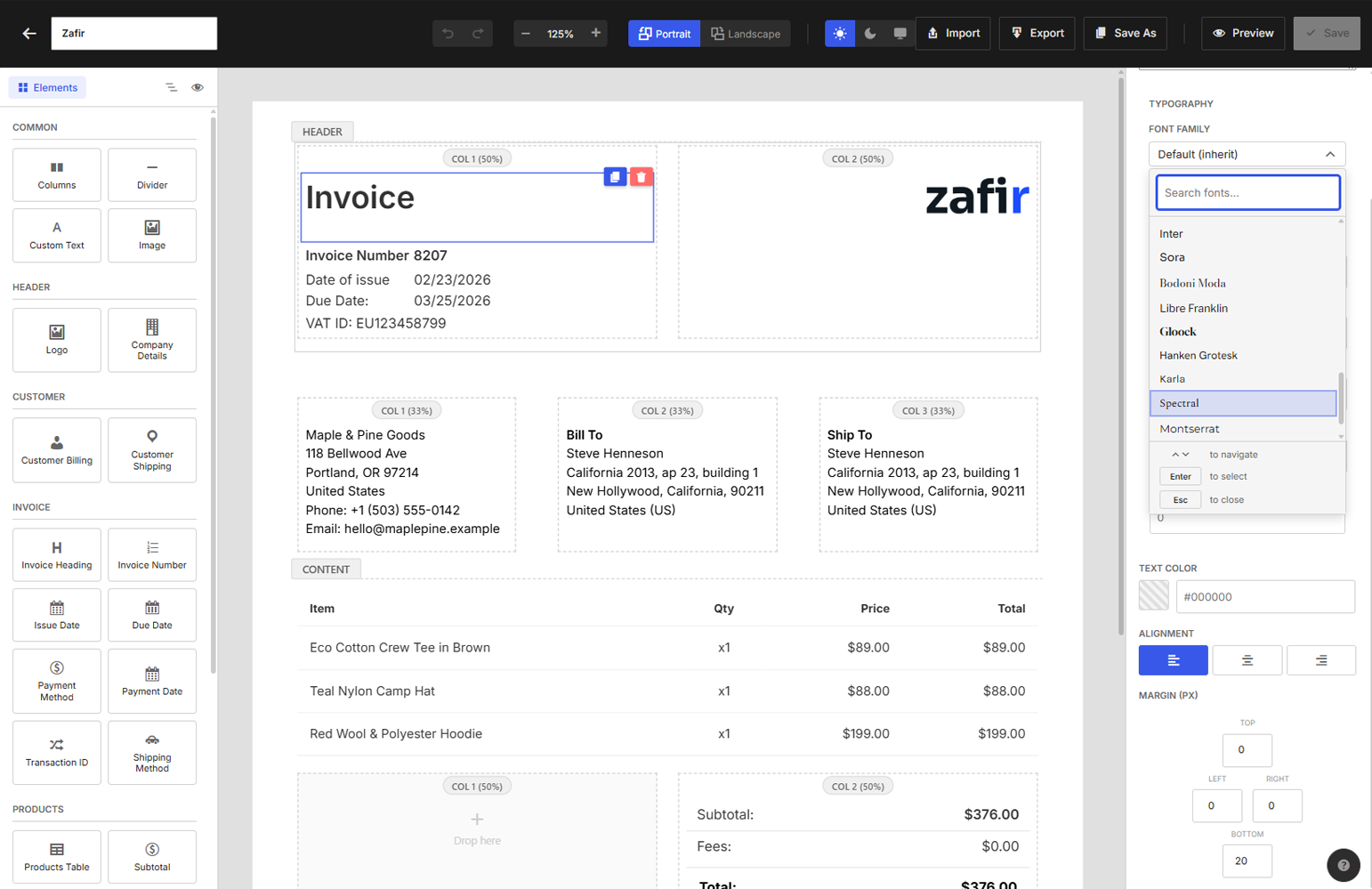
The editor works in three sections — header, content and footer — and you drop elements into any of them. Every element carries its own typography, spacing, colour and alignment controls. Put the logo where your letterhead has it, not where a template decided.
Two-column layouts, dividers, custom images and free text blocks let you match an existing paper invoice closely enough that customers do not notice the change.
Elements you can place
- Logo, or a text logo if you have no image
- Invoice heading and invoice number
- Company details and customer details
- Billing and shipping addresses
- Issue date and due date
- Products table, with the columns you choose and optional product thumbnails
- Subtotal, tax, discount, fees, shipping and total
- Payment method
- Thank-you message and terms
- Free text, images, dividers and two-column groups
It fills itself in
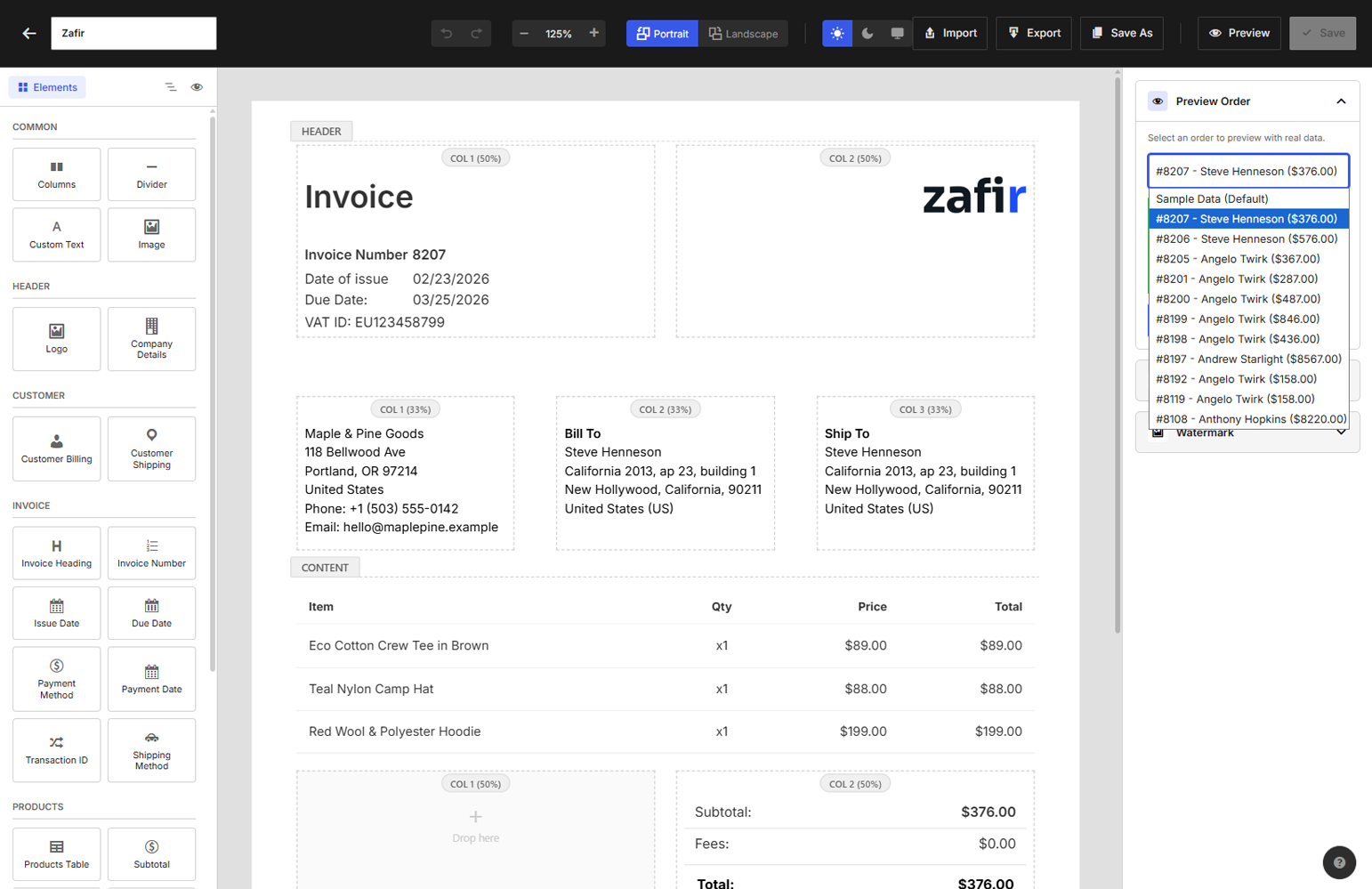
Drop a variable anywhere text is allowed and it resolves per order: order number, dates, totals, billing and shipping fields, customer name, your company details. Write the sentence once and every invoice reads correctly.
Numbering that matches your books
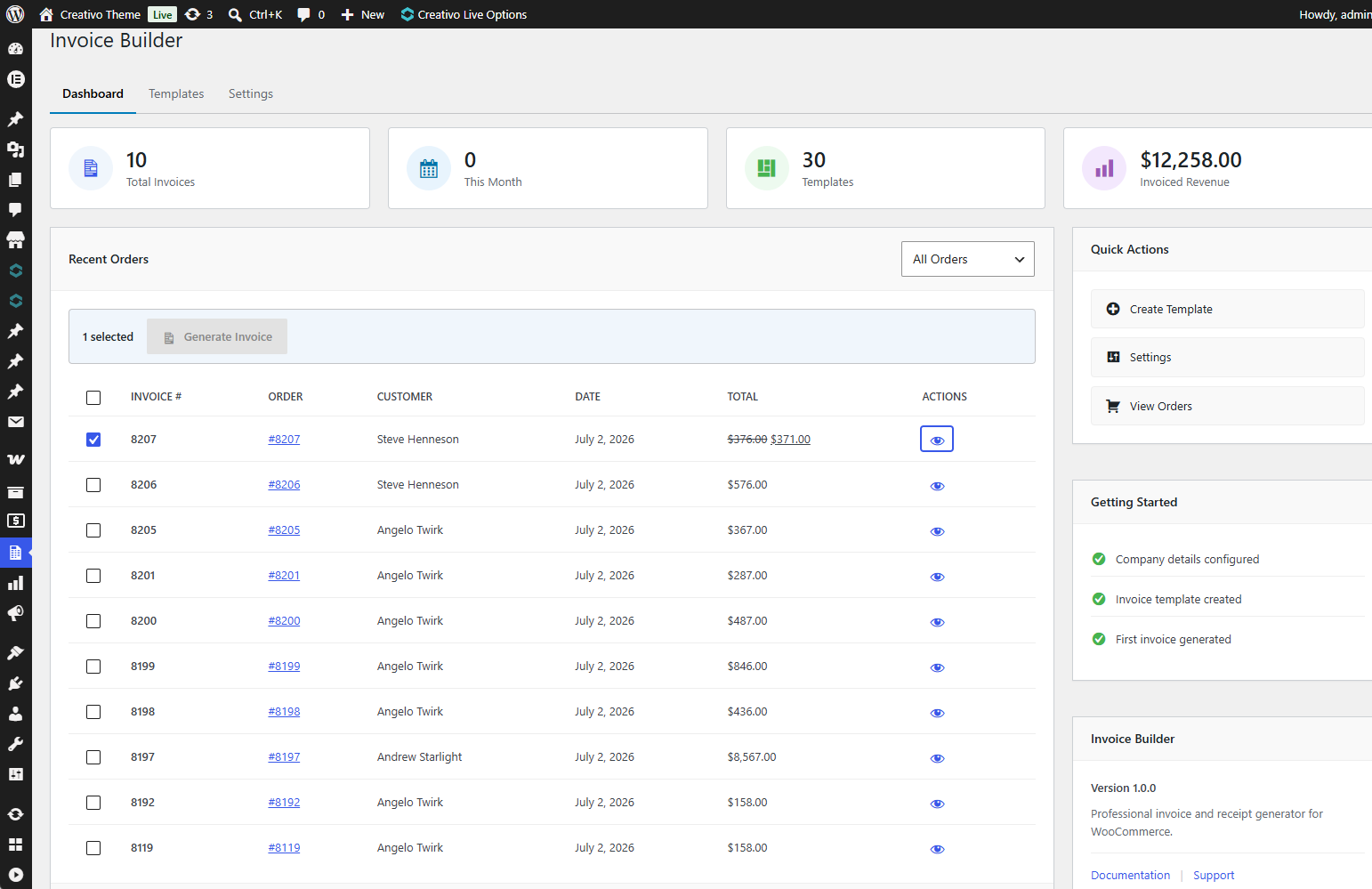
Set a prefix, a suffix, a starting number and zero-padding, and choose whether the sequence resets yearly, monthly or never. Numbers are assigned once and stay put.
Attach it to the emails you already send
Pick which WooCommerce emails carry the PDF — order completed, processing, or the customer invoice mail. The document is generated and attached as the mail goes out; nobody has to remember anything.
Customers can also open and download the invoice from My Account, if you want them to. That is off until you turn it on.
Receipts too
Invoices and receipts each get their own template and their own default, so a receipt can look genuinely different rather than being an invoice with a changed title.
Templates to start from
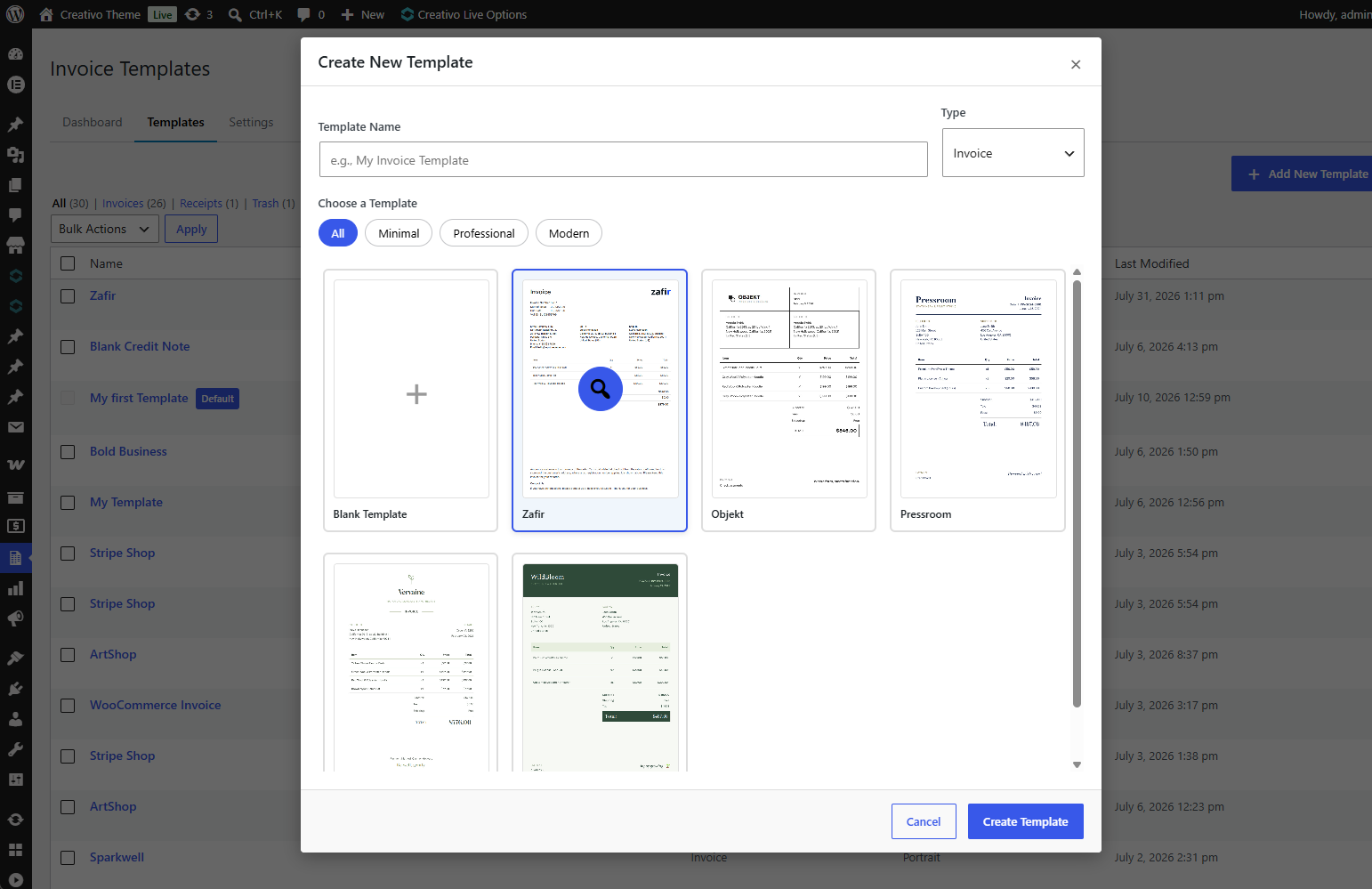
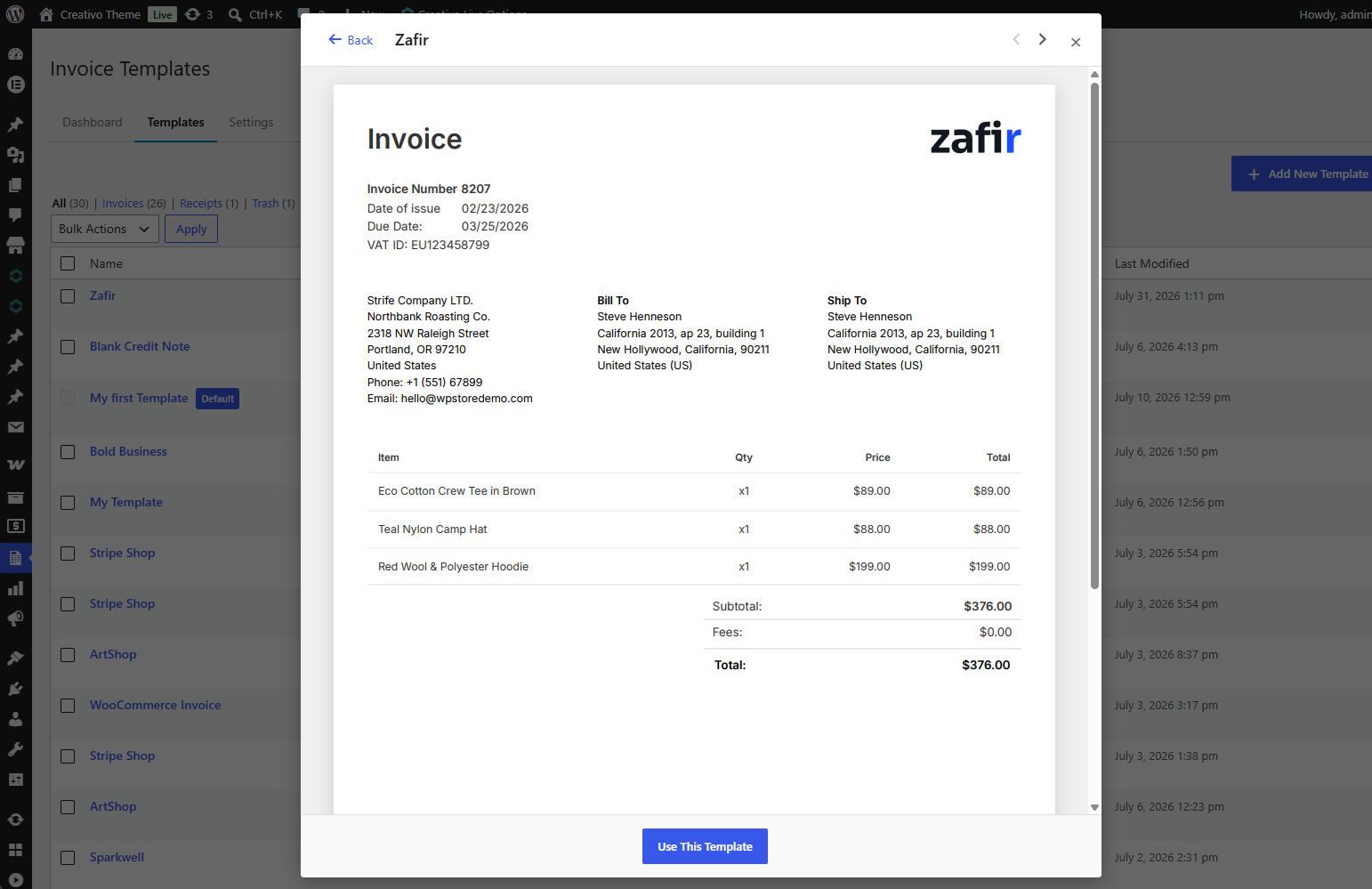
Five designs ship with the plugin — Zafir, Objekt, Pressroom, Vervaine and Wildbloom — covering professional, minimal and editorial looks. Import one, then change whatever you like: they are ordinary templates, not locked presets.
Nothing leaves your server
The plugin makes no external requests. Ten font families and all five designs ship inside it, so the editor, the preview and the PDF all work on a site with no outbound internet access — and your customers’ details are never sent anywhere to render a document.
Built for how WooCommerce works now
- Compatible with High-Performance Order Storage (HPOS)
- Works with block themes and classic themes
- Ready for translation — every string is internationalized, and translations are delivered through translate.wordpress.org
- The editor talks to a REST API, so it stays responsive on large templates
What WPInvoice Pro adds
The free plugin above is complete on its own. WPInvoice Pro is for shops that need more document types and more design choice:
- Packing slips — a warehouse copy built from any invoice layout, with prices and totals hidden automatically
- Credit notes — proper refund documents with their own numbering sequence
- Batch printing — select orders in the list and print or download them in one pass
- The full Google Fonts library — instead of the ten families bundled here
- Custom font uploads — use the typeface your brand already licenses
- A larger design library — more starting designs, added over time
Full feature list and pricing at https://wpinvoice.pro
Third-Party Libraries
The plugin bundles the following GPL-compatible libraries:
- Dompdf 3.1.6 — LGPL-2.1 — https://github.com/dompdf/dompdf
- php-font-lib 1.0.2 — LGPL-2.1-or-later — https://github.com/dompdf/php-font-lib
- php-svg-lib 1.0.2 — LGPL-3.0-or-later — https://github.com/dompdf/php-svg-lib
- HTML5-PHP 2.10.0 — MIT — https://github.com/Masterminds/html5-php
- PHP-CSS-Parser 8.9.0 — MIT — https://github.com/MyIntervals/PHP-CSS-Parser
Because php-svg-lib is LGPL-3.0-or-later, the distributed whole is effectively GPLv3-or-later.
The full GPLv2 text ships as LICENSE.txt and the font licence as assets/fonts/LICENSE.txt.
The ten bundled font families — Inter, Sora, Bodoni Moda, Libre Franklin, Gloock, Hanken Grotesk, Karla, Spectral, Montserrat and Open Sans — are licensed under the SIL Open Font License 1.1 (https://openfontlicense.org). They are subset to Latin and Latin Extended and served from the plugin, never from a third party.
Screenshots
Installation
- Install through Plugins Add New, or upload the plugin folder to
/wp-content/plugins/. - Activate it from the Plugins screen.
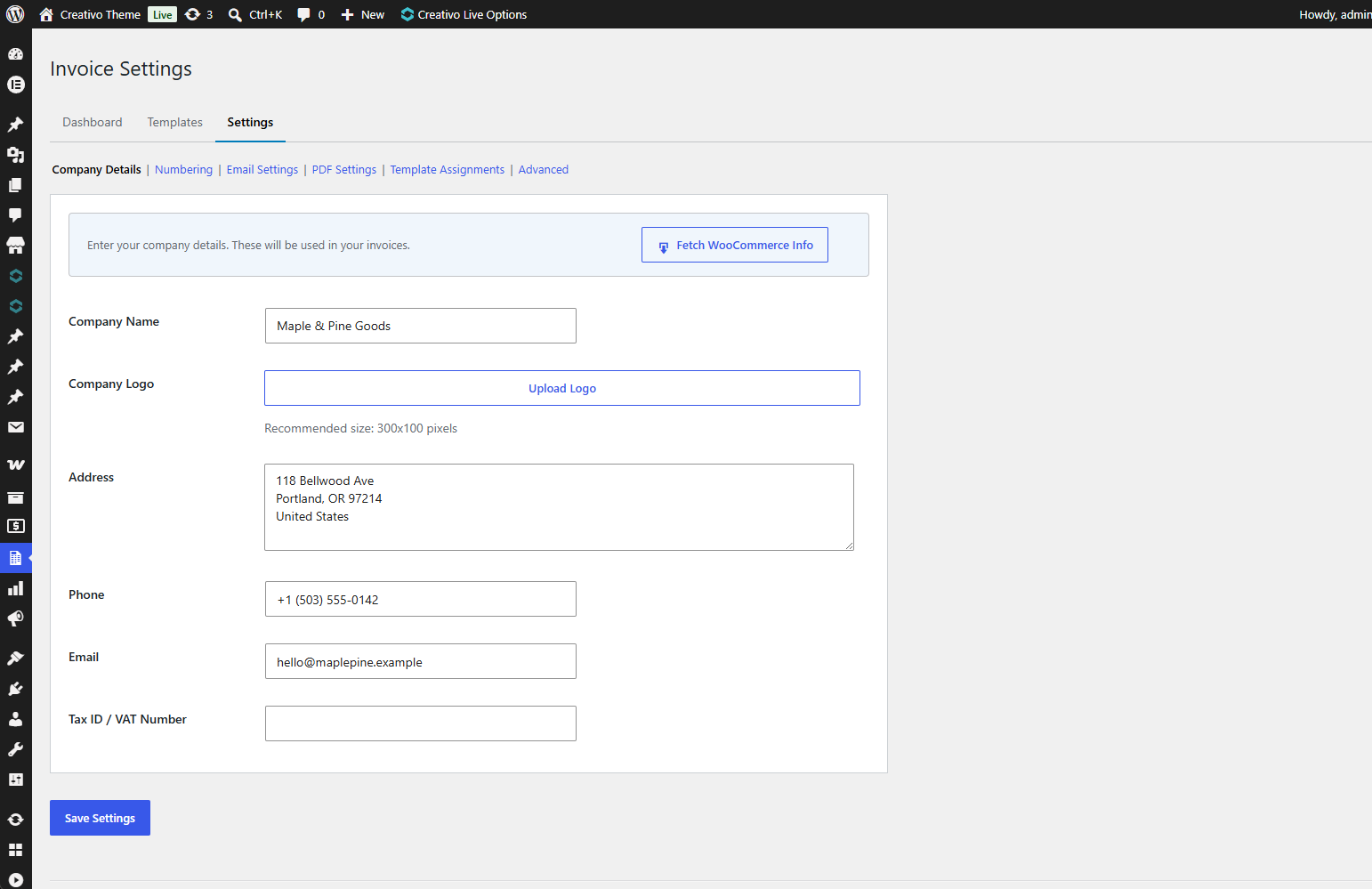
- Finish the setup wizard that opens — it asks for your company details and a starting design.
- Open Invoices Templates whenever you want to change the layout.
WooCommerce must be installed and active.
Minimum requirements
- WordPress 6.2 or later
- WooCommerce 8.0 or later
- PHP 7.4 or later
FAQ
-
How do I get help?
-
We take support seriously. We read this plugin’s support forum every day and reply there. If you want an answer faster, open the chat at https://wpinvoice.pro and you will reach us directly.
-
What happens to my data if I delete the plugin?
-
Nothing, by default. Your templates, company details, invoice numbering and invoice history stay in the database, so reinstalling picks up where you left off — deleting a plugin by accident should not cost you your invoice history. If you would rather everything went with the plugin, untick “Keep my invoice data and settings” under Invoices Settings Advanced before you delete it.
-
Does it need WooCommerce?
-
Yes. The plugin builds documents from WooCommerce orders and does nothing without it.
-
Will the PDF look like the editor?
-
That is the point of the editor, and it holds for the fonts and designs that ship with the plugin. If you pick a font your server does not have, the PDF falls back to a default face — stay on the bundled families and the two match.
-
Can customers download their own invoices?
-
Yes, from My Account Orders, once you enable it in the settings. It is off by default.
-
Can I change the invoice numbers?
-
Yes. Prefix, suffix, starting number, zero-padding, and a yearly, monthly or never reset.
-
Does it work with HPOS?
-
Yes, the plugin declares compatibility with High-Performance Order Storage.
-
Which PDF library does it use?
-
Dompdf, bundled with the plugin.
-
Can I move a template between sites?
-
Yes. Export it to a file from one site and import that file on the other.
-
Does it phone home?
-
No. There are no external requests, no analytics and no tracking. Fonts and designs are files inside the plugin.
-
Is there a paid version?
-
Yes — WPInvoice Pro, described at the end of the plugin description above. This plugin is complete on its own; nothing here is a trial and nothing is locked.
Reviews
There are no reviews for this plugin.
Contributors & Developers
“RockyThemes Invoice Builder for WooCommerce” is open source software. The following people have contributed to this plugin.
Contributors
Translate “RockyThemes Invoice Builder for WooCommerce” into your language.
Interested in development?
Browse the code, check out the SVN repository, or subscribe to the development log by RSS.
Changelog
1.0.0
- First release.