

Description
ReadyGo SMTP fixes WordPress email delivery by routing your mail through trusted providers instead of the unreliable default mail() function — and it goes further with weighted load-balancing and automatic failover so a single provider outage never stops your email.
Connect one or more providers, decide how mail is routed between them, and watch every send in a clean dashboard with logs and charts.
Key features
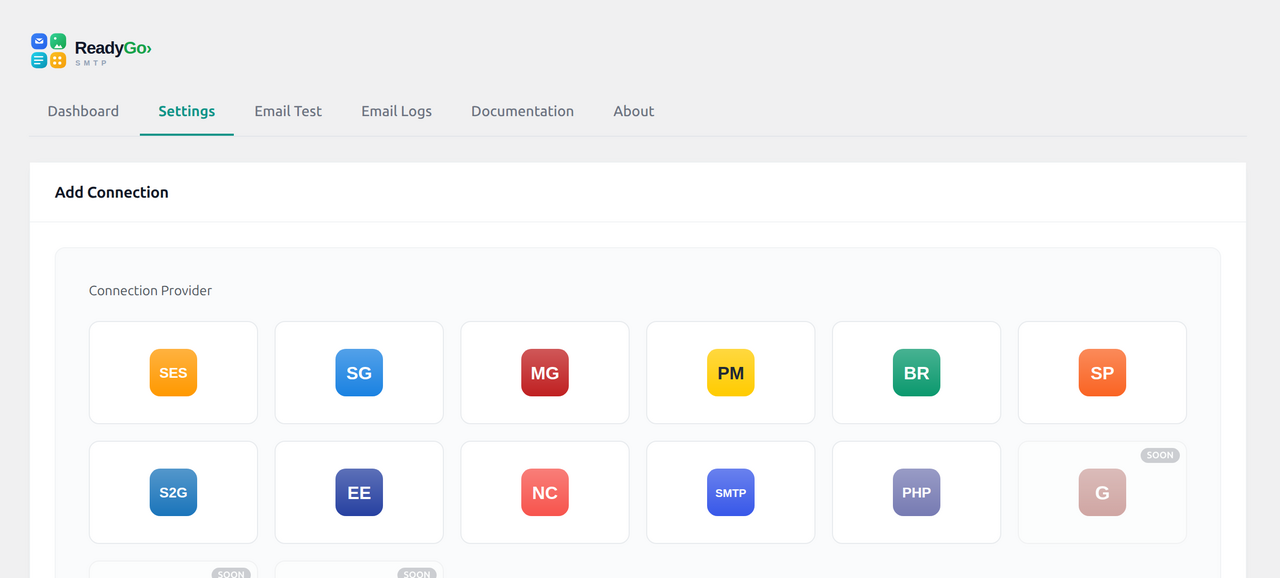
- Multiple providers — Any SMTP server plus native API integrations for Amazon SES, SendGrid, Mailgun, Postmark, Brevo (Sendinblue), SparkPost, SMTP2GO, Elastic Email, Netcore, Gmail / Google Workspace, Microsoft Outlook, ToSend, and PHP
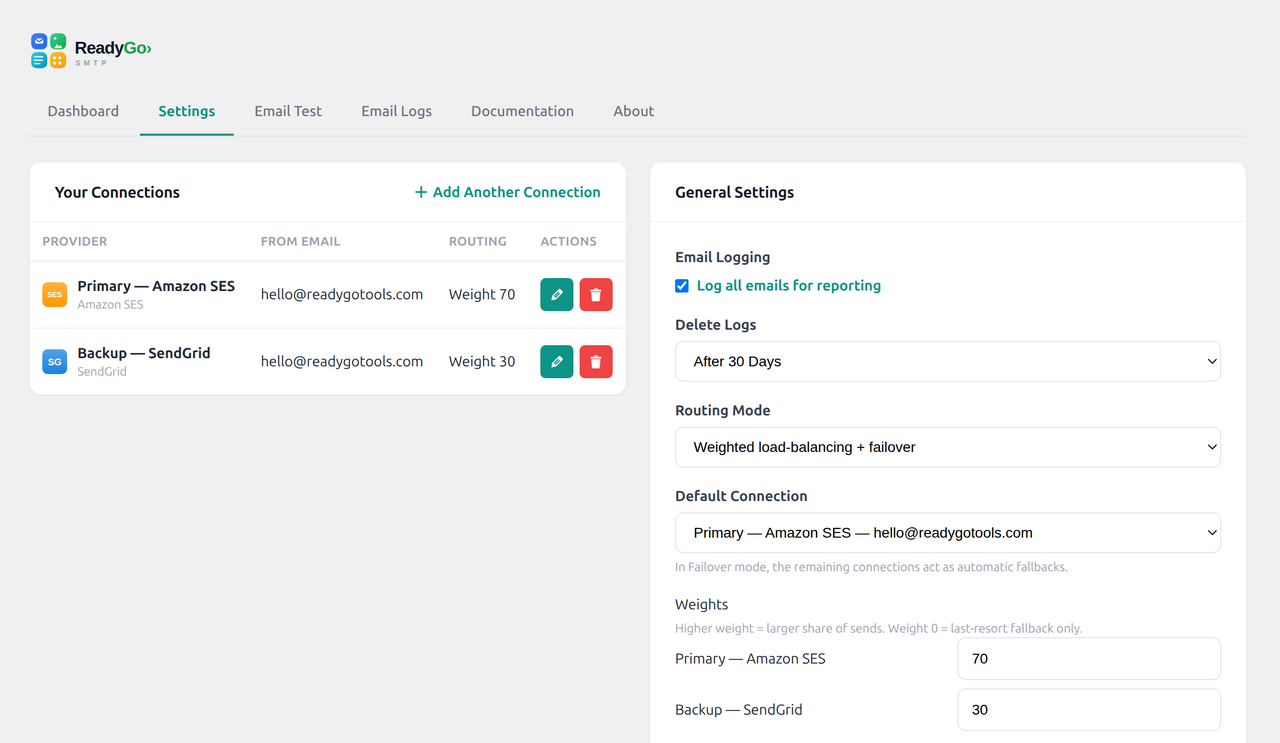
mail(). - Weighted load-balancing — split sending across connections by weight (e.g. 70/30).
- Automatic failover — if one connection fails, the next is tried instantly; a failing connection is briefly cooled down, then retried.
- Email logging — every message recorded with status, recipient, subject and the full failover trail. Resend with one click.
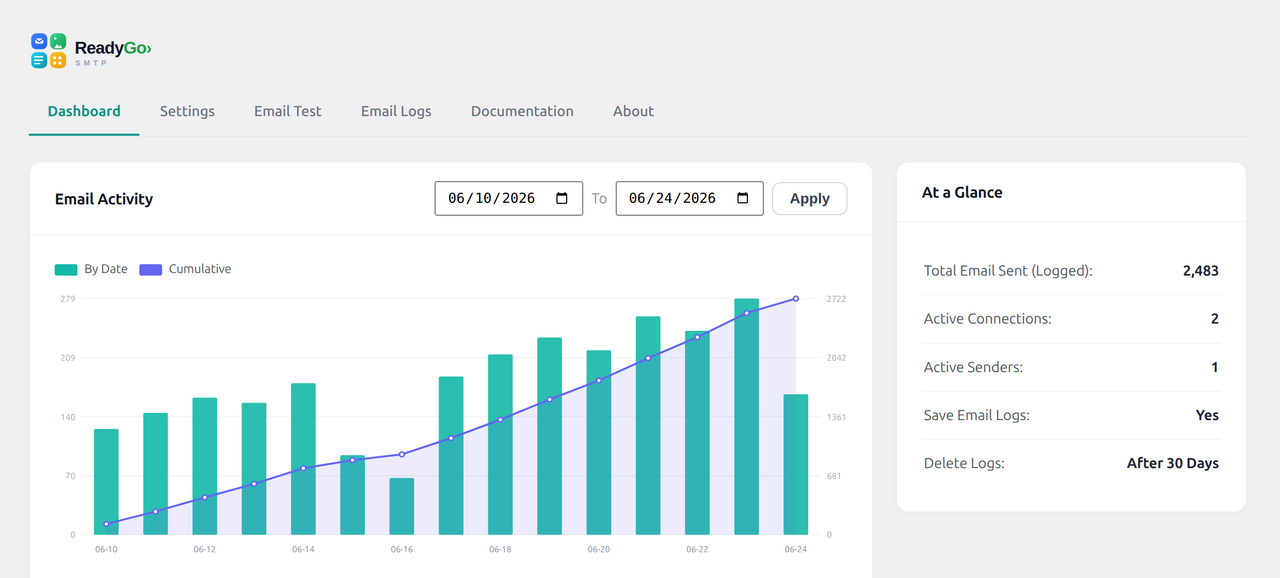
- Dashboard and reports — sending volume over time, success rate, and a send-time heatmap.
- Forced From identity — set and enforce the From name/email and Return-Path for better deliverability.
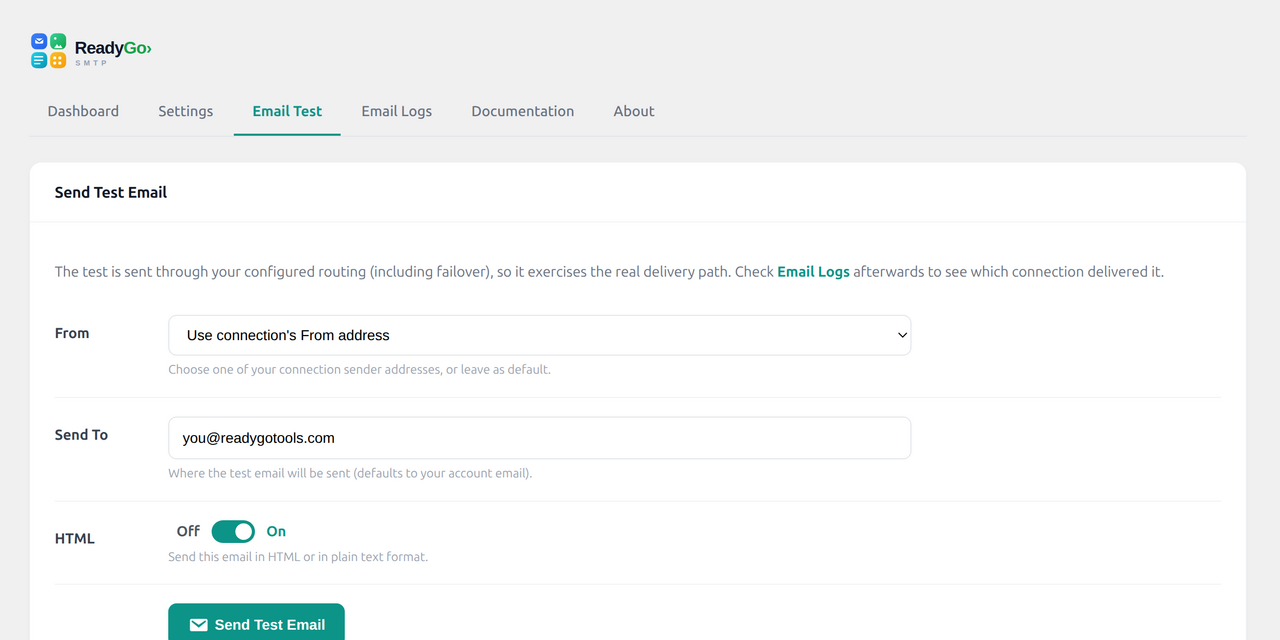
- Test email tool — send a test (HTML or plain) through your real routing.
- Log retention — auto-purge old logs on a schedule you choose.
Why use it
WordPress’s built-in mail often lands in spam or fails silently. Routing through a real SMTP/API provider with proper From identity and authentication dramatically improves inbox placement — and load-balancing plus failover keep your transactional and form emails flowing even when a provider has problems.
More from ReadyGo Tools
Built by ReadyGo Tools. See the plugin page, or browse more free WordPress plugins and online tools at readygotools.com/plugins.
External services
ReadyGo SMTP does not contact any external service on its own. It only sends your outgoing WordPress email through the third-party mail provider(s) you choose and configure with your own credentials. Nothing is sent anywhere until you add and enable a connection, and no usage data, analytics, or telemetry is ever collected by the plugin.
When you enable a provider, your outgoing message data — the recipient address(es), subject, body, and headers — is transmitted to that provider each time WordPress sends an email (for example a contact-form notification, a password reset, or a WooCommerce order email), so the provider can deliver it on your behalf. Data is only sent to the specific provider(s) you connect; deactivating a connection stops any further data being sent to it.
Each provider is an independent company operating under its own terms of service and privacy policy. Review the one(s) you enable:
- Amazon SES — https://aws.amazon.com/ses/ (terms: https://aws.amazon.com/service-terms/ , privacy: https://aws.amazon.com/privacy/)
- SendGrid (Twilio) — https://sendgrid.com/ (terms: https://www.twilio.com/en-us/legal/tos , privacy: https://www.twilio.com/en-us/legal/privacy)
- Mailgun — https://www.mailgun.com/ (terms: https://www.mailgun.com/terms/ , privacy: https://www.mailgun.com/privacy-policy/)
- Postmark — https://postmarkapp.com/ (terms: https://postmarkapp.com/terms-of-service , privacy: https://postmarkapp.com/privacy-policy)
- Brevo (Sendinblue) — https://www.brevo.com/ (terms: https://www.brevo.com/legal/termsofuse/ , privacy: https://www.brevo.com/legal/privacypolicy/)
- SparkPost — https://www.sparkpost.com/ (privacy: https://www.messagebird.com/legal/privacy)
- SMTP2GO — https://www.smtp2go.com/ (terms: https://www.smtp2go.com/terms , privacy: https://www.smtp2go.com/privacy)
- Elastic Email — https://elasticemail.com/ (terms: https://elasticemail.com/resources/usage-policies/terms-of-use , privacy: https://elasticemail.com/resources/usage-policies/privacy-policy)
- Netcore — https://netcorecloud.com/ (privacy: https://netcorecloud.com/privacy/)
- Gmail / Google Workspace — https://workspace.google.com/ (terms: https://policies.google.com/terms , privacy: https://policies.google.com/privacy)
- Microsoft Outlook / 365 — https://www.microsoft.com/microsoft-365 (terms: https://www.microsoft.com/servicesagreement , privacy: https://privacy.microsoft.com/privacystatement)
Standard SMTP connections (the “Other SMTP” option) send your mail to whatever SMTP host you configure; no third-party service is involved beyond the server you specify.
Screenshots
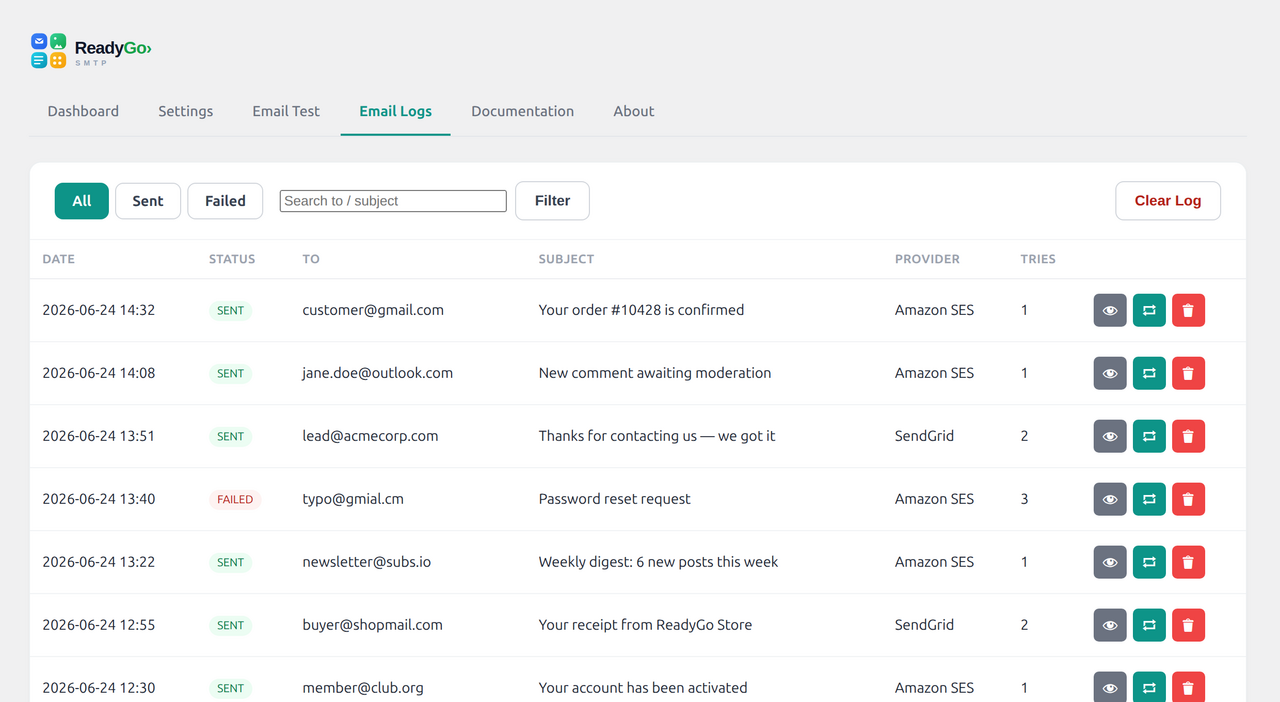
Installation
- In your WordPress admin, go to Plugins > Add New and search for “ReadyGo SMTP”, or upload the plugin ZIP via Plugins > Add New > Upload Plugin.
- Click Install Now, then Activate.
- Deactivate any other SMTP/mail plugin (only one should be active).
- Open RGT SMTP in the admin menu, then Settings > Add Another Connection and choose your provider.
- Enter your sender details and credentials. For SMTP, match encryption to the port (465 = SSL, 587 = TLS).
- Pick a Routing Mode and Default Connection, then send a test email from the Email Test tab.
FAQ
-
I get “Could not connect to SMTP host”
-
This is almost always a port/encryption mismatch. Use SSL on port 465, or TLS on port 25/587. Edit the connection and make the encryption match the port.
-
Can I use it with Fluent Forms, WooCommerce, Contact Form 7, etc.?
-
Yes. The plugin intercepts WordPress’s standard
wp_mail(), so any plugin that sends email through WordPress is automatically routed — as long as that plugin has its email notifications enabled. -
Should I run another SMTP plugin at the same time?
-
No. Run only one mail plugin; multiple plugins will conflict over WordPress mail.
-
The email shows “sent” but didn’t arrive
-
A “sent” status means your provider accepted the message. Delivery to the inbox then depends on your domain’s SPF and DKIM records and the recipient’s spam filtering. Check the recipient’s spam folder and verify your DNS authentication.
-
Does it store my email content?
-
Only if logging is enabled. Logged messages may include the email body. You can disable logging, or set logs to auto-delete after a chosen number of days. All logs are stored in your own site’s database; nothing is sent to ReadyGo Tools.
Reviews
There are no reviews for this plugin.
Contributors & Developers
“ReadyGo SMTP” is open source software. The following people have contributed to this plugin.
Contributors
Translate “ReadyGo SMTP” into your language.
Interested in development?
Browse the code, check out the SVN repository, or subscribe to the development log by RSS.
Changelog
0.1.0
- Initial release: multi-provider SMTP/API mail, weighted load-balancing, automatic failover, email logging, dashboard reporting, and test sending.