

Description
OXP Breaking News Ticker lets you create reusable ticker presets and place them anywhere on your site with a simple shortcode. Configure each ticker once — headlines, scroll behavior, colors, and typography — then reuse it across as many pages or posts as you need. No coding required.
Each ticker is an independent preset. Activate or deactivate any of them from the list with a single click; changes take effect immediately, with no page reload needed.
Features
Content
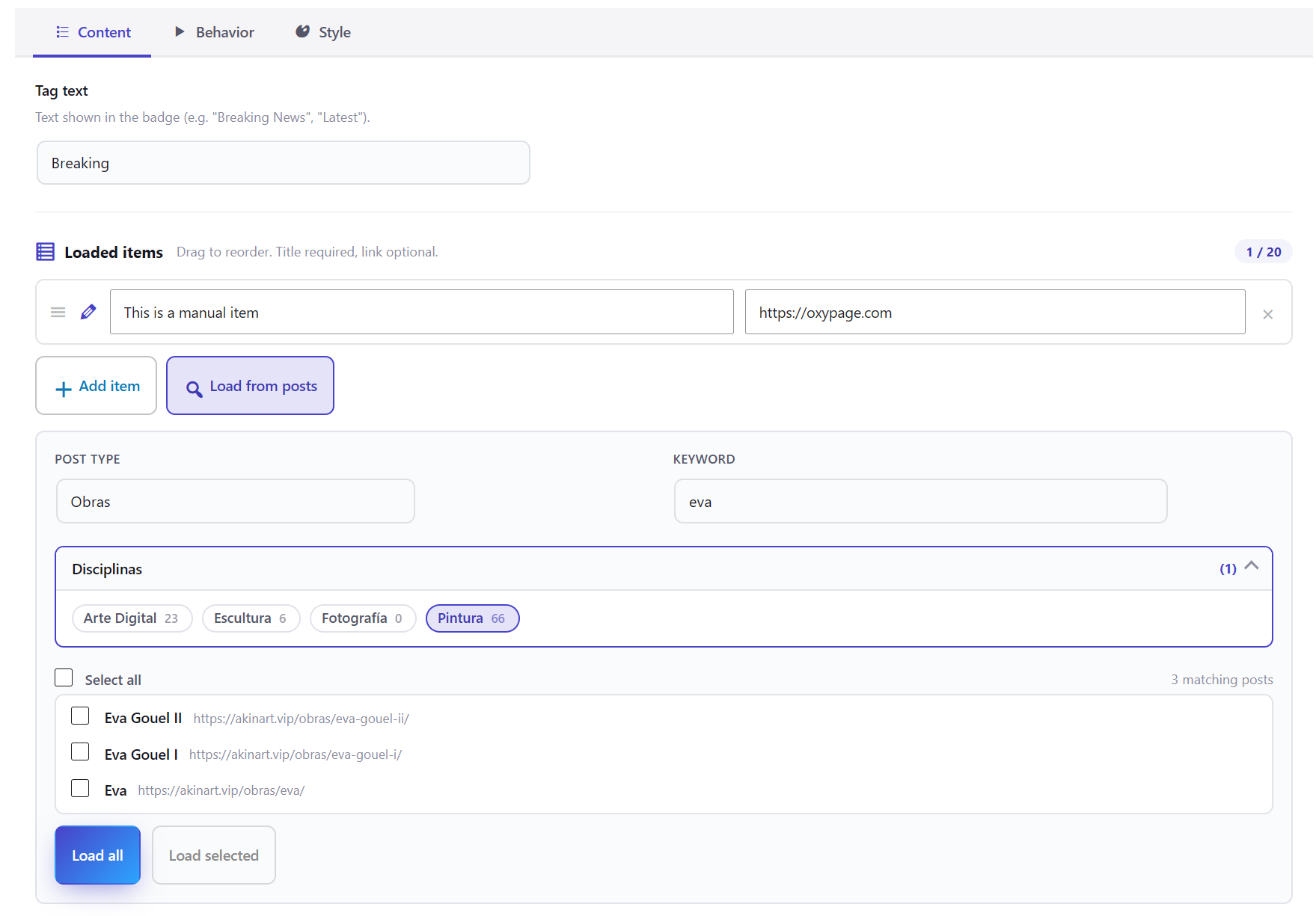
- Add news items manually (title + URL) and reorder them with drag and drop.
- “Load from posts” snapshot picker: browse any post type, filter by taxonomy and terms, search by keyword, and load matching posts as items in one click. Each post is captured as a snapshot — no database queries at render time, no performance impact on your visitors.
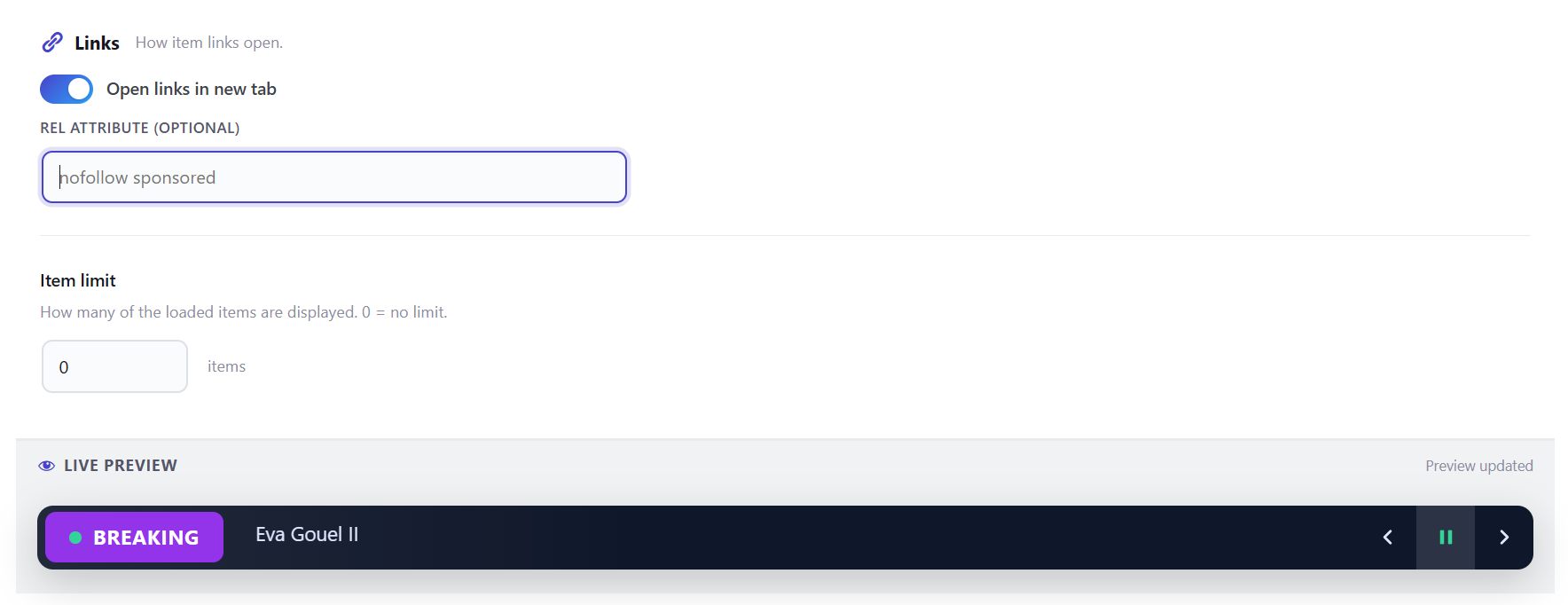
- Link options per ticker: open in new tab, custom rel attribute.
- Display limit: show only the first N items from a longer list.
Design
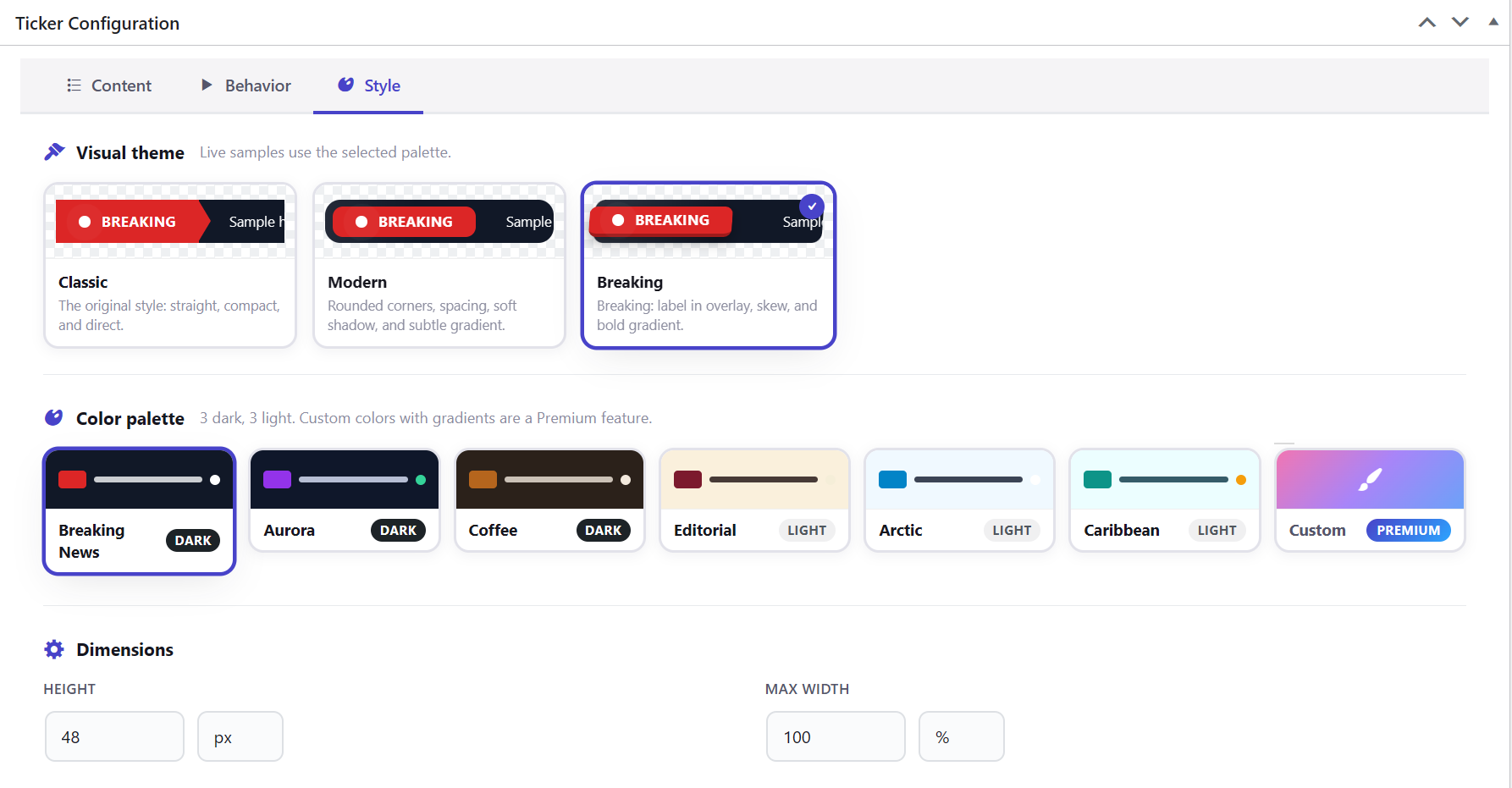
- Three structural themes: Classic, Modern, and Breaking News.
- Six hand-tuned color palettes: Breaking, Aurora, Coffee, Editorial, Arctic, and Caribbean.
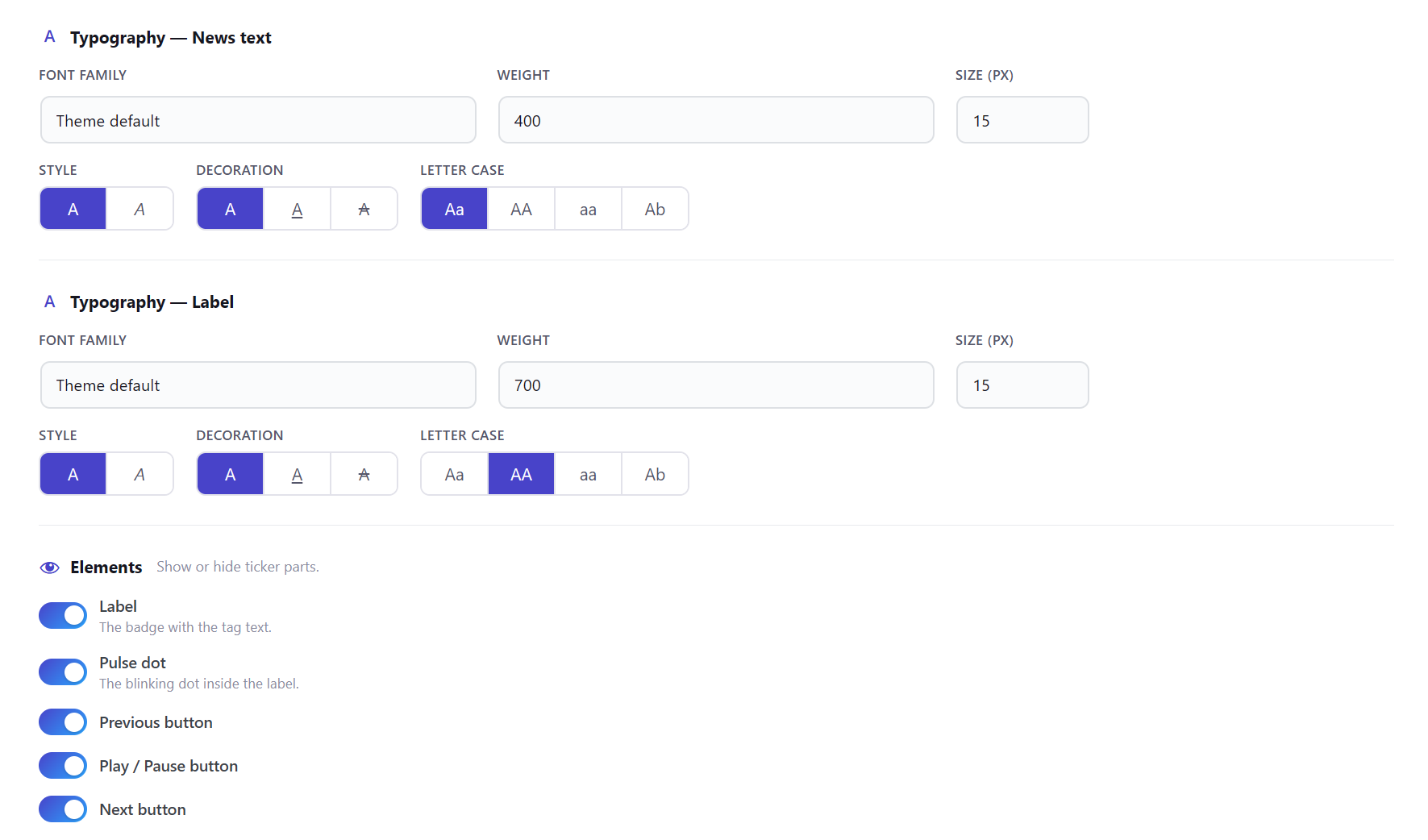
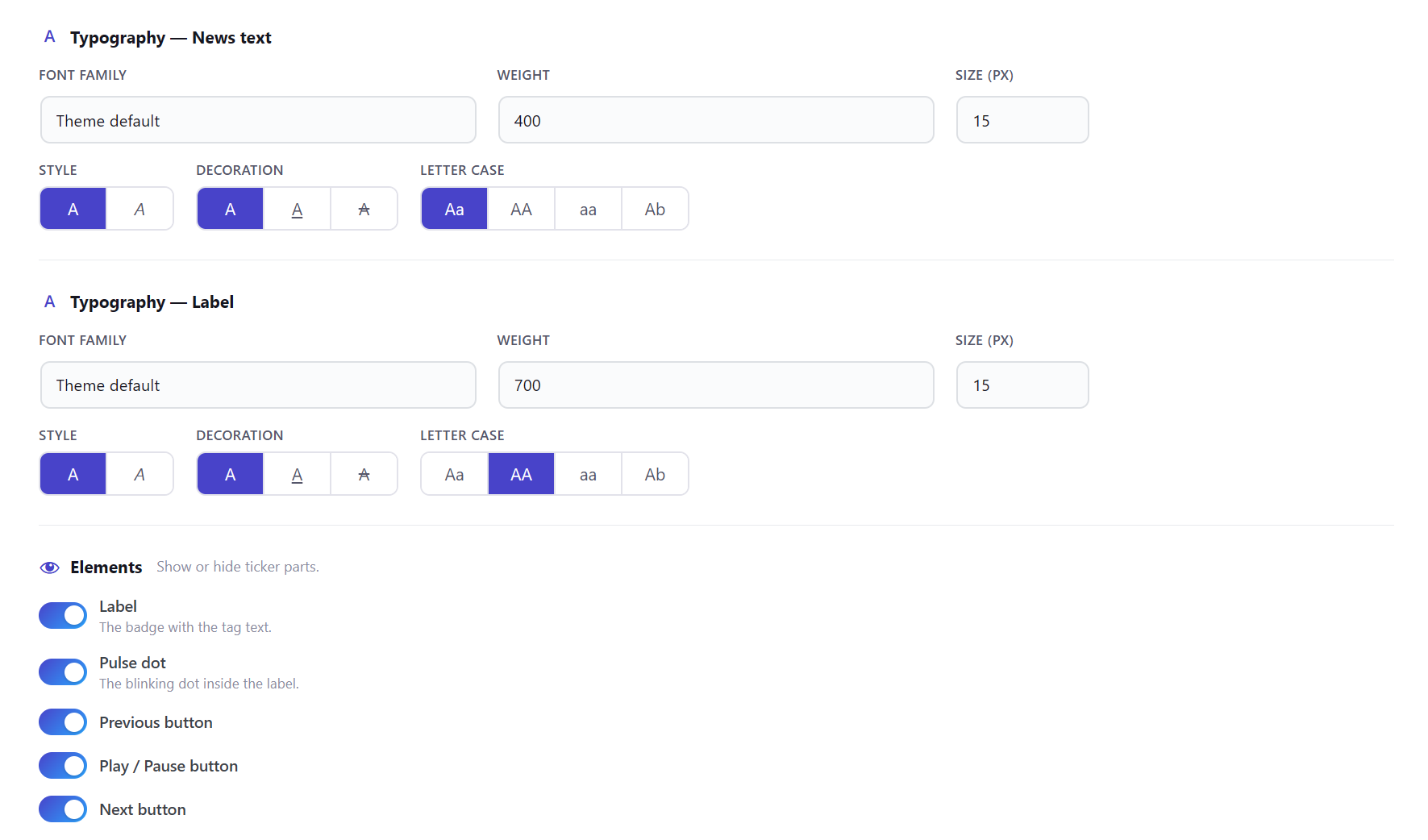
- Independent typography for news text and for the label: font family, weight, size, style, decoration, and text transform.
- Google Fonts are self-hosted at save time — no requests to Google servers at runtime (GDPR-compliant).
- Show or hide individual elements per ticker: previous/next buttons, play-pause toggle, pulse dot, and label.
- Configurable height and max-width.
Behavior
- Scroll direction: left, right, up, or down.
- Speed, easing, inter-item delay, and scroll offset.
- Autoplay, loop, pause on hover or tap, pause when the browser tab loses focus.
Accessibility and performance
- ARIA live regions, keyboard navigation, and
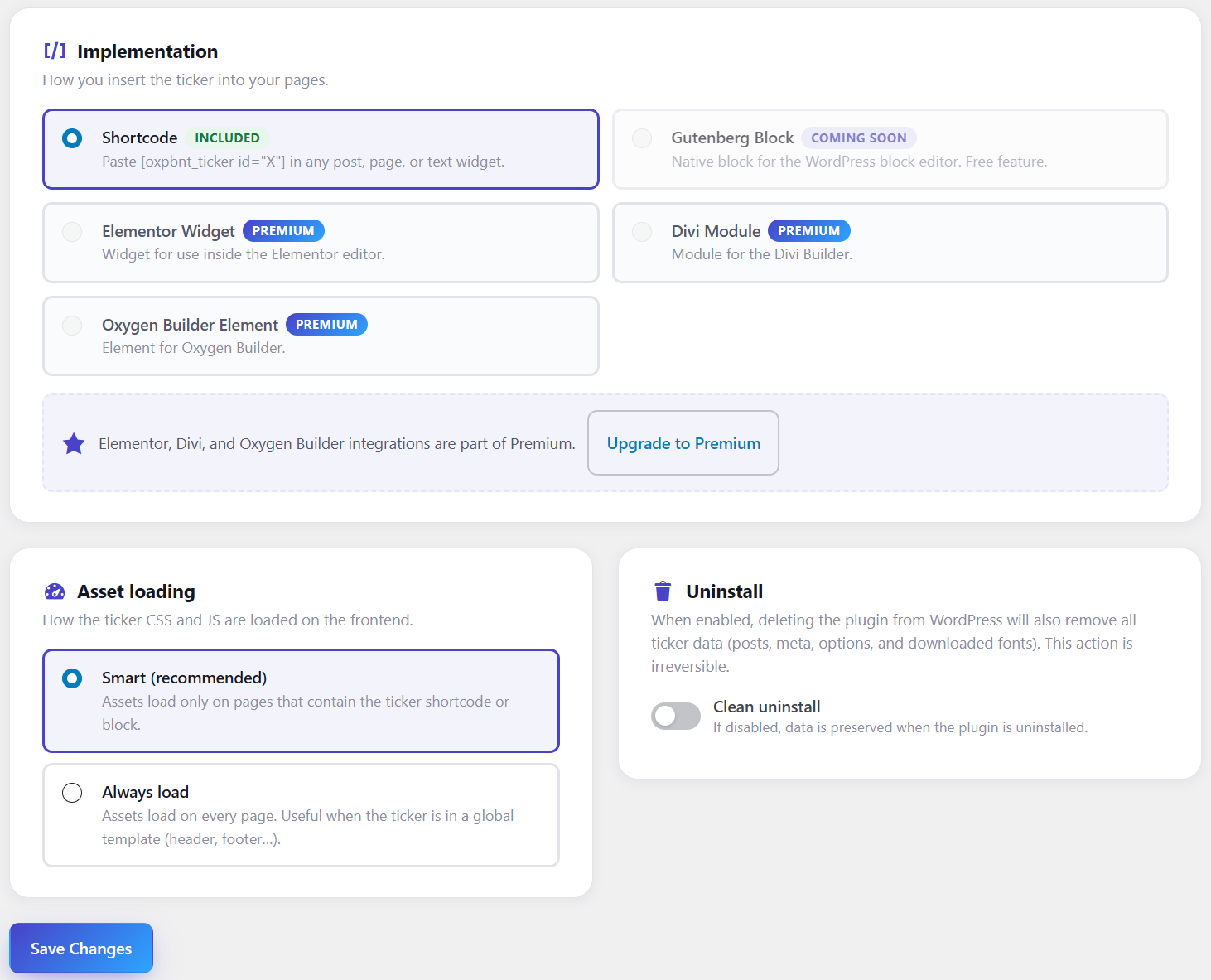
prefers-reduced-motionsupport. - Assets load only on pages that contain a ticker, or globally — your choice in Settings.
- One-click shortcode copy from the ticker list. AJAX activation toggle.
- Optional clean uninstall that removes all plugin data.
Screenshots


Installation
- Upload the
oxp-breaking-news-tickerfolder to/wp-content/plugins/. - Activate the plugin from the Plugins menu.
- Go to “OXP Tickers” “New Ticker”, configure it, and save.
- Copy the shortcode (e.g.
[oxpbnt_ticker id="123"]) and paste it wherever you want.
FAQ
-
Do I need to know how to code?
-
No. Everything is configured from the WordPress admin: content, behavior, colors, and typography. Place the ticker anywhere using the generated shortcode — no PHP or CSS required.
-
Can I create more than one ticker?
-
Yes. Each ticker is an independent preset. The free plan supports up to 3 tickers; Premium (coming soon) will allow unlimited ones.
-
How do I add news items?
-
You can type them in manually (title + URL) or use the “Load from posts” picker to pull content from any post type, filtered by taxonomy, terms, or keyword. Loaded items are frozen as snapshots — they do not update automatically.
-
Will it slow down my site?
-
No. By default the plugin only loads its CSS and JS on pages that actually contain a ticker. You can switch to global loading from Settings if you prefer.
-
Are Google Fonts GDPR-compliant?
-
Yes. When you save a ticker with a Google Font selected, the plugin downloads that font variant to your server. Visitors’ browsers load the font from your own domain — no requests are ever made to Google at runtime.
-
Can I override the ticker template from my theme?
-
Yes. Copy
templates/ticker.phpfrom the plugin into your active theme’s root and WordPress will use your copy instead.
Reviews
There are no reviews for this plugin.
Contributors & Developers
“OXP Breaking News Ticker” is open source software. The following people have contributed to this plugin.
Contributors
Translate “OXP Breaking News Ticker” into your language.
Interested in development?
Browse the code, check out the SVN repository, or subscribe to the development log by RSS.
Changelog
1.0.0
- Ticker CPT (oxpbnt_ticker) with tabbed editor: Content, Behavior, and Style tabs.
- Manual items (Title + URL) with drag-and-drop reordering. “Load from posts” snapshot
picker: cascade post type taxonomies terms keyword filter; each loaded post is
frozen into a manual item at load time — no database queries at render time. - Behavior controls: scroll direction, speed, easing, autoplay, pause on interact, loop,
offset, and pause when the browser tab is hidden. - Three structural themes (Classic / Modern / Breaking) and six color palettes
(Breaking / Aurora / Coffee / Editorial / Arctic / Caribbean). Custom palette with
gradients available in Premium. - Independent typography for news text and label: font family, weight, size, style,
decoration, and text transform. Chosen Google Fonts are self-hosted at save time
(GDPR-compliant; no Google calls at runtime). - Visibility toggles for prev/next buttons, play-pause, pulse dot, and label.
- Link options: open in new tab and rel attribute.
- Freemium architecture: free plan supports up to 3 tickers and 20 items each. Premium
(coming soon) unlocks unlimited tickers and items, custom color palettes, and page
builder integrations (Elementor, Divi, Oxygen Builder). - Shortcode [oxpbnt_ticker id=”X”] with one-click copy. AJAX activation toggle.
- Smart asset loading (only on pages that contain a ticker) or always-on, configurable
from Settings. Optional clean uninstall removes all plugin data.