
Description
OfferKit lets you package products into fixed kits that sell as a single offer, with a storefront form shoppers can configure and parent/child lines that stay accurate through cart, checkout, and orders.
Free features
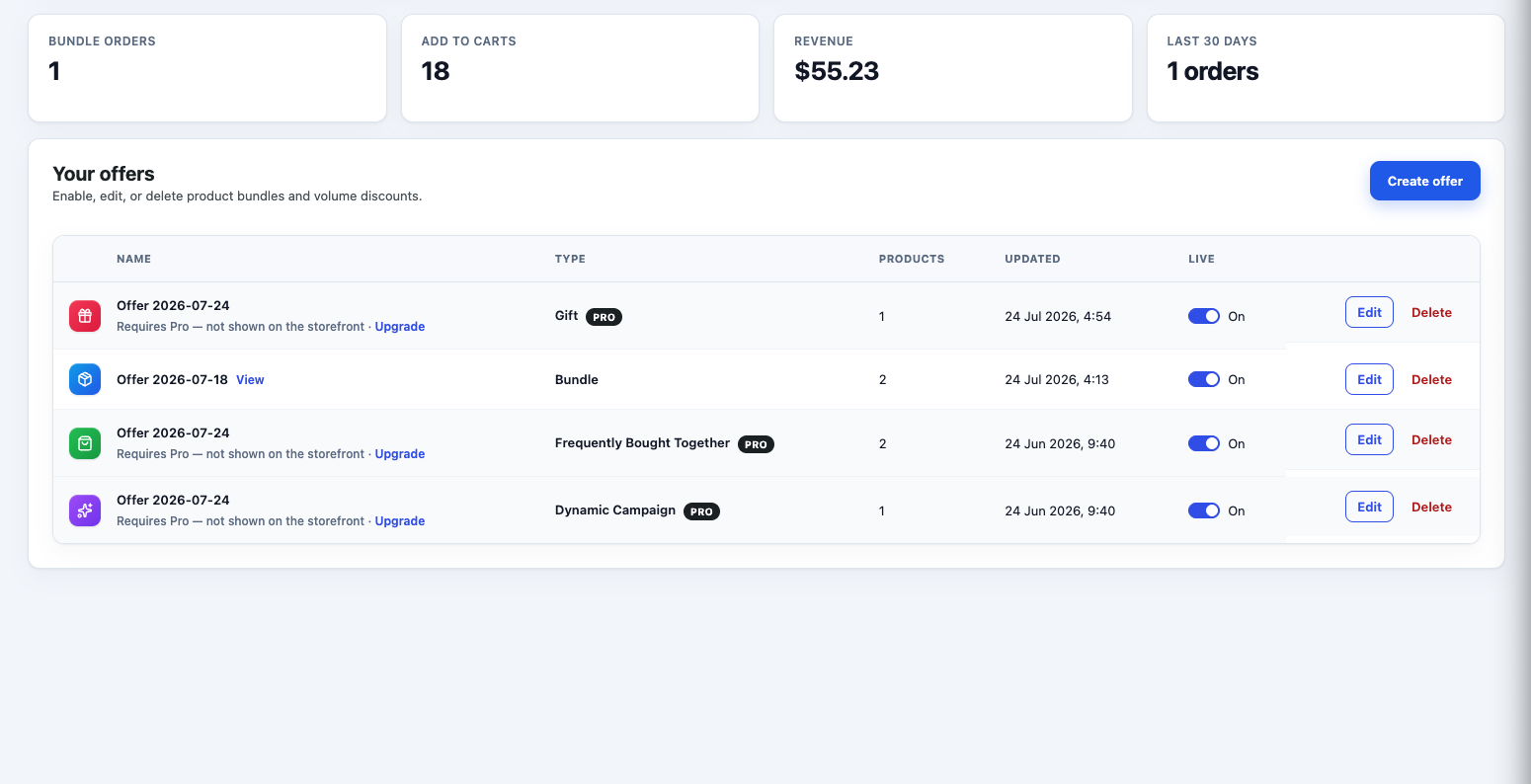
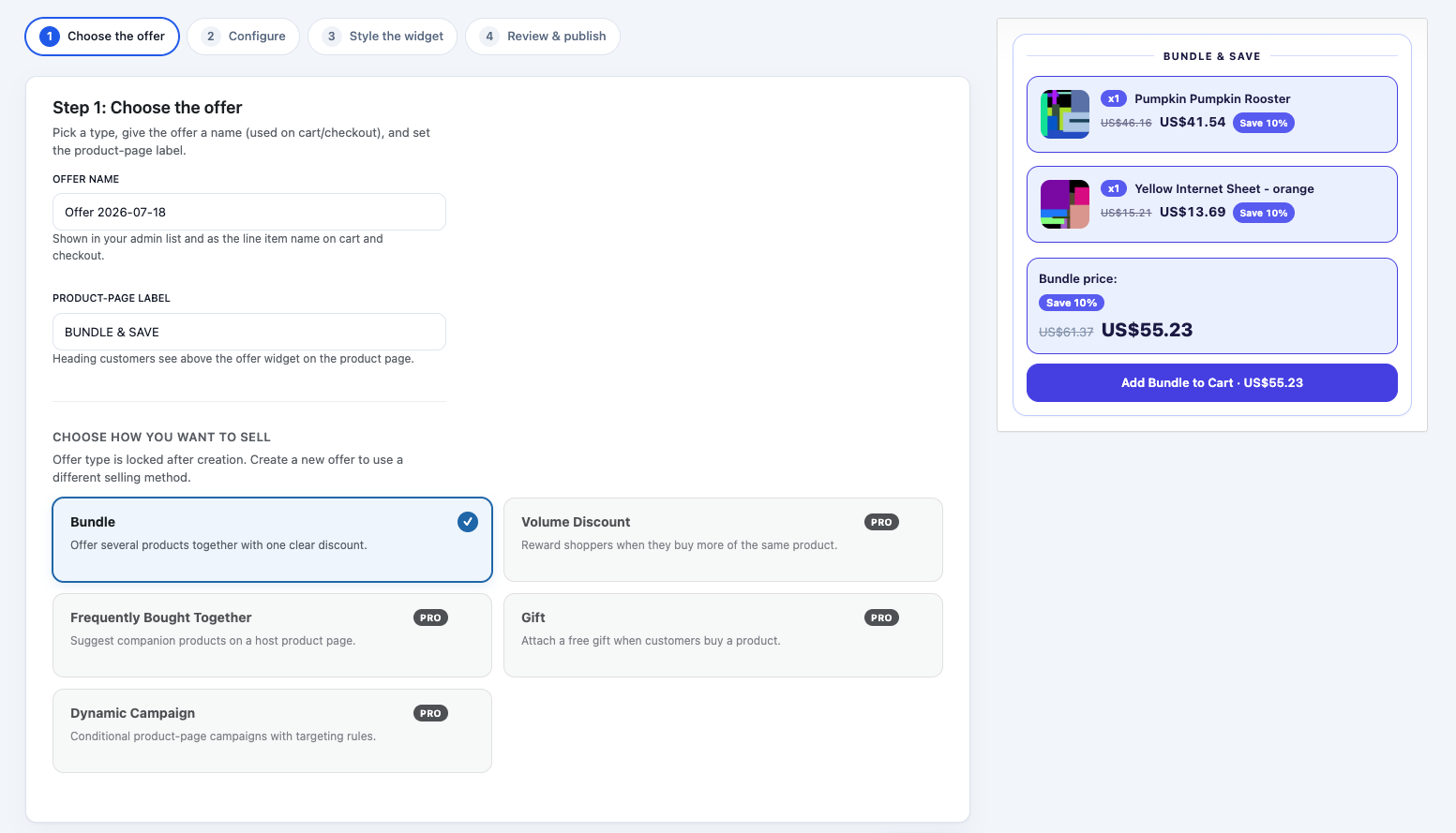
- Fixed product bundles Package products into a kit that sells as one offer with a clear discount.
- Guided offer wizard Create and publish kits step by step, with a live storefront preview.
- Product-page storefront UI Shoppers configure and buy the kit on the product page.
- Quantities and variations Let customers adjust quantities and choose variations where you allow it.
- Cart, checkout, and order integrity Keep parent and child lines accurate from cart through to the order.
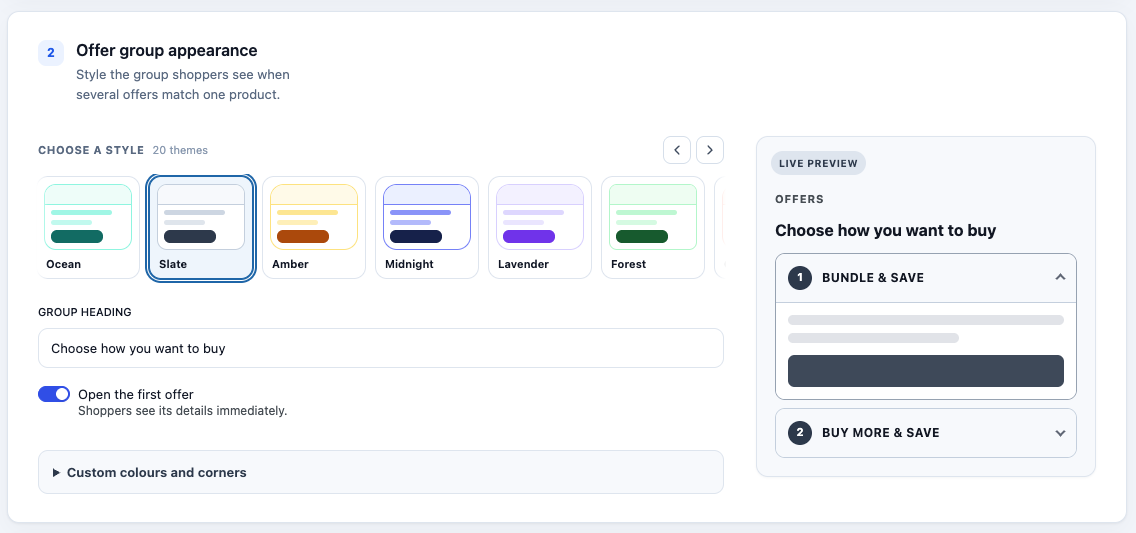
- Style presets Apply basic storefront colours, presets, and per-offer styling.
- JSON import / export Back up and restore bundle configuration as JSON.
- Overview tools Local order and revenue counters, diagnostics, and privacy policy suggestions.
Pro features
- ⭐ Volume / quantity discounts Offer tiered “buy more, save more” pricing on your kits.
- ⭐ Complementary product offers Suggest companion products on a host product page.
- ⭐ Gift with purchase Attach a free or discounted gift when customers buy a product.
- ⭐ Dynamic campaigns Run conditional product-page campaigns with targeting rules.
- ⭐ Offer scheduling Show offers only between start and end dates you choose.
- ⭐ Shortcodes and blocks Place offers with the OfferKit shortcode or Gutenberg block.
- ⭐ Analytics dashboard Track offer performance beyond the free Overview counters.
- ⭐ CSV bulk import / export Move configurations in bulk with CSV (JSON remains free).
External services
OfferKit uses Freemius for optional usage opt-in, account and licence management.
Screenshots
Installation
- Upload the
offerkit-bundle-offers-for-woocommercefolder to/wp-content/plugins/, or install from Plugins Add New. - Activate the plugin through the Plugins screen.
- Ensure WooCommerce is installed and active.
- Go to WooCommerce Product Bundles and use Create offer to build your first kit.
FAQ
-
Does OfferKit require WooCommerce?
-
Yes. OfferKit is a WooCommerce extension and will not run without it.
-
How do I create a bundle?
-
Go to WooCommerce Product Bundles, then open Create offer. The wizard walks you through naming the kit, choosing products, and publishing it.
-
Can customers choose quantities or variations?
-
Yes, when you allow it in the bundle settings. Shoppers can adjust quantities and pick variations on the product page before adding the kit to the cart.
-
Does inventory update for the items inside a kit?
-
Yes. When a kit is purchased, OfferKit keeps parent and child order lines linked so stock for the included products can be handled correctly.
Reviews
There are no reviews for this plugin.
Contributors & Developers
“OfferKit – Product Bundle Offers for WooCommerce” is open source software. The following people have contributed to this plugin.
Contributors
Translate “OfferKit – Product Bundle Offers for WooCommerce” into your language.
Interested in development?
Browse the code, check out the SVN repository, or subscribe to the development log by RSS.
Changelog
1.0.0
- Initial release: fixed product bundles, storefront UI, cart/order integrity.