

Description
Nimba SMS connects your WordPress site to Nimba SMS, the professional communication platform for businesses, supporting SMS, WhatsApp and email (with more channels coming). This plugin covers the SMS and WhatsApp channels: send SMS with your company name as the sender, and WhatsApp messages through your Meta-approved templates, straight from WordPress. More channels will be added in future releases.
Features
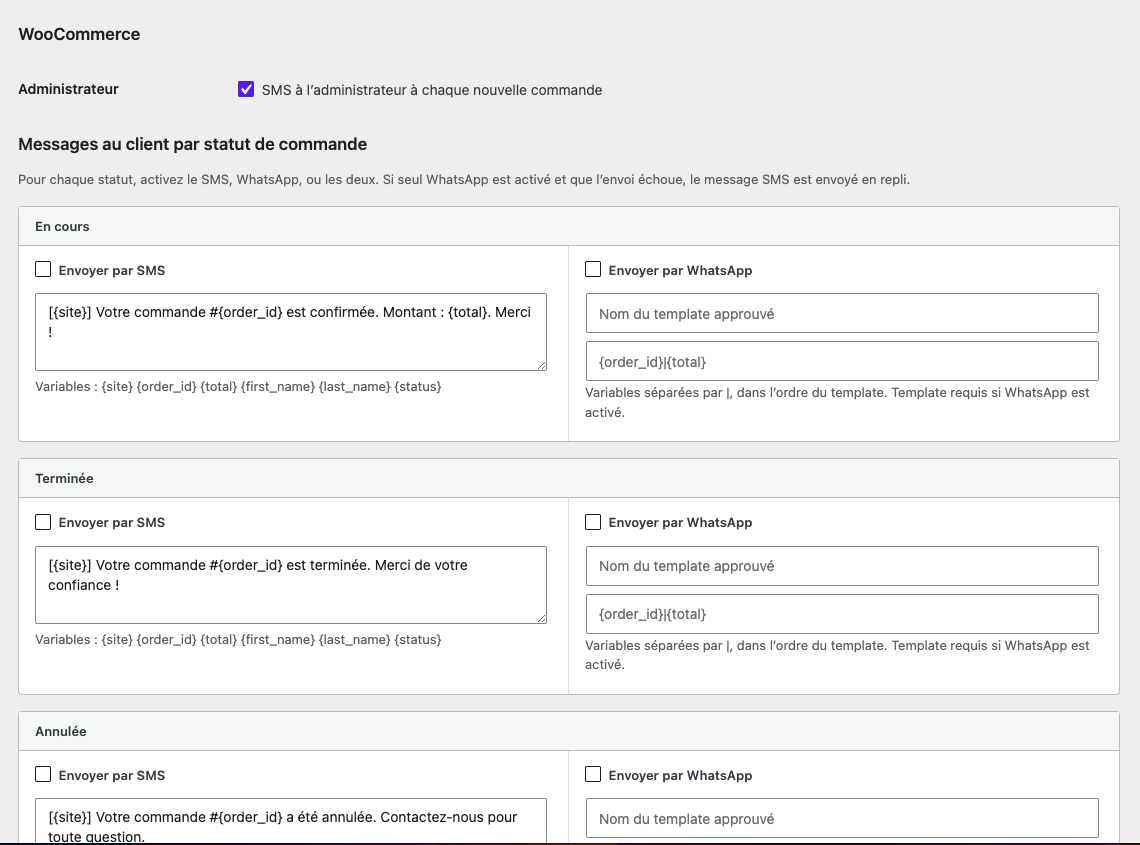
- WooCommerce: for each order status (processing, completed, cancelled), enable SMS, WhatsApp, or both, with customizable message templates. If WhatsApp is the only enabled channel and sending fails, the SMS message is sent automatically as a fallback. The store administrator can also receive an SMS for every new order.
- WhatsApp: send messages through your Meta-approved WhatsApp Business templates (created from your Nimba SMS dashboard), with dynamic variables.
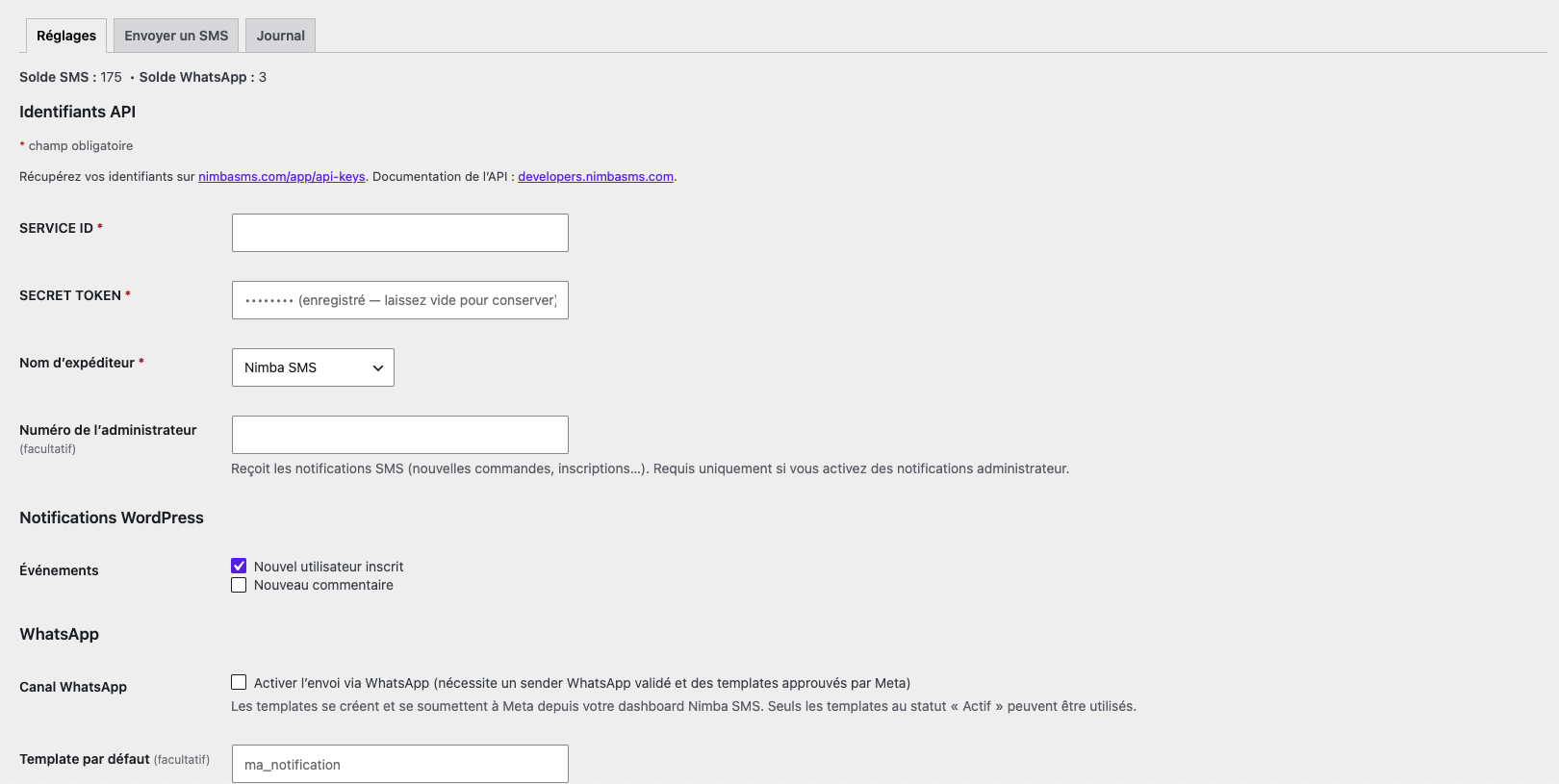
- WordPress notifications: SMS to the administrator on new user registration or new comment.
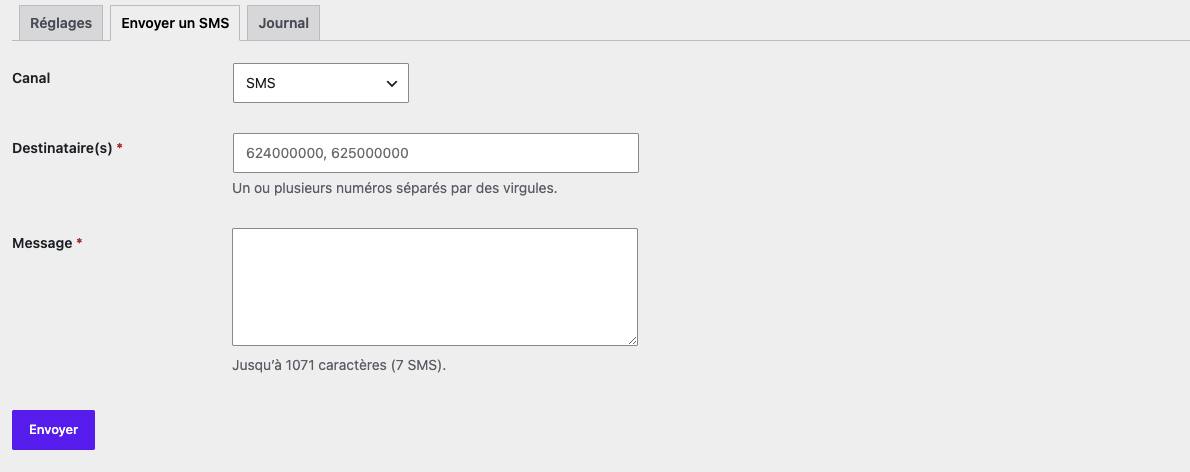
- Manual sending: send an SMS or a WhatsApp template message to one or several numbers directly from the admin.
- Send log: history of sent messages with their delivery status, updated in real time through the Nimba SMS delivery webhook (URL provided in the settings, to paste into the “URL Webhook” field at https://www.nimbasms.com/app/api-keys).
- Live balances: your SMS and WhatsApp credits displayed in the settings.
- For developers:
nimbasms_send( $to, $message )andnimbasms_send_whatsapp( $to, $template, $variables )functions plus hooks (nimbasms_send_payload,nimbasms_after_send,nimbasms_wc_templates,nimbasms_webhook_received…) to integrate messaging into your own extensions.
Requirements
A Nimba SMS account with an approved sender name. Your API credentials (SERVICE ID and SECRET TOKEN) are available on the API keys page of your account. API documentation: developers.nimbasms.com.
External service
This plugin communicates with the Nimba SMS API (https://api.nimbasms.com) to send messages and retrieve your account balance and sender names. Data transmitted: your API credentials, recipient phone numbers and message content. Conversely, if you configure the delivery webhook, Nimba SMS servers call a URL on your site (REST endpoint nimbasms/v1/webhook, protected by a secret token) to push message status changes. See the Nimba SMS terms of use.
Screenshots

Installation
- Install the plugin from the WordPress plugin directory, or upload the
nimbasmsfolder to/wp-content/plugins/. - Activate the plugin.
- Go to Nimba SMS in the admin menu.
- Enter your SERVICE ID and SECRET TOKEN, pick your sender name, and save.
- Enable the notifications you need.
FAQ
-
Where do I find my API credentials?
-
On the API keys page of your account: https://www.nimbasms.com/app/api-keys. Full documentation at developers.nimbasms.com.
-
Does the plugin work without WooCommerce?
-
Yes. The WooCommerce features only appear when WooCommerce is active.
-
Does the plugin support WhatsApp?
-
Yes. Enable the WhatsApp channel in the settings, then provide the name of a Meta-approved template (templates are created from your Nimba SMS dashboard). Email and other channels are coming in future releases.
-
Can I send messages from my own code?
-
Yes:
nimbasms_send( '624000000', 'My message' );— filters and actions are available to customize sending. -
Which countries are covered?
-
See the network coverage on www.nimbasms.com.
Reviews
There are no reviews for this plugin.
Contributors & Developers
“Nimba SMS” is open source software. The following people have contributed to this plugin.
Contributors
Translate “Nimba SMS” into your language.
Interested in development?
Browse the code, check out the SVN repository, or subscribe to the development log by RSS.
Changelog
1.0.0
- Initial release: SMS and WhatsApp channels (Meta templates), WooCommerce integration with SMS fallback, WordPress notifications, manual sending, delivery-status webhook, send log, developer functions.