

Description
Neutrope Redirect Flow for Contact Form 7 improves what happens after a
Contact Form 7 form is submitted.
For each Contact Form 7 form you can enable this plugin and, on a
successful submission, send the visitor to a published page on your own
site. You can optionally show a short message first and wait a
configurable number of seconds before the redirect.
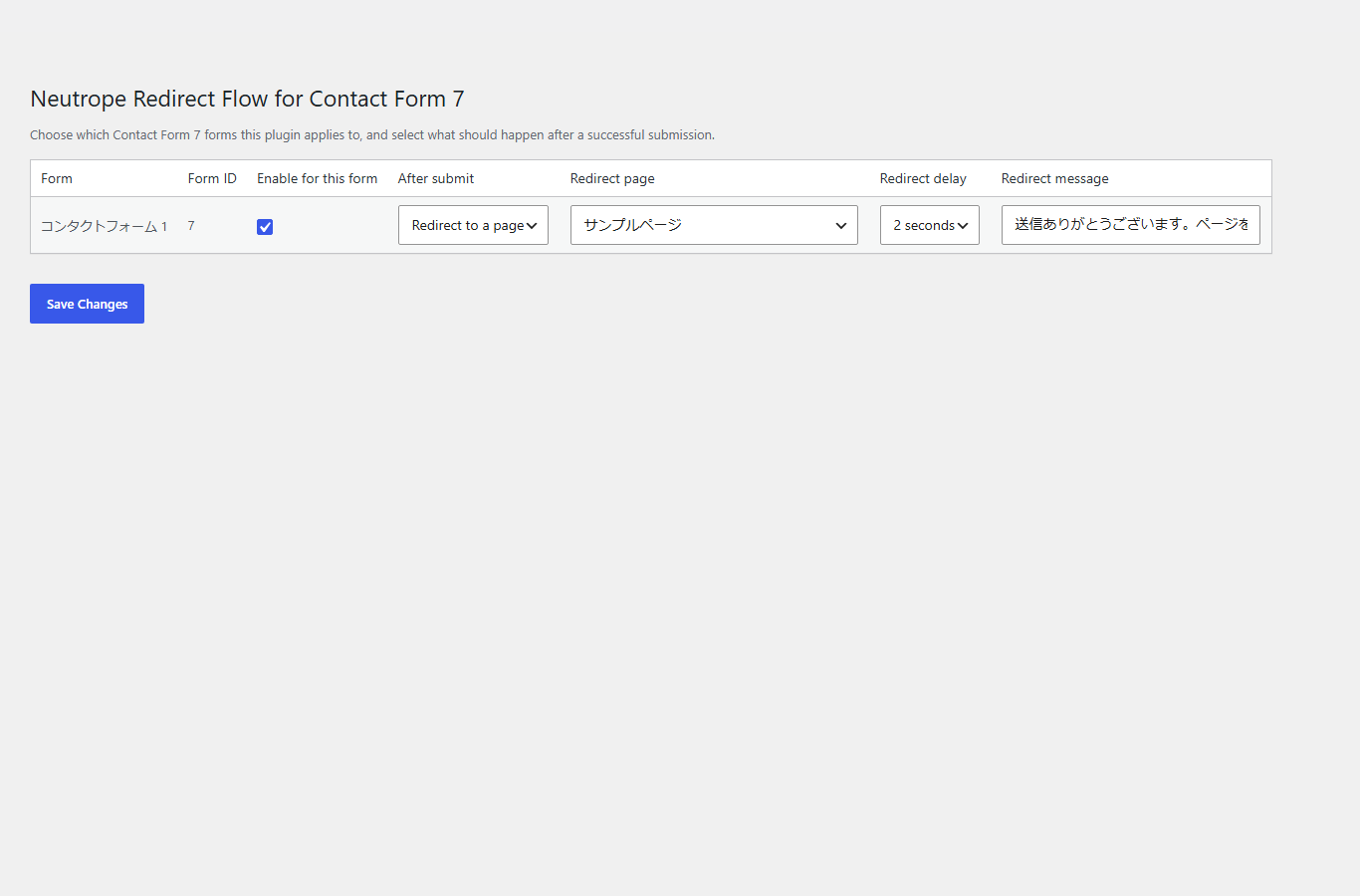
Every form is configured independently from a single “Redirect Flow”
settings page. If Contact Form 7 is not active, the plugin still
activates safely and shows an admin notice instead of causing an error.
Custom or external redirect URLs, analytics integrations, CAPTCHA
handling, step forms and Pro features are not included yet.
This plugin is an independent add-on and is not affiliated with or
endorsed by the authors of Contact Form 7.
Features
- Per-form enable toggle for your Contact Form 7 forms.
- After a successful submission, redirect to a selected published page
on the same site. - Optional message shown before the redirect (leave blank for none).
- Configurable redirect delay: 0, 1, 2, 3 or 5 seconds.
- Each form is configured independently.
- Safe when Contact Form 7 is inactive: no fatal error, admin notice
shown instead. - GPL-2.0-or-later. The full license text is bundled in the LICENSE
file.
License
This plugin is licensed under the GPL-2.0-or-later. The full license
text is included in the bundled LICENSE file.
License URI: https://www.gnu.org/licenses/gpl-2.0.html
Screenshots
Installation
- Upload the
neutrope-redirect-flow-for-contact-form-7folder to the /wp-content/plugins/ directory, or install the plugin through the WordPress Plugins screen. - Activate Neutrope Redirect Flow for Contact Form 7 through the Plugins screen.
- (Recommended) Install and activate Contact Form 7.
- Open “Redirect Flow” under the Contact menu (or under Settings if Contact Form 7 is not active) and configure each form.
FAQ
-
Does this plugin require Contact Form 7?
-
Contact Form 7 is required for the form list, the per-form settings and
the post-submit redirect. The plugin still activates without it and
shows a notice instead of failing. -
What happens after a successful submission?
-
For a form where this plugin is enabled and “Redirect to a page” is
selected, the visitor is sent to the page you chose. If a message is
set it is shown first, and if a delay is set the redirect waits that
many seconds. -
Can it redirect to an external or custom URL?
-
No. Only published pages on your own site can be selected. External or
arbitrary URLs are not included yet. -
What data does it store?
-
A single option named
nrfcf7_settings, containing the per-form
settings (enable, after-submit action, redirect page, delay and
message). It is removed when the plugin is deleted.
Reviews
There are no reviews for this plugin.
Contributors & Developers
“Neutrope Redirect Flow for Contact Form 7” is open source software. The following people have contributed to this plugin.
Contributors
Translate “Neutrope Redirect Flow for Contact Form 7” into your language.
Interested in development?
Browse the code, check out the SVN repository, or subscribe to the development log by RSS.
Changelog
0.3.4
- Added the
Requires Plugins: contact-form-7plugin header for WordPress.org plugin dependency support.
0.3.3
- Renamed the plugin to Neutrope Redirect Flow for Contact Form 7 for WordPress.org submission readiness.
- Updated the plugin slug, text domain, main plugin file name, internal prefixes, admin slugs, asset handles, and build ZIP output naming.
- Updated the plugin ZIP top-level directory to neutrope-redirect-flow-for-contact-form-7.
0.3.2
- Updated WordPress.org contributor username for plugin directory readiness.
0.3.1
- Added bundled LICENSE file.
- Added reproducible ZIP build script.
- Improved readme.txt for plugin directory readiness.
- Improved internationalization handling.
- Fixed Plugin Check escaping and naming issues.
- Fixed generated ZIP paths for WordPress upload compatibility.
0.3.0
- Added redirect delay setting for thank-you page redirects.
- Added optional redirect message before moving to the selected page.
0.2.0
- Added per-form thank-you page redirect settings.
- Added frontend handling for Contact Form 7 successful submissions.
0.1.0
- Initial foundation release.
- Safe bootstrap with Contact Form 7 detection and admin notice.
- Settings page with Contact Form 7 form list.
- Per-form enable toggle saved to a plugin option.
- Uninstall cleanup of the plugin option.