

Description
Neutrope Marketing Desk is a marketing support plugin for WordPress.
It helps small businesses and busy website managers start practical marketing improvements directly inside WordPress. You can manage leads from Contact Form 7, create and track CTAs, review improvement suggestions, and compare improvement results after changes.
Instead of showing numbers only, Marketing Desk helps you understand what is happening and what to do next.
Main features
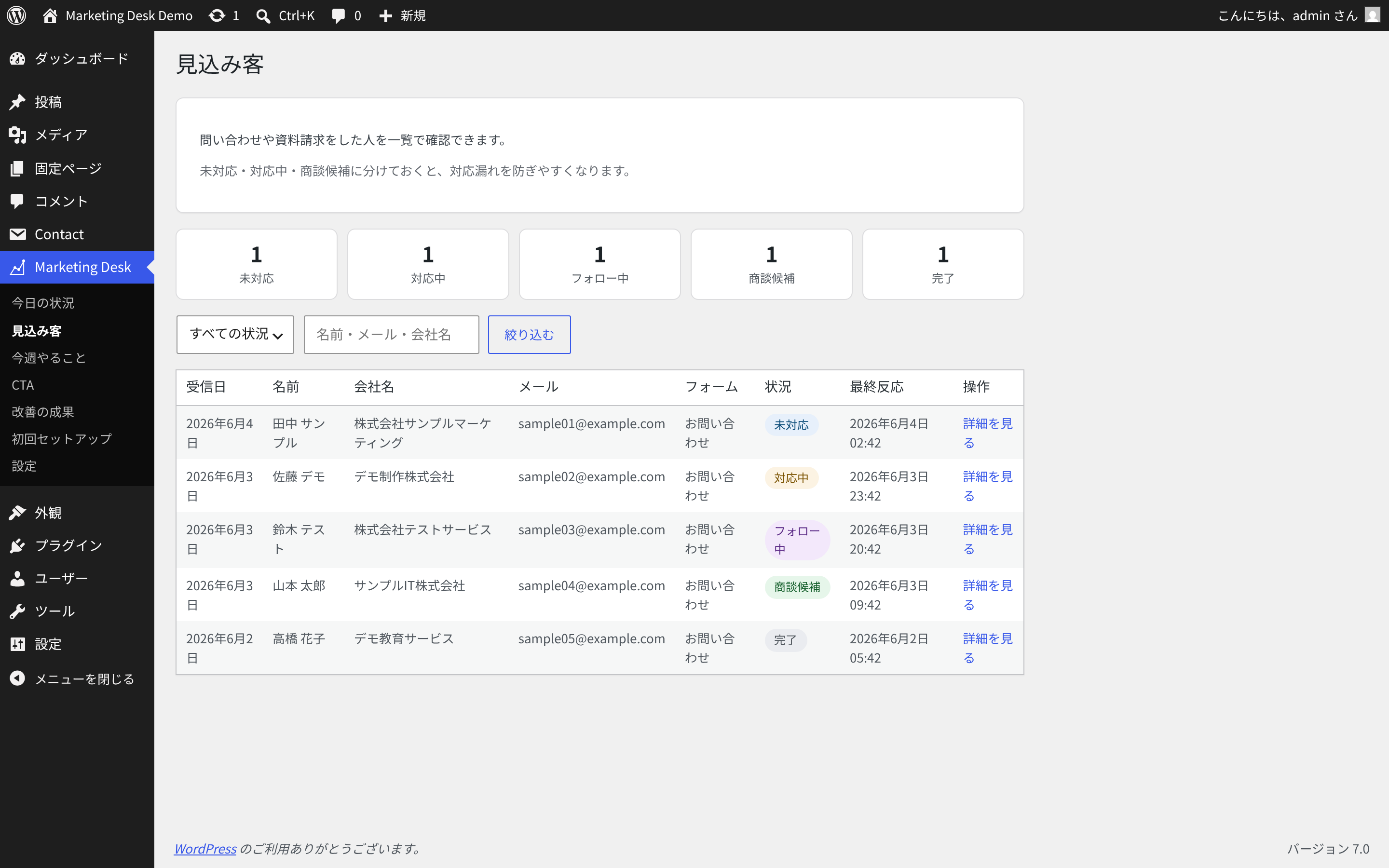
- Lead management for Contact Form 7 submissions
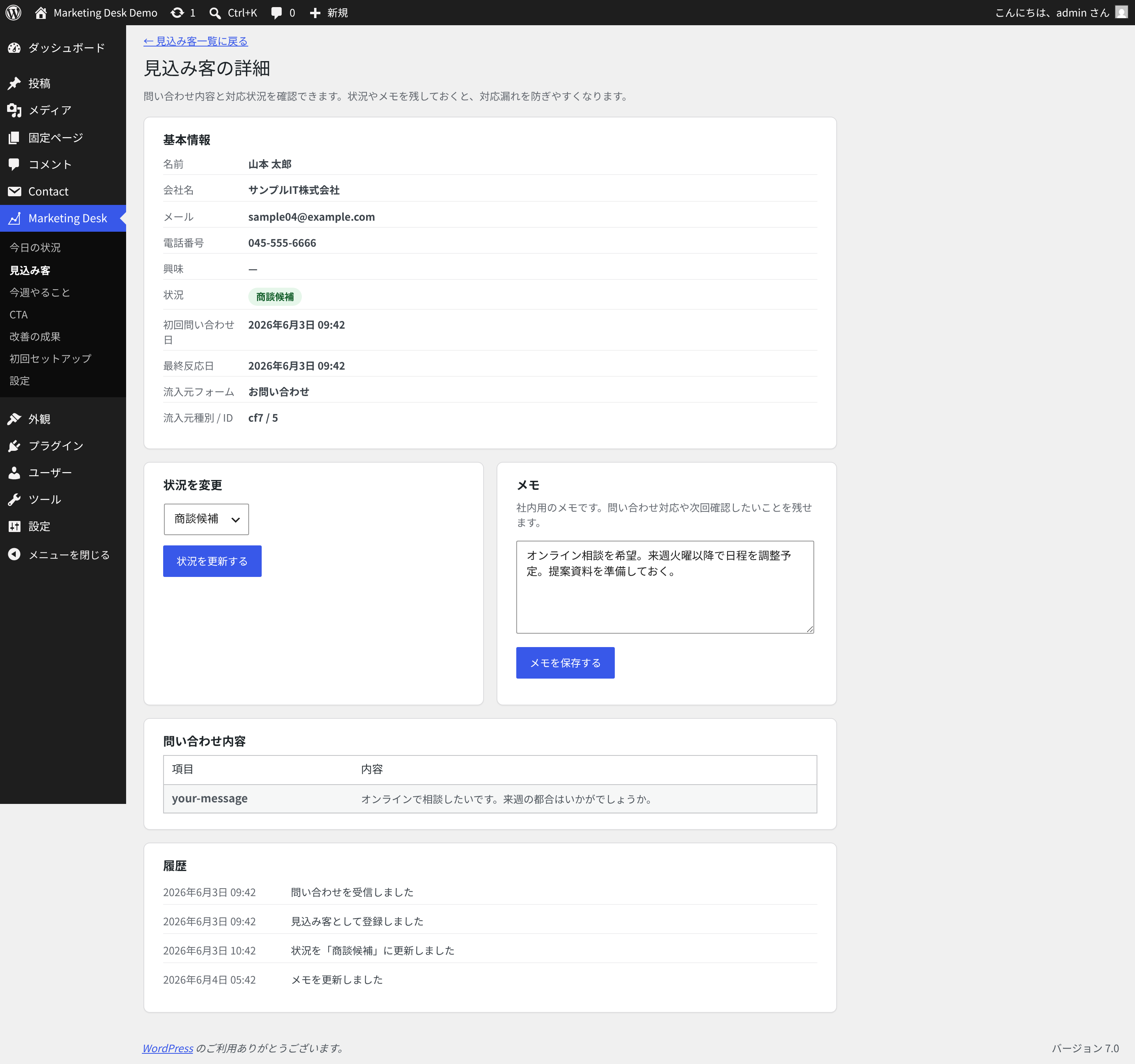
- Lead status management and internal notes
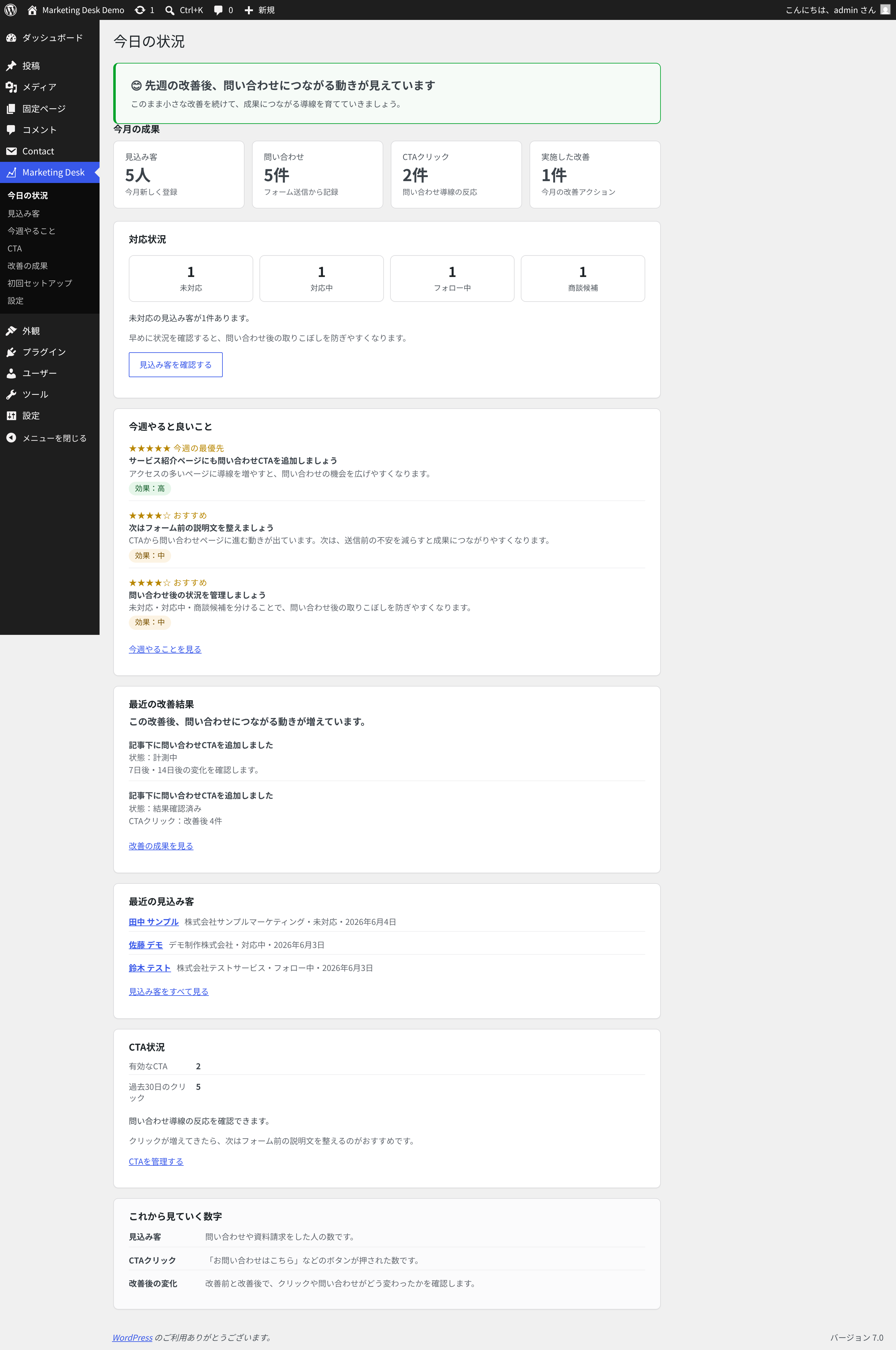
- A dashboard for leads, inquiries, CTA activity, and recent improvements
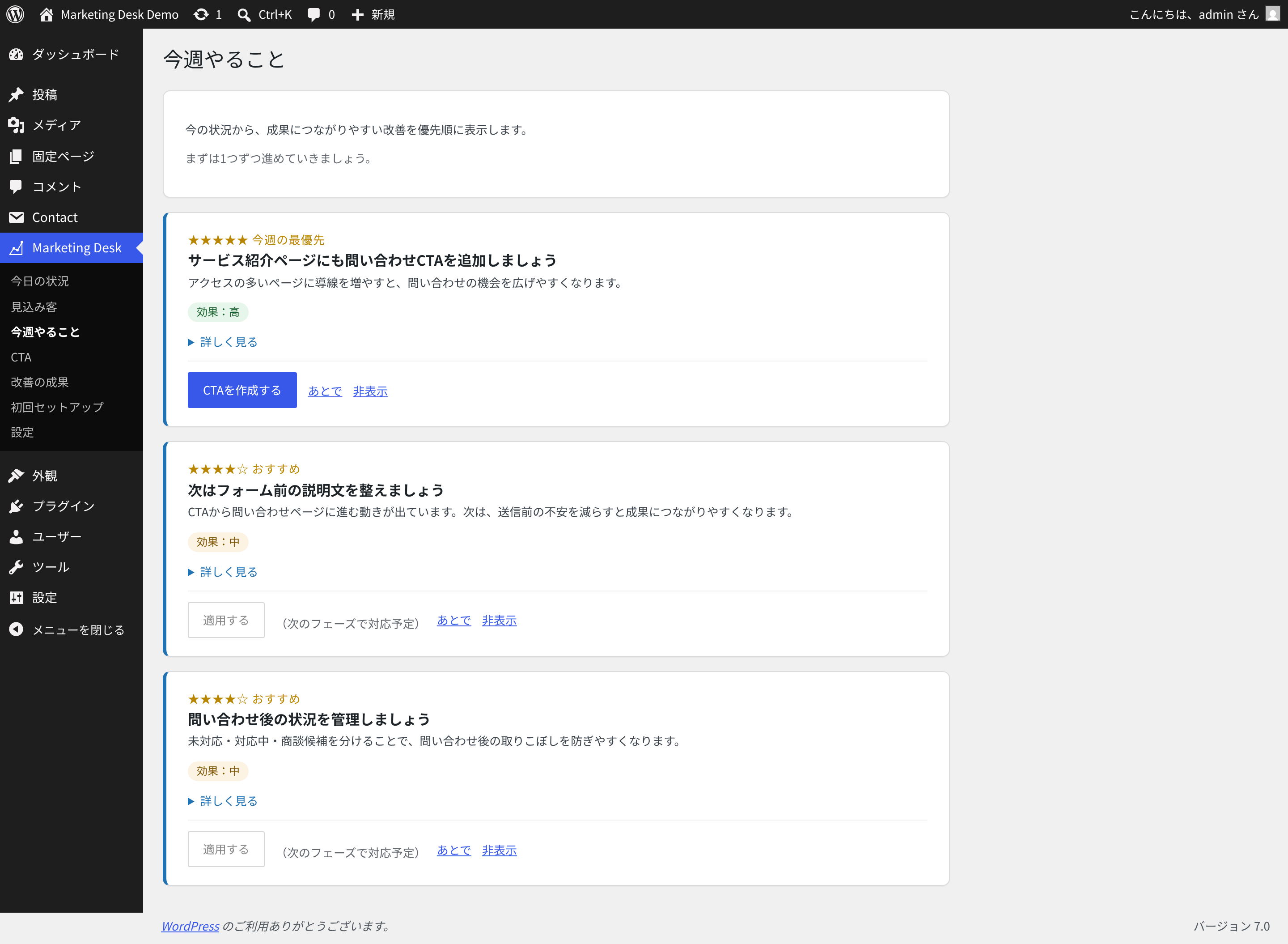
- Weekly improvement suggestions based on the current site situation
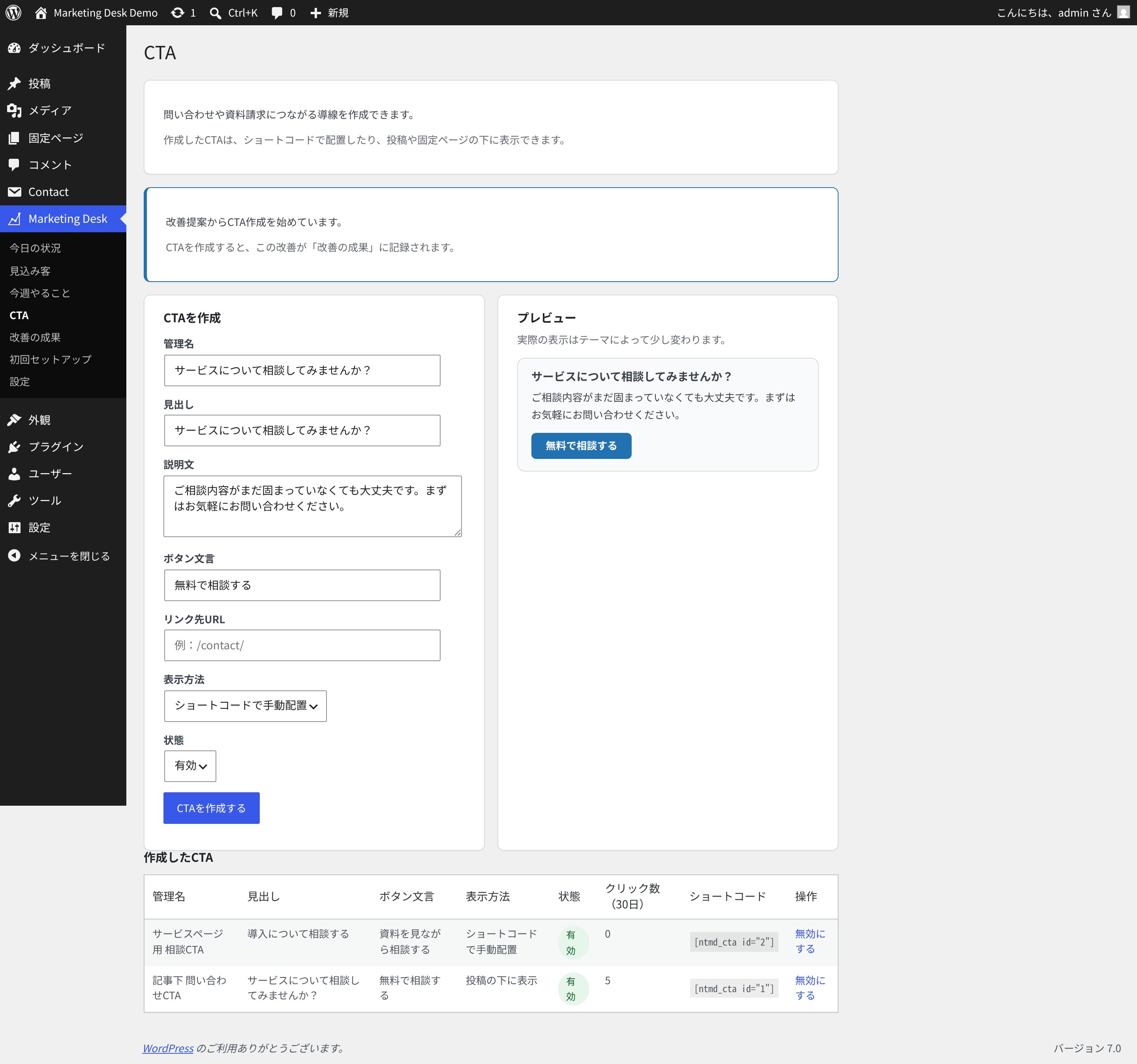
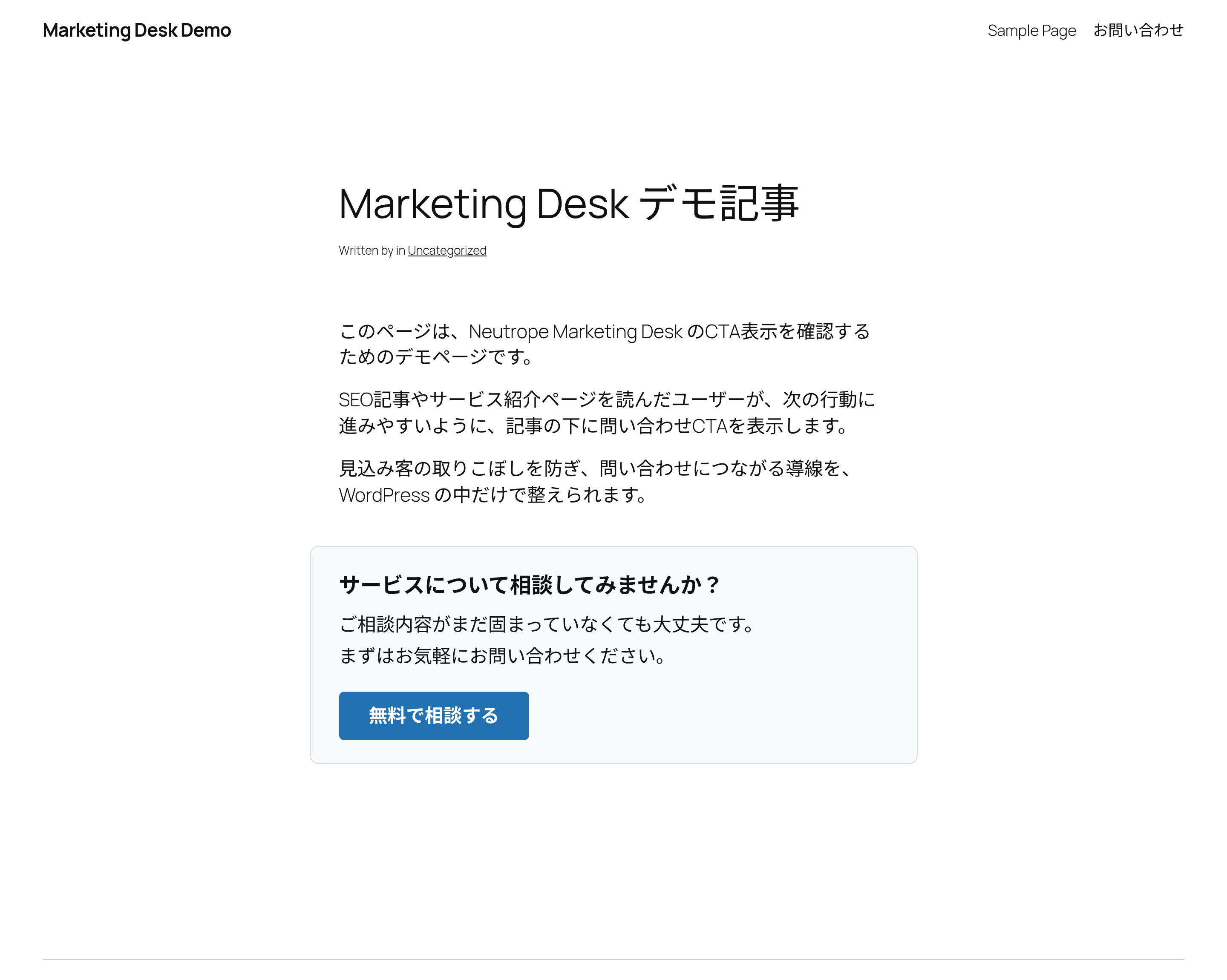
- CTA creation, shortcode display, automatic placement, and click tracking
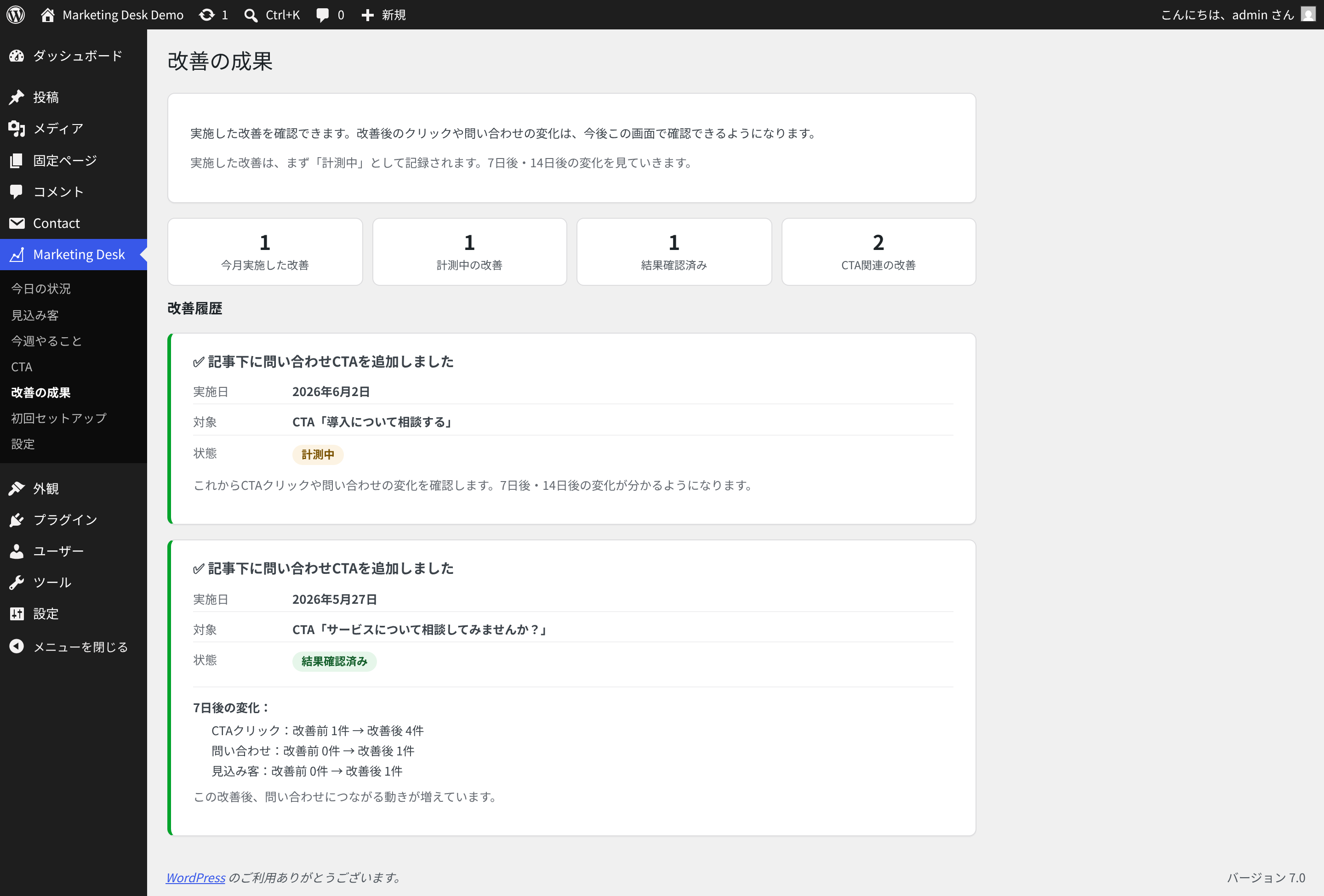
- Improvement action history
- 7-day and 14-day result comparison for applied improvements
- CSV export for lead data
- Settings for data retention and uninstall behavior
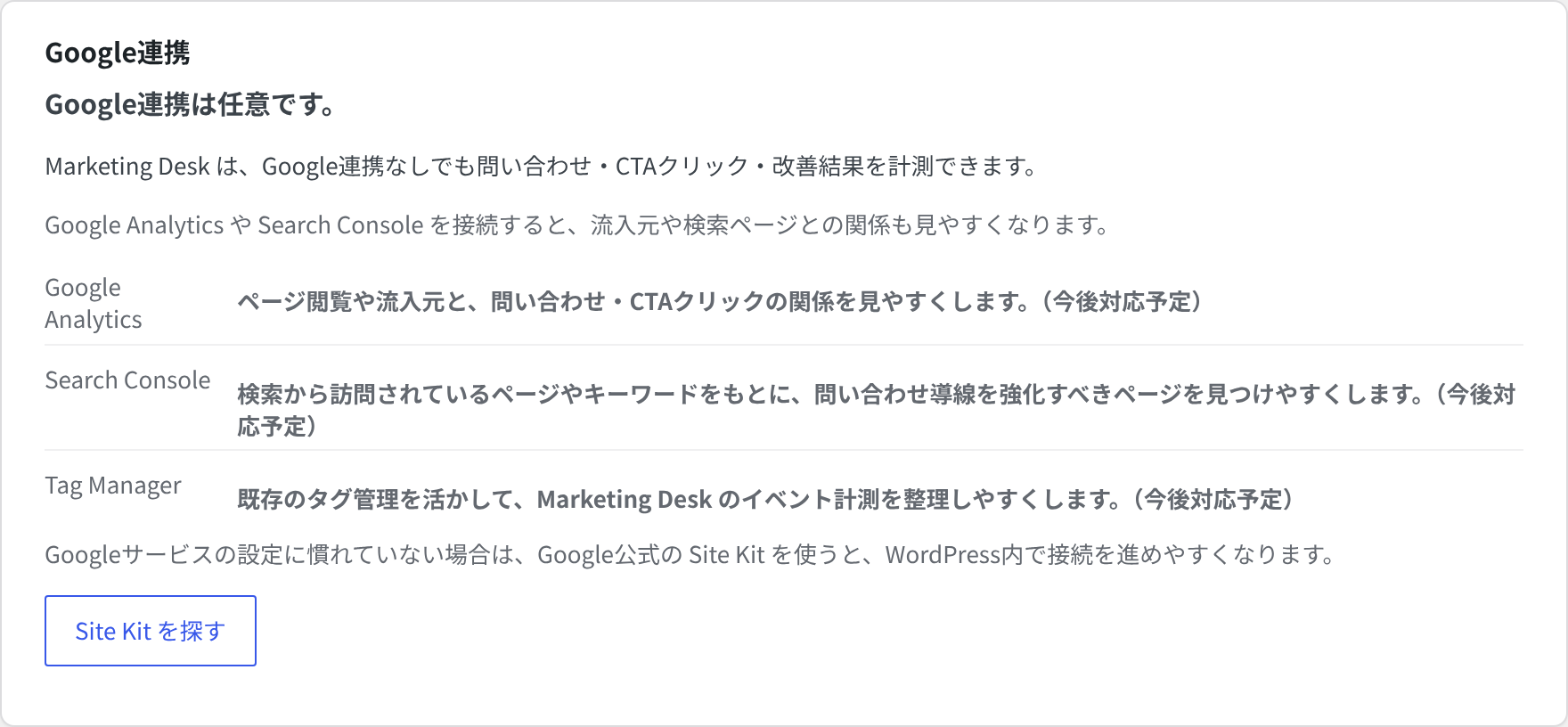
- Works without Google Analytics or Search Console integrations
Who is this for?
Marketing Desk is designed for small businesses, service businesses, B2B sites, and website managers who want to improve inquiry flows without starting with a complex enterprise marketing automation tool.
Contact Form 7 integration
The current release focuses on Contact Form 7. After you select a target form in the setup wizard, submissions from that form can be saved as leads and shown in the Marketing Desk lead screens.
Google integrations
Google Analytics, Search Console, and Tag Manager are not required. Marketing Desk can be used on its own. Google integrations may be considered separately, but the current release does not require them.
Screenshots
Installation
- Upload the
neutrope-marketing-deskfolder to the/wp-content/plugins/directory, or install the plugin through the WordPress Plugins screen. - Activate the plugin through the “Plugins” screen in WordPress.
- Open the “Marketing Desk” menu in the WordPress admin.
- Complete the setup wizard and choose the Contact Form 7 form you want to track.
- Use the dashboard, lead list, CTA screen, recommendations, and results screen to manage improvements.
FAQ
-
Do I need Google Analytics or Search Console to use this?
-
No. Marketing Desk can be used without Google Analytics or Search Console. You can start with Contact Form 7 lead management, CTA tracking, recommendations, and improvement history inside WordPress.
-
Does this plugin work with Contact Form 7?
-
Yes. The current release focuses on Contact Form 7 integration. You can select the form to track during setup.
-
Does this plugin guarantee better results?
-
No. Marketing Desk helps you organize and improve your inquiry flow, but it does not guarantee specific business results.
-
Can I create CTAs and measure clicks?
-
Yes. You can create CTAs, display them with a shortcode or automatic placement, and track CTA clicks.
-
Can I export lead data?
-
Yes. The settings screen includes a CSV export for lead data.
-
Will plugin data be deleted when I uninstall it?
-
By default, data is kept to prevent accidental loss. You can change the uninstall behavior in the plugin settings if you want plugin data to be removed on uninstall.
Reviews
There are no reviews for this plugin.
Contributors & Developers
“Neutrope Marketing Desk” is open source software. The following people have contributed to this plugin.
Contributors
Translate “Neutrope Marketing Desk” into your language.
Interested in development?
Browse the code, check out the SVN repository, or subscribe to the development log by RSS.
Changelog
0.1.0
- Initial public release.
- Added setup wizard for goal, site type, and target form selection.
- Added Contact Form 7 submission capture for the selected form.
- Added lead list, lead detail, status management, internal memo, submitted fields, and activity timeline.
- Added dashboard with leads, inquiry activity, CTA status, recommendations, and recent improvement results.
- Added rule-based improvement recommendations with snooze and dismiss actions.
- Added CTA creation, shortcode display, automatic placement, and click tracking.
- Added improvement action history and result comparison for 7-day and 14-day windows.
- Added settings for data retention preference, uninstall behavior, Google integration information, database status, and CSV export.
- Validated installation from ZIP and Plugin Check with no errors.