Description
Transform RSS feeds into unique, AI-generated WordPress posts automatically using OpenAI, Gemini, Claude, or native WordPress Core AI client.
ENGLISH
The meinService AI Auto Feed to Post Creator plugin is a powerful tool for automating your content strategy. It fetches articles from any RSS feed, processes them with cutting-edge AI, and publishes them as new, unique posts on your WordPress site.
- Automated Content Pipeline: Set up RSS feeds and let the plugin work in the background. It checks for new articles based on your chosen schedule (hourly, daily, etc.).
- AI-Powered Rewriting & Creation: Instead of just copying content, the plugin uses AI to generate new articles based on the source feed’s title and summary. This ensures unique content for your site.
- Multiple AI Providers:
- OpenAI: Use powerful models like GPT-4o, GPT-4, and GPT-3.5 Turbo for text generation, and DALL-E 3 for images.
- Google Gemini: Leverage Google’s AI models for highly efficient and intelligent content creation.
- Anthropic Claude: Use advanced Claude models (such as Claude 3.5 Sonnet) for outstanding linguistic depth, tone control, and superior editorial writing.
- Automatic Featured Images: The plugin can automatically generate and set a relevant featured image for every new post, enhancing visual appeal.
- Granular Control:
- Global & Feed-Specific Prompts: Define a global prompt template or override it with a specific one for each feed to fine-tune the AI’s output.
- Keyword Filtering: Only create posts from feed items that match your specified keywords and topics.
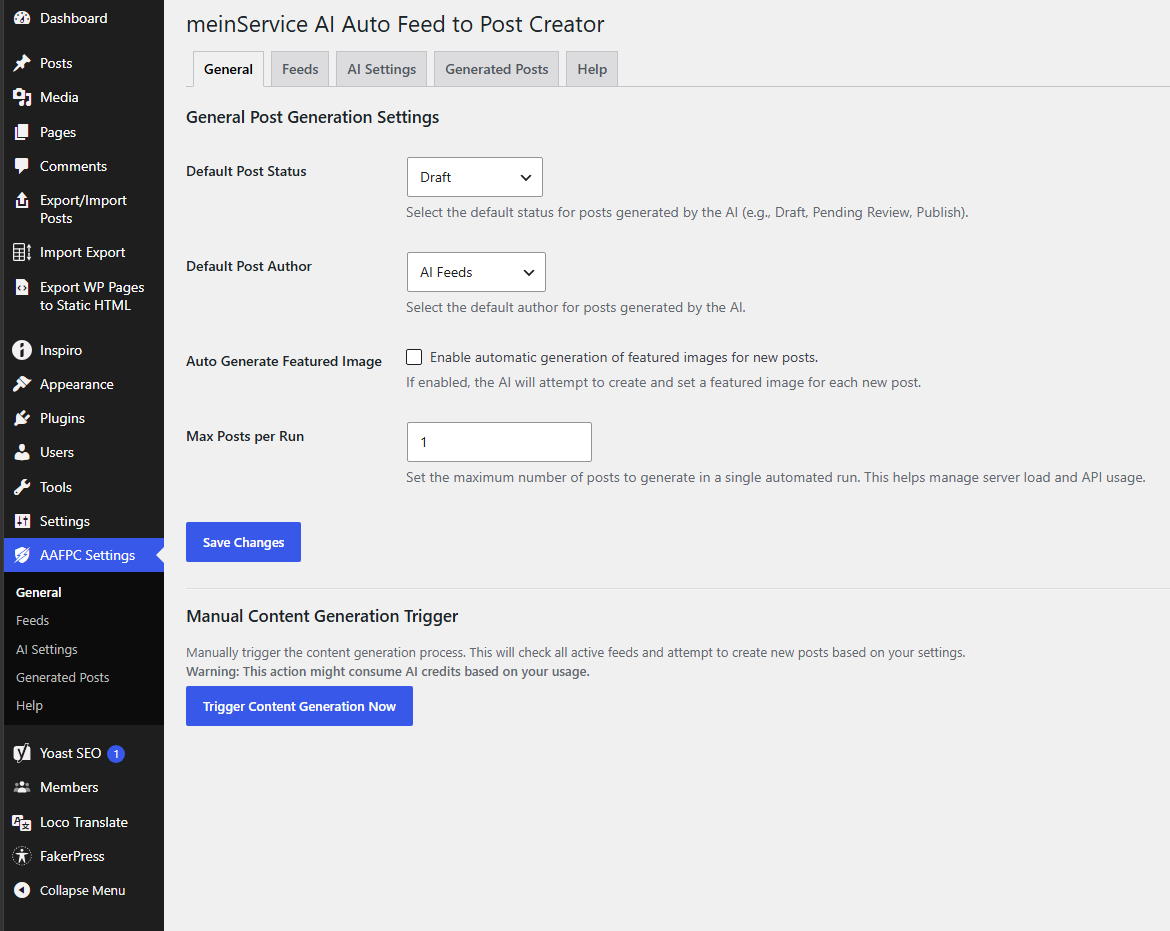
- Full Settings Control: Manage post status (draft, publish), default author, AI models, temperature, and more.
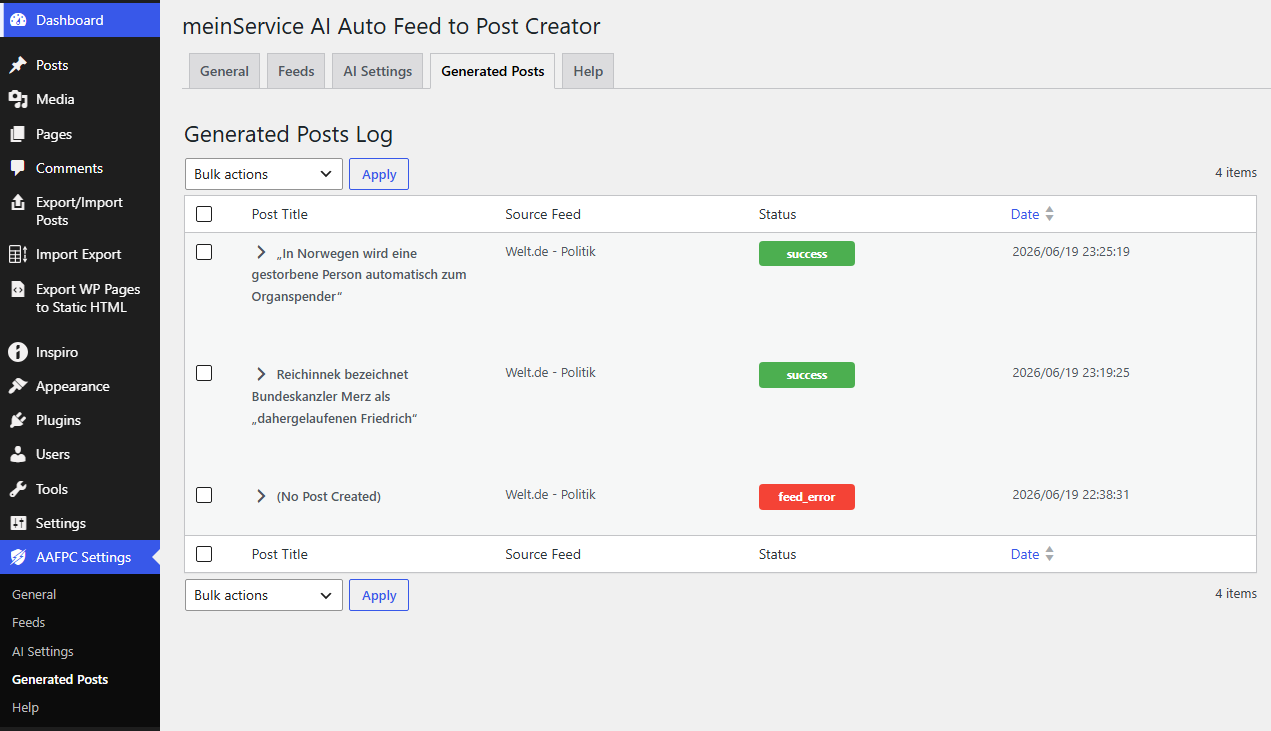
- Management Tools: A clean interface allows you to manage your feeds, view a log of all generated posts, and manually trigger content creation for all feeds or a single feed at any time.
DEUTSCH
Das meinService AI Auto Feed to Post Creator-Plugin ist ein leistungsstarkes Tool zur Automatisierung Ihrer Content-Strategie. Es ruft Artikel aus beliebigen RSS-Feeds ab, verarbeitet sie mit modernster KI und veröffentlicht sie als neue, einzigartige Beiträge auf Ihrer WordPress-Website.
- Automatisierte Content-Pipeline: Richten Sie RSS-Feeds ein und lassen Sie das Plugin im Hintergrund arbeiten. Es prüft gemäß Ihrem gewählten Zeitplan (stündlich, täglich usw.) auf neue Artikel.
- KI-gestütztes Umschreiben & Erstellen: Anstatt Inhalte einfach zu kopieren, generiert das Plugin mithilfe von KI neue Artikel basierend auf Titel und Zusammenfassung des Quell-Feeds. So erhalten Sie einzigartige Inhalte für Ihre Website.
- Mehrere KI-Anbieter:
- OpenAI: Nutzen Sie leistungsstarke Modelle wie GPT-4o, GPT-4 und GPT-3.5 Turbo für die Textgenerierung sowie DALL-E 3 für Bilder.
- Google Gemini: Profitieren Sie von Googles KI-Modellen für eine hocheffiziente und intelligente Content-Erstellung.
- Anthropischer Claude: Nutzen Sie fortschrittliche Claude-Modelle (wie Claude 3.5 Sonnet) für herausragende sprachliche Tiefe, präzise Tonkontrolle und exzellente redaktionelle Qualität.
- Automatische Beitragsbilder: Das Plugin generiert und legt automatisch ein passendes Beitragsbild für jeden neuen Beitrag fest und steigert so dessen visuelle Attraktivität.
- Detaillierte Steuerung:
Globale und feedspezifische Eingabeaufforderungen: Definieren Sie eine globale Eingabeaufforderungsvorlage oder überschreiben Sie diese für jeden Feed mit einer spezifischen Vorlage, um die KI-Ausgabe optimal anzupassen.- Schlüsselwortfilterung: Erstellen Sie nur Beiträge aus Feed-Elementen, die Ihren festgelegten Schlüsselwörtern und Themen entsprechen.
- Vollständige Einstellungskontrolle: Verwalten Sie den Beitragsstatus (Entwurf, Veröffentlicht), den Standardautor, KI-Modelle, die Temperatur und vieles mehr.
- Verwaltungstools: Über eine übersichtliche Benutzeroberfläche können Sie Ihre Feeds verwalten, ein Protokoll aller generierten Beiträge einsehen und die Inhaltserstellung für alle Feeds oder einzelne Feeds jederzeit manuell auslösen.
External Services
This plugin requires a connection to third-party AI platforms to generate post content and featured images based on your RSS feeds. The integration is essential for the core functionality of the plugin. To use these services, you must obtain and enter your own API keys in the plugin settings.
The plugin interacts with the following external services:
- OpenAI API
* Purpose: Used for generating high-quality blog post content (via GPT models) and creating featured images (via DALL-E models).
* Data Sent: Sends the RSS feed item title, content summary, custom topics, and your custom prompt configuration whenever a content generation process is triggered (either automatically via cron or manually via the “Trigger Now” buttons).
* Links: OpenAI Terms of Use, OpenAI Privacy Policy.
- Google Gemini API
* Purpose: Used as an alternative platform for high-quality text and content generation based on fetched feed summaries.
* Data Sent: Sends the feed item’s title, text summary, specified keywords, and your prompt template during the generation request.
* Links: Google Terms of Service, Google Privacy Policy.
- Anthropic Claude API
* Purpose: Used as an alternative high-end platform for advanced linguistic context, high-quality editorial writing, and deep content generation based on fetched feed summaries.
* Data Sent: Sends the RSS feed item’s title, content text summary, target focus keywords, and your configured text prompt template during the content generation pipeline request.
* Links: Anthropic Terms of Service, Anthropic Privacy Policy.
Future Core AI Compatibility Notice (WordPress 7.0+)
This plugin is built with forward compatibility in mind regarding the upcoming native WordPress Core AI architecture. Starting with WordPress version 7.0, the core ecosystem introduces standardized AI connectors and global subsystem hooks.
When running in a WordPress 7.0+ environment, this plugin is designed to adapt to and seamlessly map its pipelines onto the native Core AI connectors. This ensures optimal server performance, standardized endpoint routing, and centralized API management, allowing users to leverage native platform features while maintaining fallback capabilities to external direct connections for older core setups.
Screenshots
Installation
- Upload the
ms-ai-auto-feed-to-post-creatorfolder to the/wp-content/plugins/directory. - Activate the plugin through the ‘Plugins’ menu in WordPress.
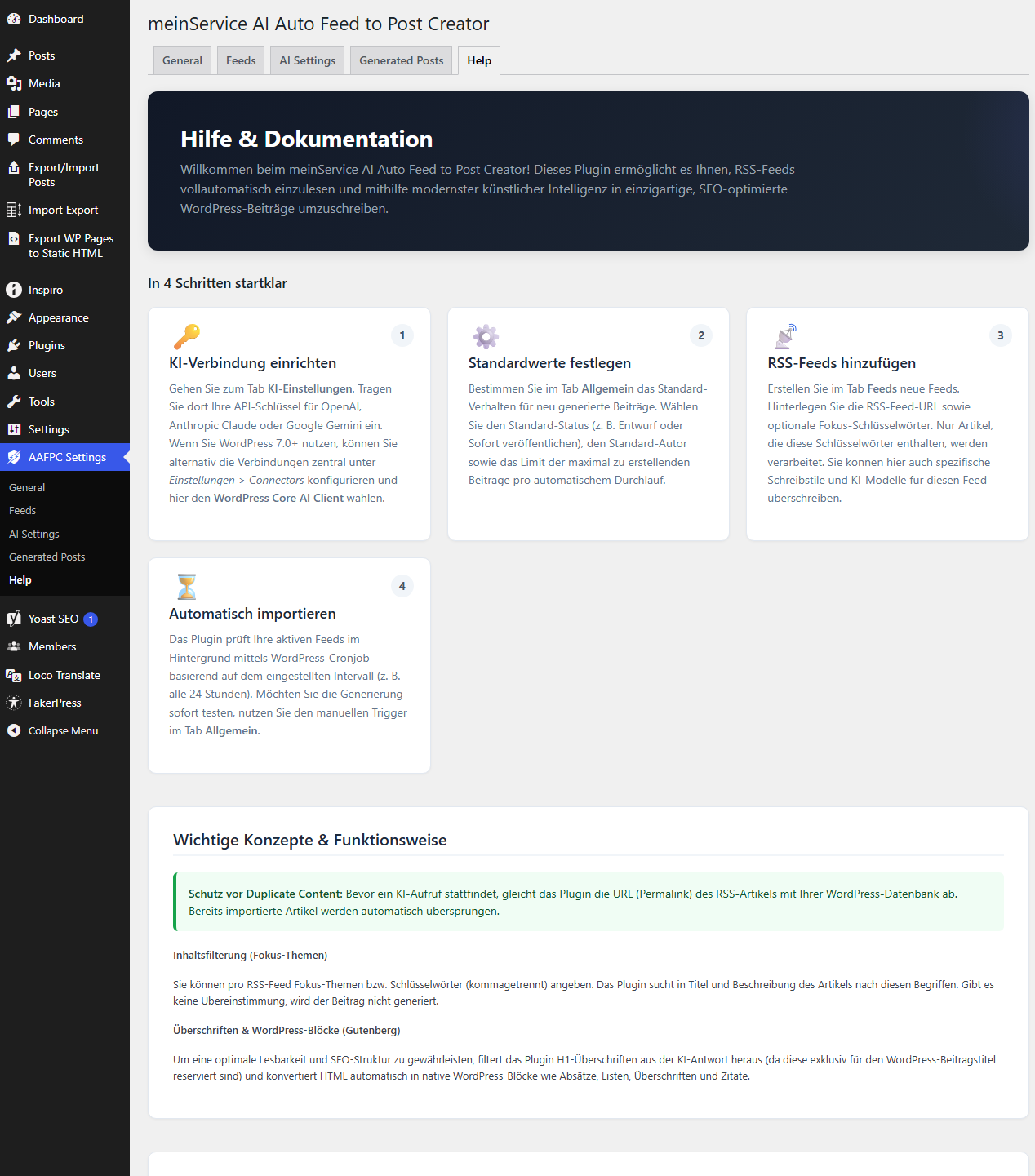
- Navigate to the new “AAFPC Settings” menu in your WordPress admin dashboard.
- Create a user for your AI with the role of Author.
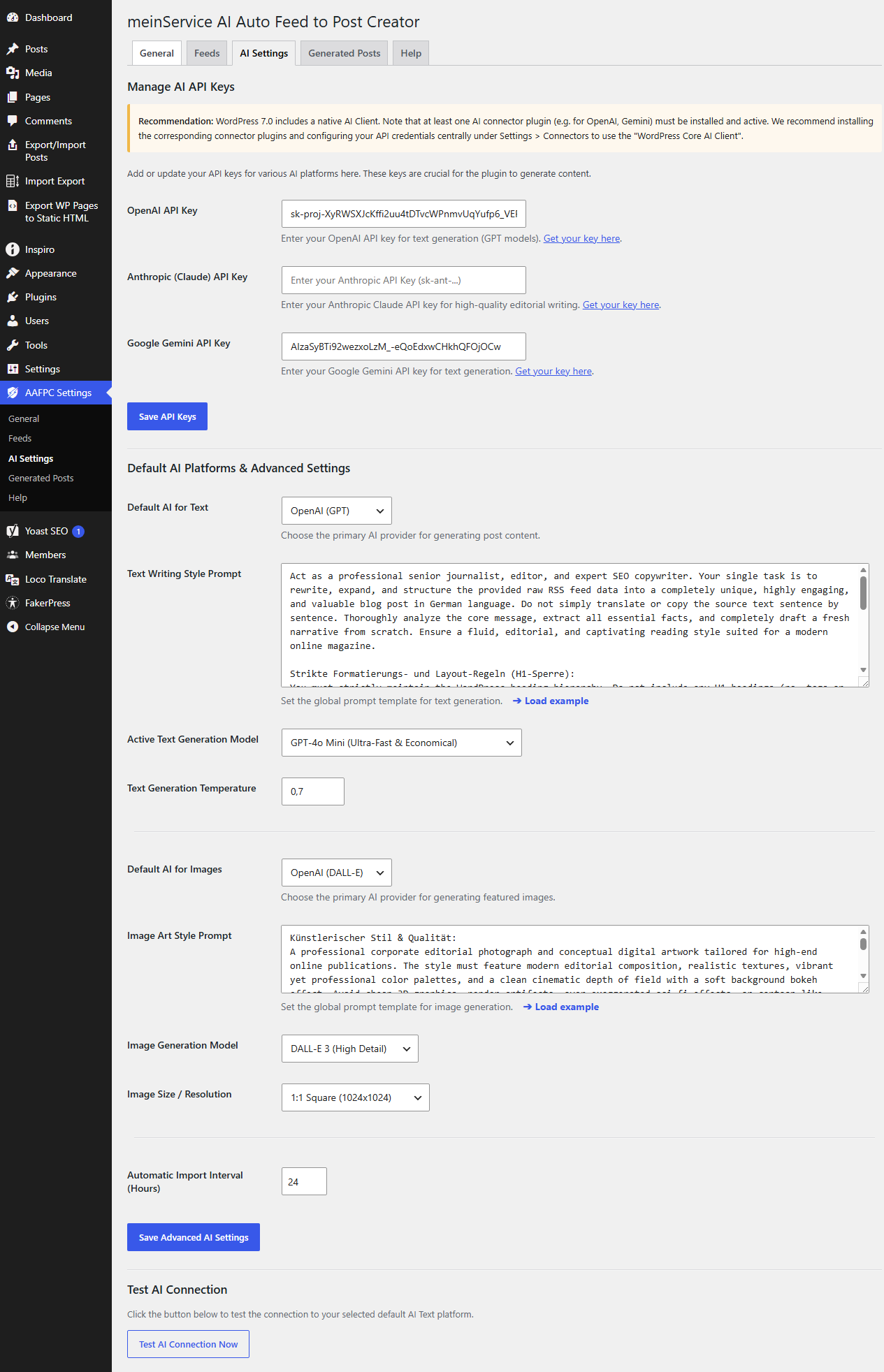
- Go to the “AI Settings” tab and enter your API keys for the services you wish to use.
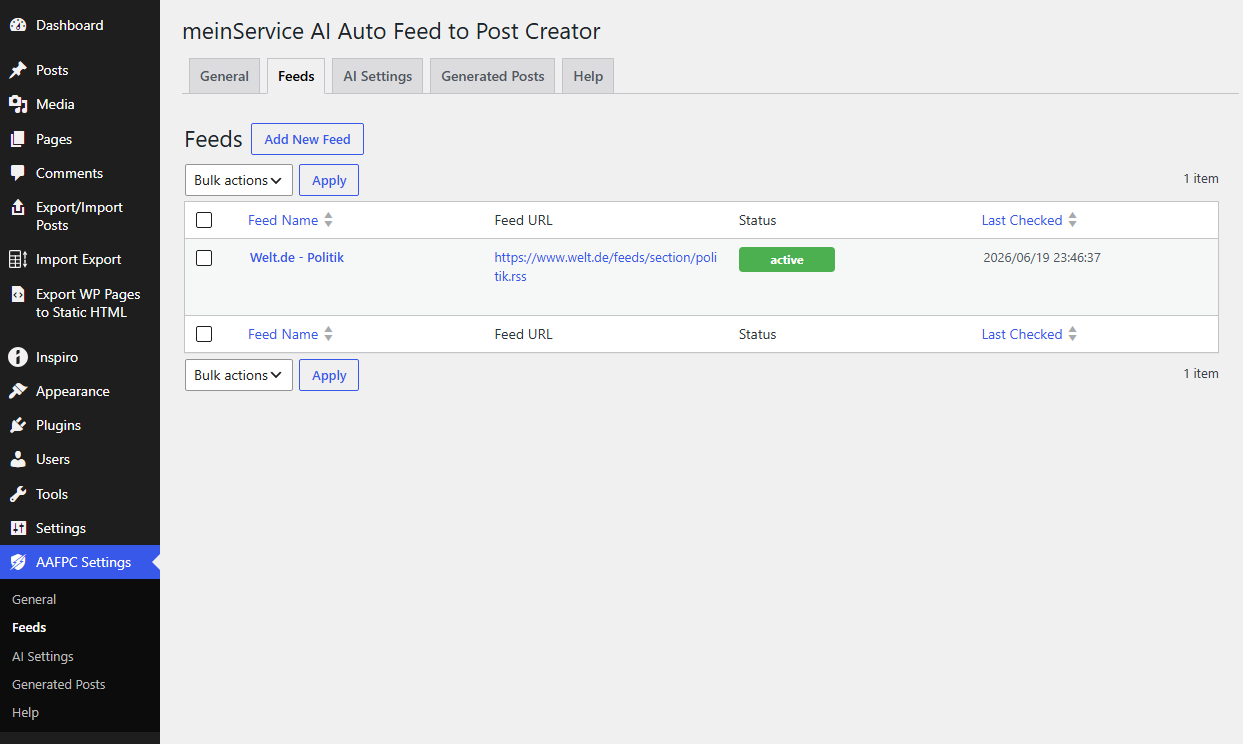
- Go to the “Feeds” tab and click “Add New” to set up your first RSS feed.
- Configure the global settings under the “General” tab.
FAQ
-
Do I need to manually insert placeholders like {ARTICLE_TITLE} into my text prompt templates?
-
No. The plugin core automatically structures and appends all required source data (the original title, content summary, and filtering keywords) to the end of your prompt configuration before sending it to the AI. You only need to define the writing style, persona, and tone of voice in your prompt templates.
-
No, you must strictly avoid requesting H1 tags or ‘#’ symbols in your prompts. WordPress automatically reserves the H1 element for the main post title. To maintain a correct SEO heading hierarchy, your custom prompts should instruct the AI to start directly with H2 headings for main sections and H3/H4 for sub-elements.
-
Which AI platforms are currently supported?
-
The plugin natively integrates with OpenAI (GPT models for text, DALL-E 3 for featured images), Google Gemini (highly efficient and optimized content synthesis), and Anthropic Claude (ideal for superior linguistic depth, complex editorial writing, and precise tone control).
-
Why are some articles from my RSS feeds not being imported?
-
This usually happens for two reasons: Either the article has already been imported previously (the plugin tracks permalinks to prevent duplicate content), or the article content did not match the specific focus topics and keywords configured for that feed. You can check the internal “Logs” tab to see the exact diagnostics for skipped items.
-
Does the plugin automatically generate featured images?
-
Yes, if enabled in the global settings and supported by the chosen platform (e.g., OpenAI DALL-E 3 or Stability AI). The core automatically appends the generated article title to your visual prompt template to ensure that the image composition visually matches the new post topic.
-
Is the plugin ready for WordPress 7.0 and the native Core AI framework?
-
Yes. The architecture is fully prepared for the upcoming native WordPress Core AI subsystem. When running on WordPress 7.0+, the plugin is designed to gracefully map its pipelines onto standardized native core connectors, while retaining fallback direct connections for older WordPress environments.
-
My automated feed import is not running consistently. What is wrong?
-
The plugin relies on WP-Cron, which requires public visitor traffic on your website to trigger background automation tasks. If your site has low traffic or strict server caching, the scheduled cron jobs might delay. For high-traffic or mission-critical setups, we highly recommend setting up a server-side system cron job via SSH or your hosting panel.
-
Where do I get the API keys?
-
- OpenAI: https://platform.openai.com/api-keys
- Anthropic Claude: https://console.anthropic.com/
- Google Gemini: https://aistudio.google.com/app/apikey (or via Google Cloud Console, depending on the API used)
Reviews
There are no reviews for this plugin.
Contributors & Developers
“meinService AI Auto Feed to Post Creator” is open source software. The following people have contributed to this plugin.
Contributors
Translate “meinService AI Auto Feed to Post Creator” into your language.
Interested in development?
Browse the code, check out the SVN repository, or subscribe to the development log by RSS.
Changelog
1.0.0
- Initial public release.
1.0.1
- Patch
- Improvements to handle AI Settings