

Description
MaxtDesign US Maps renders clickable, fully customizable vector maps with a near-zero front-end footprint: inline SVG, one small deferred script, no jQuery, no web fonts, and no external requests.
Features:
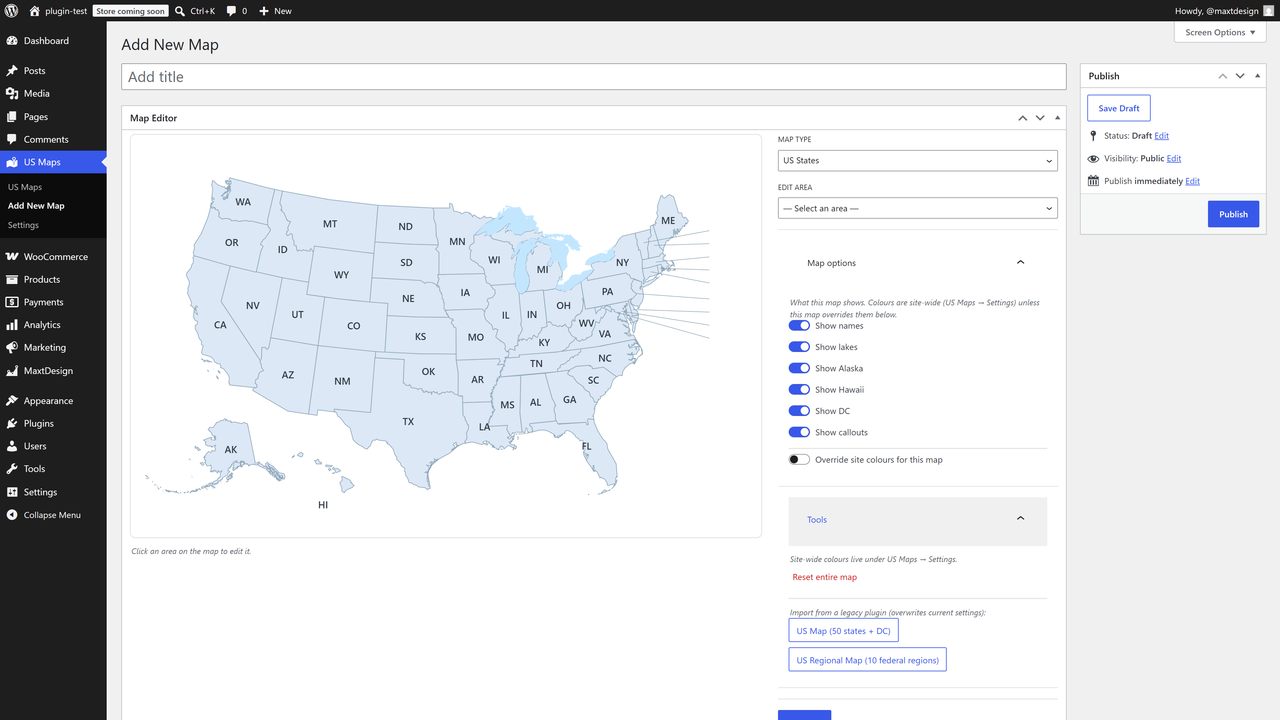
- Two built-in maps: US States (50 + DC) and US Federal Regions (10).
- Customize every area: up / hover / active colors, link, target, tooltip content, enable/disable.
- Global appearance: border, names, lakes, and territory toggles (Alaska, Hawaii, DC, callouts).
- Visual click-to-edit admin built on the WordPress block components.
- Unlimited maps per site. Insert with the MaxtDesign Map block or the
[md_usmaps id="123"]shortcode. - Accessible by design: keyboard operable, screen-reader labelled, WCAG 2.2 AA oriented, with a no-JavaScript fallback.
- One-click import from the legacy “US Map” and “US Regional Map” plugins.
Performance
Hover and active colors are pure CSS, so the map is correct on first paint with no JavaScript. The script loads only on pages that actually display a map.
Upgrade to Pro
Need more than states and regions? US Maps Pro builds on this free engine and adds:
- Drill-down / zoom — click a state to open its counties, or a country to open its regions, loaded on demand.
- Premium map packs — every US county, world countries, and US territories.
- Native lightbox — open rich content for any area in an accessible modal.
- Area grouping — combine areas into one unit that shares a colour, link, and tooltip.
- Document attachments — attach Media Library files to an area; they render as download chips in the tooltip and lightbox.
- Automatic updates — delivered straight to your site, licensed and signed.
The free plugin is fully functional on its own; Pro is an optional add-on. Learn more and get Pro: https://maxtdesign.com/plugins/us-maps
Screenshots
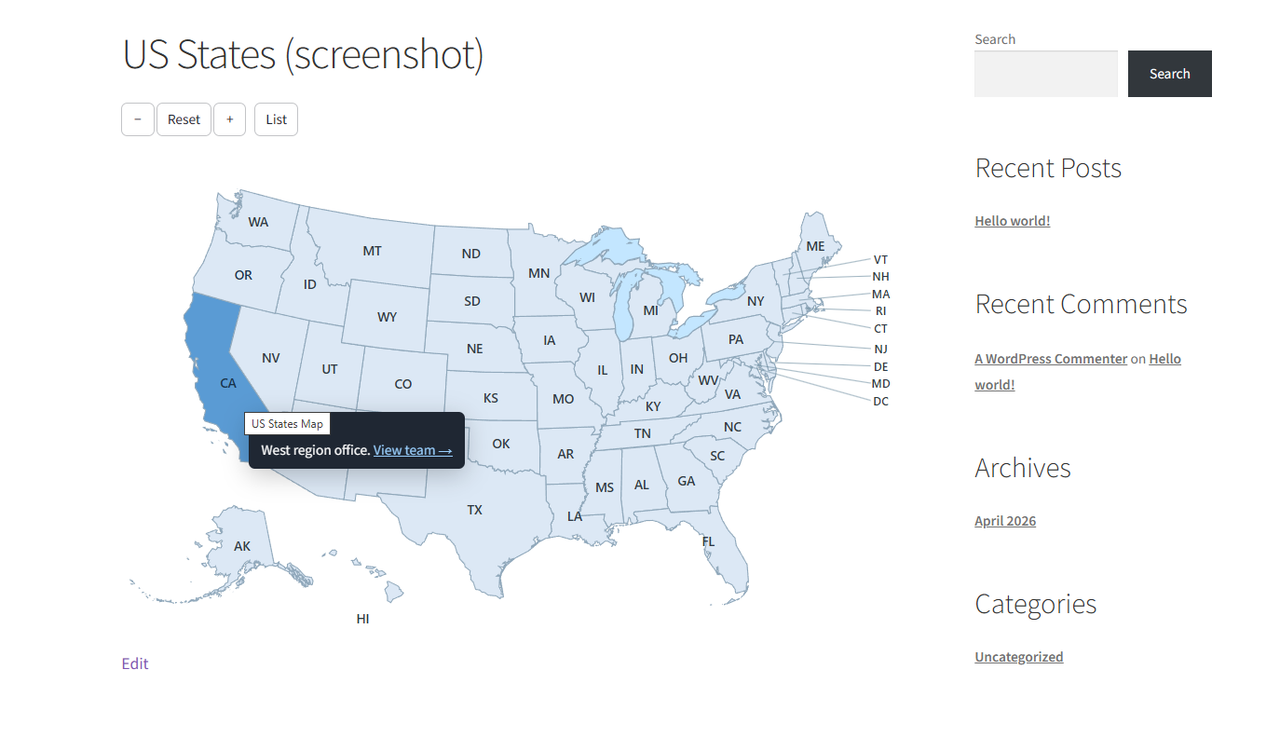
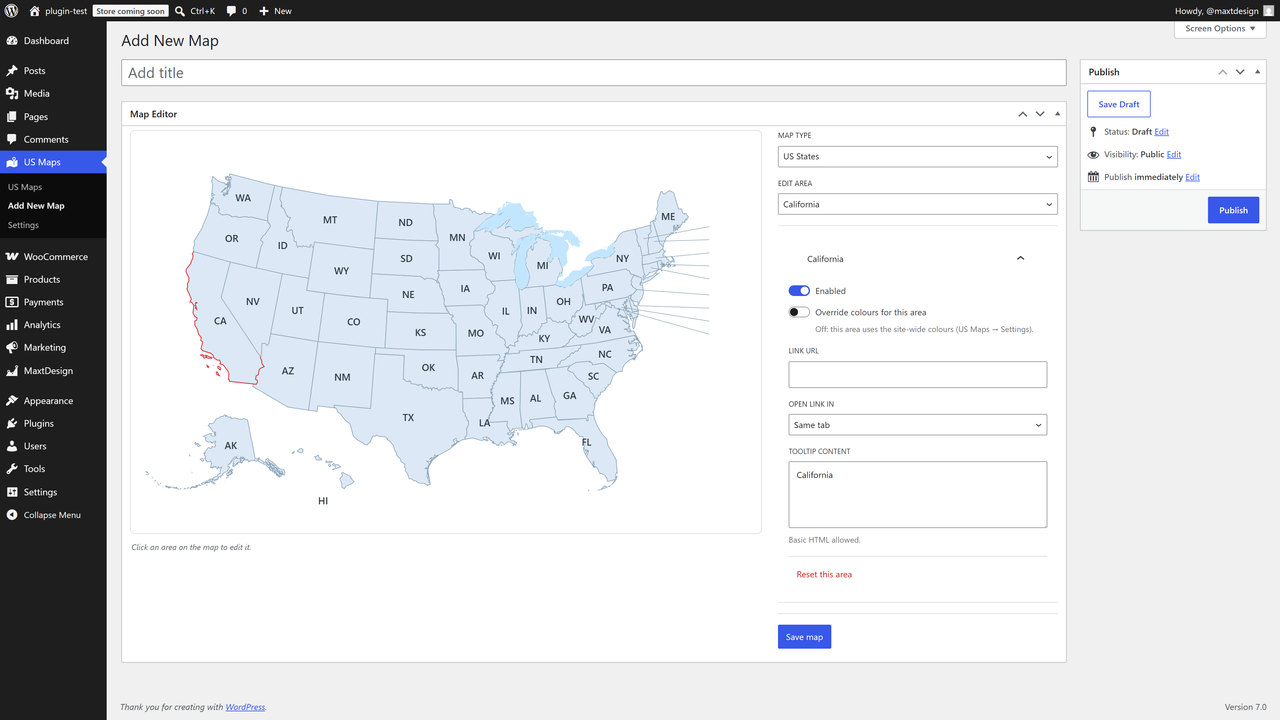
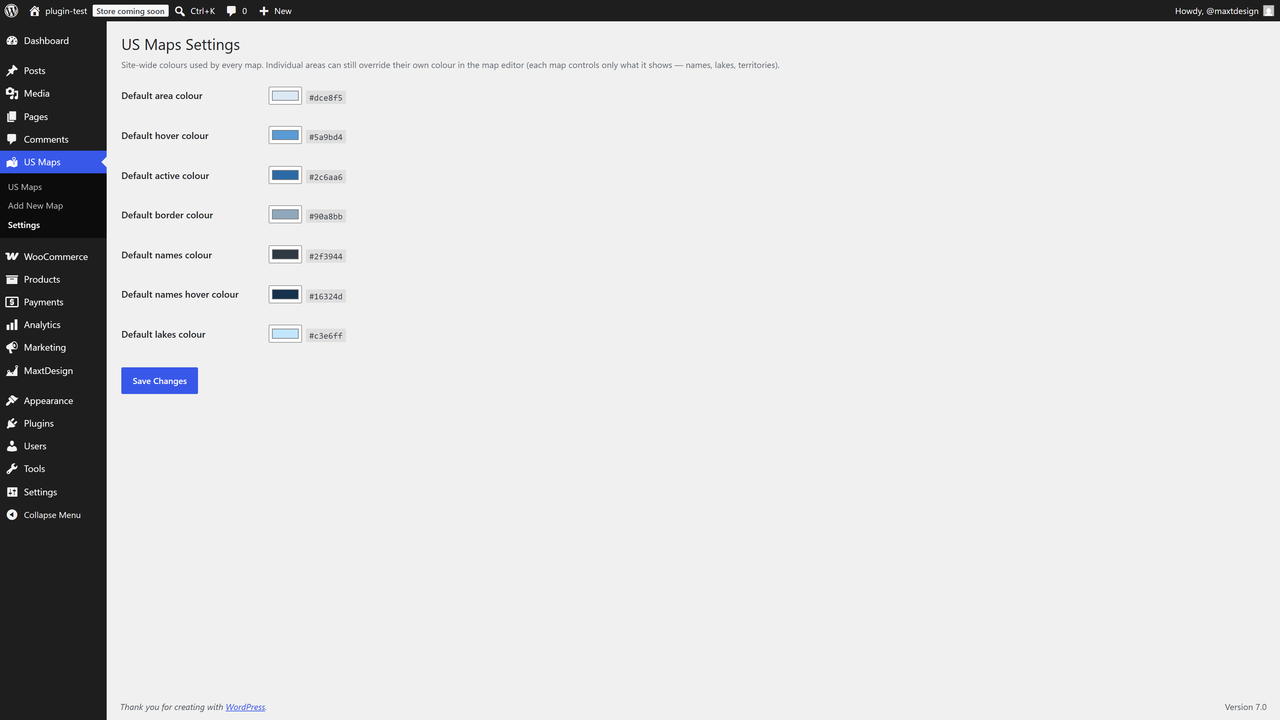
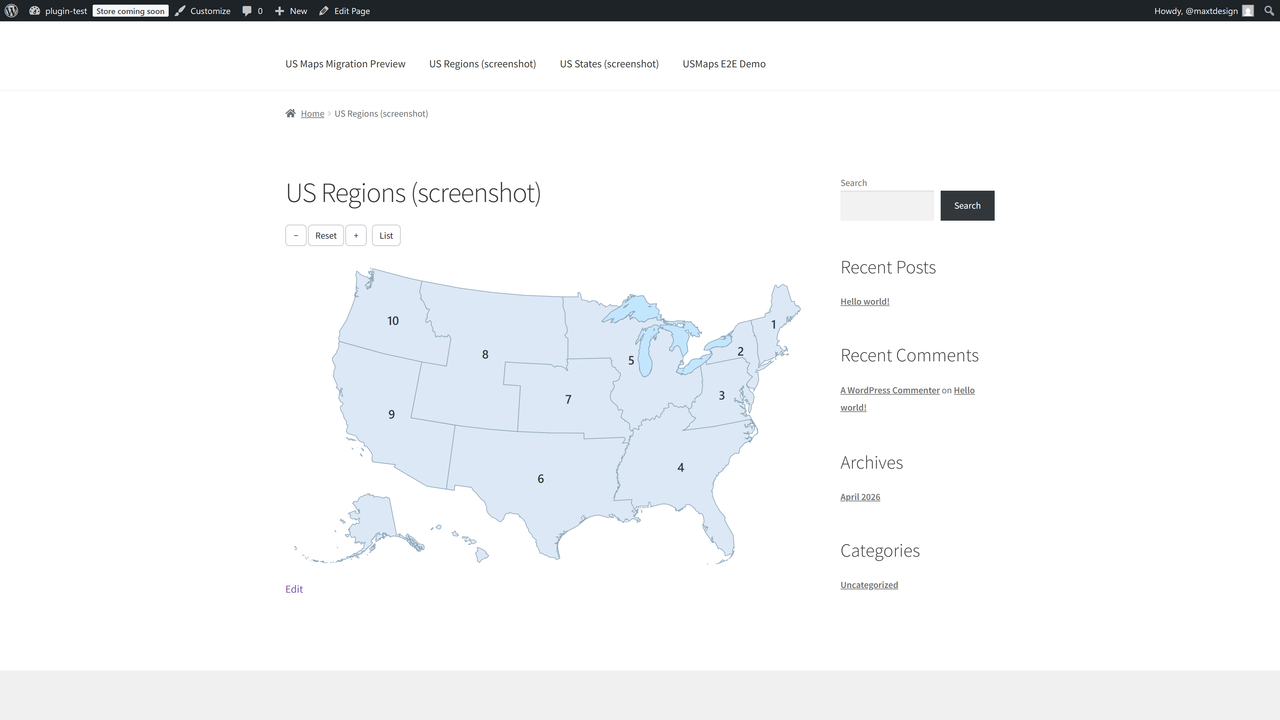
![Insert a map anywhere with the MaxtDesign Map block, or the [md_usmaps] shortcode.](https://ps.w.org/maxtdesign-us-maps/assets/screenshot-5.png?rev=3588234)
Blocks
This plugin provides 1 block.
- MaxtDesign Map Insert an interactive, accessible vector map.
Installation
- Upload the plugin to
/wp-content/plugins/maxtdesign-usmaps, or install it from the Plugins screen. - Activate it.
- Open US Maps Add Map, configure your map, and publish.
- Add it to a page with the MaxtDesign Map block or the
[md_usmaps id="123"]shortcode.
FAQ
-
Can I migrate from the old US Map plugin?
-
Yes. If your site already runs the older US Map or US Regional Map plugin, this plugin imports its data for you the first time you activate it. It builds a new map from each one and brings your colours, links, and tooltips across, so your maps keep the look they had. Your old plugin and its settings are left completely untouched, so nothing is changed or removed. You can also run the import yourself any time from a map’s Tools panel.
-
Does it load anything from third parties?
-
No. The map is inline SVG and the runtime is a single first-party script. No tiles, no map API, no fonts, no trackers.
-
Is it accessible?
-
Areas are keyboard focusable and operable, labelled for screen readers, and there is a no-JavaScript link fallback. Tooltips are dismissible, hoverable, and persistent.
-
Where does the map data come from?
-
All boundary geometry is derived from public-domain US Census Bureau cartographic boundary files (17 U.S.C. § 105). Sources and the build tooling are documented in
packs/CREDITS.md. -
Is there a Pro version?
-
Yes. US Maps Pro adds drill-down / zoom, premium map packs (every US county, world countries, and territories), a native lightbox, area grouping, and document attachments, plus automatic licensed updates. The free plugin you’re installing now is complete and works on its own. Details: https://maxtdesign.com/plugins/us-maps
Reviews
There are no reviews for this plugin.
Contributors & Developers
“MaxtDesign US Maps” is open source software. The following people have contributed to this plugin.
Contributors
Translate “MaxtDesign US Maps” into your language.
Interested in development?
Browse the code, check out the SVN repository, or subscribe to the development log by RSS.
Changelog
1.0.0
- Initial release: US States + US Federal Regions packs, visual editor, block + shortcode, legacy importer, full accessibility, zero-footprint front end.
- Auto-import on activation: existing legacy maps are imported into their own map automatically (once, idempotently), seeding the global palette from the old map’s colours.