

Description
Lineweb Restaurant Orders gives restaurants, cafés, and takeaway businesses a self-hosted QR menu and online food ordering workflow inside WordPress. Customers can order delivery, pickup, or dine-in directly from the restaurant’s own website. There are no commissions, paid feature gates, trials, or Pro upsells.
Features include:
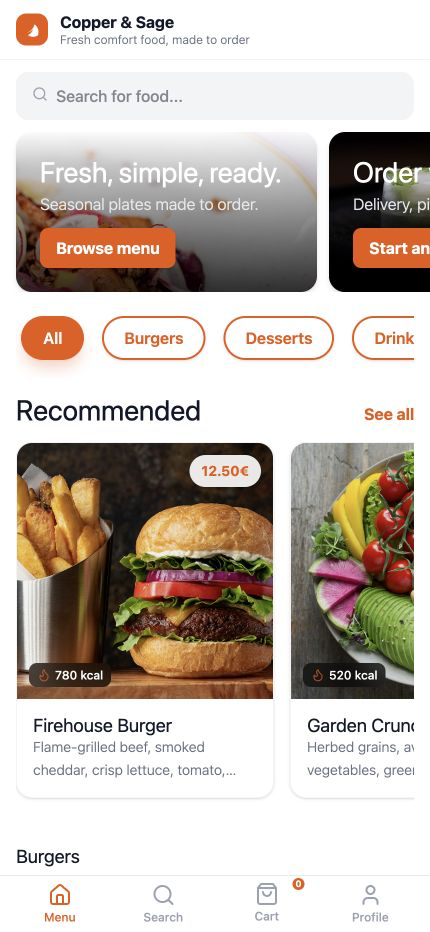
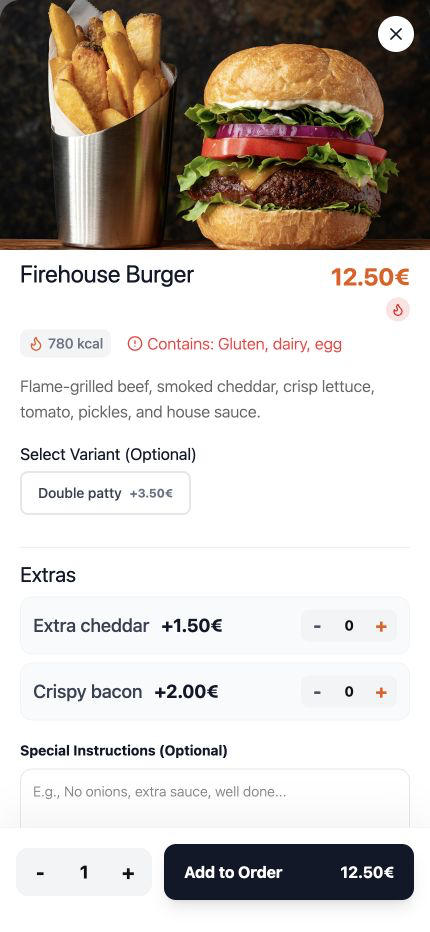
- Food items, categories, variants, extras, dietary labels, allergens, and featured items.
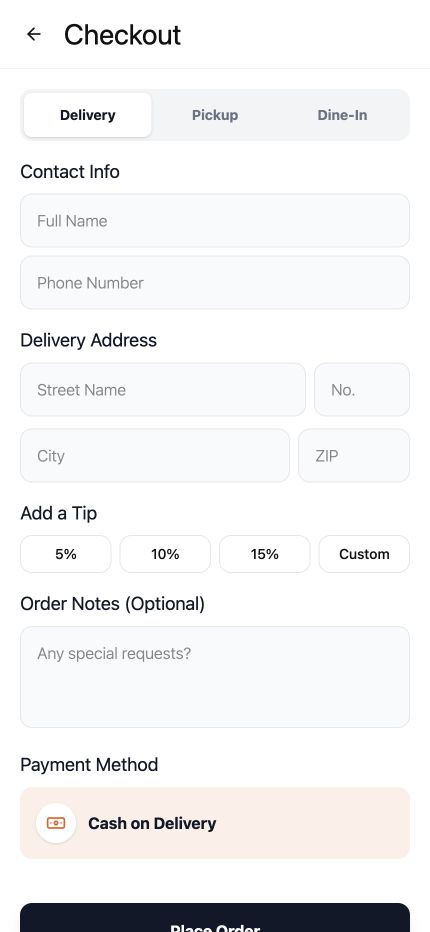
- Delivery, pickup, and optional dine-in table ordering.
- Server-authoritative cart validation and totals.
- Cash payment and optional Stripe card payments.
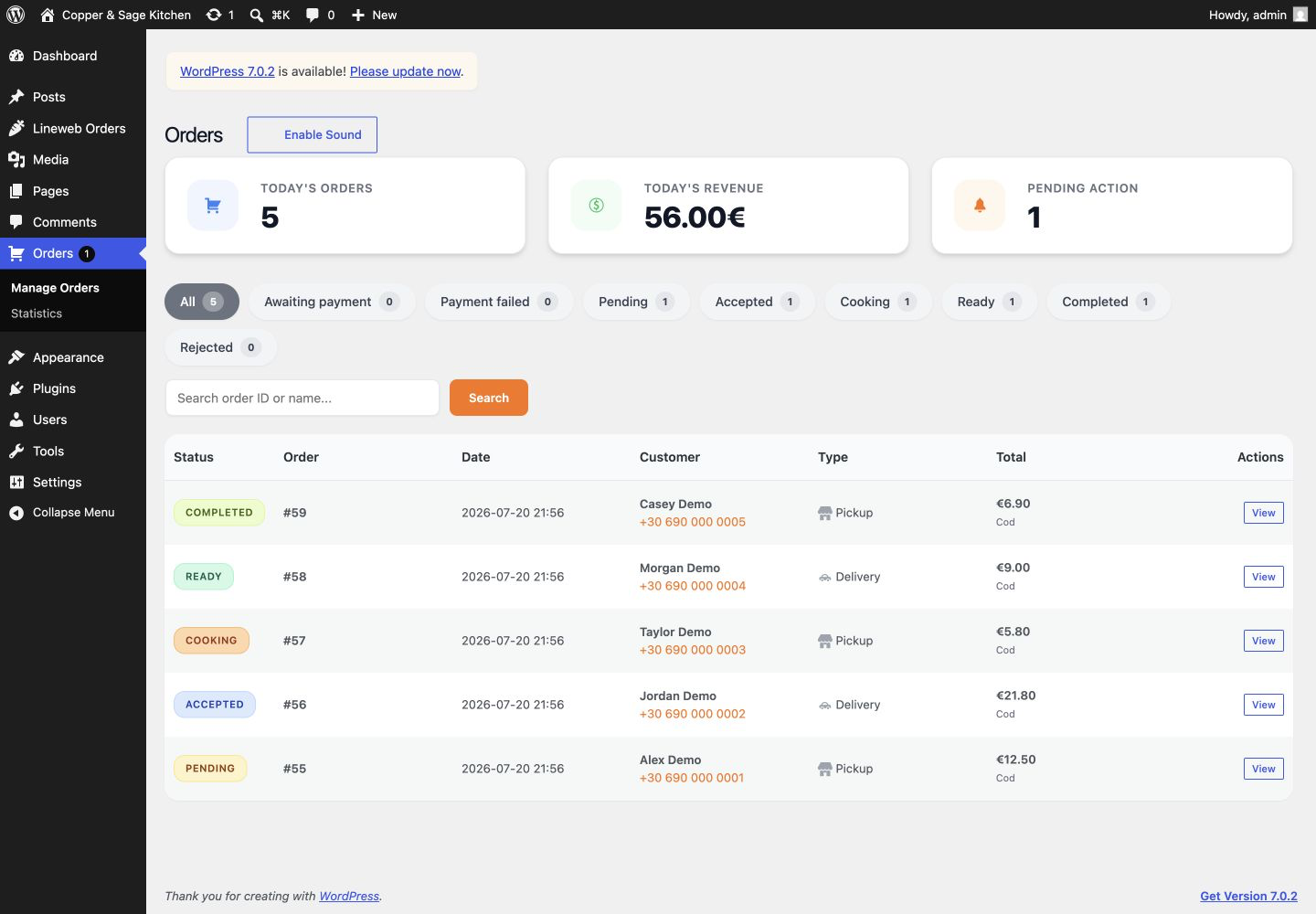
- Order management, statuses, printable receipts, sound alerts, and aggregate reports.
- Customer order-status tracking protected by an opaque order token.
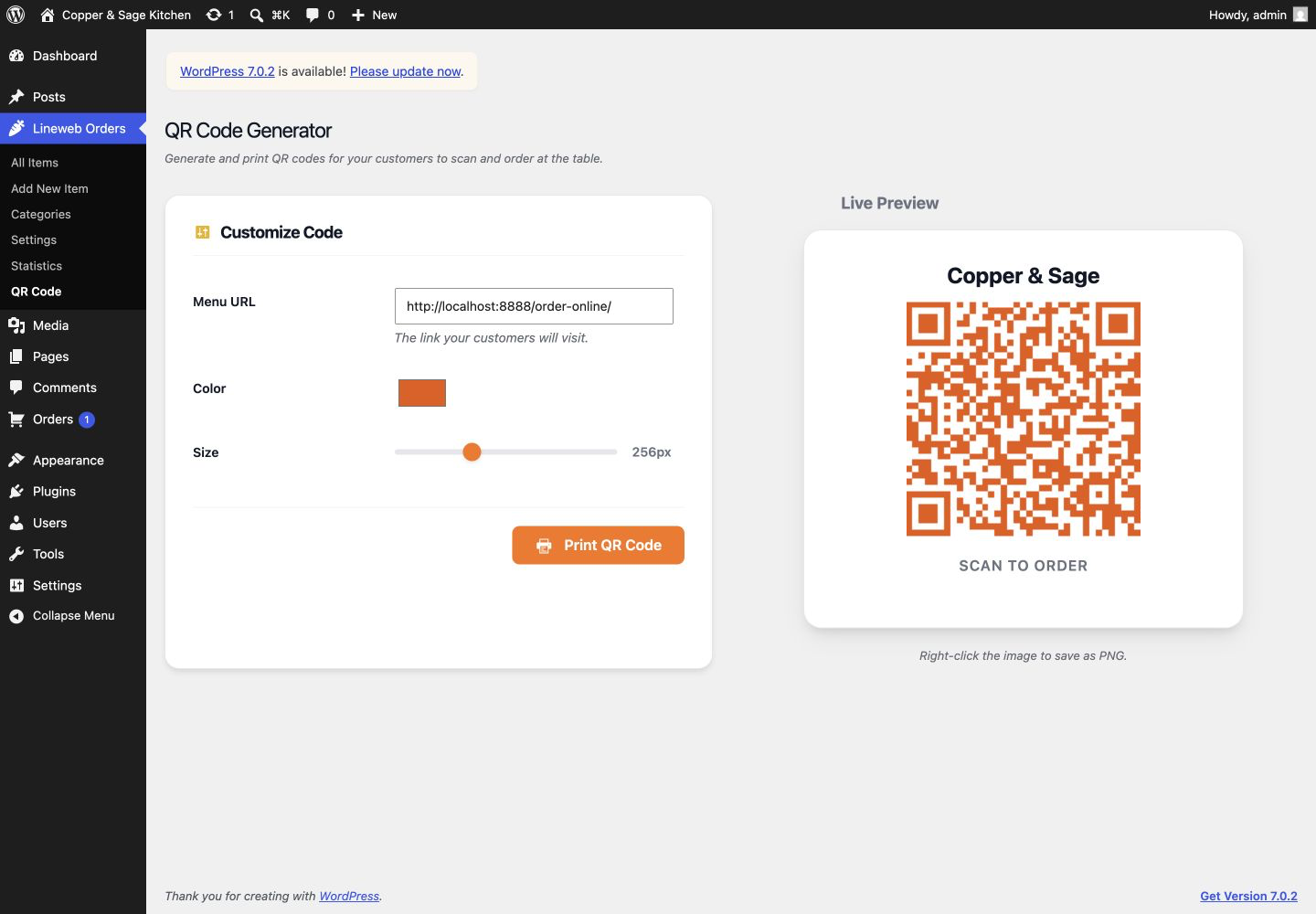
- QR-code generation and an optional, menu-scoped progressive web app.
- Optional Twilio WhatsApp order notifications.
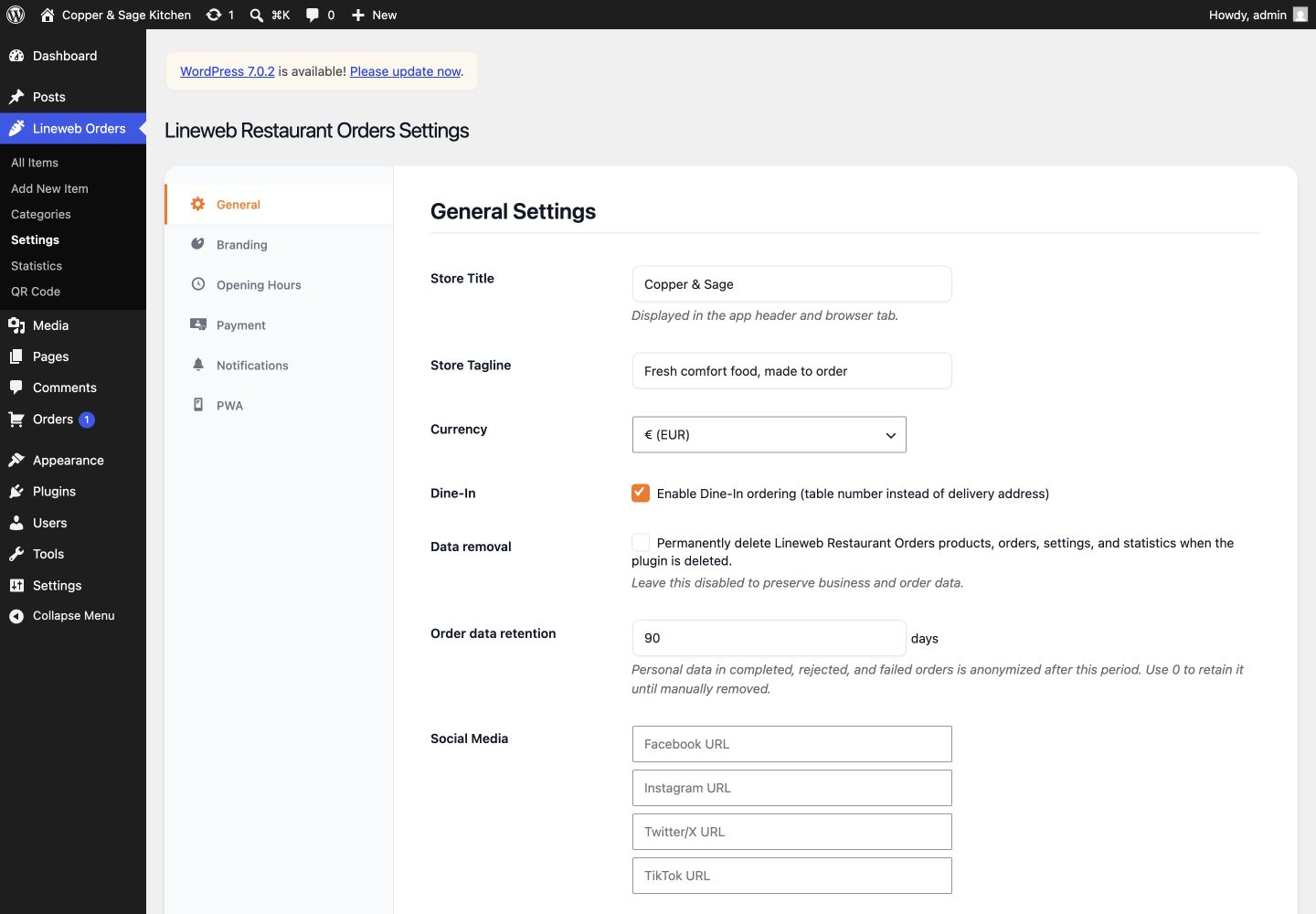
- Configurable retention and anonymization of completed order personal data.
For the complete ordering experience, create a page and select the Food Menu App View page template. The [snaporder_restaurant_menu] shortcode provides a lightweight menu catalogue inside a normal theme page.
External services
Lineweb Restaurant Orders works without an external service when cash payment is used. The following optional integrations are contacted only after a site administrator enables and configures them.
Stripe
Stripe is used to process card payments. The browser loads Stripe.js from https://js.stripe.com/ and sends card details directly to Stripe. The plugin sends the authoritative order amount, currency, WordPress order ID, and an idempotency key to https://api.stripe.com/. Stripe returns payment identifiers and statuses; Lineweb Restaurant Orders does not store full card details.
- Stripe Terms: https://stripe.com/legal/ssa
- Stripe Privacy Policy: https://stripe.com/privacy
Twilio
Twilio is used only when WhatsApp notifications are enabled. Lineweb Restaurant Orders sends the configured sender number, customer phone number, and the relevant order/status message to https://api.twilio.com/.
Twilio sender and customer numbers must use international E.164 format, for example whatsapp:+14155238886.
- Twilio Terms: https://www.twilio.com/en-us/legal/tos
- Twilio Privacy Notice: https://www.twilio.com/en-us/legal/privacy
Lineweb Restaurant Orders does not send telemetry, usage analytics, or marketing data to Lineweb or the plugin author.
Support and custom development
For questions about the included plugin features, use the WordPress.org support forum. For restaurant-specific integrations, workflows, or custom development outside the included scope, visit www.lineweb.gr.
Lineweb Restaurant Orders is created and maintained by Andrew Matia / Lineweb.
Development and source
Lineweb Restaurant Orders ships its runtime assets locally. To reproduce them, install Node.js 20 or newer, run npm ci, and then run npm run build from the plugin directory.
The build compiles tailwind.input.css to assets/css/app.css and uses tools/copy-vendor-assets.mjs to copy the pinned Lucide and QRCode.js files and licenses. Exact dependency versions are recorded in package-lock.json; the release includes these asset sources and excludes installed development dependencies.
Screenshots
Installation
- Upload the
lineweb-restaurant-ordersfolder to/wp-content/plugins/, or install the ZIP from Plugins > Add New > Upload Plugin. - Activate Lineweb Restaurant Orders.
- Add categories and food items from the WordPress admin menu.
- Open Lineweb Restaurant Orders settings and configure branding, opening hours, order types, and at least one payment method.
- Create a page and select the Food Menu App View page template.
- Optional: configure Stripe, Twilio, QR codes, data retention, and PWA settings.
For Stripe, add the webhook URL displayed in Lineweb Restaurant Orders settings to the Stripe dashboard and subscribe it to payment_intent.succeeded, payment_intent.payment_failed, and payment_intent.canceled.
FAQ
-
Is there a Pro version or a paid feature gate?
-
No. Lineweb Restaurant Orders is a complete free plugin. It contains no Pro upgrade screen, trial, remote feature lock, or upsell notice.
-
Does Lineweb Restaurant Orders trust prices submitted by the browser?
-
No. The browser submits product, variant, extra, and quantity selections. The server reloads the catalogue data and calculates the canonical total before an order or Stripe PaymentIntent is created.
-
Are card details stored in WordPress?
-
No. Stripe.js sends card details directly to Stripe. WordPress stores the Stripe payment reference and verified payment status only.
-
Does Lineweb Restaurant Orders delete data when it is removed?
-
Not by default. Products, orders, settings, and reports are preserved. An administrator must explicitly enable permanent data removal before deleting the plugin.
-
Where is customer data stored?
-
Order contact, delivery, cart, notes, total, and payment-status data are stored in the site’s WordPress database. Site owners can configure automatic anonymization for completed, rejected, and failed orders.
Reviews
There are no reviews for this plugin.
Contributors & Developers
“Lineweb Restaurant Orders” is open source software. The following people have contributed to this plugin.
Contributors
Translate “Lineweb Restaurant Orders” into your language.
Interested in development?
Browse the code, check out the SVN repository, or subscribe to the development log by RSS.
Changelog
1.0.2
- Preserved the current menu page when redirecting customers to order tracking on sites using plain permalinks.
1.0.1
- Adopted the distinctive
snaporderprefix across plugin identifiers and added a safe migration for existing 1.0.0 installations. - Moved frontend, PWA, QR, receipt, and admin scripts and styles into properly enqueued assets.
- Updated the bundled Lucide icon library.
- Restored promotional banner management and its admin fields.
1.0.0
- First public release.
- Includes the complete free feature set described above, with no Pro gates or upgrade prompts.
- Uses server-authoritative totals, verified Stripe PaymentIntents, token-protected tracking, scoped permissions, local UI assets, and configurable privacy controls.