

Description
Legion AI Connect adds an AI chat assistant to a WordPress website. Site owners configure a Legion Client ID, and visitors connect their own Legion Wallet before chatting. Visitors fund their own model usage; site owners keep their configured owner margin.
Legion AI Connect requires the external Legion AI service to provide authorization, wallet billing, and AI model responses. See the External Services section for complete data-flow and policy disclosures.
How it works:
- Install the plugin and configure a Legion Client ID.
- Add the chat using the block editor, Elementor, or the
[legion_chat]shortcode. - A visitor chooses Connect Wallet and authorizes the site through Legion.
- The visitor’s messages are processed by Legion, and the site owner keeps the app’s configured owner margin.
Features:
- Gutenberg block named Legion AI Chat
- Elementor widget when Elementor is installed
[legion_chat]shortcode- Compact article-button and inline display modes
- Configurable greeting, accent color, position, and theme
- Animated thinking indicator while responses are loading
- Safe Markdown formatting for assistant responses
- Visitor-funded usage without a site-wide AI provider key
- Local plugin assets with no third-party JavaScript CDN
Requirements:
- A Legion developer account and app Client ID
- WordPress 6.3 or later
- PHP 7.4 or later
External Services
This plugin depends on Legion AI, a service operated by Legion, to authenticate visitors, maintain Legion Wallet balances, route requests to AI model providers, calculate usage, and return AI-generated responses. The plugin does not provide AI responses without this service.
The visitor’s browser contacts the following Legion endpoints only after the site owner has configured a Client ID and the visitor chooses to connect or use the chat:
https://legion-ai.org/connectfor the interactive OAuth authorization page.https://auth.legion-ai.orgfor OAuth token exchange and token refresh.https://api.legion-ai.orgfor AI chat requests.
Data sent can include the Legion Client ID, OAuth authorization code, access and refresh tokens, visitor chat messages, selected model options, and technical request metadata required to secure, process, meter, and bill the request. Legion may use third-party AI model and infrastructure providers to fulfill requests as described in its policies.
Privacy
This plugin does not store visitor chat messages or Legion Wallet tokens in the WordPress database. Access and refresh tokens are stored in the visitor’s browser local storage. Temporary OAuth state and authorization codes are stored in browser session storage.
Site owners should review Legion’s policies and update their own privacy notice as appropriate for their jurisdiction and use of the service.
Source Code
The plugin package includes the human-readable source code, license, package manifest, and Vite build configuration for the bundled Legion JavaScript SDK under source/legion-sdk/. The minified runtime file built from that source is assets/legion-sdk.min.js.
To rebuild the SDK from the plugin directory, install Node.js 20 or later and run:
cd source/legion-sdk && npm install && npm run build
The rebuilt browser bundle is written to source/legion-sdk/dist/legion-sdk.min.js and can be compared with assets/legion-sdk.min.js.
Screenshots
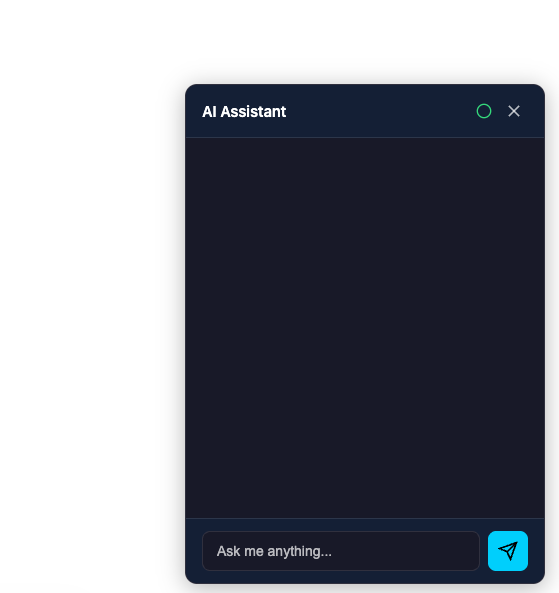
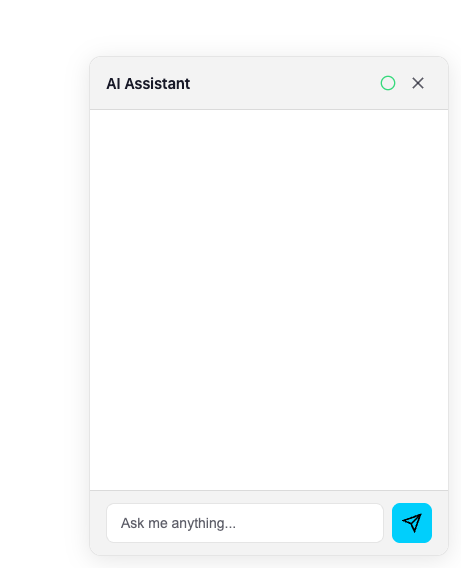
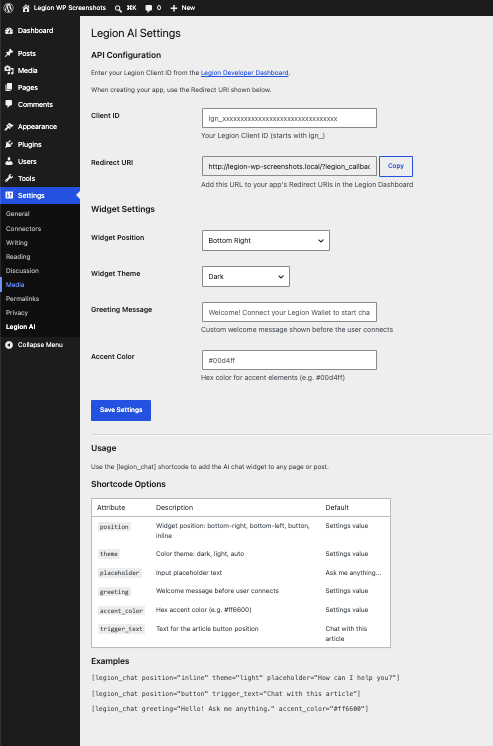
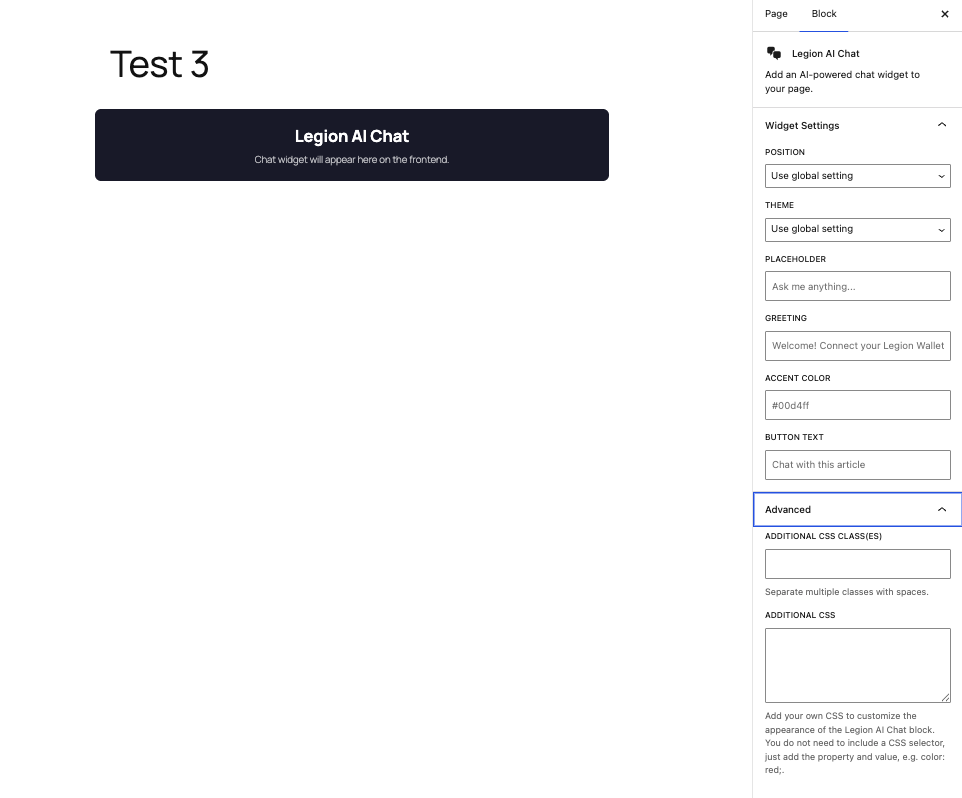
Blocks
This plugin provides 1 block.
- Legion AI Chat Add an AI-powered chat widget to your page.
Installation
- Install Legion AI Connect from Plugins > Add New, or upload the plugin ZIP.
- Activate the plugin.
- Open Settings > Legion AI.
- Create a WordPress app in the Legion Developer Dashboard.
- Add the Redirect URI shown on the settings page to the Legion app.
- Paste the app Client ID into the plugin settings and save.
- Add the Legion AI Chat block, Elementor widget, or
[legion_chat]shortcode to a page.
Article-button example:
[legion_chat position="button" trigger_text="Chat with this article"]
Inline example:
[legion_chat position="inline" theme="light"]
FAQ
-
Do I need an AI provider API key?
-
No. This plugin uses the Legion AI service. You need a Legion developer account and Client ID. Visitors connect their own Legion Wallet and fund their usage.
-
How do site-owner earnings work?
-
The app owner configures an owner margin in the Legion dashboard and keeps that owner margin on eligible usage. Payout setup and current transaction details are available in the Legion dashboard.
-
What data leaves my WordPress site?
-
Only after a visitor chooses Connect Wallet, the visitor’s browser contacts Legion for authorization. Chat messages, authorization tokens, the configured Client ID, and request metadata are then sent from the visitor’s browser to Legion to provide and bill the requested AI response. No chat transcript is stored in the WordPress database by this plugin.
-
Where are visitor tokens stored?
-
Legion access and refresh tokens are stored in that visitor’s browser local storage. OAuth state and temporary authorization codes are stored in browser session storage.
-
Does it work with Gutenberg?
-
Yes. Search for Legion AI Chat in the block editor.
-
Does it work with Elementor?
-
Yes. When Elementor is active, Legion AI Chat appears in the Elementor widget panel.
Reviews
There are no reviews for this plugin.
Contributors & Developers
“Legion AI Connect” is open source software. The following people have contributed to this plugin.
Contributors
Translate “Legion AI Connect” into your language.
Interested in development?
Browse the code, check out the SVN repository, or subscribe to the development log by RSS.
Changelog
1.0.5
- Added explicit same-tab approval when an app needs a higher monthly spending cap.
- Added same-tab payment-method setup and automatic return to the originating chat.
- Kept expired and revoked sessions on the normal reauthorization flow.
1.0.4
- Added an animated three-dot thinking indicator while AI responses are loading.
- Added safe Markdown formatting for assistant responses, including emphasis, links, lists, quotes, and code blocks.
- Added PKCE protection to OAuth authorization and code exchange.
- Added silent access-token refresh without requiring visitors to sign in again.
- Added automatic same-tab reauthorization and return when a saved connection has been revoked.
- Changed all wallet connections to same-tab authorization and added PKCE support for browsers without Web Crypto digest APIs.
1.0.3
- Replaced invalid project links with the public Legion WordPress resource page.
- Documented and bundled human-readable SDK source and build configuration.
- Loaded OAuth callback styles through the WordPress enqueue API.
- Added server-side WordPress nonce verification to the existing OAuth state checks.
1.0.2
- Load chat assets only on pages that use the Legion widget.
- Improved OAuth callback compatibility with WordPress script handling.
- Added WordPress 7.0 block editor compatibility.
1.0.1
- Fixed authorization on sites that use plain permalinks.
- Strengthened OAuth state generation in the bundled browser SDK.
- Fixed the default chat model when an app has no saved model selection.
1.0.0
- Initial WordPress.org release.
- Added Gutenberg, Elementor, shortcode, and article-button integrations.
- Added configurable position, theme, greeting, and accent color.
- Added OAuth state and callback-origin validation.