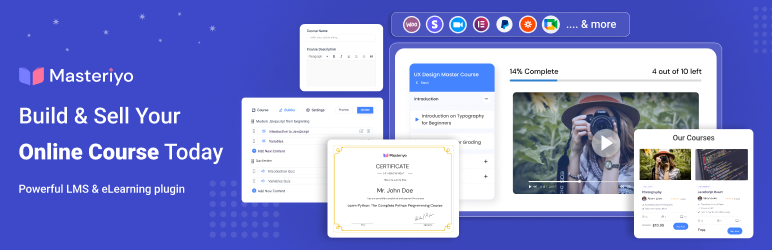
Masteriyo LMS – LMS Course Builder, Quizzes & Certificates

Description

Free WordPress LMS Plugin: Built-in Payments, Quizzes, and Certificates

Masteriyo is a self-hosted LMS plugin and WordPress course plugin built for course creation and monetization: create, manage, and sell online courses without WooCommerce, SaaS fees, or platform commissions. As a self-hosted WordPress LMS, it gives companies, educators, and creators full control over their data and revenue.

Unlike a hosted LMS or an LMS-as-a-service platform, Masteriyo runs on your own WordPress site, giving you full ownership of your data, students, and revenue. The built-in order system, payment gateways, quizzes, and certificates are all free. No third-party plugins required.

Accept payments via Stripe, PayPal, Razorpay, Mollie, and more. Sell in multiple currencies, share revenue with instructors, and keep 100% of your earnings.

⚡ Quick Links

Who Masteriyo Is For

  • Educators, Schools, and Universities: An LMS for schools, universities, coaching centers, and institutions with a complete online course platform for student tracking, gradebook, and course management.

  • Tutors and Coaches: Sell your knowledge as online courses, tutorials, or training modules with no platform commissions and no coding required.

  • WordPress Agencies and Client-Site Builders: Build and manage LMS sites for clients with page-builder compatibility, migration tools, and integrations, plus white-label and multi-site options on Elite.

  • Corporate and Business Training: Run an employee training LMS, online education portal, or onboarding platform for teams and companies with support for enterprise learning and business training.

  • Content Creators: Monetize content with a flexible LMS for online courses, grow your online academy, and reach learners worldwide.

Masteriyo Features

Course Creation and Management

LMS course builder with drag-and-drop editing, a dedicated course builder for eLearning and online learning courses, lessons, and quizzes.

  • Unlimited courses, lessons, chapters, quizzes, certificates, and assignments
  • Self-paced and instructor-led course modules
  • SCORM-compliant LMS with easy import of existing eLearning content
  • H5P support for interactive online learning content and assessments
  • Certificate builder with customizable templates and QR validation
  • Content drip to release lessons on a schedule
  • Interactive lessons with text, video, and live streaming via YouTube Live
  • Picture-in-picture, subtitles, closed captions, and timestamps for video lessons
  • In-lesson note-taking, course attachments, and downloadable materials
  • Course visibility options: open, enrolled users only, or private
  • Course prerequisites, enrollment expiration, retakes, and resume from last chapter
  • Course announcements, FAQ, coming soon mode, featured courses, and badges
  • Distraction-free learning page with lesson preview before enrollment

Quiz, Assignment, and Assessment

  • Unlimited quizzes and assignments
  • Question builder with single choice, multiple choice, true/false, and matching types
  • Quiz time limits, randomized questions, auto-calculated points, and custom grading
  • Quiz review system showing students where they went wrong
  • Quiz import and export for reuse across courses
  • Gradebook for student evaluation and performance tracking
  • LMS reporting and analytics with student reports to track results and course progress

Student and Instructor Management

  • Unlimited instructors and students
  • Social login (Facebook, Google), public profiles, and manual enrollment
  • Multiple instructors per course
  • User import and export with bulk CSV support for students and instructors
  • Student activity log and login session management
  • Student progress tracking with course reports and a dynamic progress bar
  • Course reviews after completion and vertical course navigation

Monetization & Payments

Built-in eCommerce with cart, checkout, wishlist, coupons, and payment integrations. No WooCommerce required.

  • Payment gateways: Stripe, PayPal, Mollie, Lemon Squeezy, Razorpay, and more
  • Integrations with WooCommerce, SureCart, and Easy Digital Downloads (EDD)
  • Revenue sharing between instructors and administrators
  • One-time course fees or subscription-based pricing models
  • Marked price and sale price with support for course bundles and group courses
  • Multiple currency support for region-based pricing

Security & Access

  • Google reCAPTCHA for spam and bot protection
  • Two-factor authentication (2FA) for secure logins
  • Email verification for user account validation
  • Password strength checker to enforce secure credentials
  • Course content and video protection
  • Login session management for enhanced security

Admin & Tools

  • Setup wizard with free starter templates for Elementor and Gutenberg
  • Dashboard analytics for quick performance insights
  • LMS reports for tracking courses and student activity
  • Webhooks for automation and third-party integrations
  • White label support (Elite plan)
  • Bulk add-on management
  • Quiz import and export
  • Course archive filter for better navigation
  • Instructors list page

Create Courses with AI

Masteriyo integrates with OpenAI ChatGPT to automate course creation and reduce manual work.
– AI-powered course generation: Generate full course outlines, sections, and lessons from a topic
– Flexible structure: Define sections, lessons, and key highlights, and let AI fill in the details
– AI quiz generation: Create quiz questions including multiple choice, match-the-following, sortable, and fill-in-the-blank

Already Using a Different LMS?

Masteriyo includes a built-in LMS migration tool to transfer courses, quizzes, orders, and student data from TutorLMS, LifterLMS, LearnPress, LearnDash, and MasterStudy. No manual exports or developers needed.

Switching from Sensei LMS, Kajabi, Teachable, Thinkific, or Podia? Masteriyo is a self-hosted alternative with no fees or commissions.

Upgrade to Pro When You are Ready to Scale

  • Prerequisites, assignments, and advanced quiz types
  • Gradebook and student reports
  • Course bundles and subscriptions
  • Coupons and marked/sale pricing
  • Razorpay payment gateway
  • Multiple instructors per course
  • Zoom and Google Meet integration
  • Mailchimp, MailerLite, HubSpot, and Zapier integrations
  • Paid Memberships Pro and Restrict Content Pro support
  • Easy Digital Downloads (EDD) integration
  • Advanced LMS reporting and analytics
  • White label support
  • Priority support

See all Pro features

Works Great With

  • Payments and eCommerce: Stripe, PayPal, Razorpay, Mollie, Lemon Squeezy, WooCommerce, SureCart, and Easy Digital Downloads (EDD)

  • Gamification and community: GamiPress for gamification features and BuddyPress for social learning

  • Page builders and themes: Elementor, Divi, Oxygen, Bricks, Beaver Builder, Gutenberg, Neve, Astra, and more

  • Integrations: Google Meet, Google Classroom, Zoom, Mailchimp, MailerLite, Brevo, Fluent CRM, HubSpot, Bunny.net, OpenAI ChatGPT (Create with AI), Zapier, Paid Memberships Pro, Restrict Content Pro, and more

What Our Users Say

⭐⭐⭐⭐⭐

“Masteriyo is a true dark horse, lesser known but just as powerful. Responsive support and impressive update frequency.” — Paul

⭐⭐⭐⭐⭐

“So many great features on the core version, features you have to pay for elsewhere.” — Simrencoe

Read all 160+ reviews

Use of 3rd Party Services

Third-party services activate only after opt-in. Personal data is not tracked unless stated.

Screenshots

Blocks

This plugin provides 23 blocks.

  • Course Curriculum
  • Single Course
  • Course Category
  • Course Reviews
  • Course Overview
  • Course Categories
  • Course Stats
  • Group Price Button
  • Course Coming Soon
  • Course Content
  • Courses Display a customizable grid or list of courses with filtering, sorting, and layout options. Perfect for course archives, landing pages, and category showcases.
  • Course Featured Image
  • Course Highlight
  • Course Title
  • Course Price
  • Course Author
  • Course Enrolled Button
  • Course User Progress
  • Masteriyo Certificate
  • Masteriyo Course Title
  • Masteriyo Student Name
  • Masteriyo Course Completion Date
  • Login | Logout A smart link that switches between Login and Logout based on the visitor's login state.

Installation

From your WordPress Dashboard

  1. Go to Plugins > Add New
  2. Search for Masteriyo
  3. Click Install Now and then Activate
  4. Follow the setup wizard to configure courses, payments, and pages

From WordPress.org

  1. Download Masteriyo
  2. Upload the learning-management-system folder to your /wp-content/plugins/ directory via FTP/SFTP
  3. Activate Masteriyo from your Plugins page
  4. Follow the setup wizard to get started

FAQ

Do I need to have coding skills to use the Masteriyo LMS Plugin?

No, you don’t need any coding skills. One can click and create courses, lessons, and publish.

How does Masteriyo compare to LearnDash, TutorLMS, or LifterLMS?

LearnDash is premium-only from $199/year. TutorLMS restricts its certificate builder to Pro. LifterLMS needs paid add-ons for full payment support. Masteriyo includes payments, certificates, and quizzes for free.

Does the plugin work with any WordPress themes?

Yes, Masteriyo LMS is designed to work with any themes that have been coded following WordPress guidelines.

Can I migrate from another LMS?

Yes. The built-in LMS migration tool transfers courses, quizzes, orders, and student data from LearnDash, TutorLMS, LifterLMS, LearnPress, and MasterStudy in a few clicks.

Is Masteriyo a self-hosted LMS?

Yes. No SaaS LMS fees, no per-student costs, and no third-party cuts. Your data stays on your own WordPress site, making it a strong SaaS LMS alternative.

Do you have a quick get started documentation for Masteriyo LMS?

Yes, we do. Check out this Getting Started Docs

What are the available add-ons for Masteriyo, and where can I find more information about them?

There are various add-ons available for Masteriyo, such as certificate builder, coupons, etc. You can check the details here.

Can I get assistance in setting up an online course with Masteriyo?

Yes, you can get assistance in setting up an online course site. We provide VIP support for a small charge.

Does Masteriyo work for corporate training, schools, or online academies?

Yes. It’s used for corporate training, employee onboarding, LMS for schools and universities, client LMS projects, and online academies. A practical course builder for eLearning at any scale, with built-in reports and certificates.

How can I request a feature that I need for my LMS website?

You can request a new feature on Masteriyo by contacting our team. Feature Request

How to stay updated on Masteriyo LMS new releases?

You can stay up-to-date by checking the Masteriyo Changelog and Blog regularly.

Is the Masteriyo WordPress LMS plugin free?

Yes, Masteriyo offers all core LMS features for free. For advanced features, consider exploring our premium version.

Can I integrate Masteriyo with membership plugins?

Yes, Masteriyo is compatible with membership plugins. However, external membership plugins are optional as Masteriyo already includes all features essential for a core Learning Management System.

Does Masteriyo support live course sessions and webinars like Zoom and Google Meet?

Absolutely! Masteriyo supports live interactions through seamless integration with Zoom and Google Meet.

Is Masteriyo compatible with WordPress Multisite?

Yes, Masteriyo works perfectly with WordPress Multisite environments.

Can I use SCORM content with Masteriyo?

Yes, you can easily import SCORM-compliant courses into Masteriyo in a few clicks.

How can I report security bugs?

You can report security bugs through the Patchstack Vulnerability Disclosure Program. The Patchstack team helps validate, triage, and handle any security vulnerabilities. Report a security vulnerability

Reviews

November 22, 2026 3 replies
Hello. The course cards (designs and layouts) of Masteriyo lms look very ordinary comparing to the Masteriyo Modern Learn page. The enrolled courses in the account page look ugly on phone and other devices such as tablet because the course card is somehow becomes in a way that doesn't show the course featured image in its original size and the button on the course card is narrow and long. It should have a thicker shape and the corners of it should be adjustable to make them softer. The quizzes in the account page> quiz history looks ugly. The quiz result in learn page are so much more modern and beautiful. The login and registration page has a few serious issues: 1. The login form has a very old design. 2. The blank fields have no borders around them and hard to see where to click to fill the form. The password field doesn't have the eye icon to correct the written password if it's incorrect. 3. The login form has no header to make it look beautiful by a banner or something like that. 4. The warning or the solution messages shown on the account page are not easy to read because of two reasons: one: the font size is very snall. Two: The background color of the warning is red and the text color is red. The background color is green and the text color is green. 5. The registration/create account is down ans below the login from on mobile layout. Many users do not see it unless the scroll down, so a switch between login or creating account or a menu tabs can solve this problem. The registration form: 1. also has the field border problem as the login form. 2. It's not modern. The first name and last name can be two small fields next to each other. 3. Since Masteriyo lms is for teaching online courses, the UX of the registration form of it should change and be like this: one: For the first step, the registration must only need an email and a password ffrom the users because this makes the registration faster. When they be redirected to their account, a pop up window can be there to ask them write their name and last name. 4. The password field of the registration form doesn't have an eye to be able to see while typing the password. 5. The registration form of account page has problem with google captcha. 6. After filling the registration form, the registration takes a long time, about 10 to 15 seconds pause, and then the users is redirected to his account oage and profile. It needs to be faster. As fast as possible. 7. There is no loop or loading animation when the student clicks on registration or log in button. It's very vital. Masteriyo speed on Learn page and (logged in account page): Other lms plugins only do one page load and everything appears with it. Masteriyo does 2 loadings : first it opens and loads the page and then it loads the content of the account page or learn page. This is taking more time. Ajax and React is great but in this case, it is doubling the load time. Masteriyo Elearning theme and templates look good but do not have enough options and aren't up to date. The header and footer settings and features for are limited and do not have enough flexibility. The blog of the theme is old. It needs an update. The card and the layout of the posts is ugly. Doesn't have any layout or design. Communication between the teacher and the students is not easy. It needs many manual clicks going to the dashboard of WordPress to be able to answer student questions asked in the Learn page. And the students also need to go to the learn page to see the answer. The more the ux of Masteriyo Q&A be easy like messaging on social media, the better it will be. I mean the questions and answers should be all in one. The teacher should be able to see the questions in his Masteriyo account page and also be able to answer them on Masteriyo Account page, not on WordPress dashboard and then Masteriyo and then Q&A. Same thing for the students' account page q&a and notifications. Q&As are good but the Q&A of Masteriyo is for all the lessons of the course, not for each lesson. So the teacher doesn't know the Students' questions are about which lesson and also other students cannot know unless all the students write the lesson name and then write the question. A lesson Q&A is needed. Lesson comments: Lesson comments are the best for Q&A under each lesson but the problem is that same thing that happens for Q&A of Number 8. It's not all in one place and needs me to go to WordPress dashboard and can't reply to those comments from my Masteriyo account page. One of the most important things in online education is the possibility of communicating easily with students and teachers and Asking questions and answer them easily in one page. The Q&As and notifications and being able to reply, all should be in the account page of the teacher and the students. Masteriyo email settings and designs are very old. The header and settings are not flexible. Elearning theme doesn't have a good layout for Woocommerce shop page, form page, account page etc. Woocommerce layout looks very ugly there. I had to hide the pages from Menu. Masteriyo team needs to check how every feature or addon of Masteriyo looks or appear in different pages. The quizzes need to be updated especially the way they look on mobile and also on the account page on quiz history especially when there are images in the quizzes. It's been there for more than months but the team wasn't aware of it. There are no video tutorials for the important parts: There are some new videos on Masteriyo YouTube channel and Themeusle channel teaching the how to create courses. But 5 videos are are teaching the same thing and i believe they are good enough for understanding how to create courses. More depth is needed. Many users do not know how to use the quizzes, how to use the addons. Masteriyo needs to be more compatible with Litespeed webserver and LScache. It works slower on such hosts and servers. It works better on Apache but new hosts and servers are all using Litespeed. Masteriyo is not mobile responsive in many parts yet and i mentionned them above. And when i wanna do some small changes in the course by my phone or enroll a student, i have to make the phone screen rotate Horizontal and make the my website open as desktop. So Masteriyo needs to be mobile friendly as well especially for creating online course by phone because nowadays phones have everything in them. But Desktops have many issues. I have to use the desktop because many tools for teachers work only on Desktop but i certainly prefer to create the course by my phone because it's faster. The text in Course Description and text lesson: The classic editor of WordPress is not strong enough. So I use Gutenberg for the text. in the text of the course description, sometimes some parts are important, so I have to make this font size bigger and the same thing in the text lessons. But after a few days, the size of the phones will go back automatically to how it was, the default. This was very annoying. the note taking on the Learn page also needs a redesign. It's old. Most of the LMS plugins redesigned the note taking and made it newer. A connection between the audio played and the timing of the text. In many of the LMS plugins, the Audio lesson can be like this: Each text, each sentence in the text lesson can be tied to a specific time in the audio. For example, there is a sentence inside one of those paragraphs, and there is something like 00:00 at the end of it. The teacher can write those timings at the end of any sentence he wants and when the students click on that time, at the end of that sentence, the audio will go where the sentence is said. Unfortunately, this important thing wasn't available in on Masteriyo. This is very important for courses that are for teaching languages. When the course is free and open(no registration) the popup window on learn page appears while the video lesson is being played. The video shouldn't start unless the user clicks on continue as guest or creates an account or close tgat popup and tgen manually click on play. It's not fully compatible with RTL. The team should make a correct layout for RTL as LTR. There's not setting to customize or move some parts of the layout of the single course page. There are only 3 layouts without flexibility to customize. Other LMS plugins have more than 6 layouts for the courses page and single course page and about 3 layouts for the account page. I couldn't find such feature in Masteriyo. Social share(tested in Demo): It only has Facebook and two otger social media. There is no options like sharing on WhatsApp or Telegram and more importantly share link or copy link. For each new update, the team needs to check everything(addons and all features) before releasing it. New updates shouldn't be released when there is a bug. I read the threads and the issues that the users shared here. But most of those issues are still there after 2 big updates. Fir example: The password and captcha issue and many other issues. The plugin doesn't have the community feature in it. Creating a space is very important for online courses because the students can ask questions in the community of that specific course and the other users answer them. Creator lms has this feature. These are the things i experienced while using Masteriyo. I hope these details make Masteriyo lms better especially in terms of UI&UX.
November 3, 2026 1 reply
My Experience with Masteriyo LMS Masteriyo LMS was the only plugin that finally allowed me to build my website. After deleting the other LMS plugins, I built my website from scratch with Masteriyo. It made everything possible in just a few clicks—from creating courses to launching ready-made websites—for free. As a non-technical teacher with no website-building or coding experience, I tried many LMS plugins but ran into problems with all of them, and support was lacking: · LearnDash: It was very hard to understand how to create courses and lessons, and each update caused a conflict with my plugins. Switching between the back end and front end was also very annoying. An LMS should let you create courses from the front end, because that’s easier and more straightforward.· Tutor LMS: Its theme and page builder were paid. Although it was easier than LearnDash, I couldn’t successfully have a ready website to use because there was no free theme. Most of its addons were paid as well, while many addons are free on Masteriyo LMS.· MasterStudy LMS: Very strong in terms of course building, lessons, and UI. It had a free theme, but it was hard for me to find the settings I wanted because there were two long menus, and it wasn’t very ready for RTL.· Creator LMS: It didn’t have the addons and features I wanted, such as AutoRedirect after a successful WooCommerce purchase.· LifterLMS: It even required me to pay to test its demo—the site said, “Get Your Demo Site For $1!”· I also explored LearnPress and Academy LMS, but faced issues with them as well. With Masteriyo, I finally succeeded thanks to its simple setup and ready-made websites. I’m very happy now, and this LMS has almost everything an online course website needs. Outstanding Support Masteriyo support is active on both the Masteriyo LMS page on WordPress.org and through live support on the Masteriyo website. Having live support clearly means Masteriyo users get help faster. The free support felt like VIP treatment. The Masteriyo LMS developers are very kind and generous. They helped me translate my website and find the strings, and they recorded video tutorials and took screenshots to help me with SEO for my courses. It’s the first time I’ve seen such support. Thank you very much. The reason I Believe Masteriyo Will Become the Best WordPress LMS I believe Masteriyo will become the best WordPress LMS in the future. Why? Its only real competitor was Tutor LMS, but you no longer need to worry about Tutor LMS. It has many issues, poor support, and its free themes are full of problems—they are outdated and inflexible. It has also made its new themes paid. Worse, Tutor LMS now uses a paid page builder called Droip instead of Elementor for its pages. Because of this, many users will migrate to Masteriyo LMS. By contrast, Masteriyo is heading in the right direction. It builds its themes with WordPress’s Gutenberg, which is faster and better than any page builder, and it is free. This approach shows that the Masteriyo team is doing its best to make users less dependent on other plugins and themes. Masteriyo LMS also quickly adds the features and settings needed for RTL websites. A Final Note I’m writing this detailed review because my dream was to have my own online course website—a dream I had for many years. Thanks to Masteriyo, I finally made it happen.
October 22, 2026 1 reply
I’m extremely disappointed with how Masteriyo (pro) handles translation. A huge number of labels on both the front end and back end simply can’t be translated with standard WordPress tools. Texts are hardcoded all over the place, in many different ways, so translation plugins don’t detect them, overwrithign the templates doesn't work, typical filters hooks don't work, nothing bloody works — I had to add actions, filters, js here and there, WHY?? It took me many manyyyy hours to hunt down every untranslated label and fix them one by one, plus to bloat my site! Then don't be be sold interanationally! and mark it explicitly! Not to mention that it doesn't have flexible settings — even where it would be quite logical and easy to implement — e.g. quizz evaluation is a nighmare, little flexibility, and, well — it's an APP embedded in WP, it's not a WP plugin, It's super heavy, untranslatable and uneditable huge chunk of JS. And yes — it's SLOW, very slow even to load the bloody student's dashboard. And now, imagine, I had to add all my filters and extra JS just to TRNANSLATE labels! I was really kind of excited about Masteiryo whenh tested it, but in real life, I'm truly disappointed.
September 18, 2026
⭐ 5/5 Stars – Fantastic LMS plugin, but needs an updated Spanish translation! "Masteriyo is by far one of the cleanest, most modern, and easiest-to-use LMS plugins for WordPress. Setting up courses and quizzes is a breeze. However, I would love to see the developers update and complete the Spanish translation soon. A fully localized interface in Spanish would make it much easier for our local students and instructors to navigate the platform seamlessly. Highly recommended, and looking forward to seeing full Spanish support in the next updates!" Versión en Esp
September 14, 2026
We're running an online course with Masteriyo Pro, integrated with WooCommerce and Elementor. The core LMS functionality — curriculum builder, course structure, access duration, WooCommerce integration — works well and covers what we need. We ran into a CSS conflict where the plugin's styles were overriding Elementor widget settings on the single course and archive pages. Support (Samir) responded quickly, confirmed it was a known issue, escalated it to the dev team, and sent a working code snippet to fix it while we waited. The official fix shipped in a later update, exactly as promised. Solid plugin, and support that actually follows up is worth a lot. Recommended.
Read all 185 reviews

Contributors & Developers

“Masteriyo LMS – LMS Course Builder, Quizzes & Certificates” is open source software. The following people have contributed to this plugin.

Contributors

“Masteriyo LMS – LMS Course Builder, Quizzes & Certificates” has been translated into 13 locales. Thank you to the translators for their contributions.

Translate “Masteriyo LMS – LMS Course Builder, Quizzes & Certificates” into your language.

Interested in development?

Browse the code, check out the SVN repository, or subscribe to the development log by RSS.

Changelog

Version 3.5.2 (2026-11-17)

  • Fixed issue where editing a meeting overwrites its author with a random user or none.
  • Fixed paid courses enrolling without payment at checkout.
  • Enhanced security.
  • Updated dependencies.

You can find the full changelog here.