

Description
Konsentra gives your visitors a clear choice about the cookies your site uses, and helps you stay on the right side of GDPR and the ePrivacy rules. It ships with a clean, customisable banner, granular cookie categories, and a script blocker that holds tracking code back until someone actually agrees to it.
No account, no external service, no phoning home. Everything runs on your own site.
What you get
- A responsive consent banner you can drop in at the top, bottom, or in a corner
- Accept all, reject all, and a preferences panel for per-category control
- Four cookie categories out of the box: strictly necessary, functional, analytics, and marketing
- Automatic blocking of tagged scripts until the matching category is granted
- Full control over colours, text, and button labels, with a live WordPress colour picker
- A shortcode so visitors can reopen their preferences whenever they like
- Optional, anonymised consent logging (hashed IP only, never a raw address)
- Translation ready, with a bundled .pot file
- Clean uninstall that removes everything it created
Blocking your own scripts
Tag any script you want held back until consent like this:
<script type="text/plain" data-cp-category="analytics" src="https://example.com/tag.js"></script>
When the visitor grants the “analytics” category, Konsentra swaps it for a real script tag and runs it. The same works for inline scripts and for the functional and marketing categories.
Developer hooks
A konsentra:updated event fires on document every time consent changes, so your own code can react:
document.addEventListener( 'konsentra:updated', function ( e ) { console.log( e.detail ); } );
Screenshots


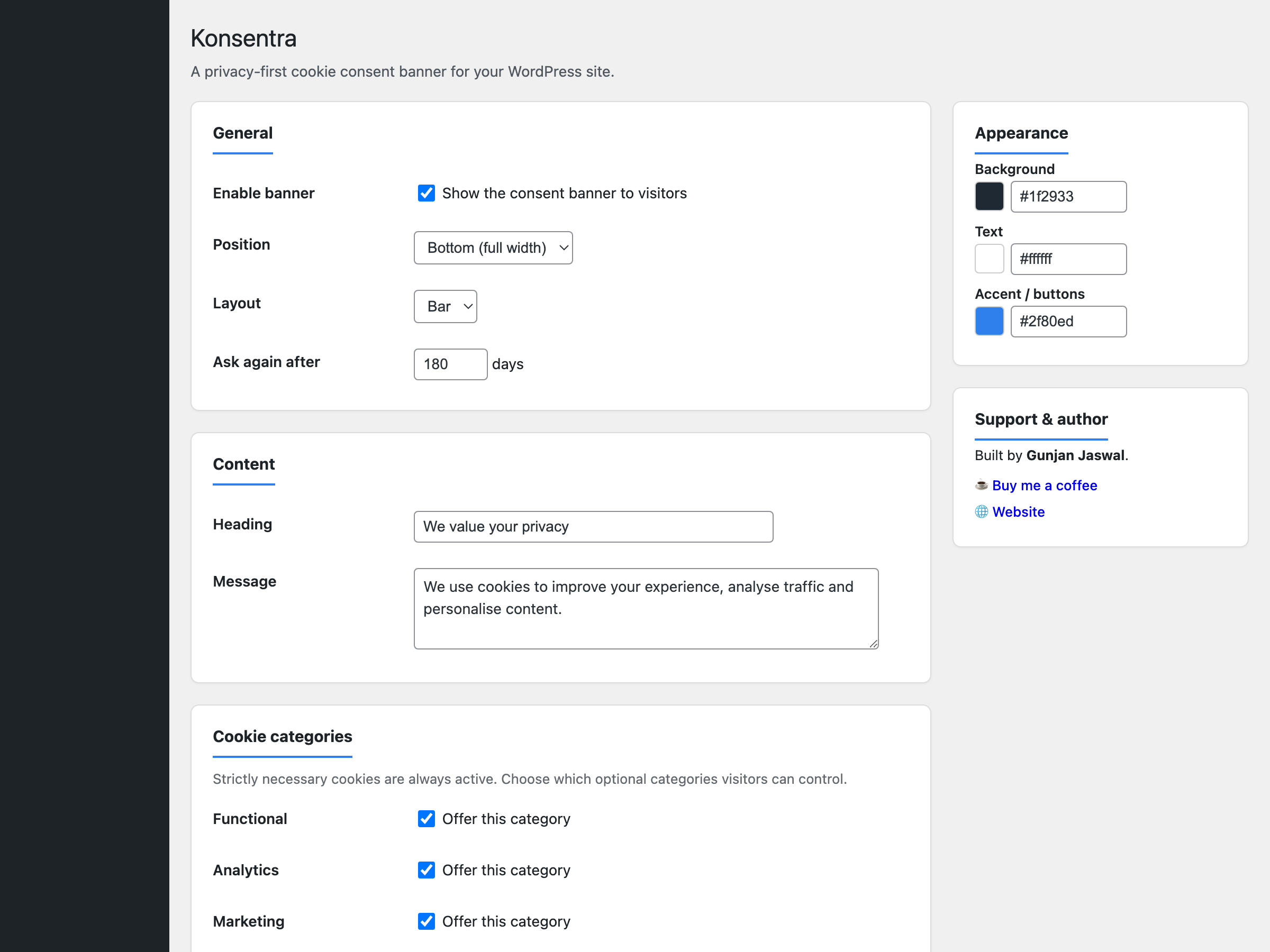
Installation
- Upload the
konsentrafolder to/wp-content/plugins/, or install it from the Plugins screen in your dashboard. - Activate the plugin through the Plugins menu in WordPress.
- Go to Settings, then Konsentra, to set your text, colours, and categories.
- Tag any third-party scripts you want to gate behind consent (see the Description).
FAQ
-
Does this make my site GDPR compliant on its own?
-
No plugin can do that by itself. Konsentra gives you the consent banner, category controls, and script blocking you need, but compliance also depends on your privacy policy, how you handle data, and the services you use. Treat it as one important piece, not the whole picture.
-
Does it block Google Analytics or Facebook Pixel automatically?
-
It blocks any script you tag with
type="text/plain"and adata-cp-categoryattribute. Add that markup to the scripts you want gated and they will only load once the visitor consents. -
Does it store personal data?
-
Only if you switch on consent logging, and even then it stores a hashed IP address, never the real one, along with a timestamp and the categories agreed to.
-
Is it translation ready?
-
Yes. A
.potfile is included in thelanguagesfolder and every string uses thekonsentratext domain. -
How do visitors change their choice later?
-
Add the
[konsentra_settings]shortcode anywhere, for example in your footer or privacy page, and it renders a link that reopens the preferences panel.
Reviews
There are no reviews for this plugin.
Contributors & Developers
“Konsentra – Cookie Consent Banner” is open source software. The following people have contributed to this plugin.
Contributors
Translate “Konsentra – Cookie Consent Banner” into your language.
Interested in development?
Browse the code, check out the SVN repository, or subscribe to the development log by RSS.
Changelog
1.0.2
- Housekeeping: refreshed the plugin directory assets. No functional changes.
1.0.1
- Brightened the banner message text for better readability on the dark background.
1.0.0
- Initial release.