

Description
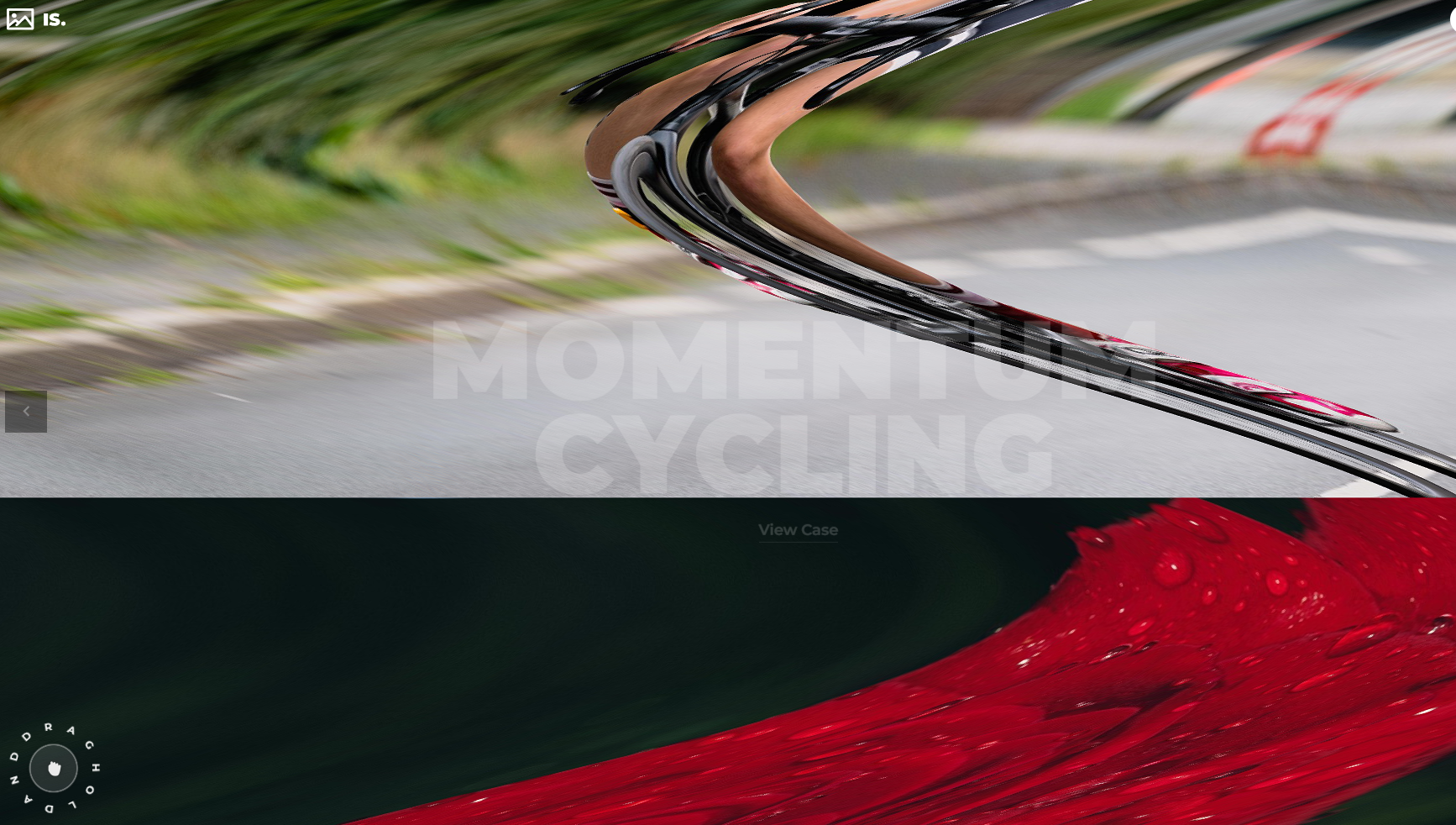
Izubizu Slider is a next-generation media slider for WordPress and WooCommerce, built with Three.js and custom GLSL shaders.
It is designed for product galleries, visual storytelling, and premium portfolio layouts, with smooth drag interaction, responsive scaling, and advanced post-processing controls.
The slider includes cinematic transition workflows with 19 transition types and 16 text transition types, plus preset-based setup for fast production use.
You can run it full-width, boxed, or embedded inside any container, and fine-tune flowmap, RGB shift, noise pass, captions, helper behavior, and interaction timing.
Documentation and Links
- Product page: https://fwdapps.net/p/is/
- Demos: https://fwdapps.net/p/is/#demos
- Features: https://fwdapps.net/p/is/#features
- JavaScript documentation: https://fwdapps.net/p/is/javascript-documentation.html
- WordPress documentation: https://fwdapps.net/p/is/wordpress-documentation.html
- Buy WordPress and WooCommerce version: https://fwdapps.net/product/izubizu-slider-wp
Main Features
- 19 media transition types for cinematic slide changes.
- 16 text transition types for animated caption titles.
- Responsive setup with max width, max height, and auto-scale start width.
- Auto-scale behavior tuned for desktop and mobile breakpoints.
- Optional initialize-when-visible lazy loading.
- Display modes for full-width, boxed, or embedded layouts.
- Intro animation support for first-slide reveal.
- Infinite and non-infinite carousel workflows.
- Caption support with safe inline HTML and link styling.
- Drag interaction with configurable drag speed and drag friction.
- Hand cursor helper with custom text, sprite color, text color, radius, delay, and repeat count.
- Background and mask controls for different art directions.
- Built-in preloader and optional GUI support.
- Wave distortion controls (frequency and amplitude).
- Flowmap distortion controls (amount, strength, radius, sensitivity, force, falloff).
- RGB shift controls, including flowmap RGB shift behavior.
- Noise pass controls (enable, size, fade size, blur strength, fade color).
- Image and video media support.
- WooCommerce integration for product galleries.
Included Presets
- Slider preset 1: Flowmap distortion and RGB shift.
- Slider preset 2: Non-infinite version.
- Slider preset 3: Noise post-processing effect.
- Slider preset 4: Embed the slider anywhere on your page at any size.
Shortcode
Basic usage:
[fwdis preset_name=”Slider preset 1″ gallery_name=”My gallery”]
Development
This plugin’s full source code is publicly available for transparency and verification.
Developed and maintained by FutureWebDesign.
- Source code & build tools — includes original uncompiled files and Vite build configuration.
- Distributed plugin uses a compiled build generated by Vite for optimal performance.
- Support: https://fwdapps.net/contact
Screenshots



Installation
- Upload the plugin folder to the /wp-content/plugins/ directory.
- Activate the plugin in WordPress.
- Open Izubizu Slider in the admin menu.
- Configure a preset in Presets Manager.
- Create a gallery in Galleries Manager.
- Insert the shortcode into a page, post, or product description.
FAQ
-
Does it work with Gutenberg?
-
Yes. You can place the shortcode in Gutenberg blocks, Classic editor content, and custom builder content.
-
Does it support WooCommerce products?
-
Yes. It can be used in WooCommerce product descriptions and integrated as a product media experience.
-
Is it mobile friendly?
-
Yes. The slider supports responsive behavior and touch interaction.
-
Can I use captions with custom styling?
-
Yes. Captions support safe inline HTML for styled title/description structures.
-
How many transitions are included?
-
Izubizu Slider includes 19 media transition types and 16 text transition types.
-
Can I embed it in custom page sections?
-
Yes. You can use full-width, boxed, or embedded display modes to fit hero areas, content sections, and custom layouts.
Reviews
There are no reviews for this plugin.
Contributors & Developers
“Izubizu Slider” is open source software. The following people have contributed to this plugin.
Contributors
Translate “Izubizu Slider” into your language.
Interested in development?
Browse the code, check out the SVN repository, or subscribe to the development log by RSS.