

Description
ImgAff adds shoppable product choices to relevant images in your WordPress posts. You choose the supported affiliate product feeds and tracked links ImgAff can use. The service reads an image’s description and nearby context, looks for sufficiently relevant products in those feeds, and shows nothing when it cannot find a strong match.
ImgAff does not take a percentage of your affiliate commissions; those remain between you and your affiliate partners. It is built for affiliate publishers with image-rich posts and product feeds they are allowed to use.
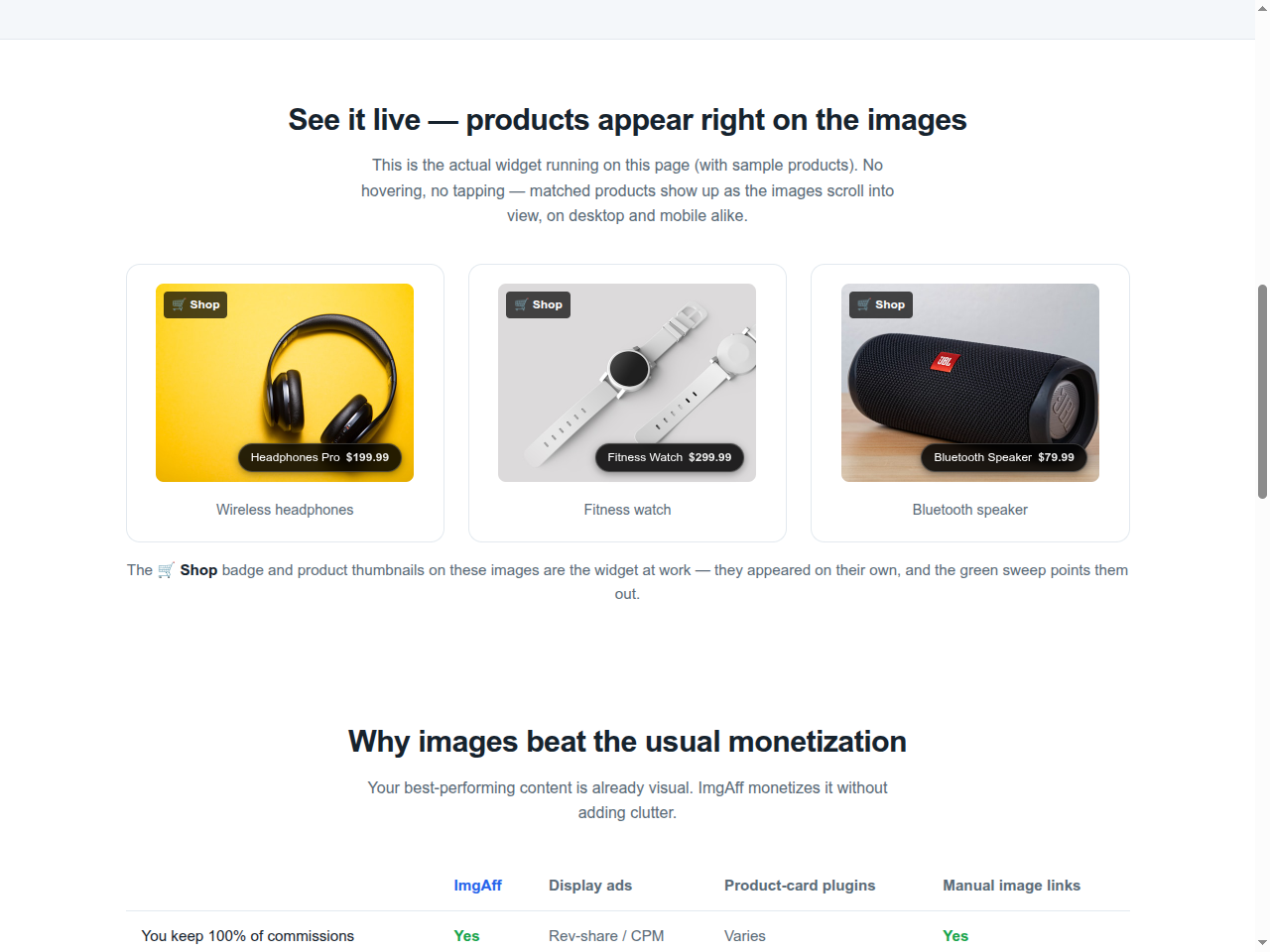
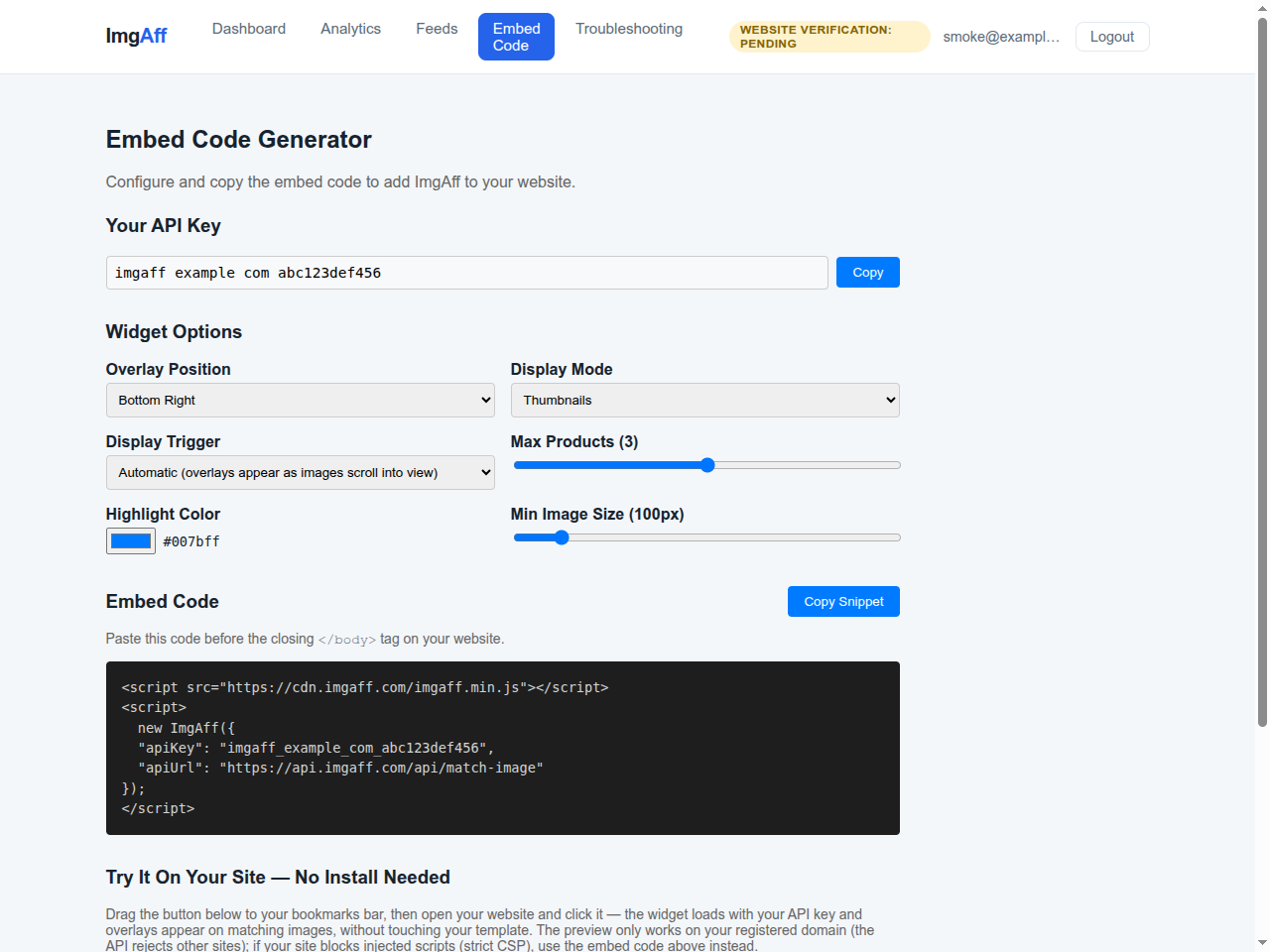
Overlays can use product thumbnails or breadcrumb pills, with optional prices when the feed supplies them. Settings control placement, presentation, product count, highlight color, and the minimum image size.
How it works
- Create a publisher account at app.imgaff.com and verify the WordPress site you control.
- Connect a supported affiliate product feed containing your tracked links.
- Paste the API key from the portal into Settings ImgAff.
- Visit a post with eligible images and check the portal for real matching activity.
This plugin is the WordPress client for the ImgAff service. ImgAff is currently free in beta; there is no self-serve paid plan to select today.
Features
- Shoppable product overlays using products and tracked links from feeds you choose
- Uses the images already in your posts — no shortcodes, no blocks to place
- Configurable position, colors, product count, and minimum image size
- Skips logos, avatars, and any image you tag
no-affiliate - Option to hide overlays from logged-in users while you edit
- Nothing is injected until you save an API key
- No sufficiently relevant product match means no overlay
External services
This plugin connects to the ImgAff service, which is required for its functionality:
- It loads the ImgAff widget script from
https://cdn.imgaff.com/imgaff.min.json your site’s front-end pages. - The widget sends image metadata from visited pages to
https://api.imgaff.comto find matching products, and reports anonymous interaction events (views/clicks) for your analytics dashboard.
No visitor accounts, emails, or profiles are collected, and the widget sets no cookies. It writes browser storage for the site owner only, never for ordinary visitors: a localStorage flag named imgaff_me, written when you open one of your own pages with ?imgaff_me=1, so your own visits stay out of your statistics (?imgaff_me=0 clears it); and a per-tab sessionStorage token while you have the debug view open. Service provider: ImgAff — see the terms of service and privacy policy.
Screenshots


Installation
- Install and activate the plugin.
- Create a publisher account, verify the site, and connect a supported feed at app.imgaff.com.
- Copy the API key from the Install page, enter it under Settings ImgAff, and save.
- Visit a post with eligible images and confirm the matching result. Not every image will have a relevant product in the connected feeds.
FAQ
-
Do you take a cut of my commissions?
-
No. You connect your own feeds with your own affiliate links; commissions are handled by your affiliate partners. ImgAff is currently free in beta and has no live self-serve subscription checkout.
-
Which affiliate networks are supported?
-
ImgAff currently has named importers for Awin, CJ Affiliate, Rakuten Advertising, impact.com, and 2Performant, plus a Generic CSV option for files with the required product fields. A network name alone does not guarantee that every export format will import; see the current feed guide before installing.
-
Will it slow down my site?
-
WordPress enqueues the widget script in the footer. Actual performance depends on the site, theme, other plugins, device, and network, so test representative posts before enabling it broadly.
-
Which images get overlays?
-
Eligible content images larger than the configured minimum size are considered. Images with the
no-affiliate,logo, oravatarclasses are skipped. An eligible image still needs enough descriptive context and a sufficiently relevant product in a connected feed. -
How do I get better product matches on my images?
-
ImgAff matches products using each image’s alt text and the visible text around it. Write alt text for humans first (accurate description of what’s visible), name the product type and a few attributes early, keep one product intent per image, and skip filler words and product codes. Full guide with before/after examples: imgaff.com/targeting-guide.html.
-
Does it work on mobile?
-
The widget supports phone and desktop layouts. Test it with your theme at common phone widths, especially if your content CSS changes image positioning or overflow.
Reviews
There are no reviews for this plugin.
Contributors & Developers
“ImgAff – Shoppable Images for Affiliate Publishers” is open source software. The following people have contributed to this plugin.
Contributors
Translate “ImgAff – Shoppable Images for Affiliate Publishers” into your language.
Interested in development?
Browse the code, check out the SVN repository, or subscribe to the development log by RSS.
Changelog
1.0.1
- Settings screen styles moved out of the page output into an enqueued stylesheet.
1.0.0
- Initial release: settings page and automatic widget injection.