
Description
imagIn – WebP & AVIF Converter helps you convert JPG, JPEG, and PNG images to modern WebP or AVIF formats from inside WordPress.
The plugin runs on your own server using available PHP image libraries. It does not send image files to an external service, require a cloud account, or lock conversion features behind a premium plan.
Key features
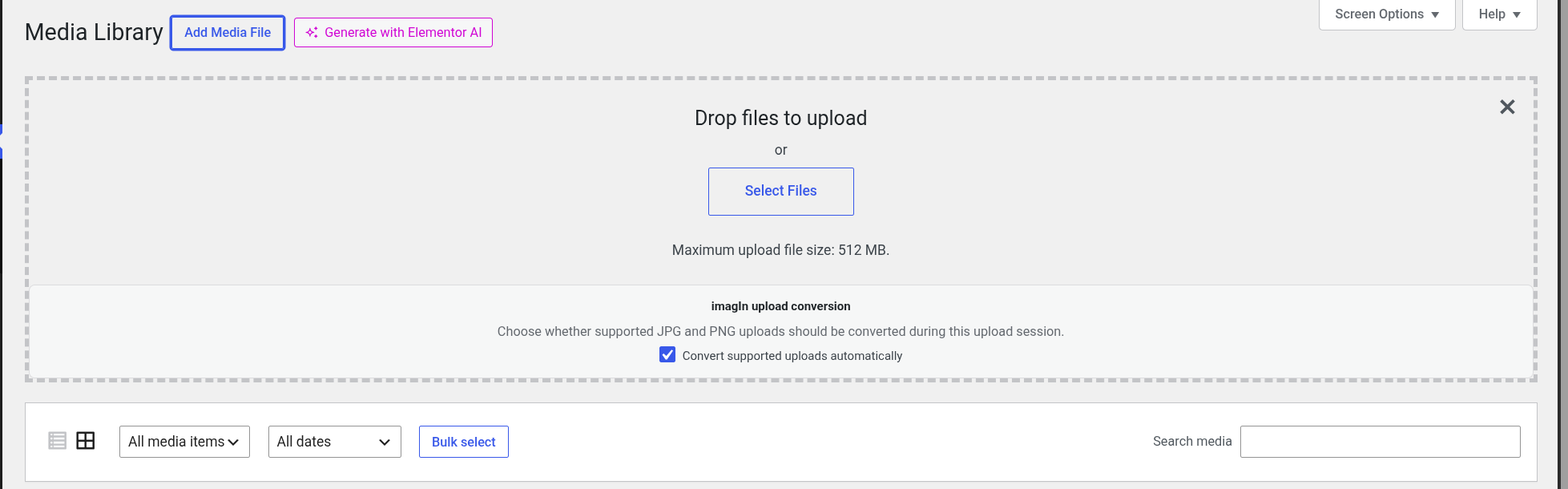
- Convert JPG, JPEG, and PNG files during upload.
- Convert existing JPG, JPEG, and PNG media files one at a time from the Media Library.
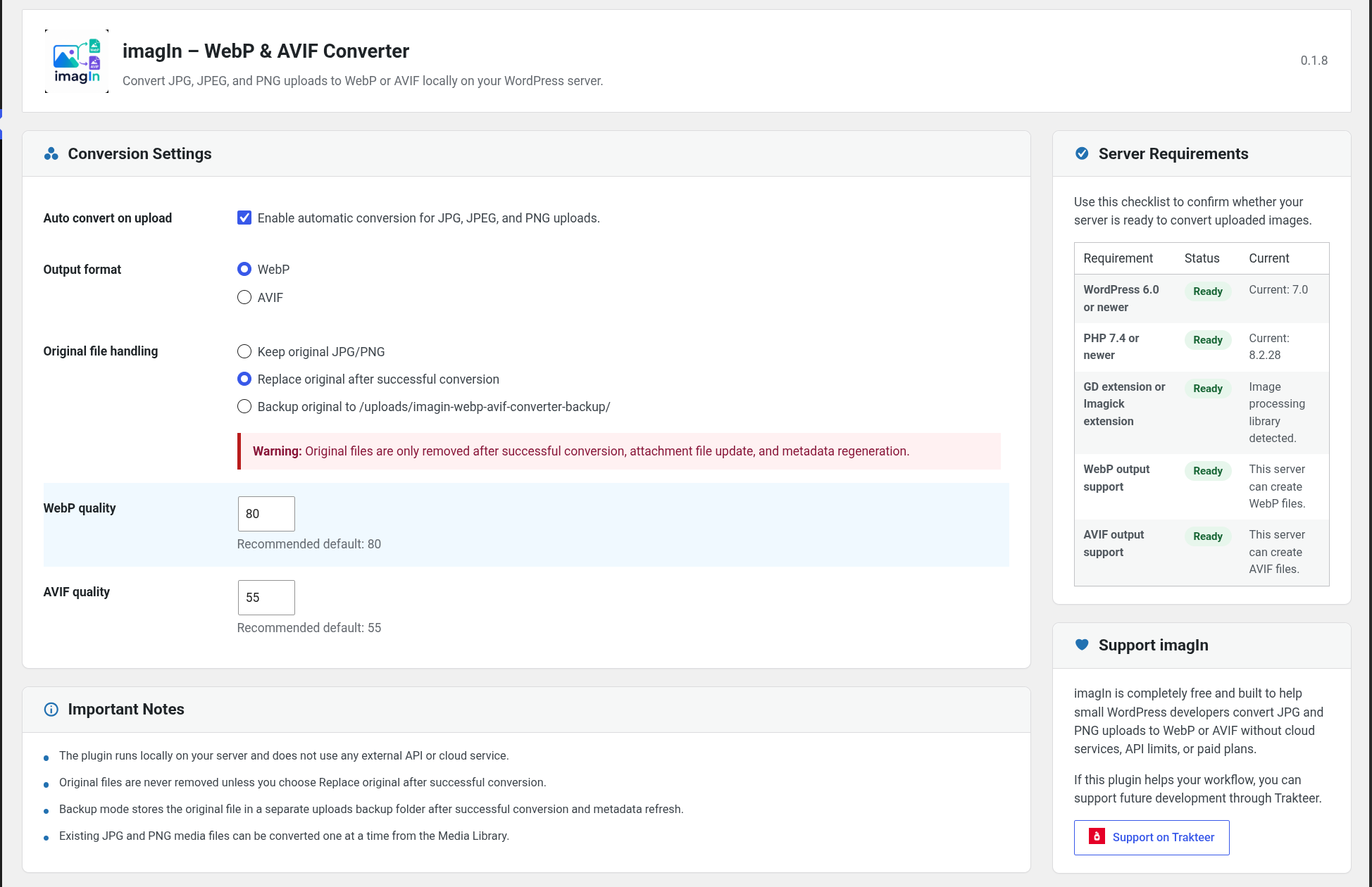
- Choose the output format: WebP or AVIF.
- Keep the original file, replace it after conversion, or move it to a backup folder.
- Set separate quality levels for WebP and AVIF.
- Check server support for GD, Imagick, WebP, and AVIF.
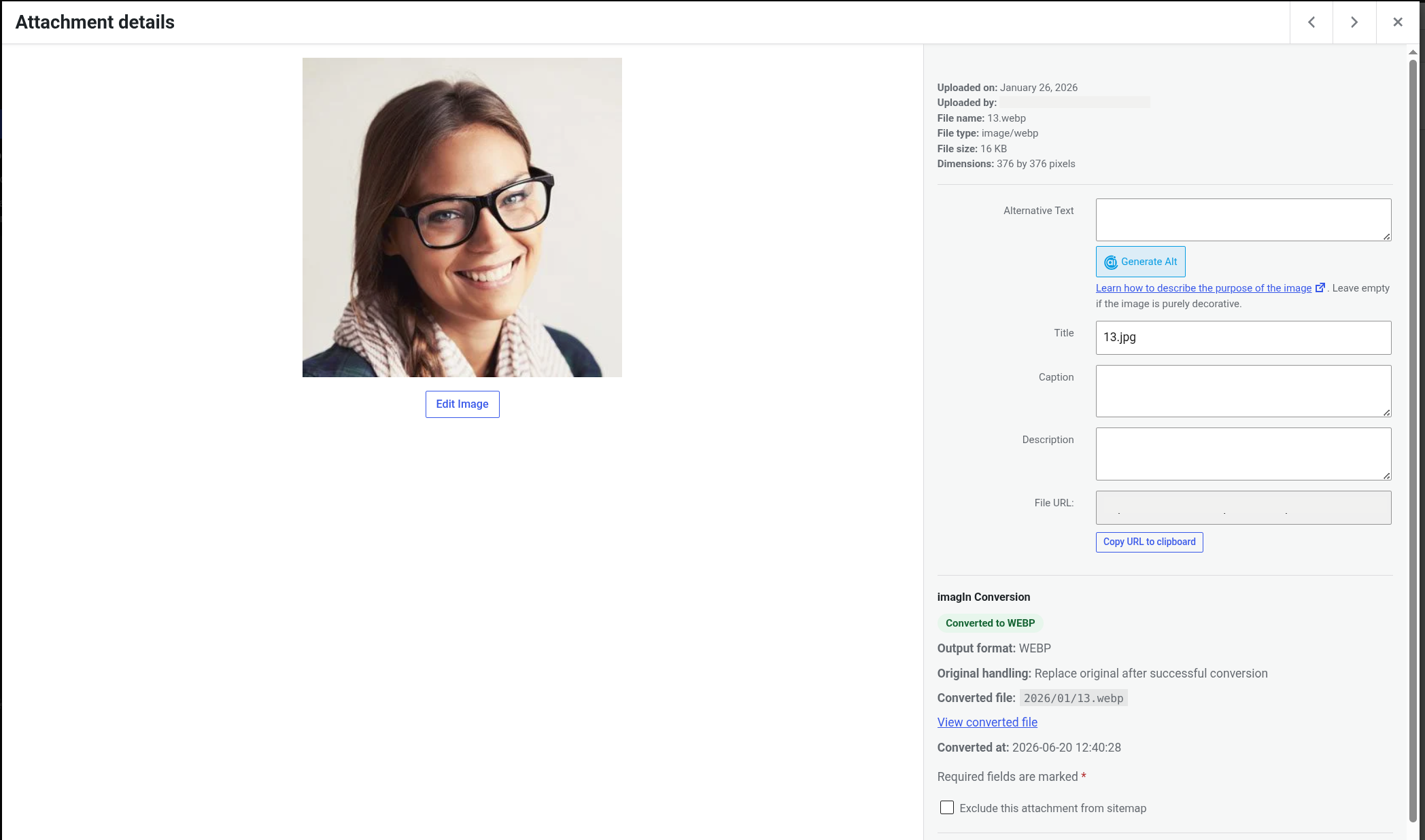
- Store conversion metadata on each attachment.
- Show conversion status in the Media Library.
- Use local server libraries only.
Local-first image conversion
imagIn is designed for site owners who want a simple conversion workflow without connecting WordPress to an external optimization platform. Conversion support depends on the image libraries available on your hosting server.
If your server does not support WebP or AVIF through GD or Imagick, the plugin will show the capability status and skip unsupported conversions safely.
Original file handling
You can choose how imagIn handles original images after a successful conversion:
- Keep the original file.
- Replace the original file with the converted file.
- Move the original file to a backup folder inside uploads.
Privacy
imagIn processes images locally on your WordPress server.
The plugin does not send image files, site data, or usage data to an external API, CDN, cloud service, or third-party optimization platform.
Support
imagIn is completely free and does not include premium features, usage limits, or cloud requirements.
If this plugin helps your workflow, you can support future development through Trakteer:
https://trakteer.id/inkamediautama
Screenshots
Installation
- Upload the
imagin-webp-avif-converterfolder to the/wp-content/plugins/directory, or install the plugin through the WordPress Plugins screen. - Activate the plugin through the
Pluginsscreen in WordPress. - Go to
Media > imagIn – WebP & AVIF Converter. - Choose WebP or AVIF as the output format.
- Choose how original files should be handled after conversion.
- Set the image quality values.
- Upload a JPG, JPEG, or PNG image to test automatic conversion.
FAQ
-
Does this plugin require a cloud account?
-
No. All conversion happens locally on your WordPress server.
-
Does imagIn send images to an external API?
-
No. The plugin does not send image files, site data, or usage data to an external API or cloud service.
-
What image formats can be converted?
-
JPG, JPEG, and PNG images can be converted during upload. Existing JPG, JPEG, and PNG media files can also be converted one at a time from the Media Library.
-
What output formats are supported?
-
The plugin supports WebP and AVIF when your server image library supports those formats.
-
WebP and AVIF support depends on the GD or Imagick configuration installed on your hosting server. If a format is unavailable, contact your hosting provider and ask whether the required image library support can be enabled.
-
Will the plugin delete my original image?
-
Only if you choose
Replace original after successful conversion. You can also keep the original file or move it to a backup folder. -
Can I convert existing images?
-
Yes. Open the Media Library and use the imagIn conversion controls on supported JPG, JPEG, and PNG attachments.
-
Does this plugin use shell commands?
-
No. The plugin does not use shell command execution.
Reviews
There are no reviews for this plugin.
Contributors & Developers
“imagIn – WebP & AVIF Converter” is open source software. The following people have contributed to this plugin.
Contributors
Translate “imagIn – WebP & AVIF Converter” into your language.
Interested in development?
Browse the code, check out the SVN repository, or subscribe to the development log by RSS.
Changelog
0.1.11
- Improved the settings page header so admin notices stay in a cleaner position.
0.1.10
- Added the required license file for WordPress.org distribution.
- Improved original-file backup handling for better compatibility with WordPress hosting environments.
- Improved translation readiness for WordPress.org language packs.
- Improved plugin information and file structure for the WordPress.org directory.
0.1.9
- Simplified the Attachment Details conversion panel.
0.1.8
- Improved manual conversion panel placement in Attachment Details.
- Added button progress feedback during manual conversion.
- Refreshed the Media Library view after successful manual conversion.
- Added upload conversion controls in editor media modals.
0.1.7
- Added manual conversion controls in Attachment Details.
- Improved admin page asset loading.
- Updated plugin information for WordPress.org submission.
0.1.6
- Refined the settings page header and card alignment.
0.1.5
- Updated the settings page product header layout.
- Updated the support button icon.
0.1.4
- Kept manual conversion available from the Media Library list and Attachment Details views.
- Added converted files to the Media Library when Keep original is selected.
- Improved loading of imagIn conversion details in media modals.
0.1.3
- Moved imagIn conversion details into a clearer Media modal panel.
- Fixed duplicate upload conversion options in the Media Library upload area.
- Improved Media modal updates after manual conversion.
0.1.2
- Improved the replace-original option so converted files become the main attachment file correctly.
- Improved Media modal alignment for imagIn conversion details.
0.1.1
- Refined the settings page layout.
- Added a Trakteer icon to the support button.
0.1.0
- Initial release.
- Convert JPG, JPEG, and PNG uploads to WebP or AVIF.
- Added original file handling modes: keep, replace, and backup.
- Added quality settings for WebP and AVIF.
- Added Media Library conversion status column.
- Added local server capability checks.