
Description
This plugin integrates the ifthenpay payment gateway with FluentForms to enable seamless payment collection directly from your forms.
Payments are processed through a secure pay-by-link system, ensuring that no sensitive card or banking data is stored on your website.
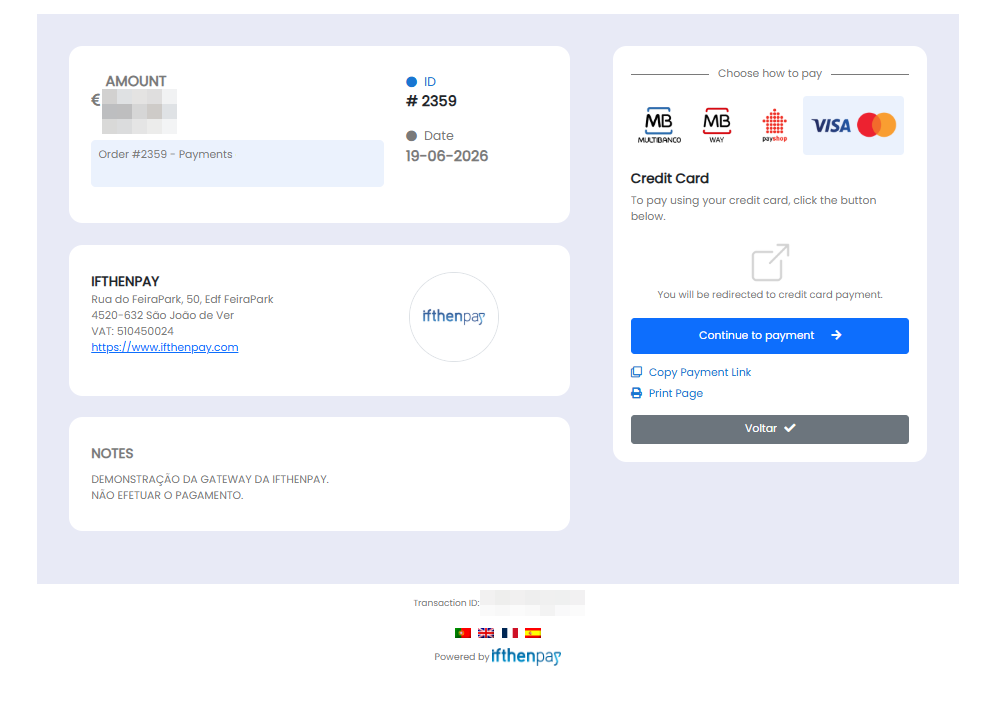
After form submission, users are redirected to a secure ifthenpay payment page where they complete the transaction. ifthenpay then sends a server-side callback to automatically update the payment status inside FluentForms.
In plain terms you get:
- One-time payments directly from FluentForms
- Secure automatic payment confirmations
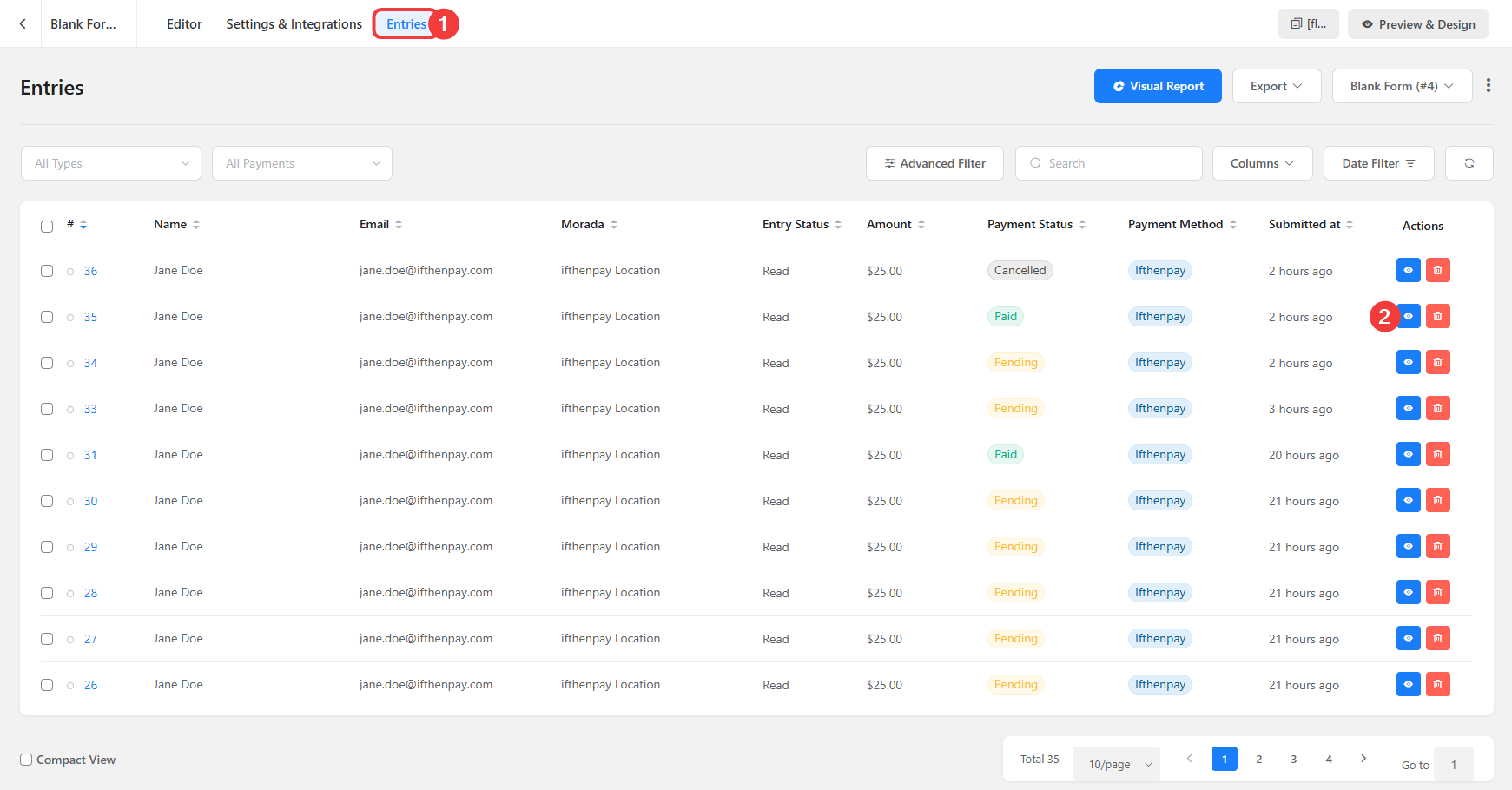
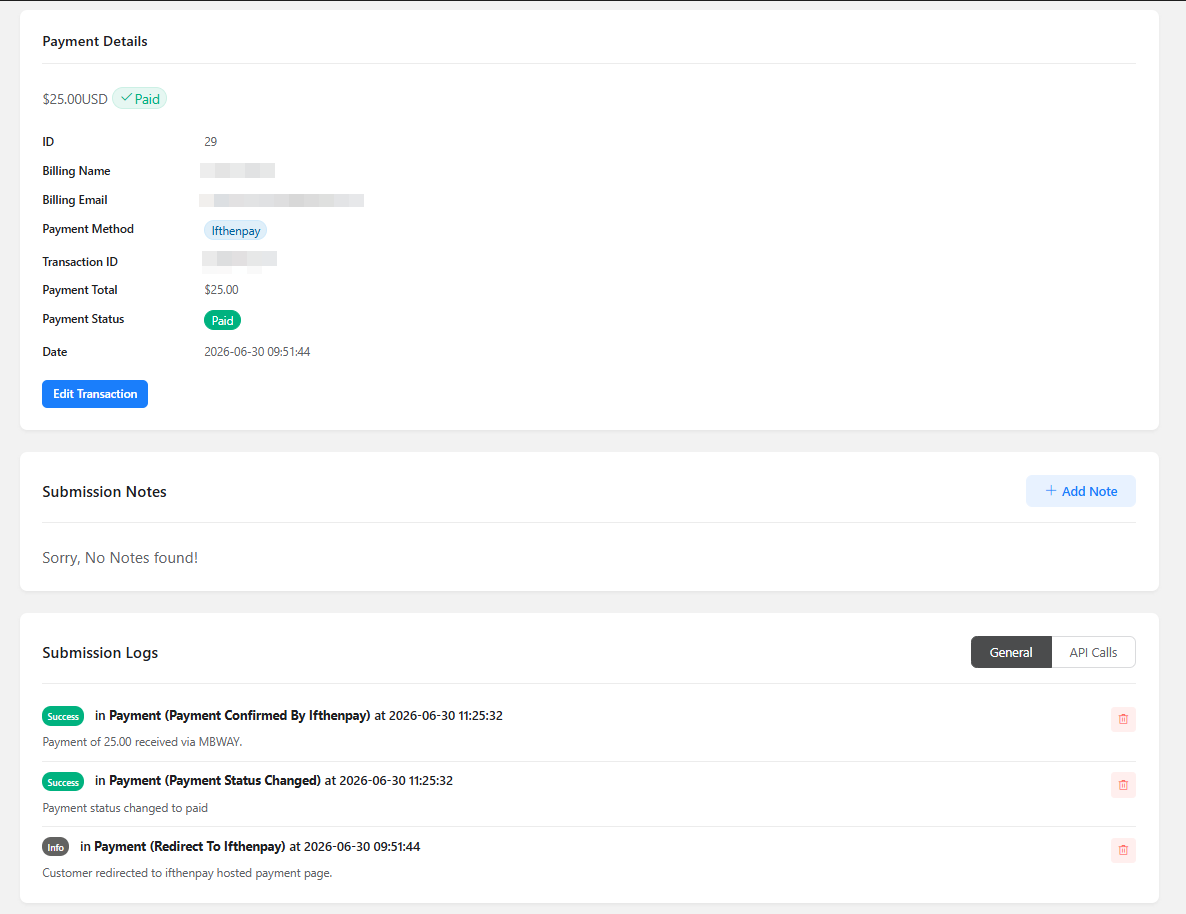
- Payment status synchronization inside FluentForms
- Support for cards, wallets, transfers, and local payment methods
- Merchant backoffice management on web and mobile
- No card numbers stored on your website
All settings are configured directly in FluentForms and the ifthenpay Backoffice.
The plugin is designed so site owners can manage payments without requiring deep technical knowledge.
Key Features
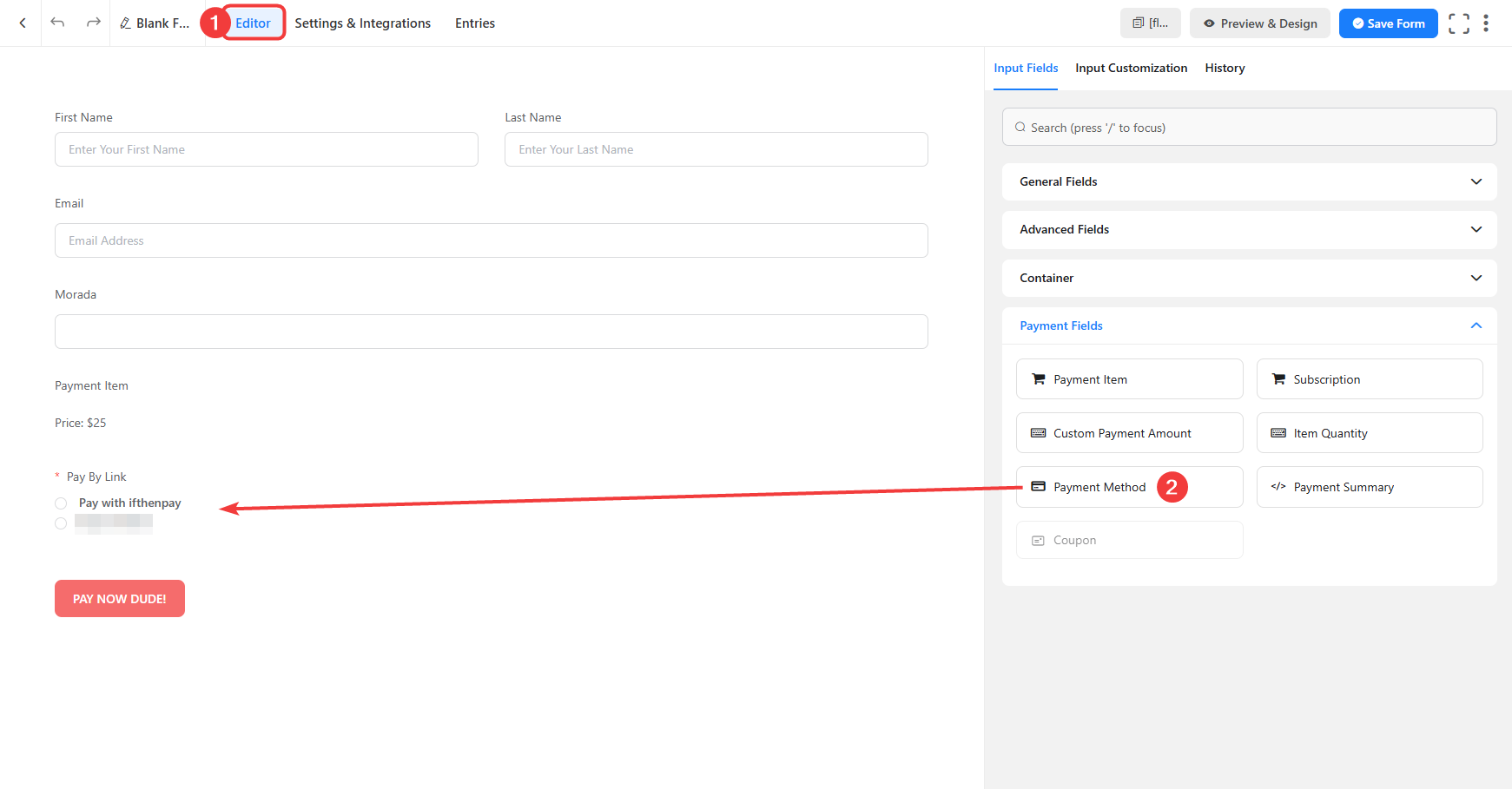
- Full integration with FluentForms payment fields
- Secure transactions via ifthenpay pay-by-link
- Automatic payment confirmation through callbacks
- Multiple payment methods support:
- Multibanco
- MB WAY
- Payshop
- Credit Card
- Cofidis
- Google Pay
- Apple Pay
- Pix
- Real-time payment status updates
- Support for coupons and automatic totals
- Multi-language support (EN, ES, FR, PT)
- Security-first approach — no sensitive payment data stored
- HTTPS-only communication with ifthenpay APIs
Requirements
- An active ifthenpay merchant account.
- A FluentForms Gateway Key (request this from ifthenpay support/helpdesk).
- FluentForms installed and activated.
- Payment methods enabled in your ifthenpay Gateway Key.
- WordPress 6.5+.
- PHP 8.2+.
- HTTPS (SSL) enabled.
External Services
This plugin connects to ifthenpay to generate payment links and validate transactions.
ifthenpay is a third-party payment provider supporting cards, wallets, and local payment methods.
FluentForms
FluentForms is the form builder used to create forms and collect payment information.
This plugin extends FluentForms by adding ifthenpay payment processing.
ifthenpay Backoffice & API
The ifthenpay Backoffice is used to configure merchant settings and payment methods.
The plugin communicates with ifthenpay APIs to create payment links and confirm transactions.
Data sent during setup:
- Backoffice Key
- Gateway Key
Data sent during payment processing:
- Transaction ID
- Amount
- Description
- Enabled payment methods
- Return URLs
- Language
- Optional customer email
- Optional customer name
- Optional form fields
Callback data received:
- Payment status
- Transaction ID
- Payment method
All communication happens server-side over HTTPS.
No raw card or bank details are stored.
License
This plugin is licensed under the GPLv3.
Support
For assistance use the WordPress.org support forum:
Pre-checks before posting:
- Payment method enabled on Gateway Key
- Gateway Key connected correctly
- Current recommended versions of WordPress, PHP, and FluentForms installed
Commercial helpdesk available:
https://helpdesk.ifthenpay.com/
ifthenpay support:
suporte@ifthenpay.com
FluentForms documentation:
https://fluentforms.com/docs/
Screenshots
Installation
- Upload the plugin zip via Plugins Add New Upload, or install from WordPress.org and Activate.
- Make sure your ifthenpay account has an active FluentForms Gateway Key.
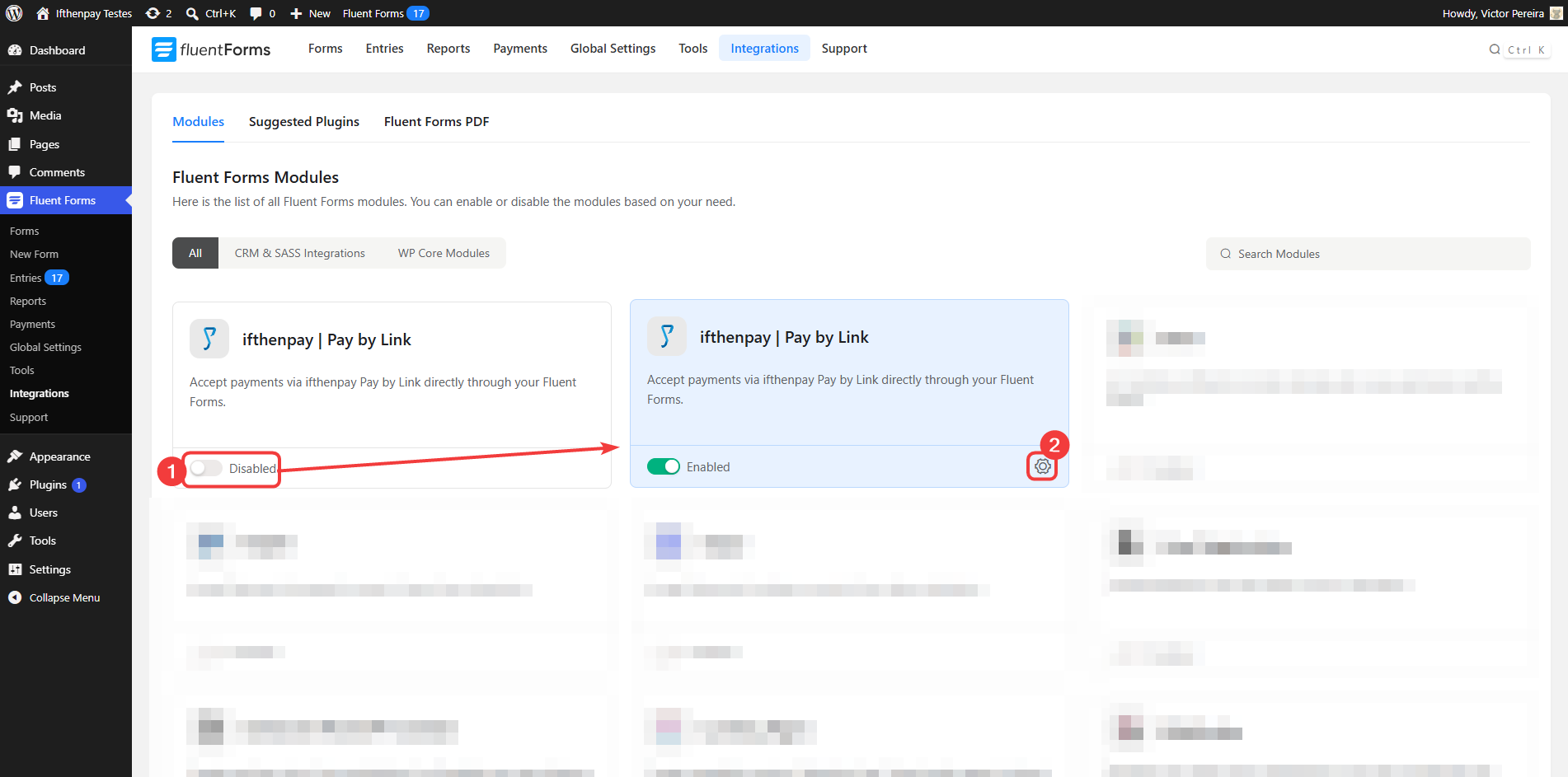
- Go to FluentForms Integrations Enable ifthenpay.
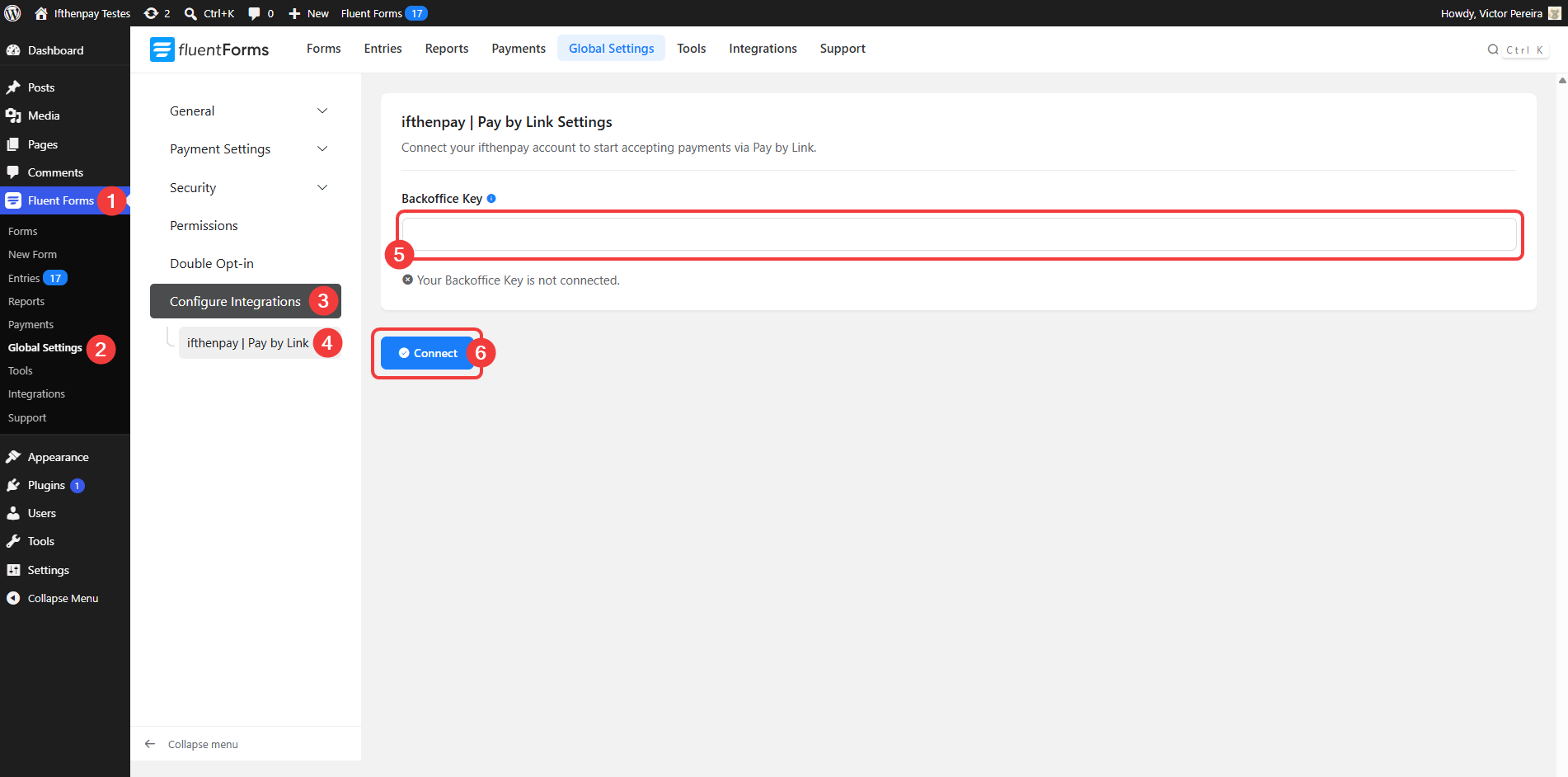
- Go to FluentForms Global Settings Connect your Backoffice Key.
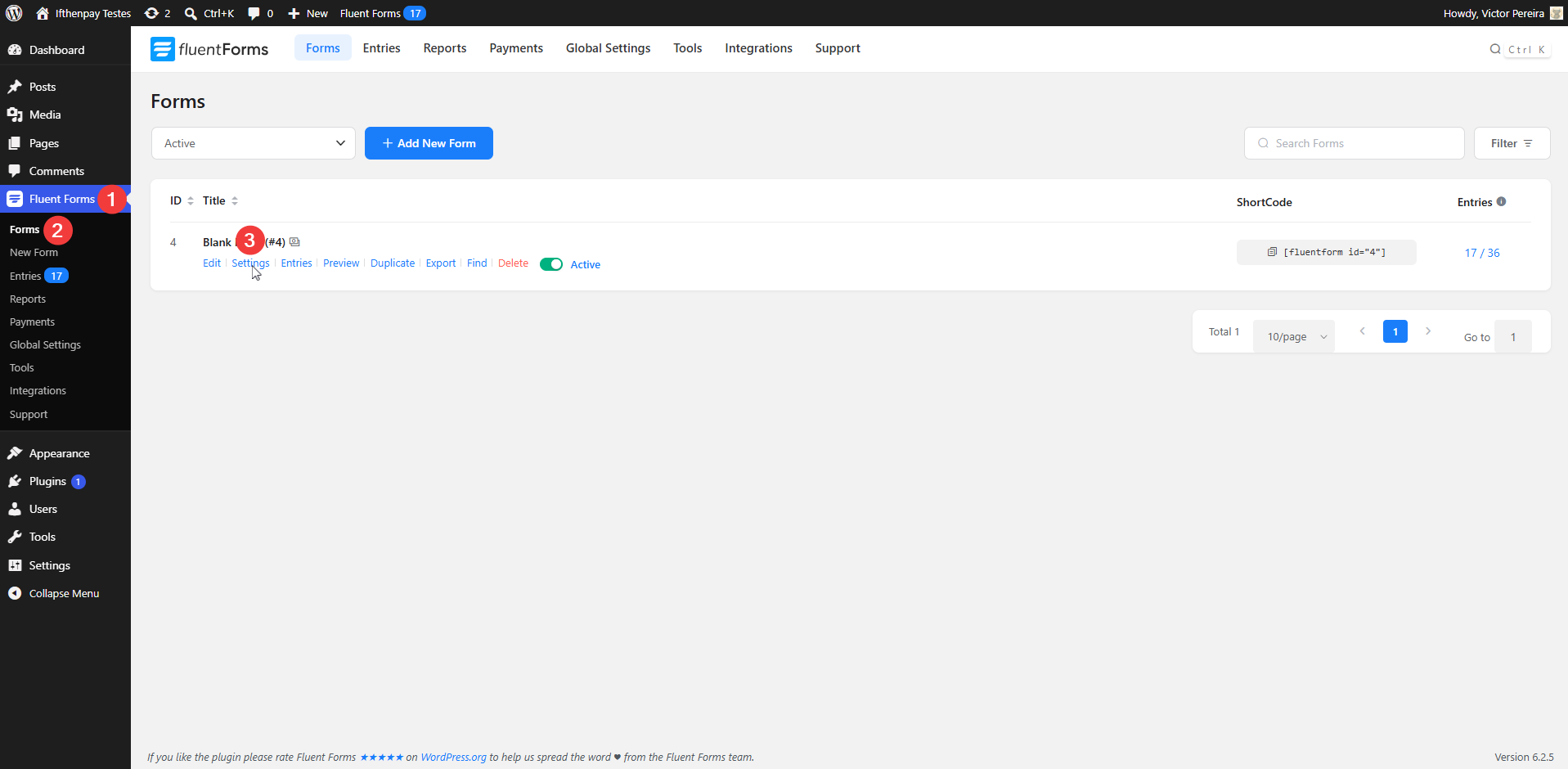
- Create or edit a form.
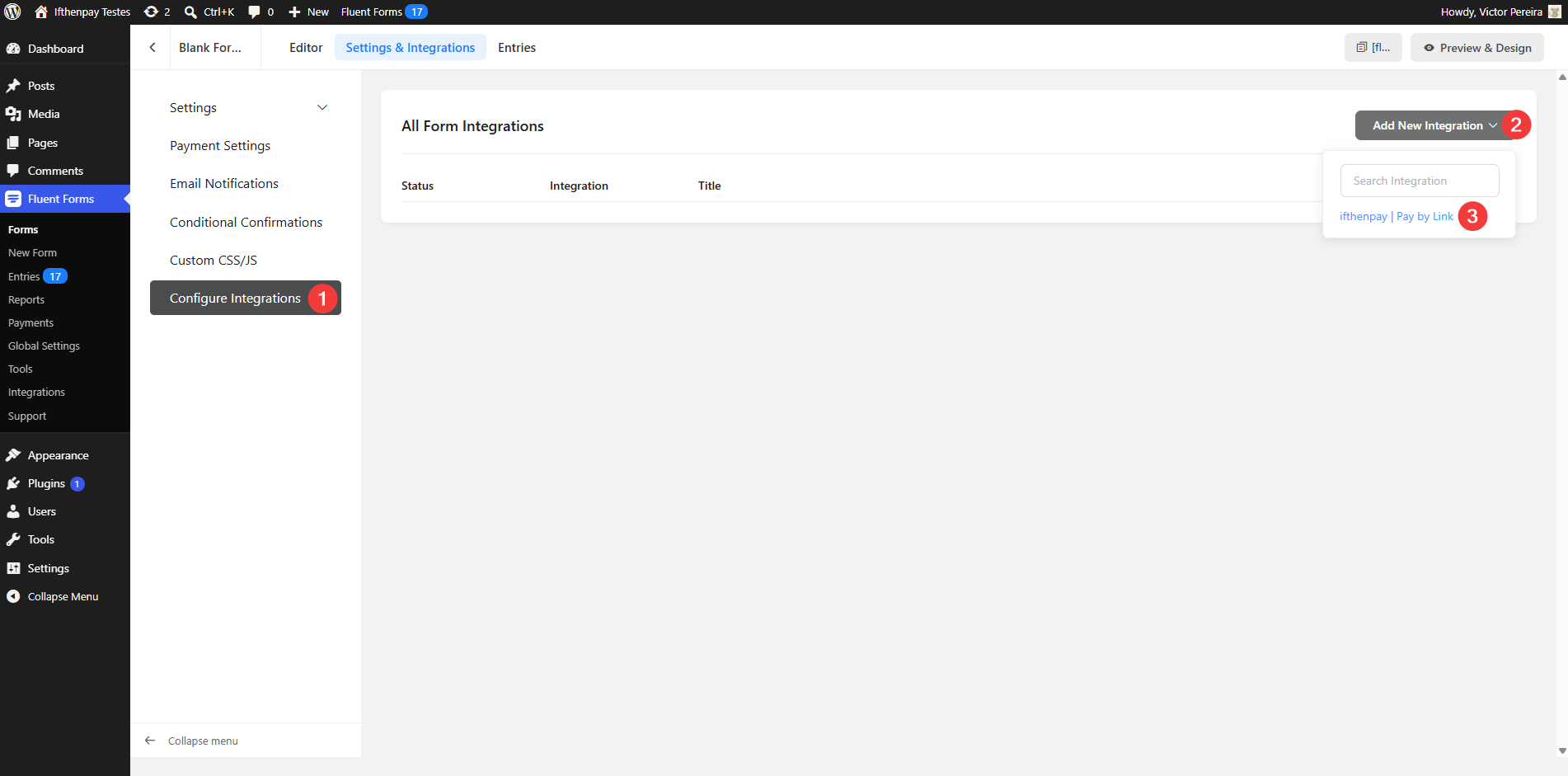
- Open Integrations Add New Integration ifthenpay.
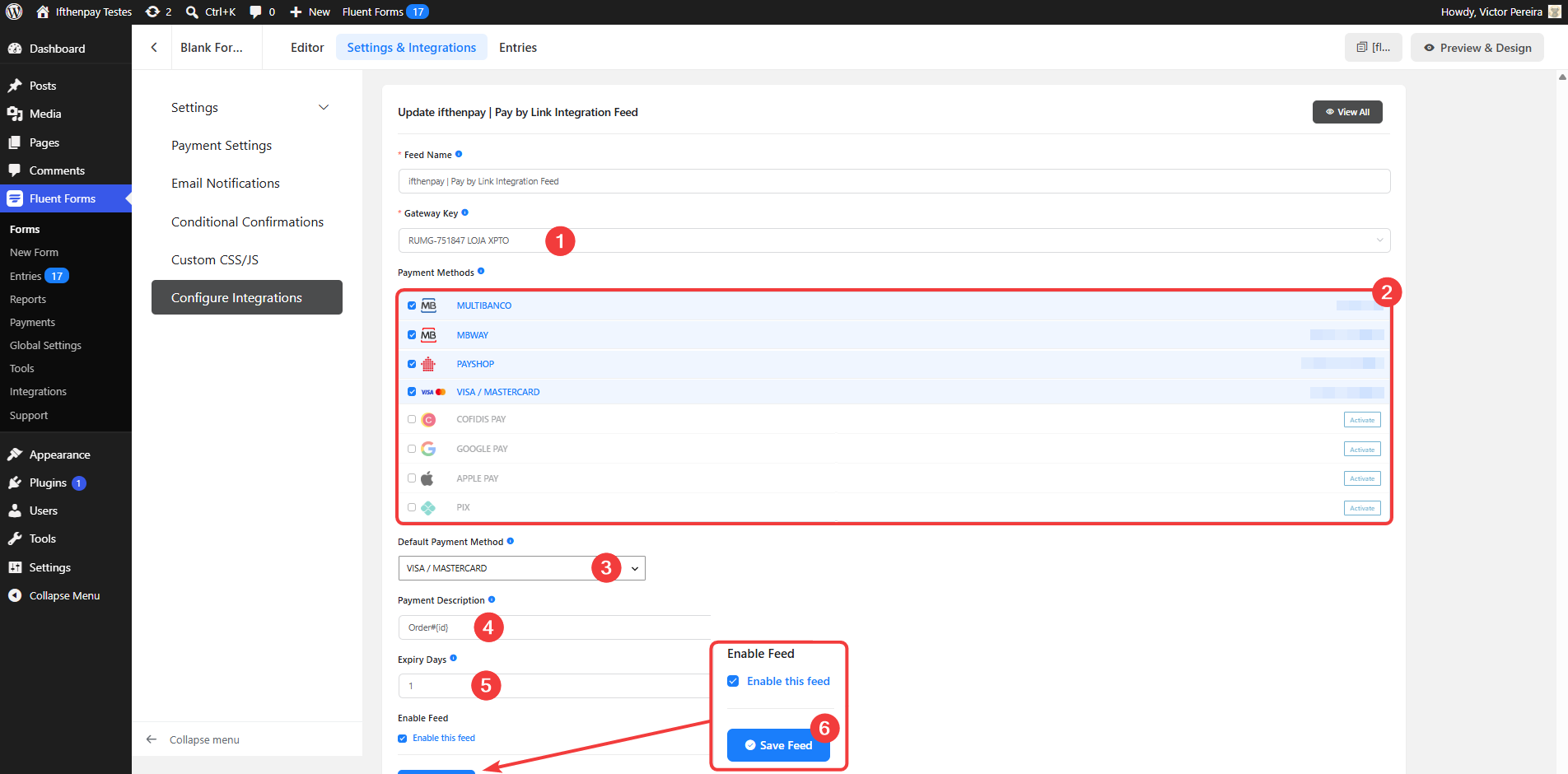
- Configure your Gateway Key, payment methods, and options.
- Save the form and start accepting payments.
FAQ
-
Does this plugin require FluentForms?
-
Yes. FluentForms must be installed and active to use this plugin.
Without FluentForms, the plugin cannot process payments.
-
Does it support recurring payments?
-
No. This version supports one-time payments through ifthenpay pay-by-link only.
-
Are payment details stored?
-
No.
The plugin does not store card numbers or full banking information.
Only the minimum payment references required for matching and status updates are stored.
-
Which payment methods are supported?
-
Any payment method enabled on your ifthenpay Gateway Key, including:
- Multibanco
- MB WAY
- Payshop
- Credit Card
- Cofidis
- Google Pay
- Apple Pay
- Pix
-
How does the payment process work?
-
After submitting a form, the customer is redirected to the secure ifthenpay payment page.
After payment completion, ifthenpay sends a callback and FluentForms updates the payment status automatically.
-
What happens if a payment fails?
-
The FluentForms entry is marked as Failed.
-
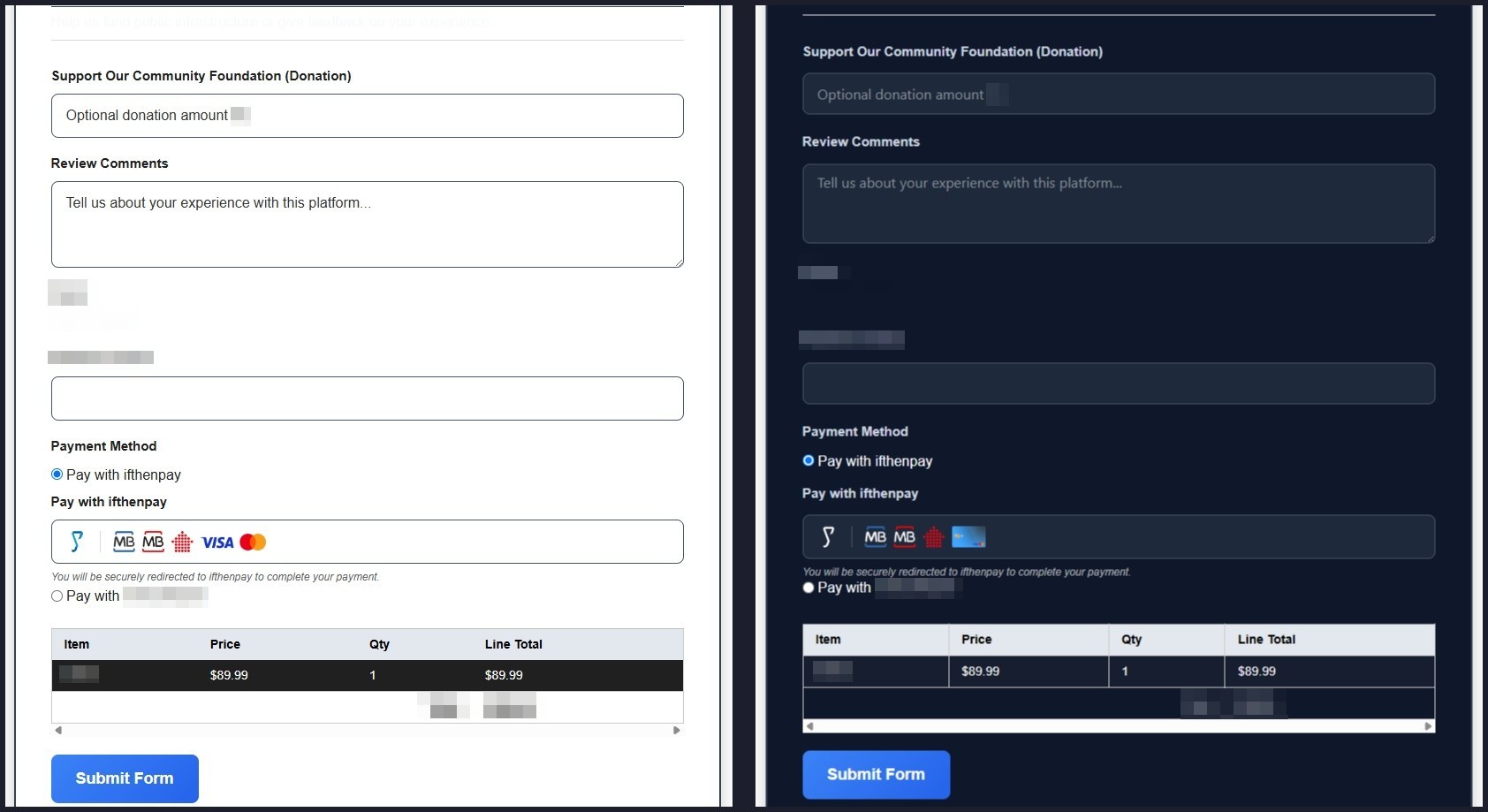
Can I customize the payment experience?
-
Yes.
You can configure payment descriptions, labels, display options, and styling directly inside FluentForms.
-
Is there a sandbox / test mode?
-
ifthenpay may provide test entities for development.
If unavailable, testing with a low-value live payment is recommended.
-
How secure is the integration?
-
All requests are encrypted using HTTPS.
No sensitive payment data is stored on your website.
-
Why are payment links failing or timing out?
-
Your server firewall, hosting provider, or VPN may block outbound HTTPS requests.
Make sure your server can communicate with:
- api.ifthenpay.com
- ifthenpay.com
Reviews
There are no reviews for this plugin.
Contributors & Developers
“ifthenpay | Payments for FluentForms” is open source software. The following people have contributed to this plugin.
Contributors
Translate “ifthenpay | Payments for FluentForms” into your language.
Interested in development?
Browse the code, check out the SVN repository, or subscribe to the development log by RSS.
Changelog
1.0.0
- Initial release.
- FluentForms payment integration.
- ifthenpay pay-by-link support.
- Multi-payment method support.
- Automatic payment callbacks.