

Description
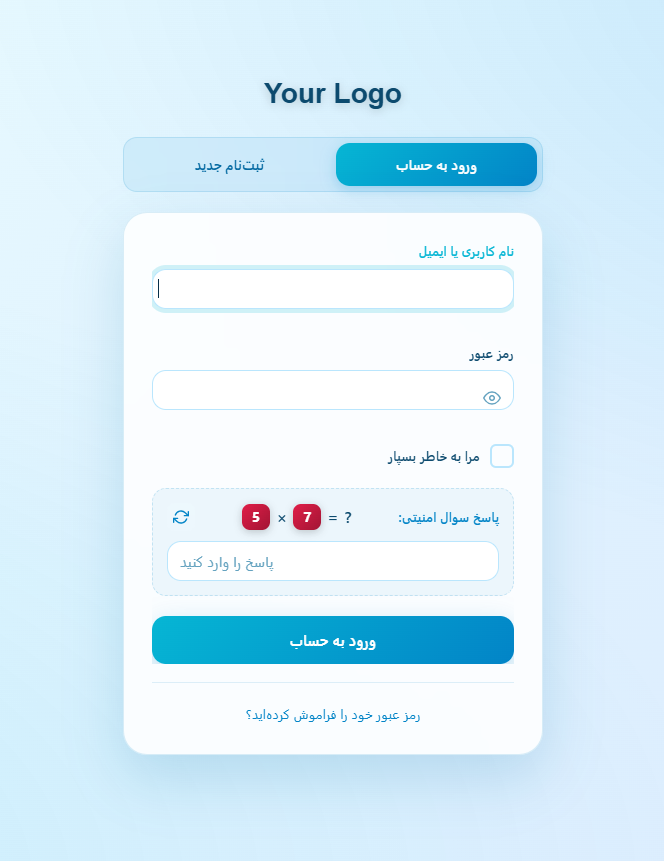
HootiNet Login is an RTL-first WordPress plugin that redesigns the default login, registration, and lost password pages with a modern, beautiful interface. It is specially optimized for Persian and Arabic websites while working perfectly with any WordPress site.
Key Features:
- Ready-Made Color Palettes – 5 attractive palettes (Ocean, Royal, Sunset, Forest, Rose) with automatic dark and light mode support
- Dark / Light Mode – Each palette automatically adapts to both dark and light modes with optimized contrast
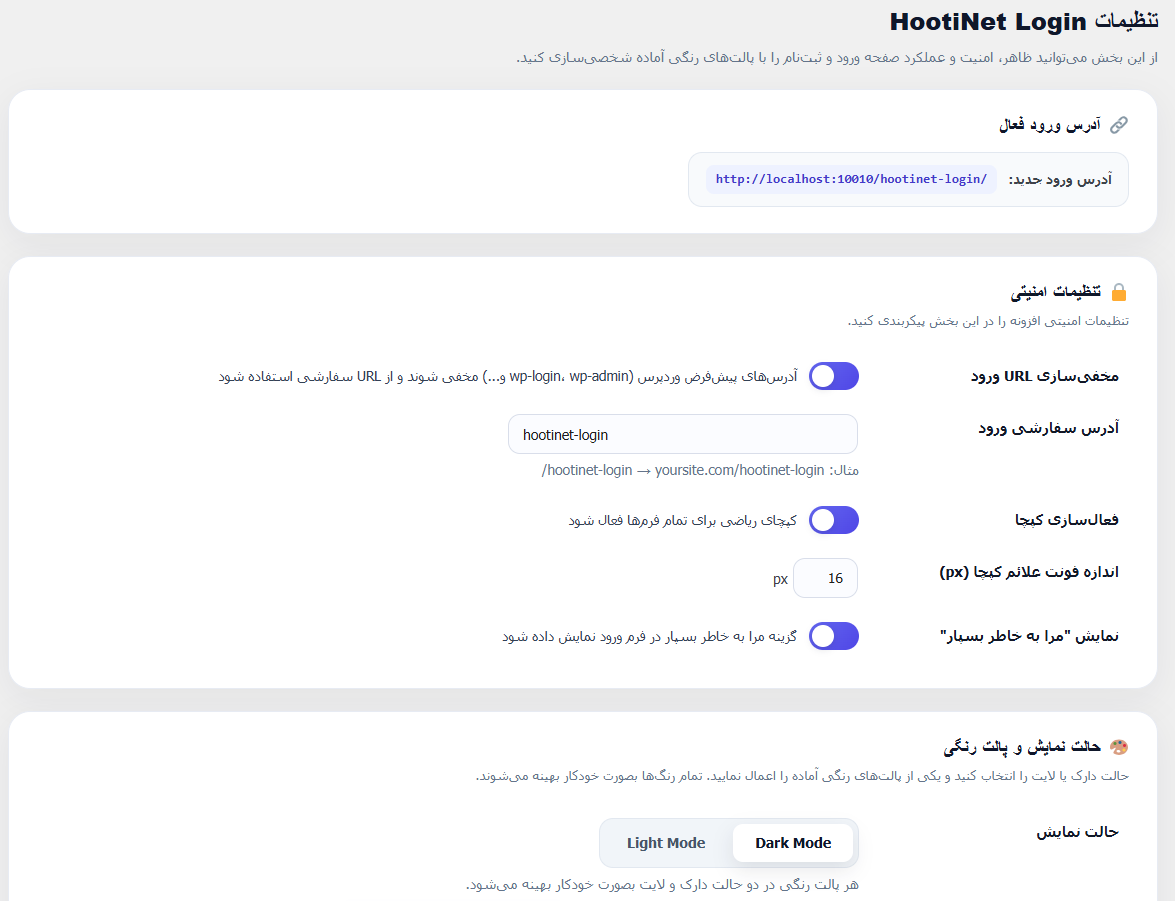
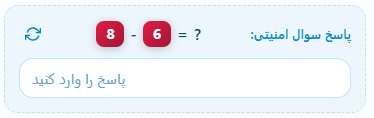
- Math Captcha – Random math operations (+, -, ×) to protect login, registration, and lost password forms from spam
- Hide Login URL – Hide default WordPress login URLs (wp-login.php, wp-admin) and use a custom slug. Default URLs show a real 404 page
- Modern Glassmorphism UI – Beautiful card-based design with smooth animations
- Form Switching Animations – Choose between fade, slide, scale, or no animation with adjustable speed
- Typography Controls – Adjust font sizes for labels, inputs, buttons, links, and captcha
- RTL Ready – Fully optimized for right-to-left languages
- Responsive Design – Works perfectly on all devices
- Easy Settings Panel – Clean card-based admin interface with live preview
HootiNet Login is developed by HootiNet and is actively maintained. For support and more information, visit https://hootinet.ir
Screenshots
Installation
- Upload the plugin files to
/wp-content/plugins/hootinet-login/, or install the plugin through the WordPress plugins screen directly. - Activate the plugin through the ‘Plugins’ screen in WordPress.
- Go to HootiNet Login > Settings to configure the plugin.
FAQ
-
Can I use this plugin with any WordPress theme?
-
Yes, HootiNet Login works with any WordPress theme.
-
Is it possible to hide the default WordPress login URL?
-
Yes, you can enable the “Hide Login URL” feature and set a custom slug. Default WordPress URLs such as wp-login.php and wp-admin will show a 404 page for non-logged-in users.
-
Does the plugin support RTL languages?
-
Yes, the plugin is fully optimized for RTL (Right-to-Left) languages like Persian and Arabic.
-
Can I customize the colors?
-
Yes, you can choose one of the 5 ready-made color palettes. Each palette supports both dark and light modes with optimized colors for each mode.
-
Does the math captcha work with all forms?
-
Yes, the math captcha protects the login, registration, and lost password forms.
Reviews
There are no reviews for this plugin.
Contributors & Developers
“HootiNet Login” is open source software. The following people have contributed to this plugin.
Contributors
Translate “HootiNet Login” into your language.
Interested in development?
Browse the code, check out the SVN repository, or subscribe to the development log by RSS.
Changelog
3.2.1
- Fixed: Removed the raw style block from the fallback 404 page and replaced it with inline style attributes to fully comply with wp_enqueue guidelines
- Added: Official plugin assets (icons, banners, and screenshots) for the WordPress.org plugin page
3.2.0
- Added: Five ready-made color palettes (Ocean, Royal, Sunset, Forest, Rose)
- Added: Full dark mode and light mode support for every palette
- Added: New card-based admin settings panel with live preview
- Added: Login template infrastructure for future themes
- Changed: Removed individual color picker fields in favor of palette-based theming
- Changed: Removed custom CSS field for improved security
- Improved: Escaping and sanitization across all files
- Improved: RTL and responsive compatibility
- Fixed: Various security and code quality issues
3.0.0
- Added: Custom gradient controls for buttons, tabs, cards, and background
- Added: Adjustable gradient angles for all elements
- Added: Custom mode for full color and gradient control
- Added: Theme presets (Dark/Light) with locked colors
- Improved: Admin settings panel organized into 5 sections
- Improved: Better typography control
2.2.2
- Added: Random math captcha operations (+, -, ×)
- Added: Animation speed setting
- Added: Typography controls
- Added: wp-admin hiding for non-logged-in users
- Improved: Dark/Light mode automatic color switching
2.2.1
- Initial release