

Description
HDWebmobile Spin & Win shows visitors a spinning-wheel popup that awards a real, single-use WooCommerce coupon. Unlike some similar plugins, spins are limited per email address on the server (not just a cookie), the popup only ever appears on the pages you choose, and the winning code is revealed right in the popup — no need to go check email.
Key Features
- Server-enforced one spin per email address, not just a browser cookie
- Real page targeting: all pages, homepage only, shop & product pages, or specific page IDs — the popup has zero footprint on pages you didn’t target
- Winning code shown instantly in the popup; a backup copy is also emailed via a real WooCommerce transactional email (customizable under WooCommerce > Settings > Emails)
- 8 configurable weighted prize segments — percent off, fixed amount off, free shipping, or “no prize” — each with its own probability weight
- Delay-based or exit-intent popup trigger
- Configurable coupon expiry
- Cookie-based frequency capping so returning visitors aren’t nagged repeatedly
Limitations (please read before installing)
- Exactly 8 fixed prize segments — not an open-ended add/remove list
- One trigger mode active at a time: delay-based OR exit-intent, not both simultaneously
- The frequency-cap cookie is a courtesy to avoid annoying repeat visitors — clearing cookies only re-shows the popup, it never grants a second coupon, since spin eligibility is enforced server-side per email
- No double opt-in and no email marketing platform integration (Mailchimp, Klaviyo, etc.) in this version
- No built-in A/B testing or analytics/conversion dashboard
How to Use
1. Open the settings screen
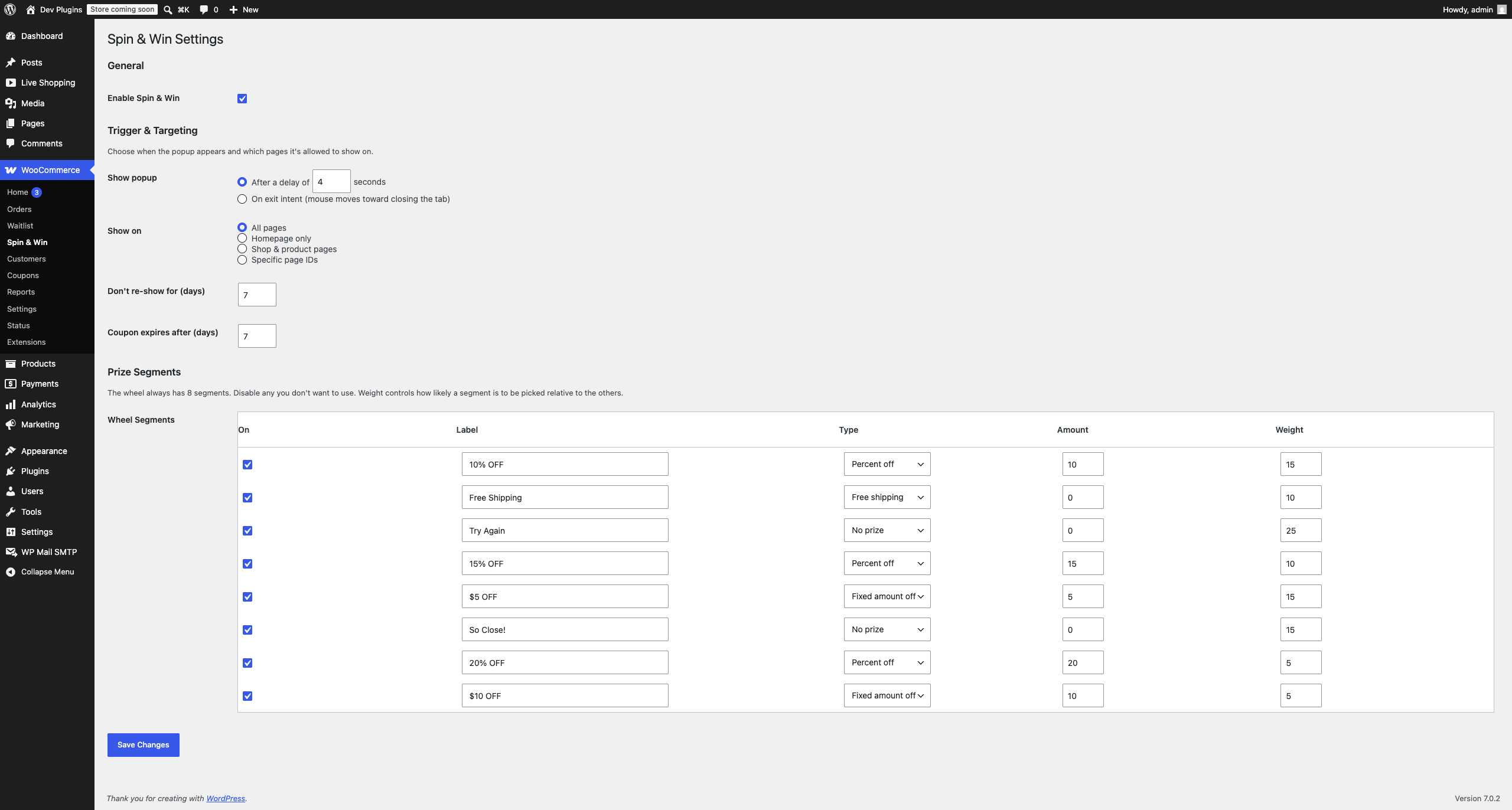
Go to WooCommerce > Spin & Win in your admin menu (see Screenshot 1). This one screen controls everything: whether the popup is on, when it appears, where it appears, and what it can give away.
2. Turn it on
Tick Enable Spin & Win. Nothing shows on your site until this is checked.
3. Choose when the popup appears
Under Trigger & Targeting, pick one:
- After a delay of N seconds — the popup opens automatically once a visitor has been on the page for that long.
- On exit intent — the popup opens when the visitor’s mouse moves toward the browser’s close/tab bar, signalling they’re about to leave.
Only one of these is active at a time.
4. Choose where it appears
Still under Trigger & Targeting, set Show on to one of:
- All pages — every page of the site.
- Homepage only
- Shop & product pages — the shop archive, product categories, and single product pages.
- Specific page IDs — list exactly which pages, nothing else.
On any page that isn’t targeted, the popup adds no HTML, CSS, or JS at all — it isn’t just hidden, it’s simply never sent to the browser.
5. Set the frequency cap and coupon expiry
- Don’t re-show for (days) — once a visitor closes or completes the popup, this is how many days before it can appear to them again in the same browser. This is a courtesy so people aren’t nagged; it does not by itself control how many prizes someone can win (see below).
- Coupon expires after (days) — how long a won coupon stays valid for after it’s issued.
6. Configure the 8 prize segments
The wheel always has exactly 8 segments (see the Prize Segments table in Screenshot 1). For each one you can set:
- On — untick to disable a segment; disabled segments are never picked and don’t need a Label.
- Label — the text shown on the wheel and in the result (e.g. “15% OFF”).
- Type — Percent off, Fixed amount off, Free shipping, or No prize.
- Amount — the percent or fixed amount (ignored for Free shipping / No prize).
- Weight — how likely this segment is to be picked, relative to the other enabled segments. A segment with weight 20 is twice as likely to be picked as one with weight 10. Use No prize segments with a real weight (like “Try Again” or “So Close!”) to control your overall win rate — set their weight higher to give away fewer prizes, or lower/zero to give away more.
Click Save Changes when done.
7. What your visitors see
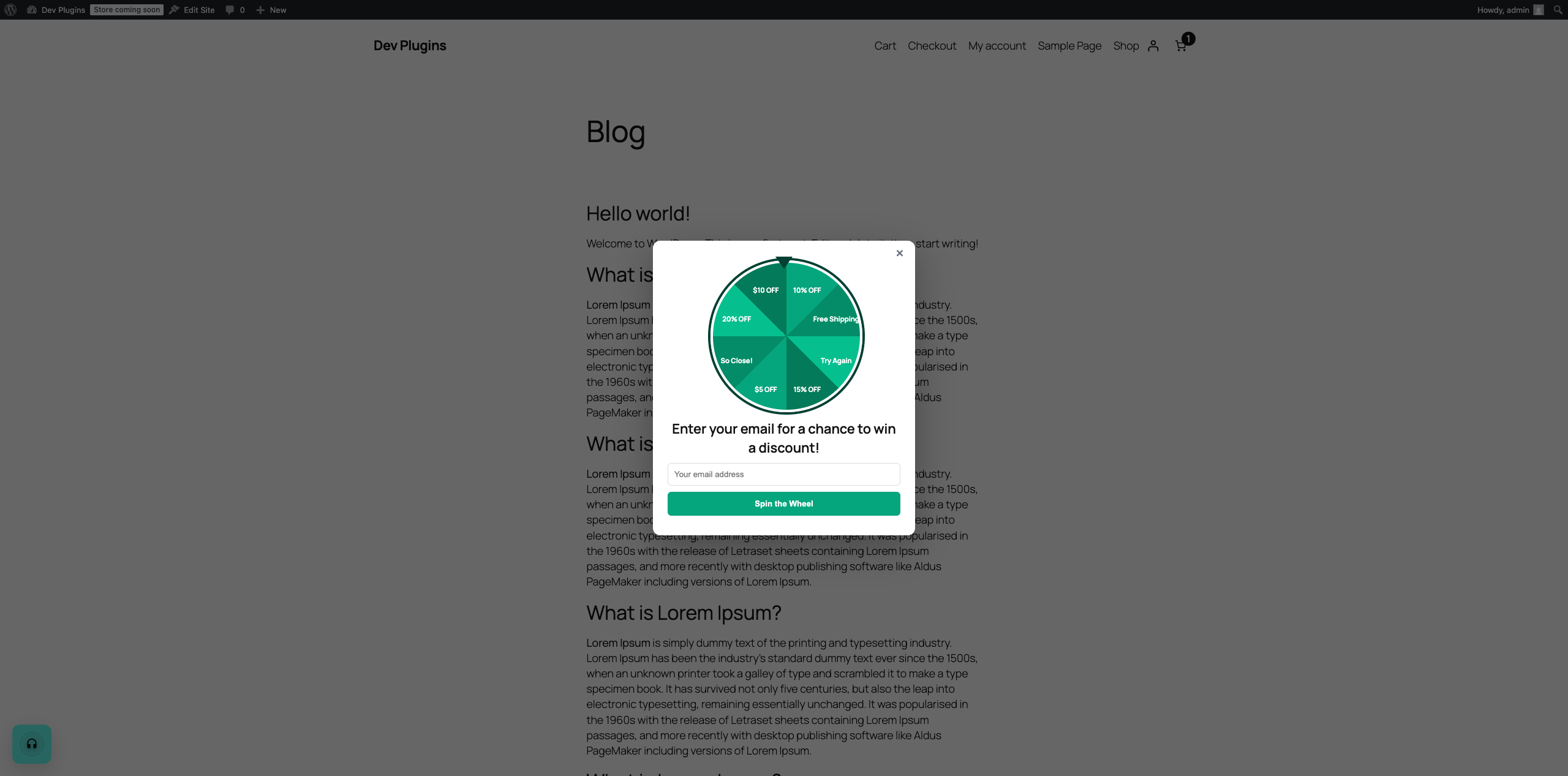
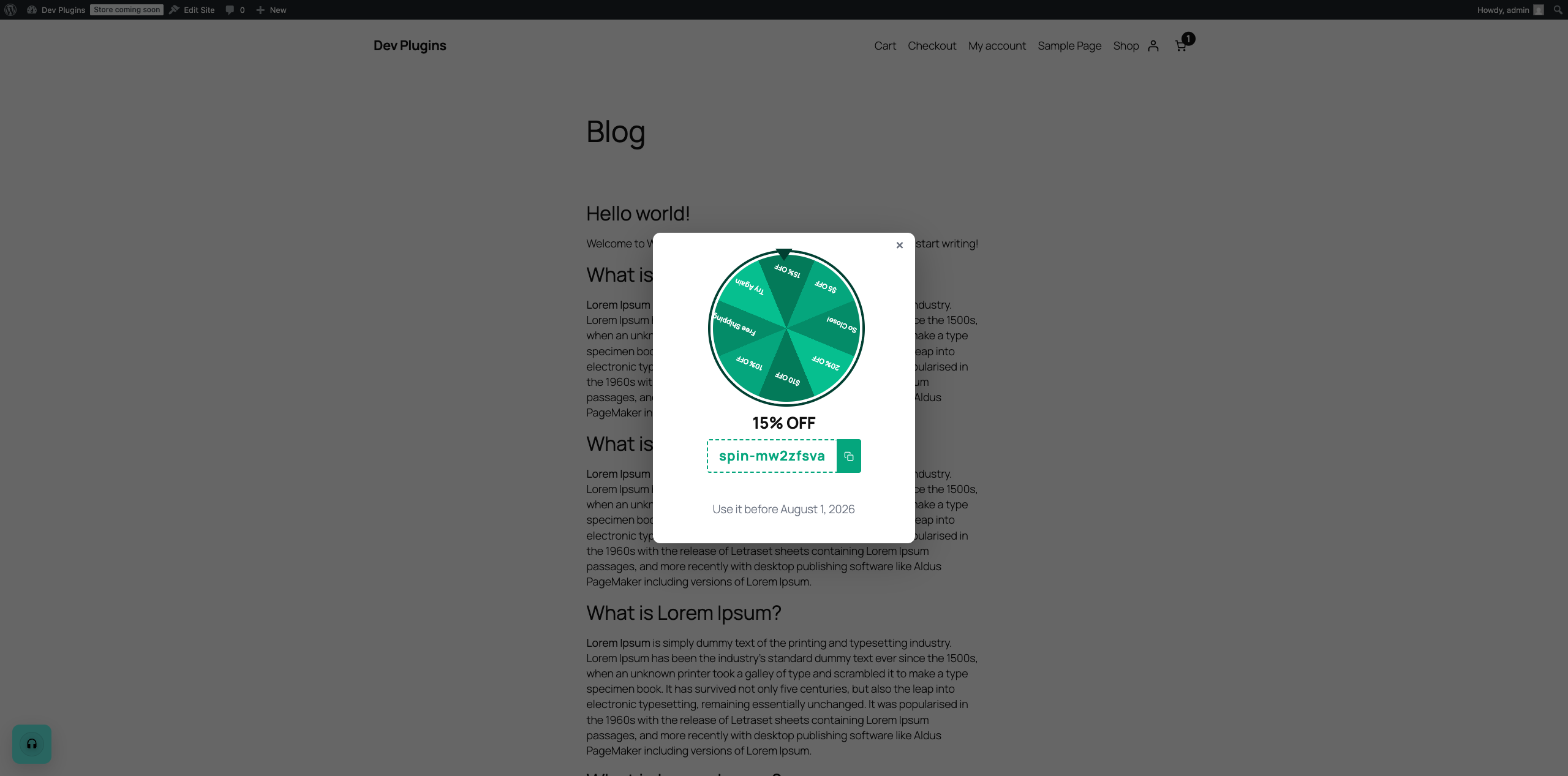
A visitor lands on a targeted page, and after the delay (or on exit intent) the wheel popup opens (Screenshot 2). They enter their email and click Spin the Wheel. The wheel spins and stops on whatever segment the server already picked — win or lose, the result and, if they won, the discount code appear immediately in the popup with a one-click copy button (Screenshot 3). There’s no need to check email to get the code, though a backup copy is also sent automatically via a WooCommerce email (customizable under WooCommerce > Settings > Emails > “Prize Won”).
8. One spin per email — enforced on the server
Each email address can only ever win (or lose) once. This is checked against your actual coupon records on the server, not a cookie — so clearing cookies, using a different browser, or private/incognito mode does not grant a second spin to the same email.
9. Where the coupons go
Every prize coupon Spin & Win creates is a normal WooCommerce coupon, visible under WooCommerce > Coupons, with the discount type/amount, a 1-use limit, an expiry date, and the winning email attached — so you can look up or manually adjust any winner’s coupon the same way you would any other coupon.
Screenshots
Installation
- Upload the plugin files to the
/wp-content/plugins/hdwebmobile-spin-and-windirectory, or install the plugin through the WordPress plugins screen directly. - Activate the plugin through the ‘Plugins’ screen in WordPress. WooCommerce must already be installed and active.
- Configure your prize segments, trigger, targeting, and coupon settings under WooCommerce > Spin & Win.
Reviews
There are no reviews for this plugin.
Contributors & Developers
“HDWebmobile Spin & Win” is open source software. The following people have contributed to this plugin.
Contributors
Translate “HDWebmobile Spin & Win” into your language.
Interested in development?
Browse the code, check out the SVN repository, or subscribe to the development log by RSS.
Changelog
1.0.0
- Initial release: 8-segment weighted wheel, server-enforced one-spin-per-email, real page targeting, instant on-screen code reveal with backup email, delay/exit-intent trigger, cookie frequency cap, configurable coupon expiry.