

Description
Contact forms attract two very different kinds of unwanted mail: bot spam, and sales emails written by real people. Traditional spam filters and CAPTCHAs handle the first and let the second straight through, so someone still has to read every message to find the enquiries that matter.
Hajik classifies both. An AI model reads what the message actually says, in Japanese, and separates genuine enquiries from sales outreach and spam, so your team only deals with the real ones.
What makes it different
- Built for Japanese-language forms. The AI classifier is designed around Japanese business writing and Japanese sales-email conventions, not translated from an English-first product.
- Filters sales emails, not just spam. Bot spam is the easy half. Hajik also identifies human-written cold outreach, which CAPTCHAs and keyword filters cannot see.
- Errs towards letting mail through. Missing a sales email is an inconvenience. Blocking a real customer is not. When Hajik is unsure, it treats the message as genuine and lets a person make the final call.
- No CAPTCHA for your visitors. Nothing to click, nothing to squint at.
- Your forms are not modified. The plugin never touches a form’s action, method, nonce or hidden fields.
What this plugin does
This plugin adds the Hajik SDK tag to your site and gives you one screen to manage it. It contains no filtering logic of its own — all classification happens on the Hajik service.
About the Hajik cloud service
Hajik is a cloud service operated by GrowGroup Inc. (haji-k.com). This plugin is a thin client for that service: the classification runs entirely on Hajik’s servers.
A Hajik account is required. There is a 14-day free trial with no credit card required, after which paid plans apply. The plugin itself is free and contains no locked features.
This is a service-integration plugin under section 6 of the WordPress.org plugin guidelines, “Software as a Service is permitted”:
https://developer.wordpress.org/plugins/wordpress-org/detailed-plugin-guidelines/#6-software-as-a-service-is-permitted
Privacy
Sensitive categories — credit card numbers, national ID numbers, bank account numbers, passport numbers and health information — are removed in the visitor’s browser before anything leaves the page.
Form content is then sent to Hajik to be classified, which involves an AI service. Submissions that Hajik stores afterwards are encrypted in the browser before being saved, so Hajik cannot read them.
External services
This plugin relies on the Hajik service, operated by GrowGroup Inc. It connects to one external host. If no embed key is configured, the plugin outputs nothing and no request to that host is made.
app.haji-k.com
- What it is: the host that serves the Hajik SDK and receives classification requests.
- When it is contacted: while an embed key is configured, every public page render enqueues
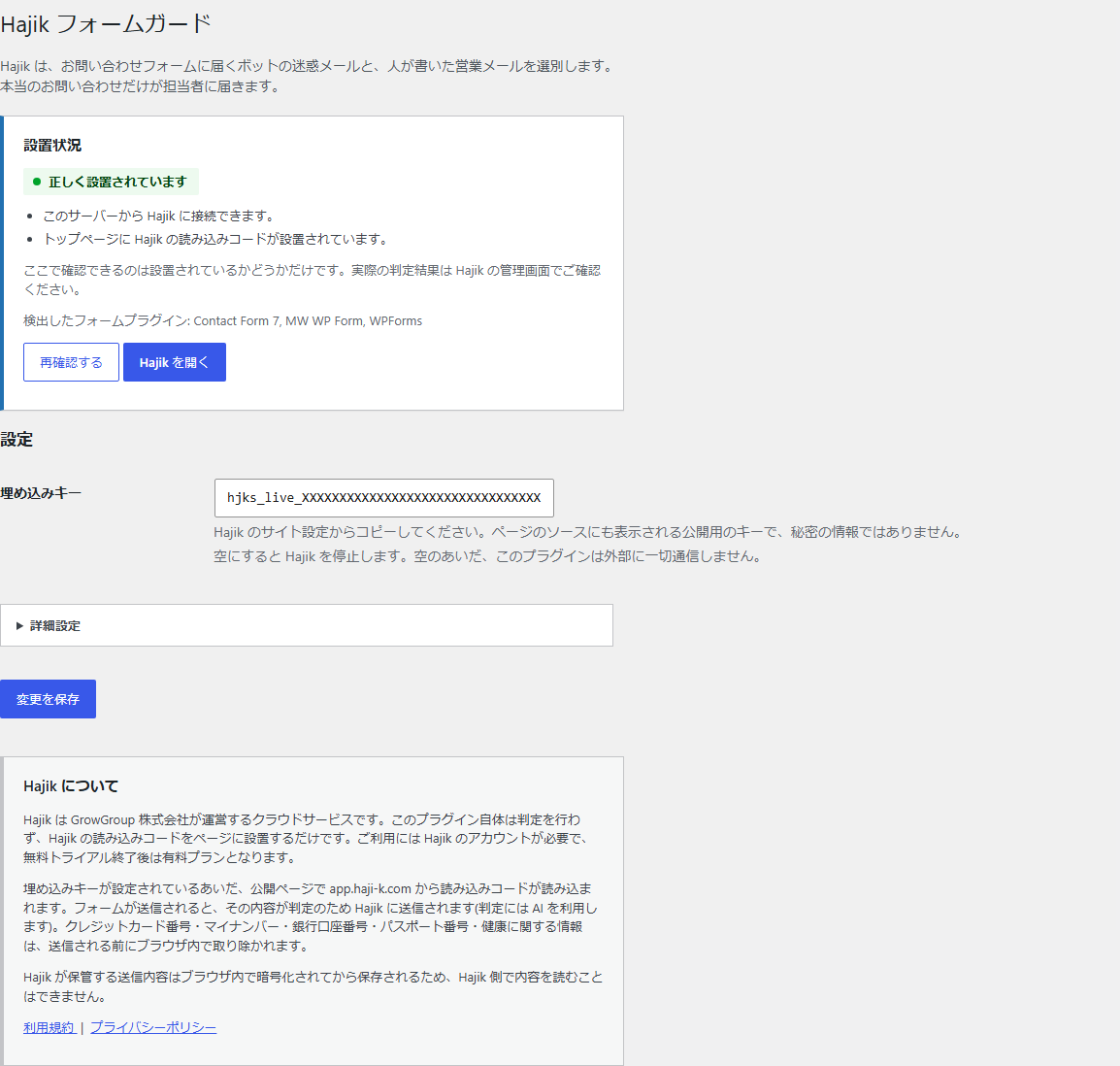
https://app.haji-k.com/v1/hajik.js?key=<your embed key>. The settings screen additionally requests that same file once to confirm it is reachable, and requests your own front page to confirm the tag is present. - What the plugin sends: your public embed key (an identifier beginning with
hjks_live_, which also appears in your page source and is not a secret), passed as a query parameter on the script URL. - What the visitor’s browser sends: standard browser identifiers (IP address, User-Agent, Referer, language headers) when loading the script. When a visitor submits a form, the SDK sends the submitted form content to Hajik to be classified, after removing sensitive categories in the browser. Classification involves an AI subprocessor; the privacy policy linked below covers this.
- What is never sent: WordPress administrator credentials, password hashes, WordPress secret keys or salts, authentication cookies, post content, or data belonging to other plugins.
- Service provider: GrowGroup Inc.
- Terms of service: https://haji-k.com/legal/terms
- Privacy policy: https://haji-k.com/legal/privacy
Screenshots
Installation
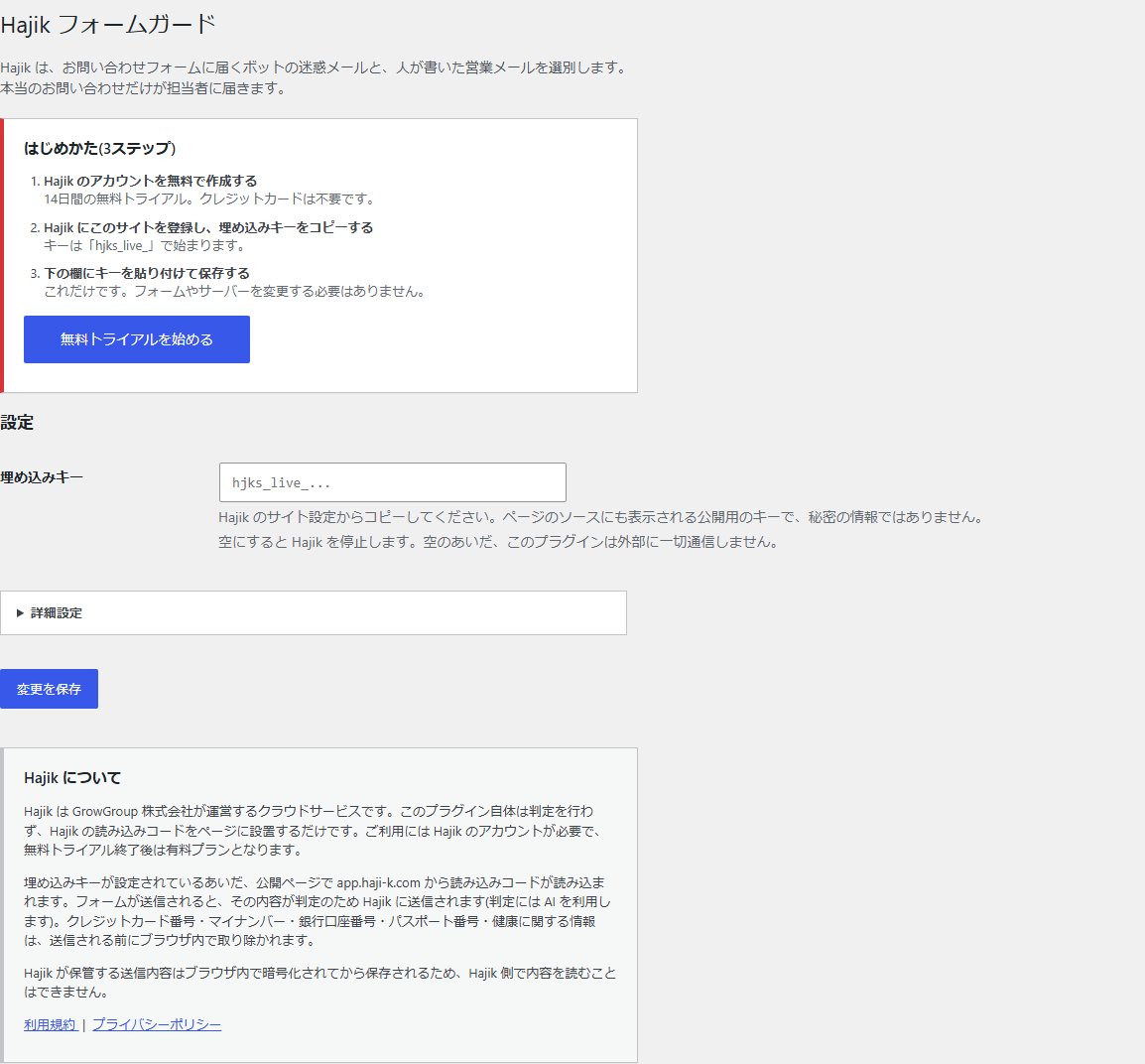
You will need a Hajik account before the plugin can do anything. Sign up at https://app.haji-k.com/signup — the trial is free for 14 days and does not ask for a credit card.
- Install and activate the plugin.
- In Hajik, register this site and copy its embed key. It begins with
hjks_live_. - Go to Hajik in the WordPress admin menu, paste the key, and save.
- The screen will confirm that the tag is in place.
No changes to your forms, your theme or your server are required.
FAQ
-
Do I need a Hajik account?
-
Yes. The classification runs on the Hajik service, so the plugin needs an account and an embed key to do anything. The trial is free for 14 days and does not require a credit card.
-
Which form plugins are supported?
-
Contact Form 7, MW WP Form and WPForms are detected and shown on the settings screen. Hajik works with standard HTML forms in general, so most other forms are covered too — the plugin watches submissions at the page level rather than hooking into a specific form plugin.
-
Does this modify my forms?
-
No. The plugin never changes a form’s action, method, nonce or hidden fields. It only adds a script tag to your pages.
-
Will it block real enquiries?
-
Hajik is built to fail in the safe direction: when it is not sure, it treats a message as genuine. It flags and sorts rather than silently discarding, and the final decision always stays with a person in the Hajik dashboard.
-
I use Google Tag Manager to load Hajik already.
-
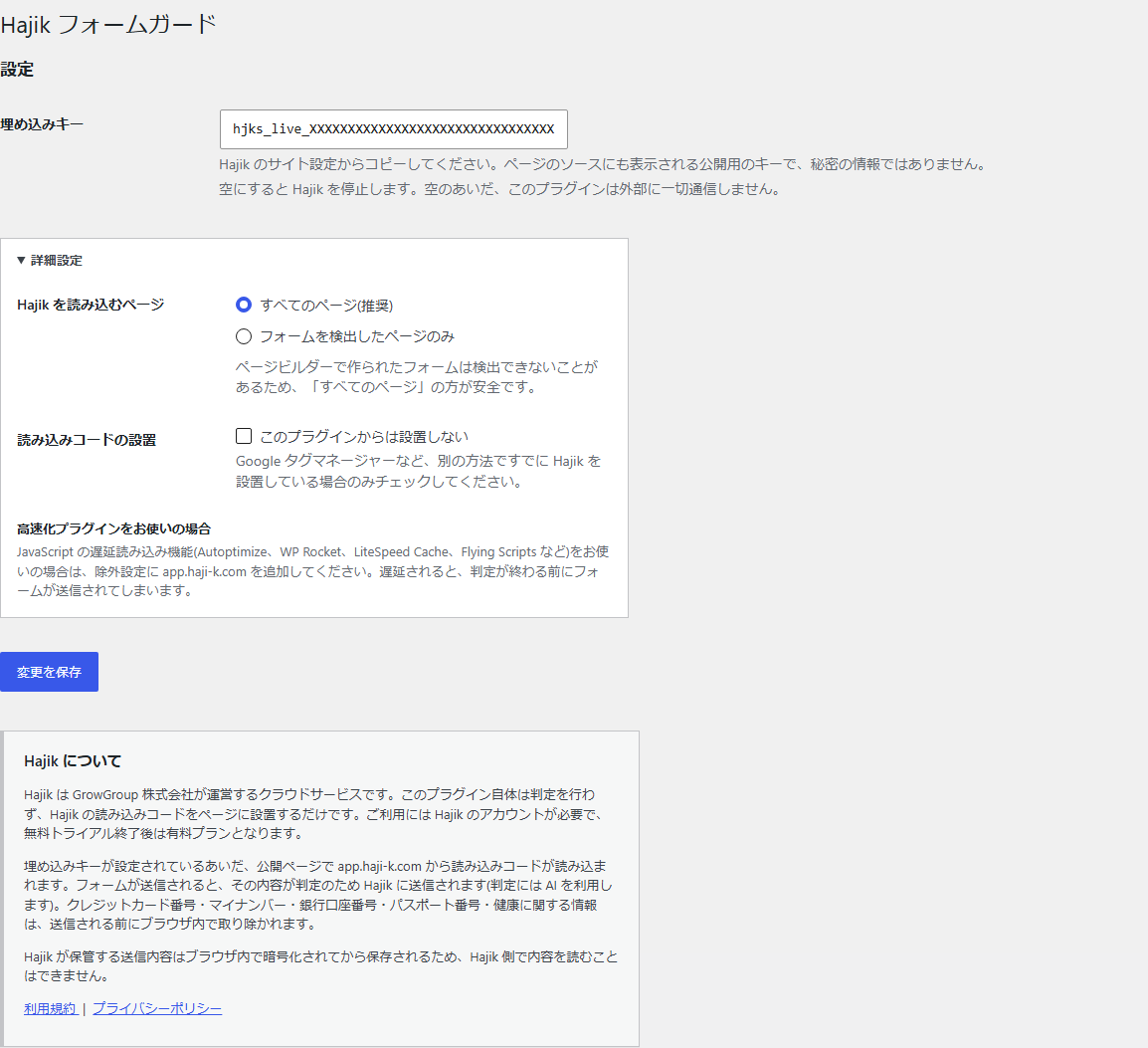
Tick “Do not output the tag from this plugin” under Advanced settings, so the SDK is not loaded twice.
Note that a tag manager injects its tags in the browser after the page has loaded, so they are not part of the page source. The installation check cannot see those — it only detects a duplicate tag that is already present in the source itself, such as one added to a theme header.
-
I use a caching or speed optimisation plugin.
-
Plugins that delay JavaScript (Autoptimize, WP Rocket, LiteSpeed Cache, Flying Scripts and similar) must be configured to exclude
app.haji-k.com. If the SDK is delayed, a form can be submitted before Hajik has had a chance to check it. -
Is the embed key a secret?
-
No. It is a public identifier that also appears in your page source, exactly like a tag manager container ID. It cannot be used to read your submissions.
-
What happens if I deactivate the plugin?
-
The tag stops being output and your forms behave as they did before. Your data in Hajik is unaffected and remains accessible from the Hajik dashboard.
Reviews
There are no reviews for this plugin.
Contributors & Developers
“Hajik Form Guard” is open source software. The following people have contributed to this plugin.
Contributors
Translate “Hajik Form Guard” into your language.
Interested in development?
Browse the code, check out the SVN repository, or subscribe to the development log by RSS.
Changelog
0.1.1
- Removed bundled translation files. Translations are delivered through translate.wordpress.org.
0.1.0
- Initial release.