

Description
The Gradient Dual Heading Studio for Elementor plugin allows you to create stunning dual headings with beautiful gradient text effects. Each heading has complete independent style controls.
Perfect for landing pages, business websites, agency portfolios, and WooCommerce stores, this widget gives you full control over every aspect of your headings.
🌈 Gradient Text Support
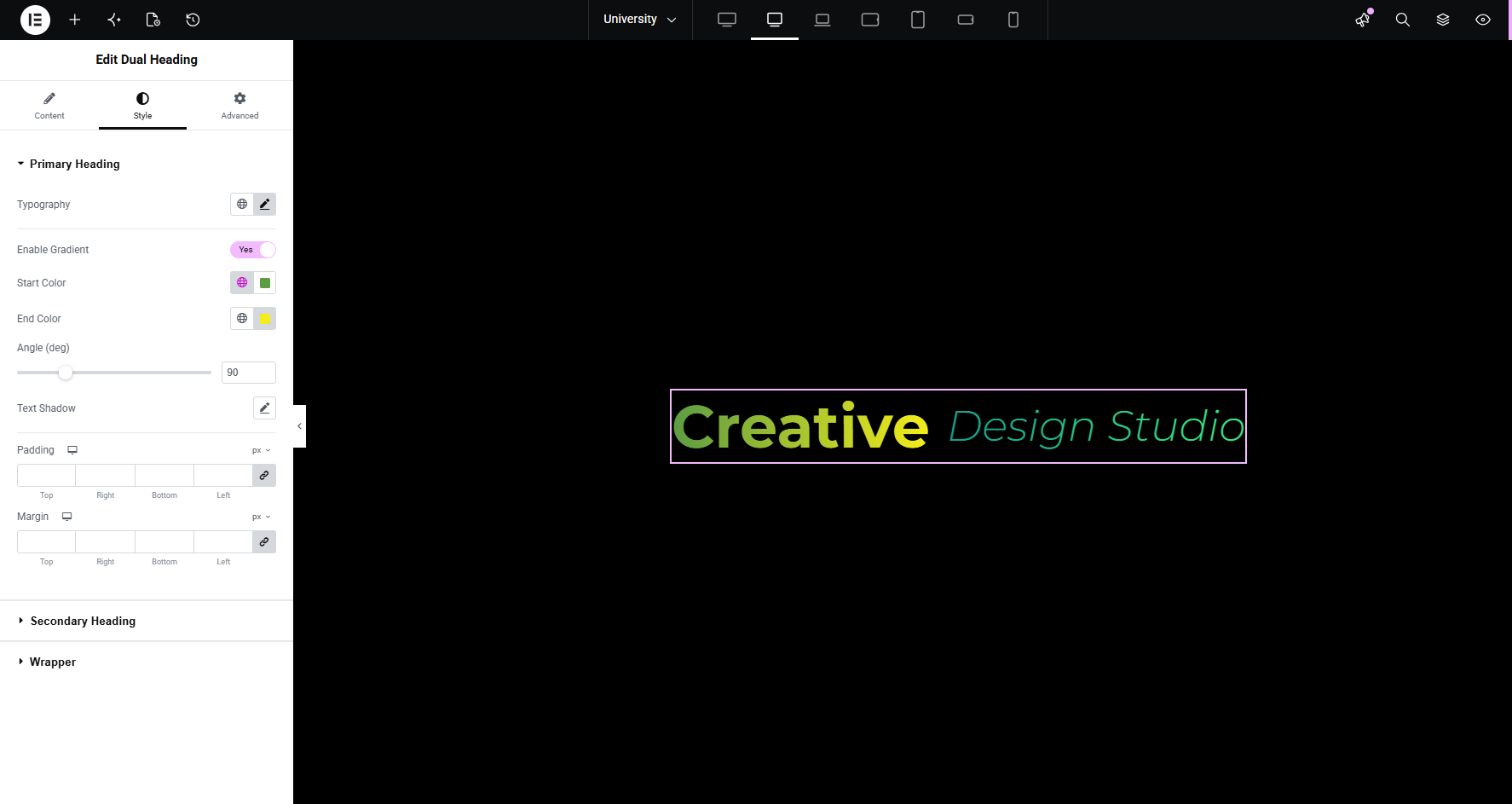
Create eye-catching gradient text with customizable start color, end color, and angle (0-360°) for both Primary and Secondary headings.
Two Independent Headings
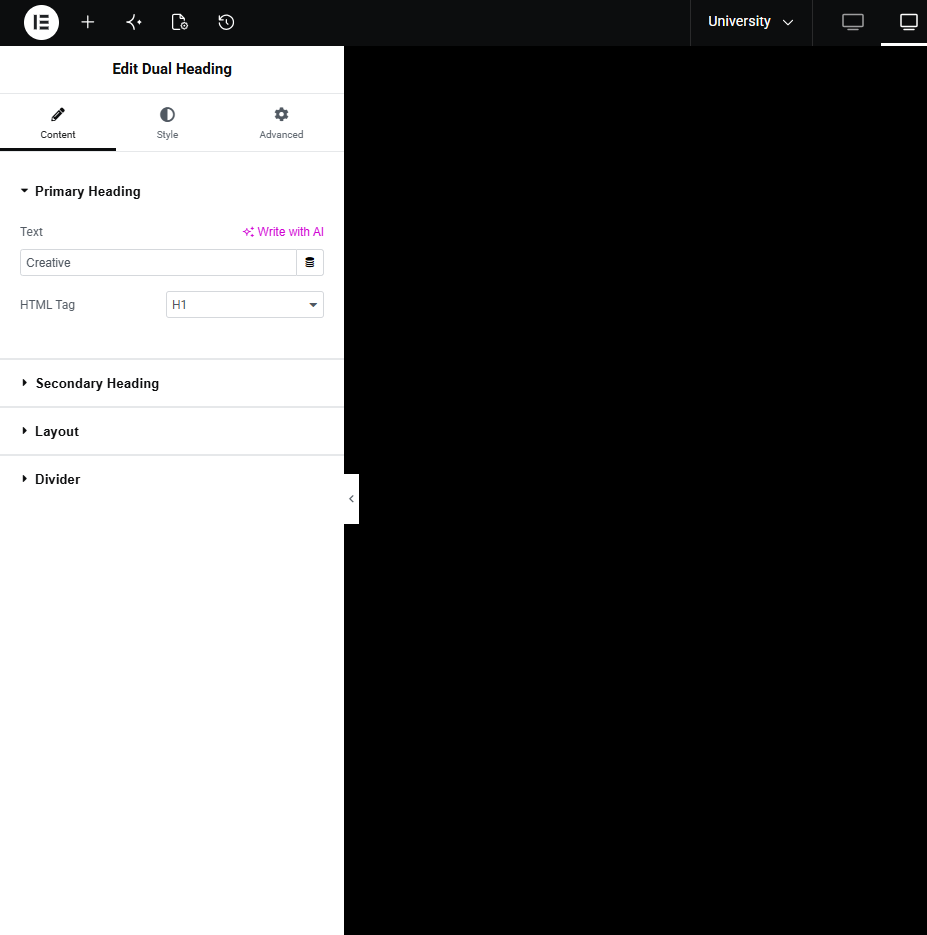
Add separate text for Primary and Secondary headings with unique HTML tags (H1-H6) for better SEO and flexibility.
Advanced Typography Controls
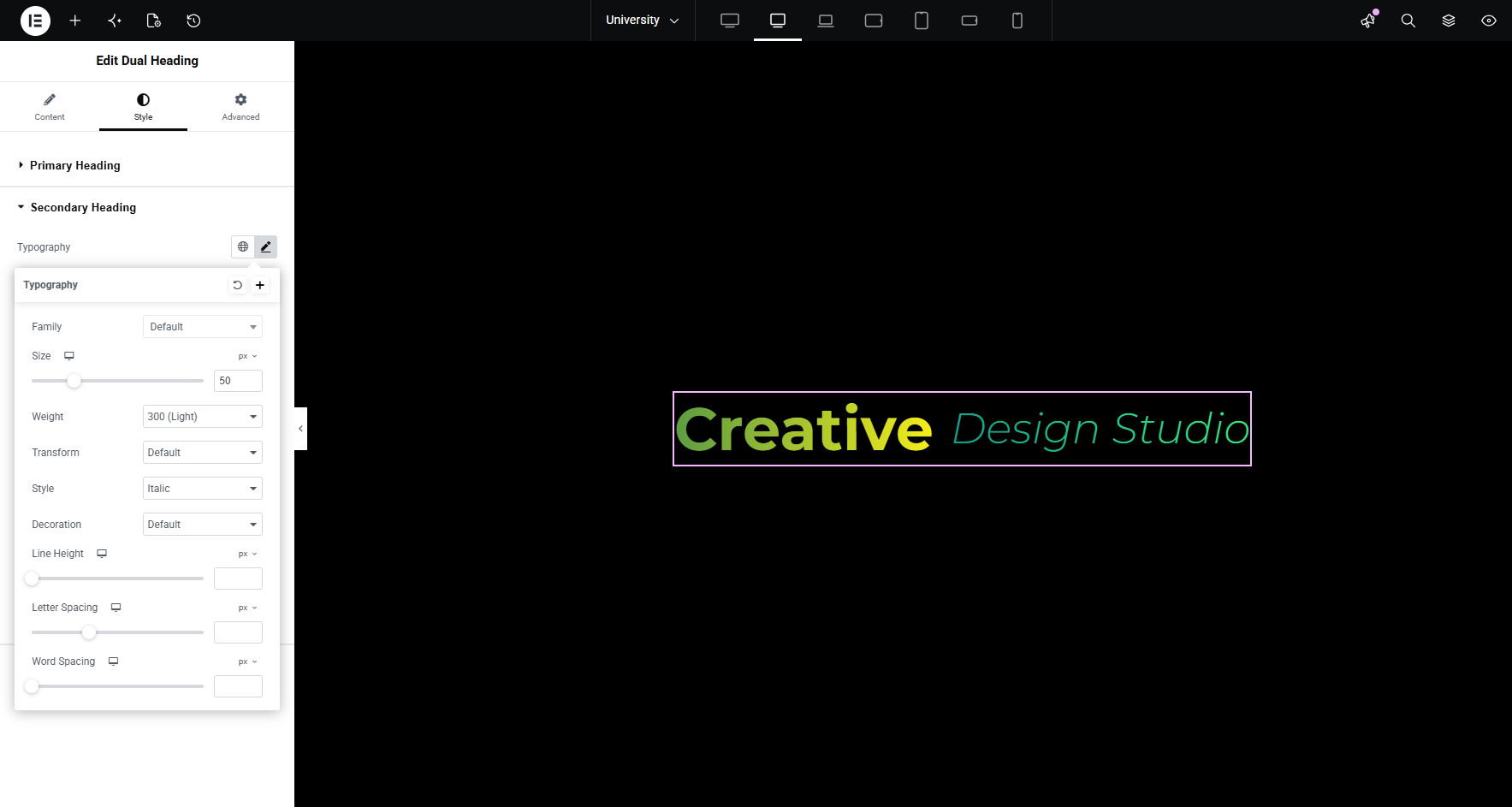
Independently style each heading with custom font family, size, weight, style, transform, letter spacing, and line height.
Full Responsive Control
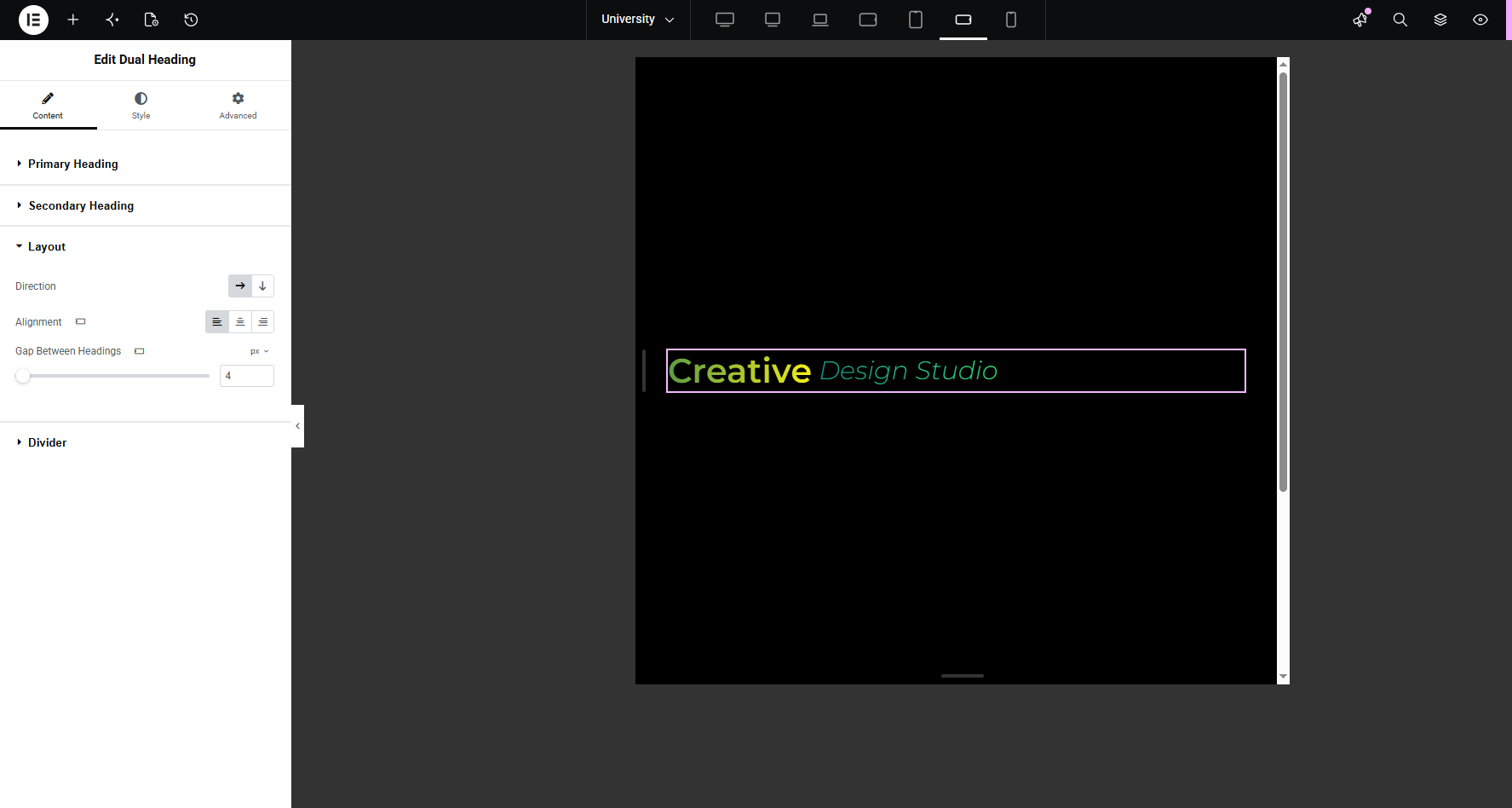
Independently control layout direction (Horizontal/Vertical), alignment (Left/Center/Right), and spacing for Desktop, Tablet, and Mobile devices.
Customizable Divider
Add a divider between headings with custom characters (e.g., “|”, “/”, “•”), color, size, and spacing controls.
Text Shadow & Effects
Apply text shadow with full color, blur, and position controls for added visual impact.
Dynamic Content Support
Compatible with Elementor’s Dynamic Tags, allowing you to pull content from ACF, Custom Fields, Post Meta, WooCommerce, and more.
Clean, SEO-Friendly Code
Generates semantic HTML markup with proper heading hierarchy for optimal SEO and accessibility.
Lightweight & Fast
CSS loads only when the widget is used on the page. No jQuery dependency.
Live Preview
All changes are visible in real-time within the Elementor editor.
Why Choose Gradient Dual Heading Studio for Elementor?
- Gradient text support – Create eye-catching gradient text with start/end colors and angle control
- Complete independence – Each heading has its own HTML tag, typography, colors, and styling
- Responsive by design – Full control over layout, alignment, and spacing on all devices
- Developer friendly – Clean, semantic code with dynamic content support
- Performance focused – Lightweight CSS that loads only when needed
Privacy Policy
The Gradient Dual Heading Studio for Elementor plugin does not collect, store, or transmit any personal data. All form content and styling is processed locally within your WordPress installation.
No data is sent to external servers or third-party services. The plugin simply adds a visual widget to your Elementor builder and displays content on your site.
Licenses for Third-Party Resources
This plugin uses:
* Font Awesome icons – https://fontawesome.com
License: SIL Open Font License 1.1 (https://scripts.sil.org/OFL)
Copyright (c) 2025 Fonticons, Inc.
Credits
Developed by Anees A.
Built for Elementor by Anees Ahmad
Screenshots

Installation
Upload the
gradient-dual-heading-studio-for-elementor.zipfile via Plugins Add New Upload Plugin.Activate the plugin through the ‘Plugins’ menu in WordPress.
Make sure Elementor is installed and activated.
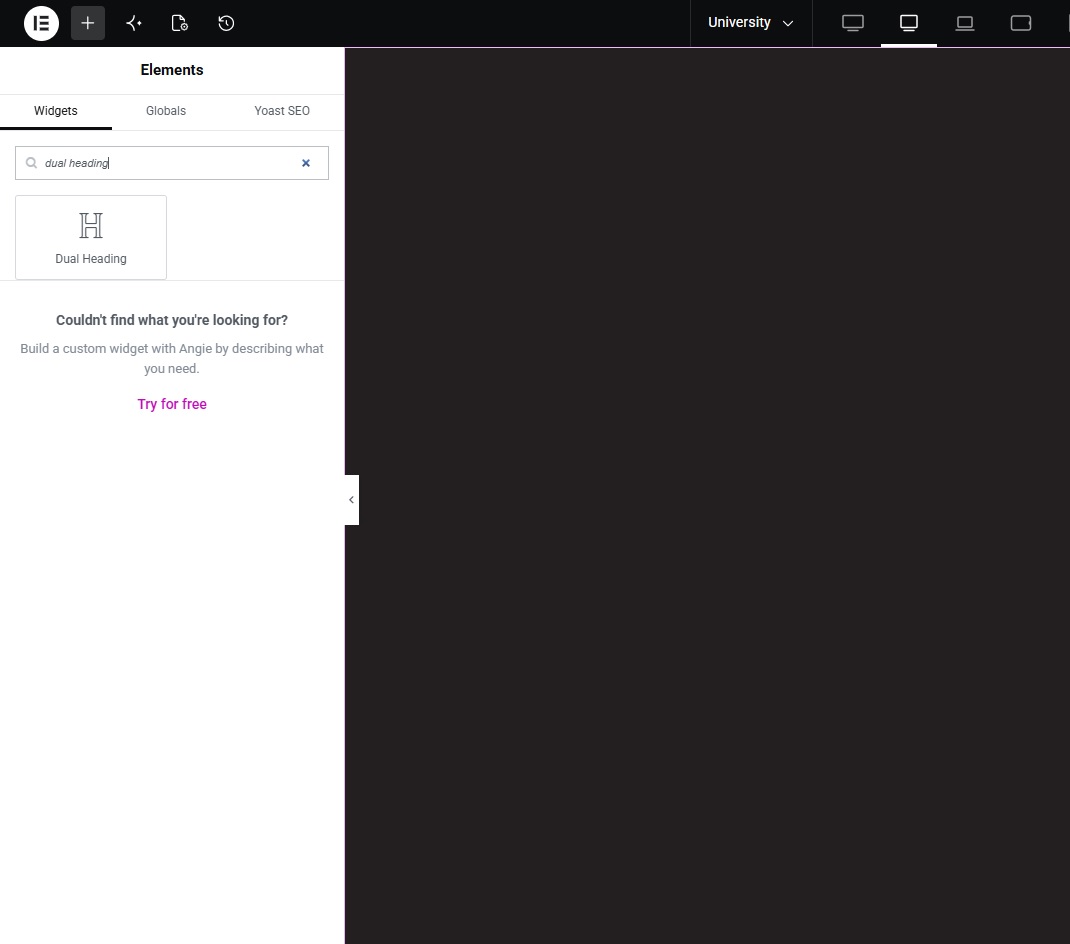
Edit a page with Elementor, search for “Dual Heading” in the widgets panel.
Drag and drop the widget to your page.
Customize your heading using the Content tab (text, layout, divider) and Style tab (typography, colors, gradients, shadows).
For best performance, navigate to Elementor Settings Advanced and click “Regenerate CSS & Data”.
FAQ
-
Does this plugin work with any WordPress theme?
-
Yes, it works with any well-coded WordPress theme that supports Elementor.
-
Can I use gradient text on my headings?
-
Absolutely! Both Primary and Secondary headings have an “Enable Gradient” switch. Once enabled, you can customize the gradient’s start color, end color, and angle.
-
Does the widget work on mobile devices?
-
Yes! The widget offers full responsive controls allowing you to set different layouts, alignments, and gaps for desktop, tablet, and mobile views. You can keep headings horizontal on mobile or stack them vertically.
-
Can I use dynamic content?
-
Yes, the widget supports Elementor’s Dynamic Tags, allowing you to pull content from ACF, Custom Fields, Post Meta, WooCommerce, and other dynamic sources.
-
Does this plugin slow down my website?
-
No. The plugin is lightweight and only loads its CSS files when the widget is actually used on the page.
-
Can I change the HTML tag for each heading?
-
Yes. Each heading has its own HTML tag selector (H1, H2, H3, H4, H5, H6, DIV, SPAN, P) for complete SEO control.
-
Is the plugin compatible with the latest WordPress version?
-
Yes, the plugin is regularly tested and compatible with the latest WordPress version.
-
Does this plugin work with Elementor Free or Elementor Pro?
-
Both! It works perfectly with both Elementor Free and Elementor Pro.
Reviews
There are no reviews for this plugin.
Contributors & Developers
“Gradient Dual Heading Studio for Elementor” is open source software. The following people have contributed to this plugin.
Contributors
Translate “Gradient Dual Heading Studio for Elementor” into your language.
Interested in development?
Browse the code, check out the SVN repository, or subscribe to the development log by RSS.
Changelog
1.1.0
- Plugin renamed to “Gradient Dual Heading Studio for Elementor”
- Enhanced description with gradient text features
- Added “Requires Plugins: elementor” header
- Improved code structure and constants
1.0.0
- Initial release
- Added Primary and Secondary heading controls
- Added independent HTML tag selection for each heading
- Implemented full responsive controls (Desktop, Tablet, Mobile)
- Added gradient text support with start color, end color, and angle
- Added typography controls for both headings
- Added text shadow support
- Added customizable divider with character, color, size, and spacing
- Added responsive layout direction (Horizontal/Vertical)
- Added responsive alignment (Left, Center, Right)
- Added responsive gap control
- Implemented dynamic content support
- Clean, semantic HTML for SEO
- Lightweight CSS loading only when widget is used
- No jQuery dependency