

Description
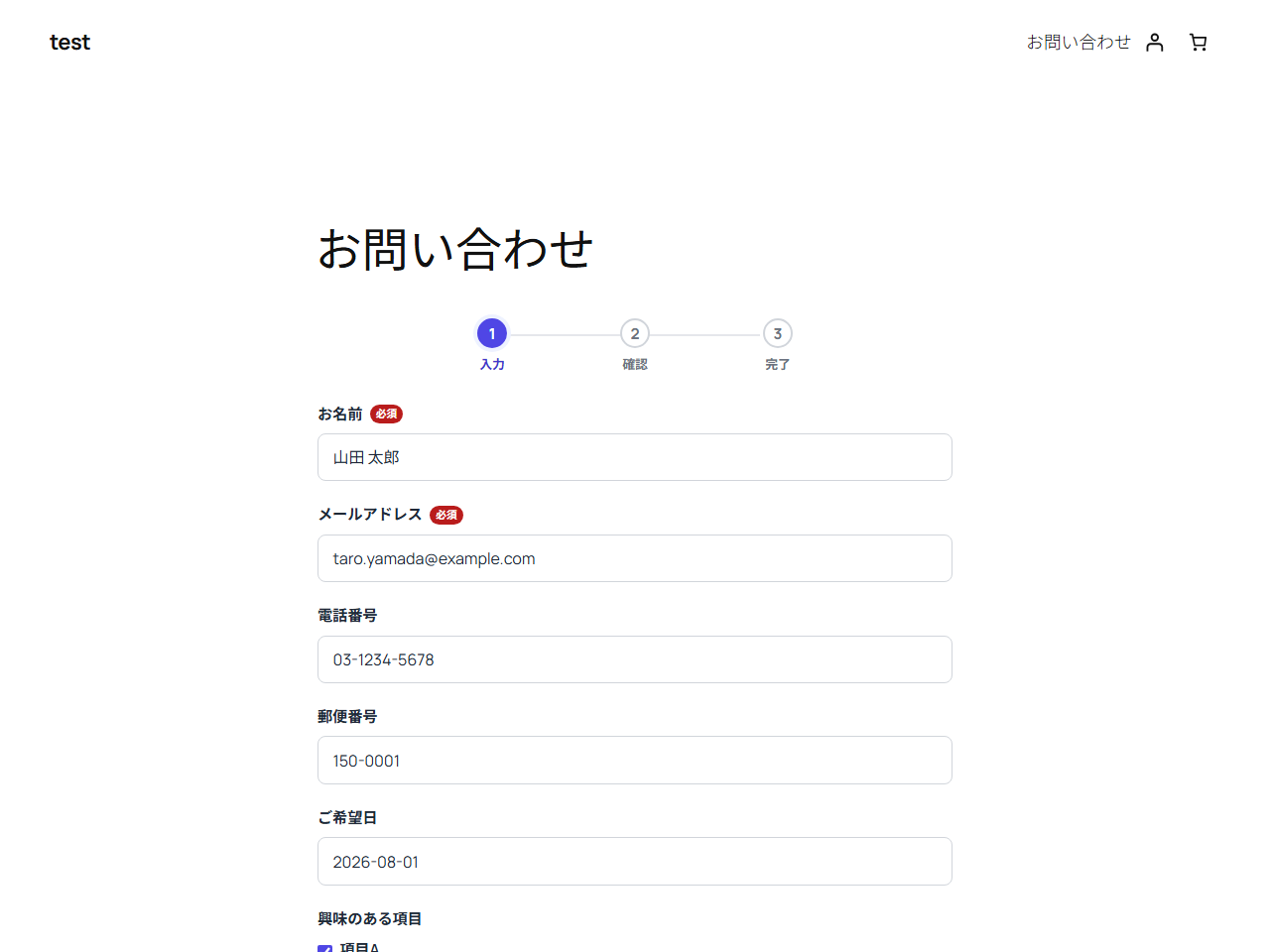
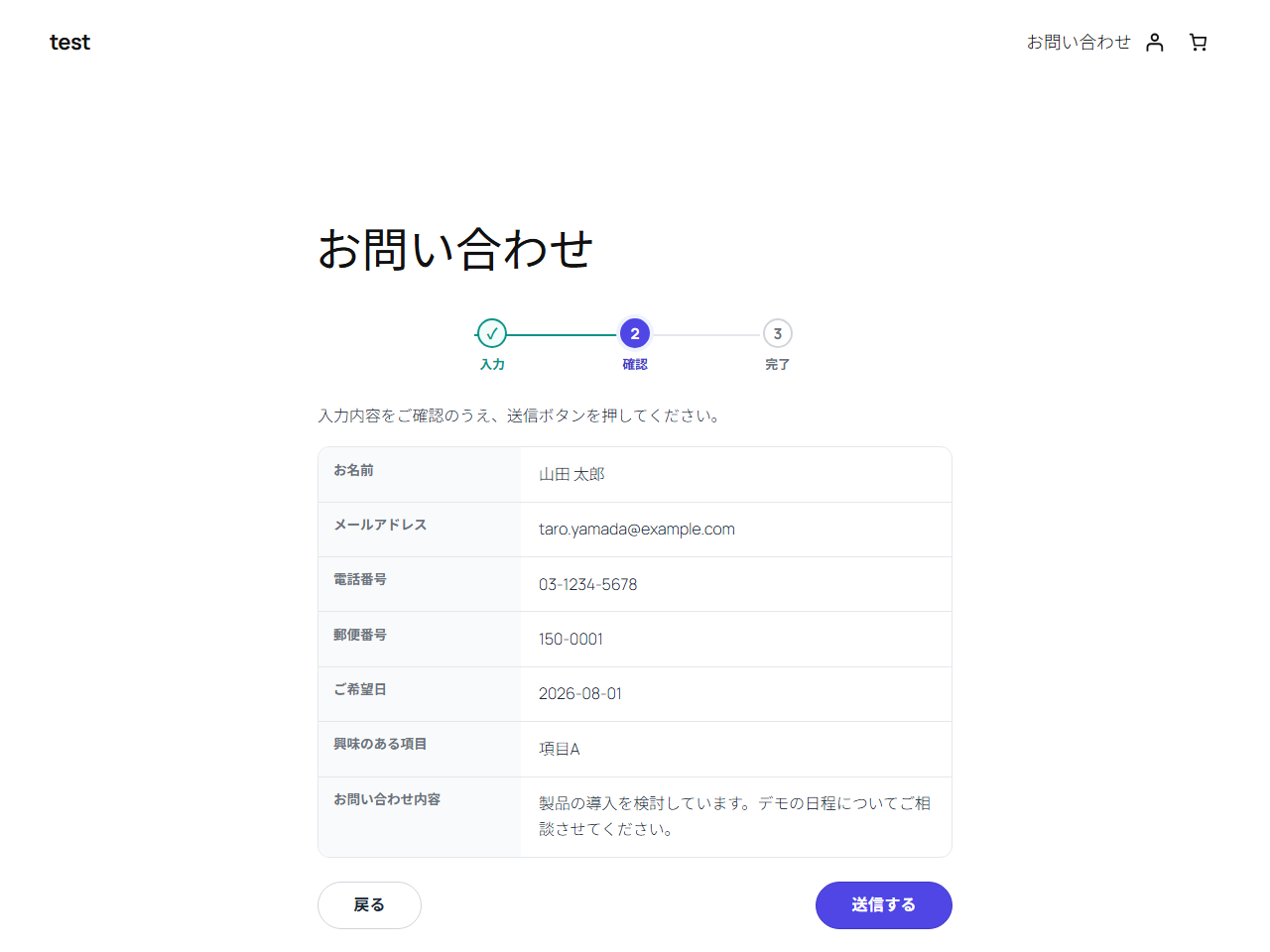
Formari Confirm Form is a WordPress contact form plugin designed around a confirmation screen: visitors enter details, review them on the same page, then submit. It is useful for Japanese sites that expect a confirm step before sending, and for sites migrating away from MW WP Form or Contact Form 7.
Who this is for
- Sites that need a contact form with a confirmation step before submission
- Sites looking for an MW WP Form alternative after MW WP Form development ended
- Sites that want a confirmation screen instead of (or after migrating from) Contact Form 7
- WooCommerce is not required
Main features (all included)
- Build forms in the admin (text, email, tel, textarea, select, radio, checkbox, consent)
- Confirmation flow on the same page: input confirm complete, with a back button that keeps values
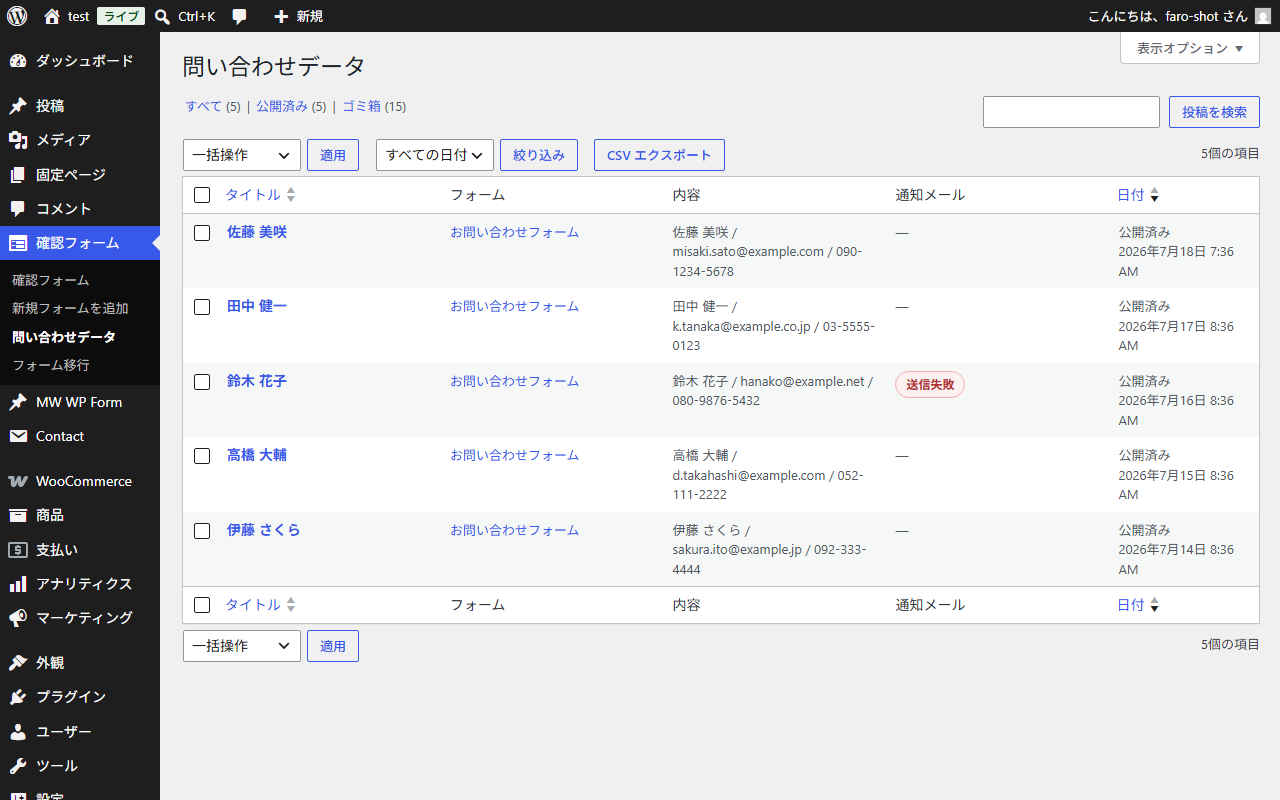
- Entry storage in the admin (“Form entries”); can be turned off per form (on by default). IP addresses are not stored
- Admin notification email and auto-reply templates with
{field name}placeholders - Test email button on the settings screen
- If notification email fails, the entry is still saved and an admin notice is shown
- Validation suited to Japanese forms (required, email, phone, length)
- Spam protection (honeypot + submission interval)
- Shortcode
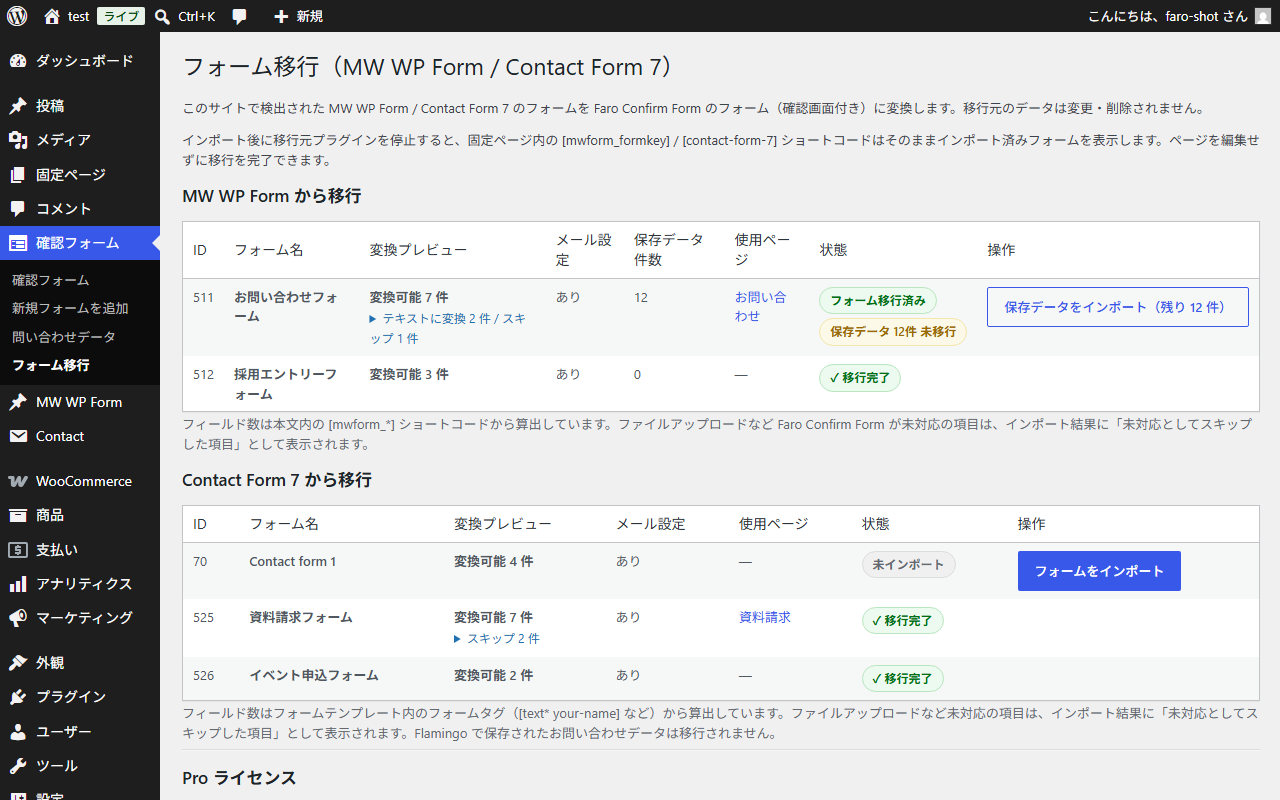
[formari_form id="123"] - MW WP Form and Contact Form 7 importers with conversion preview (including skipped items)
- Import every form (fields + mail settings); import saved MW WP Form inquiry data
- CSV export of stored entries (UTF-8 BOM for Excel)
- Legacy shortcode compatibility: after you deactivate the source plugin,
[mwform_formkey]/[contact-form-7]can render the imported Formari form without editing pages
Typical workflow
- Create a form under Confirm Form, or import via Confirm Form Form migration
- Paste
[formari_form id="123"]into a page - Visitors complete input confirm submit
Related WooCommerce plugins (optional)
- Faro Accounting Export for WooCommerce
- Kazuki Qualified Invoice Number for WooCommerce
- Kazuki Invoice Registration Verify for WooCommerce
- Faro Receipt & Invoice PDF for WooCommerce
Trademarks: MW WP Form and Contact Form 7 are trademarks of their respective owners. This plugin is not affiliated with those projects.
Screenshots
Installation
- Upload and activate the plugin.
- Create a form under Confirm Form, or import MW WP Form / Contact Form 7 forms via Confirm Form Form migration.
- Paste the shortcode into a page.
FAQ
-
Is the confirmation screen required?
-
Yes. It is the core of this plugin. Visitors review their input in a clear summary before sending.
-
Can I migrate from MW WP Form automatically?
-
Yes. Open Confirm Form Form migration to see detected forms (conversion preview, mail settings, saved data count, pages in use) and import with one click. File upload fields and other unsupported items are listed in the preview and in the import result. Source data is not modified.
-
Do I need to rewrite shortcodes on pages after migration?
-
No. After you deactivate MW WP Form or Contact Form 7, remaining
[mwform_formkey]/[contact-form-7]shortcodes can display the imported Formari form. While the source plugin is still active, its own form is shown (this plugin does not override it). -
Where are submitted messages stored?
-
Under Confirm Form Form entries (can be disabled per form; enabled by default). IP addresses are not stored. You can export entries as CSV.
-
What if email is not delivered?
-
Use Settings Formari Confirm Form Send test email. Delivery problems are usually server mail configuration; an SMTP plugin such as WP Mail SMTP often helps. Even if email fails, the entry is saved and an admin notice is shown.
-
Can I migrate from Contact Form 7?
-
Yes. The same migration screen detects CF7 forms and converts form tags, required flags, and mail settings (Mail (2) becomes the auto-reply). Flamingo stored messages are not imported.
-
Is source plugin data deleted?
-
No. Import is read-only.
-
Can I change colors or design?
-
Yes. Front-end styles use CSS custom properties under
.formari-cf. Example in Additional CSS:.formari-cf { --formari-cf-accent: #b45309; } -
Does this require WooCommerce?
-
No.
-
Does uninstall delete data?
-
By default, no. Enable “Delete data on uninstall” under Settings Formari Confirm Form if you want forms, entries, and settings removed on uninstall.
Reviews
There are no reviews for this plugin.
Contributors & Developers
“Formari Confirm Form” is open source software. The following people have contributed to this plugin.
Contributors
Translate “Formari Confirm Form” into your language.
Interested in development?
Browse the code, check out the SVN repository, or subscribe to the development log by RSS.
Changelog
1.3.0
- Rename plugin to Formari Confirm Form (slug formari-confirm-form, shortcode [formari_form]).
1.2.0
- Remove license / Pro feature locks. All migration and CSV export features are fully available.
- Remove Gumroad license integration from this plugin.
- Rewrite readme description in English (base language for translations).
1.1.0
- Redesigned front-end (step indicator, card-style confirmation, larger submit button, mobile layout, CSS variables).
- MW WP Form and Contact Form 7 importers with conversion preview.
- Legacy shortcode compatibility after source plugins are deactivated.
- Entry storage, test email, mail-failure admin notice, uninstall data option.
1.0.0
- Initial release.