Description
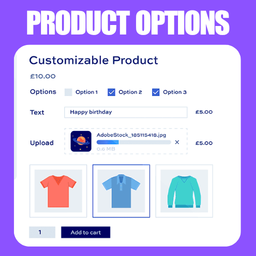
FlexiPick is a powerful yet simple extension for WooCommerce that allows you to add custom extra options and add-ons to your products. Perfect for restaurants, custom product builders, or any store that needs to offer personalized item variations.
Whether you need to let customers choose toppings for a pizza, pick a size for their drink, or add premium gift wrapping, FlexiPick makes it incredibly easy. It integrates natively into your WooCommerce Product Data tabs, providing an intuitive builder to set up your product extras.
Key Features
- Unlimited Add-on Groups: Create as many option groups as you need per product (e.g., “Choose Toppings”, “Select Size”).
- Multiple Input Types: Support for Radio buttons (choose one) and Checkboxes (choose multiple).
- Flexible Pricing: Add a custom flat price to any individual option.
- Size Variations: Add sub-sizes with specific pricing to any option (e.g., Option: Coke -> Sizes: Small +$1, Large +$2).
- Required Options: Force customers to select an option before they can add the product to their cart.
- Native WooCommerce Integration: Add-on prices are automatically calculated into the cart total. Selected options are neatly displayed in the cart, checkout page, and backend order details.
- Beautiful Frontend UI: Clean, modern, and responsive design that looks great on any theme.
How it Works
- Go to your WordPress Admin -> Products and edit a product.
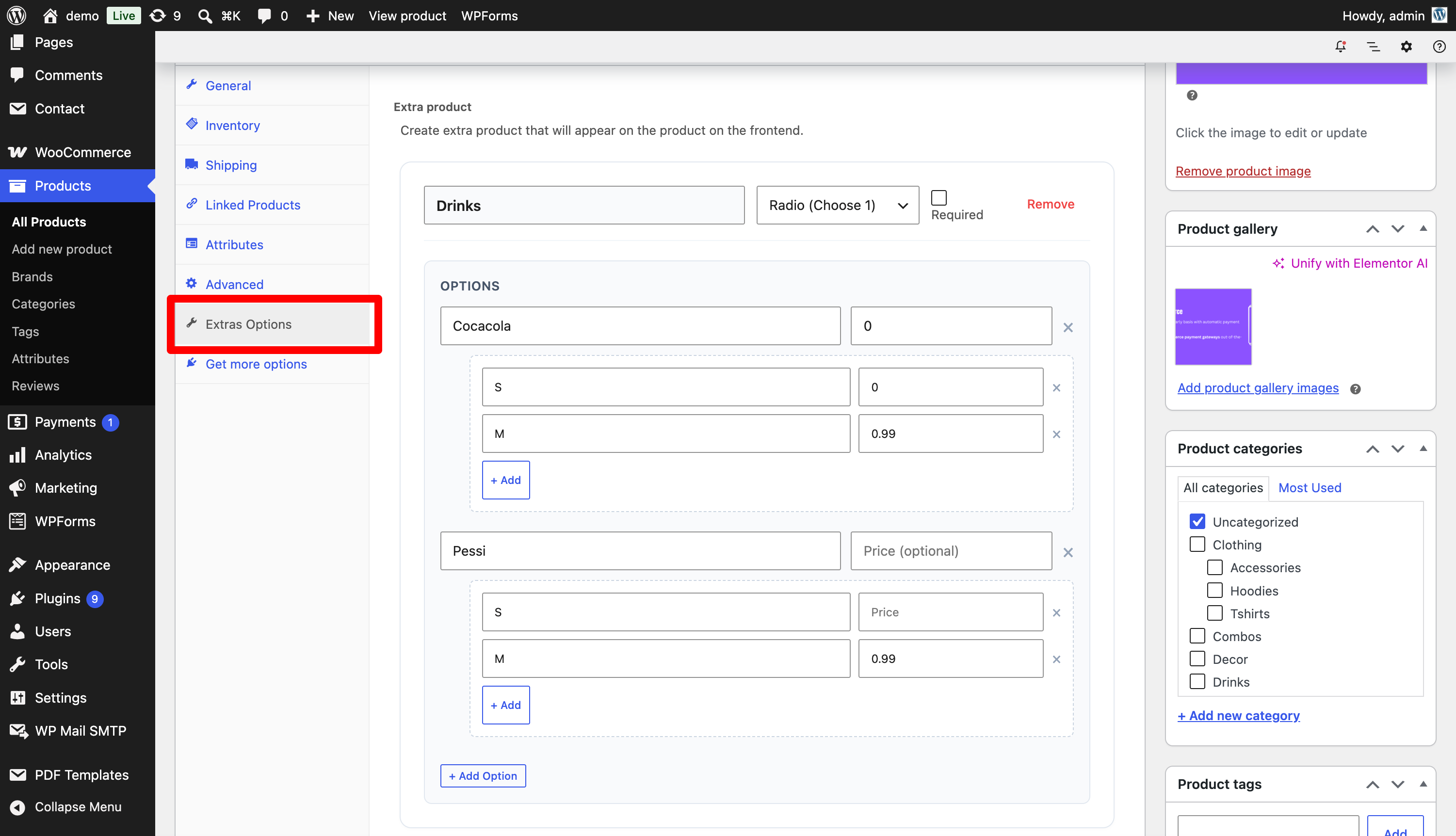
- Scroll down to the Product Data section and click on the new Extras Options tab.
- Click “+ Add extra product” to create a new group.
- Define your options, set prices, and save the product.
- The options will now beautifully display on your frontend product page!
Screenshots
Installation
- Upload the
flexipickfolder to your/wp-content/plugins/directory. - Activate the plugin through the ‘Plugins’ menu in WordPress.
- Edit any WooCommerce product and navigate to the Extras Options tab in the Product Data meta box.
- Start adding your custom options!
FAQ
-
Does this plugin work with any theme?
-
Yes! The frontend design is built to be clean, flexible, and compatible with the vast majority of WooCommerce themes out of the box.
-
Are the extra prices added to the final total?
-
Yes, all selected option prices are automatically added to the base price of the product and reflected in the WooCommerce cart and checkout.
-
Where do I see the customer’s selected add-ons?
-
Selected add-ons are displayed in the cart, on the checkout page, in order confirmation emails, and in the WooCommerce order details screen in your WordPress backend.
Reviews
There are no reviews for this plugin.
Contributors & Developers
“FlexiPick – Simple Extra Product Options for WooCommerce” is open source software. The following people have contributed to this plugin.
Contributors
Translate “FlexiPick – Simple Extra Product Options for WooCommerce” into your language.
Interested in development?
Browse the code, check out the SVN repository, or subscribe to the development log by RSS.
Changelog
1.0.0
- Initial release of FlexiPick.
- Added support for Checkbox and Radio input types.
- Added support for option pricing and sub-size pricing.
- Integrated with WooCommerce Cart, Checkout, and Order Items.