

Description
Flexible Donations for Stripe lets you accept donations directly through Stripe Checkout, the PCI-compliant hosted payment page. Donations go straight to your Stripe account – no transaction fees beyond Stripe’s own.
Key Features
- One-time & recurring donations – donors choose either payment type
- Custom amount input – donors enter any amount they want
- Predefined amount buttons – quick-select popular donation amounts
- Flexible billing intervals – daily, weekly, monthly, quarterly, or yearly
- Sandbox / Test mode – store separate test keys and switch live/test anytime without touching your live keys
- Email confirmations – automatic thank-you emails with dynamic placeholders
- Donation tracking – every session logged in the database
- Webhook support – real-time payment confirmation via Stripe webhooks
- AJAX or REST API submission – choose between
admin-ajax.phpand the WordPress REST API if your host blocks AJAX for visitors - Multi-currency – works with any Stripe-supported currency
How it works
The plugin renders a shortcode form. When a donor submits it, a Stripe Checkout Session is created and the donor is redirected to Stripe’s hosted payment page. Stripe sends a webhook back to your site to confirm the payment, mark the donation completed, and send the thank-you email.
This plugin is an interface to the Stripe payment service. By configuring it with your Stripe API keys you consent to sending donation data (donor email and amount) to Stripe for processing. Review Stripe’s Terms of Service and Privacy Policy before use.
Live vs Test mode
- Live mode – processes real payments with your
sk_live_keys - Test mode – processes test payments with
sk_test_keys (use test card4242 4242 4242 4242)
Your live keys are stored separately and are never touched when you switch modes. A warning banner is shown in settings while test mode is active.
Privacy
This plugin does not collect, store, or transmit any personal data on its own. Donation information (donor email address and amount) is sent to Stripe, the payment processor, when creating a checkout session. Data is stored in your site’s database (fdfs_donations table) for donation tracking purposes.
Screenshots
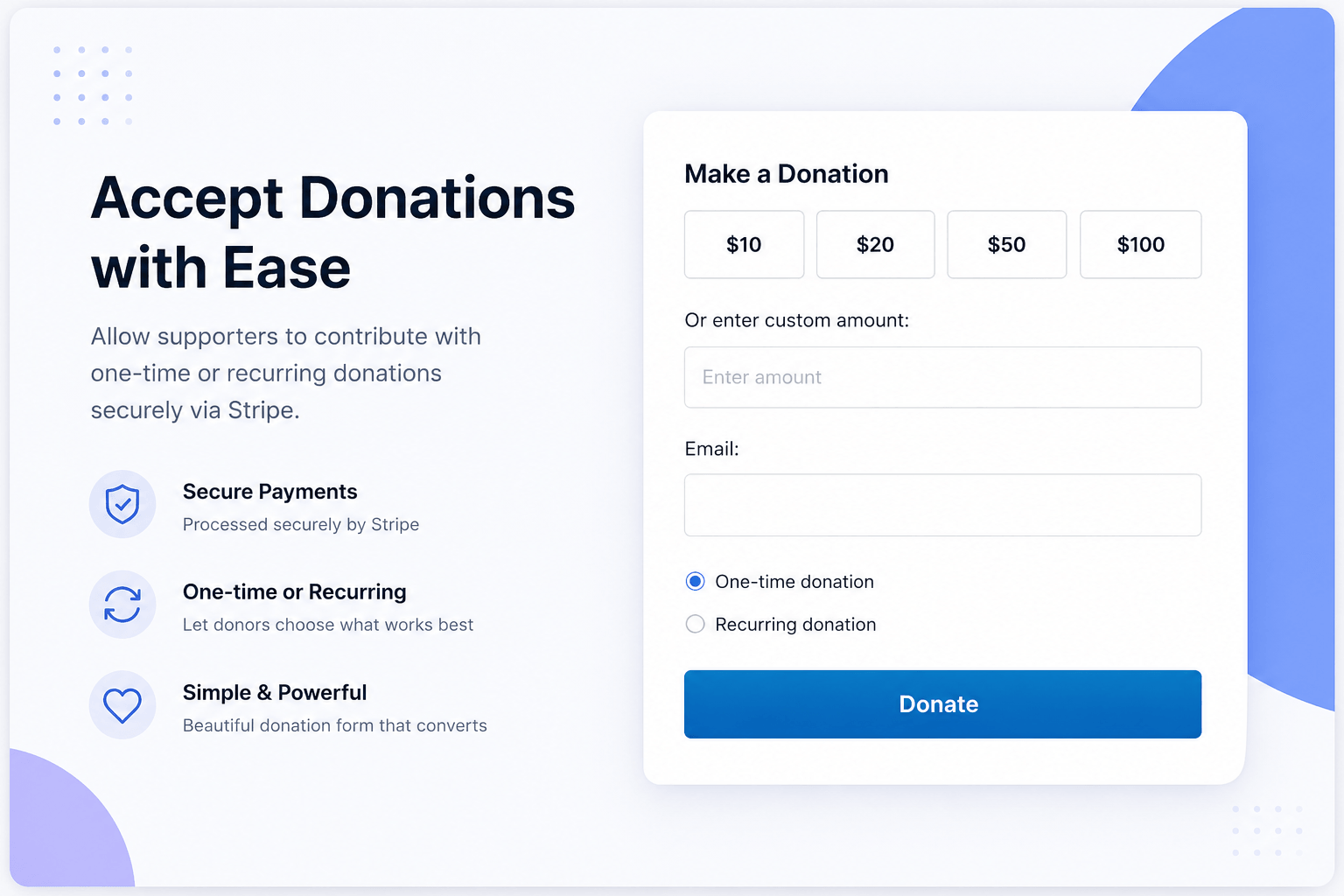
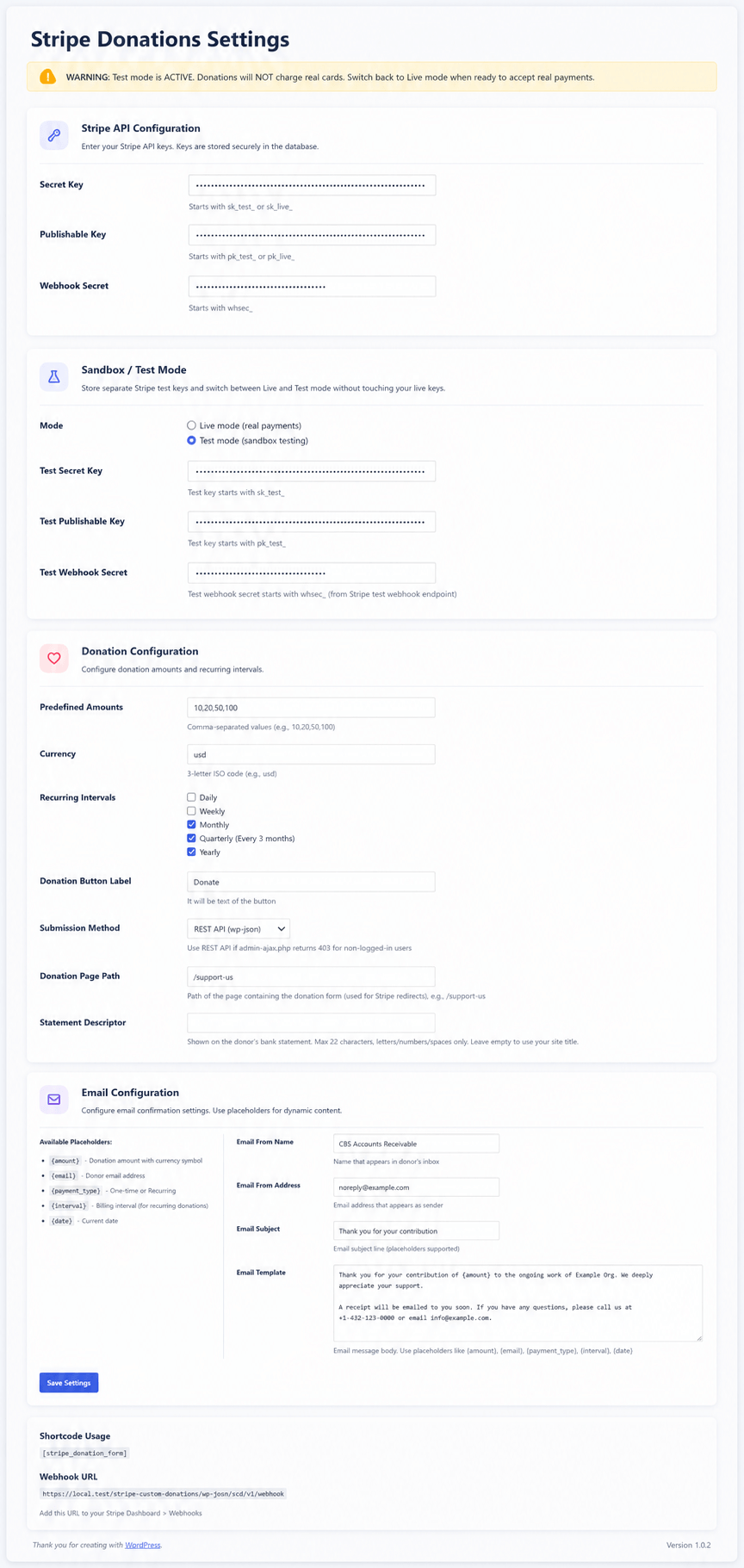
Installation
- Upload the
flexible-donations-for-stripefolder to/wp-content/plugins/ - Activate the plugin through the Plugins menu in WordPress
- Go to Settings Stripe Integration and enter your Stripe Secret Key, Publishable Key, and Webhook Secret (from Stripe Dashboard Developers)
- Add the
[fdfs_donation_form]shortcode to any page
Webhook setup
- In Stripe Dashboard, go to Developers Webhooks and click Add endpoint
- Enter your webhook URL:
https://yoursite.com/wp-json/fdfs/v1/webhook - Subscribe to these events:
checkout.session.completedinvoice.payment_succeededcustomer.subscription.deleted
- Copy the signing secret (
whsec_...) and paste it in the plugin settings - If using test mode, create a second webhook endpoint in Stripe’s test mode and paste its secret in the test webhook field
Composer note
The Stripe PHP SDK is bundled with the plugin, so no Composer installation is required.
FAQ
-
Is a Stripe account required?
-
Yes. The plugin works with any Stripe account. Free plan is sufficient for donations.
-
Are there any transaction fees?
-
The plugin itself is free. Payments go directly to your Stripe account and are subject only to Stripe’s standard processing fees.
-
Can I use it without HTTPS?
-
Stripe Checkout works on HTTP, but a valid SSL certificate is strongly recommended and required for many Stripe features.
-
How do I change where donors return after payment?
-
Set the Donation Page Path in Settings Stripe Integration. This is the path of the page containing the donation form (default:
/support-us). -
Which payment methods are supported?
-
Cards through Stripe Checkout. Stripe handles the full payment experience.
Reviews
There are no reviews for this plugin.
Contributors & Developers
“Flexible Donations for Stripe” is open source software. The following people have contributed to this plugin.
Contributors
Translate “Flexible Donations for Stripe” into your language.
Interested in development?
Browse the code, check out the SVN repository, or subscribe to the development log by RSS.
Changelog
3.3.0
- Rebranded as Flexible Donations for Stripe with the flexible-donations-for-stripe slug
- Upgraded Stripe PHP SDK to v21.1.1
- Fixed settings page slug to use the plugin prefix instead of a generic word
- Added automatic migration of legacy settings, donations table, shortcode, and webhook endpoint from the pre-3.3.0 version
- Added cache-proof nonce refresh so donations work on pages served from cache
- Added optional donation note field (configurable in settings) stored in Stripe metadata and the donations table
3.2.0
- Renamed to Custom Donations for Stripe
- Fixed escaping and input sanitization issues flagged by the Plugin Check tool
- Fixed direct database query warnings flagged by the Plugin Check tool
3.1.0
- Added Sandbox / Test mode with separate test keys and a live/test toggle
- Added warning banner when test mode is active
- Added donation page path setting for Stripe redirect URLs
- Added configurable statement descriptor shown on donor bank statements
- General cleanup for WordPress.org compliance
3.0.0
- Added REST API submission method to work around
admin-ajax.php403 errors for non-logged-in users - Added email template support with dynamic placeholders
2.0.0
- Added email template support with dynamic placeholders
1.0.0
- Initial release
- One-time and recurring donation support
- Custom amount input
- Predefined amount buttons
- Multi-interval recurring options (daily, weekly, monthly, quarterly, yearly)
- Stripe webhook integration
- Email confirmations
- Database donation tracking
- Admin settings page with secure key storage