

Description
FinderPress Media Auditor helps site administrators scan for broken images, missing Media Library files, unreachable media URLs, and other media issues across WordPress content.
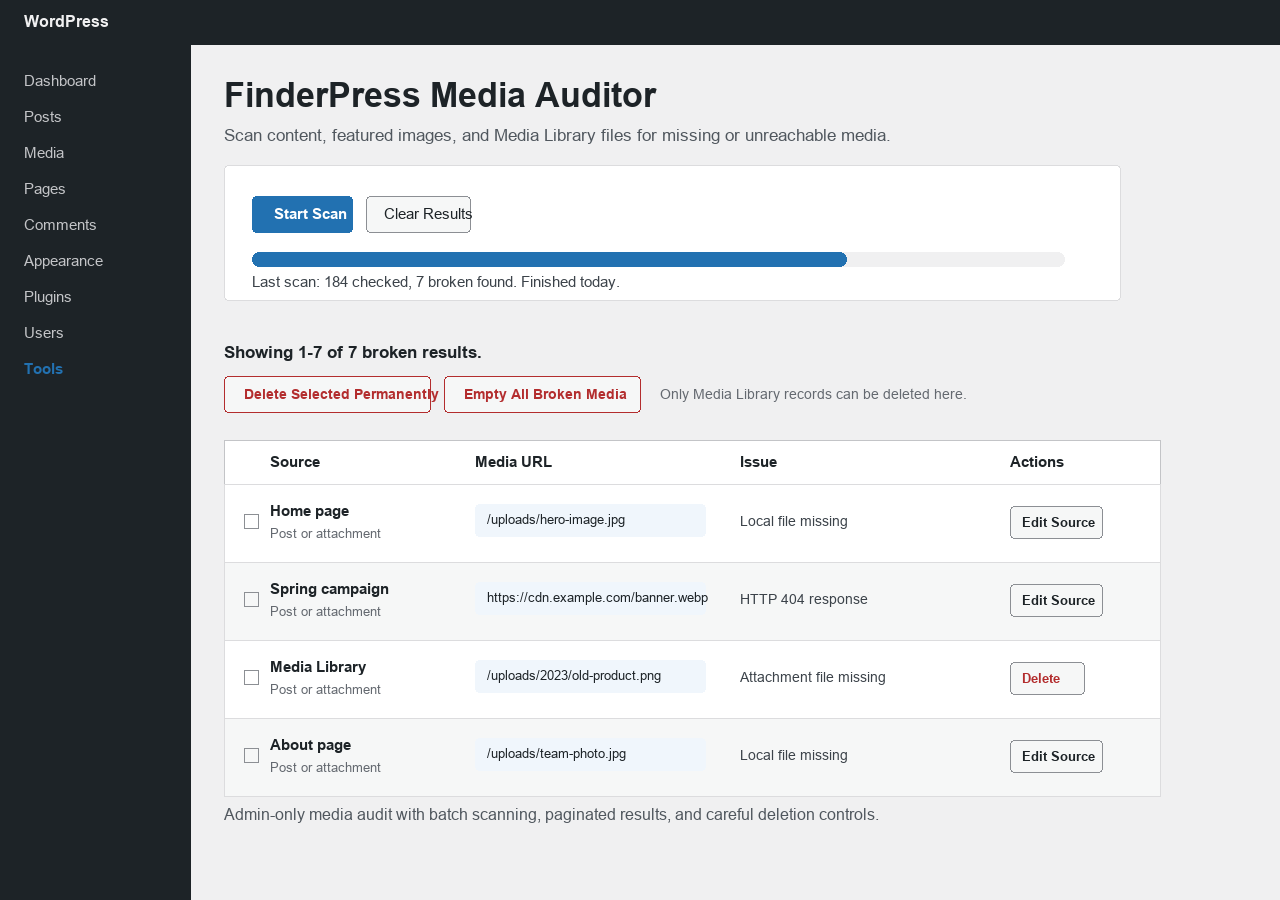
Use it to audit images, video, audio, PDFs, featured images, and attachment files without sending scan data to an external service. The plugin runs from the WordPress admin area and reports each issue with the source title, media URL, issue message, and edit action where available.
The plugin scans:
- Image and media URLs inside public post types.
- Featured images.
- Missing files in the WordPress Media Library.
- Local uploads and remote media URLs.
FinderPress Media Auditor is designed for careful media maintenance. It does not rewrite post content automatically. It reports issues and links back to the source editor so you can review and fix each broken image or media URL yourself.
When remote media URLs are found in your content, the plugin sends a standard WordPress HTTP API request to that media URL to check whether it is reachable. No site data is sent to a third-party service, and no scan data leaves your WordPress admin except the media URL being checked.
The results screen includes optional permanent delete actions for broken Media Library attachment records. These actions only apply to Media Library records found in the scan. They do not delete or rewrite URLs inside post content.
This makes FinderPress Media Auditor useful before content migrations, after media folder changes, during site audits, or when cleaning up missing attachments from older WordPress sites.
Features
- Admin-only scanner under Tools.
- Batch scanning through AJAX to reduce timeout risk.
- Detects missing local uploads files.
- Checks remote media URLs with HEAD and GET fallback requests.
- Reports source title, media URL, issue, and edit link.
- Shows 40 results per page for large Media Libraries.
- Select and permanently delete broken Media Library attachment records.
- Empty all broken Media Library records from the latest scan in queued AJAX batches with progress.
- No tracking, no central service, and no third-party libraries.
Use Cases
- Find broken images after a migration or domain change.
- Audit missing attachment files in the Media Library.
- Check image, video, audio, and PDF URLs used in content.
- Review broken featured images.
- Clean up broken Media Library attachment records after manual review.
- Prepare a content or media audit before handing a site to a client.
Screenshots
Installation
- Upload the plugin files to the
/wp-content/plugins/finderpress-media-auditor/directory, or install the plugin through the WordPress plugins screen. - Activate the plugin through the Plugins screen.
- Go to Tools > FinderPress Media Auditor.
- Click Start Scan.
FAQ
-
Does this plugin change my content?
-
No. The scanner does not replace or rewrite content. The optional permanent delete action only applies to selected Media Library attachment records.
-
Can it delete broken media automatically?
-
No. FinderPress Media Auditor requires an administrator to review and confirm deletion actions. It can permanently delete selected broken Media Library attachment records, but it does not automatically remove items without confirmation.
-
Does it scan remote image URLs?
-
Yes. Remote media URLs are checked with WordPress HTTP API requests.
-
Does scan data leave my site?
-
No scan results are sent to an external service. For remote media URLs, WordPress sends an HTTP request to the remote URL being checked so the plugin can determine whether it is reachable.
-
Does it scan every link on the site?
-
No. It focuses on media URLs such as images, video, audio, and PDF files. It is not a general broken link checker for every URL on your site.
-
Does it check files inside the uploads folder?
-
Yes. For local uploads URLs and Media Library attachments, FinderPress Media Auditor checks whether the expected file exists on the server.
-
Will it fix broken URLs for me?
-
No. Content URLs should be reviewed and fixed from the source editor. The plugin reports the issue and provides source information where available.
-
Who can run scans?
-
Only administrators or users with the
manage_optionscapability can run scans. -
Why does the scan run in batches?
-
Batch scanning reduces the chance of admin timeouts on sites with larger content libraries.
Reviews
There are no reviews for this plugin.
Contributors & Developers
“FinderPress Media Auditor” is open source software. The following people have contributed to this plugin.
Contributors

Translate “FinderPress Media Auditor” into your language.
Interested in development?
Browse the code, check out the SVN repository, or subscribe to the development log by RSS.
Changelog
1.0.0
- Initial release.
- Includes batch scanning, paginated results, selected delete, and queued empty-all broken Media Library deletion with progress.