

Description
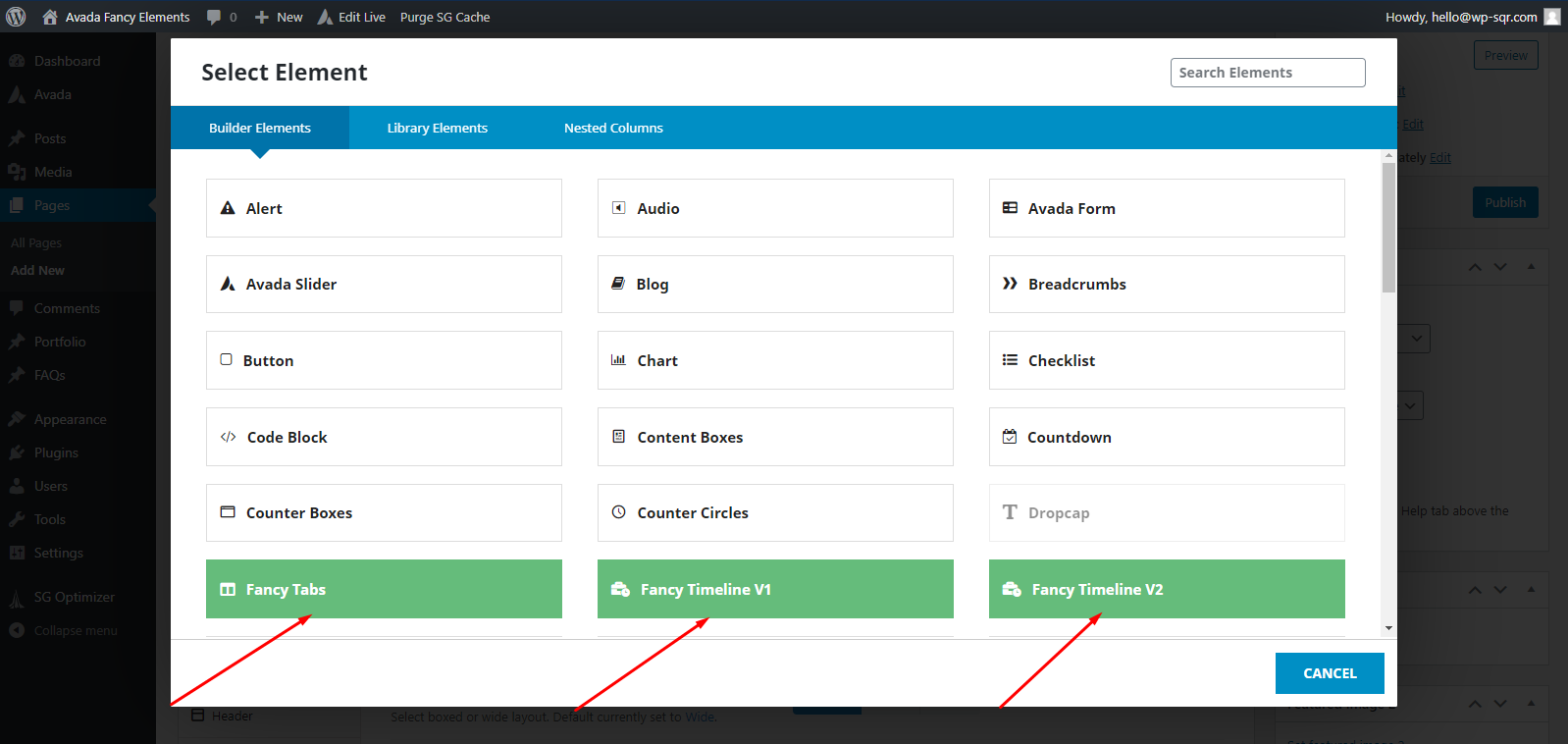
Fancy Elements for Avada is an Avada theme add-on that adds some very cool elements to your Avada builder elements list.
Available elements are:
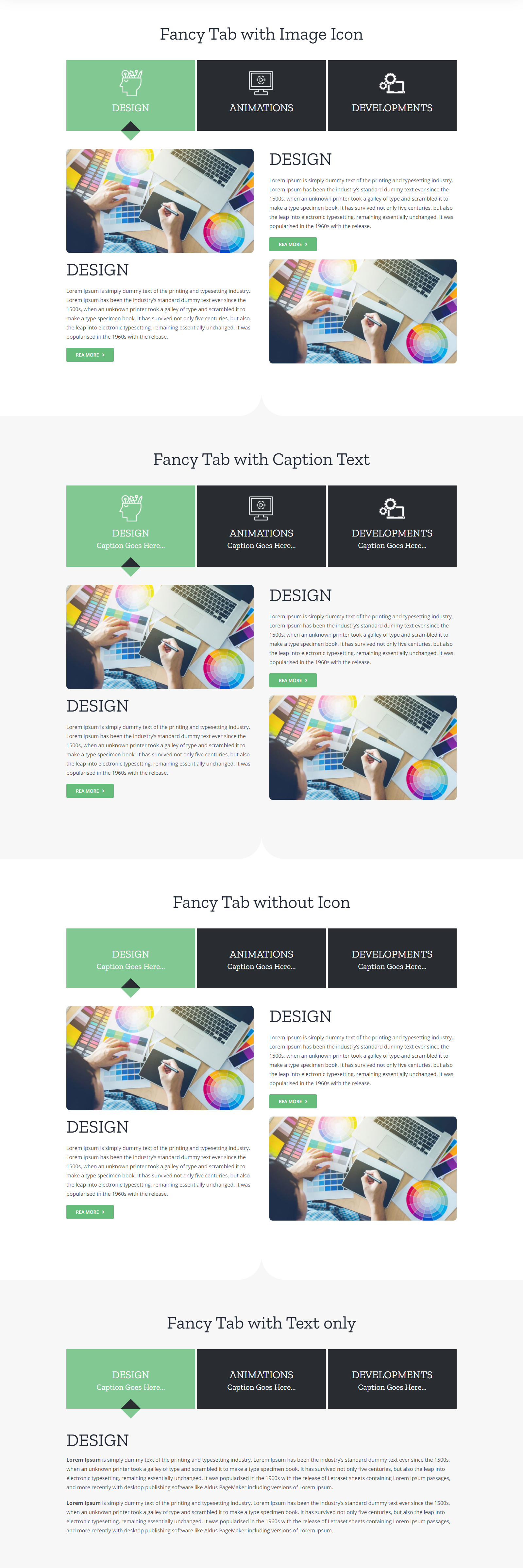
1. Tabs
2. Classic Timeline
3. Modern Timeline
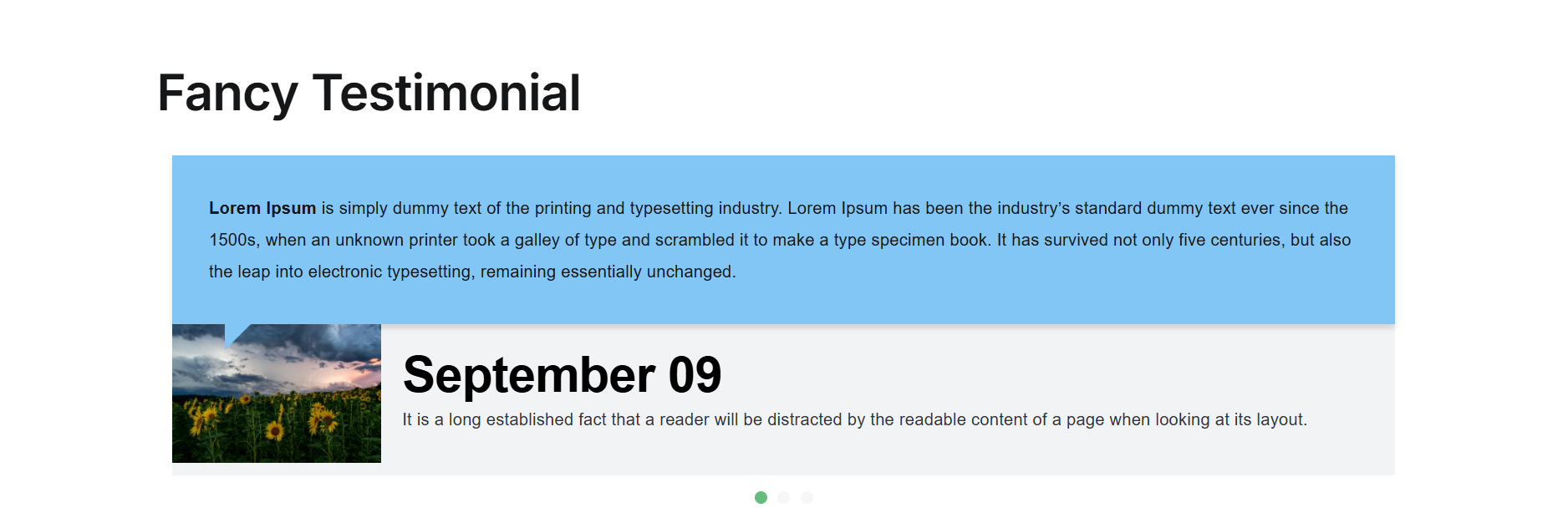
4. Testimonial
5. Blockquote
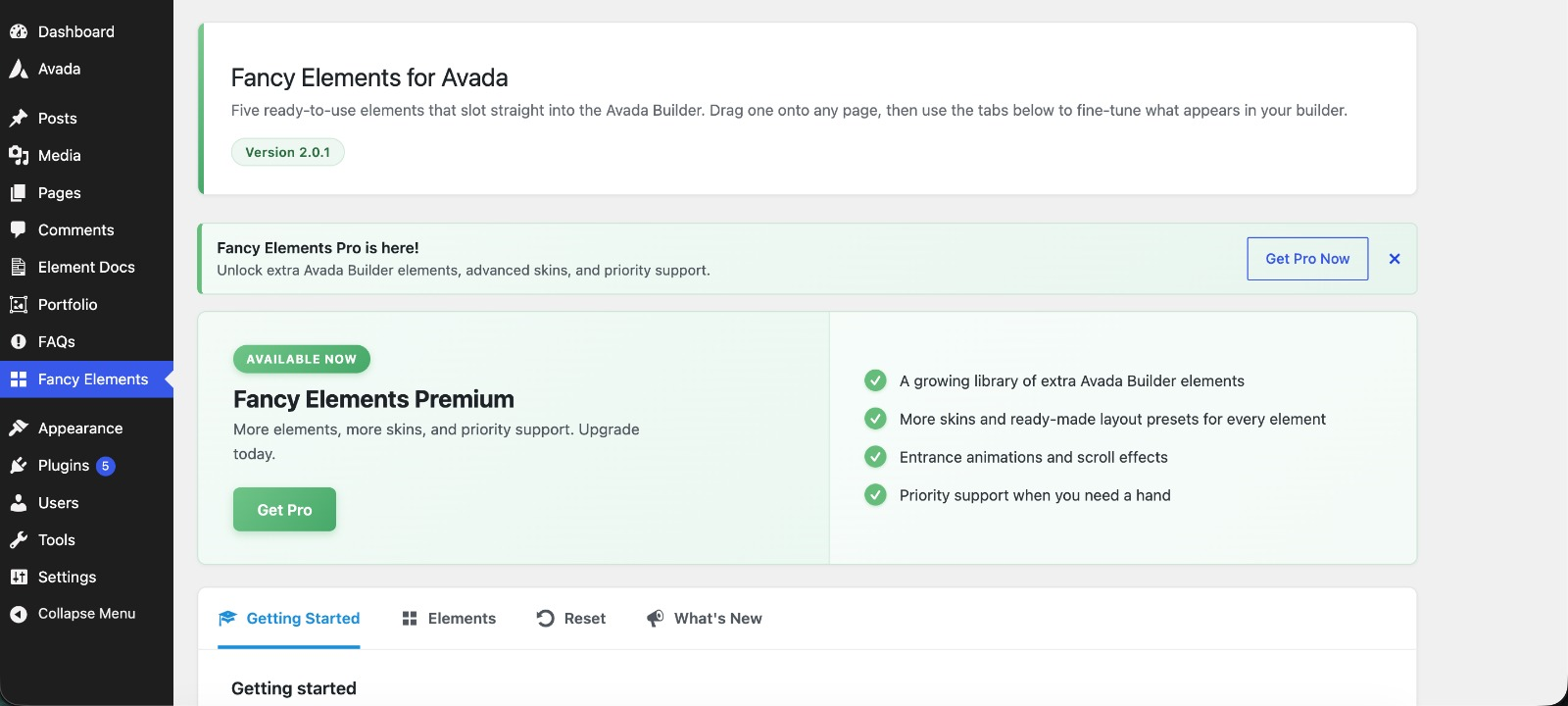
A Fancy Elements screen in the WordPress admin lists every element the plugin provides and lets you hide any element you do not use from the Avada Builder element list.
This plugin does not collect any data about you or your site. It makes one external request to show premium news, described under External services below.
Fancy Elements for Avada Pro
Ready for more? Fancy Elements for Avada Pro supercharges every element and unlocks brand-new ones built for the Avada Builder.
7 new Pro-only elements:
1. Comparison Table
2. Product Comparison (WooCommerce)
3. Pricing Plans
4. Pricing List
5. Reviews
6. FAQ Accordion
7. Case Study
Premium design skins for the free elements:
* Extra designs for Tabs, Classic Timeline, Modern Timeline, Testimonial and Blockquote
Plus:
* Easy licence activation and automatic updates from your WordPress dashboard
* Priority support
Fancy Elements Pro is a simple yearly subscription, starting at $29/year for a single site. Updates and support are included for as long as your subscription stays active, and the plugin keeps working if it ever lapses.
External services
1-To show news about the premium version and occasional product notices on its own admin screen, the plugin reads a static JSON file from our server.
2-What is sent: nothing about your site. The request is a plain GET over HTTPS with an empty query string. No site address, no email address, no user information, no WordPress or plugin version. The default WordPress user agent, which contains your site address, is deliberately replaced with a fixed string that identifies only the plugin.
3-What comes back: whether the premium version is available and its link, plus any current product notices to show on the plugin’s own screen. Nothing else is read from the response.
4-When it happens: only in the WordPress admin, and only while the plugin’s own Fancy Elements screen is being viewed.
5-Never on the front end of your site, and never for your visitors. The result is cached for 12 hours, so the file is read at most twice a day.`
Service provided by WP Square »
[Privacy policy »]https://www.sigmasqr.com/privacy-policy/
Compatibility
- This plugin has been Tested for IE9, IE10, Firefox, Google Chrome, Opera and Safari.
- You can easily add any three elements to your Avada website by using Drag & Drop.
FEEDBACK, QUESTIONS, HELP, BUG REPORTING, AND SUGGESTIONS
Just post an email to: hello@sigmasqr.com / Email Subject: Fancy Elements for Avada
Screenshots





Installation
- Download the .zip file
- Upload or extract the contents of fancy-elements-avada.zip to your wp-content/plugins/folder
- Activate the fancy-elements-avada plugin in your WP-admin / Plugins
FAQ
-
Will this plugin work for any WordPress theme?
-
Currently, It works only with Avada theme.
Reviews


Contributors & Developers
“Fancy Elements for Avada” is open source software. The following people have contributed to this plugin.
Contributors

Translate “Fancy Elements for Avada” into your language.
Interested in development?
Browse the code, check out the SVN repository, or subscribe to the development log by RSS.
Changelog
2.0.2
- Added Fancy Elements Pro with 7 new Pro-only elements.
- Added premium design skins for Tabs, Classic Timeline, Modern Timeline, Testimonial, and Blockquote.
- Added easy license activation from the WordPress dashboard.
- Added automatic updates for Pro.
- Added priority support for Pro users.
- 14-day money-back guarantee: Request a refund within 14 days of your original purchase
2.0.1
- Improved design consistency across Blockquote, Testimonial, and Timeline elements for better visual alignment.
- Improved admin notice display so notices are shown to the correct audience and dismissed notices are remembered reliably.
- Fixed an edge case where Pro design choices were not applied when switching skins rapidly in the Live Builder.
- Fixed a PHP notice triggered when the remote feed request returned an unexpected response format.
2.0
- Introduced Fancy Elements for Avada Pro — a premium add-on that unlocks additional design skins for every element and adds brand new Pro-only elements.
- Added 7 new Pro-only Avada Builder elements available exclusively in the Pro version.
- Added multiple premium design skins for the Blockquote, Testimonial, Tabs, and Timeline elements.
- Added a licence management screen to activate and manage your Pro licence key directly from the WordPress admin.
- Improved the Fancy Elements dashboard with a “Get Pro” tab showcasing all Pro features and upgrade options.
- Free plugin remains fully functional with all existing elements and features intact.
1.3
- Added a new Fancy Blockquote element with author, citation, image, a quote icon, three skins (Border, Boxed, Clean) and a Click to Tweet button.
- Added a new Fancy Elements dashboard page in the WordPress admin, with tabs for your elements, settings, getting started and what’s new.
- Added options to enable or disable each element in the Avada Builder, so you can keep your element list tidy.
- Added dashboard settings for product news, removing plugin data on uninstall, and resetting everything back to defaults.
- Fixed all the security issues by escaping output and sanitizing every colour and value before it is used.
- Fixed the Tabs caption option so it no longer outputs an invalid tag.
- Improved accessibility with full keyboard support, ARIA roles and screen-reader labels across the elements.
1.2
- Replaced Owl Carousel with a custom slider.
- Added background image/colour support for tab content.
1.1
- New Fancy Testimonial element added
1.0.0
- Initial Release