

Description
Famewall collects text, video, and audio reviews from your customers with a single link, and turns them into widgets you can put anywhere. This plugin is the WordPress half of that: connect your account once, pick a wall, and your reviews appear on the page.
They stay live. Approve a new testimonial in Famewall and it shows up on your site straight away, with nothing to re-publish and no page to edit.
Useful links
- Famewall home
- All features
- Pricing – there is a free plan
- Documentation
- Support
Why Famewall
Visitors believe other customers before they believe your marketing copy. Famewall exists to get real reviews in front of them at the moment they are deciding and to make that take minutes rather than a development ticket.
✔ Import reviews from 30+ sources
✔ Integrates with AI agents, Zapier, Make.com
✔ Clean and SEO friendly.
✔ Styling stays isolated
✔ No code.
✔ Nothing to re-publish
✔ Text, video, and audio reviews
✔ Works with the block editor, the classic editor, Elementor, and the Site Editor.
✔ Free plugin
What you can display
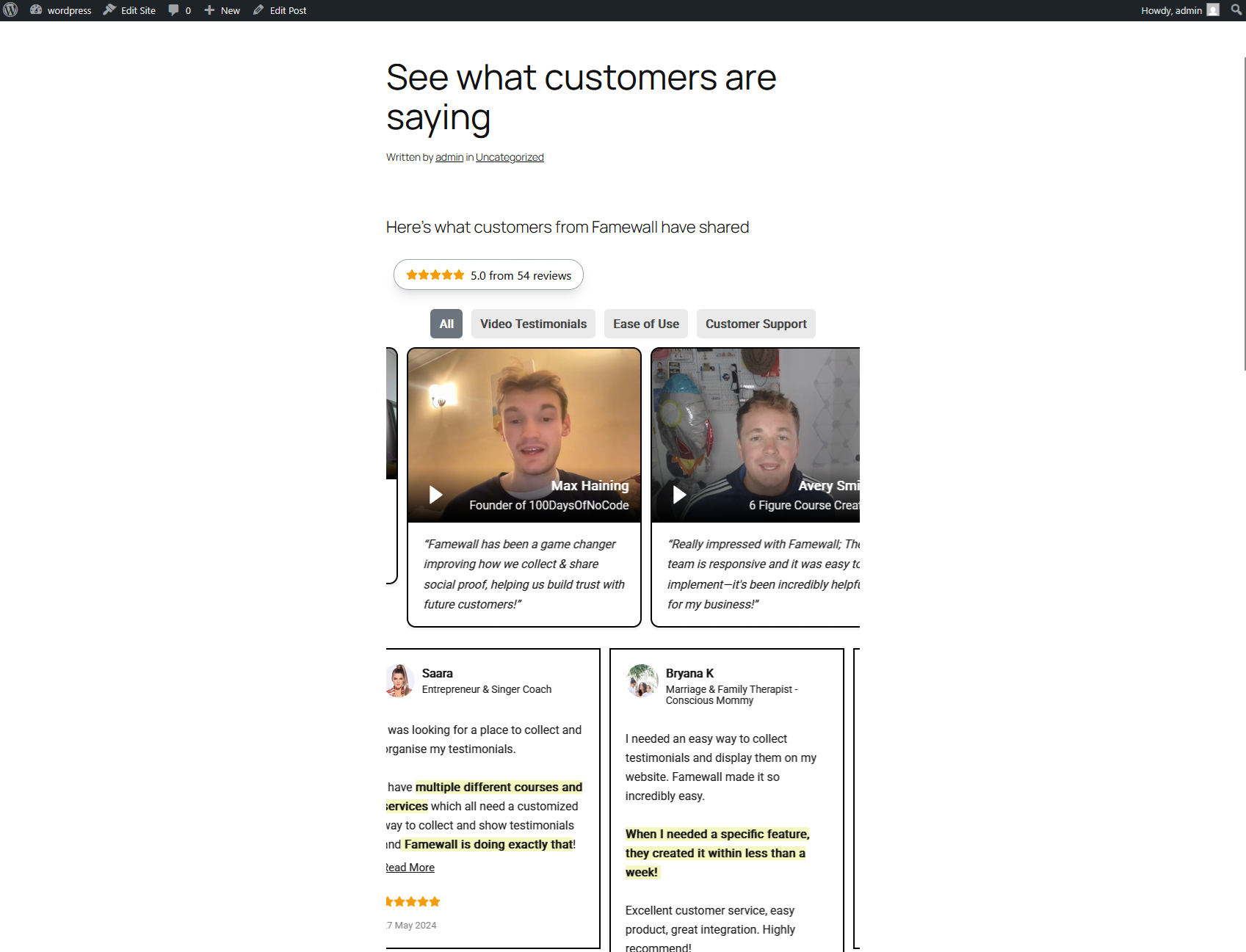
✔ Wall – a masonry grid of reviews, the classic wall of love.
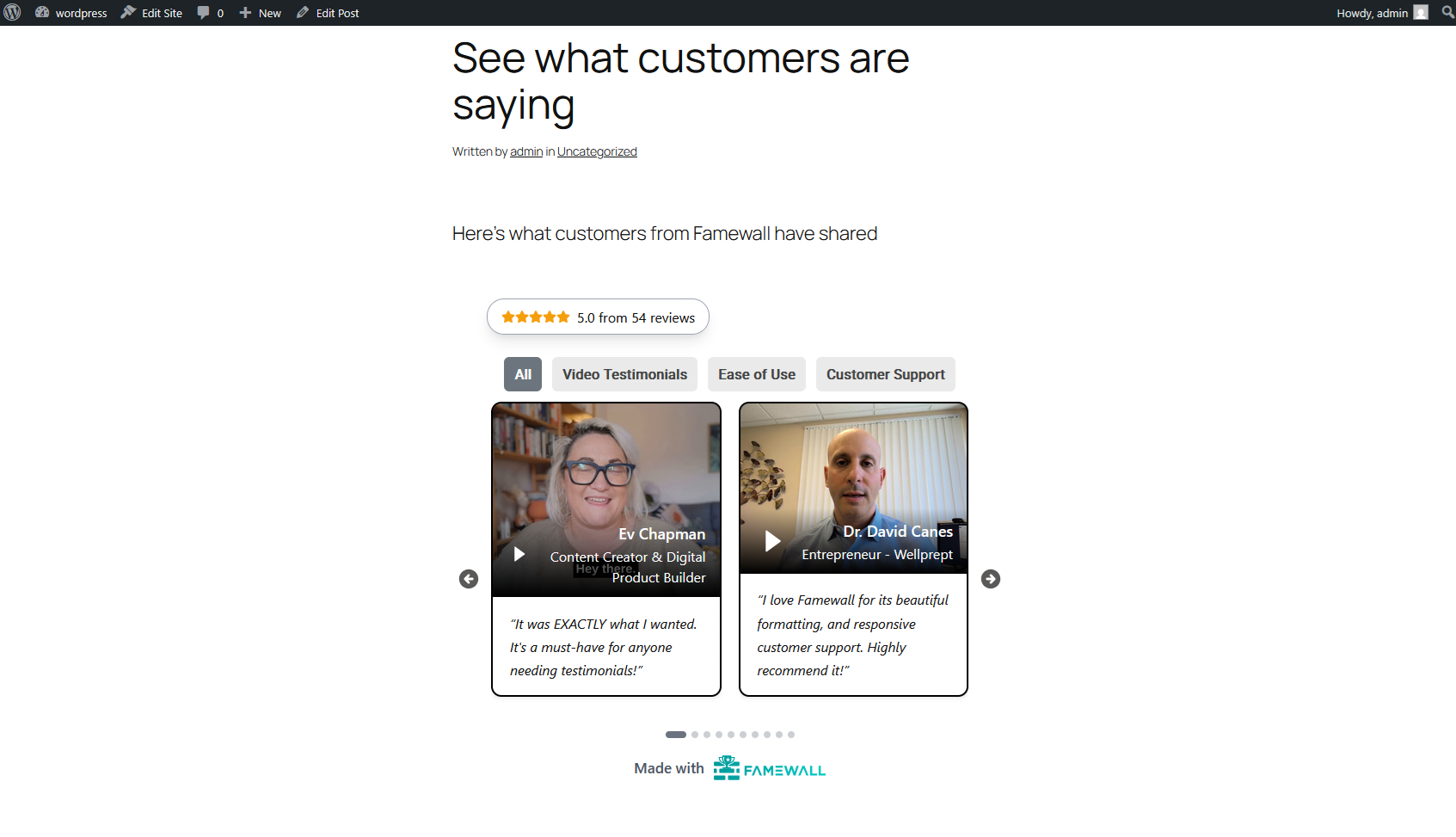
✔ Carousel – a compact rotating set, good for tight spaces.
✔ Slider – one testimonial at a time, for hero and header areas.
Each layout can follow your wall’s own settings or be forced to a light or dark theme per block, so the same wall can look right on a light landing page and a dark footer.
Where to put a wall, and what it does there
✔ Home page: Answers “should I trust these people?” before a visitor has to ask.
✔ Pricing page: The most common place to hesitate, and the most useful place for proof.
✔ Landing pages: Match the reviews to the campaign by using a different wall per page.
✔ Sign-up and checkout pages: A slider in the header keeps proof visible without pushing the form down.
✔ Service and product pages: A wall of specific outcomes beats a generic quote.
✔ Blog posts: A carousel at the end of a post, where the reader is already convinced by the argument.
✔ About page: Founder and client stories in one place.
How it works
- Populate Reviews: In Famewall dashboard, create a wall and into the wall you can collect reviews or import the existing ones you already have.
- Publish the widget: Create and publish the testimonial widget on Famewall dashboard
- Display the reviews: In WordPress, select the wall and it directly embeds the testimonial widget right into your page.
Connecting is optional. You can type a wall’s slug instead and everything works the same. Disconnecting never affects widgets already on your pages and each block remembers the wall it points at.
You need a Famewall account and at least one published wall. There is a free plan.
Privacy
This plugin adds no tracking of its own and stores no personal data. Your visitors’ browsers load the widget from Famewall, exactly as they would load an embedded video. See “External services” below for the full list.
External services
This plugin is a connector for Famewall, a hosted service at famewall.io. Your reviews and the widget itself live there, so it cannot work without that service. It shows them on your site from whichever wall you pick, whether you connect your account or just enter a wall slug.
Showing a widget
Your visitor’s browser loads Famewall’s renderer, your reviews, and the photos and video thumbnails inside them only on pages that contain a widget, and only after your own content. Turning off Render in the page shows the widget in a frame instead and loads no third-party script at all.
Connecting — api.famewall.io, app.famewall.io
Only if you choose to connect, and only from wp-admin. Your site sends its name and web address, and the approval page opens at app.famewall.io. You get back a connection token, stored in your options table and used only to list your walls. It is never sent to visitors or shown in the editor. Disconnecting or uninstalling deletes it and asks Famewall to cancel it.
No post content, user accounts, or other site data is ever sent to Famewall.
Branding: the widget shows a “Made with Famewall” attribution. It is drawn by Famewall inside the widget, not added by this plugin, and you can turn it off in your wall’s settings in Famewall.
Screenshots

Blocks
This plugin provides 1 block.
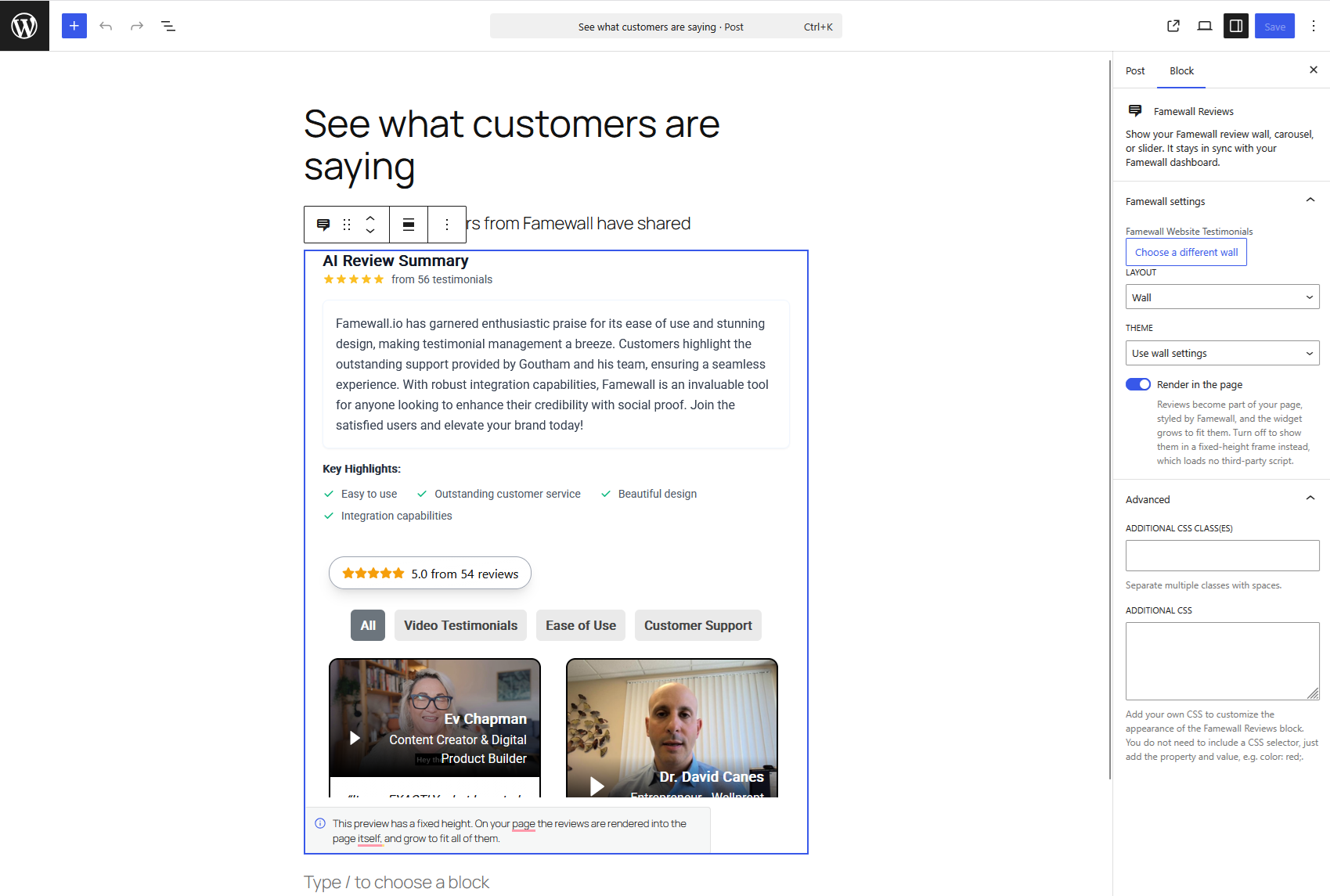
- Famewall Reviews Show your Famewall review wall, carousel, or slider. It stays in sync with your Famewall dashboard.
Installation
- Install and activate the plugin.
- Go to Settings Famewall and click Connect Famewall. Approve the connection in the tab that opens — there are no keys to copy.
- Edit any page or post and add the Famewall Reviews block.
- Pick a wall from the list. Choose wall, carousel, or slider, and a light or dark theme if you want to override the wall’s own.
- Publish.
Prefer not to connect? Skip step 2, choose Enter a wall slug instead in the block, and type the last part of your wall’s link — acme for wall.famewall.io/acme.
Need a hand? See the documentation or contact support.
FAQ
-
Do I need a Famewall account?
-
Yes. The widgets show reviews you collect at famewall.io. There is a free plan.
-
Do I have to connect my account?
-
No. Connecting just lets you pick a wall from a list instead of typing its slug. Without it, enter the last part of your wall’s link (
acmeforwall.famewall.io/acme) and everything else works the same. -
Is the plugin free?
-
Yes, and every feature in it works on any Famewall plan. Famewall itself has paid plans, but nothing in this plugin is locked behind them.
-
What happens to my pages if I disconnect?
-
Nothing. Each block stores the wall it points at, so published widgets keep rendering. You only lose the wall picker in the editor.
-
Do new reviews appear automatically?
-
Yes. The widget reads from your Famewall wall each time the page loads, so approving a testimonial in Famewall is enough and there is nothing to re-publish here.
-
Can I show different reviews on different pages?
-
Yes. Create a wall per audience, product, or campaign in Famewall, and pick the matching one in each block.
-
Will it match my theme?
-
The widget draws its own styling in an isolated scope, so it looks the same on every theme and cannot be broken by your CSS. You can set a light or dark theme per block, and the rest of the design is controlled from your wall’s settings in Famewall.
-
Does the widget slow my site down?
-
The renderer loads only on pages that contain a widget, after your own content, and is optimized to load fast while also being SEO friendly. If you want the lightest possible page, turn off Render in the page in the block settings: the widget then loads in a frame, lazily, and the plugin adds no third-party script at all.
-
Does it work in the Site Editor and with block themes?
-
Yes. The block is a standard dynamic block and can be placed in templates and template parts.
-
Does it support video and audio reviews?
-
Yes. Text, video, and audio reviews all appear in the same wall and render in the same widget.
Reviews
There are no reviews for this plugin.
Contributors & Developers
“Famewall Review Widgets” is open source software. The following people have contributed to this plugin.
Contributors
Translate “Famewall Review Widgets” into your language.
Interested in development?
Browse the code, check out the SVN repository, or subscribe to the development log by RSS.
Changelog
1.0.0
- Initial release: Famewall Reviews block with account connect and wall picker, live editor preview, wall / carousel / slider layouts, light and dark themes, reviews rendered into the page or shown in a fixed-height frame.