
Description
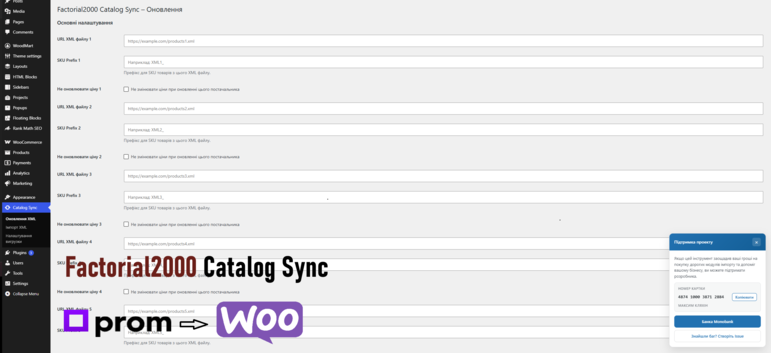
This plugin helps WooCommerce store owners synchronize their catalog with suppliers using Prom.ua XML exports.
Key features:
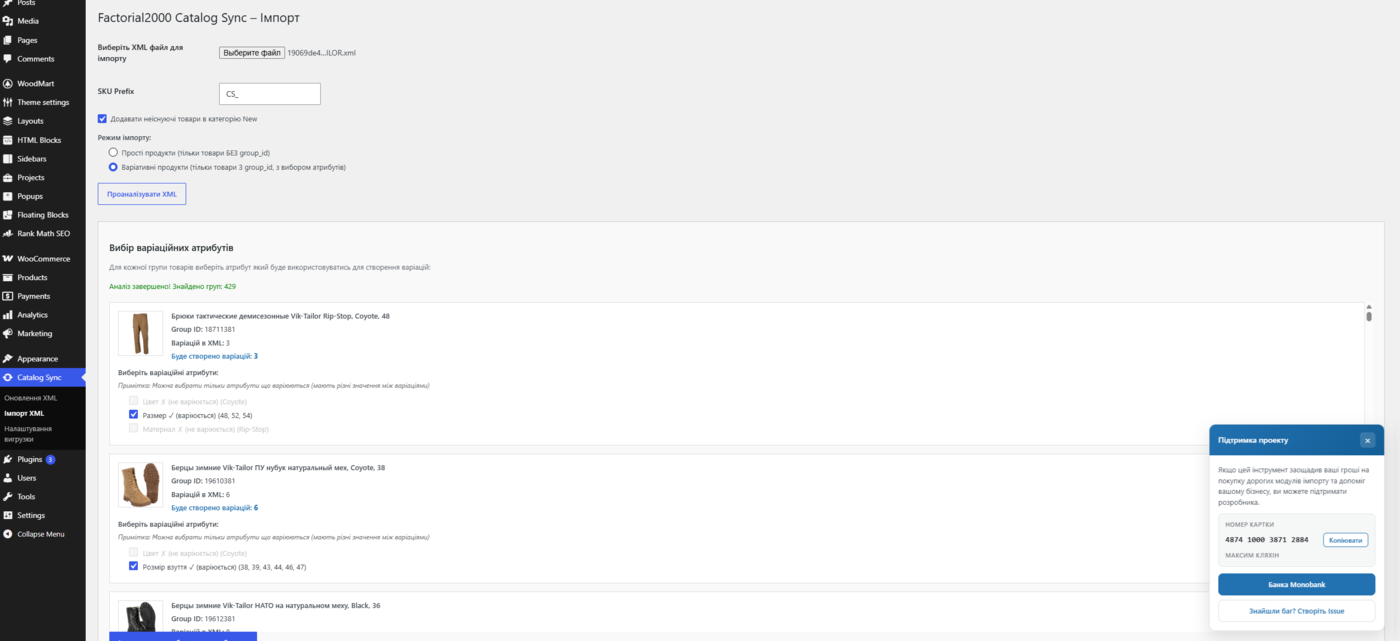
- Import simple and variable products from Prom.ua XML files
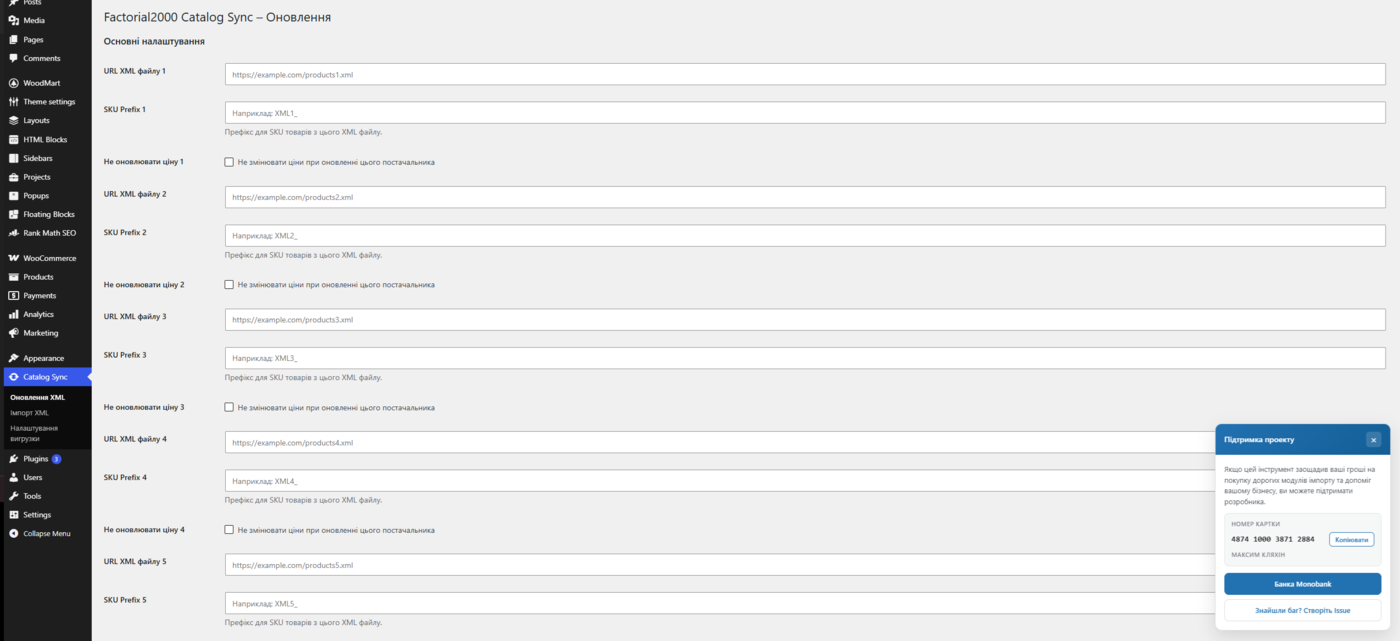
- Scheduled stock and price updates via WP-Cron (up to 5 XML sources)
- SKU prefixes per supplier feed
- Telegram notifications with detailed sync reports
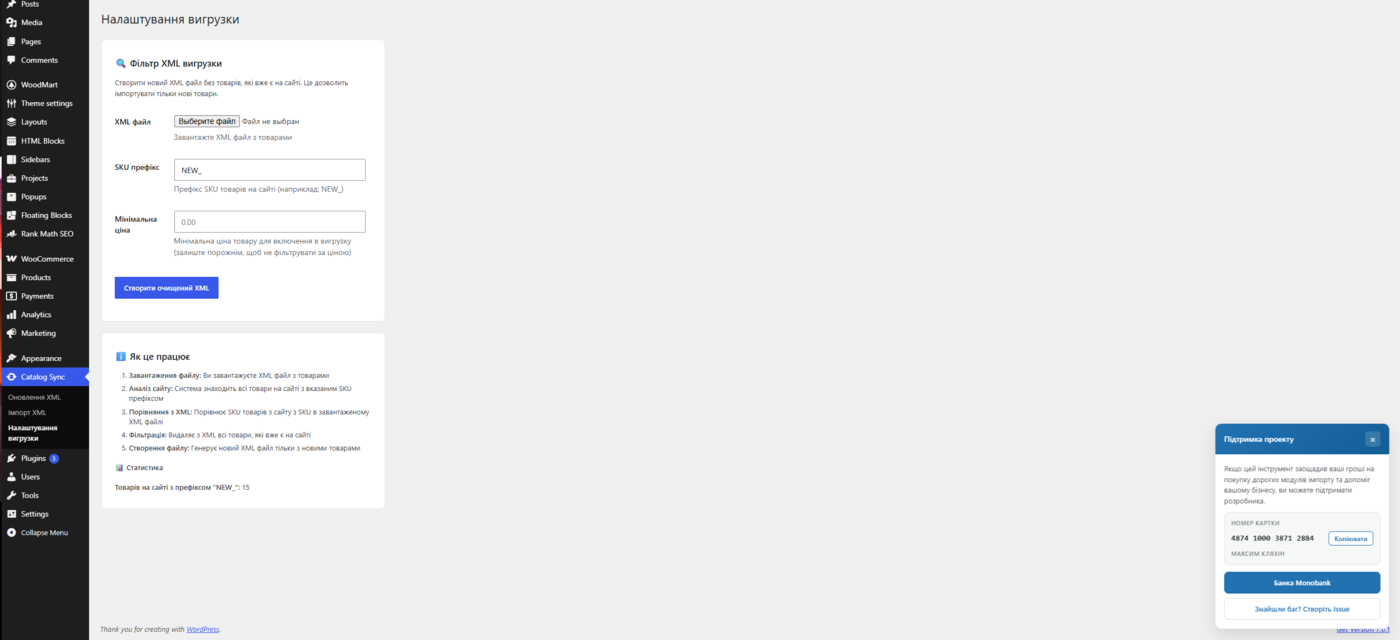
- XML export filter to create a clean feed with new products only
- Batch processing optimized for large catalogs (10,000+ products)
- Clean uninstall removes plugin settings, transients, and cron jobs
Requirements:
- WordPress 5.8 or higher
- WooCommerce 3.0 or higher
- PHP 7.4 or higher with XML, SimpleXML, and cURL extensions
Video setup guide: YouTube tutorial
External services
This plugin connects to external services. Both are optional and are only used when you configure them.
Supplier XML feeds (e.g. Prom.ua)
When you enter an XML feed URL in the settings, the plugin downloads that file during the initial import and during scheduled stock/price updates. Only a request to the URL you provide is made and no personal data is sent. The feed itself is provided by your supplier (for example Prom.ua); please refer to that provider’s own terms and privacy policy.
Telegram Bot API
If you enter a Telegram bot token and one or more chat IDs in the settings, the plugin sends notification messages to the Telegram Bot API (https://api.telegram.org) after an import or a stock/price update completes. The data sent includes your bot token, the target chat ID(s) and the text of the sync report (for example counts of updated or missing products). Requests are made only when Telegram notifications are configured and an update runs.
This service is provided by Telegram. By enabling notifications you agree to Telegram’s Terms of Service (https://telegram.org/tos) and Privacy Policy (https://telegram.org/privacy).
Screenshots
Installation
- Upload the plugin files to the
/wp-content/plugins/factorial2000-catalog-syncdirectory, or install the plugin through the WordPress plugins screen. - Activate the plugin through the Plugins screen in WordPress.
- Make sure WooCommerce is installed and active.
- Open Оновлення XML in the admin menu.
- Add your supplier XML URL, choose the update interval, and optionally configure Telegram notifications.
- Use Імпорт XML for the initial product import from an uploaded XML file.
FAQ
-
Does this plugin require WooCommerce?
-
Yes. This plugin is built specifically for WooCommerce product import and synchronization.
-
Which XML format is supported?
-
The plugin supports Prom.ua YML/XML export format with
offer,group_id,price,oldprice, and related fields. -
Can I connect multiple suppliers?
-
Yes. You can configure up to 5 XML URLs. Each feed can have its own SKU prefix and optional rule to skip price updates.
-
What happens to products missing from the XML feed?
-
During scheduled updates, missing variations can be marked out of stock. Simple products may be moved to draft when configured with a SKU prefix.
-
Yes. The plugin uses batch processing and memory optimizations. For very large catalogs, use WP-Cron or server cron instead of running updates in the browser.
-
Where can I report bugs or request features?
-
Please use the support tab on WordPress.org.
Reviews
There are no reviews for this plugin.
Contributors & Developers
“Factorial2000 Catalog Sync for Prom.ua” is open source software. The following people have contributed to this plugin.
Contributors
Translate “Factorial2000 Catalog Sync for Prom.ua” into your language.
Interested in development?
Browse the code, check out the SVN repository, or subscribe to the development log by RSS.
Changelog
0.3
- First release on WordPress.org.
- Renamed functions, options, hooks, and assets to the f2000cs_ prefix for consistency.
- Bumped version and aligned plugin branding for the directory listing.
0.2
- Prepared the plugin for the WordPress.org directory: code now follows WordPress coding and security standards.
- Security: added nonce verification, capability checks, input sanitization and output escaping across all admin actions.
- All remote requests now use the WordPress HTTP API (wp_remote_get/wp_remote_post) instead of cURL and file_get_contents.
- Added a unique prefix and namespace to all functions, classes, options, hooks and meta keys to avoid conflicts with other plugins.
- Added a “Telegram notifications” setup guide and clearer field hints (how to get the bot token and chat ID).
- Documented external services (Telegram Bot API and supplier XML feeds) in the readme.
- Renamed the plugin to “Factorial2000 Catalog Sync for Prom.ua and WooCommerce” and changed the admin menu label to “Catalog Sync”.
- Added a WooCommerce activation check with an admin notice when WooCommerce is missing.
0.1
- Initial version: import of simple and variable products from Prom.ua XML, scheduled stock/price updates, XML export filter and Telegram notifications.