

Description
Emily Solar Concierge adds Emily — an AI solar estimation assistant from GreenSketch — to your WordPress site in minutes. Visitors can check their roof in 60 seconds, view their home in 3D, and preview a realistic battery wall before requesting a quote, helping you turn more traffic into qualified solar leads.
Key features:
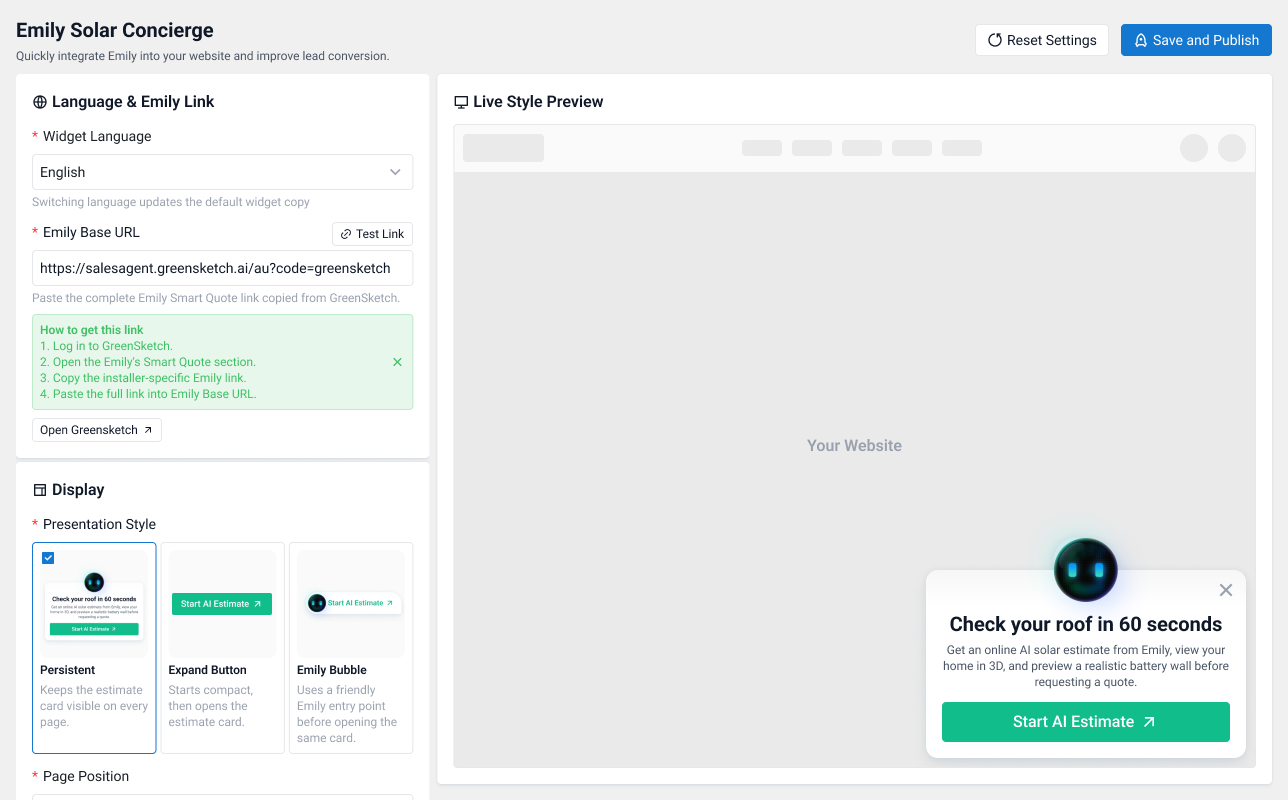
- Three presentation styles — choose between a Persistent card visible on every page, a compact Expand Button that opens the estimate card, or a friendly Emily Bubble entry point.
- Flexible positioning — place the widget in the bottom-right or bottom-left corner of every page.
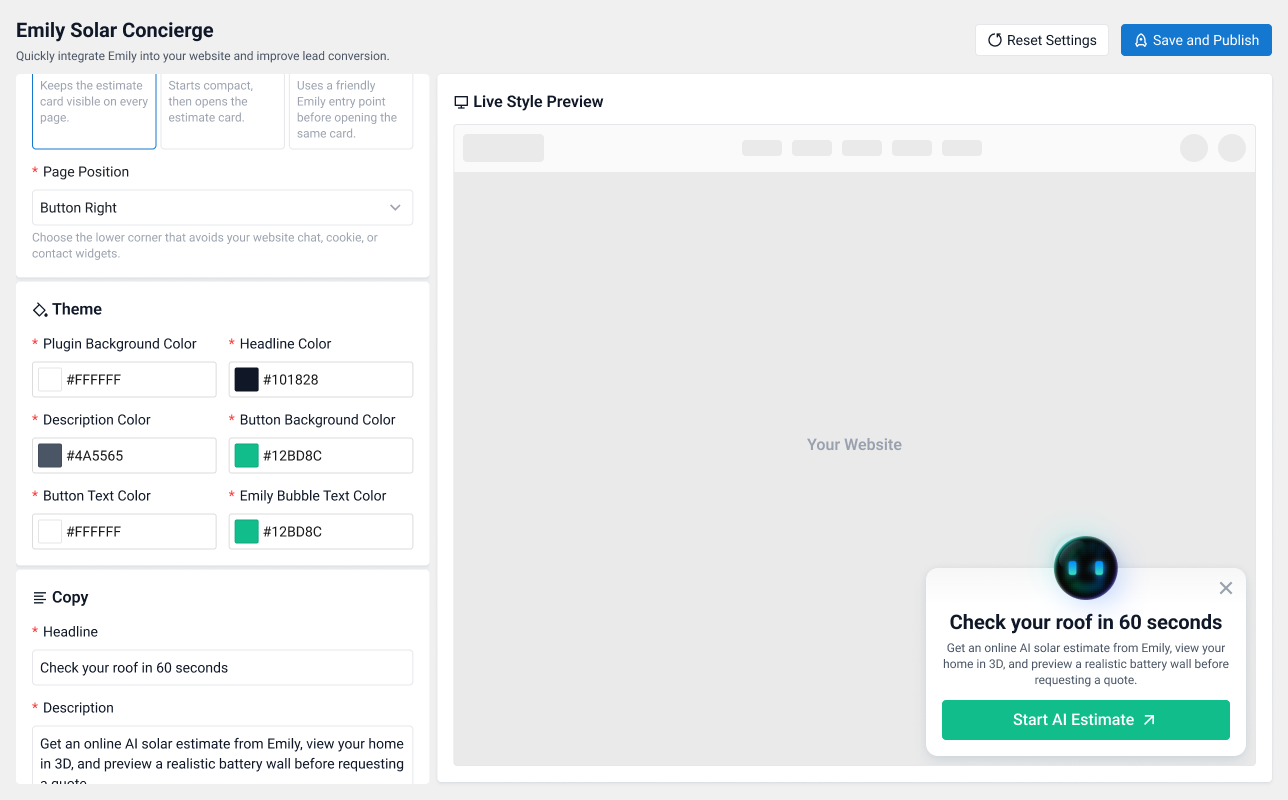
- Full theme customization — set the widget background, headline, description, button, button text, and AI accent colors to match your brand.
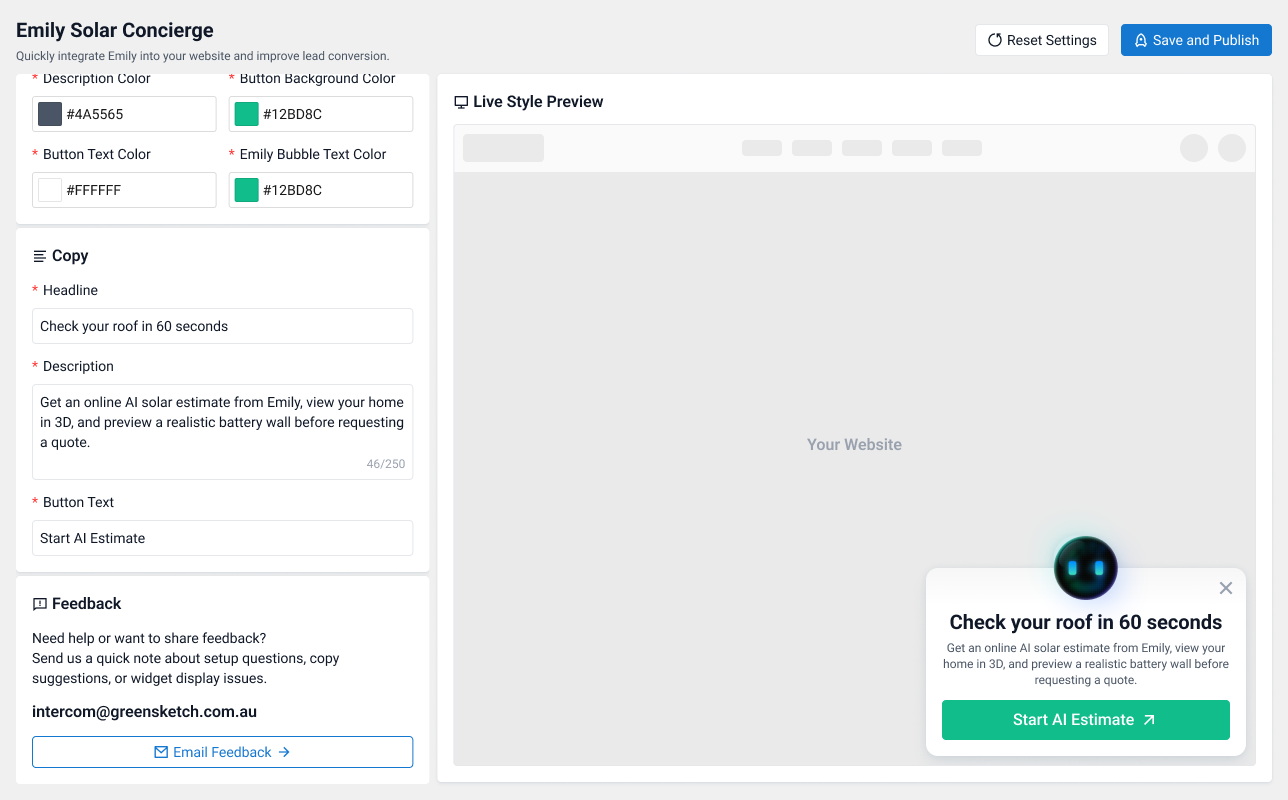
- Custom copy — edit the headline (up to 50 characters), description (up to 250 characters), and button text (up to 40 characters).
- Bilingual widget — switch the widget copy between English and German with one click.
- Live style preview — see exactly how the widget will look on your site while you configure it, before you publish.
- One-click setup — paste your installer-specific Emily Smart Quote link from GreenSketch, test it, and save.
How it works:
- Log in to GreenSketch.
- Open the Emily’s Smart Quote section.
- Copy the installer-specific Emily link.
- Paste it into the plugin settings, customize the look and copy, and click “Save and Publish”.
The widget is responsive, mobile-aware, and lightweight — it only loads a few small stylesheets and scripts on the front end.
Third-Party Services
This plugin connects to external services provided by GreenSketch in order to function:
- Emily Smart Quote (GreenSketch) — When a visitor clicks the widget button, they are taken to your installer-specific Emily Smart Quote link (the “Emily Base URL” you configure in the settings). This link is hosted on GreenSketch infrastructure and is required for the plugin’s core purpose of generating solar estimates. No visitor data is sent by the plugin itself; data is only exchanged once the visitor chooses to open the link. Service: GreenSketch.
Screenshots
FAQ
Where do I get my Emily Base URL?
Log in to GreenSketch, open the Emily’s Smart Quote section, and copy the installer-specific Emily link. The settings page includes a step-by-step guide and a “Test Link” button so you can verify the link before publishing.
Can I change where the widget appears on the page?
Yes. You can place the widget in the bottom-right or bottom-left corner, and choose between three presentation styles: Persistent (always-visible card), Expand Button (compact button that opens the card), and Emily Bubble (a friendly avatar entry point).
Can I match the widget to my site’s branding?
Yes. The settings page lets you customize the background, headline, description, button, button text, and AI accent colors, as well as all widget copy — with a live preview so you can see changes instantly.
Which languages does the widget support?
The widget copy defaults are available in English and German. Selecting a language updates the default headline, description, and button text, which you can then customize freely.
Where can I send feedback or get support?
Email us at intercom@greensketch.com.au, or use the feedback section built into the plugin settings page.
Reviews
There are no reviews for this plugin.
Contributors & Developers
“Emily Solar Concierge” is open source software. The following people have contributed to this plugin.
Contributors
Translate “Emily Solar Concierge” into your language.
Interested in development?
Browse the code, check out the SVN repository, or subscribe to the development log by RSS.
Changelog
0.0.1
- Initial release.