

Description
Element Shogun offers different website sections as ready-to-use Elementor templates. This plugin includes 27+ Elementor components for free. You just need to import and edit them.
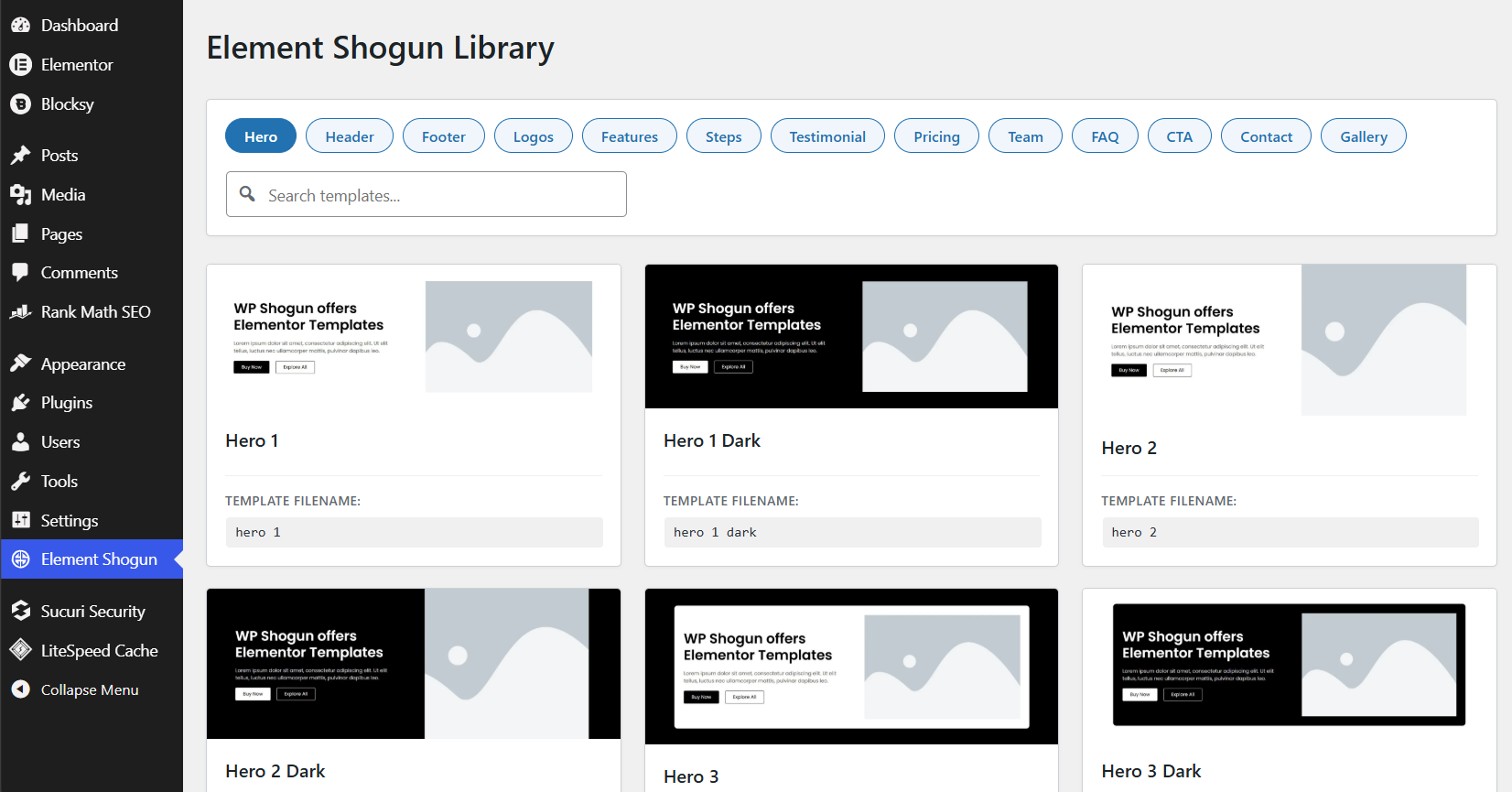
Sections included: Header, Footer, Hero, Logos, Features, Gallery, Steps, Testimonials, Pricing, Teams, FAQs, CTA, and Contact us.
To access all 290+ templates, you can get the complete version on Element Shogun’s official website.
Key Features
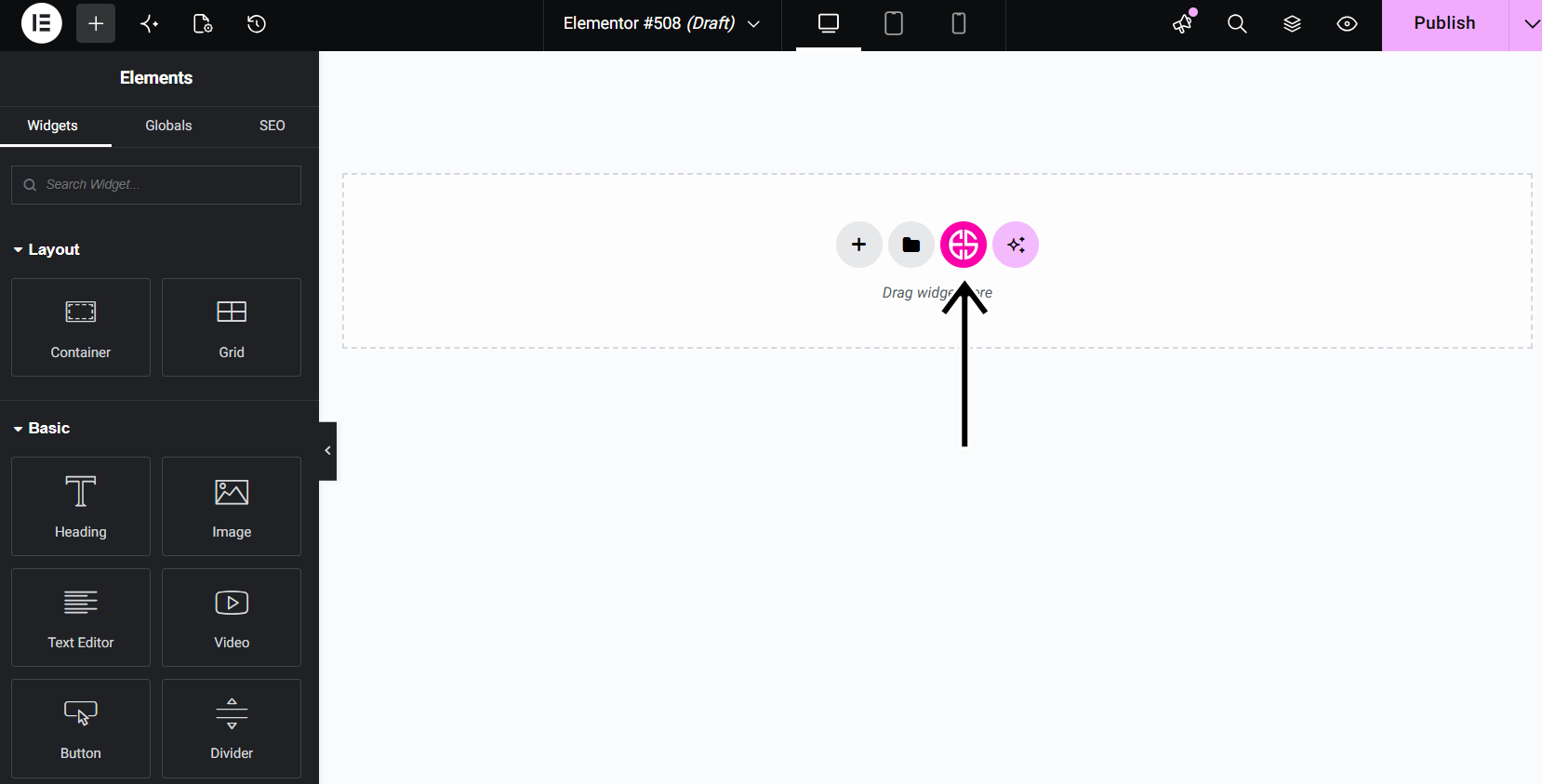
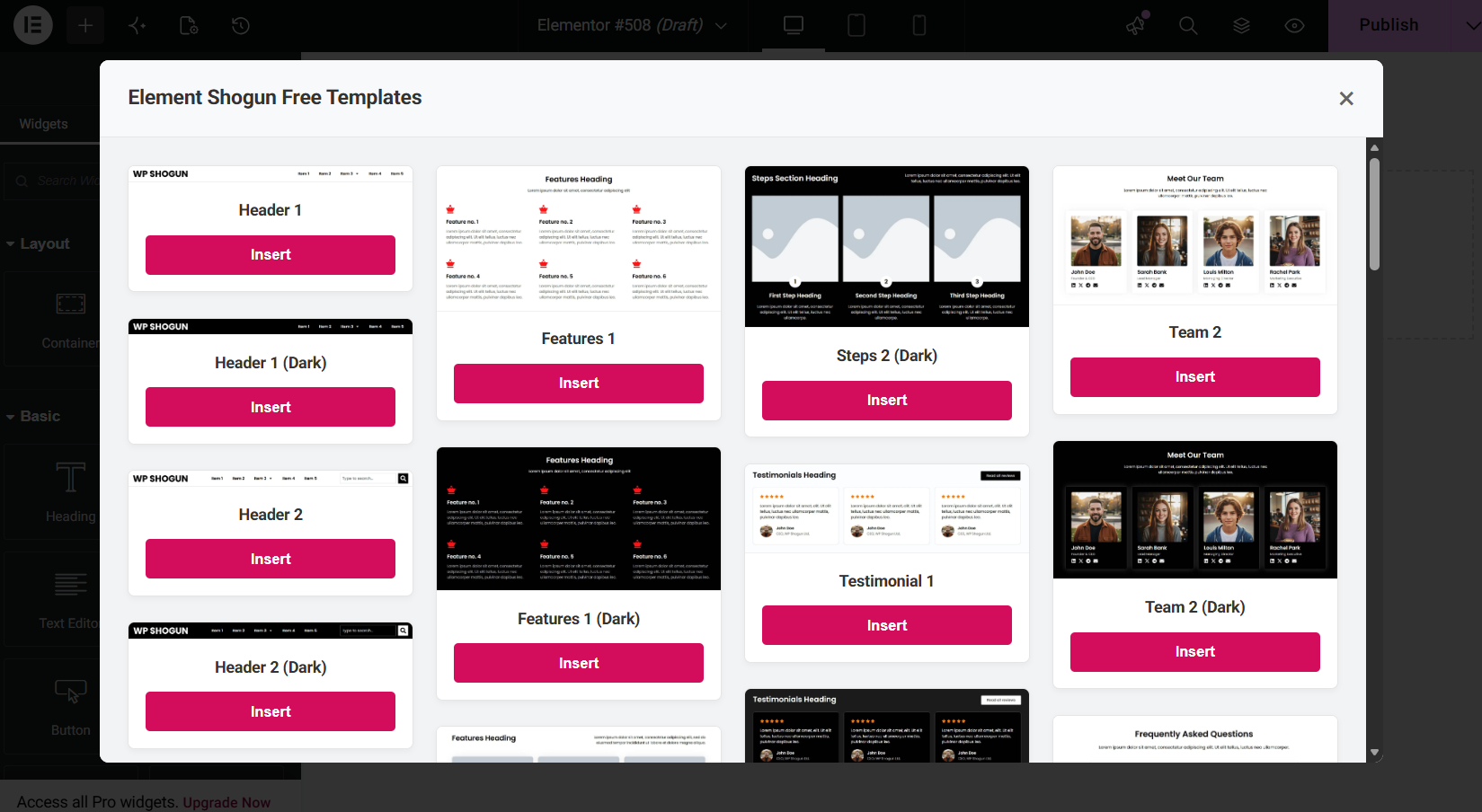
- In-Editor 1-Click Import: Adds a custom Element Shogun cloud button right next to Elementor’s default folder icon. Open the modal, find your layout, and click “Insert” to drop it onto your canvas.
- Admin Dashboard Visual Browser: Explore the entire Element Shogun cloud library from a dedicated WordPress admin page (“Element Shogun” in your sidebar).
- Instant Lightbox Previews: Zoom in and inspect high-resolution preview images of templates before inserting them into your pages.
- Smart Category Filtering & Search: Find exact sections (e.g., Hero, FAQ, Pricing, Headers) using instant category tabs and live keyword search.
Third-Party & External Services
This plugin relies on an external cloud service provided by Element Shogun (elementshogun.com) to deliver the template library catalog and import layouts directly into your WordPress installation.
-
What the service is and what it is used for:
The plugin connects to the Element Shogun Cloud servers (elementshogun.com) to retrieve the visual catalog of Elementor section templates, thumbnail images, and downloadable Elementor JSON layout payloads. This allows you to browse and import pre-designed templates without needing to manually download and upload files. -
What data is sent and when:
No personal user data, site analytics, tracking information, or administrative data is sent or stored. The connection is strictly read-only and only transmits standard HTTP request headers (such as your server’s IP address and user-agent string) inherently required by the internet to transfer the requested files.
Service Terms & Privacy:
Screenshots
Installation
Automatic Installation
- Log in to your WordPress dashboard.
- Navigate to Plugins > Add New.
- Search for Element Shogun Templates Library.
- Click Install Now and then Activate.
Manual Installation
- Download the plugin zip file.
- Navigate to Plugins > Add New > Upload Plugin in your WordPress admin.
- Upload the zip file and click Install Now.
- Click Activate Plugin.
- Make sure the Elementor plugin is also installed and activated to use the in-editor import tools.
FAQ
-
Do I need Elementor installed to use this plugin?
-
You can browse the visual template catalog in the WordPress Admin Dashboard without Elementor active. However, to use the 1-click canvas importer and access the Shogun button inside the page builder, the free Elementor plugin must be installed and active.
-
Where are the templates stored?
-
The template catalog and JSON layouts are securely hosted on the Element Shogun cloud servers (
elementshogun.com). The plugin fetches the catalog list and caches it locally on your website for 12 hours to ensure blazing-fast load times. -
How do I insert a template into my page?
-
Open any page or post in the Elementor Editor. In the canvas area where you add new sections, click the pink Shogun Cloud Icon (next to the standard gray Elementor folder icon). Browse or search for your desired layout and click Insert.
-
How often is the template library updated?
-
New templates are added to our cloud servers regularly. Since your site caches the feed for 12 hours, new templates will automatically appear in your dashboard and editor without requiring a plugin update.
Reviews
There are no reviews for this plugin.
Contributors & Developers
“Element Shogun – Components & Section Templates for Elementor” is open source software. The following people have contributed to this plugin.
Contributors
Translate “Element Shogun – Components & Section Templates for Elementor” into your language.
Interested in development?
Browse the code, check out the SVN repository, or subscribe to the development log by RSS.
Changelog
1.0.0
- Initial release.