

Description
DreamFast Product Answers lets you add a tidy Questions & Answers section to any WooCommerce product, so shoppers find what they need right on the product page — and you cut down on repetitive pre-sale questions.
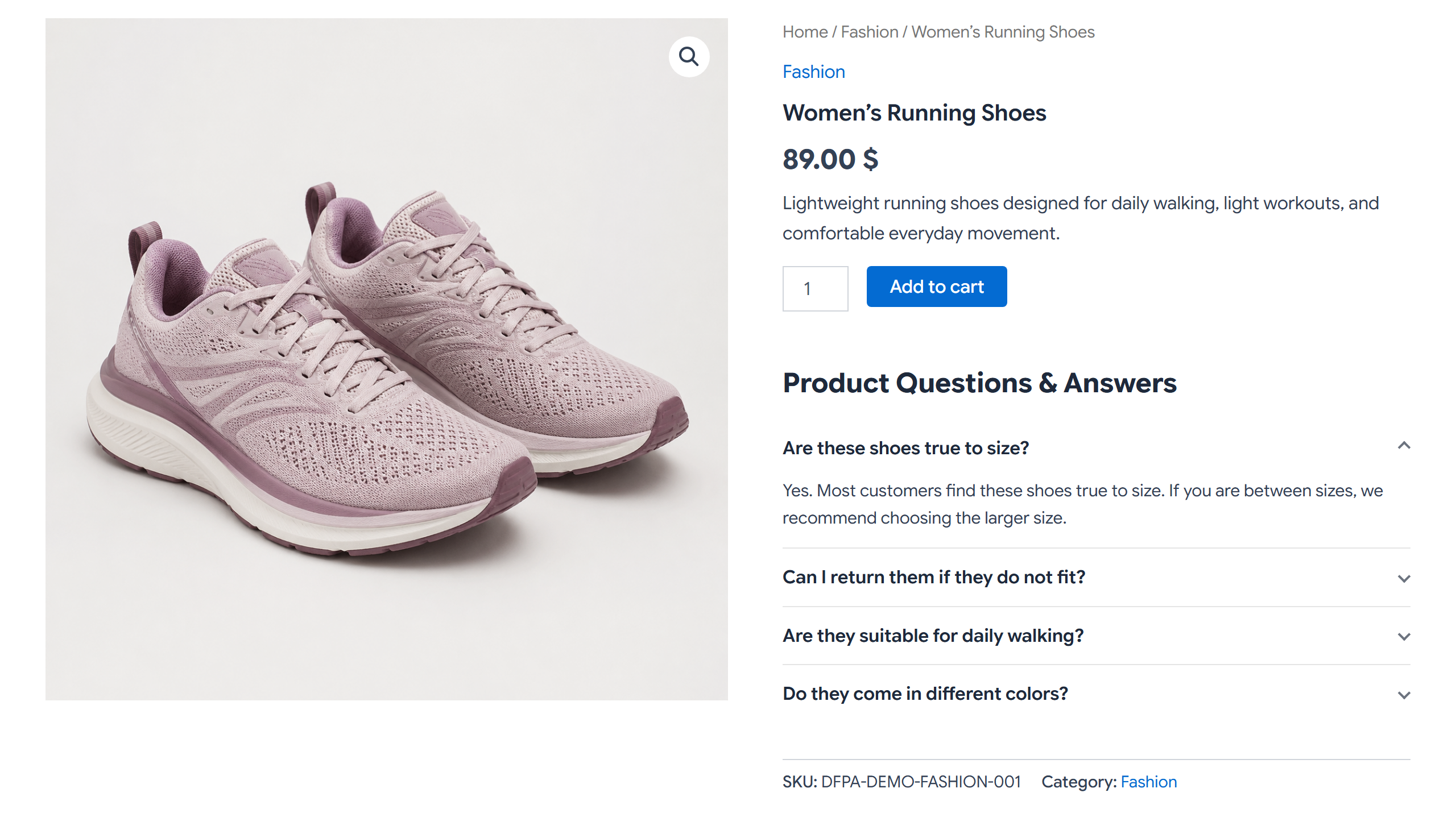
You write the answers (they are store-controlled), and they appear in a clean, accessible accordion on the product page. This free version focuses on product-level answers: the Q&A you add to an individual product.
What the free version includes
- Product-level Q&A: add your own questions and answers to any WooCommerce product, right from the product edit screen.
- Unlimited answers per product.
- Three accordion styles: Clean, Card, and Minimal.
- Choose where the section appears: after the short description, after add to cart, after the product meta, after the product tabs, or inside a dedicated product tab.
- Custom section title, an optional accent color, and an “open the first answer” option.
- Enable or disable each answer individually, turn the whole section on or off per product, and hide it automatically when empty.
- Control the order your answers appear in.
- A simple settings screen under WooCommerce Product Answers for all of the above.
- Shortcode:
[dfpa_product_answers], or[dfpa_product_answers product_id="123"]to show a specific product’s answers on any page. - Accessible accordion: real buttons,
aria-expanded, keyboard support, and a visible focus state. - Right-to-left (RTL) ready and mobile-first.
- Lightweight: the front-end CSS and JavaScript load only where the section is actually shown, not site-wide.
- Secure by default: input is sanitized, output is escaped, and admin saves use nonces and capability checks.
- WooCommerce dependency-safe: if WooCommerce is not active, the plugin stays dormant and shows an admin notice instead of causing errors.
- No sample questions are created on activation — your store stays clean, and you add only the answers you want.
DreamFast Product Answers is a store-controlled answers system. It is not a public customer Q&A or a product review system.
DreamFast Product Answers Pro
Need more than product-level answers? Pro adds:
- Category answers — write answers once and show them on every product in a category.
- Global (store-wide) answers — shared answers shown across your store.
- Priority-based display order — product answers first, then category, then global.
- Extra tabs on the Product Answers screen to manage your category and store-wide answers.
- Automatic updates and priority support for Pro customers.
Pro is optional. The free version is fully functional on its own — all of its display settings are included, with nothing locked.
Screenshots
Installation
- Make sure WooCommerce is installed and active.
- Install DreamFast Product Answers from Plugins Add New, or upload the ZIP via Plugins Add New Upload Plugin.
- Activate the plugin through the Plugins screen.
- Open any product’s edit screen and find the “Product Answers” box.
- Add your questions and answers, then update the product. The section appears on that product’s page.
FAQ
-
Does this require WooCommerce?
-
Yes. The plugin is built for WooCommerce product pages. If WooCommerce is not active, the plugin stays dormant and shows an admin notice instead of causing errors.
-
Does the free version create any sample questions?
-
No. Nothing is added on activation. You only ever see the answers you add yourself.
-
Where do the answers appear?
-
In an accordion on the WooCommerce product page. You choose the exact location and style under WooCommerce Product Answers Settings.
-
How many answers can I add per product?
-
As many as you like. There is no limit in the free version.
-
Can I turn answers off for a single product?
-
Yes. Each product has an “Enable Product Answers for this product” checkbox. When it is off, no section is shown for that product, and your saved answers are kept.
-
How do I use the shortcode?
-
Place
[dfpa_product_answers]on a product to render its section, or[dfpa_product_answers product_id="123"]on any page to render a specific product’s answers. -
Does it support right-to-left languages?
-
Yes. The layout uses CSS logical properties and works with RTL content, including Hebrew.
-
Will it slow down my site?
-
No. The front-end CSS and JavaScript load only on pages that actually show the section — not site-wide.
-
Can I add category-wide or store-wide answers?
-
Category answers and global (store-wide) answers are available in DreamFast Product Answers Pro. The free version covers product-level answers and includes all the display settings — style, location, accent color, title, and more.
-
What happens to my data if I delete the plugin?
-
Uninstalling (deleting) the plugin removes the data it created, including your product answers and its settings. If you want to keep your data, deactivate the plugin instead of deleting it.
Reviews
There are no reviews for this plugin.
Contributors & Developers
“DreamFast Product Answers” is open source software. The following people have contributed to this plugin.
Contributors
Translate “DreamFast Product Answers” into your language.
Interested in development?
Browse the code, check out the SVN repository, or subscribe to the development log by RSS.
Changelog
1.0.2
- Initial public release: product-level Q&A on WooCommerce product pages with an accessible accordion; three styles (Clean, Card, Minimal); a choice of display location; custom title, accent color, and open-first option; per-answer and per-product controls; shortcode; and RTL and mobile support.