

Description
A friction-free way to collect email addresses when someone downloads a file from your site. Drop it into any post or page with a shortcode (or the block editor), and you’re set.
Features:
- Simple to set up — no coding needed
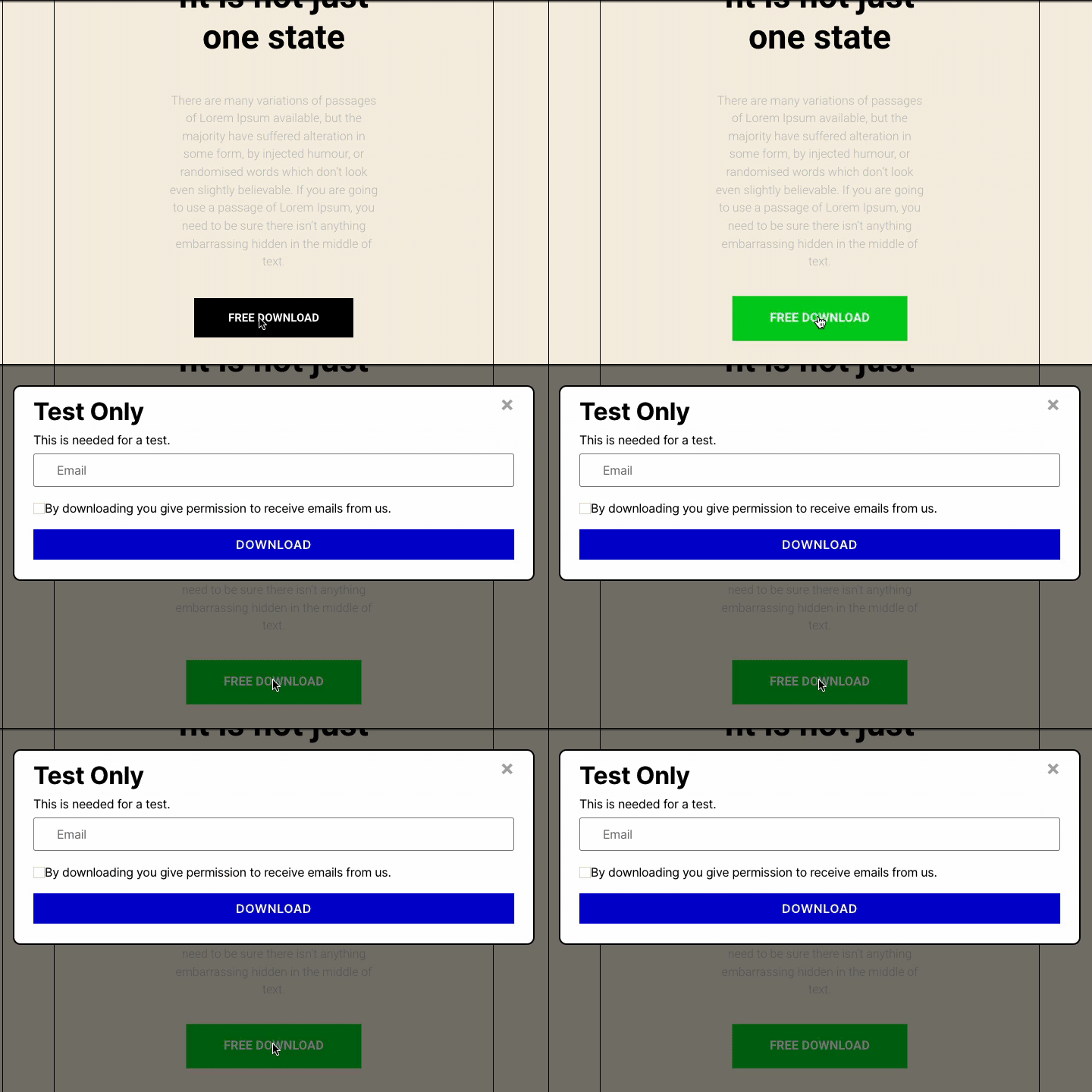
- Show the download inline on the page, or trigger it from a button
- Or hook it up to a button you already have, so your site’s styling stays untouched
- Choose from three popup styles to match your site
- Trigger the popup on exit intent, or after a set number of seconds
- Looks good on any screen — fully responsive
- Create as many downloads as you need — one plugin, unlimited lead magnets
- Works with the WordPress block editor — just drag it in
- Export everyone who’s signed up as a CSV file, any time — your list is always yours
- Want new subscribers sent straight to your email marketing tool automatically? Low-cost addons are available for that. Download Magnet Addons
- Works with Mailchimp, ActiveCampaign, Kit, MailPoet, and Webhooks
- The Webhook option connects to almost anything — Zapier, Make, Automate.io, or your own system
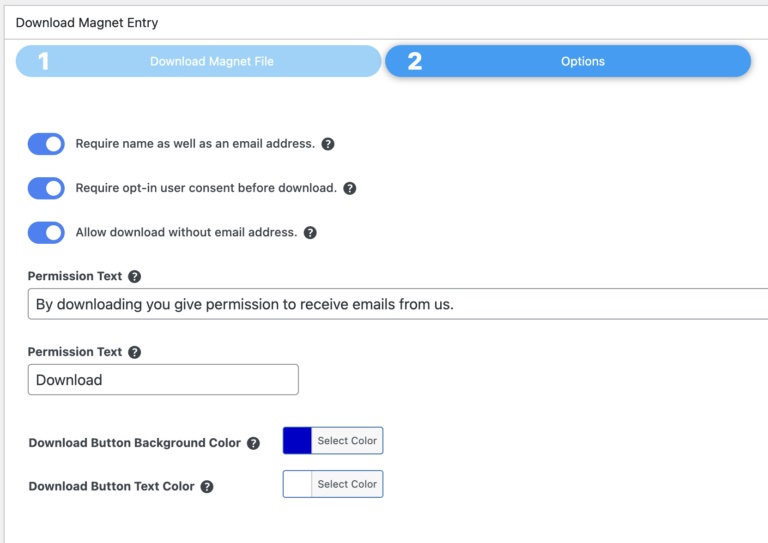
- Optionally ask for a name too, and add GDPR consent so you stay compliant
- The download popup always displays on top of your theme, with an option to turn that off if it ever conflicts with something else
- Got a feature request or found a bug? Get in touch — I read every message and love hearing from users.
Screenshots


Blocks
This plugin provides 1 block.
- Download Magnet Allows Download Magnet content to be displayed in the block editor.
Installation
To install Download Magnet, follow these steps:
- Download and unzip the plugin
- Upload the entire downloadmagnet/ directory to the /wp-content/plugins/ directory
- Activate the plugin through the Plugins menu in WordPress
- Download Magnet will appear in the sidebar. Click on it.
- To add a download magnet, click on Add New and enter/upload a file for download
- In any post or page enter the shortcode [downloadmagnet id=xxx]. xxx is the id number of the download and a button will appear.
- To add a download magnet to an existing button, add an id name to the button and then add the shortcode [downloadmagnet id=xxx button=yyy]. xxx is the id number of the download and yyy is the id of the button. Click here for help.
Have Feedback
Please send me your feedback here for any new features you want to see in next version of this plugin.I will be happy to receive feedback.
FAQ
-
How do I add a download magnet to a page or post?
-
In any post or page enter the shortcode [downloadmagnet id=xxx]. xxx is the id number of the download and either a button (popup) or the form (inline) will appear.
To add a download magnet to an existing button, add an id name to the button and then add the shortcode [downloadmagnet id=xxx button=yyy]. xxx is the id number of the download and yyy is the id of the button. For more guidance. -
Does this version capture email addresses?
-
Yes, this version captures email addresses and allows you to download a CSV file of the contacts. If you want to automatically send the contacts to your email marketing system, you will need to purchase the appropriate addon.
-
What email marketing systems are available as addons?
-
Currently available are Mailchimp, ActiveCampaign, Kit, MailPoet, and Webhooks. Check the Addons page in the menu. If you do not see your email marketing system, please contact me here and we will see what we can do.
-
How do I get the Addons
-
Addons can be purchased and installed from the Addon menu in this plugin or are also available from here
-
How do I get support?
-
Plugin support can be found here here. Addon customers will receive premium support. Details when purchased.
-
Are you planning to add more features?
-
Yes, I am planning to add more features. Please send me your feedback here for any new features you want to see in next version of this plugin.I will be happy to receive feedback.
The ability to add to an existing button came from feature requests. Please keep them coming.
Reviews
There are no reviews for this plugin.
Contributors & Developers
“Download Magnet” is open source software. The following people have contributed to this plugin.
Contributors
“Download Magnet” has been translated into 2 locales. Thank you to the translators for their contributions.
Translate “Download Magnet” into your language.
Interested in development?
Browse the code, check out the SVN repository, or subscribe to the development log by RSS.
Changelog
3.0.1
Added popup dialog to be shown after a number of seconds or on exit intent.
Added new dialog templates
Fixed dialogs to be responsive on mobile
Ability to export from a selectable date
More customization options
Latest Freemius SDK
Bug fixes
2.5.4
Updating email providers addons
Latest Freemius SDK
2.5.3
Fixed a bug on selecting a file to download!
Realigned options on the correct page following user feedback.
2.5.2
Fixed HTML link on direct download.
Fixed wrong modal dialog being used.
Cleaned up visual on email tab when no service.
2.5.0
User interface improvements for adding files.
Improved onboarding and bug fixes.
Sent emails now HTML formatted.
Disposable email address list updated.