
Description
DMValdez Clean Post Toolkit solves the classic battle between clean site architecture and editor convenience.
When editors use heavy page builders like Elementor on standard blog posts, it creates “div soup,” slows down page loads, and makes future theme migrations a nightmare. This plugin programmatically disables Elementor on the standard post post type and shows a friendly one-time modal explaining why — then hands editors a lightweight Classic Editor toolbar so they never have to reach for a page builder just to add a button or an FAQ.
Everything the toolbar inserts renders as clean, semantic HTML5 — no page-builder markup, no extra database bloat, and styling ships as a single small CSS file shared by the frontend, the block editor, and the Classic Editor’s own WYSIWYG iframe.
What’s included
The Enforcer — removes Elementor support from the post post type only (Pages and custom post types are untouched), and shows a one-time educational modal on post-new.php explaining the policy.
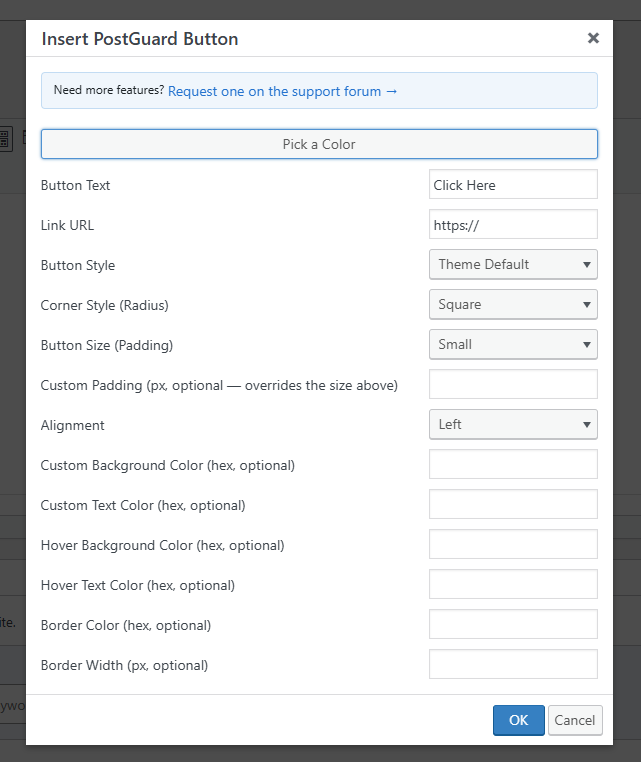
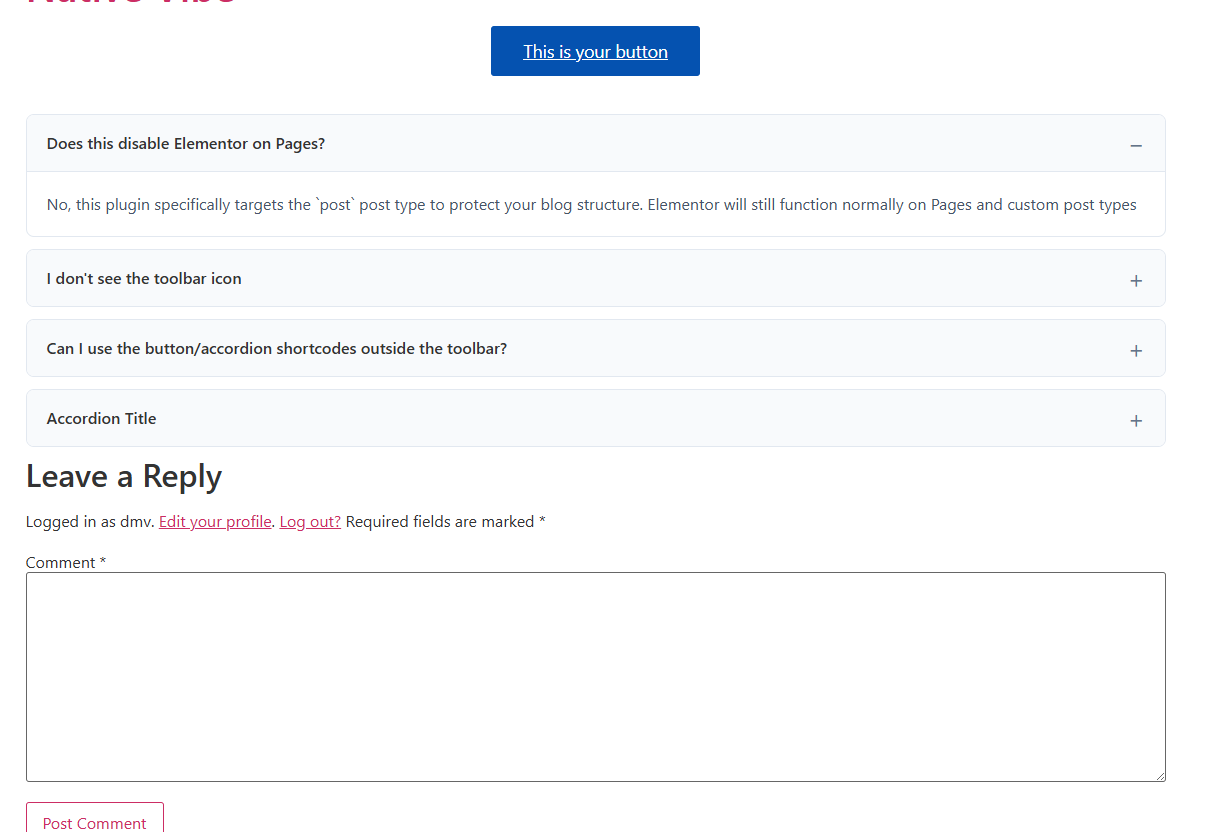
Buttons — [postguard_btn] — a theme-styled button that inherits your active theme’s Elementor button classes, so it looks native even with Elementor disabled. Inserted via a toolbar dialog with a live color-picker popup; every option is optional and defaults to your theme’s normal look:
text,link— button label and URL.style—default(inherits theme),primary, oroutline.radius—square,md(rounded), orpill.padding—sm,md, orlg; orpadding_custom(px) to override with an exact value.align—left,center,right, orfull(full width).bg_color,text_color,hover_bg_color,hover_text_color— hex colors, independent hover state.border_color,border_width— add or override a border on any style.
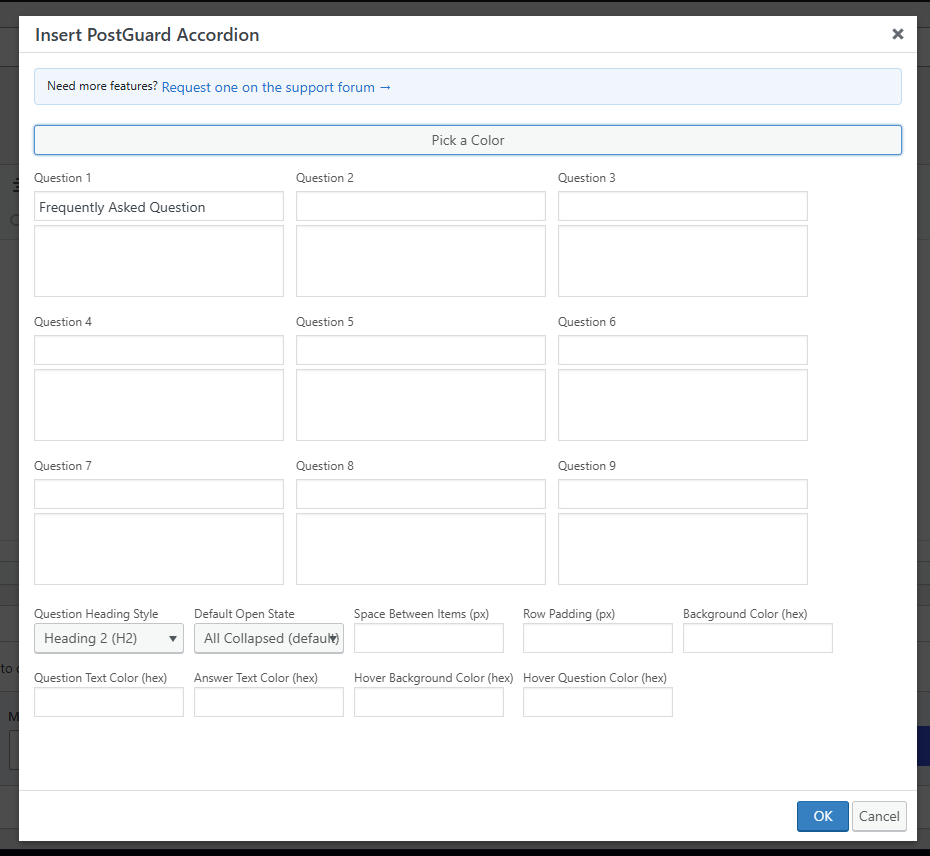
Accordions — [postguard_accordion_group] / [postguard_accordion_item] — pure HTML5 <details>/<summary> accordions, zero JavaScript on the frontend. The toolbar’s “Insert Accordion” dialog builds a full FAQ block in one pass — a 3-column grid for up to 9 question/answer pairs, plus shared styling options:
question_tag— render each question ash2,h3,h4, or plain text (semantically valid — a heading is allowed as the sole child of<summary>).default_state—none(all collapsed),first(first item open), orall(all open) on page load; any individual item can also force itself open withopen="yes".item_spacing,row_padding— px values controlling the gap between cards and internal padding.bg_color,title_color,content_color,hover_bg_color,hover_title_color— hex colors, cascading to every item in the group automatically.
The legacy single-item shortcode [postguard_accordion title="..."]answer[/postguard_accordion] still works standalone for hand-written content.
Toolbar helpers — a “Pick a Color” popup gives editors a real color picker with a copyable hex readout for any of the fields above, and a “Request a feature” link in both dialogs points straight to the support forum.
Requirements
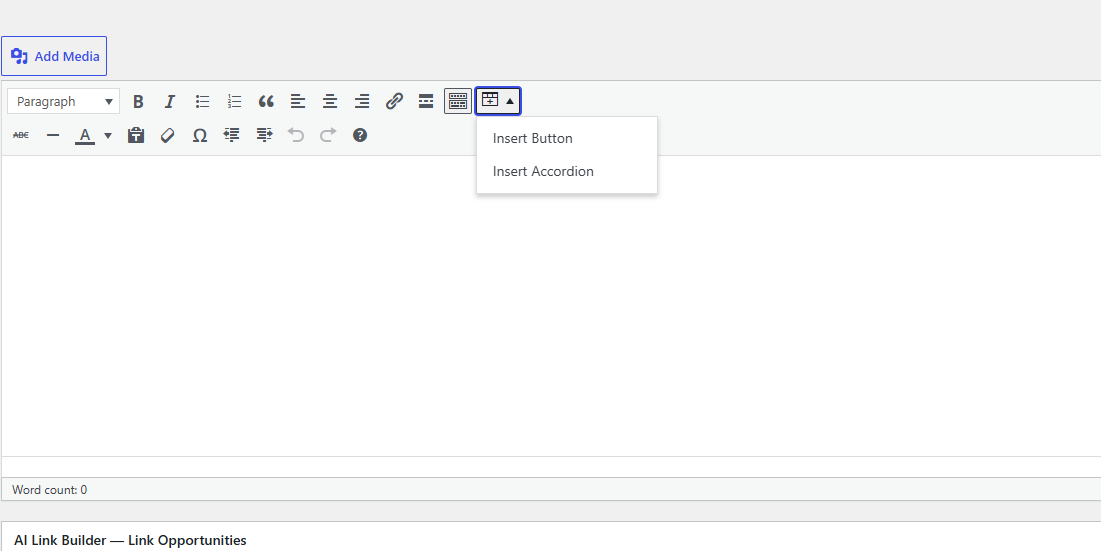
The Classic Editor (either natively, or via the Classic Editor plugin) is required to see the toolbar button — the toolkit hooks into TinyMCE’s mce_buttons/mce_external_plugins filters. Shortcodes themselves render correctly regardless of which editor inserted them.
Screenshots

Installation
- Upload the
dmvaldez-clean-post-toolkitdirectory to your/wp-content/plugins/directory, or install the zip directly through the ‘Plugins’ ‘Add New’ screen. - Activate the plugin through the ‘Plugins’ menu in WordPress.
- Open a new Post — Elementor is now disabled for posts, and the toolbar icon appears in the Classic Editor toolbar.
FAQ
-
Does this disable Elementor on Pages?
-
No, this plugin specifically targets the
postpost type to protect your blog structure. Elementor will still function normally on Pages and custom post types. -
I don’t see the toolbar icon
-
Make sure you’re using the Classic Editor (or the Classic Editor plugin with Gutenberg installed) and that “Rich editing” is enabled under your WordPress profile settings — the toolkit only registers its TinyMCE button when both are true.
-
Yes — every attribute documented above can be typed directly into any shortcode, in the Classic Editor’s Text mode, in a Custom HTML block, or in a template via
do_shortcode(). -
A small, dismissible reminder shown on the Dashboard and Plugins screens after you’ve used the plugin for a while. Click the × to dismiss it permanently — it won’t reappear.
Reviews
There are no reviews for this plugin.
Contributors & Developers
“DMValdez Clean Post Toolkit” is open source software. The following people have contributed to this plugin.
Contributors
Translate “DMValdez Clean Post Toolkit” into your language.
Interested in development?
Browse the code, check out the SVN repository, or subscribe to the development log by RSS.
Changelog
1.2.0
- Renamed to DMValdez Clean Post Toolkit (previously PostGuard Toolkit) for the WordPress.org submission.
- Enqueue admin styles via
wp_add_inline_style()instead of inline<style>tags. - Added an explicit output-escaping pass on the accordion group shortcode’s nested content.
1.1.0
- Buttons: custom background/text colors with independent hover states, border color/width, alignment (including full width), and custom pixel padding.
- Accordions: new
[postguard_accordion_group]/[postguard_accordion_item]shortcodes for multi-item FAQ blocks, with default open-state control, custom spacing, and cascading color options. - Toolbar: redesigned “Insert Accordion” dialog (fixed 3×3 grid, 9 Q&A pairs) and a shared “Pick a Color” helper popup for both dialogs.
- Added a dismissible “leave a review” admin notice on the Dashboard and Plugins screens.
- Fixed a CSS asset filename mismatch that could prevent button/accordion styles from loading.
1.0.0
- Initial release. Includes Elementor lockout, modal warning, and Classic Editor toolkit (Buttons and HTML5 Accordions).