

Description
Link Manager is a WordPress plugin that gives you complete visibility into your internal linking structure, estimates link equity across your content, and automatically converts keywords into links.
The plugin adds to WordPress the following features:
- Internal links analysis
- Link equity analysis
- An algorithm that evaluates the internal links optimization status
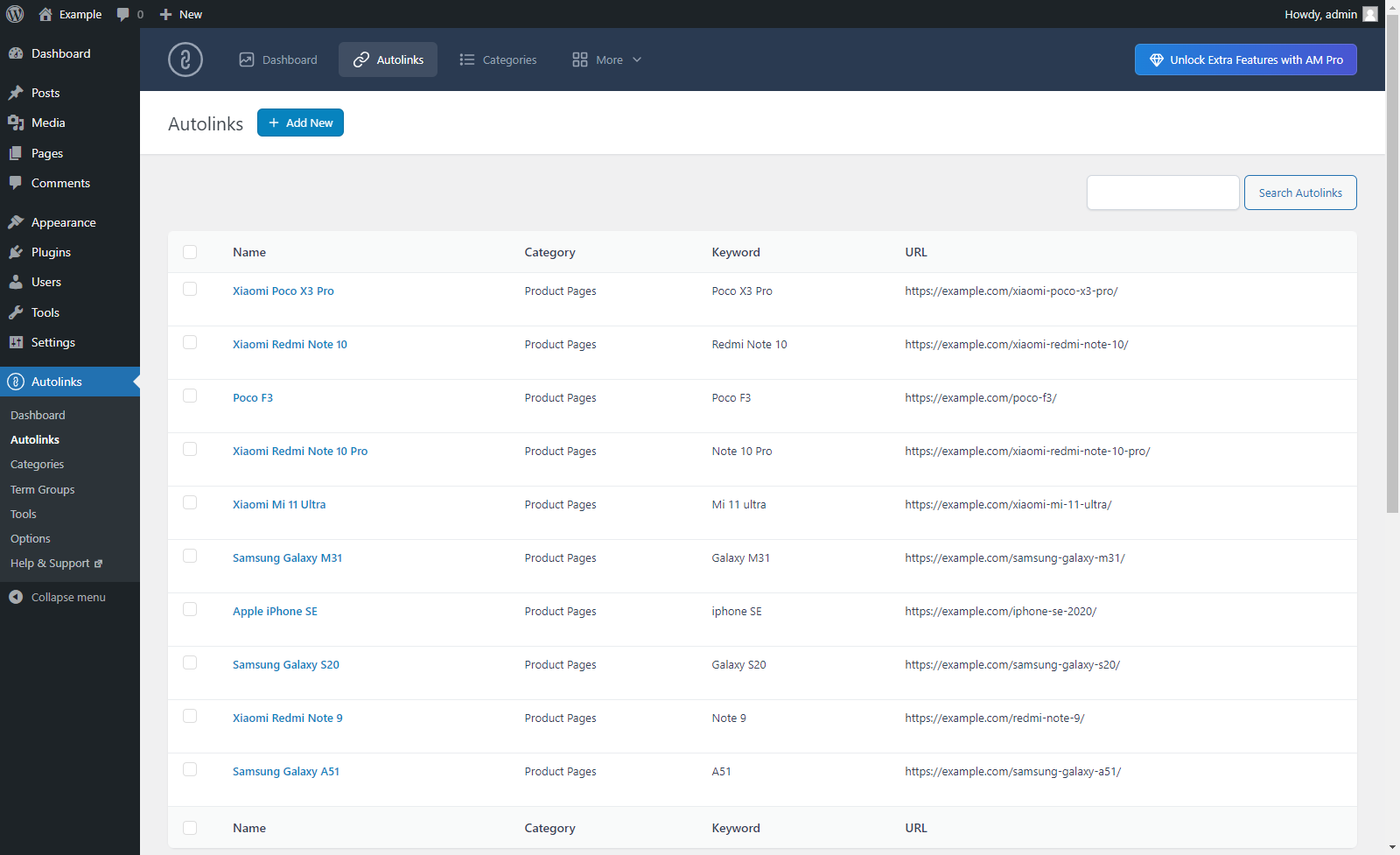
- Automatic keyword-based link creation with granular targeting and matching options
- Export of plugin configuration
Pro Version
A Pro Version is also available with additional features, including:
- A comprehensive Dashboard with dedicated tabs for internal links, automatic links, and a Domains Report showing every external domain your content links to
- Broken link monitoring with HTTP status code checking
- Click tracking for every link on your site, automatic or manual, internal or external
- Internal links suggestions in the post editor, scored by title overlap, categories, tags, and post type
- Bulk creation of automatic link rules from a spreadsheet
- Exportable reports in CSV format for dashboard statistics, link equity, click tracking, and broken links
- Access control to configure which user roles can access each plugin menu and editor panel
Monitor your internal links
Keep track of all the internal links in your content with the Dashboard menu. Here you will find a list of your posts along with internal link data including the current number of automatic links applied and the link equity accumulated by each URL.
The filter and search tools let you quickly find specific posts or sort the data by any available metric.
Calculate the link equity
Visit the Link Equity menu to receive an estimate of the link equity for all the URLs linked in your content.
Use this information to improve the distribution of link equity across your site, strengthen your most important pages, or improve the SEO performance of your product pages.
Automate keyword-based linking
Define a keyword and a target URL once, and the plugin automatically converts every matching occurrence into a link across your eligible content. You can restrict each rule to specific post types, categories, or tags, and configure advanced keyword boundary and matching options to control exactly which occurrences are converted.
Optimize the number of internal links
Receive information about the optimization status of your internal links while editing a post with the Internal Links Optimization panel. The panel compares the current number of internal links against a recommended range calculated from the post’s content length.
Customize the plugin behavior
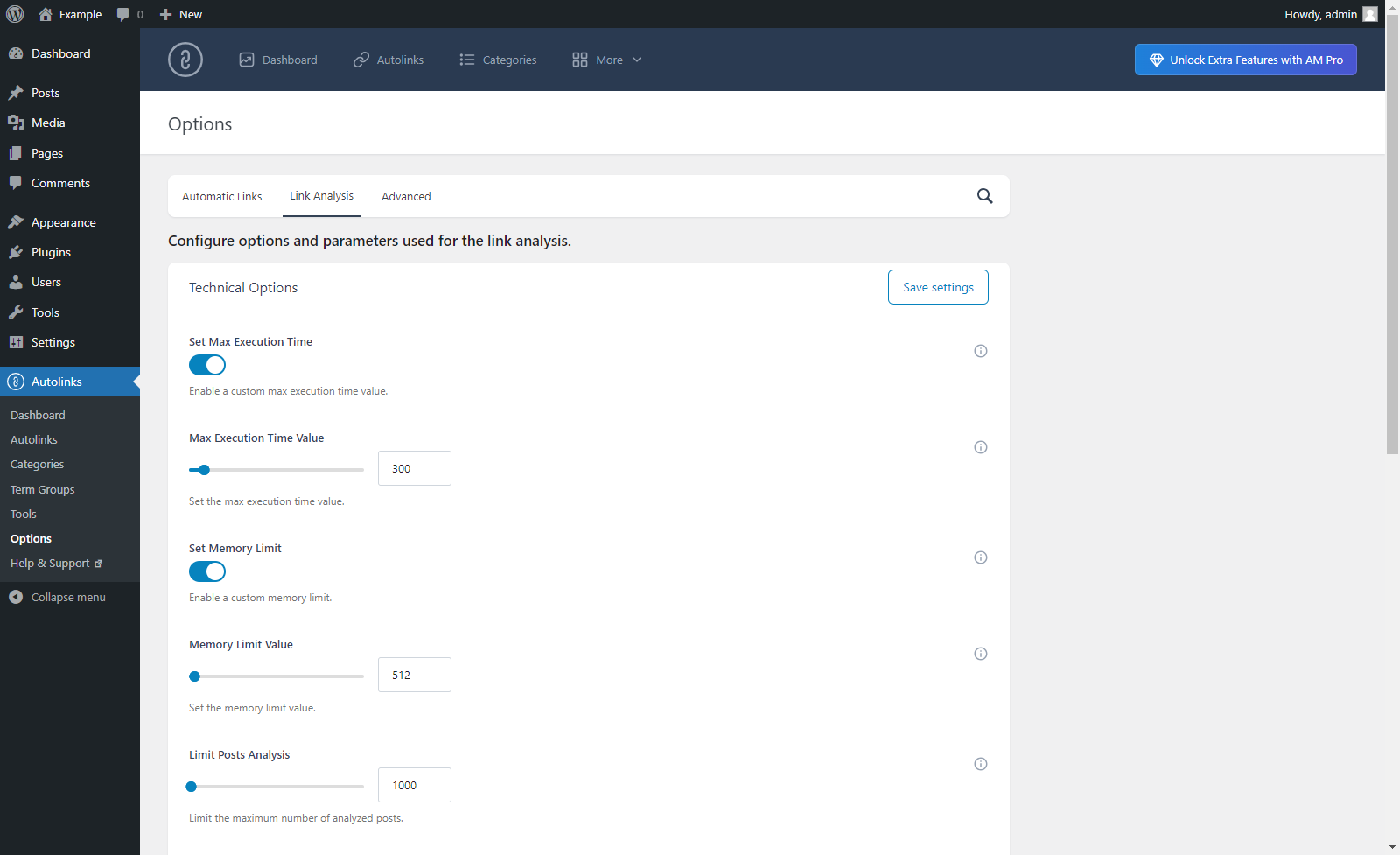
Use the Settings menu to control how the plugin analyzes your content, configure the automatic links algorithm, set default rule values, and adjust technical parameters such as PHP memory limits and the maximum number of analyzed posts. These options help support larger websites.
Screenshots





Installation
- Upload the plugin files to the
/wp-content/plugins/daext-autolinks-manager/directory, or install the plugin through the WordPress Plugins screen directly. - Activate the plugin through the Plugins screen in WordPress.
1. Analyze your internal links
The plugin provides dedicated menus to help you monitor and improve your internal linking:
- The Dashboard gives you an overview of all automatic links and internal link statistics across your content.
- The Link Equity menu provides an estimate of the link equity accumulated by every URL linked in your content.
Use the filter and search tools in each menu to quickly find specific posts or sort the data by any available metric.
2. Automate keyword-based linking
Open the Auto Link Rules menu to define the keywords you want to convert into links and the target URLs they should point to. Organize your rules with categories and target groups to manage complex setups.
3. Optimize the number of internal links
While editing a post, use the Internal Links Optimization panel to receive real-time information about the optimization of the article you are working on.
For detailed guidance and advanced configuration, visit the official Knowledge Base.
Reviews


Contributors & Developers
“Link Manager – Analyze, Automate, and Monitor Links” is open source software. The following people have contributed to this plugin.
Contributors
“Link Manager – Analyze, Automate, and Monitor Links” has been translated into 1 locale. Thank you to the translators for their contributions.
Translate “Link Manager – Analyze, Automate, and Monitor Links” into your language.
Interested in development?
Browse the code, check out the SVN repository, or subscribe to the development log by RSS.
Changelog
1.10.15
September 20, 2026
- Added a Link Stats column in the post listing that displays the number of inbound internal links and outbound internal links of each post.
- Added the Post Listing section in the Settings menu.
1.10.14
September 9, 2026
- Improved the performance of the automatic links engine.
1.10.13
September 1, 2026
- Fixed an issue with WordPress 7.0 and later that prevented the Automatic Links panel from being displayed in the block editor sidebar.
- Additional minor improvements.
1.10.12
July 22, 2026
- The plugin has been renamed from Autolinks Manager to Link Manager.
- Added the Link Equity menu with per-URL equity calculation and filtering.
- Added the Internal Links Optimization editor panel.
- Added internal links statistics to the Dashboard.
- Added internal links optimization flag per post to the Dashboard.
- Improved the Dashboard to include combined link statistics per post.
- Added Export of plugin configuration as XML.
- Added Target Groups support.
- Improved settings organization with dedicated sections for Link Analysis and Automatic Links.
1.10.11
March 13, 2026
- Fixed JavaScript notices in the block editor.
- Improved the style of the block editor sidebar tool.
- Improved the style of the classic editor meta box and moved it to the sidebar.
- Select2 is no longer used in the classic editor meta box.
- Improved statistics retrieval queries to prevent SQL errors.
1.10.10
April 21, 2025
- Fixed PHP notice caused by early use of translation functions.
- Fixed JavaScript deprecation notices for back-end functionality.
1.10.09
November 29, 2024
- Resolved CSS style issue.
- The load_plugin_textdomain() function now runs with the correct hook.
1.10.08
June 14, 2024
- The input fields of type “text” in the Autolinks, Categories, and Term Groups menu now have the proper maxlength attribute value assigned.
- The descriptions of the screenshots have been updated.
1.10.07
June 10, 2024
- Major back-end UI update.
1.10.06
April 7, 2024
- Fixed a bug (started with WordPress version 6.5) that prevented the creation of the plugin database tables and the initialization of the plugin database options during the plugin activation.
1.10.05
November 1, 2023
- Nonce fields have been added to the back-end menus.
- General refactoring. The phpcs “WordPress” ruleset has been partially applied to the plugin code.
- Bug fix.
1.10.04
January 13, 2023
- The “Protect Attributes” option has been added.
- Links to rate the plugin have been added in the back-end menus.
1.10.03
September 6, 2022
- The “Export to Pro” menu has been added.
- Changelog added.
1.10.02
December 28, 2021
- Improved internationalization.
- Updated links to resources.
1.10.01
March 6, 2021
- Added the load_plugin_textdomain() function.
1.10
March 6, 2021
- Added text domain in plugin header information.
1.09
March 6, 2021
- Improved data sanitization and validation.
- Minor back-end improvements.
- Improved internationalization.
1.08
October 20, 2020
- Minor back-end improvements.
1.07
October 10, 2020
- Initial release.