

Description
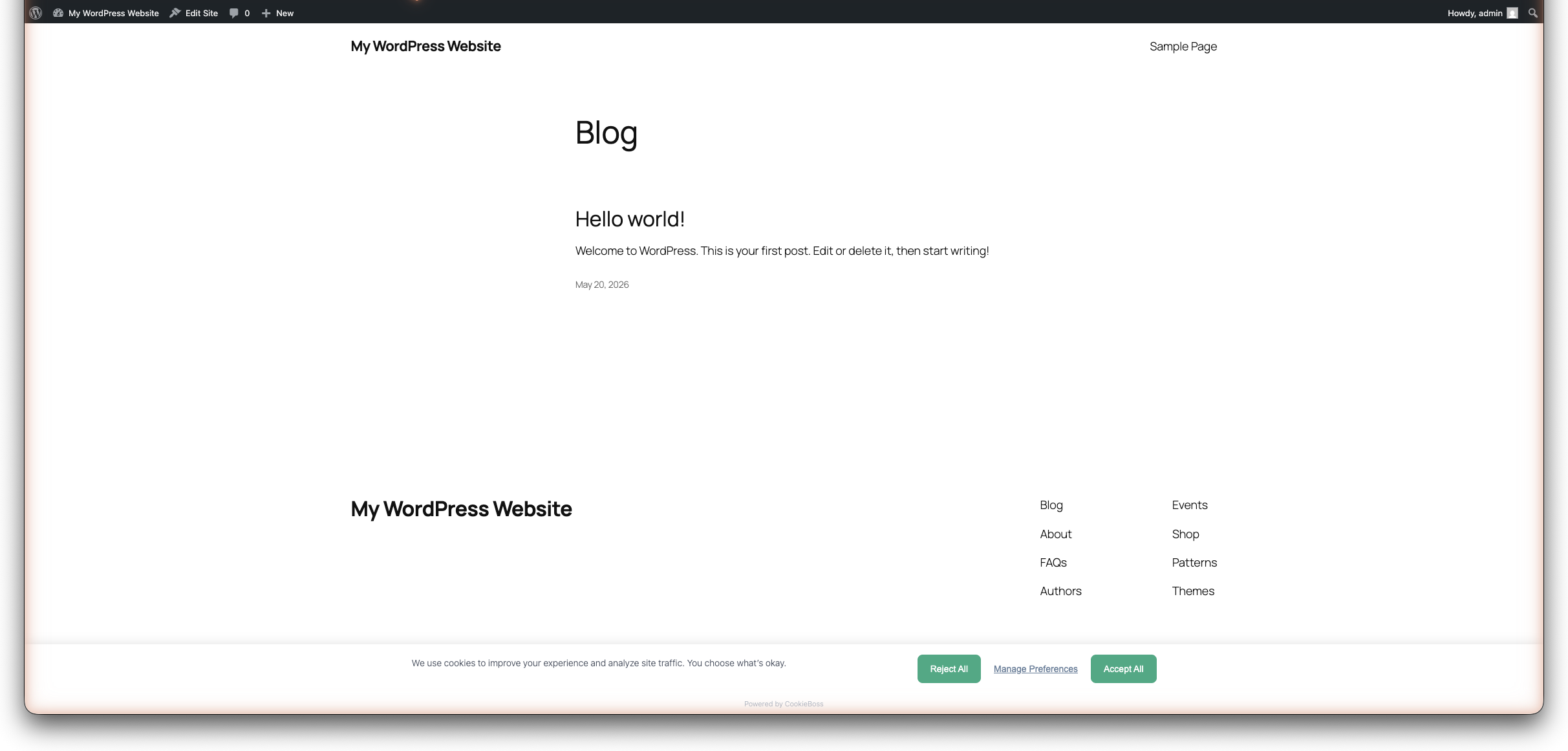
CookieBoss is a lightweight, fast cookie consent management platform built for GDPR and ePrivacy compliance. This plugin connects your WordPress site to your CookieBoss account and automatically displays a customizable consent banner.
Get compliant in 2 minutes — for free:
- Compliant out of the box — GDPR & ePrivacy consent banner with automatic script blocking and Google Consent Mode v2, no configuration required
- Works with WooCommerce and caching plugins — no per-page setup, no conflicts
- Free tier — 1 domain, all core features, no credit card required
Why CookieBoss?
- Lightweight — under 25KB gzipped, no impact on Core Web Vitals
- Automatic cookie scanning — detects cookies and categorizes them from a database of 5,000+ known cookies
- Google Consent Mode v2 — built-in, zero configuration needed
- Automatic script blocking — blocks Google Analytics, Facebook Pixel, Hotjar, and 20+ other tracking scripts until consent
- 32 languages for the consent banner via CookieBoss CDN
- Customizable banner — bottom bar, modal, or preference center layouts
- Dark mode support with automatic detection
- Free tier — 1 domain, all core features, no credit card required
Features:
- One-click consent banner installation
- Automatic script blocking for known tracking plugins (GA, GTM, Facebook, Hotjar, etc.)
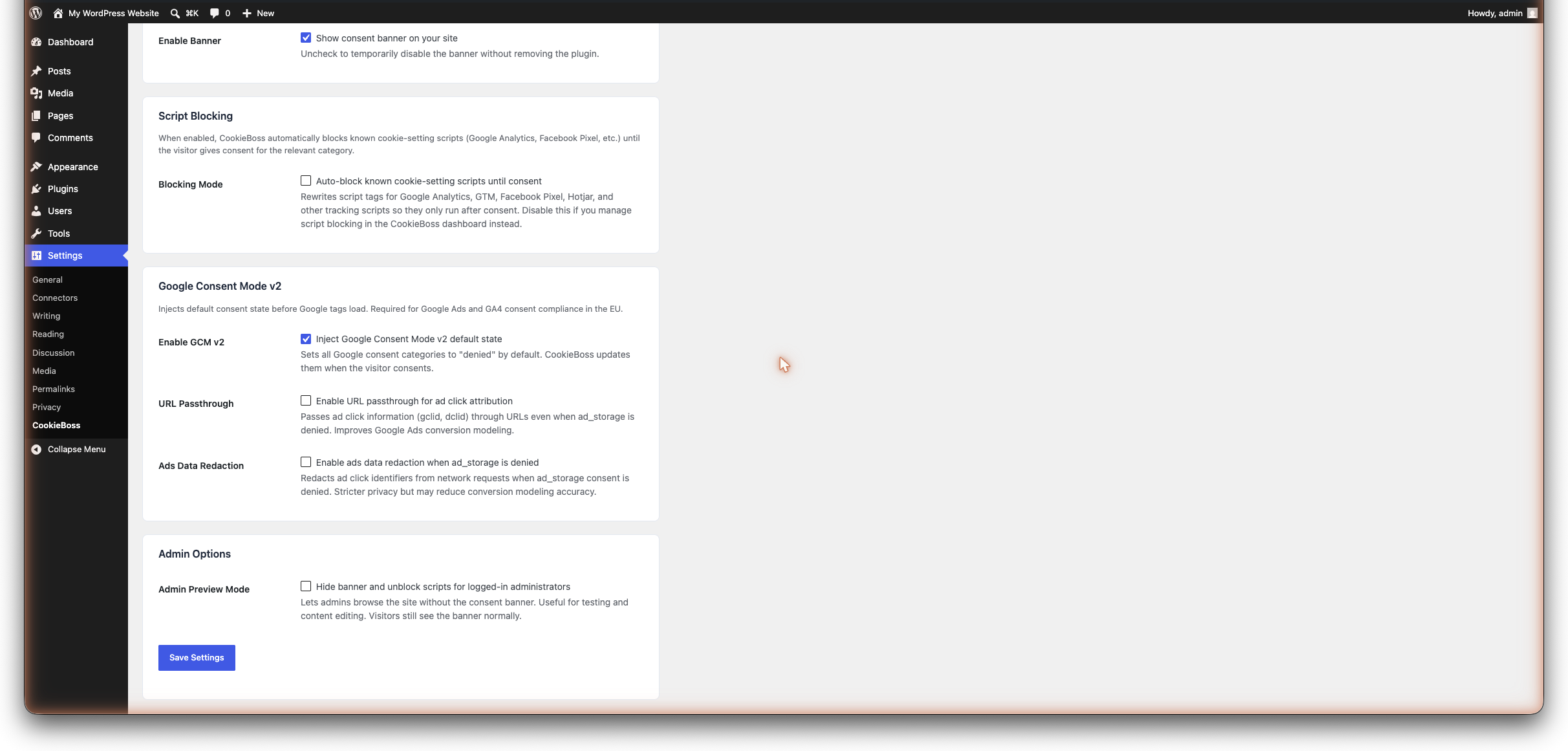
- Google Consent Mode v2 with URL passthrough and ads data redaction
- Cookie inventory management
- Per-category consent (necessary, analytics, marketing, functional)
- Google Tag Manager integration
- Cross-domain consent sharing
- A/B testing for banner optimization
- Admin preview mode — browse without the banner while logged in
- Compliance reports and AI-powered audit
- REST API for headless and custom integrations
How it works:
- Create a free account at cookieboss.io
- Add your domain and configure your banner
- Install this plugin and enter your Site ID
- Your consent banner is live — scripts are blocked until consent
The banner is managed and customized in the CookieBoss dashboard — this plugin handles script injection, blocking, and Google Consent Mode integration on your WordPress site.
Automatic Script Blocking:
When blocking mode is enabled, the plugin automatically rewrites script tags for known tracking services so they don’t execute until consent is given:
- Analytics: Google Analytics, Google Tag Manager, Hotjar, Matomo, MonsterInsights, ExactMetrics, Site Kit
- Marketing: Facebook Pixel, Pinterest Tag, TikTok Pixel, LinkedIn Insight, Google Ads, Twitter/X UWT
- Functional: HubSpot, Intercom, Drift, Crisp, LiveChat
Scripts are identified by both their registered WordPress handle and their source URL, so both plugin-injected and manually added scripts are caught.
See the “External services” section below for the CookieBoss endpoints this plugin contacts.
External services
This plugin connects your site to the CookieBoss service (cookieboss.io), operated by Transformination OÜ. It contacts these CookieBoss endpoints:
- cdn.cookieboss.io — serves your consent banner script (loaded on every page; your Site ID is part of the script URL). Also contacted from your server to verify your Site ID when you click Verify in the settings.
- a.cookieboss.io — sends anonymous consent analytics (country and consent choice) when a visitor interacts with the banner.
- api.cookieboss.io — OAuth authentication calls (token exchange, token metadata, token revocation) when you connect or disconnect the plugin, and consent-analytics API calls for the admin dashboard widget (your Site ID and API key are sent to retrieve aggregate consent statistics).
- app.cookieboss.io — the CookieBoss sign-in and authorization page, opened in a browser popup when you use the one-click “Connect to CookieBoss” flow.
No personal data is sent to these services — only consent choices (accept/reject/custom) and anonymous analytics (country, consent rate).
The plugin also contains lists of well-known third-party domains (for example googletagmanager.com, connect.facebook.net, maps.googleapis.com). These are detection signatures used to recognize tracking scripts already present on your site so they can be held back until consent — the plugin never contacts these domains itself.
Use of the CookieBoss service is subject to its terms and privacy policy:
- Terms of Service: https://cookieboss.io/terms
- Privacy Policy: https://cookieboss.io/privacy
Screenshots
Installation
- Install the plugin from the WordPress Plugin Directory, or upload the
cookiebossfolder to/wp-content/plugins/ - Activate the plugin through the ‘Plugins’ menu
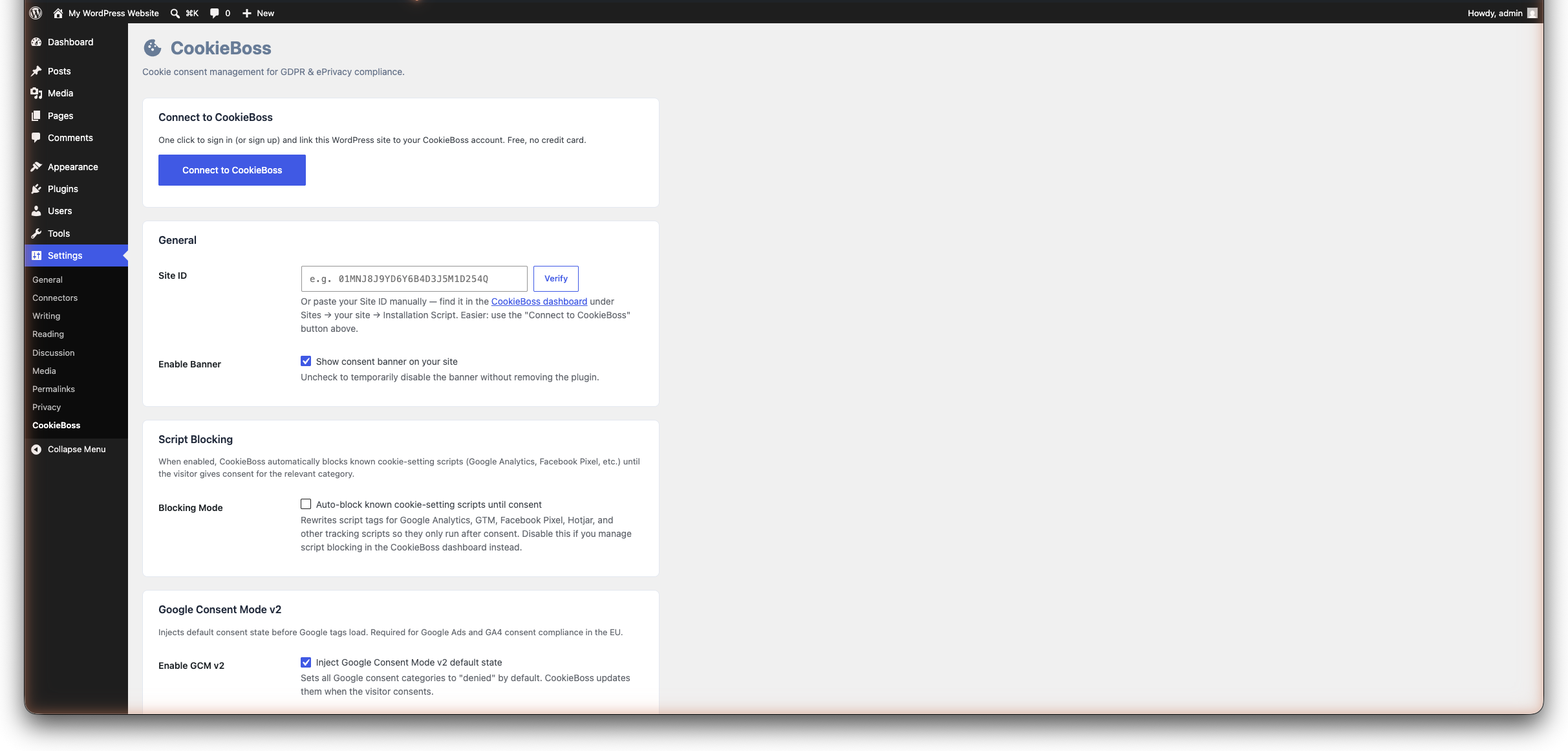
- Go to Settings CookieBoss
- Enter your Site ID (found in the CookieBoss dashboard under your site’s Installation Script)
- Enable “Blocking Mode” to automatically block tracking scripts until consent
- Click “Save Settings” — your consent banner is now live
If you don’t have a CookieBoss account yet, sign up for free.
FAQ
-
Yes. The plugin loads your consent banner from the CookieBoss CDN. Create a free account at cookieboss.io/signup — no credit card required.
-
Where do I find my Site ID?
-
Log in to app.cookieboss.io, go to your site, and find the Site ID in the Installation Script section.
-
Is it free?
-
Yes. The free tier includes 1 domain with all core consent features. Paid plans start at €9/month for additional domains and advanced features.
-
What does blocking mode do?
-
When enabled, the plugin automatically prevents known tracking scripts (Google Analytics, Facebook Pixel, etc.) from running until the visitor consents to the relevant cookie category. This is done by changing the script type to
text/plainand adding adata-cookieconsentattribute. -
Does it work with caching plugins?
-
Yes. The consent script and Google Consent Mode defaults are tagged with the attributes caching and JavaScript-optimization plugins look for (data-cfasync=”false”, data-no-optimize, data-no-minify, data-no-defer, data-noptimize), so WP Rocket, LiteSpeed Cache, W3 Total Cache, Autoptimize, SiteGround Optimizer, and Cloudflare Rocket Loader leave them alone by default. This matters: the banner must load before other scripts to hold cookies back correctly.
If an aggressive “delay/defer JavaScript” setting still holds the banner back, exclude the CookieBoss script manually:
- WP Rocket — File Optimization: add cdn.cookieboss.io to “Excluded JavaScript Files”, and add cookieboss to “Delay JavaScript execution” exclusions.
- LiteSpeed Cache — Page Optimization → JS Settings: add cdn.cookieboss.io to “JS Excludes” (and to the deferred/delayed excludes if enabled).
- W3 Total Cache — Performance → Minify: add the script to “Never minify the following JS files”.
- Autoptimize — JavaScript Options: add cookieboss to “Exclude scripts from Autoptimize”.
- SiteGround Optimizer / Cloudflare Rocket Loader — already skipped via data-cfasync=”false”; no action needed.
-
Does it support Google Consent Mode v2?
-
Yes. The plugin injects Google Consent Mode v2 default state before any Google tags load. All consent categories are denied by default and updated when the visitor consents. This is required for Google Ads compliance in the EU.
-
Will it slow down my site?
-
No. The consent script is under 25KB gzipped and loaded with
defer, so it doesn’t block page rendering. It has zero impact on Core Web Vitals. -
Yes. Enable “Admin Preview Mode” in the settings to hide the banner and unblock all scripts when logged in as an administrator. Visitors still see the banner normally.
-
Yes. Banner layout (bottom bar, modal, preference center), colors, text, animations, and dark mode are all configurable in the CookieBoss dashboard.
-
Does it support multiple languages?
-
Yes. The consent banner supports 32 languages, served from the CookieBoss CDN. Configure your preferred language in the CookieBoss dashboard.
-
What is URL passthrough?
-
URL passthrough passes ad click information (gclid, dclid) through page URLs even when ad_storage consent is denied. This improves Google Ads conversion modeling without setting cookies.
-
What is ads data redaction?
-
When enabled, ad click identifiers are removed from network requests when ad_storage consent is denied. This provides stricter privacy but may reduce conversion modeling accuracy.
Reviews
There are no reviews for this plugin.
Contributors & Developers
“CookieBoss – Cookie Consent & GDPR Compliance” is open source software. The following people have contributed to this plugin.
Contributors
Translate “CookieBoss – Cookie Consent & GDPR Compliance” into your language.
Interested in development?
Browse the code, check out the SVN repository, or subscribe to the development log by RSS.
Changelog
1.1.1
- New: guided 3-step setup wizard on first activation — connect, apply recommended settings, and confirm your banner is live in about two minutes.
- New: “Switching from another consent plugin?” prompt that offers a faster path when a competing consent plugin is detected.
- Improved: consent scripts now resist interference from caching and JavaScript-optimization plugins (WP Rocket, LiteSpeed, Autoptimize, Cloudflare Rocket Loader), so the banner and Google Consent Mode defaults are no longer delayed or broken.
- Fixed: the in-admin consent statistics widget now loads and displays your banner’s impression and consent-rate data.
- The “Cookie Consent Preferences” block now ships block.json metadata for editor discovery.
1.1.0
- New: one-click “Connect to CookieBoss” — OAuth flow opens a popup, you sign in (or sign up) at app.cookieboss.io, pick a site, and the plugin is configured automatically. No more copying Site IDs by hand.
- Manual Site ID input remains available as a fallback below the Connect button.
- New: Disconnect button to revoke the connection and clear stored credentials.
1.0.1
- Auto-save Site ID when Verify succeeds — eliminates the contradiction between the green Verify message and the orange “Not configured” Connection Status pill (#157)
- Fixed duplicate “Settings saved.” admin notice after saving plugin settings (#159)
1.0.0
- Initial release
- Site ID configuration with CDN verification
- Enable/disable toggle
- Automatic consent script injection
- Google Consent Mode v2 default state injection (all categories denied by default)
- GCM URL passthrough and ads data redaction options
- Automatic script blocking for 20+ known tracking scripts (GA, GTM, Facebook, Hotjar, etc.)
- Script identification by both WordPress handle and source URL
- Admin preview mode — hide banner for logged-in administrators
- Admin notice when plugin is active but not configured
- Settings page with organized sections (General, Script Blocking, GCM, Admin)
- Quick links to dashboard and documentation
- Clean uninstall — removes all options and user meta