

Description
CodeWP Shield Monitor adds a careful baseline of WordPress security controls without sending site data to third parties by default.
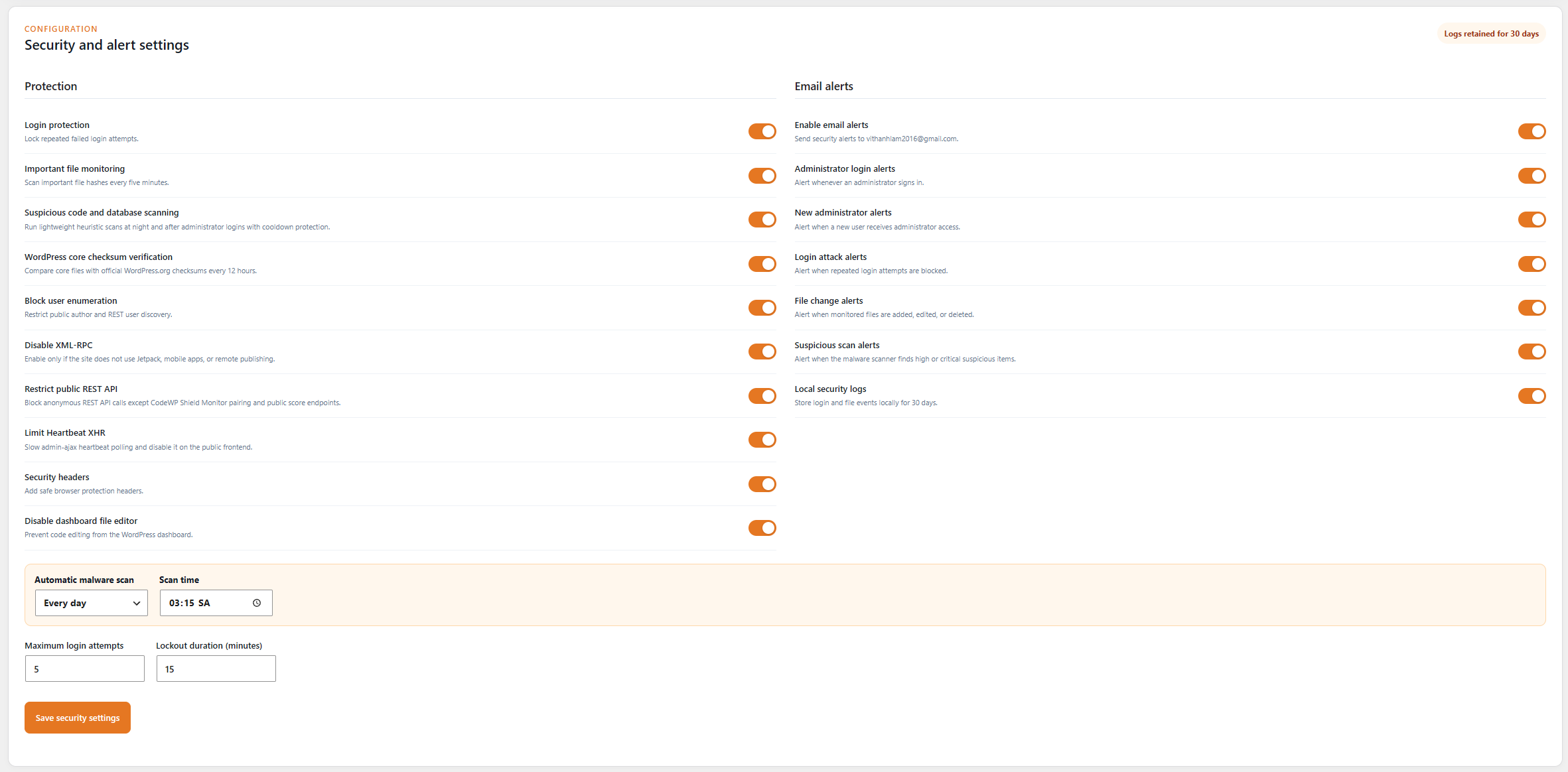
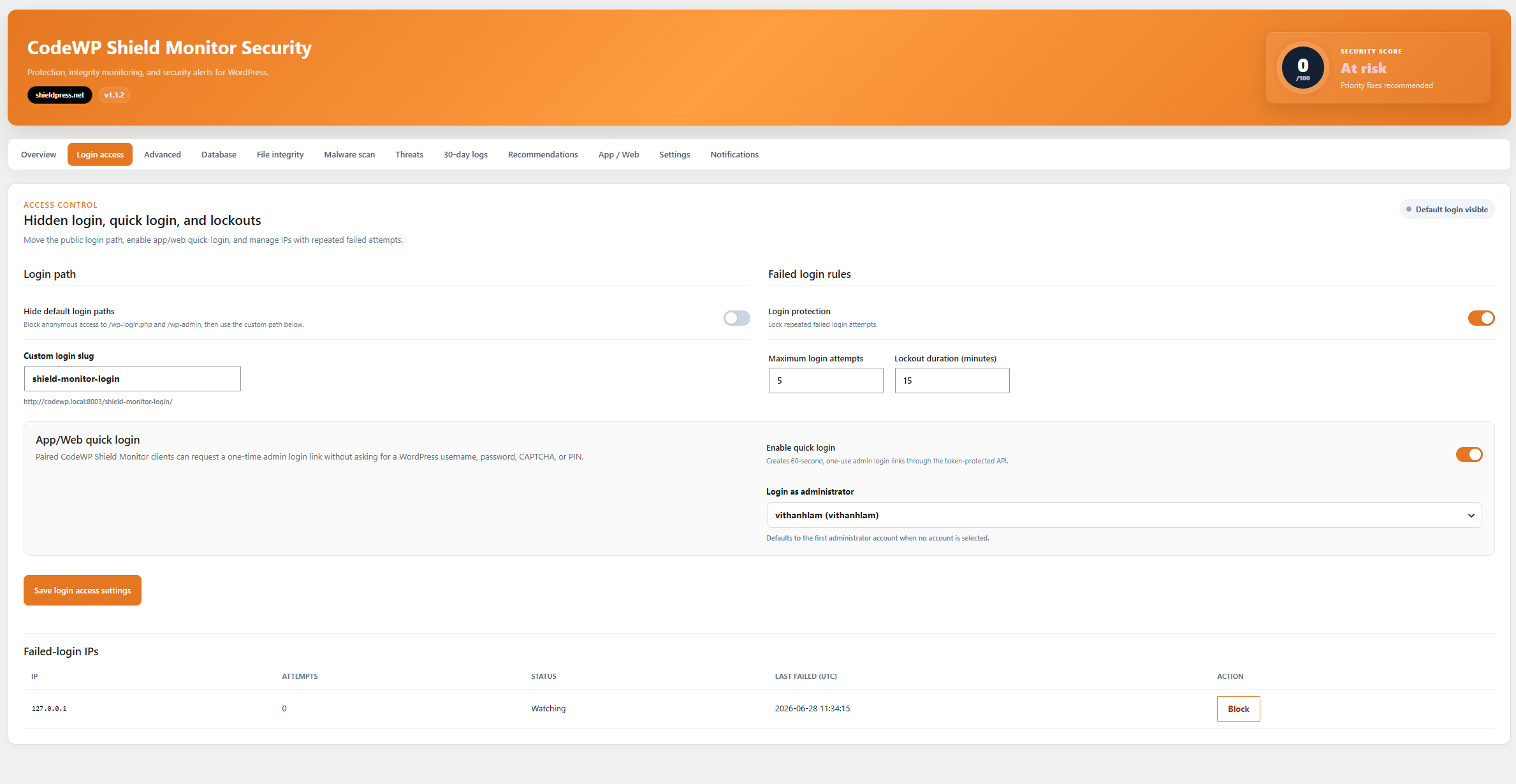
- Rate limits repeated failed logins by hashed IP address.
- Restricts public user enumeration.
- Adds conservative browser security headers.
- Optionally disables XML-RPC.
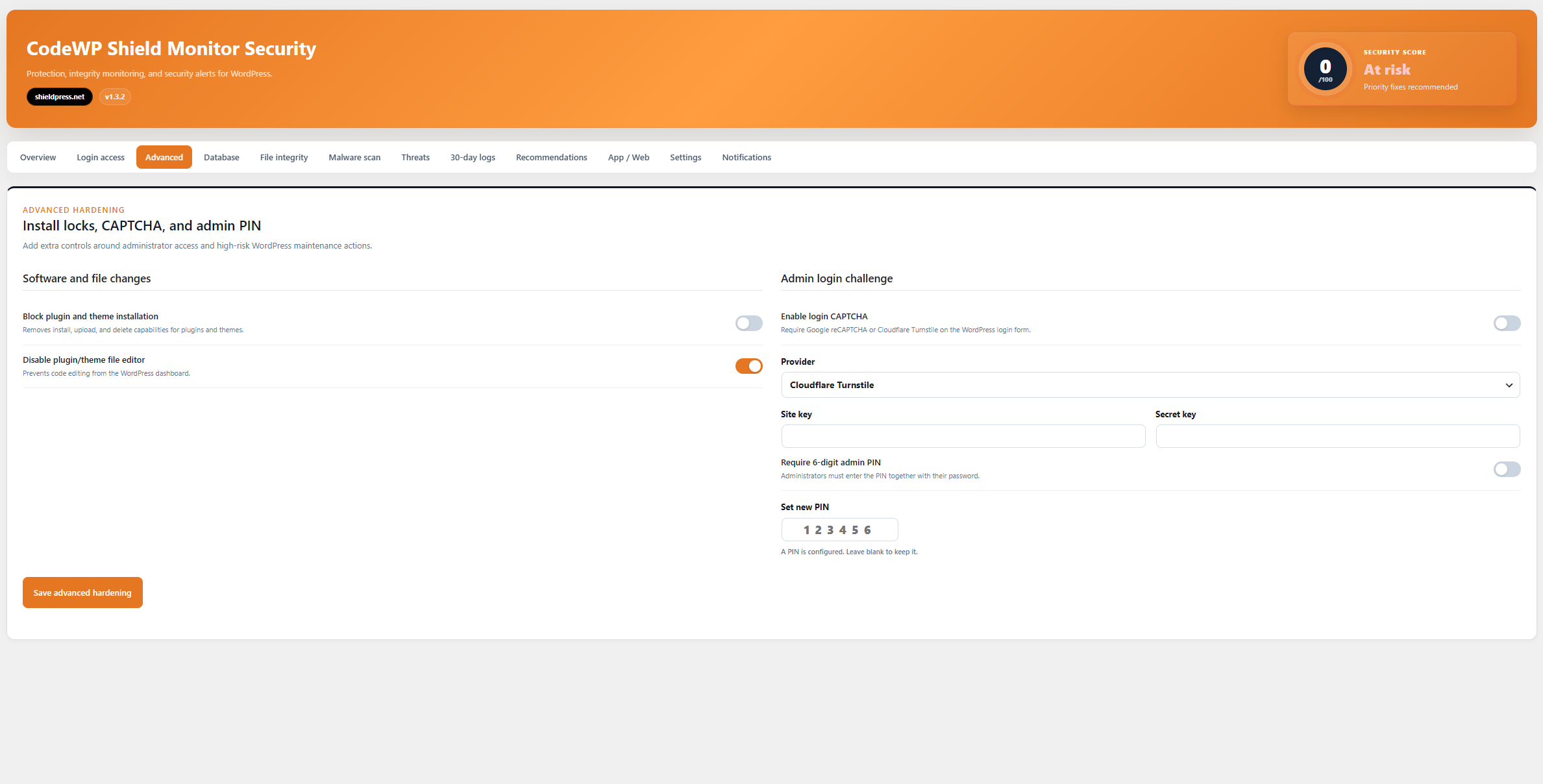
- Disables dashboard file editing.
- Records a local security audit log with configurable retention.
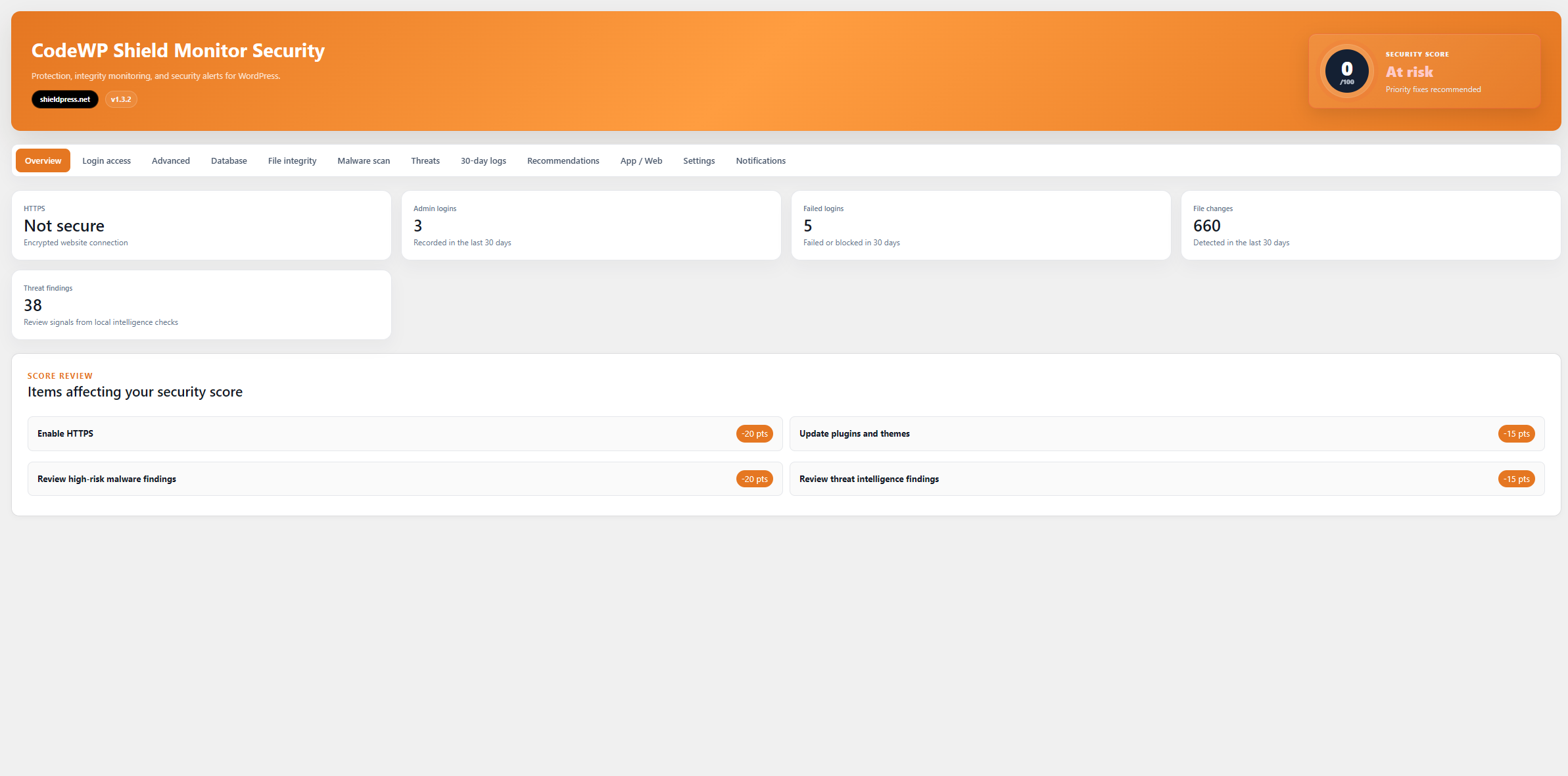
- Displays basic WordPress security and update status in wp-admin.
- Provides token-authenticated REST endpoints for the CodeWP Shield Monitor App.
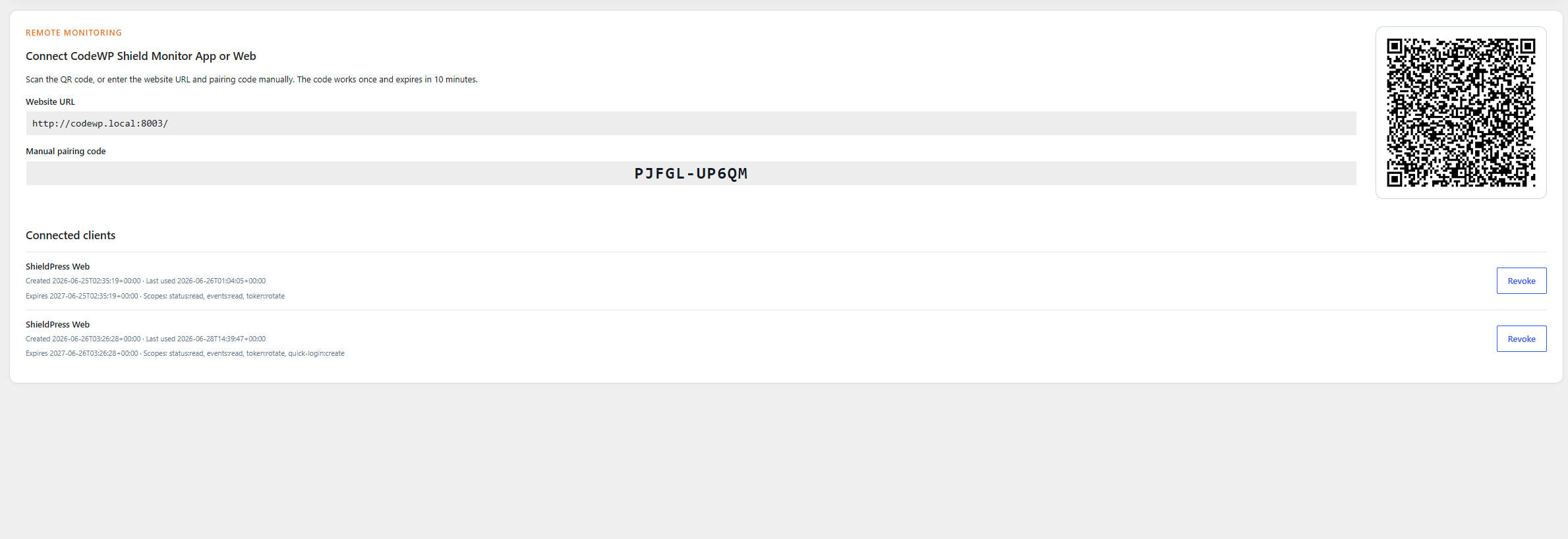
- Pairs the App using a local QR code and a short-lived, one-time exchange code.
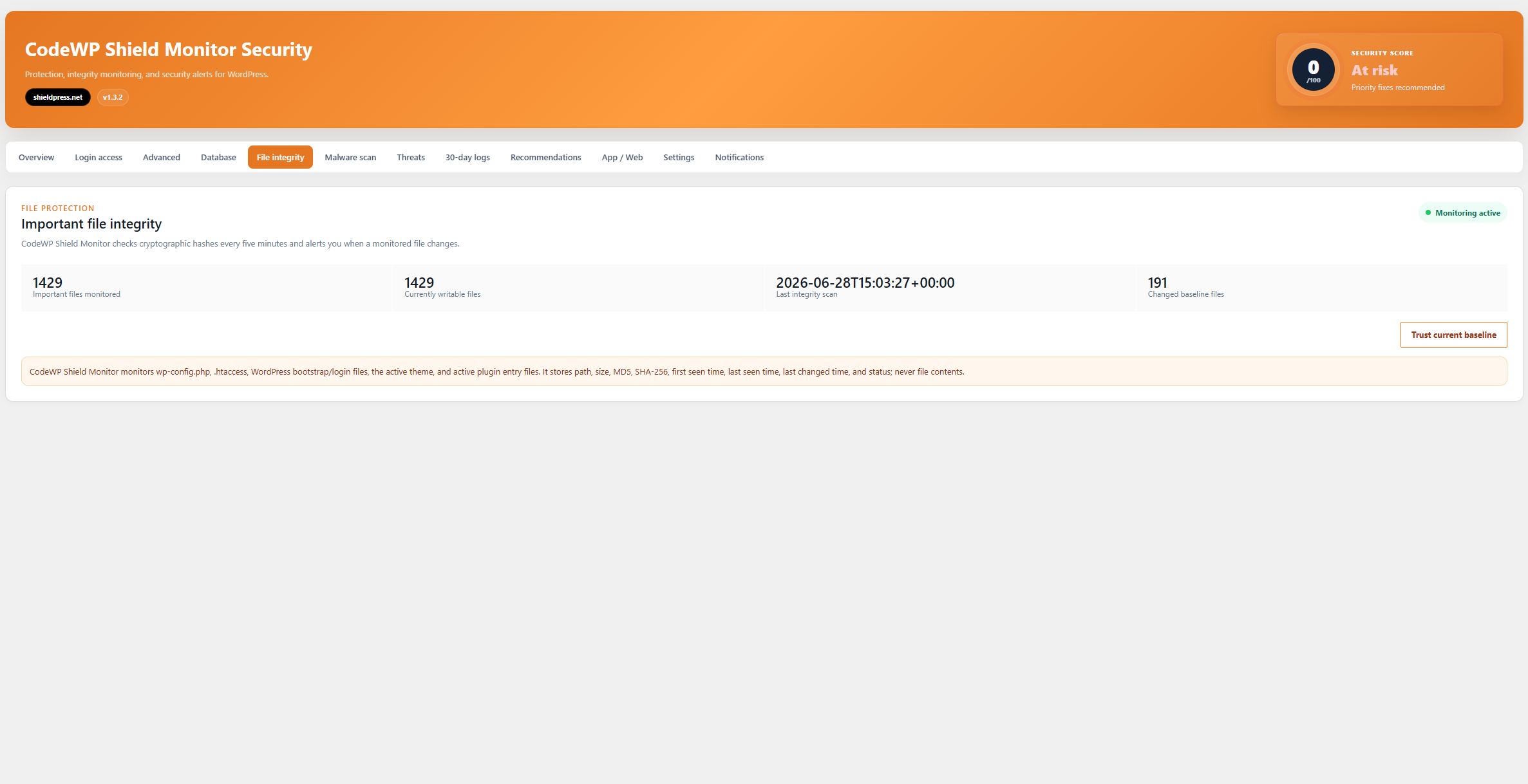
- Monitors important WordPress files every five minutes using SHA-256 hashes.
- Records recent public content create/update activity and new administrator access.
- Records WordPress core, plugin, and theme update events.
- Runs lightweight suspicious-code and database scans with severity-based findings.
- Adds threat intelligence checks for admin anomalies, executable uploads, suspicious options, cron hooks, MU plugins, fake CAPTCHA content, external scripts, cloaking signals, and hardening gaps.
- Provides an incident-response summary with prioritized findings and next review steps.
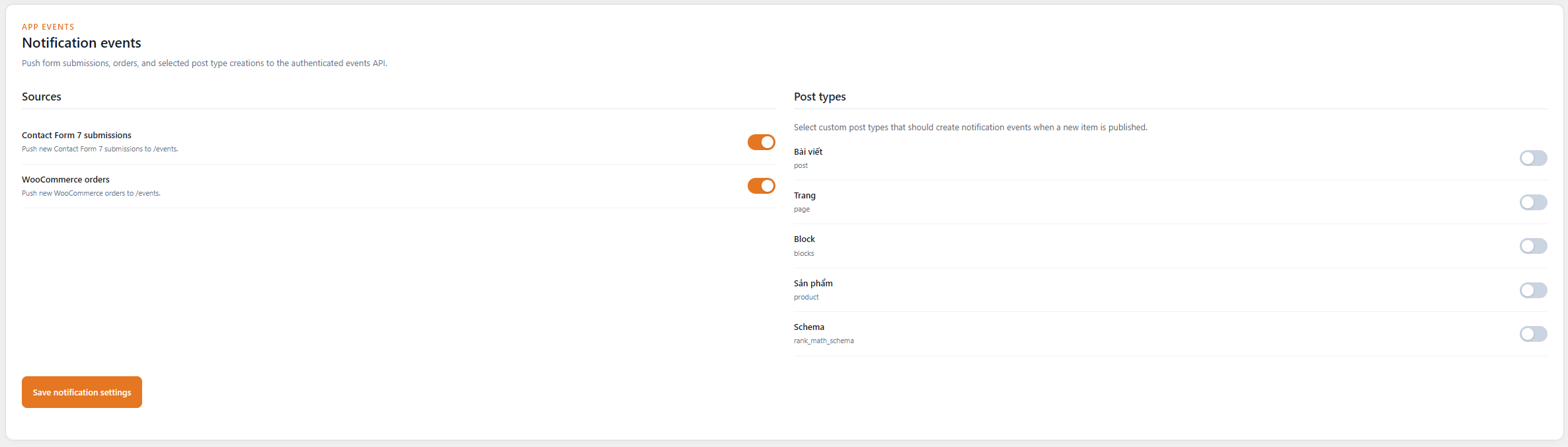
- Pushes Contact Form 7 submissions, WooCommerce orders, and selected custom post type creations to the authenticated events API.
- Skips previously clean malware-scan files while their SHA-256 hash is unchanged.
- Flags external JavaScript and URLs outside the current site domain in source or database content.
- Hides the default login/admin paths behind a custom login slug when enabled.
- Creates scoped, one-time quick-login URLs for paired App/Web clients when enabled.
- Shows failed-login IPs with manual block and unlock controls.
- Records plugin and theme lifecycle events, including activation, deactivation, installs, and updates.
- Lets administrators run manual scans or schedule scans daily, weekly, or monthly.
- Emails alerts for administrator logins, blocked login attacks, and file changes.
- Retains local security audit logs for 30 days.
CodeWP Shield Monitor hashes IP addresses in its 30-day audit log. For failed-login lockout management, it may also store recent source IP addresses, attempt counts, lockout status, and last failed-login time so administrators can block or unlock those IPs. File contents and post body content are never stored.
External services
CodeWP Shield Monitor can connect to the official WordPress.org checksum API when the administrator enables core checksum verification. The service is used to compare local WordPress core file hashes with official release hashes. It sends the installed WordPress version and site locale at most once every 12 hours; it does not send stored credentials, file contents, full database values, post body content, audit-log IP hashes, API tokens, or CAPTCHA tokens. WordPress.org provides this service under the WordPress.org Terms of Service and Privacy Policy.
Terms: https://wordpress.org/about/terms-of-service/
Privacy: https://wordpress.org/about/privacy/
CodeWP Shield Monitor can connect to Cloudflare Turnstile only when an administrator enables login CAPTCHA, selects Cloudflare Turnstile, and saves a Turnstile site key and secret key. The login page loads Cloudflare’s Turnstile JavaScript from challenges.cloudflare.com to display the challenge. During login, the plugin sends the Turnstile response token, configured secret key, and visitor IP address to Cloudflare’s siteverify endpoint to validate the challenge. This is required for the optional Turnstile CAPTCHA feature.
Terms: https://www.cloudflare.com/website-terms/
Privacy: https://www.cloudflare.com/privacypolicy/
CodeWP Shield Monitor can connect to Google reCAPTCHA only when an administrator enables login CAPTCHA, selects Google reCAPTCHA, and saves a reCAPTCHA site key and secret key. The login page loads Google’s reCAPTCHA JavaScript from google.com to display the challenge. During login, the plugin sends the reCAPTCHA response token, configured secret key, and visitor IP address to Google’s siteverify endpoint to validate the challenge. This is required for the optional Google reCAPTCHA feature.
Terms: https://policies.google.com/terms
Privacy: https://policies.google.com/privacy
Screenshots
Installation
- Upload the
codewp-shield-monitorfolder to/wp-content/plugins/. - Activate CodeWP Shield Monitor through the Plugins screen.
- Open CodeWP Shield Monitor in the WordPress dashboard and review the defaults.
FAQ
-
Does CodeWP Shield Monitor send data to an external service?
-
CodeWP Shield Monitor sends the installed WordPress version, locale, and CodeWP Shield Monitor version user-agent to the official WordPress.org checksum API at most once every 12 hours when core checksum verification is enabled. Stored IP fields, credentials, file contents, and post body content are not included; as with any network request, WordPress.org can observe the request’s source IP. If an administrator explicitly pairs CodeWP Shield Monitor App or Web, that client can request site security and monitoring data from token-protected REST endpoints hosted on the site. The administrator can disable checksum verification or revoke client access at any time.
-
What audit data is stored locally?
-
CodeWP Shield Monitor stores 30-day history in its local event table for login, lockout, user-role, administrator-access, public content create/update, notification, plugin/theme lifecycle, software-update, file-change, and suspicious-code scan metadata. Content audit entries store metadata such as post ID, public post type, title, status, changed field names, WordPress user ID, and username when available. Notification events can store selected Contact Form 7 field values, WooCommerce order metadata, and selected post type creation metadata. File-change entries store relative file labels and cryptographic hashes only. Suspicious-code scan reports store severity, relative file paths or database record labels, heuristic signatures, and short sanitized evidence snippets. File uploads, file contents, full database values, CAPTCHA tokens, post body content, API tokens, and plain-text IP addresses are never stored in the audit log. Recent source IP addresses can be stored separately for failed-login lockout management.
WordPress.org Privacy Policy: https://wordpress.org/about/privacy/
-
Can XML-RPC remain enabled?
-
Yes. XML-RPC blocking is disabled by default because Jetpack and remote publishing may depend on it.
Reviews
There are no reviews for this plugin.
Contributors & Developers
“CodeWP Shield Monitor” is open source software. The following people have contributed to this plugin.
Contributors
Translate “CodeWP Shield Monitor” into your language.
Interested in development?
Browse the code, check out the SVN repository, or subscribe to the development log by RSS.
Changelog
1.3.2
- Addressed WordPress.org review feedback for login asset enqueueing, AJAX/admin endpoint path handling, external service disclosures, and plugin/root path resolution.
- Made WordPress.org checksum verification, App/Web quick-login, and form/order notification events opt-in by default.
- Clarified App/Web quick-login flow and exposed quick-login method metadata in the authenticated status API.
- Improved quick-login defaults for upgraded sites where the option existed before the quick-login setting was explicitly configured.
1.3.1
- Added advanced hardening controls for plugin/theme installation locks, login CAPTCHA, admin PIN, quick-login, and database table prefix review.
- Added token-protected quick-login API support for paired App/Web clients.
- Added administrator password-change and always-on failed-login audit events to the authenticated events API.
- Added hidden login path controls and failed-login IP block/unlock management.
- Added plugin and theme lifecycle audit events to the local log and authenticated API.
- Added malware scan caching so clean unchanged files are skipped on later scans.
- Added external JavaScript and external URL detection for source and database scans.
- Added fallback file-integrity scans when WP-Cron is overdue and administrators open wp-admin.
- Added App/Web notification events for Contact Form 7, WooCommerce, and selected post types.
1.3.0
- Added API capabilities, WordPress configuration, multisite scope, auto-update state, and heuristic 2FA/backup integration detection.
- Added WordPress.org core checksum verification and WP-Cron/file-baseline health metadata.
- Added cursor-based security event synchronization.
- Added API token scopes, expiry, legacy-token migration, and secure rotation.
- Added recent public content create/update, new administrator, software update, and expanded file-change audit groups for wp-admin and the authenticated API.
- Added lightweight suspicious-file and database scan reports with severity levels and administrator-only JSON export.
- Added manual malware scans, configurable daily/weekly/monthly scan schedules, scan time settings, and suspicious-finding email alerts.
1.2.2
- Added authenticated API metrics for CPU load, server/PHP memory, and disk usage in bytes and human-readable units.
- Added authenticated site and server IP metadata.
1.2.1
- Added authenticated API inventory counts for users, posts, pages, products, plugins, and themes.
- Added database, locale, timezone, multisite, active theme, and CodeWP Shield Monitor version metadata.
1.2.0
- Added important-file integrity monitoring and 30-day file-change history.
- Added administrator login, login lockout, and file-change email alerts.
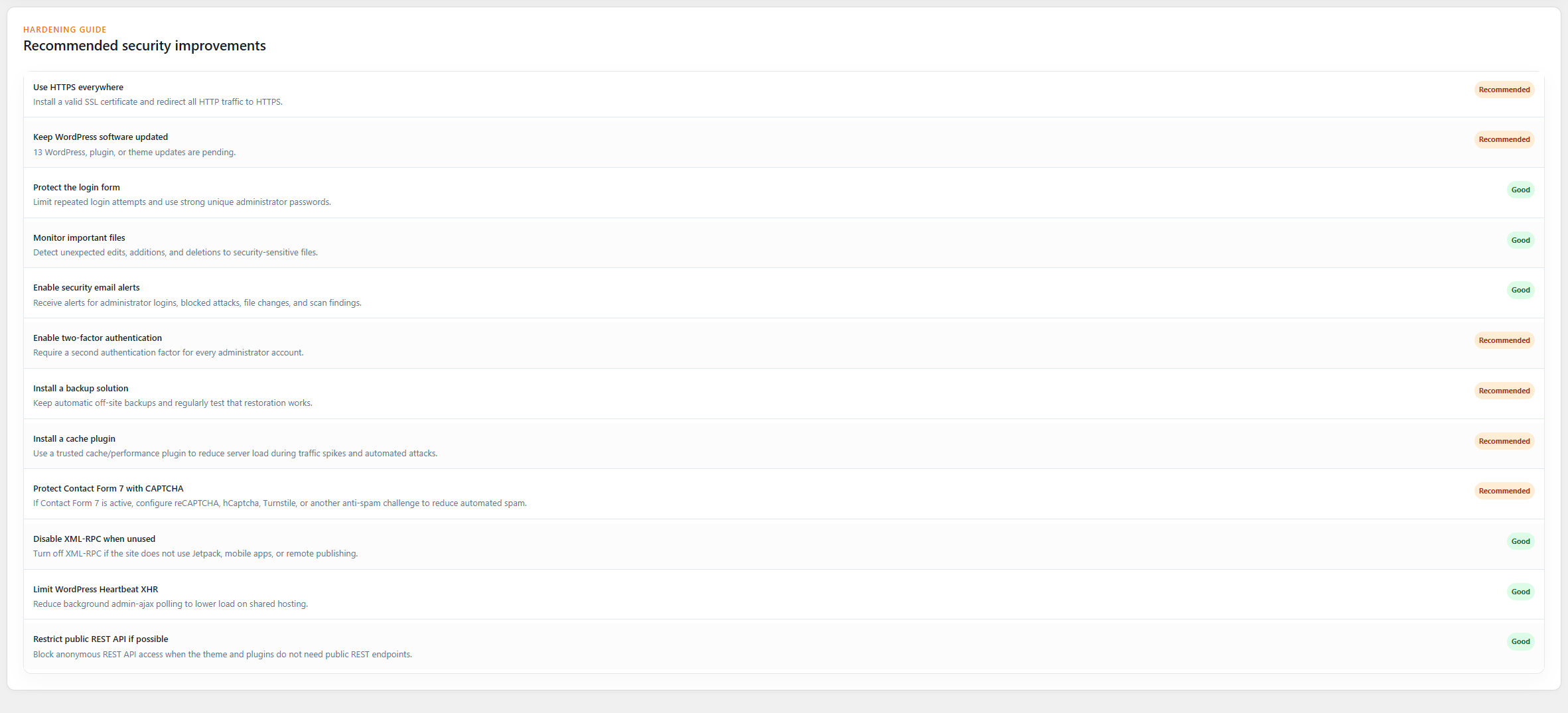
- Added a redesigned security dashboard and hardening recommendations.
- Exposed integrity and 30-day login statistics through the authenticated API.
1.1.0
- Added a focused wp-admin security dashboard.
- Added secure App/Web pairing by QR code or manual code.
- Added authenticated security status and event REST APIs.
1.0.0
- Initial release.