

Description
CliniQ DB scans your WordPress database and presents a plain-English health report — including a letter grade, an issue list, and exactly what to do about each problem.
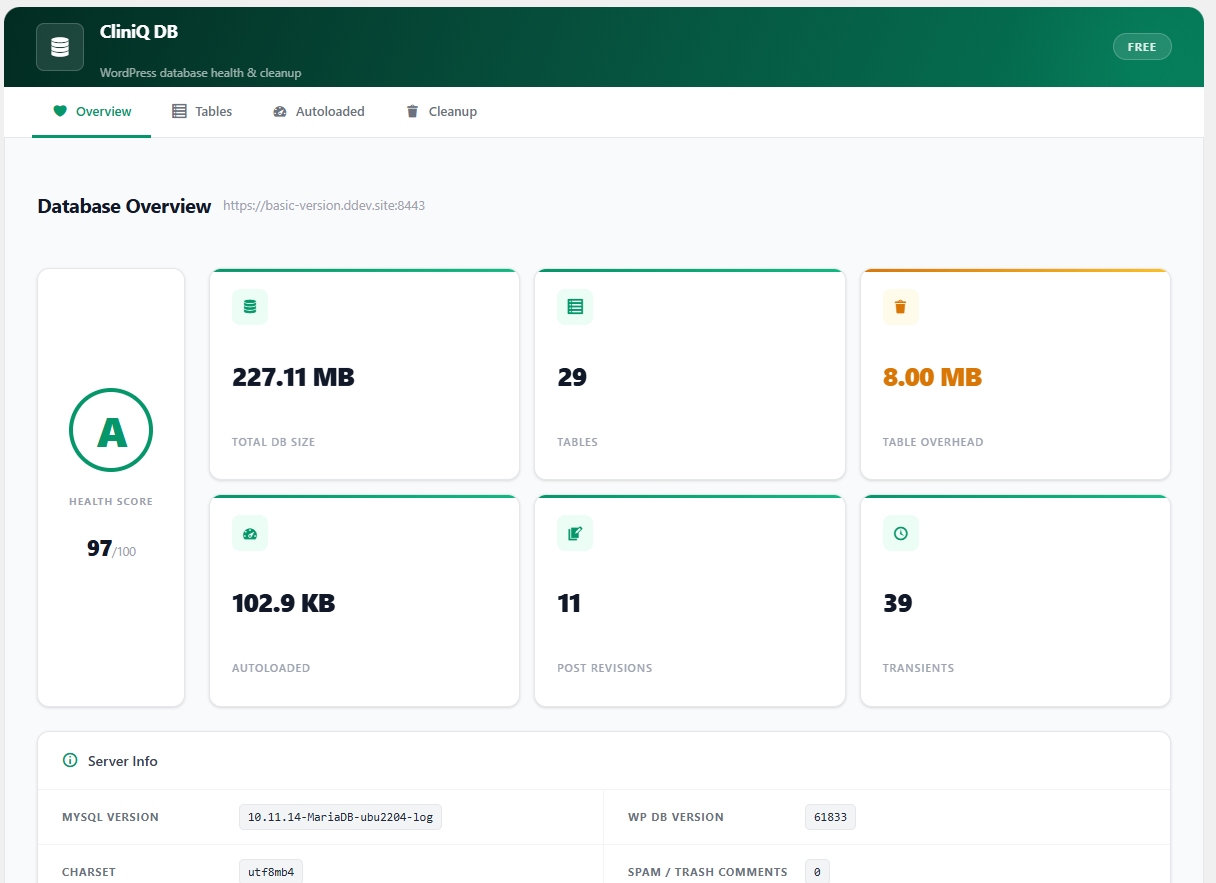
Overview tab
- Letter grade (A–F) with a 0–100 score
- Table count, total DB size, table overhead
- Autoloaded options size, revision count, transient count
- MySQL version, charset, WP DB version
- Spam/trash comment count, orphaned postmeta count
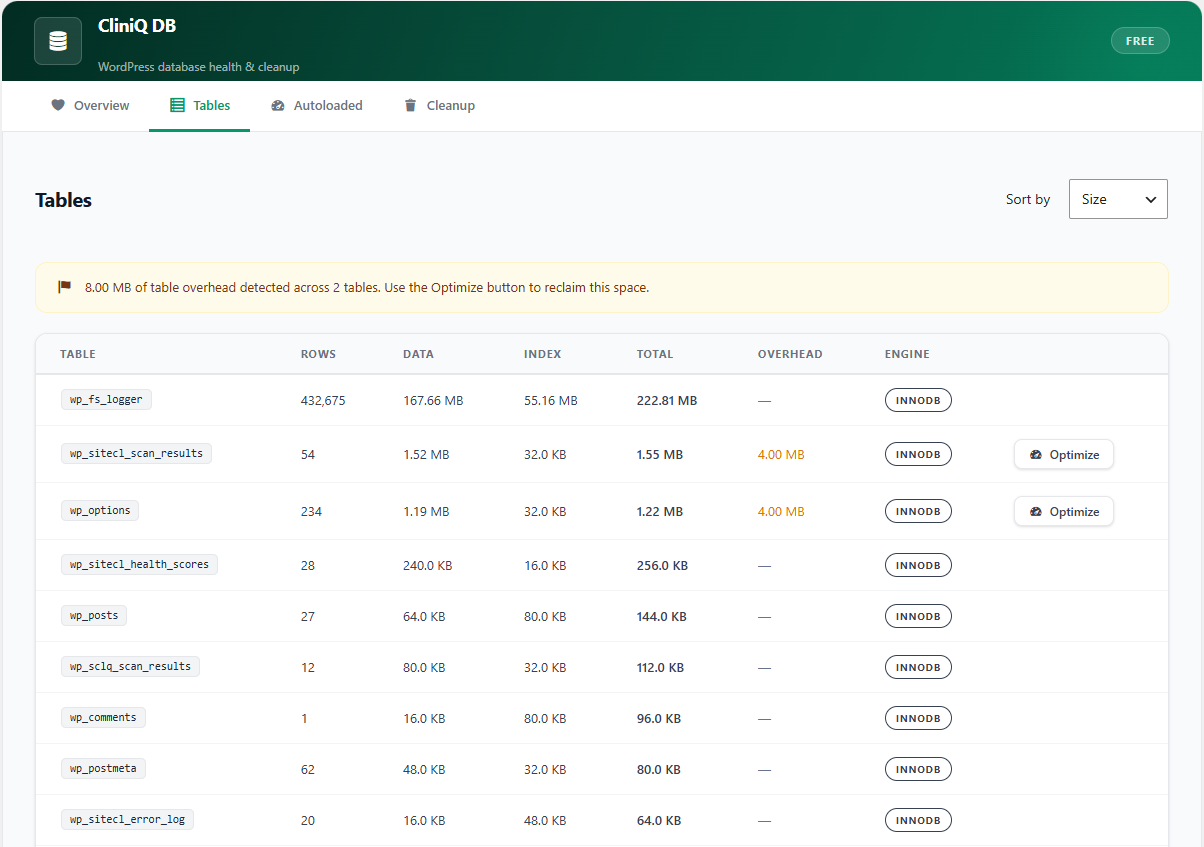
Tables tab
- Full list of all database tables sorted by size, overhead, or row count
- Per-table: data size, index size, overhead, engine, collation
- One-click Optimize button for tables with overhead
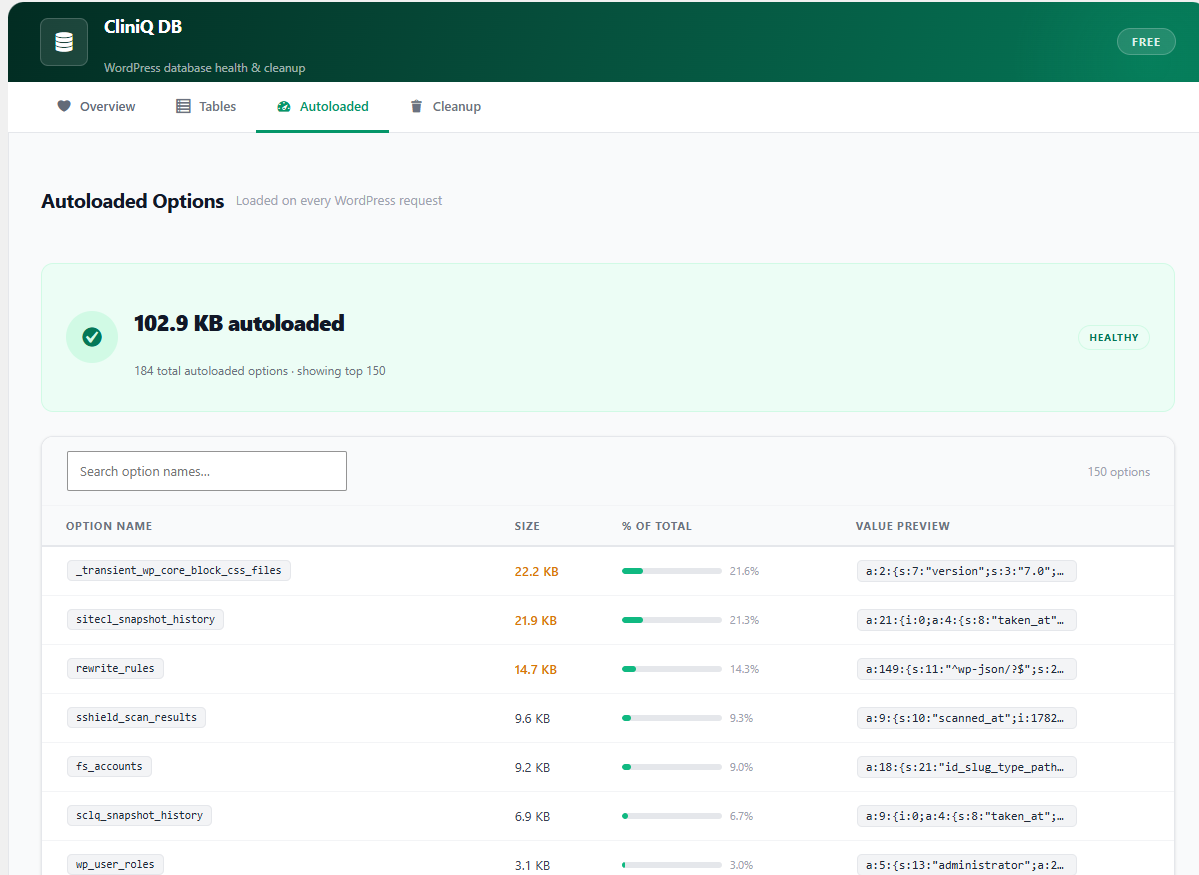
Autoloaded Options tab
- Lists the top 150 autoloaded options by size
- Per-option: name, size in bytes, percentage of total, value preview
- Highlights options over 10 KB in amber, over 50 KB in red
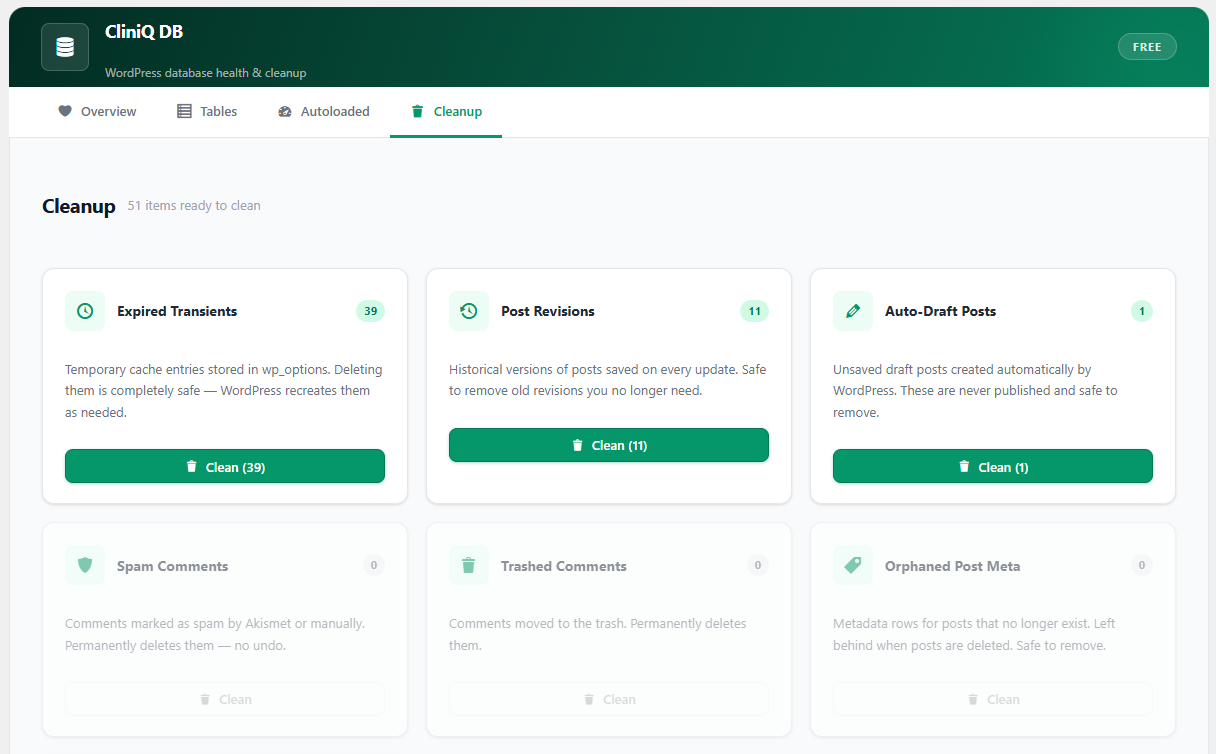
Cleanup tab
- Expired transients
- Post revisions
- Auto-draft posts
- Spam comments
- Trashed comments
- Orphaned postmeta
- Orphaned commentmeta
Each cleanup card shows the row count before cleaning and a confirmation message after. All operations are permanent — back up your database first.
Source Files & Build Process
The compiled JavaScript at assets/build/index.js is human-readable ES5 code that uses WordPress’s bundled wp.element (React) directly — no minification or transpilation is applied. The JSX source components in assets/src/ are included for reference.
To compile from JSX source:
- Run
npm installin the plugin folder. - Run
npm run build.
Build requirements: Node 18+, @wordpress/scripts ^26.
Screenshots
Installation
- Upload the
cliniq-dbfolder to/wp-content/plugins/. - Activate the plugin through the Plugins screen in WordPress.
- Navigate to CliniQ DB in the left admin menu.
FAQ
-
Is it safe to run the cleanup operations?
-
Yes. Every cleanup task only removes data WordPress no longer uses — expired transients, deleted-post leftovers, spam and trash. Back up your database before running cleanup on a production site as a precaution.
-
Will this affect my site’s front end?
-
No. CliniQ DB is an admin-only tool. It does not output anything to the front end and does not modify published content.
-
How is the health score calculated?
-
Each detected issue reduces the score: critical issues subtract 30 points, warnings subtract 15, and informational issues subtract 3. The letter grade maps to score ranges: A (90–100), B (75–89), C (60–74), D (45–59), F (0–44).
-
Does this work with Multisite?
-
The plugin scans the current site’s database tables. Full Multisite network-wide support is not included in this version.
Reviews
There are no reviews for this plugin.
Contributors & Developers
“CliniQ DB” is open source software. The following people have contributed to this plugin.
Contributors

Translate “CliniQ DB” into your language.
Interested in development?
Browse the code, check out the SVN repository, or subscribe to the development log by RSS.
Changelog
1.0.0
Initial release.
* Added translators comments to all i18n strings with placeholders.
* Fixed: esc_sql() applied to table name in OPTIMIZE TABLE query.
* Updated Tested up to: 7.0.
* Added languages/ directory for future translations.
* Added uninstall.php to remove plugin data on deletion.
1.0.0
Initial release.