

Description
ClickBlog AI Auto Poster is the official WordPress plugin for ClickBlog.net.
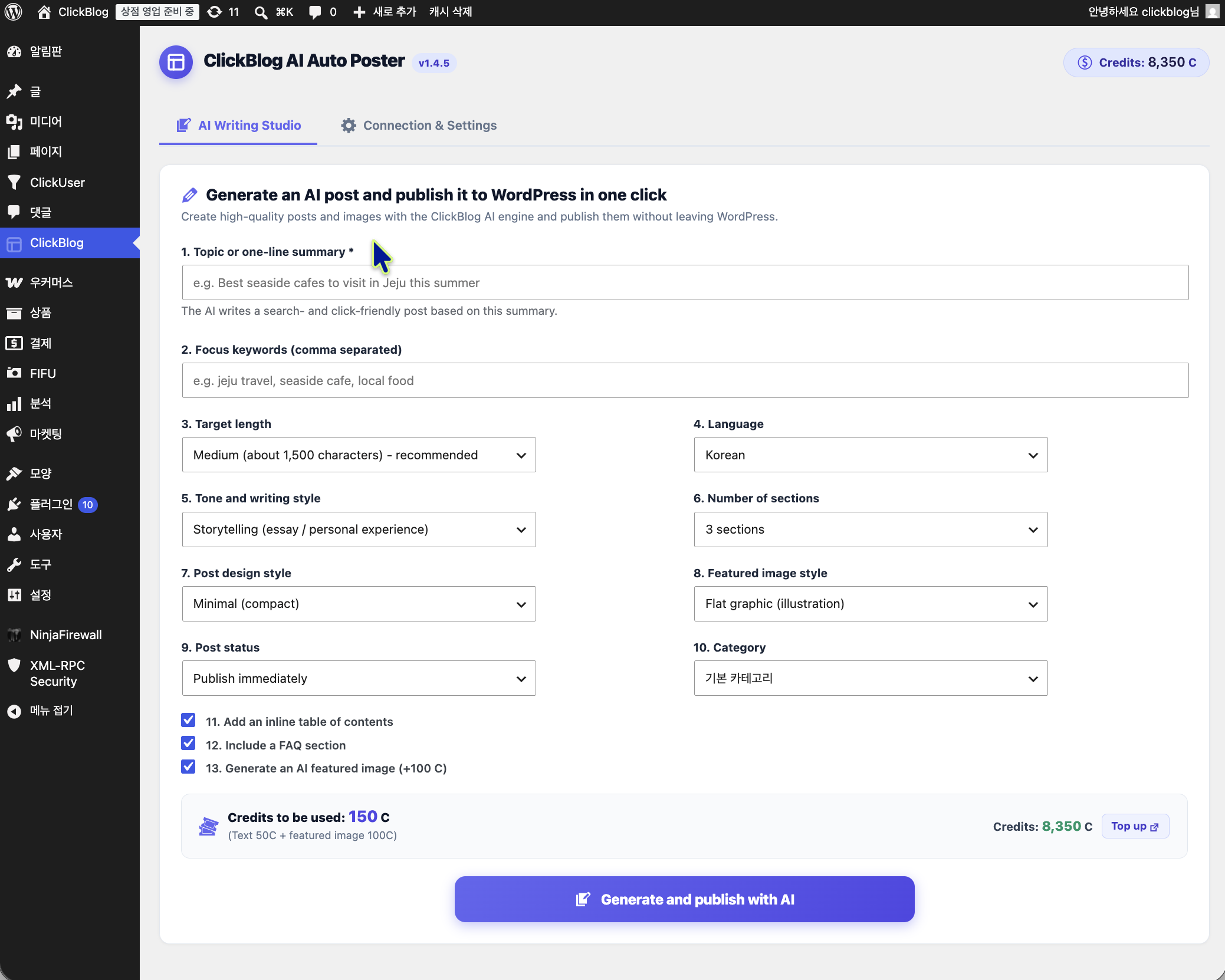
Write a one-line topic, pick your options, and the plugin returns a finished post — headings, body copy, an optional table of contents, an FAQ section, and an AI-generated featured image — then publishes it to your site. All heavy AI processing happens on ClickBlog servers, so your hosting is not affected.
Key Features
- One-click generation — Enter a topic and keywords, and receive a complete post ready to publish.
- AI featured images — Optionally generate a matching header image in four visual styles.
- Post design presets — Choose Basic, Modern, Minimal, or Magazine styling applied inline so it survives any theme.
- Publishing control — Set post status, category, author, target length, tone, and paragraph count before generating.
- Table of contents & FAQ — Add an inline TOC box and a Frequently Asked Questions section automatically.
- Bonus credits — Receive free bonus credits on your first successful connection.
Account required
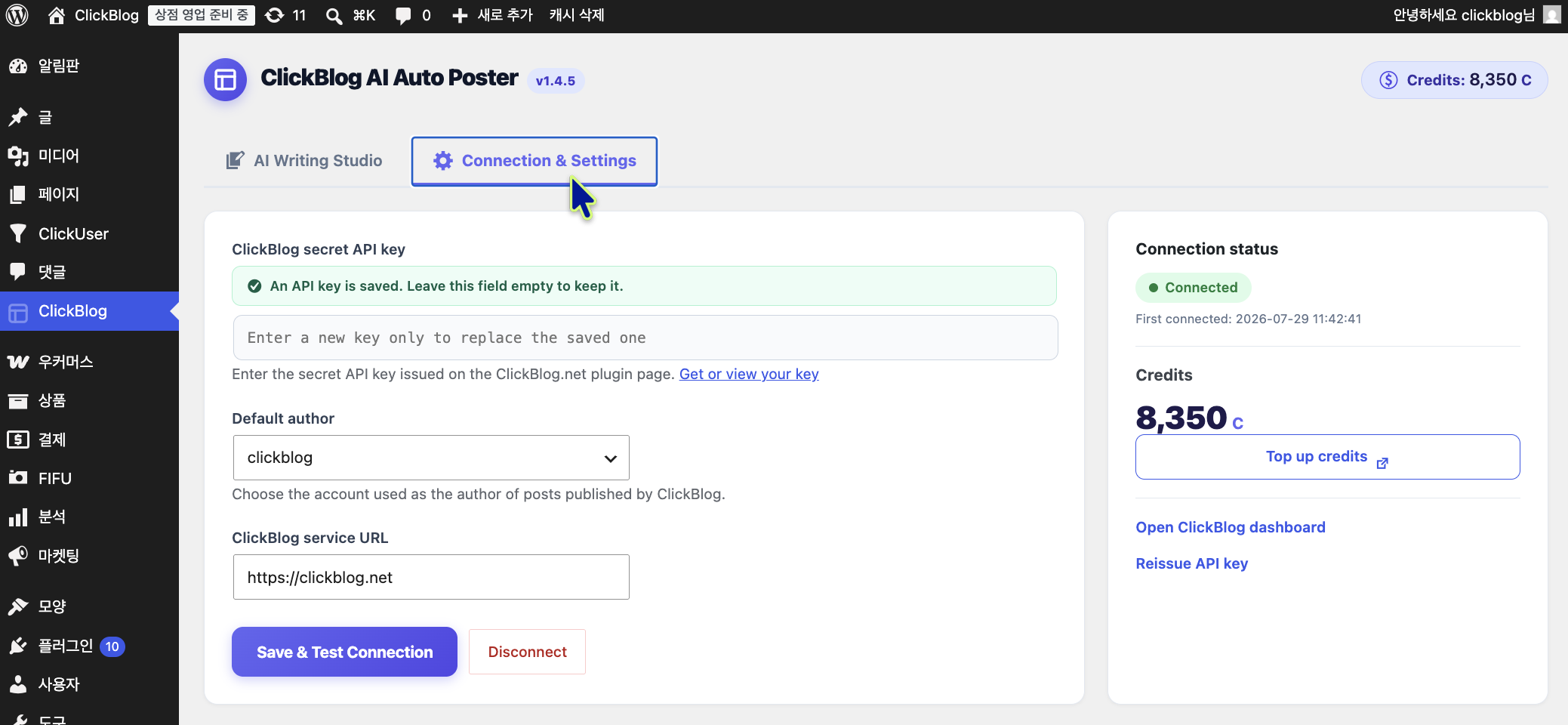
This plugin is a client for the ClickBlog.net service and requires a free ClickBlog.net account plus an API key. AI generation consumes credits from your ClickBlog account. You can sign up at clickblog.net.
External services
This plugin connects to the ClickBlog.net API to generate blog content and images. It is required for the plugin to function — without it, no content can be generated.
What is sent, and when
Data is transmitted only when you click the generate button on the plugin screen, or when you press “Save & Test Connection”:
- Your ClickBlog API key (to authenticate the request)
- Your site URL (to identify which site the request belongs to)
- The generation options you entered: topic, keywords, target length, language, tone, paragraph count, post style, image style, post status and category
After you start a generation, the plugin checks whether that job has finished. These follow-up requests carry the same data as above plus the job identifier, and nothing else. They stop as soon as the post is delivered, the job fails, or 20 minutes have passed. They are scheduled through WP-Cron so that a post you already spent credits on is still published if you close the page. No new generation is ever started on its own.
What is received
The generated post title, body content, excerpt, and (if requested) a featured image, along with your remaining credit balance.
Where it goes
Requests are sent to https://clickblog.net. To produce the text and images, ClickBlog forwards your generation options to its AI processing service at https://api.using.ai.kr, which in turn uses Google’s Gemini and Imagen APIs.
No post content, visitor data, or personal information from your WordPress site is collected or transmitted beyond the options you enter on the plugin screen.
- Service provider: ClickBlog.net
- Terms of Service: https://clickblog.net/terms
- Privacy Policy: https://clickblog.net/privacy
Screenshots
Installation
- Install the plugin through the WordPress plugins screen, or upload the
clickblogfolder to/wp-content/plugins/. - Activate the plugin through the Plugins screen in WordPress.
- Open the ClickBlog menu in your WordPress admin sidebar.
- Follow the on-screen steps: get your API key from clickblog.net/plugin, paste it into the settings field, and click Save & Test Connection.
- Once connected, switch to the AI Writing Studio tab and generate your first post.
FAQ
-
Do I need a ClickBlog.net account?
-
Yes. The plugin is a client for the ClickBlog.net service, and AI generation runs on ClickBlog servers. Signing up is free, and your first successful connection earns bonus credits.
-
Where do I get my API key?
-
Log in at clickblog.net and open the plugin page at clickblog.net/plugin. Use the Copy key button there, then paste it into the plugin settings.
-
How many credits does one post cost?
-
At the time of writing, text generation costs 50 credits and an AI featured image costs 100 credits. Pricing is set by ClickBlog.net, so treat the plugin screen as authoritative: it shows the exact cost for the options you picked, together with your current balance, before you generate anything.
-
Will this plugin slow down my website?
-
No. All AI text and image generation runs on ClickBlog servers. The plugin only sends your options and receives the finished post.
-
Does it work with my theme?
-
Yes. Post styling is applied as inline CSS rather than a stylesheet, so it renders consistently regardless of theme. Your own manual formatting is preserved.
-
What happens to my posts if I uninstall the plugin?
-
Published posts stay in WordPress as normal posts. Uninstalling removes only the plugin’s own settings, including the stored API key.
Reviews
There are no reviews for this plugin.
Contributors & Developers
“ClickBlog AI Auto Poster” is open source software. The following people have contributed to this plugin.
Contributors
Translate “ClickBlog AI Auto Poster” into your language.
Interested in development?
Browse the code, check out the SVN repository, or subscribe to the development log by RSS.
Changelog
1.4.5
- Hardened the admin screens: values submitted from the generation form are now checked against a fixed list of expected fields and types before being used or forwarded.
- The API key and site address are always taken from your saved settings and can no longer be supplied by the request itself.
- Publishing no longer leaves the current user switched for the rest of the request, and it now follows WordPress’s own HTML filtering rules for the post author.
- Translations are now delivered through translate.wordpress.org instead of being bundled with the plugin.
1.4.4
- Housekeeping: removed a duplicate URI from the plugin header.
1.4.3
- Added translator comments for strings containing placeholders, so translators can see what each value means.
1.4.2
- Fixed the admin menu icon not appearing.
1.4.1
- Featured images are now downloaded from a link instead of being embedded in the response, which makes the plugin compatible with hosts whose upload scanners reject encoded payloads.
- Credit costs are now sent by ClickBlog.net, so the amount shown before you generate always matches what is charged.
- Removed an unused REST endpoint that was left over from an earlier publishing method.
- Uninstalling now removes every option the plugin created, leaving no leftover rows behind.
1.4.0
- Post generation now runs in the background: WordPress keeps watching the job and publishes the post even if you close the tab or navigate away.
- Returning to the plugin screen picks up a generation that is still running, with the time elapsed shown.
- The progress box now reports live status and elapsed time instead of a fixed “15-30 seconds” note.
- Removed the 3-minute client timeout that could report a failure while the post was still being written.
- Rate-limit responses from ClickBlog.net are now honoured instead of being retried immediately.
- The API key is no longer embedded in the admin page markup.
1.3.7
- Redesigned the admin UI: styles moved to a stylesheet, responsive form layout on narrow screens.
- Added a guided 3-step onboarding flow with a direct link to issue your API key.
- The settings tab now opens first when the plugin is not yet connected, and stays put when a connection test fails.
- Added credit balance, low-balance warning, and top-up links to the admin screens.
- Fixed broken icons and stopped hiding other plugins’ admin notices.
1.3.6
- Added category selection to the generation form.
- Post length input now accepts a custom character count (200–5000).
1.3.4
- Publishing now happens locally inside WordPress, avoiding host firewall and authorization header issues.
- Featured images, excerpts, and table-of-contents styling are preserved on publish.
1.2.0
- Added post design presets and inline table of contents.
1.0.0
- Initial release with ClickBlog.net API key integration.