

Description
Click Action Sounds adds a little personality to your website: when a visitor clicks a link, presses a button, or submits a form, a sound plays. Use it for fun, or use it thoughtfully — a soft chime on a “Book now” button, a gentle sound on “Add to cart” — to make key actions feel tactile and memorable.
Features:
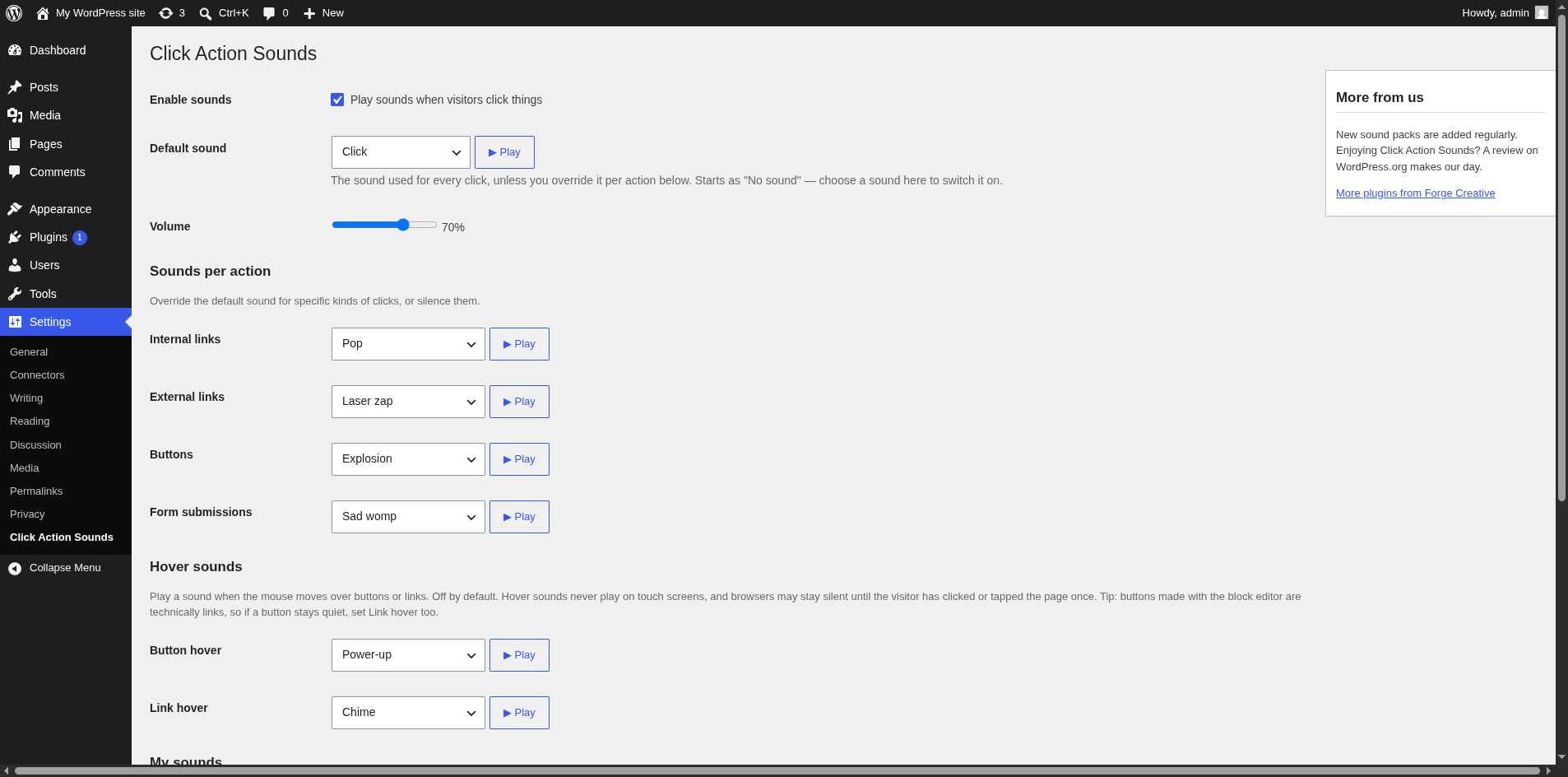
- 84 built-in sounds in nine packs: UI & Interface, Retro Game, Cartoon, Jingles, Animals, Business & Trades, Body, Nature, and Spooky
- Choose a default sound, then give internal links, external links, buttons, and form submissions their own sound — or silence any of them
- Optional hover sounds for buttons and links (off by default, and never on touch screens)
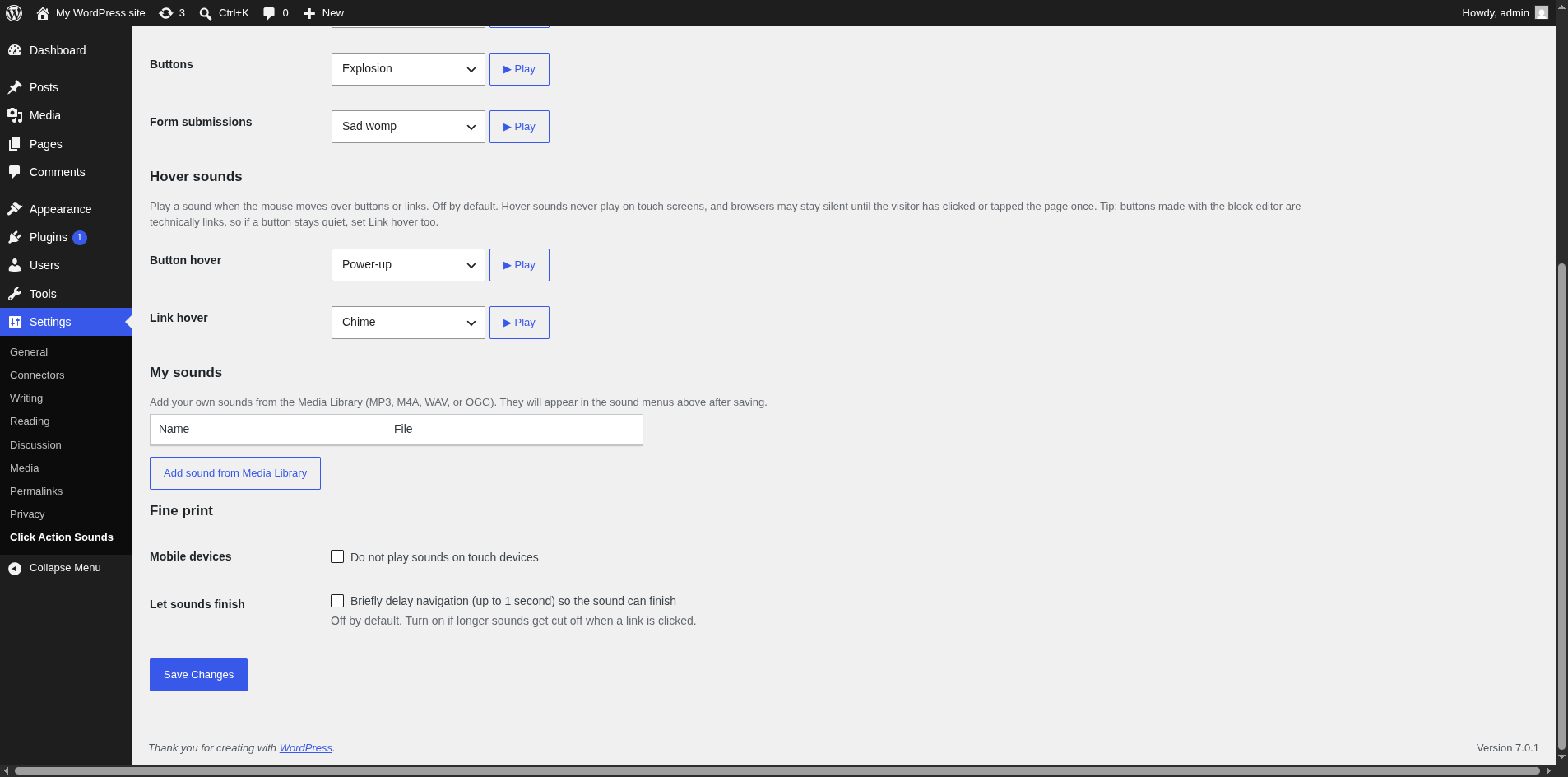
- Add your own sounds from the Media Library (MP3, M4A, WAV, or OGG) and give them names
- Volume control
- Optional “no sounds on touch devices” setting
- Optional “let the sound finish before navigating” setting for longer sounds
- Lightweight: one small script on the frontend, no external requests, no tracking
Sounds only ever play in response to a visitor’s action, so they work in every modern browser without autoplay problems.
All audio files bundled with this plugin are original works owned by Forge Creative and are licensed under the GPLv2 (or later), the same license as the plugin itself. You are free to use, modify, and redistribute them under those terms.
A note on taste: with great sound comes great responsibility. A subtle click delights; a foghorn on every link does not. We trust you.
License
Click Action Sounds is free software, released under the GNU General Public License v2 or later (https://www.gnu.org/licenses/gpl-2.0.html).
All bundled audio files are original works owned by Forge Creative and are released under the same GPLv2 (or later) license. No third-party or stock audio is included.
Screenshots
Installation
- Install and activate the plugin from the Plugins screen.
- Go to Settings Click Action Sounds.
- Pick a default sound, adjust the volume, and save. Done!
FAQ
-
I activated the plugin but nothing makes a sound
-
That is expected — the plugin starts silent so it never surprises your visitors. Go to Settings Click Action Sounds and choose a Default sound (or set a sound for a specific action). Sounds begin once you pick one.
-
Can I use my own sounds?
-
Yes. Upload an audio file (MP3, M4A, WAV, or OGG) to your Media Library, then add it under Settings Click Action Sounds My sounds. It will appear in every sound menu.
-
Yes. Under Settings Click Action Sounds Hover sounds, choose a sound for button hover and/or link hover. Hover sounds are off by default and never play on touch devices.
-
Many themes and page builders create “buttons” that are really links styled to look like buttons. The plugin treats anything that looks like a button (a
btnorbuttonCSS class, orrole="button") as a button. If a button still behaves like a link, set the Internal or External link sound to match. -
Will this slow down my site?
-
No. The plugin adds one small JavaScript file and only preloads the sounds you actually use.
-
Does it play sounds in the admin area?
-
No, sounds only play on the public site.
-
Longer sounds get cut off when clicking a link
-
When a visitor navigates to a new page, the browser stops all audio. Enable “Let sounds finish” in the settings to briefly delay navigation (up to one second) so the sound can play out.
Reviews
There are no reviews for this plugin.
Contributors & Developers
“Click Action Sounds – Button, Link & Hover Sound Effects” is open source software. The following people have contributed to this plugin.
Contributors
Translate “Click Action Sounds – Button, Link & Hover Sound Effects” into your language.
Interested in development?
Browse the code, check out the SVN repository, or subscribe to the development log by RSS.
Changelog
1.1.1
- Compliance: the text domain now matches the plugin slug so WordPress.org community translation tools work correctly. No functional changes.
1.1.0
- New: 40 more sounds, organised into new packs — Animals, Business & Trades, Body, Nature, and Spooky.
1.0.2
- Hardened sound loading so add-ons can never interrupt playback.
1.0.1
- Improved sound loading so on-demand sounds play reliably.
1.0.0
- Initial release: 44 built-in sounds in five packs, per-action sounds, optional hover sounds, custom sounds from the Media Library, volume control, and mobile and navigation-delay options.